
To get more from online collaboration tools, leverage digital whiteboard hacks like using visual storytelling with images, icons, and color coding to clarify ideas. Structure sessions with templates such as mind maps or flowcharts to stay organized and foster better idea flow. Incorporate multimedia content like videos and links to enrich discussions, and keep your workspace engaging with consistent visuals and spontaneous collaboration. Stay tuned for tips that reveal your whiteboard’s full potential and boost team creativity.
Key Takeaways
- Utilize visual storytelling with icons, images, and color coding to clarify ideas and boost engagement.
- Organize sessions with templates like mind maps and flowcharts to streamline idea flow and maintain focus.
- Encourage real-time collaboration using colored sticky notes, annotations, and spontaneous idea sharing.
- Embed multimedia elements such as videos and images to provide context and enhance content richness.
- Maintain visual consistency with cohesive color schemes and organized layouts to foster clarity and creativity.

Have you ever wondered how to make your digital whiteboard more effective and engaging? When it comes to remote brainstorming sessions, the right techniques can transform a simple online space into a powerhouse of creativity. Instead of just jotting down ideas, leverage visual storytelling to communicate concepts more clearly and inspire collaboration. For example, use images, icons, and color coding to help team members visualize ideas and see connections more easily. This approach helps break down complex information, making it accessible and memorable for everyone involved. Incorporating visual storytelling into your digital whiteboard encourages participants to think beyond words, fostering a more dynamic and interactive environment.
To maximize your remote brainstorming sessions, start by setting clear goals and structuring your whiteboard. Use templates or frameworks like mind maps or flowcharts to guide the flow of ideas. These structures provide a visual roadmap that keeps everyone aligned and prevents the session from becoming chaotic. Encourage team members to add sketches or diagrams alongside text notes, making the process more engaging and less monotonous. When everyone contributes visually, it’s easier to identify patterns, spot gaps, and develop innovative solutions. Plus, visual storytelling helps participants connect emotionally with the material, which can boost motivation and investment in the outcomes.
Another effective hack is to utilize sticky notes or digital equivalents to facilitate free-flowing ideas. Have participants add their thoughts in different colors to distinguish perspectives or priorities. This not only makes the brainstorming more vibrant but also helps you quickly gauge consensus or disagreement. When you combine this with real-time editing, you create an interactive experience that mimics in-person collaboration. Don’t forget to encourage annotations, highlights, or comment features available on many digital whiteboards. These tools enable team members to clarify or elaborate on ideas without disrupting the overall flow.
Furthermore, consider integrating multimedia elements like videos, images, or links directly onto the whiteboard. This enriches the visual storytelling aspect and provides context that might be difficult to convey with words alone. Embedding relevant content makes the session more immersive and memorable. As you facilitate, keep the visual storytelling consistent by using a cohesive color scheme and visual language. This consistency helps reduce cognitive load and keeps everyone focused on the core ideas. Additionally, understanding the importance of visual storytelling in anime can inspire more creative visualizations in your digital whiteboard sessions.
In short, transforming your digital whiteboard into a vibrant hub for remote brainstorming and visual storytelling can markedly enhance collaboration. By organizing ideas visually, encouraging multimedia use, and fostering an interactive environment, you’ll inspire your team to generate more innovative and cohesive solutions. With these hacks, your online whiteboard sessions won’t just be productive—they’ll be truly engaging and memorable.
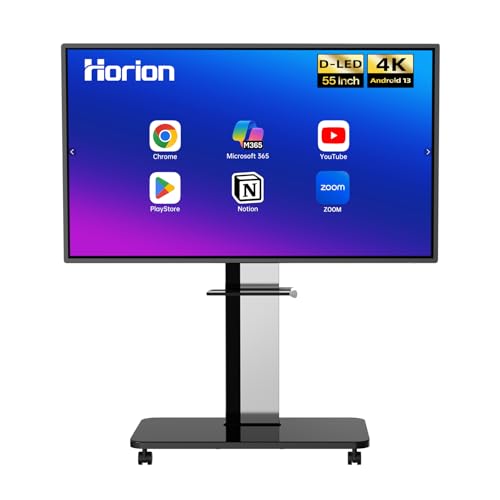
Smart Board, Interactive Whiteboard, 4K UHD Touch Screen Digital Board, Digital Electronic Smartboard for Classroom,Office & Conference Rooms,Open App Ecosystem(Board & Wall Mount Only) (55 Inch)
【4K Ultra-Clear Display & 40-Point Multi-Touch Interaction】This 55-inch smart board features 4K ultra-clear display technology and 3.2mm AG…
As an affiliate, we earn on qualifying purchases.
As an affiliate, we earn on qualifying purchases.
Frequently Asked Questions
How Secure Are Digital Whiteboard Platforms for Sensitive Data?
Digital whiteboard platforms generally offer solid security, but you should still be cautious with sensitive data. Look for platforms that use strong encryption protocols to protect your information during transmission and storage. Additionally, verify they have robust user authentication methods to prevent unauthorized access. By choosing tools with these security features, you can confidently collaborate online without risking your sensitive data.
Can Digital Whiteboards Integrate With Other Remote Work Tools?
Yes, digital whiteboards easily integrate with other remote work tools. You can leverage third-party integrations and API capabilities to connect them with project management apps, video conferencing platforms, and file-sharing services. This seamless integration streamlines your workflow, allowing you to collaborate more efficiently. By utilizing these features, you guarantee that your team stays aligned, saves time, and maximizes productivity during remote collaborations.
What Are the Best Practices for Onboarding New Team Members?
To onboard new team members effectively, focus on team engagement and clear onboarding strategies. You should introduce them to digital whiteboards early, showing how to use collaboration tools seamlessly. Encourage active participation in virtual sessions and provide step-by-step guides. Regular check-ins help address questions, fostering confidence. By creating an inclusive, engaging environment, you guarantee new members integrate smoothly, boosting overall team productivity and collaboration from the start.
How Do I Troubleshoot Common Connectivity Issues?
When facing connectivity issues, start with network troubleshooting by restarting your router or switching to a wired connection if possible. Check device compatibility to verify your device meets the whiteboard app’s requirements. Update your browser or app to the latest version, and disable any firewalls or VPNs that might block access. If problems persist, contact support or test on another device to identify if the issue is hardware-related.
Are There Accessibility Features for Users With Disabilities?
Imagine your digital whiteboard as a vibrant canvas where accessibility features brighten your experience. You’ll find screen reader compatibility that whispers descriptions for visually impaired users and captioning features that turn spoken words into text, making collaboration seamless. These tools transform your online workspace into an inclusive environment, ensuring everyone can participate fully. Embrace these features to foster a more accessible, engaging, and collaborative digital experience for all users.

Connecting Your Students with the World: Tools and Projects to Make Global Collaboration Come Alive, K-8
As an affiliate, we earn on qualifying purchases.
As an affiliate, we earn on qualifying purchases.
Conclusion
Think of your digital whiteboard as a canvas waiting to be brought to life. By applying these hacks, you’re not just doodling or brainstorming—you’re building a vibrant masterpiece of collaboration. With each tip, you’ll unveil new layers of productivity and creativity, turning your online tools into a powerful engine for ideas. Embrace these tricks, and watch your team’s potential flourish like a garden blooming after a nourishing rain.
visual storytelling whiteboard templates
As an affiliate, we earn on qualifying purchases.
As an affiliate, we earn on qualifying purchases.

Eaasty 24 Pcs 720 Sheets Brain Sticky Notes 8 Shaped Anatomic Brain Specimen Memo Pads for Med Student Neurologist Surgery Recovery TBI Mental Health Awareness Neurology Gifts
Brain Themed Shapes: featuring 8 distinct brain designs covering anatomical, pathological, and surgical perspectives, employing precise 3D cropping…
As an affiliate, we earn on qualifying purchases.
As an affiliate, we earn on qualifying purchases.