
Being “ready for testing” means your software is stable, complete, and set up for effective testing. You’ve addressed obvious issues, guaranteed the code is ready, and prepared processes, tools, and test data. Clear communication across teams helps avoid misunderstandings, while a stable test environment guarantees consistent results. When everything aligns—code, environment, and procedures—your testing efforts become more productive. To learn how to guarantee true readiness, keep exploring key practices that make testing smoother and more reliable.
Key Takeaways
- The software has reached stability, clarity, and completeness, ready for systematic testing without major issues.
- All critical bugs and obvious issues are addressed before testing begins.
- The test environment is stable, accurately mimicking production, with reliable data setup.
- Testing processes, tools, and communication are well-organized and understood by all teams.
- The software is prepared to enable efficient, meaningful testing efforts and early defect detection.

Ever wondered what it truly means to be “Ready for Testing”? It’s more than just marking a task as complete or clicking the start button. Being ready signifies that your software has reached a specific level of stability, clarity, and preparedness, guaranteeing that testing efforts will be productive rather than frustrating. When you’re genuinely ready, it means your team has laid a solid foundation—code is complete, initial testing has been conducted, and any obvious issues have been addressed. But readiness isn’t just about the code; it’s also about your processes, tools, and mindset.
Being ready for testing means having stable code, clear processes, and the right mindset for productive quality assurance.
Automation testing plays a critical role here, providing a way to run repetitive tests efficiently and consistently. When you’re ready, your automation tests should be written, reviewed, and integrated into your testing pipeline. This means that your automation suite covers the core functionalities, edge cases, and critical paths, giving you confidence that the application behaves as expected under various scenarios. Using automation testing effectively reduces manual effort and accelerates feedback, letting you identify issues early and often. It also helps assure that bug tracking is streamlined—any defects found are logged systematically, with clear descriptions and priority levels. Proper bug tracking tools enable you to maintain a transparent view of the software’s health, making certain that nothing falls through the cracks. Additionally, understanding test environment setup is crucial for ensuring reliable results, including stable test environments that mimic production conditions. Ensuring that your test data is accurate and representative further supports reliable testing outcomes. Furthermore, test automation should be validated to ensure it functions correctly and safely before being relied upon for critical testing phases.
To enhance confidence in your testing process, consider incorporating requirements traceability to verify that all test cases align with business needs and compliance standards. Being ready for testing also involves confirming that your environment is set up correctly. This includes stable test environments, updated test data, and accessible testing tools. You want to eliminate any environmental issues that could skew your results or cause delays. Clear communication across teams is essential—everyone should understand what’s being tested, how to report issues, and what the expected outcomes are. When these pieces are in place, your testing process becomes more efficient, focused, and reliable.
In essence, being “Ready for Testing” means that the software is in a state where meaningful testing can occur without unnecessary obstacles. It’s about having a thorough, well-prepared approach to automate repetitive tasks, track bugs systematically, and ensure your environment supports consistent results. When you reach this state, you’re not just testing for the sake of testing; you’re actively working towards quality, stability, and a smoother release cycle. It’s a mindset and a process that, when executed properly, makes your testing efforts more strategic, less chaotic, and ultimately more successful.
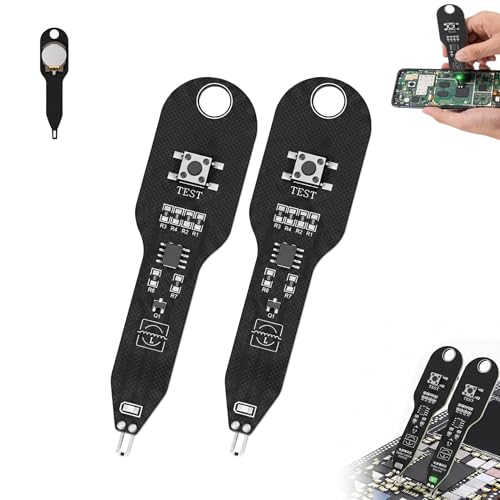
Electronic Circuit Board Tester, 2pcs Detectors Inductance Tester Motherboards Coils Testers, Quick Fault Check Tool for PC Phone Repair
This professional inductance tester adopts electromagnetic induction technology, with green light indication for quick judging good or faulty…
As an affiliate, we earn on qualifying purchases.
As an affiliate, we earn on qualifying purchases.
Frequently Asked Questions
How Is “Ready for Testing” Determined in Different Projects?
You determine “ready for testing” when your project’s test environment is set up properly, and all key features have passed initial checks. You also gather stakeholder feedback to confirm that the software meets requirements and expectations. Once the test environment is stable, and stakeholders agree the features are prepared, you can confidently move into testing. This guarantees a smooth process and reduces the risk of major issues later on.
What Are Common Signs That a Product Isn’t Truly Ready?
Like a car with squeaky brakes, a product isn’t truly ready when user experience suffers and team collaboration is strained. You’ll notice frequent bugs, unclear workflows, or inconsistent features, indicating it’s premature for testing. If your team hesitates to use the product confidently or feedback reveals major usability issues, it’s a sign that more refinement is needed before you move forward. These signs show it’s not quite ready yet.
Who Should Be Involved in the “Ready for Testing” Decision?
You should involve key stakeholders, including product managers, developers, QA specialists, and user representatives, in the “ready for testing” decision. Their collective input guarantees user involvement is considered and aligns with stakeholder consensus. By engaging these groups, you ensure that the product meets quality standards, user needs, and project goals before testing begins. This collaborative approach minimizes risks, clarifies expectations, and promotes shared ownership of the testing readiness.
How Do We Handle Incomplete Features During Testing Readiness?
When handling incomplete features during testing, you should prioritize a clear feature freeze, ensuring only essential updates move forward. You might find that incomplete features can still undergo user acceptance testing if they don’t hinder overall functionality. Keep communication transparent with your team, setting expectations about what’s testable and what’s not, so everyone’s on the same page. This approach minimizes surprises and helps identify critical issues early, even with partial features.
What Are the Risks of Declaring a Product “Ready for Testing”?
Declaring a product “ready for testing” risks compromising user experience and stakeholder alignment. You might uncover significant issues late, leading to wasted resources, delays, and frustration. If features are incomplete or not fully refined, testing results can be misleading, causing misaligned expectations. Ensuring thorough preparation helps maintain stakeholder confidence and delivers a smoother, more accurate testing process, ultimately supporting a successful product launch.

Klein Tools MM325 Multimeter, Digital Manual-Ranging 600V AC/DC Voltage Tester, Tests Batteries, Current, Resistance, Diodes, and Continuity
VERSATILE FUNCTIONALITY: Measures AC/DC voltage up to 600V, 10A DC current, 2MΩ resistance; additional features include continuity, diode…
As an affiliate, we earn on qualifying purchases.
As an affiliate, we earn on qualifying purchases.
Conclusion
So, when you hear “ready for testing,” don’t just see it as a checkbox. Imagine a ship at dawn, sails set and the horizon clear — truly prepared means every part is aligned, waiting to navigate new waters. It’s about confidence, not complacency. When you reach that point, you’re not just testing; you’re starting on a journey where each step reveals the true strength of your creation. Prepare wisely, and let the voyage begin.

JMDHKK Hidden Camera Detector, Bug GPS Tracker Detector – RF Camera Finder for Hotel, Travel, Car, Office, Home Privacy Protection
Hidden Camera Detection: Detects hidden cameras and spy cameras, ensuring personal privacy and protection from unauthorized surveillance in…
As an affiliate, we earn on qualifying purchases.
As an affiliate, we earn on qualifying purchases.

Klein Tools VDV501-851 Cable Tester Kit with Scout Pro 3 for Ethernet / Data, Coax / Video and Phone Cables, 5 Locator Remotes
VERSATILE CABLE TESTING: Cable tester tests voice (RJ11/12), data (RJ45), and video (coax F-connector) terminated cables, providing clear…
As an affiliate, we earn on qualifying purchases.
As an affiliate, we earn on qualifying purchases.