
Transit apps show that designing for cognitive load means creating clean, intuitive interfaces that reduce mental effort. Clear route options, prominent departure times, and simple navigation help you make quick, confident decisions. Consistency in icons and layout builds trust and familiarity under stress. By minimizing clutter and supporting mental models, these apps make your journey smoother and less frustrating. Keep exploring to discover how thoughtful design choices can truly transform your transit experience.
Key Takeaways
- Effective transit apps minimize cognitive load through clear, concise information presentation and intuitive navigation.
- Consistent iconography and predictable layouts reduce learning time and support quick decision-making.
- Real-time updates and visual cues help users focus attention and make informed choices efficiently.
- Simplified interfaces that align with users’ mental models enhance trust and engagement.
- Designing for cognitive load improves overall user experience by reducing mental effort and avoiding overwhelm.
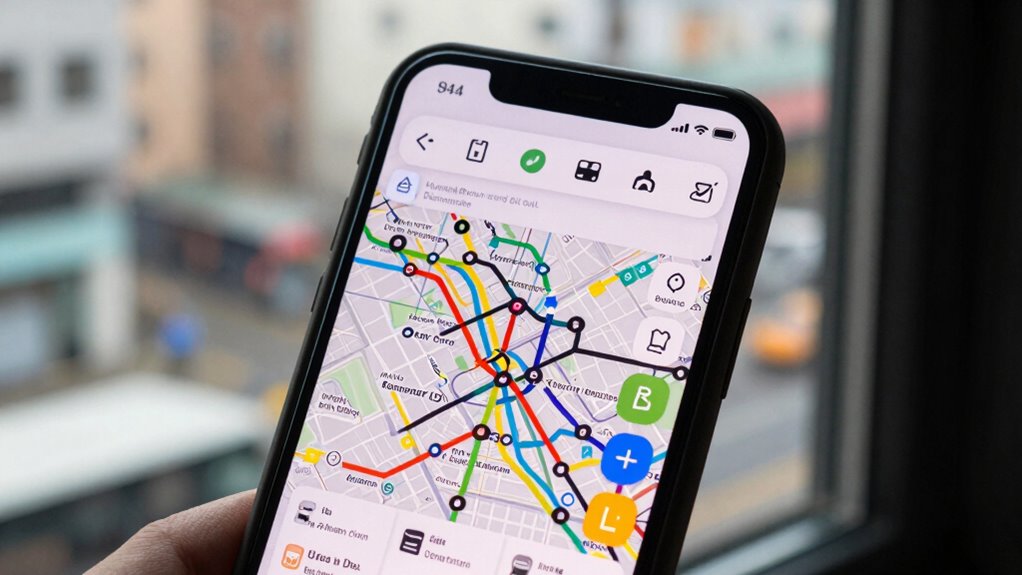
Transit apps have become essential tools for guiding cities, but they can also increase your cognitive load in unfamiliar environments. When you’re steering a new city or trying to catch a bus during rush hour, every tap and swipe demands mental effort. The way these apps are designed can either ease or amplify that mental strain. Central to this is the user interface, which is the primary point of interaction. A cluttered or confusing interface forces you to spend extra time deciphering options, making decisions, and interpreting information. Conversely, a clean, intuitive design minimizes cognitive effort, allowing you to focus on your journey rather than on figuring out how the app works. This balance between simplicity and information richness directly impacts your user engagement. When an app is easy to use, you’re more likely to rely on it consistently, feeling confident in its guidance. If the interface overwhelms or confuses, you might abandon the app altogether, preferring to rely on traditional maps or asking locals instead.
Designers of transit apps often learn that reducing cognitive load involves more than just aesthetic choices; it’s about how information is presented and how the user interacts with it. Clear, concise route options, prominent departure times, and straightforward navigation buttons help keep your mental effort low. Features like real-time updates and visual cues guide your attention efficiently, so you don’t waste time sifting through unnecessary details. Good user engagement stems from these well-planned interactions. When you feel in control and can quickly access what you need, your confidence grows. You’re more likely to make quick decisions and trust the app during stressful moments, such as missed connections or crowded stops. Understanding cognitive load and how it affects user experience emphasizes the importance of designing interfaces that are both informative and easy to navigate. Additionally, incorporating mental models into the design process can help users develop intuitive expectations about how the app functions, reducing learning time and errors.
Moreover, understanding cognitive load highlights the importance of consistency in app design. Familiar icons, predictable layouts, and logical flows create a seamless experience, reducing the mental effort involved in learning new functions. This consistency becomes especially vital when you’re in a hurry or feeling overwhelmed. The user interface plays a crucial role in this process, as it can either support or hinder quick decision-making. The goal is to make the app feel like an extension of your own decision-making process, not an obstacle. By focusing on user interface clarity and fostering user engagement through thoughtful design, transit apps can truly serve as reliable guides rather than sources of frustration. Ultimately, the most effective apps are those that understand and respect your cognitive limits, making your journey smoother and less mentally taxing.

9" GPS Navigator for Car Truck RV, GPS Navigation System with 2026 Maps Free Lifetime Updates, Custom Truck Routing, Speed Camera Alerts, Day/Night Mode (Blue)
【2026 Lifetime Free Map Updates】This premium car GPS comes preloaded with the latest maps for North America (United…
As an affiliate, we earn on qualifying purchases.
As an affiliate, we earn on qualifying purchases.
Frequently Asked Questions
How Do Transit Apps Adapt for Users With Cognitive Impairments?
Transit apps adapt for users with cognitive impairments by integrating assistive features that simplify navigation, like clear icons, straightforward language, and step-by-step guidance. They also adhere to accessibility standards, ensuring content is easily perceivable and operable. These features help reduce cognitive load, making it easier for you to plan routes, understand schedules, and access real-time updates without feeling overwhelmed, fostering a more inclusive transit experience.
What Role Does Color Theory Play in Reducing Cognitive Load?
Color theory plays an essential role in reducing cognitive load by guiding your attention through a well-chosen color palette and clear visual hierarchy. When apps use contrasting colors for important information, you quickly identify key details without confusion. A thoughtful color palette simplifies navigation, while a strong visual hierarchy ensures your focus stays on the most critical elements, making the app more intuitive and less overwhelming.
How Can Transit Apps Improve for Multilingual Users?
Imagine a bridge connecting diverse worlds—your transit app must do the same. To improve for multilingual users, you should create a multilingual interface and enable easy language customization. This way, users navigate effortlessly in their preferred language, reducing confusion and cognitive load. Incorporating clear icons alongside language options also guarantees accessibility, making your app inclusive and user-friendly for everyone, regardless of their language background.
What Are the Latest Technological Innovations in Transit App Design?
You’ll find that the latest innovations in transit app design focus on integrating real-time updates and accessibility features to enhance user experience. These apps now deliver live transit information, helping you plan your journey efficiently. They also incorporate accessibility options like voice commands and screen reader compatibility, making navigation easier for everyone. By prioritizing these technological advances, designers reduce cognitive load, ensuring your transit experience is smoother and more intuitive.
How Do User Feedback and Testing Influence Cognitive Load Optimization?
User feedback and testing help you identify where your transit app’s interface might be overwhelming or confusing, directly influencing cognitive load optimization. By analyzing user engagement data, you can pinpoint complex or cluttered features that need simplification. Incorporating user suggestions allows you to refine interface simplicity, making navigation intuitive. This iterative process guarantees your app remains user-friendly, reducing cognitive strain and enhancing overall user experience and satisfaction.

The Unfamiliar & Other Stories
As an affiliate, we earn on qualifying purchases.
As an affiliate, we earn on qualifying purchases.
Conclusion
As you navigate transit apps, imagine yourself gliding smoothly through a bustling city, each tap and swipe guiding you effortlessly to your destination. When design reduces cognitive load, it’s like having a trusted friend by your side, whispering clear directions amid the chaos. By simplifying interfaces, you turn complex journeys into calm, confident adventures. So, embrace these thoughtful designs—they’re your map through the mental maze, making every commute feel like a walk in the park.

Introverted But Willing to Discuss Public Transportation T-Shirt
Introvert Transit Humor design. Introverted But Willing to Discuss Public Transportation Funny Gift for the quiet introvert.
As an affiliate, we earn on qualifying purchases.
As an affiliate, we earn on qualifying purchases.
apps with clear route options and departure times
As an affiliate, we earn on qualifying purchases.
As an affiliate, we earn on qualifying purchases.