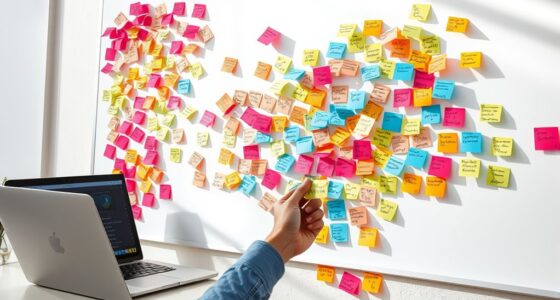
To draw out user scenarios step by step in UX storyboarding, start by outlining the user flow, highlighting key actions, decisions, and emotional responses. Use sketches or visuals to represent each stage, focusing on how users interact with your product. Incorporate empathy mapping and consider accessibility to guarantee the storyboard reflects real user needs. Keep refining your scenarios to reveal gaps and improve usability—learning more about this process can help you craft effective, user-centered designs.
Key Takeaways
- Define user goals and map their journey through each interaction step-by-step.
- Use sketches and visuals to illustrate user actions, decisions, and emotional responses.
- Incorporate empathy maps to understand user motivations, frustrations, and needs at each stage.
- Identify potential pain points and opportunities for seamless, accessible experiences throughout the flow.
- Iterate and refine the storyboard to optimize user pathways and enhance overall usability.
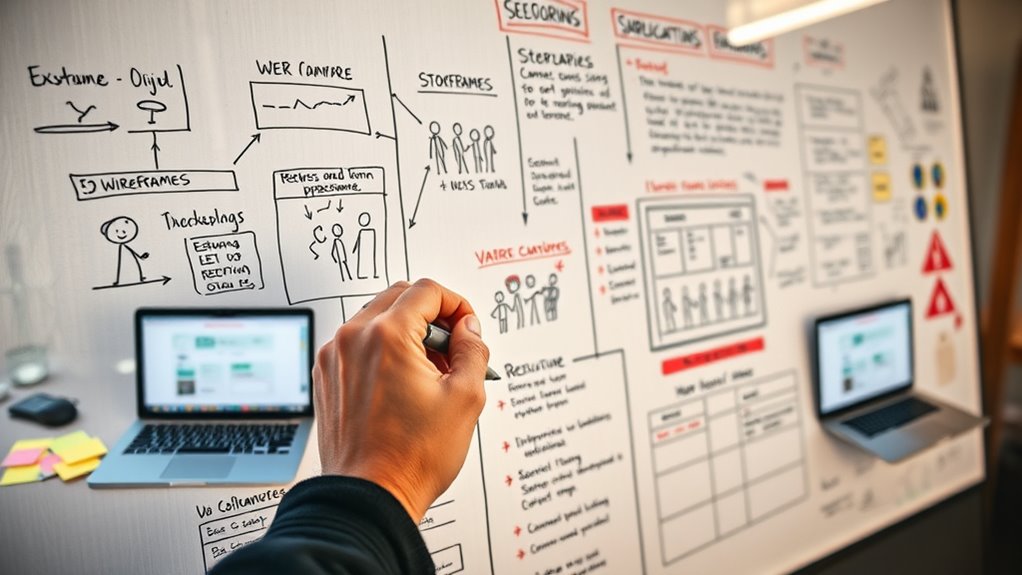
Have you ever wondered how designers plan seamless user experiences before building a product? The secret lies in their ability to visualize how users will interact with their designs. This is where storyboarding UX plays an essential role. It’s a step-by-step process that helps you draw out user scenarios, making it easier to understand user behavior and expectations. To create effective storyboards, you first need to map out user flows—these are the paths users take to achieve their goals within your app or website. User flows provide a clear structure, illustrating each step a user will go through, from landing on a page to completing a task. When combined with empathy mapping, you gain a deeper understanding of your users’ motivations, frustrations, and needs. This insight guarantees your storyboards are rooted in real user experiences, making your design more intuitive. Incorporating auditory processing considerations can also help anticipate how users with hearing sensitivities might interact with your interface, ensuring accessibility for all.
As you start sketching your storyboards, think of them as a visual narrative of the user journey. Each frame should depict a specific interaction or decision point, showing what the user sees, does, and feels. By integrating user flows into these sketches, you’re able to visualize different pathways users might take, including potential pain points or moments of delight. This process reveals gaps or unnecessary steps in the user journey that might not be obvious when only looking at wireframes or prototypes. Using empathy maps during this stage allows you to highlight emotional responses, guaranteeing your design addresses user frustrations and leverages their motivations.
![WavePad Free Audio Editor – Create Music and Sound Tracks with Audio Editing Tools and Effects [Download]](https://m.media-amazon.com/images/I/B1HPw+BmlXS._SL500_.png)
WavePad Free Audio Editor – Create Music and Sound Tracks with Audio Editing Tools and Effects [Download]
Easily edit music and audio tracks with one of the many music editing tools available.
As an affiliate, we earn on qualifying purchases.
As an affiliate, we earn on qualifying purchases.
Frequently Asked Questions
How Do I Choose the Best Tools for Storyboarding UX?
To choose the best tools for storyboarding UX, consider your team’s needs and preferred visualization techniques. Look for tools that offer easy-to-use interfaces, flexible templates, and seamless tool integration with other design software. Prioritize options that support collaboration, real-time editing, and exporting capabilities. Testing a few options can help you find a tool that enhances your storytelling process, making user scenarios clearer and more engaging.
What Common Mistakes Should I Avoid in UX Storyboarding?
Think of UX storyboarding like crafting a map; avoiding common mistakes keeps your journey smooth. You should steer clear of inconsistent design, which muddles user understanding, and neglecting user empathy, risking disconnected scenarios. Don’t rush the process or overlook details, as these can lead your storyboard astray. Instead, maintain design consistency and stay empathetic to users’ needs—this keeps your story clear, relatable, and effective.
How Can Storyboarding Improve Collaboration With Stakeholders?
Storyboarding improves collaboration by enhancing stakeholder engagement through visual communication. When you create clear, detailed storyboards, stakeholders can easily see user flows and pain points, making discussions more productive. It encourages active participation, aligns everyone’s understanding, and minimizes misunderstandings. By sharing visual narratives, you foster a collaborative environment where ideas are more accessible, ensuring everyone stays on the same page and contributes effectively to the UX design process.
What Are the Key Differences Between Storyboarding and Wireframing?
Think of storyboarding as crafting a visual narrative that maps out the user journey, highlighting key interactions and emotions. Unlike wireframes, which focus on layout and structure, storyboards emphasize storytelling and context, showing how users experience a product step-by-step. While wireframes act as blueprints, storyboards bring the user’s story to life, making it easier to identify pain points and enhance the overall experience.
How Do I Measure the Effectiveness of My UX Storyboards?
You measure your UX storyboards’ effectiveness by gathering user feedback and analyzing usability metrics. Observe how users interact with the scenarios, noting areas of confusion or frustration. Conduct usability tests to see if goals are met efficiently. Collect surveys or interviews to get direct feedback. Comparing before-and-after metrics helps you determine improvements. This approach guarantees your storyboards accurately represent user needs and guide design enhancements effectively.
HIFORNY 42 PCS Drawing Set, Sketching Kit with Graphite & Charcoal Pencils, Blending Tools, Erasers & Accessories, Portable Zippered Travel Case for Artists & Beginners
Complete Drawing Pencil Set: HIFORNY 42 PCS sketching and drawing kit includes 12 premium graphite pencils (8B, 6B,…
As an affiliate, we earn on qualifying purchases.
As an affiliate, we earn on qualifying purchases.
Conclusion
By embracing storyboarding, you gently guide users through their journey, making each step feel natural and intuitive. It’s like quietly setting the stage for a smooth experience, where every detail aligns seamlessly. As you craft these visual narratives, you create a welcoming environment that subtly encourages engagement and understanding. Ultimately, this thoughtful approach transforms complex interactions into enjoyable stories, inviting users to explore with ease and confidence—making your design not just functional, but truly delightful.

ALVIN, TD116, General Purpose Template, Mapping Symbols, Ideal for Planning and Drafting
IDEAL FOR PLANNING AND DRAFTING – This general purpose template is ideal for planning, drafting, drawing and other…
As an affiliate, we earn on qualifying purchases.
As an affiliate, we earn on qualifying purchases.

UX/UI Sketchbook: Dot Grid Design Notebook with a Web Template for Wireframing, Prototyping, and Ideating
As an affiliate, we earn on qualifying purchases.
As an affiliate, we earn on qualifying purchases.