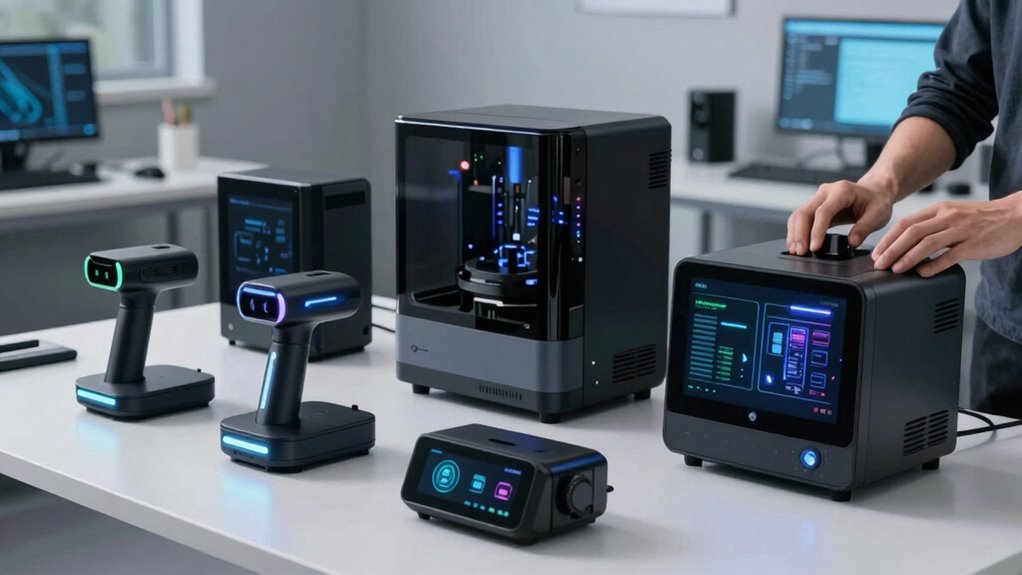

Choosing the right 3D scanner for a makerspace or studio depends heavily on your specific needs—whether that’s quick prototyping, detailed modeling, or industrial-grade inspection. The Revopoint MetroY Ultra stands out for its exceptional speed and surface versatility, making it ideal for fast-paced environments. In contrast, the Creality CR-Scan Ferret Pro offers a balance of accuracy and portability, perfect for beginners and hobbyists. For those seeking professional-grade precision, the Creality CR-Scan Raptor provides ultra-fine detail at a premium price. Each of these options has tradeoffs: speed versus accuracy, portability versus hardware requirements, or price versus features—so I’ll help clarify which one aligns best with your studio goals.
Listen free for 30 days with Audible
Thousands of audiobooks and originals — cancel anytime.
Start your free trialAs an affiliate, we earn on qualifying purchases.
Key Takeaways
- The Revopoint MetroY Ultra excels in speed and surface versatility but demands high system specs and complex setup.
- The Creality CR-Scan Ferret Pro offers a user-friendly handheld experience with good accuracy and wireless convenience.
- The Creality CR-Scan Raptor delivers the highest precision but requires a powerful computer and is less portable.
- The 3DMakerpro Moose Lite provides an easy entry point for medium-sized object scanning with AI-enhanced features.
- Tradeoffs vary between speed, accuracy, portability, and ease of use—matching your studio’s workflow is key.
| Revopoint MetroY Ultra 3D Scanner for Industrial Inspection and 3D Printing |  | Best Overall for Speed and Surface Versatility | Scanner Type: 3D Scanner | Connection Type: USB, Wi-Fi | Resolution: 0.05 mm | VIEW ON AMAZON | See Our Full Breakdown |
| Creality CR-Scan Ferret Pro 3D Scanner for 3D Printing, Wireless Handheld with WiFi 6 |  | Best for Ease of Use and Wireless Convenience | Accuracy: 0.1mm | Resolution: 0.16mm | Frame Rate: 30FPS | VIEW ON AMAZON | See Our Full Breakdown |
| Creality 3D Scanner CR-Scan Ferret Pro for 3D Printing with Wireless Handheld Scanning |  | Best for Beginners and Enthusiasts | Scanner Type: 3D | Connection Type: Wi-Fi | Resolution: 0.1 mm | VIEW ON AMAZON | See Our Full Breakdown |
| Creality CR-Scan Raptor 3D Scanner for 3D Printing |  | Best for High-Precision Professional Use | Maximum accuracy: 0.02 mm | Object size range: 5mm-2000mm | Frame rate: 60 FPS | VIEW ON AMAZON | See Our Full Breakdown |
| 3DMakerpro Handheld 3D Scanner for 3D Printing – Moose Lite Premium Kit |  | Best for Beginners and Medium-Size Objects | Accuracy: 0.05 mm | Resolution: 0.10 mm | Scan Range: 15mm to 1500mm | VIEW ON AMAZON | See Our Full Breakdown |
| 3d scanners for makerspaces and studio | Resolution |
|---|---|
| Revopoint MetroY Ultra 3D Scan | 0.05 mm |
| Creality CR-Scan Ferret Pro 3D | 0.16mm |
| Creality 3D Scanner CR-Scan Fe | 0.1 mm |
| Creality CR-Scan Raptor 3D Sca | — |
| 3DMakerpro Handheld 3D Scanner | 0.10 mm |
More Details on Our Top Picks
Revopoint MetroY Ultra 3D Scanner for Industrial Inspection and 3D Printing
The Revopoint MetroY Ultra distinguishes itself with a blazing-fast 90 FPS scanning speed, making it a top pick for environments where rapid data collection is essential. Its ability to scan dark or shiny surfaces without spray offers significant time savings, especially when handling a variety of objects in a makerspace. Compared with other options, its high accuracy of 0.05 mm suits detailed modeling and professional inspections. However, this power comes with a demanding system requirement—only compatible with high-end Windows or macOS setups—and a complex setup process that can challenge beginners. This model makes the most sense for studios that have dedicated hardware and need high throughput, rather than casual users or those with limited technical resources.
Pros:- High scanning speed up to 90 FPS for rapid data acquisition
- Versatile modes for various object sizes and surfaces
- Wireless control with Wi-Fi 6 for flexible operation
- No spray needed for dark or shiny surfaces, saving prep time
Cons:- Requires Windows 10/11 or specific Mac hardware, limiting compatibility
- High system requirements for optimal performance
- Complex setup may be daunting for newcomers
Best for: Industrial-grade inspection and high-speed scanning in professional or advanced makerspaces
Not ideal for: Beginners, hobbyists, or setups with limited hardware capacity
- Scanner Type:3D Scanner
- Connection Type:USB, Wi-Fi
- Resolution:0.05 mm
- Fused Point Distance Measurements:Not specified
- Item Weight:450 g
- Minimum System Requirements:Windows 10/11, macOS M2 Pro with 16 GB RAM or Windows with i7 13th Gen/AMD Ryzen 7 5800, 32 GB RAM, NVIDIA GeForce RTX 3060
Our verdict“The MetroY Ultra excels in speed and surface versatility, making it a strong choice for professional makerspaces with capable hardware.”
Creality CR-Scan Ferret Pro 3D Scanner for 3D Printing, Wireless Handheld with WiFi 6
The Creality CR-Scan Ferret Pro balances high accuracy—0.1 mm—with portable, wireless operation. Its handheld design, paired with WiFi 6, allows users to move freely and scan objects outdoors or in bright environments. It offers a smooth experience thanks to anti-shake tracking, which minimizes errors caused by hand movement. Compared to the MetroY Ultra, this scanner favors ease of use and flexibility over sheer speed, making it ideal for makers who need quick, reliable scans across different settings. Its premium price reflects its advanced features, so it’s best suited for dedicated hobbyists or small studios that value simplicity alongside quality.
Pros:- High accuracy and 30 FPS scanning speed
- Wireless connectivity with WiFi 6 for streamlined data transfer
- Supports outdoor and bright-light scanning
- Compatible with multiple devices and file formats
Cons:- May struggle with reflective or transparent objects
- Requires specific hardware/software configurations
- Premium price point
Best for: Hobbyists and small studios needing precise, portable scanning with minimal setup
Not ideal for: Heavy industrial use or highly reflective/transparent surfaces
- Accuracy:0.1mm
- Resolution:0.16mm
- Frame Rate:30FPS
- Wireless Technology:WiFi 6
- Supported File Formats:OBJ, STL, PLY
- Compatibility:Windows, Mac, Android, iOS
Our verdict“The Ferret Pro offers a user-friendly, wireless experience with solid accuracy, perfect for hobbyists and small-scale studios seeking portability.”
Creality 3D Scanner CR-Scan Ferret Pro for 3D Printing with Wireless Handheld Scanning
The Creality CR-Scan Ferret Pro is tailored for those new to 3D scanning, offering a lightweight, portable form factor and full-color capture. It supports objects from 50mm to 2000mm, making it versatile for many hobbyist projects. Its quick setup and wireless operation enhance accessibility for newcomers, especially with included accessories like a tripod and power bank. However, it’s less suitable for tiny, highly detailed objects like jewelry, and outdoor bright light can interfere with scan quality. This device is ideal for hobbyists seeking an easy, all-in-one solution without extensive technical hurdles.
Pros:- Easy to use with quick setup
- Wireless, portable design for on-the-go scanning
- High accuracy and full-color 3D models
- Includes comprehensive accessories
Cons:- Limited for very small or detailed objects
- Needs reflective, transparent, or dark surfaces avoided
- Performance affected by outdoor lighting
Best for: Beginners and hobbyists working on medium-sized objects
Not ideal for: Highly detailed or tiny objects, or professional industrial applications
- Scanner Type:3D
- Connection Type:Wi-Fi
- Resolution:0.1 mm
- Color Depth:24 bits per pixel
- Weight:105 g
- Supported OS:Windows 10/11, macOS, Android 10+, iOS 15+
Our verdict“The Creality Ferret Pro simplifies entry into 3D scanning with portability and ease, making it suitable for hobbyists and casual studios.”
Creality CR-Scan Raptor 3D Scanner for 3D Printing
The Creality CR-Scan Raptor is designed for demanding applications requiring extreme detail, offering an impressive 0.02 mm accuracy. Its fast 60 FPS scanning rate accelerates workflows for detailed models or large objects, with full-color texture capture enhancing realism. It supports a broad object size range from 5mm to 2000mm, making it suitable for small jewelry or large components alike. This scanner demands a high-performance PC—preferably with an 8-core CPU, lots of RAM, and a dedicated GPU—making it less portable but highly capable for professional studios. Compared to the other options, its precision and speed come with a steeper hardware investment and less portability, so it’s best for studios focused on detailed, high-quality outputs.
Pros:- Exceptional accuracy at 0.02mm
- Fast scanning at 60 FPS
- Supports a wide size range
- Rich, full-color texture capture
Cons:- Requires a powerful CPU and graphics card
- Less portable and more complex setup
- Price not specified, likely premium
Best for: Professional studios and advanced hobbyists requiring maximum detail
Not ideal for: Beginners or those with limited hardware resources
- Maximum accuracy:0.02 mm
- Object size range:5mm-2000mm
- Frame rate:60 FPS
- Color depth:24-bit RGB
- Supported systems:Windows, macOS
- CPU requirements:≥8 cores, ≥16 threads, ≥2.4GHz
Our verdict“The Raptor provides unmatched precision and speed for high-end applications, ideal for studios where detail and quality are paramount.”
3DMakerpro Handheld 3D Scanner for 3D Printing – Moose Lite Premium Kit
The 3DMakerpro Moose Lite offers a straightforward, lightweight design perfect for those just starting in 3D scanning or working on medium-sized objects. Its AI visual tracking and 0.05 mm accuracy provide detailed results without overwhelming the user. The kit includes accessories like a tripod and power bank, making it suitable for on-the-go projects or educational settings. While it’s great for general use, it’s less effective for tiny, highly detailed items like jewelry, and outdoor lighting can impact scan quality. Its intuitive operation and comprehensive package make it a strong choice for hobbyists and educational studios.
Pros:- High-precision scanning at 0.05 mm accuracy
- Lightweight and portable
- Supports multiple operating systems
- Includes accessories for versatile use
Cons:- Limited for very small or intricate objects
- Sensitive to reflective or dark surfaces
- Performance may vary outdoors
Best for: Beginners, educators, and hobbyists focusing on medium-sized objects
Not ideal for: Small, detailed objects or large industrial parts
- Accuracy:0.05 mm
- Resolution:0.10 mm
- Scan Range:15mm to 1500mm
- Scanning Speed:10 FPS
- Weight:250 g
- Material:Plastic (Moose Lite), Aluminum alloy (Moose)
Our verdict“The Moose Lite balances ease of use and precision, making it suitable for newcomers and small studios exploring 3D modeling.”

How We Picked
Our selection process focused on scanners that balance performance, ease of use, and value for makerspaces and studios. We prioritized devices with versatile scanning modes, good accuracy, and robust connectivity options suitable for varied creative and industrial environments. Hardware compatibility, portability, and user interface were critical factors, as well as reviews indicating reliable operation in typical studio conditions. Price considerations also played a role, ensuring options are accessible for different budgets while maintaining professional features where needed.
Factors to Consider When Choosing 3d Scanners For Makerspaces And Studios
When selecting a 3D scanner for makerspaces and studios, the decision hinges on your specific workflow, object types, and available hardware. Consider whether you need high speed, portability, or ultra-high precision, and match these needs to your budget and technical capacity. The right choice balances performance with ease of use, ensuring your studio can maximize productivity and creativity without unnecessary complexity.
Speed and Surface Versatility
If rapid scanning of diverse objects is your priority, the Revopoint MetroY Ultra offers an outstanding 90 FPS rate and surface handling that doesn’t require spray. This makes it ideal for busy makerspaces focused on quick prototyping. However, its hardware demands mean it’s less suitable for novices or those with limited PC power.
Portability and Ease of Use
For makers who need a lightweight, wireless device that can be used outside the studio or in different environments, the Creality CR-Scan Ferret Pro is a compelling choice. Its handheld design and support for multiple platforms make it accessible for hobbyists or educators. But, keep in mind it may struggle with reflective surfaces, and its premium price may be a hurdle for some.
High Precision for Professional Quality
If your focus is on capturing minute details — such as jewelry or intricate prototypes — the Creality CR-Scan Raptor provides unparalleled accuracy at 0.02 mm. It requires powerful hardware and isn’t portable, making it best suited for studios with dedicated workstations aiming for maximum detail and texture quality.
Beginner-Friendly and Medium-Object Scanning
The 3DMakerpro Moose Lite is designed for ease of use, with AI tracking and a portable form factor. It’s perfect for educators, students, or hobbyists working on medium-sized objects, offering a balanced mix of accuracy and simplicity. It’s less suited for tiny objects or outdoor use where lighting varies significantly.
Frequently Asked Questions
What should I consider when choosing a 3D scanner for a makerspace?
Key factors include the types of objects you plan to scan, the desired accuracy, scanning speed, and your available hardware. If you need rapid scans of diverse surfaces, prioritize speed and versatility. For detailed modeling or industrial inspection, accuracy and resolution become more critical. Also, consider portability and whether wireless operation suits your workflow.
Are handheld scanners suitable for detailed professional work?
Handheld scanners like the Creality Ferret Pro and Moose Lite are excellent for ease of use and flexible environments, but they may not match the precision of high-end stationary scanners like the Creality Raptor. For tasks demanding micron-level detail, a dedicated, stationary device is usually preferable, though handhelds excel in quick, on-site, or educational settings.
Can these scanners handle reflective or transparent surfaces?
Many scanners, including the MetroY Ultra and Ferret Pro, can struggle with shiny, dark, or transparent objects—they often require surface treatments or spray coatings. The Raptor’s higher precision can sometimes better handle tricky surfaces but may still need surface prep for optimal results.
How important is software compatibility in choosing a 3D scanner?
Software compatibility impacts your workflow significantly. Ensure the scanner supports common file formats like STL, OBJ, or PLY, and check if it integrates with your preferred modeling or printing software. Compatibility across multiple operating systems can also extend usability across different devices and team members.
What kind of hardware do I need for high-precision scanners like the Raptor?
High-precision scanners such as the Raptor demand a robust PC setup—preferably with an 8-core CPU, at least 16GB of RAM, and a dedicated GPU capable of handling detailed textures and large models. This hardware ensures smooth operation and maximizes scan quality, but it increases overall setup costs and complexity.
Conclusion
For makerspaces focused on rapid prototyping and surface versatility, the Revopoint MetroY Ultra provides unmatched speed and surface handling—ideal if your hardware can support it. Hobbyists or educators needing portability and ease of use will find the Creality Ferret Pro a friendly, wireless option. High-end studios demanding ultra-fine detail and texture fidelity should consider the Creality Raptor, despite its higher hardware requirements. Beginners or small studios working on medium-sized objects will benefit most from the 3DMakerpro Moose Lite, which balances simplicity with decent accuracy. Ultimately, your choice should align with your specific object types, workflow, and hardware capacity to ensure the best fit.”
Flea & tick season Picks
flea and tick prevention
As an affiliate, we earn on qualifying purchases.