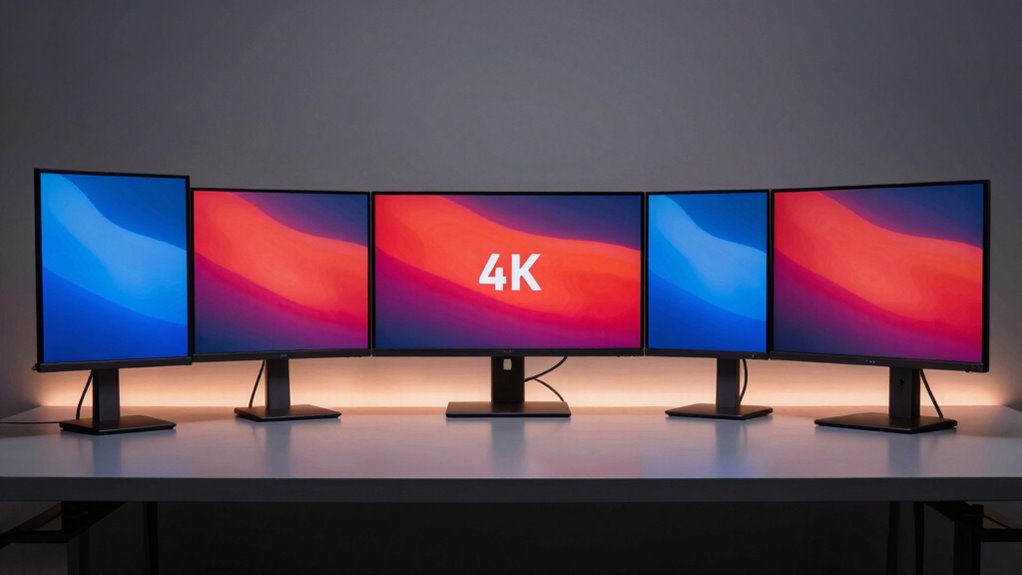

Choosing a 4k monitor with factory calibration is essential for professionals who demand color accuracy and reliable performance straight out of the box. Top contenders like the ASUS ProArt PA279CRV and BenQ PV3200U stand out for their factory-calibrated color precision and versatile features. However, they differ in size, target audience, and price, making some options better suited for creators, while others appeal to general professionals or those needing a compact setup. Here, I’ve curated five options to help you find the best fit based on your workflow, workspace, and budget, highlighting key tradeoffs along the way.

Get monitors, keyboards and dev gear delivered free — and shop member deals
- Fast, free delivery on millions of items
- Access to Prime Big Deal Days deals on October 6–7
- Prime Video, Amazon Music and more included
Key Takeaways
- Professional-grade color accuracy with factory calibration is available across a range of sizes and price points.
- Connectivity options like USB-C and HDR support are vital for seamless workflows and future-proofing.
- Larger screens (32 inches and above) enhance productivity but require more desk space and higher budgets.
- Premium OLED options offer exceptional visuals but come with higher costs and setup complexity.
- The choice depends heavily on your specific needs—whether color accuracy, size, or budget is your priority.
| ASUS ProArt PA279CRV 27-Inch 4K UHD HDR Professional Monitor for Mac |  | Best Overall for Creators | Display Size: 27 inches | Resolution: 3840 x 2160 (4K UHD) | Display Technology: LED LCD | VIEW ON AMAZON | See Our Full Breakdown |
| BenQ PV3200U 32” 4K UHD Monitor for Video Editing |  | Best for Video Professionals | Display Size: 32 inches | Resolution: 3840 x 2160 pixels | Display Technology: IPS | VIEW ON AMAZON | See Our Full Breakdown |
| ASUS ProArt PA279CV 27 Inch 4K UHD USB-C Professional Monitor |  | Best for Versatile Creators | Display Size: 27 inches | Resolution: 3840 x 2160 (4K UHD) | Display Technology: IPS | VIEW ON AMAZON | See Our Full Breakdown |
| BenQ PD3205U 32-Inch 4K UHD IPS Monitor with Color Accuracy and Ergonomic Features |  | Best for Creative Professionals with Ergonomics | Display Size: 31.5 inches | Resolution: 3840 x 2160 (4K UHD) | Display Technology: IPS | VIEW ON AMAZON | See Our Full Breakdown |
| ASUS ProArt Display PA32USD 32-inch 4K HDR OLED Professional Monitor |  | Best Premium OLED for Color and Performance | Display Size: 32 inches | Resolution: 3840 x 2160 (4K UHD) | Panel Type: QD-OLED | VIEW ON AMAZON | See Our Full Breakdown |
| 4k monitors with factory calibration | Display Size | Resolution | Display Technology | Calibration |
|---|---|---|---|---|
| ASUS ProArt PA279CRV 27-Inch 4 | 27 inches | 3840 x 2160 (4K UHD) | LED LCD | Calman Verified, Delta E < 2 |
| BenQ PV3200U 32” 4K UHD Monito | 32 inches | 3840 x 2160 pixels | IPS | Calman Verified, ICCsync |
| ASUS ProArt PA279CV 27 Inch 4K | 27 inches | 3840 x 2160 (4K UHD) | IPS | Calman Verified, Delta E < 2 |
| BenQ PD3205U 32-Inch 4K UHD IP | 31.5 inches | 3840 x 2160 (4K UHD) | IPS | ICC Sync, Calman Verified, Pantone Validated |
| ASUS ProArt Display PA32USD 32 | 32 inches | 3840 x 2160 (4K UHD) | — | — |
More Details on Our Top Picks
ASUS ProArt PA279CRV 27-Inch 4K UHD HDR Professional Monitor for Mac
This monitor stands out for its combination of wide color coverage (99% DCI-P3 and Adobe RGB) and factory calibration, making it ideal for color-critical work. It offers extensive ergonomic adjustments and versatile connectivity, including USB-C with 96W power, which simplifies setup for Mac users and creative professionals. Compared to larger options, its 27-inch size makes it more manageable for smaller workspaces, though it sacrifices some screen real estate. The main tradeoff is its higher price, reflecting its professional-grade features and calibration certifications. It’s best suited for those who prioritize precise color accuracy and flexibility in a compact size.
Pros:- Excellent color accuracy with wide gamut coverage
- Factory calibrated with Delta E < 2
- USB-C with 96W power delivery
- Ergonomic stand and daisy-chain support
Cons:- Higher price point
- Limited refresh rate (60Hz) not suited for gaming
- Heavy and large, requiring ample desk space
Best for: Professional creators and designers needing accurate color reproduction in a manageable size.
Not ideal for: Gamers or users requiring ultra-high refresh rates or large screen real estate.
- Display Size:27 inches
- Resolution:3840 x 2160 (4K UHD)
- Display Technology:LED LCD
- Color Gamut:99% DCI-P3, 99% Adobe RGB
- Brightness:400 cd/m²
- Calibration:Calman Verified, Delta E < 2
Our verdict“A top choice for professionals needing precise color and flexible connectivity in a compact 27-inch form factor.”
BenQ PV3200U 32” 4K UHD Monitor for Video Editing
Designed with video editing in mind, the BenQ PV3200U offers 100% Rec.709 and sRGB coverage along with factory calibration, ensuring highly accurate colors right out of the box. Its 32-inch IPS panel provides ample screen space for editing timelines and detailed visual work. The inclusion of ICCsync for color profile matching simplifies color consistency across devices. Compared with smaller or less specialized monitors, this model emphasizes color fidelity over gaming features or ultra-high refresh rates. The main limitation is its single USB 3.0 port and absence of hardware calibration tools, which might be a concern for some professionals.
Pros:- Excellent color accuracy with 100% Rec.709 and sRGB
- Factory calibrated with ICCsync
- Large 32-inch screen for detailed editing
- Ergonomic stand with multiple adjustments
Cons:- Limited port options
- No hardware calibration controls
- Lower refresh rate (60Hz) not suitable for gaming
Best for: Video editors and color-sensitive content creators who need broad color coverage and calibration.
Not ideal for: Fast-paced gaming or users seeking multiple USB-C ports for peripherals.
- Display Size:32 inches
- Resolution:3840 x 2160 pixels
- Display Technology:IPS
- Color Coverage:100% Rec.709, 100% sRGB, 95% DCI-P3
- Contrast Ratio:1000:1
- Calibration:Calman Verified, ICCsync
Our verdict“A fantastic choice for professional video editors prioritizing precise color and ample workspace, despite limited connectivity options.”
ASUS ProArt PA279CV 27 Inch 4K UHD USB-C Professional Monitor
The ASUS ProArt PA279CV offers consistent color accuracy with factory calibration and covers 100% sRGB and Rec.709. Its standout feature is the USB-C with 65W Power Delivery, simplifying connection with laptops and tablets. While it shares many features with the PA279CRV, this model emphasizes long-term reliability with a 5-year warranty and includes a free 3-month Adobe Creative Cloud subscription. The main concern is a potential discrepancy in display size specifications, which might affect buyers expecting a 27-inch panel. Overall, this monitor combines professional calibration with solid connectivity, making it suitable for a broad range of creative tasks.
Pros:- Accurate factory calibration with Delta E < 2
- Versatile connectivity including USB-C with 65W Power Delivery
- Extended 5-year warranty
- Includes Adobe Creative Cloud subscription
Cons:- Possible discrepancy in display size info
- Limited details on HDR or advanced features
- Price not specified
Best for: Content creators and professionals seeking reliable color calibration with extended warranty and additional software perks.
Not ideal for: Gaming enthusiasts or users requiring higher refresh rates and gaming-specific features.
- Display Size:27 inches
- Resolution:3840 x 2160 (4K UHD)
- Display Technology:IPS
- Color Gamut:100% sRGB, 100% Rec. 709
- Calibration:Calman Verified, Delta E < 2
- Warranty:5 years
Our verdict“A dependable choice for professionals seeking calibrated color accuracy, flexible connectivity, and long-term support.”
BenQ PD3205U 32-Inch 4K UHD IPS Monitor with Color Accuracy and Ergonomic Features
The BenQ PD3205U balances professional color accuracy (99% sRGB and Rec.709) with advanced ergonomic features. Its large 32-inch IPS panel makes it ideal for multitasking and detailed creative work, while the industry-standard calibration certifications guarantee reliable color fidelity. It supports a USB-C with 90W Power Delivery for streamlined connectivity. However, its power consumption is slightly higher at 90W, and the size may be unwieldy for smaller desks. Compared to OLED options, it doesn’t match the contrast or vibrancy but offers a more affordable and stable calibration solution for professional environments.
Pros:- High color accuracy with industry certifications
- Versatile connectivity including USB-C with 90W
- Comprehensive ergonomic adjustments
- Calibration certifications like Pantone validation
Cons:- High power consumption
- Large footprint requiring spacious desks
- Limited refresh rate (60Hz)
Best for: Creative professionals needing large, accurate displays with ergonomic flexibility.
Not ideal for: Gamers or users with limited desk space who want ultra-high contrast or HDR performance.
- Display Size:31.5 inches
- Resolution:3840 x 2160 (4K UHD)
- Display Technology:IPS
- Color Gamut:99% sRGB, 99% Rec.709
- Brightness:350 cd/m²
- Calibration:ICC Sync, Calman Verified, Pantone Validated
Our verdict“An excellent monitor for creative work demanding precise color and ergonomic versatility in a large format.”
ASUS ProArt Display PA32USD 32-inch 4K HDR OLED Professional Monitor
The ASUS ProArt PA32USD elevates visual fidelity with a 4K HDR OLED panel offering 240Hz refresh rate, 0.1 ms response time, and 1000 nits peak brightness. Its industry-leading color accuracy covers 100% sRGB, 99% DCI-P3, and BT.2020, making it ideal for high-end creative workflows. The monitor includes dual Thunderbolt 4, HDMI 2.1, and DisplayPort 2.1, along with professional accessories like a monitor hood and calibration report. Its premium features come at a high price, and the size might be overkill for smaller setups. The complex setup process might also pose a challenge for less experienced users, but for those seeking top-tier visuals, this OLED model can be a game-changer.
Pros:- Exceptional color accuracy with industry certifications
- High refresh rate and fast response time
- Versatile connectivity including Thunderbolt 4 and HDMI 2.1
- Premium accessories and calibration report included
Cons:- Premium price tag
- Large size requiring ample space
- Setup complexity
Best for: High-end professionals demanding the ultimate in color accuracy, contrast, and smooth visuals.
Not ideal for: Budget-conscious buyers or users with limited space and less complex workflows.
- Display Size:32 inches
- Resolution:3840 x 2160 (4K UHD)
- Panel Type:QD-OLED
- Refresh Rate:240 Hz
- Peak Brightness:1000 nits
- HDR Support:VESA DisplayHDR True Black 400, Dolby Vision
Our verdict“The ideal choice for professionals needing the best possible visual quality and connectivity, despite its premium cost and size.”

How We Picked
Our selection process focused on monitors that come with factory calibration, ensuring out-of-the-box color accuracy suitable for professional workflows. We prioritized features like wide color gamut coverage, calibration certifications (like Calman Verified), and connectivity options such as USB-C with power delivery. Size and display technology were also key, balancing between professional-grade IPS, HDR, and OLED panels. Price point and user reviews were secondary considerations, aiming to recommend options that serve different professional needs—from creative work to general productivity—while maintaining calibration quality.
| 4k monitors with factory calibration | Display Technology | Calibration |
|---|---|---|
| ASUS ProArt PA279CRV 27-Inch 4 | LED LCD | Calman Verified, Delta E < 2 |
| BenQ PV3200U 32” 4K UHD Monito | IPS | Calman Verified, ICCsync |
| ASUS ProArt PA279CV 27 Inch 4K | IPS | Calman Verified, Delta E < 2 |
| BenQ PD3205U 32-Inch 4K UHD IP | IPS | ICC Sync, Calman Verified, Pantone Validated |
| ASUS ProArt Display PA32USD 32 | — | — |
Factors to Consider When Choosing 4k Monitors With Factory Calibration
When selecting a 4k monitor with factory calibration, focus on the core features that impact your work: color accuracy, calibration certification, panel technology, and connectivity. Size matters too—larger screens provide more workspace but require more room and a bigger budget. Understanding the differences between IPS, OLED, and HDR support can help you choose a monitor that fits your professional needs, whether for photo editing, video production, or general creative work. Consider your workflow, desk space, and whether features like USB-C Power Delivery or HDR are priorities for your setup.
Color Accuracy and Calibration
Look for monitors that are Calman Verified or Pantone Validated, as these certifications guarantee the monitor has been calibrated to produce accurate colors straight from the factory. Wide color gamuts like DCI-P3 and Adobe RGB are essential for professional work that requires precise color matching. Remember, calibrated out-of-the-box performance can save time and eliminate the need for manual calibration, especially if you don’t have professional calibration hardware.
Display Technology and Size
IPS panels are favored for their color consistency and wide viewing angles, making them ideal for creative work. OLED panels offer superior contrast and vibrancy but come with higher costs and potential size limitations. The screen size impacts your workflow—larger monitors (32 inches and above) enhance multitasking but require more space. Consider your workspace dimensions when choosing a monitor that balances size with comfort.
Connectivity and Additional Features
USB-C with Power Delivery simplifies your setup by combining display, data, and charging in a single cable. HDR support can enhance visual fidelity, especially for video editing or content consumption. Adjustable stands, ergonomic features, and calibration support are also worth considering for long hours of use. Evaluate which ports and features are essential to avoid overpaying for extras you won’t use.
Frequently Asked Questions
What is factory calibration, and why is it important?
Factory calibration guarantees that the monitor’s colors are accurate straight out of the box, reducing the need for manual adjustments. This is critical for professionals in photography, video editing, and design, where color fidelity directly impacts the quality of work. Monitors with factory calibration typically undergo rigorous testing, ensuring consistent performance, which saves time and effort in maintaining color accuracy.
Are OLED monitors worth the extra cost for professional work?
OLED monitors excel in delivering deep blacks, high contrast, and vibrant colors, making them ideal for high-end creative workflows. However, their premium price and potential issues like burn-in or size limitations mean they may not be practical for everyone. For those who need the best visual quality and work with HDR content frequently, OLEDs can be a worthwhile investment, but for typical professional tasks, high-quality IPS options often suffice.
Can I use a 4k monitor with factory calibration for gaming?
While some calibrated monitors can handle gaming, they are primarily designed for color accuracy rather than high refresh rates or fast response times required for gaming. Monitors with 60Hz refresh rates and slower response times may result in less smooth gameplay. If gaming performance is a priority, look for models offering higher refresh rates, which might compromise some calibration features.
Is size more important than color accuracy?
Size and color accuracy serve different needs. Larger screens provide more workspace, essential for multitasking and detailed editing, but without proper calibration, color accuracy can be compromised. Conversely, smaller monitors with superior calibration are better suited for color-critical tasks. Your choice depends on whether you prioritize workspace or precise color reproduction.
What should I consider when choosing a monitor for professional use?
Prioritize factory calibration and wide color gamut coverage to ensure accurate colors. Consider the display technology—IPS for consistent color, OLED for contrast—and the monitor’s connectivity options, especially USB-C with Power Delivery. Size and ergonomic features also matter for comfort during long work sessions. Finally, check certification labels and warranty coverage to ensure long-term reliability and support.
Conclusion
For creative professionals prioritizing color accuracy and workspace flexibility, models like the ASUS ProArt PA279CRV and BenQ PD3205U make excellent choices, balancing calibration with usability. Those working in high-end video or HDR content may prefer the ASUS ProArt PA32USD for its OLED technology and advanced features, despite its higher price. Budget-conscious buyers or those new to professional calibration should consider more affordable IPS options with comprehensive certifications. Ultimately, your decision hinges on your specific workflow needs, workspace constraints, and budget.
Halloween Picks
halloween
As an affiliate, we earn on qualifying purchases.