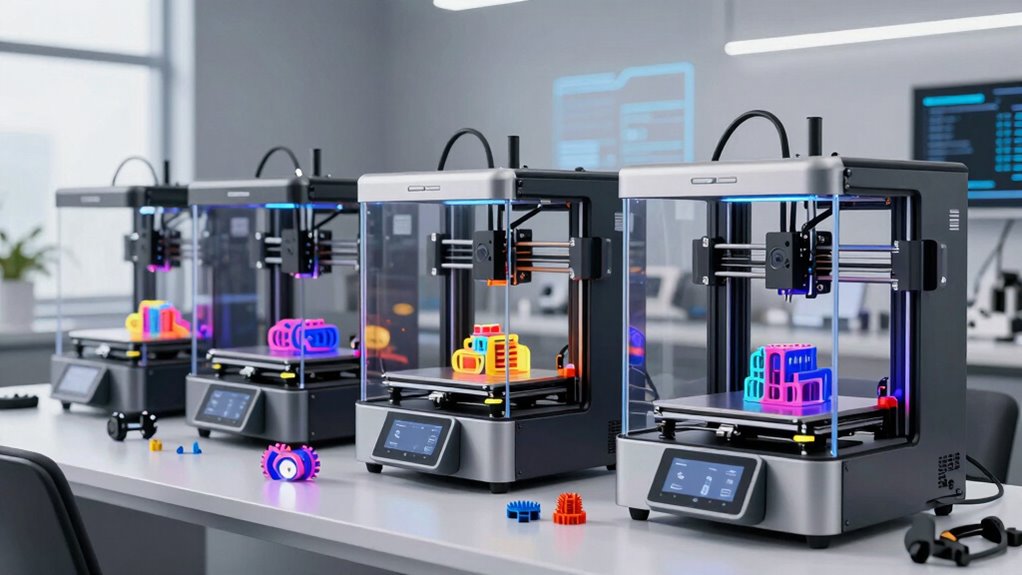

Finding the right 3D printer for functional prototype parts means balancing precision, material versatility, and build size. The QIDI PLUS4 stands out for its heated chamber and high-temperature nozzle, ideal for durable parts. The Raise3D Pro3 Plus HS offers high-speed printing and large volume, perfect for rapid iteration. Meanwhile, the Original Prusa XL shines with multi-material capabilities and reliability. Buyers must weigh tradeoffs like price versus feature set, ease of use versus customization, and build volume versus precision. Continue reading for an in-depth look at these options and more, to match your specific prototyping needs.

Get business pricing on monitors, keyboards and dev gear
- Business-only prices and quantity discounts
- Tax-exempt purchasing
- Multiple users, one account, clear invoices
Complete the kit


Key Takeaways
- Large build volume is common among top picks, enabling bigger prototype parts without multiple prints.
- Multi-material and multi-color capabilities significantly boost versatility for functional prototypes.
- Enclosed, heated chambers improve part quality by reducing warping and ensuring consistent material conditions.
- Speed is variable; high-speed printers like the FlashForge AD5X can accelerate iteration but may sacrifice some detail.
- Ease of use varies; beginner-friendly models tend to have auto-leveling and simplified interfaces, while advanced units offer greater customization.
| QIDI PLUS4 3D Printer, 65°C Chamber Heating, 370°C Nozzle |  | Best Overall for Large-Scale, High-Temp Prototyping | Print Size: 12 x 12 x 11 inches | Chamber Heating: Yes, 65°C | Nozzle Temperature: 370°C | VIEW ON AMAZON | See Our Full Breakdown |
| Creality K2 Plus Combo 3D Printer with Multi-Color Printing and CFS |  | Best for Multi-Color, High-Precision Prototyping | Product Dimensions: 27.95 x 23.23 x 24.41 inches | Item Weight: 112.4 pounds | ASIN: B0DKT4T1Z2 | VIEW ON AMAZON | See Our Full Breakdown |
| Original Prusa XL Semi-Assembled 3D Printer |  | Best for Multi-Material Complex Projects | Toolheads: Up to 5 | Print Volume: Large-format | Heatbed: Segmented | VIEW ON AMAZON | See Our Full Breakdown |
| Original Prusa XL 2-Toolhead Multi-Material Large-Format CoreXY 3D Printer |  | Best for Industrial-Scale Multi-Material Prototyping | Build Volume: 14.17×14.17×14.17 in | Toolheads: 2 | Material Compatibility: Multi-material | VIEW ON AMAZON | See Our Full Breakdown |
| Raise3D Pro2 Plus 3D Printer, Dual Extruder, Fully Enclosed |  | Best for High-Volume, Production-Quality Prototyping | Dual extruder: Yes | Build volume: 12 x 12 x 23.8 inches | Layer height: Minimum 0.01mm | VIEW ON AMAZON | See Our Full Breakdown |
| FLASHFORGE AD5X 3D Printer, Multi-Color with IFS, Fully Auto Leveling, High-Speed Printing up to 600mm/s, Max 300°C Nozzle, Large 220x220x220mm Build Volume |  | Best Overall for Versatility and Speed | Build Volume: 220 x 220 x 220 mm | Max Nozzle Temperature: 300°C | Speed: Up to 600mm/s | VIEW ON AMAZON | See Our Full Breakdown |
| Creality K2 Pro 3D Printer with Multi-Color Support, Large Build Volume, High-Speed Printing, Auto Leveling, and Dual AI Cameras |  | Best for Large, Multi-Color Industrial-Grade Prototypes | Build Volume: 300×300×300 mm | Max Speed: 600 mm/s | Chamber Temperature: Up to 60°C | VIEW ON AMAZON | See Our Full Breakdown |
| Anycubic Kobra S1 Max Combo 3D Printer, Large Build Size 350x350x350 mm³ |  | Best for Large-Scale, Multi-Color Prototyping on a Budget | Build Volume: 350x350x350 mm³ | Print Speed: Up to 600mm/s | Chamber Temperature: 65°C | VIEW ON AMAZON | See Our Full Breakdown |
| Raise3D Pro3 Plus HS (High Speed) Dual Extruder 3D Printer |  | Best for High-Performance, Large-Scale Dual Material Prototypes | Build Volume (Single): 11.8″ × 11.8″ × 23.8″ | Build Volume (Dual): 10″ × 11.8″ × 23.8″ | Max Nozzle Temperature: 320ºC | VIEW ON AMAZON | See Our Full Breakdown |
| 3d printer for functional prototype part | Build Volume |
|---|---|
| QIDI PLUS4 3D Printer | — |
| Creality K2 Plus Combo 3D Prin | — |
| Original Prusa XL Semi-Assembl | — |
| Original Prusa XL 2-Toolhead M | 14.17×14.17×14.17 in |
| Raise3D Pro2 Plus 3D Printer | 12 x 12 x 23.8 inches |
| FLASHFORGE AD5X 3D Printer | 220 x 220 x 220 mm |
| Creality K2 Pro 3D Printer wit | 300×300×300 mm |
| Anycubic Kobra S1 Max Combo 3D | 350x350x350 mm³ |
| Raise3D Pro3 Plus HS | — |
More Details on Our Top Picks
QIDI PLUS4 3D Printer, 65°C Chamber Heating, 370°C Nozzle
The QIDI PLUS4 stands out for its extensive build volume and ability to handle high-temperature filaments like PPA-CF and PC, making it ideal for large, functional prototype parts. Compared to the Raise3D Pro2 Plus, it offers a comparable large build area but with more advanced chamber heating that supports a wider range of materials, though its setup is more complex, and the price is higher. This makes the PLUS4 perfect for teams needing scalable, multi-material prototypes, provided they have the technical expertise to manage its features. Its remote monitoring and multi-color support (future feature) are beneficial for production workflows, but current multi-color capabilities are limited. Pros: Large build volume, high-temp hotend supports diverse filaments, remote monitoring, durable build. Cons: Complex setup, future multi-color support not yet available, higher cost.
Verdict: Best suited for advanced users and organizations requiring large, high-temp prototypes with future multi-color options.- Print Size:12 x 12 x 11 inches
- Chamber Heating:Yes, 65°C
- Nozzle Temperature:370°C
- Hotend Power:80W
- Filament Compatibility:PPS-CF, PPA-CF/GF, ABS, ASA, PC, PA, PET, and more
- Build Platform:6mm thickened aluminum hot bed
- Connectivity:Remote print, mobile app, HD camera
- Features:Filament wrap and break detection, multi-color printing (future support)
Our verdict“Best Overall for Large-Scale, High-Temp Prototyping — a strong pick in this lineup.”
Creality K2 Plus Combo 3D Printer with Multi-Color Printing and CFS
The Creality K2 Plus Combo makes multi-color prototyping more accessible, supporting up to 16 colors simultaneously with industry-grade motors and auto-leveling for precise parts. Unlike the Prusa XL, which emphasizes multi-material capability and complex projects, the K2 Plus is tailored for quick, colorful prototype iterations. Its actively heated chamber allows for advanced materials like ABS and ASA, but the extensive features come with a hefty setup process and a large footprint, demanding ample space. This printer is ideal for teams focusing on colorful, detailed prototypes needing rapid turnaround, but it might be overwhelming for small workshops with space constraints. Pros: Supports up to 16 colors, high precision with auto-leveling, active heated chamber, AI cameras for monitoring. Cons: Heavy and large, complex setup, higher price.
Verdict: Excellent for multi-color prototyping in well-equipped environments, less suited to small or space-limited workshops.- Product Dimensions:27.95 x 23.23 x 24.41 inches
- Item Weight:112.4 pounds
- ASIN:B0DKT4T1Z2
- First Available:October 24, 2024
- Manufacturer:Creality 3D
Our verdict“Best for Multi-Color, High-Precision Prototyping — a strong pick in this lineup.”
Original Prusa XL Semi-Assembled 3D Printer
The Prusa XL with its five-toolhead system excels at multi-material and multi-color prototyping, making it ideal for intricate, large-scale parts. Unlike the Prusa XL 2-Toolhead, which simplifies setup, this semi-assembled version offers more customization but demands a solid understanding of assembly and configuration. The high-precision features and fast tool-changing capabilities support complex, multi-material prototypes, but the DIY aspect may deter less experienced users. It’s best suited for labs or advanced users with the time for assembly and calibration, although its higher price reflects its professional-grade capabilities. Pros: Multi-material performance, rapid tool change, supports complex projects, large build volume. Cons: DIY assembly required, complex setup for beginners, higher cost.
Verdict: Ideal for experienced users needing large, multi-material prototypes with flexible customization options.- Toolheads:Up to 5
- Print Volume:Large-format
- Heatbed:Segmented
- Included:Satin print sheet, 1kg spool of Prusament PLA
- Support:Network features, optional enclosure
Our verdict“Best for Multi-Material Complex Projects — a strong pick in this lineup.”
Original Prusa XL 2-Toolhead Multi-Material Large-Format CoreXY 3D Printer
The Prusa XL 2-Toolhead is designed for professional and industrial environments needing large, multi-material prototypes with seamless material switching. Its CoreXY motion system ensures high accuracy and reliability, making it perfect for complex, large-scale parts. While its large build volume (14.17×14.17×14.17 inches) surpasses many competitors like the Raise3D Pro2 Plus, its size and setup complexity make it less ideal for smaller workshops. This model provides dependable performance for high-volume prototyping but requires technical expertise to manage its advanced features. Its price point is justified for industrial use but might be prohibitive for hobbyists. Pros: Large build volume, reliable multi-material performance, efficient coreXY system, easy assembly. Cons: Large footprint, complex setup, higher cost.
Verdict: Perfect for industrial-scale multi-material projects where size and precision are priorities, less suited for small-scale or hobbyist setups.- Build Volume:14.17×14.17×14.17 in
- Toolheads:2
- Material Compatibility:Multi-material
- Connectivity:Prusa Connect network, offline operation
- Included:Satin print sheet, 1kg spool of Prusament PLA
Our verdict“Best for Industrial-Scale Multi-Material Prototyping — a strong pick in this lineup.”
Raise3D Pro2 Plus 3D Printer, Dual Extruder, Fully Enclosed
The Raise3D Pro2 Plus offers a massive build volume and advanced features such as dual extruders, filament sensors, and a HEPA filter, making it well-suited for producing large, functional prototype parts at a professional level. Unlike the QIDI PLUS4, which emphasizes high-temperature capabilities, the Pro2 Plus focuses on volume, reliability, and ease of use in a production environment. Its fully enclosed design helps maintain stable printing conditions for complex materials like ABS or PEEK, but its weight (over 147 pounds) and size require dedicated space and careful setup. This model is best for teams needing consistent, large-scale prototypes but might be excessive for smaller or less industrial applications. Pros: Large build volume, dual extruders, advanced features like filament sensor and HEPA filter, reliable power outage recovery. Cons: Very heavy and bulky, expensive, complex initial calibration.
Verdict: Ideal for organizations seeking large, high-quality prototypes with a focus on reliability and advanced features, less suited for casual or small-scale use.- Dual extruder:Yes
- Build volume:12 x 12 x 23.8 inches
- Layer height:Minimum 0.01mm
- Filament compatibility:Up to 300°C
- Features:Filament sensor, camera, HEPA filter, wireless, resume after power outage
- Weight:147.7 pounds
Our verdict“Best for High-Volume, Production-Quality Prototyping — a strong pick in this lineup.”
FLASHFORGE AD5X 3D Printer, Multi-Color with IFS, Fully Auto Leveling, High-Speed Printing up to 600mm/s, Max 300°C Nozzle, Large 220x220x220mm Build Volume
The FLASHFORGE AD5X stands out for its ability to handle multi-color printing with advanced IFS technology, making it ideal for detailed, vibrant prototypes. Its fully automatic bed leveling simplifies setup and ensures consistent quality, which is a step up from many basic models like the Anycubic Kobra S1 Max. The high-speed capability of up to 600mm/s accelerates production timelines but may compromise some precision, especially for intricate parts. Its large 220x220x220mm build volume offers flexibility for bigger prototypes, though the bulk and weight (over 30 pounds) could be cumbersome for smaller workshops. Compared to the Creality K2 Pro, it excels in multi-color output but sacrifices some ease of use for advanced features.
Pros:- Supports multi-color printing with advanced IFS technology
- Fully automatic bed leveling enhances consistency
- High-speed printing reduces turnaround times
- Large build volume accommodates bigger prototypes
Cons:- High-speed mode may reduce detail accuracy
- Complex features require some learning curve
- Heavy and bulky design impacts portability
Best for: Prototyping professionals who need vibrant, multi-color parts quickly and reliably
Not ideal for: Beginners or hobbyists seeking a lightweight, simple machine for occasional use
- Build Volume:220 x 220 x 220 mm
- Max Nozzle Temperature:300°C
- Speed:Up to 600mm/s
- Filament System:Independent Filament System (IFS)
- Automatic Leveling:Yes
- Item Dimensions:8.66 x 8.66 x 8.66 inches
Our verdict“This printer is best suited for experienced users prioritizing speed and multi-color capabilities in large prototypes.”
Creality K2 Pro 3D Printer with Multi-Color Support, Large Build Volume, High-Speed Printing, Auto Leveling, and Dual AI Cameras
The Creality K2 Pro offers an expansive 300×300×300mm build volume and supports multi-material, multi-color printing, making it well-suited for larger, complex prototypes. Its high-speed capability of 600mm/s helps expedite production, but the tradeoff can be the need for meticulous calibration to maintain quality, especially in multi-color prints. The active chamber heating and dual AI cameras provide real-time monitoring, a feature that distinguishes it from the Raise3D Pro3 Plus, which is more enclosed and suited for high-temperature materials. The K2 Pro’s larger size and more complex features come with a steeper learning curve, and some users report setup challenges. It’s a compelling choice for industrial prototyping but not ideal for small-scale or beginner projects.
Pros:- Massive 300×300×300mm build volume for large parts
- Supports multi-color and multi-material printing with CFS system
- High-speed printing accelerates production timelines
- Dual AI cameras enable real-time monitoring and adjustments
Cons:- Setup and calibration can be complicated
- Heavy and requires significant space
- Steep learning curve for new users
Best for: Industrial designers or factories that require large, multi-color prototypes with efficient workflow monitoring
Not ideal for: Hobbyists or small workshops with limited space or less technical expertise
- Build Volume:300×300×300 mm
- Max Speed:600 mm/s
- Chamber Temperature:Up to 60°C
- Weight:15.43 pounds
- Auto Leveling:Yes
- Color Capabilities:Native 4-color, expandable to 16 colors
Our verdict“Ideal for professional environments needing large, colorful prototypes with efficient oversight, but less suitable for hobbyists due to complexity.”
Anycubic Kobra S1 Max Combo 3D Printer, Large Build Size 350x350x350 mm³
The Anycubic Kobra S1 Max Combo brings an enormous 350x350x350mm build size, making it a standout for large prototypes or multiple parts in a single run. Its fully enclosed CoreXY structure offers stability and precision, comparable to the Raise3D Pro3 Plus, but at a more accessible price point. It supports up to 16 colors, perfect for complex, multi-hued models, and boasts high-speed printing up to 600mm/s, which cuts down project timelines. This model offers impressive size and features but might challenge those new to multi-color printing or with limited space.
Pros:- Largest build volume among this set for big prototypes
- Supports up to 16 colors for complex models
- High-speed printing reduces production time
- Enclosed structure improves stability and safety
Cons:- Mixed customer reviews indicate setup difficulties
- Heavy and bulky for limited spaces
- Steep learning curve for advanced features
Best for: Small to medium-sized manufacturing or educational labs needing large, colorful prototypes without a premium price
Not ideal for: Hobbyists with limited space or those who prefer simpler, plug-and-play machines
- Build Volume:350x350x350 mm³
- Print Speed:Up to 600mm/s
- Chamber Temperature:65°C
- Dimensions:21 x 23 x 19 inches
- Auto-Leveling:LeviQ 3.0 49-point
- Color Capabilities:Native 4-color, expandable to 16
Our verdict“Best suited for users needing large, multi-color prototypes with a budget-conscious approach, acknowledging potential setup hurdles.”
Raise3D Pro3 Plus HS (High Speed) Dual Extruder 3D Printer
The Raise3D Pro3 Plus HS combines large capacity with dual extrusion and high-speed printing up to 500mm/s, making it a prime choice for complex, multi-material prototypes. Its fully enclosed design and auto mesh-leveling streamline operation, especially when working with high-temperature filaments up to 320ºC, outperforming smaller, single-extruder printers like the Creality K2 Pro in multi-material versatility. The dual extruders enable multi-color or multi-material parts, but its high price and substantial size can be limiting for smaller teams or hobbyists. The setup process may be daunting for beginners, but its reliability and large build volume justify the investment for serious prototyping environments.
Pros:- Large build volume accommodates complex projects
- Supports high-speed printing up to 500mm/s
- Dual extrusion for multi-material or multi-color parts
- Fully enclosed for safety and temperature control
Cons:- High cost may be prohibitive for casual users
- Large and heavy, requiring significant space
- Setup and calibration can be complex
Best for: Industrial or research labs requiring large, multi-material prototypes with high precision and speed
Not ideal for: Hobbyists or small-scale users seeking a more affordable, straightforward machine
- Build Volume (Single):11.8″ × 11.8″ × 23.8″
- Build Volume (Dual):10″ × 11.8″ × 23.8″
- Max Nozzle Temperature:320ºC
- Max Build Plate Temperature:120ºC
- Speed:up to 500 mm/s
- Display:7-inch Touch Screen
Our verdict“A strong choice for professional environments demanding large, multi-material prototypes with high speed, though with a notable investment.”
How We Picked
These printers were selected based on their ability to produce durable, high-quality prototype parts with reliable repeatability. Key criteria included build volume, material compatibility (especially high-performance plastics), ease of setup, and feature sets like heated chambers or multi-material support. We also valued user reviews and the balance of price against capabilities, aiming to highlight models that serve both professional and serious hobbyist needs. The ranking reflects a combination of performance, versatility, and value for functional prototype applications, prioritizing printers that can handle demanding materials and larger parts efficiently.Factors to Consider When Choosing 3d Printer For Functional Prototype Parts
Choosing the right 3D printer for functional prototype parts involves considering several important factors that influence part quality, speed, and ease of use. Beyond raw specs, understanding how features translate into real-world performance helps prevent costly mistakes and future upgrades. This guide covers key considerations to help match your specific prototyping needs with the right machine.Build Volume and Size
For functional prototypes, larger build volume reduces the need for multiple prints, saving time and effort. However, bigger machines often come with increased cost and space requirements. Consider your typical part size and future growth potential: a printer with a 300x300x300mm build can handle most medium-sized prototypes, but if you need larger parts, look for models offering 350mm or more in each dimension. Keep in mind that larger builds may sacrifice some speed or resolution, so balance size with other features.
Material Compatibility and High-Temperature Capabilities
Durable, functional prototypes often require high-performance plastics like ABS, ASA, or nylon, which demand higher extruder temperatures and heated chambers. Not all printers support these materials out of the box; choosing one with a max nozzle temperature of 300°C or more and an enclosed chamber will improve part strength and finish. Incompatible material support can lead to warping or poor layer adhesion, undermining your prototype’s performance. Make sure the printer’s specifications match your material needs to prevent costly trial-and-error adjustments.
Ease of Use and Automation
For consistent results, especially if you’re not an expert, features like auto bed leveling, enclosed chambers, and straightforward interfaces are valuable. These reduce setup time and minimize errors that could compromise part integrity. Conversely, highly customizable models often require more maintenance and calibration, suitable for experienced users willing to tinker. Think about your comfort level and whether the machine’s automation features justify the extra cost for reliable, repeatable results.
Speed and Throughput
Rapid prototyping benefits from higher print speeds, but faster printing can sometimes sacrifice detail and surface finish quality. If your workflow demands quickly iterated parts, look for models like the FlashForge AD5X that prioritize speed without overly compromising resolution. On the other hand, high-precision, slow-paced prints may better suit detailed, functional prototypes where surface finish and dimensional accuracy matter more than speed. Balance your throughput needs with the quality expectations for your parts.
Price and Total Cost of Ownership
While budget options are tempting, they might lack durability or advanced features necessary for functional parts, leading to higher long-term costs through upgrades or replacements. Premium models include features like multi-material support, larger build volumes, and better thermal management, which can justify their higher price point. Consider not only the initial cost but also ongoing expenses such as filament, maintenance, and potential upgrades. Investing in a reliable, capable machine often pays off through higher quality parts and fewer print failures.
Frequently Asked Questions
Can I use standard filament for functional prototype parts?
Standard filaments like PLA are generally unsuitable for functional prototypes that require mechanical strength or high temperature resistance. Materials such as ABS, nylon, or composite filaments are better suited, but they need a compatible printer with high-temperature extruders and an enclosed chamber. Always verify your printer’s maximum temperature ratings and compatibility before choosing filament types for demanding prototype applications. Using the right material ensures your parts will meet the necessary durability and performance standards.
How does build volume impact the quality of prototype parts?
Build volume primarily affects the size of parts you can produce in one piece, reducing the need for assembly or multiple prints. Larger volumes facilitate bigger prototypes or complex assemblies, but they can also introduce challenges like warping or longer print times. Smaller build areas often result in faster, more precise prints, but they limit part size. Ultimately, matching your typical part dimensions with the printer’s build capacity ensures efficient production without unnecessary compromises.
Is multi-material printing necessary for high-quality prototypes?
Multi-material printing allows for more complex, functional prototypes with integrated features like flexible joints or embedded electronics. If your prototypes demand different material properties within a single part, multi-material capability becomes essential. However, for simpler parts or single-material applications, a standard extruder may suffice. Multi-material printers tend to be more expensive and complex to operate, so evaluate whether this feature aligns with your prototype complexity and budget.
What maintenance should I expect with a high-end 3D printer?
High-end printers often require regular calibration, nozzle cleaning, and sometimes replacing parts like belts or extruders after extensive use. Enclosed chambers and advanced features add maintenance tasks such as chamber cleaning and thermal checks. Proper upkeep ensures consistent quality and prolongs the lifespan of your machine. Understanding these requirements helps prevent unexpected downtime and keeps your prototyping workflow smooth and predictable.
How do I decide between a semi-assembled and fully assembled 3D printer?
Semi-assembled printers often cost less and allow for a better understanding of the machine’s components, but they require time and skill to set up properly. Fully assembled models provide immediate usability, reducing setup errors and saving time, especially for those new to 3D printing. If you value convenience and quick deployment, a fully assembled printer makes more sense, while experienced users may prefer the customization options that semi-assembled units offer. Consider your skill level and how much time you want to invest upfront.
Conclusion
The best overall choice for most users is the Raise3D Pro3 Plus HS for its combination of size, speed, and material options. The QIDI PLUS4 offers excellent value for those needing high-temperature capabilities and a heated chamber on a budget. Beginners or newcomers will benefit from models with auto-leveling and simple interfaces, such as the Creality K2 Pro. For large-scale, complex prototypes, the Original Prusa XL or Anycubic Kobra S1 Max provide ample build volume and versatility. Finally, professionals requiring rapid iteration and multi-material support should consider premium options like the Raise3D Pro3 Plus HS or FlashForge AD5X.