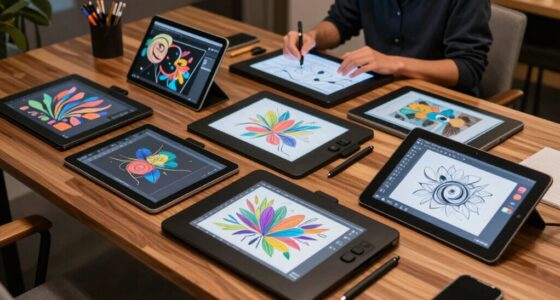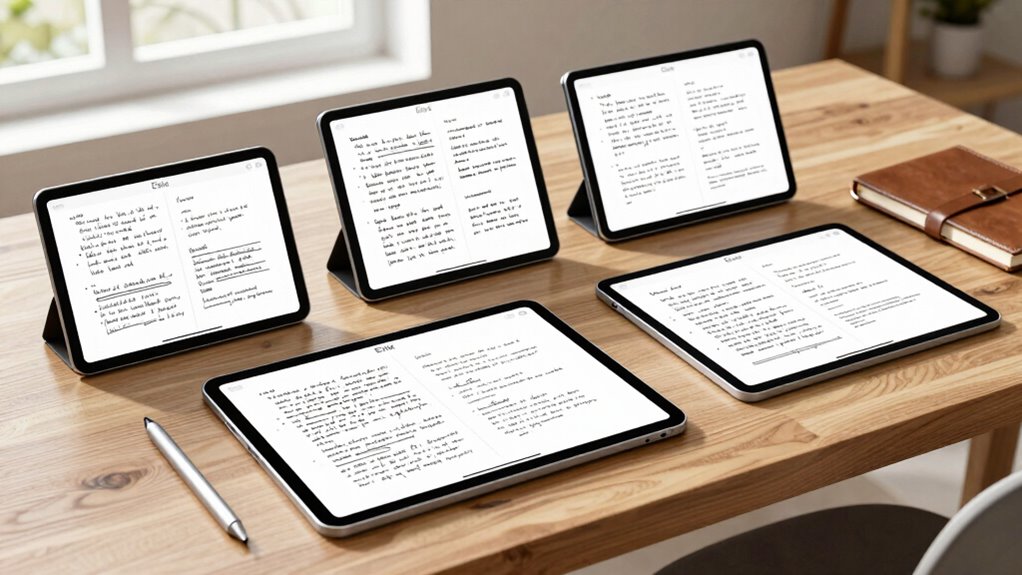

For note taking professionals, selecting the right e ink tablet means balancing display quality, writing experience, and device versatility. The Penstar eNote Pro C stands out as the best overall for its seamless writing and robust features. The BOOX Note Air 5 offers impressive color ePaper and Android flexibility, making it a versatile choice. Meanwhile, the reMarkable Paper Pro excels in simplicity and paper-like feel, ideal for focused note-taking. Each of these options trades off features like color support, speed, or ecosystem integration, so understanding your priorities is key. Continue reading for a detailed breakdown to find the best fit for your professional needs.

Get business pricing on monitors, keyboards and dev gear
- Business-only prices and quantity discounts
- Tax-exempt purchasing
- Multiple users, one account, clear invoices
Key Takeaways
- Top-ranked devices combine high-quality e Paper displays with responsive stylus support for a natural writing experience.
- Device versatility, such as Android or custom OS, significantly impacts app compatibility and overall usability.
- Color e Paper options are emerging but often involve tradeoffs in refresh rate and battery life.
- Build quality and stylus responsiveness are critical for professional note taking, often justifying higher price points.
- Choosing between simplicity and feature-rich devices depends heavily on individual workflow needs and preferred ecosystems.
| Penstar eNote Pro C E-Ink Digital Notebook with Pen, 10.3” AI eNote Tablet |  | Best Overall for Versatile Note-Taking and Color Reading | Screen Size: 10.3 inches | Display Resolution: 150 PPI | Color: Full-color Kaleido 3 E-Ink | VIEW ON AMAZON | See Our Full Breakdown |
| BOOX Note Air 5 C 10.3″ E Ink Tablet with Color ePaper Display, 6GB RAM, 64GB Storage, Android 15 |  | Best for Productivity with Android Ecosystem | Display: 10.3-inch Kaleido 3 color E Ink | Resolution: 2480 x 1860 (B/W), 1240 x 930 (Color) | Touch: Stylus with 4,096 pressure levels + capacitive | VIEW ON AMAZON | See Our Full Breakdown |
| iFLYTEK AINOTE Air 2, 8.2-Inch E Ink Tablet with Black Folio Case |  | Best for Transcription and Meeting Notes on the Go | Display: 8.2-inch E Ink | Pressure Sensitivity: 4,096 levels | Dimensions: 7.6 × 5.4 inches | VIEW ON AMAZON | See Our Full Breakdown |
| BOOX Tablet Go Color 7 Gen II E Ink Tablet Support Active Stylus InkSense (Black) |  | Best Compact Color E Ink for Reading and Browsing | Screen: 7″ Kaleido 3 | Resolution: 1680 x 1264 | CPU: Octa-core | VIEW ON AMAZON | See Our Full Breakdown |
| reMarkable Paper Pure with Marker Plus and Mist Green Sleeve Folio |  | Best for Focused Note-Taking and Digital Paper Experience | Display Size: 10.3 inches | Built-In Media: E-Ink | Model Name: RM95A | VIEW ON AMAZON | See Our Full Breakdown |
| Huion Ink EB1011 E Ink Tablet 10.3″ Digital Notebook with Dual Front Light |  | Best for Versatile Digital Note-Taking and Professional Drawing | Display: 10.3-inch E-Ink, 1404×1872 resolution, 227 PPI | Stylus: Battery-free, 8192 levels of pressure, felt tip | Lighting: Dual-color adjustable front light | VIEW ON AMAZON | See Our Full Breakdown |
| reMarkable Paper Pro with Marker Plus |  | Best for Color-Centric Note Organization and Artistic Sketching | Display: 11.8-inch Canvas Color | Features: Color display, adjustable reading light | Included Items: Marker Plus, protective folio | VIEW ON AMAZON | See Our Full Breakdown |
| reMarkable Paper Pro with Marker Plus and Basalt Book Folio |  | Best for Organized, Portable Color Note Management | Display: 11.8-inch Color e-ink | Included Components: Marker Plus, Book Folio, USB-C | Connectivity: USB Type C, Wi-Fi | VIEW ON AMAZON | See Our Full Breakdown |
| Penstar eNote 2 E-Ink Digital Notebook with Pen, 10.3″ AI eNote Tablet |  | Best for AI-Powered Organization and Versatile Note Management | Display Technology: Electronic Ink | Screen Size: 10.3 inches | Resolution: 2480×1860 (300 PPI) | VIEW ON AMAZON | See Our Full Breakdown |
| e ink tablets for note taking professional | Display |
|---|---|
| Penstar eNote Pro C E-Ink Digi | — |
| BOOX Note Air 5 C 10.3" E Ink | 10.3-inch Kaleido 3 color E Ink |
| iFLYTEK AINOTE Air 2 | 8.2-inch E Ink |
| BOOX Tablet Go Color 7 Gen II | — |
| reMarkable Paper Pure with Mar | — |
| Huion Ink EB1011 E Ink Tablet | 10.3-inch E-Ink, 1404×1872 resolution, 227 PPI |
| reMarkable Paper Pro with Mark | 11.8-inch Canvas Color |
| reMarkable Paper Pro with Mark | 11.8-inch Color e-ink |
| Penstar eNote 2 E-Ink Digital | — |
More Details on Our Top Picks
Penstar eNote Pro C E-Ink Digital Notebook with Pen, 10.3” AI eNote Tablet
The Penstar eNote Pro C stands out as the most versatile option thanks to its full-color Kaleido 3 display and AI-enabled productivity tools. Compared to the reMarkable Paper Pure, it offers a more engaging visual experience, especially for reading and annotating colorful documents. Its high-pressure sensitivity and support for multiple file formats make it ideal for detailed handwritten notes and multimedia tasks. However, the color display can be slower to refresh, and the device’s primary focus on reading and note-taking means it isn’t suited for fast scrolling or media consumption. The 2K resolution and AI features add value for professionals who need both clarity and smart tools, but the device’s weight and battery life may be less appealing for all-day portability.
Pros:- Vivid color Kaleido 3 display for vibrant annotations
- AI features like voice-to-text and handwriting recognition
- Supports a wide range of document formats for versatility
- High-pressure sensitivity for natural handwriting
Cons:- Slower refresh rates limit smooth scrolling and video playback
- Relatively short battery life for extended use
Best for: Note-taking professionals who need color annotation and AI-powered productivity on a portable device.
Not ideal for: Users seeking fast multimedia playback or a lightweight device solely for casual reading, as color refresh rates and battery life are limited.
- Screen Size:10.3 inches
- Display Resolution:150 PPI
- Color:Full-color Kaleido 3 E-Ink
- Stylus Pressure Sensitivity:8192 levels
- RAM:4GB
- Storage:128GB
Our verdict“This is an excellent choice for professionals who prioritize color-enhanced note-taking alongside smart features but can accept some refresh rate limitations.”
BOOX Note Air 5 C 10.3″ E Ink Tablet with Color ePaper Display, 6GB RAM, 64GB Storage, Android 15
The BOOX Note Air 5 C excels as a multi-purpose device with its high-resolution Kaleido 3 color display and Android 15 OS. Unlike the Penstar eNote Pro, which leans heavily on stylus input and AI features, the BOOX offers a more open app environment, allowing for greater customization and third-party app use. Its lightweight design and high-resolution color screen make it well-suited for reading, note-taking, and light multimedia work. Yet, the inherent limitations of E Ink—such as slower refresh rates and darker display tones—are more apparent here, especially for dynamic media. For professionals who value flexibility and a more traditional tablet experience, this device strikes a good balance, though it’s less optimized for fast scrolling or video playback.
Pros:- High-resolution Kaleido 3 color display for detailed visuals
- Runs on Android 15 with access to various third-party apps
- Lightweight and portable for on-the-go use
- Supports a wide array of document and image formats
Cons:- Color screen has darker tones and slower refresh rates
- Limited multimedia capabilities compared to LCD tablets
Best for: Professionals who want a versatile, app-rich device for reading, note-taking, and light multimedia tasks within the Android ecosystem.
Not ideal for: Those expecting smooth video playback or fast scrolling, as E Ink technology inherently limits motion fluidity and brightness.
- Display:10.3-inch Kaleido 3 color E Ink
- Resolution:2480 x 1860 (B/W), 1240 x 930 (Color)
- Touch:Stylus with 4,096 pressure levels + capacitive
- RAM:6GB
- Storage:64GB
Our verdict“This device suits professionals seeking a flexible, Android-based reading and note-taking device with color support, accepting some refresh rate compromises.”
iFLYTEK AINOTE Air 2, 8.2-Inch E Ink Tablet with Black Folio Case
The iFLYTEK AINOTE Air 2 shines for its AI-driven features such as meeting summaries, multilingual transcription, and translation, making it ideal for professionals who attend many meetings or classes. Its compact 8.2-inch size and lightweight design make it highly portable, especially compared to larger tablets like the reMarkable Paper. While the writing experience is smooth thanks to its pressure sensitivity, the smaller screen size and less fluid page refreshes can feel restrictive for extended note-taking sessions. It’s not designed for multimedia or fast scrolling, but its AI capabilities compensate by enabling quick transcription and multilingual support, making it a practical, niche tool for busy professionals and students.
Pros:- AI-powered meeting summaries and translation features
- Lightweight and compact for easy portability
- Pressure-sensitive stylus for natural handwriting
- Supports multiple languages for transcription
Cons:- Page refreshes and scrolling may feel less fluid
- Limited screen size restricts extensive note-taking
Best for: Professionals and students needing portable, AI-enhanced note-taking and transcription during meetings or classes.
Not ideal for: Users seeking a larger screen or multimedia playback, as its small size and slower refresh rates limit comprehensive reading or video use.
- Display:8.2-inch E Ink
- Pressure Sensitivity:4,096 levels
- Dimensions:7.6 × 5.4 inches
- Weight:8.1 oz (230 g)
- Connectivity:Wi-Fi
Our verdict“This device is well-suited for professionals needing quick transcription and multilingual notes in a compact form, despite its smaller display size.”
BOOX Tablet Go Color 7 Gen II E Ink Tablet Support Active Stylus InkSense (Black)
The BOOX Go Color 7 Gen II offers a portable, color E Ink experience in a compact 7-inch form factor, ideal for quick reading and light browsing. Unlike larger models such as the Penstar eNote Pro, this device prioritizes portability over extensive note-taking or multimedia capabilities. Its Kaleido 3 color screen allows for colorful annotations, but the inherent limitations of E Ink—such as darker tones and slower refresh—make it less suitable for dynamic content or video. The device supports a wide range of formats and features front lighting, making it a good choice for casual use in various lighting conditions. It’s a practical option for those who want color in a small device but are willing to accept some display quality compromises.
Pros:- Supports a wide range of document and image formats
- Color Kaleido 3 technology for enhanced reading
- Front light with warm and cold options
- Expandable storage via microSD card
Cons:- Color E Ink screens appear grayer and darker compared to LCDs
- Stylus support is basic without EMR stylus support
Best for: Readers and note-takers who need a small, portable device with color display for quick notes and browsing.
Not ideal for: Users who require fast scrolling, detailed multimedia editing, or vibrant color reproduction, as E Ink color screens have inherent limitations.
- Screen:7″ Kaleido 3
- Resolution:1680 x 1264
- CPU:Octa-core
- RAM:4GB
- Storage:64GB
Our verdict“This compact, color-capable device makes sense for on-the-go reading and light note-taking, accepting display limitations inherent to E Ink.”
reMarkable Paper Pure with Marker Plus and Mist Green Sleeve Folio
The reMarkable Paper Pure is designed for users who prefer a distraction-free, paper-like writing experience. Its high-contrast, fast-refresh E-Ink display provides a natural writing feel, ideal for detailed note-taking and document review. Unlike the Penstar eNote Pro or BOOX devices with color screens, this model’s monochrome display emphasizes clarity and focus, making it perfect for professionals and students committed to organized, focused work. Its seamless cloud integration and handwriting-to-text conversion add productivity value, but subscription requirements and a learning curve for new users can be drawbacks. The device’s limited color options and absence of multimedia features make it less suitable for multimedia-heavy tasks.
Pros:- High-contrast, fast-refresh E-Ink display for clarity
- Supports handwriting to text conversion
- Cloud integration with Google Drive and Dropbox
- Lightweight and minimalist for focused work
Cons:- Limited to black-and-white display
- Requires a subscription for full cloud features
Best for: Note-takers and professionals who prioritize clarity, organization, and focus over color or multimedia features.
Not ideal for: Users needing color annotations or multimedia capabilities, as the device only displays in black and white and has a learning curve.
- Display Size:10.3 inches
- Built-In Media:E-Ink
- Model Name:RM95A
- Warranty:1-year limited
Our verdict“This device suits those who value a distraction-free, paper-like writing experience with excellent organization tools but do not require color or multimedia support.”
Huion Ink EB1011 E Ink Tablet 10.3″ Digital Notebook with Dual Front Light
The Huion Ink EB1011 stands out for combining a high-resolution, paper-like E-Ink display with a pressure-sensitive, battery-free stylus, making it ideal for those who want a natural writing feel without lag. Compared to the reMarkable Paper Pro, it offers more advanced features like handwriting-to-text conversion and support for multi-format reading, though it requires Android app compatibility for full functionality. Its long battery life—up to 12 days—favors professionals who need extended use without frequent charging. However, it’s primarily designed for digital note-taking, not as a multimedia device, and the price can be a barrier for budget-conscious buyers. This device makes the most sense for creative professionals and students who need a portable, high-quality digital notebook with drawing capabilities.Pros:- High-resolution, paper-like E-Ink display for comfortable reading and writing
- Battery-free stylus with pressure sensitivity and no lag
- Supports handwriting-to-text conversion and multi-format sharing
- Long battery life up to 12 days
Cons:- Limited to digital note-taking and reading, not multimedia
- Requires Android app compatibility for full features
Best for: Professionals and creatives who need a versatile device for writing, drawing, and reading on the go
Not ideal for: Users seeking a traditional tablet with multimedia and app support beyond note-taking, or those on a tight budget
- Display:10.3-inch E-Ink, 1404×1872 resolution, 227 PPI
- Stylus:Battery-free, 8192 levels of pressure, felt tip
- Lighting:Dual-color adjustable front light
- Storage:64GB internal, expandable up to 2TB
- Battery:4650mAh, up to 12 days
- Weight:0.99 pounds
Our verdict“This pick is best for professionals and creatives who want a dedicated, high-quality digital notebook with drawing features.”
reMarkable Paper Pro with Marker Plus
The reMarkable Paper Pro with Marker Plus offers an 11.8-inch color display that enhances writing, sketching, and reading, especially compared to the monochrome Penstar eNote 2. Its vibrant color and adjustable light make it suitable for detailed illustrations and richer notes, though this comes at a higher price point and potentially shorter battery life with intensive use. The included protective folio and multiple accessories add convenience for professionals managing extensive notes and sketches. However, it remains limited to digital note-taking and reading, not multimedia content, and the high cost might deter casual users. This device fits best for designers and professionals who prioritize visual clarity and organization in their digital workflow.Pros:- High-resolution 11.8-inch color display for vibrant visuals
- Responsive stylus with a natural paper-like feel
- Includes protective folio and organizational tools
- Adjustable reading light for various lighting conditions
Cons:- High price for a specialized e-ink device
- Limited to digital note-taking and reading, not multimedia
Best for: Artists, designers, and professionals who prioritize color in their digital notes and sketches
Not ideal for: Budget-conscious buyers or those seeking a multi-purpose tablet for entertainment and app use
- Display:11.8-inch Canvas Color
- Features:Color display, adjustable reading light
- Included Items:Marker Plus, protective folio
- Connectivity:USB-C, Wi-Fi
- Warranty:1 Year Limited
- Size:11.8 inches
Our verdict“This device is best suited for visual professionals who need vibrant, organized digital notes and sketches.”
reMarkable Paper Pro with Marker Plus and Basalt Book Folio
The reMarkable Paper Pro with Marker Plus and Basalt Book Folio combines a high-res 11.8-inch color e-ink display with a suite of organizational tools, making it ideal for professionals managing multiple projects. Its robust accessories, including a protective folio and extensive storage, set it apart from the Penstar eNote 2, offering better protection and a more complete package. Its responsive stylus and adjustable light support detailed note-taking and sketching, but the high price and limited multimedia capabilities mean it’s best for highly organized users rather than casual consumers. Battery life and performance may vary with intensive use, which is a concern for those needing all-day reliability.Pros:- High-resolution 11.8-inch color display for vibrant visuals
- Includes protective folio and multiple accessories
- Excellent note and document organization features
- Responsive stylus with natural feel
Cons:- High price point for a specialized device
- Limited to digital note-taking and reading, no multimedia apps
Best for: Project managers, designers, and organized professionals who need a durable, color-focused digital notebook
Not ideal for: Casual users or those seeking a multimedia device with internet browsing and apps
- Display:11.8-inch Color e-ink
- Included Components:Marker Plus, Book Folio, USB-C
- Connectivity:USB Type C, Wi-Fi
- Generation:2nd
- Size:11.8 inches
- Warranty:1 Year Limited
Our verdict“This device is most suitable for organized professionals who need a durable, color-rich digital notebook with comprehensive management tools.”
Penstar eNote 2 E-Ink Digital Notebook with Pen, 10.3″ AI eNote Tablet
The Penstar eNote 2 with its 10.3-inch high-resolution display excels in AI-driven note organization, voice-to-text, and support for various file formats, making it a strong choice over the more basic Huion Ink EB1011 for users who want advanced digital management. Its ability to handle multiple file types and voice notes enhances productivity, though it comes at a higher cost and depends on Wi-Fi connectivity, with no cellular option. The stylus, with 8,192 pressure levels, provides precise writing, but it’s sold separately, adding to the total expense. This device makes the most sense for professionals who prioritize intelligent organization and extensive file support in a portable package.Pros:- High-resolution, paper-like display with sunlight readability
- AI-powered note organization and voice-to-text features
- Supports extensive file formats including PDF, EPUB, and DOC
- Long battery life up to 4 weeks
Cons:- Relatively high price for a digital notebook
- Wi-Fi only, no cellular connectivity
- Stylus is sold separately, increasing overall cost
Best for: Knowledge workers and students who need AI-enhanced note organization and multi-format support
Not ideal for: Budget-conscious users or those seeking a simple, no-frills digital notebook
- Display Technology:Electronic Ink
- Screen Size:10.3 inches
- Resolution:2480×1860 (300 PPI)
- Memory Storage Capacity:128 GB
- Battery Capacity:6500mAh
- OS:Android 14
Our verdict“This pick is ideal for professionals and students who need advanced AI features and extensive file support for organized note management.”

How We Picked
We evaluated each e ink tablet based on key factors that matter most to note taking professionals: display clarity, stylus responsiveness, build quality, software ecosystem, and overall value. Devices were compared for their ability to replicate a natural writing experience, support for advanced note management, and durability for daily use. We prioritized devices that balance performance with ease of use, ensuring they can handle extended writing sessions without lag or frustration. Our ranking reflects a combination of feature set, user experience, and the value offered at each price point, aiming to guide professionals toward the best long-term investment.Factors to Consider When Choosing E Ink Tablets For Note Taking Professionals
Choosing the right e ink tablet for professional note taking involves understanding several key factors. Beyond display size and resolution, consider how responsive the stylus feels and whether the device supports your preferred note-taking apps or workflows. Battery life is crucial for all-day use, especially when traveling or in meetings. Compatibility with cloud services or file formats can streamline your workflow, while build quality influences durability over time. Finally, assess whether you need additional features such as color support, front lighting, or an open ecosystem for app customization. Making informed tradeoffs here ensures the device truly supports your professional needs.Display Quality and Responsiveness
For note taking, a crisp, clear display with minimal latency is non-negotiable. Devices with high-resolution e Paper screens improve handwriting clarity and reduce eye strain. Stylus responsiveness, including pressure sensitivity and palm rejection, directly impacts the natural feel of writing. Cheaper models often sacrifice responsiveness, which can lead to frustration during extended note sessions. Prioritizing a device with a proven, high-quality display makes a noticeable difference in daily productivity.
Ecosystem and App Compatibility
The ecosystem determines how well your device integrates with your existing workflow. Android-based options like the BOOX Note Air 5 support a wide range of apps, offering flexibility for custom workflows. Closed ecosystems or limited app support might restrict your ability to use specific note-taking or productivity tools. Consider whether the device supports cloud syncing, file formats, or third-party stylus apps, especially if you rely on specific software for your work.
Battery Life and Portability
Long battery life ensures your device keeps pace with busy schedules without frequent charging. E ink screens are inherently energy-efficient, but features like front lights or color support can impact battery longevity. Compact, lightweight devices are easier to carry but may sacrifice display size or battery capacity. Balance your need for portability with the desire for a larger, more comfortable writing surface.
Build Quality and Durability
Professionals often carry their tablets daily, making durability essential. Look for devices with sturdy frames and quality materials. Devices with water or dust resistance can withstand more challenging environments. The quality of the stylus and its attachment method also matter—losing or damaging styluses can hinder productivity. Investing in a well-built device minimizes downtime and replacement costs.
Additional Features and Customization
Features like front lighting, color support, and stylus pressure sensitivity enhance usability but often come with higher costs. Some devices support note organization, annotation, and export options that streamline professional workflows. Consider whether you need features like handwriting recognition or integration with cloud services. Beware of overpaying for features that won’t be used regularly; focus on what enhances your productivity most.
Frequently Asked Questions
Can I install my favorite note-taking apps on these e ink tablets?
Many e ink tablets, especially those running Android like the BOOX Note Air 5, support a wide range of note-taking apps, including OneNote, Evernote, and others. However, devices with proprietary operating systems might have limited app stores, affecting compatibility. Always check the device’s app support list before purchase if specific app compatibility is critical for your workflow. Some tablets also support web-based or cloud solutions to bypass app restrictions, providing additional flexibility.
How does color support impact note taking and overall usability?
Color e Paper displays can enhance diagramming, highlighting, and visual annotations, making notes more versatile. However, color support often involves tradeoffs, such as slower refresh rates and shorter battery life. For most professional note takers, monochrome e ink screens offer superior clarity and longer usage times. If your work relies heavily on color-coded notes or visual content, investing in a device with color support could be worthwhile, but be prepared for some compromises in responsiveness.
Are styluses with pressure sensitivity necessary for professional note taking?
Pressure sensitivity allows for more precise control over line thickness and shading, making handwritten notes feel more natural. For detailed sketches, annotations, or detailed handwriting, a stylus with pressure support can significantly improve the experience. However, if your notes are straightforward and you prioritize simplicity, a standard stylus may suffice. High-end styluses also tend to be more durable and responsive, justifying higher costs for intensive professional use.
Should I prioritize a larger screen or portability for daily use?
Larger screens provide more writing space, reducing the need for page turns and making detailed notes easier. However, bigger devices tend to be heavier and less portable, which can be inconvenient when commuting or traveling. Smaller, lightweight models are easier to carry but may involve a tradeoff in screen size and comfort during long writing sessions. Consider your typical use environment—if portability is key, a smaller device might be better; for detailed work, a larger screen could boost productivity.
Is it worth paying more for a device with advanced features like multitasking or open ecosystems?
Higher-priced models often include features like multitasking, expanded app support, and customizable workflows, which can enhance productivity. If your work involves managing multiple documents or using specialized apps, investing in a more capable device makes sense. Conversely, if you primarily take simple notes or annotations, a more affordable, focused device may meet your needs without the extra cost. Carefully evaluate how much these features impact your daily routine before committing to a premium device.
Conclusion
For those seeking the best overall experience, the Penstar eNote Pro C offers a natural writing feel combined with a robust feature set, making it ideal for daily professional use. The BOOX Note Air 5 provides a versatile, color-capable display for professionals who need visual flexibility and app support, justifying a higher price. Beginners or light users may find the reMarkable Paper Pro to be a simple, distraction-free choice that emphasizes writing comfort. For those who prioritize durability and long battery life, compact options like the Penstar eNote 2 could be the best fit. Ultimately, your choice depends on your specific workflow, budget, and feature priorities.
As an affiliate, we earn on qualifying purchases.Fall Picks
fall essentials