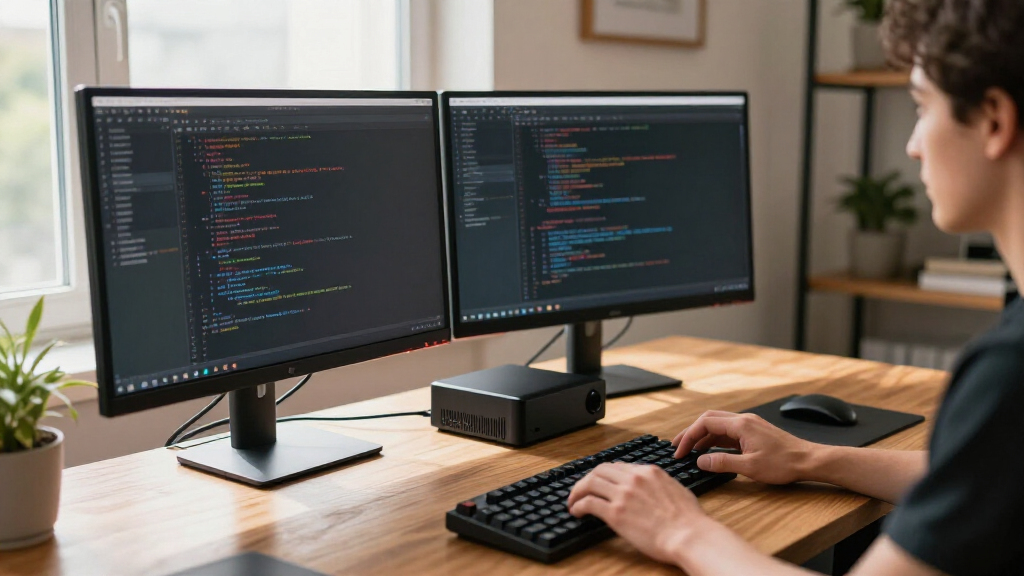

Developers shopping for compact mini PCs face a familiar tradeoff: enough CPU muscle to compile code quickly and run containers, squeezed into a box that fits behind a monitor. After comparing twelve popular models, the GETORLI Mini PC with Ryzen 7 6800H, 32GB of RAM, and 1TB of storage stands out as the best overall pick for developers, because RAM headroom and fast storage matter more for local development than almost anything else at this size. The Glorlin with Ryzen 7 8745HS and Radeon 780M graphics is the stronger choice if you compile large projects or want capable integrated graphics, while the budget-priced ACEMAGIC K1 handles light web development and home labs without straining your wallet. The main tension in this category is between affordable older Ryzen chips with slow storage and pricier newer platforms with DDR5 and better cooling. Read on for the full breakdown, including which models struggle with thermals and which ones skimp on RAM you can’t upgrade.

Get business pricing on monitors, keyboards and dev gear
- Business-only prices and quantity discounts
- Tax-exempt purchasing
- Multiple users, one account, clear invoices
Key Takeaways
- RAM capacity and upgradeability separated the top picks more than raw CPU speed: the GETORLI‘s 32GB made it the best overall choice for container work, while models like the BOSGAME E2 Plus with 8GB non-expandable RAM are nearly unusable for modern toolchains.
- Storage size was the most common weak point across the lineup — half the models ship with only 256GB SSDs, which fills fast once you add Docker images, node_modules, and multiple IDEs, so factor in an upgrade path or external NVMe.
- Newer platform chips (Ryzen 8745HS, 6800H) delivered noticeably better multi-core performance and integrated graphics than older U-series chips like the Ryzen 3 7330U and Ryzen 5 3501U found in the budget entries.
- The HP Elite Mini 800 G9 is the only option with enterprise-grade manageability, vPro support, and Windows 11 Pro out of the box, making it the safest pick for developers working in corporate environments.
- Business-oriented mini PCs like the GEEKOM A5 and GMKtec M2 Pro S offer quieter cooling and better long-term driver support than value brands like ACEMAGICIAN and KAMRUI, which matters if your machine runs all day.
| ACEMAGICIAN S3A Mini PC with Ryzen 7 H 255, 16GB RAM, and 512GB SSD |  | Best Overall | Processor: AMD Ryzen 7 H 255, 8 cores/16 threads, up to 4.9GHz | Graphics: AMD Radeon 780M, 12 cores at 2600MHz | Memory: 16GB LPDDR5 6400MT/s | VIEW LATEST PRICE | See Our Full Breakdown |
| ACEMAGIC K1 Mini PC with AMD Ryzen 3 7330U, 16GB RAM, and 256GB SSD |  | Best Value | Processor: AMD Ryzen 3 Pro 7330U, 4 cores/8 threads, up to 4.3GHz | Memory: 16GB LPDDR4 3200MT/s, non-expandable | Storage: 256GB M.2 2280 SSD, expandable to 2TB | VIEW LATEST PRICE | See Our Full Breakdown |
| GMKtec M2 Pro S Mini PC, Intel Core i7-1185G7, 16GB DDR4, 512GB NVMe SSD |  | Best for Upgradability | Processor: Intel Core i7-1185G7, 4 cores/8 threads, up to 4.8GHz | Memory: 16GB dual-channel DDR4 SODIMM, expandable to 64GB | Storage: 512GB NVMe SSD plus M.2 2242 SATA expansion, up to 4TB total | VIEW LATEST PRICE | See Our Full Breakdown |
| KAMRUI Pinova P1 Mini PC, AMD Ryzen R2544, 16GB RAM, 256GB SSD |  | Best for a Clean Desk Setup | Processor: AMD Ryzen R2544, 4 cores/8 threads, up to 3.7GHz | Memory: 16GB RAM | Storage: 256GB M.2 SSD | VIEW LATEST PRICE | See Our Full Breakdown |
| BOSGAME E2 Plus Mini PC with AMD Ryzen 5 3501U, 8GB RAM, 256GB SSD |  | Best for Linux Tinkerers on a Budget | Processor: AMD Ryzen 5 3501U, 4 cores/8 threads | Memory: 8GB DDR4, upgradeable to 32GB | Storage: 256GB SATA SSD | VIEW LATEST PRICE | See Our Full Breakdown |
| BOSGAME E5 Mini PC with AMD Ryzen 3 5300U |  | Best Budget Home Lab Starter | Processor: AMD Ryzen 3 5300U, 4 cores / 8 threads, up to 3.8 GHz | Memory: 16 GB DDR4 | Storage: 512 GB M.2 NVMe SSD; second M.2 slot up to 2 TB | VIEW LATEST PRICE | See Our Full Breakdown |
| GETORLI Mini PC with AMD Ryzen 7 6800H, 32GB LPDDR5 RAM, and 1TB NVMe SSD |  | Best for Heavy Multitaskers | Processor: AMD Ryzen 7 6800H, 8 cores / 16 threads, up to 4.7 GHz | Memory: 32 GB LPDDR5, 6400 MT/s (soldered) | Storage: 1 TB NVMe SSD; dual M.2 2280 slots up to 4 TB | VIEW LATEST PRICE | See Our Full Breakdown |
| GEEKOM A5 Mini PC with AMD Ryzen 7 7730U, 16GB RAM, and 500GB SSD |  | Best Expansion Flexibility | Processor: AMD Ryzen 7 7730U, 8 cores / 16 threads, up to 4.5 GHz | Memory: 16 GB DDR4, upgradeable to 64 GB | Storage: 500 GB PCIe Gen4 NVMe SSD; expandable to 10 TB total | VIEW LATEST PRICE | See Our Full Breakdown |
| GMKtec M6 Ultra Mini PC with AMD Ryzen 5 7640HS |  | Best Compact All-Rounder | Processor: AMD Ryzen 5 7640HS, 6 cores / 12 threads | Memory: 16 GB DDR5 SO-DIMM, expandable to 128 GB | Storage: 512 GB M.2 PCIe SSD; dual M.2 slots up to 8 TB each | VIEW LATEST PRICE | See Our Full Breakdown |
| HP Elite Mini 800 G9 Desktop PC, Intel Core i5-14500, 16GB DDR5 RAM, 512GB SSD, Windows 11 Pro |  | Best Corporate Pick | Processor: Intel Core i5-14500, 14 cores / 20 threads | Memory: 16 GB DDR5 | Storage: 512 GB PCIe NVMe SSD | VIEW LATEST PRICE | See Our Full Breakdown |
| Glorlin Mini PC with Ryzen 7 8745HS, 16GB DDR5 RAM, 1TB SSD, and Radeon 780M Graphics |  | Best for Multi-Monitor Workstations | Processor: AMD Ryzen 7 8745HS, 8 cores / 16 threads, up to 4.9GHz | Graphics: Integrated AMD Radeon 780M | Memory: 16GB DDR5 4800MHz (single module) | VIEW LATEST PRICE | See Our Full Breakdown |
| KAMRUI Pinova P2 Mini PC with AMD Ryzen 7330U, 16GB RAM and 256GB SSD |  | Best Budget Starter Rig | Processor: AMD Ryzen 7330U, 4 cores / 8 threads, up to 4.3GHz | Graphics: Integrated AMD Radeon Graphics, 6 CUs | Memory: 16GB LPDDR4X | VIEW LATEST PRICE | See Our Full Breakdown |
| compact mini PCs for developer | Processor | Memory | Storage | Display support |
|---|---|---|---|---|
| ACEMAGICIAN S3A Mini PC with R | AMD Ryzen 7 H 255, 8 cores/16 threads, up to 4.9GHz | 16GB LPDDR5 6400MT/s | 512GB PCIe 4.0 NVMe SSD, expandable to 4TB | Up to three 4K displays (HDMI 2.0, DP 2.0, USB4 Type-C) |
| ACEMAGIC K1 Mini PC with AMD R | AMD Ryzen 3 Pro 7330U, 4 cores/8 threads, up to 4.3GHz | 16GB LPDDR4 3200MT/s, non-expandable | 256GB M.2 2280 SSD, expandable to 2TB | Up to three 4K displays |
| GMKtec M2 Pro S Mini PC | Intel Core i7-1185G7, 4 cores/8 threads, up to 4.8GHz | 16GB dual-channel DDR4 SODIMM, expandable to 64GB | 512GB NVMe SSD plus M.2 2242 SATA expansion, up to 4TB total | — |
| KAMRUI Pinova P1 Mini PC | AMD Ryzen R2544, 4 cores/8 threads, up to 3.7GHz | 16GB RAM | 256GB M.2 SSD | 4K at 60Hz, triple-screen setups |
| BOSGAME E2 Plus Mini PC with A | AMD Ryzen 5 3501U, 4 cores/8 threads | 8GB DDR4, upgradeable to 32GB | 256GB SATA SSD | — |
| BOSGAME E5 Mini PC with AMD Ry | AMD Ryzen 3 5300U, 4 cores / 8 threads, up to 3.8 GHz | 16 GB DDR4 | 512 GB M.2 NVMe SSD; second M.2 slot up to 2 TB | Up to three displays; 4K@60Hz via USB-C |
| GETORLI Mini PC with AMD Ryzen | AMD Ryzen 7 6800H, 8 cores / 16 threads, up to 4.7 GHz | 32 GB LPDDR5, 6400 MT/s (soldered) | 1 TB NVMe SSD; dual M.2 2280 slots up to 4 TB | Up to three 4K displays via HDMI, DisplayPort, Type-C |
| GEEKOM A5 Mini PC with AMD Ryz | AMD Ryzen 7 7730U, 8 cores / 16 threads, up to 4.5 GHz | 16 GB DDR4, upgradeable to 64 GB | 500 GB PCIe Gen4 NVMe SSD; expandable to 10 TB total | Up to four displays; 8K via USB-C |
| GMKtec M6 Ultra Mini PC with A | AMD Ryzen 5 7640HS, 6 cores / 12 threads | 16 GB DDR5 SO-DIMM, expandable to 128 GB | 512 GB M.2 PCIe SSD; dual M.2 slots up to 8 TB each | Up to three displays; USB4 up to 8K@60Hz |
| HP Elite Mini 800 G9 Desktop P | Intel Core i5-14500, 14 cores / 20 threads | 16 GB DDR5 | 512 GB PCIe NVMe SSD | Up to 4 monitors |
| Glorlin Mini PC with Ryzen 7 8 | AMD Ryzen 7 8745HS, 8 cores / 16 threads, up to 4.9GHz | 16GB DDR5 4800MHz (single module) | 1TB NVMe SSD; dual M.2 slots support up to 4TB | Up to four 4K displays |
| KAMRUI Pinova P2 Mini PC with | AMD Ryzen 7330U, 4 cores / 8 threads, up to 4.3GHz | 16GB LPDDR4X | 256GB M.2 SSD; two M.2 2280 slots support up to 4TB total | Up to three 4K displays at 60Hz |
More Details on Our Top Picks
ACEMAGICIAN S3A Mini PC with Ryzen 7 H 255, 16GB RAM, and 512GB SSD
The ACEMAGICIAN S3A earns the top spot because it nails the balance developers actually care about: a modern 8-core Ryzen 7 H 255, a fast PCIe 4.0 SSD, and three 4K display outputs including USB4. The Radeon 780M graphics put it well ahead of the GMKtec M2 Pro S for anything GPU-adjacent, and the three performance modes let you trade fan noise for compile speed — a luxury the cheaper KAMRUI Pinova P1 doesn’t offer. The 2-year warranty with lifetime support also makes it a safer long-term bet than most budget rivals. The tradeoff: RAM is soldered at 16GB, so if you run multiple containers or heavy VMs, the GMKtec M2 Pro S with its 64GB ceiling is the smarter pick.
Pros:- 8-core Ryzen 7 H 255 with Radeon 780M graphics handles compiles, IDEs, and casual gaming
- Three 4K displays via HDMI 2.0, DP 2.0, and USB4 Type-C
- PCIe 4.0 SSD expandable to 4TB
- Three performance modes plus dual-fan cooling and a 2-year warranty
Cons:- RAM caps at 16GB with no upgrade path
- Integrated graphics still struggle with demanding 3D or GPU compute workloads
Best for: Developers who want strong multi-core compile performance and triple 4K monitors on a single compact box
Not ideal for: Anyone running large Docker fleets or memory-hungry VMs — 16GB of non-upgradeable RAM is a hard ceiling
- Processor:AMD Ryzen 7 H 255, 8 cores/16 threads, up to 4.9GHz
- Graphics:AMD Radeon 780M, 12 cores at 2600MHz
- Memory:16GB LPDDR5 6400MT/s
- Storage:512GB PCIe 4.0 NVMe SSD, expandable to 4TB
- Display support:Up to three 4K displays (HDMI 2.0, DP 2.0, USB4 Type-C)
- Cooling:Dual-fan; Silent 20–35W, Auto 30–45W, Performance 40–54W modes
- Operating system:Windows 11 Pro
Our verdict“The safest all-around pick for developers who want modern performance and display flexibility without overpaying.”
ACEMAGIC K1 Mini PC with AMD Ryzen 3 7330U, 16GB RAM, and 256GB SSD
For a budget dev box, the ACEMAGIC K1 gets the fundamentals right where it counts. You get a full 16GB of RAM — double what the BOSGAME E2 Plus ships with — plus three 4K display outputs and a built-in power supply, so there’s no brick dangling under the desk. Text editing, SSH sessions, web development, and light container work all run comfortably on the Ryzen 3 7330U. Compared with the KAMRUI Pinova P1, the K1’s VESA mount and internal PSU make for a cleaner workstation. The compromises are real though: Wi-Fi 5 and Bluetooth 4.2 feel dated next to the GMKtec M2 Pro S‘s Wi-Fi 6 and 2.5G Ethernet, and the 256GB SSD fills up fast once you install toolchains.
Pros:- 16GB of RAM out of the box — more than most entry-level rivals
- Built-in power supply eliminates the external brick
- VESA mounting plus three 4K display outputs in a very small chassis
- Storage expandable up to 2TB
Cons:- Wi-Fi 5 and Bluetooth 4.2 lag well behind current standards
- Memory is non-expandable, capping future headroom
Best for: Budget-conscious developers or students building a first coding workstation with light workloads
Not ideal for: Anyone transferring large files over the network or needing fast wireless — Wi-Fi 5 and no 2.5G Ethernet will bottleneck you
- Processor:AMD Ryzen 3 Pro 7330U, 4 cores/8 threads, up to 4.3GHz
- Memory:16GB LPDDR4 3200MT/s, non-expandable
- Storage:256GB M.2 2280 SSD, expandable to 2TB
- Display support:Up to three 4K displays
- Connectivity:Wi-Fi 5, Bluetooth 4.2, Gigabit Ethernet
- Power consumption:28 watts with built-in power supply
Our verdict“A smart, tidy budget machine for developers whose work lives mostly in the editor and the browser.”
GMKtec M2 Pro S Mini PC, Intel Core i7-1185G7, 16GB DDR4, 512GB NVMe SSD
What separates the GMKtec M2 Pro S from nearly everything else in this price bracket is the SODIMM memory slot: you can go from 16GB to 64GB, which matters enormously if your stack involves VMs, Kubernetes locally, or Android emulators. It also offers dual M.2 slots and Wi-Fi 6 plus 2.5Gbps Ethernet — connectivity the ACEMAGIC K1 simply can’t match. The 11th-gen i7-1185G7 is older than the Ryzen 7 H 255 in the ACEMAGICIAN S3A, so single- and multi-core performance trails, but the upgrade path means this box can grow with you for years. The Iris Xe graphics are fine for displays and video, but don’t expect serious GPU work — that’s where the S3A’s Radeon 780M pulls clearly ahead.
Pros:- Memory expandable to 64GB via standard SODIMMs
- Dual M.2 slots allow storage expansion up to 4TB total
- Wi-Fi 6, Bluetooth 5.2, and 2.5Gbps Ethernet for fast networking
- Three 4K displays at 60Hz via dual HDMI and USB-C
Cons:- 11th-generation Intel CPU is a generation or two behind current Ryzen rivals
- Iris Xe integrated graphics limit gaming and GPU-accelerated workloads
Best for: Developers running VMs, containers, or emulators who need RAM headroom beyond 16GB down the road
Not ideal for: Anyone chasing maximum CPU or graphics performance — newer Ryzen chips in this lineup outpace it
- Processor:Intel Core i7-1185G7, 4 cores/8 threads, up to 4.8GHz
- Memory:16GB dual-channel DDR4 SODIMM, expandable to 64GB
- Storage:512GB NVMe SSD plus M.2 2242 SATA expansion, up to 4TB total
- Graphics:Intel Iris Xe G7, 96 EU
- Display output:3× 4K at 60Hz (2× HDMI, 1× USB-C)
- Networking:Wi-Fi 6, Bluetooth 5.2, 2.5Gbps Ethernet
- Power:35W
Our verdict“The pick when future-proofing through upgrades matters more than raw out-of-the-box speed.”
KAMRUI Pinova P1 Mini PC, AMD Ryzen R2544, 16GB RAM, 256GB SSD
The KAMRUI Pinova P1 leans into invisibility: an included VESA bracket lets it hide entirely behind your monitor, and the 28W processor keeps power draw and noise low for always-on home servers, Pi-hole boxes, or lightweight dev terminals. Features like Wake on LAN, auto power on, and TPM 2.0 make it genuinely useful as a headless build agent or homelab node — capabilities the BOSGAME E2 Plus doesn’t emphasize. Its 4-core R2544 is noticeably slower than the 8-core chip in the ACEMAGICIAN S3A, so heavy compiles will take longer, and the 256GB SSD plus Wi-Fi 5 feel frugal compared with the GMKtec M2 Pro S‘s networking and expansion. One caution: the listed dimensions are inconsistent between the description and spec sheet, so check mounting clearances before committing.
Pros:- Included VESA bracket enables fully hidden behind-monitor mounting
- Wake on LAN, auto power on, and TPM 2.0 suit headless and remote setups
- Triple 4K display support in a very low-power 28W package
- 16GB RAM is generous for a machine this size and price
Cons:- 256GB SSD fills quickly with modern dev toolchains
- Listed dimensions conflict between product description and specifications
Best for: Homelab tinkerers and developers wanting an always-on, VESA-hidden box for builds, servers, or light remote work
Not ideal for: Primary-workstation developers with large toolchains — the small SSD and mid-tier CPU will frustrate daily heavy use
- Processor:AMD Ryzen R2544, 4 cores/8 threads, up to 3.7GHz
- Memory:16GB RAM
- Storage:256GB M.2 SSD
- Display support:4K at 60Hz, triple-screen setups
- Networking:Dual-band Wi-Fi 5, Bluetooth 4.2, Gigabit Ethernet
- Power consumption:28 watts
- Features:VESA mount, Wake on LAN, auto power on, TPM 2.0
Our verdict“A tidy, low-power machine best treated as a hidden build agent or secondary dev box rather than your daily driver.”
BOSGAME E2 Plus Mini PC with AMD Ryzen 5 3501U, 8GB RAM, 256GB SSD
The BOSGAME E2 Plus is the cheapest entry here, and its standout feature for developers is official Ubuntu support — rare at this price and a genuine plus if you’d rather run a Linux daily driver than Windows. It drives three displays over dual HDMI 2.0 and USB-C, and the RAM is upgradeable to 32GB, which softens the sting of shipping with just 8GB. But make no mistake: 8GB is tight for modern development, and the SATA SSD is markedly slower than the NVMe drives in the ACEMAGIC K1 or GMKtec M2 Pro S, so boot times and project loads suffer. The Ryzen 5 3501U is also an older, lower-tier chip than the Ryzen 3 7330U in the K1. Plan on upgrading RAM immediately if you buy it.
Pros:- Official Ubuntu support alongside Windows 11 Pro
- Memory upgradeable to 32GB
- Three-display support with dual HDMI 2.0 at 4K 60Hz
- Gigabit Ethernet, Wi-Fi 5, and Bluetooth 5.0 at a low price point
Cons:- Only 8GB of RAM out of the box, below the practical floor for development
- SATA SSD is slower than the NVMe storage in competing models
Best for: Linux hobbyists and beginners who want a cheap Ubuntu-capable box for scripting, learning, and light server experiments
Not ideal for: Serious daily development — 8GB RAM and a SATA SSD will bottleneck IDEs, containers, and builds out of the box
- Processor:AMD Ryzen 5 3501U, 4 cores/8 threads
- Memory:8GB DDR4, upgradeable to 32GB
- Storage:256GB SATA SSD
- Video outputs:2× HDMI 2.0 (4K at 60Hz) plus 1× USB-C display output
- Maximum displays:3
- Networking:Gigabit Ethernet, Wi-Fi 5, Bluetooth 5.0
- Operating system:Windows 11 Pro; Ubuntu supported
Our verdict“A low-cost Linux sandbox that works best once you budget for a RAM upgrade.”
BOSGAME E5 Mini PC with AMD Ryzen 3 5300U
Where most budget minis give you a single Ethernet jack, the BOSGAME E5 stands out for its dual 2.5 Gb Ethernet, which is exactly what a developer wants for pfSense, Proxmox networking experiments, or a small NAS build. The Ryzen 3 5300U is modest next to the six-core GMKtec M6 Ultra, but 4 cores and 8 threads still handle containers, SSH sessions, and light IDE work without complaint. The second M.2 slot (up to 2 TB) means you can add a dedicated storage drive later, something the similarly priced ACEMAGIC K1 doesn’t offer. The honest tradeoffs: Wi-Fi 5 is dated, and the listing gives conflicting memory ceilings (16 GB vs. 64 GB), so plan upgrades carefully before buying.
Pros:- Dual 2.5 Gb Ethernet is rare at this price and ideal for home lab networking
- Second M.2 slot supports up to 2 TB for storage expansion
- Three-display support including 4K@60Hz over USB-C
- VESA mount included for clean desk or rack setups
Cons:- Conflicting listed maximum RAM (16 GB vs. 64 GB) makes upgrade planning uncertain
- Wi-Fi 5 is an older standard with slower wireless speeds than the Wi-Fi 6 options here
Best for: Developers building a first home lab or lightweight always-on server who need dual Ethernet and a second M.2 slot on a tight budget
Not ideal for: Anyone compiling large codebases or running heavy VMs — the 4-core Ryzen 3 will bottleneck compared to the Ryzen 7 options in this lineup
- Processor:AMD Ryzen 3 5300U, 4 cores / 8 threads, up to 3.8 GHz
- Memory:16 GB DDR4
- Storage:512 GB M.2 NVMe SSD; second M.2 slot up to 2 TB
- Display support:Up to three displays; 4K@60Hz via USB-C
- Networking:Dual 2.5 Gb Ethernet, Wi-Fi 5, Bluetooth 5.0
- Operating system:Windows 11 Pro
- Warranty:1-year warranty, 3-year parts, lifetime technical support
Our verdict“A sensible pick if networking tinkering matters more to you than raw CPU horsepower.”
GETORLI Mini PC with AMD Ryzen 7 6800H, 32GB LPDDR5 RAM, and 1TB NVMe SSD
This model makes the most sense for developers who run several VMs, a Docker swarm, and a browser full of documentation at once. The Ryzen 7 6800H brings 8 cores and 16 threads at up to 4.7 GHz, comfortably outmuscling the HP Elite Mini’s mobile-class Core i5 for sustained compile jobs, and its Radeon 680M graphics are strong enough for light GPU experimentation. Coming with 32 GB of fast LPDDR5 and a 1 TB SSD out of the box means no day-one upgrades, unlike the GEEKOM A5. The catch is that LPDDR5 is soldered — 32 GB is your permanent ceiling, which feels tight for a machine this powerful, and there’s no established brand track record behind the name.
Pros:- 8-core / 16-thread Ryzen 7 6800H delivers serious multi-threaded performance
- 32 GB LPDDR5 at 6400 MT/s and 1 TB NVMe SSD included from the start
- Radeon 680M is among the strongest integrated GPUs in this lineup
- Dual M.2 slots allow up to 4 TB of total storage
Cons:- Memory is not upgradeable beyond the fixed 32 GB
- No third-party feedback base yet, so reliability is unproven compared to established brands
Best for: Developers who compile large projects, run multiple VMs, or do light ML work and want strong specs ready on day one
Not ideal for: Anyone expecting to upgrade RAM later — memory is soldered and capped at 32 GB with no expansion path
- Processor:AMD Ryzen 7 6800H, 8 cores / 16 threads, up to 4.7 GHz
- Memory:32 GB LPDDR5, 6400 MT/s (soldered)
- Storage:1 TB NVMe SSD; dual M.2 2280 slots up to 4 TB
- Graphics:AMD Radeon 680M
- Display support:Up to three 4K displays via HDMI, DisplayPort, Type-C
- Networking:Wi-Fi 6, Bluetooth 5.3, dual RJ45 LAN
- Operating system:Windows 11 Pro
Our verdict“The most powerful out-of-the-box configuration here for developers who’d rather buy once and never open the case.”
GEEKOM A5 Mini PC with AMD Ryzen 7 7730U, 16GB RAM, and 500GB SSD
If the GETORLI’s soldered memory worries you, the GEEKOM A5 takes the opposite approach: start at 16 GB and grow to 64 GB of RAM and up to 10 TB of total storage across an M.2 slot, a 2242 SATA slot, and a 2.5-inch drive bay. That trio of expansion paths is unmatched anywhere else in this roundup, including the GMKtec M6 Ultra. The 8-core Ryzen 7 7730U handles everyday development well, though its older Vega 8 graphics trail the Radeon 760M and 680M found in newer AMD models. Display flexibility is a genuine strength — up to four monitors with 8K output over USB-C — and the 3-year warranty beats the 1-year coverage common among budget brands.
Pros:- Three separate expansion paths: RAM to 64 GB, extra M.2/SATA slot, and a 2.5-inch drive bay
- Supports up to four displays with 8K output via USB-C
- Wi-Fi 6, Bluetooth 5.4, and 2.5GbE networking are all current standards
- 3-year limited warranty exceeds typical budget-brand coverage
Cons:- Older Vega 8 graphics lag behind the integrated GPUs in comparably priced AMD models
- Inconsistent listed storage capacity (500 GB vs. 512 GB) creates mild listing confusion
Best for: Developers who want a machine that grows with them — adding RAM, secondary drives, or archival storage over time
Not ideal for: Gamers or anyone doing graphics-adjacent work — Vega 8 integrated graphics are noticeably weaker than the Radeon 680M and 760M alternatives
- Processor:AMD Ryzen 7 7730U, 8 cores / 16 threads, up to 4.5 GHz
- Memory:16 GB DDR4, upgradeable to 64 GB
- Storage:500 GB PCIe Gen4 NVMe SSD; expandable to 10 TB total
- Graphics:AMD Radeon Vega 8
- Display support:Up to four displays; 8K via USB-C
- Networking:Wi-Fi 6, Bluetooth 5.4, 2.5GbE LAN
- Warranty:3-year limited
Our verdict“The clear choice when long-term upgradeability matters more than having the fastest integrated GPU.”
GMKtec M6 Ultra Mini PC with AMD Ryzen 5 7640HS
The GMKtec M6 Ultra hits a sweet spot the budget models miss: a modern Ryzen 5 7640HS with Radeon 760M graphics, DDR5 memory, and USB4 with 8K@60Hz output — all in a 5 × 2 × 5 inch chassis with dual cooling fans. Compared with the BOSGAME E5, you keep the dual 2.5GbE Ethernet but gain a far faster CPU and modern Wi-Fi 6E, which makes it equally viable as a home lab node or a primary dev desktop. The headline feature for tinkerers is the 128 GB memory ceiling, the highest in this roundup, though you’ll pay for that upgrade yourself since it ships with 16 GB. Dual fans keep thermals in check but add audible noise under load.
Pros:- Memory expandable to 128 GB, the highest ceiling in this lineup
- USB4 port supports 8K@60Hz alongside HDMI and DisplayPort
- Dual 2.5GbE plus Wi-Fi 6E covers both wired lab and fast wireless use
- Modern Ryzen 5 7640HS with capable Radeon 760M graphics
Cons:- Ships with only 16 GB RAM and 512 GB storage; upgrades are an extra cost
- Dual cooling fans produce noticeable noise during sustained workloads
Best for: Developers who want one small box that serves as both a daily coding machine and a serious home lab node with huge upgrade headroom
Not ideal for: Silence-seekers and buyers wanting everything included — the dual fans spin up under load, and RAM/storage upgrades cost extra
- Processor:AMD Ryzen 5 7640HS, 6 cores / 12 threads
- Memory:16 GB DDR5 SO-DIMM, expandable to 128 GB
- Storage:512 GB M.2 PCIe SSD; dual M.2 slots up to 8 TB each
- Graphics:Integrated AMD Radeon 760M
- Display support:Up to three displays; USB4 up to 8K@60Hz
- Networking:Dual 2.5GbE Ethernet, Wi-Fi 6E, Bluetooth 5.2
- Cooling:Dual cooling fans
- Dimensions:5 × 2 × 5 inches
Our verdict“The best-balanced pick here for developers who want modern performance, networking, and a long upgrade runway in one box.”
HP Elite Mini 800 G9 Desktop PC, Intel Core i5-14500, 16GB DDR5 RAM, 512GB SSD, Windows 11 Pro
For developers in managed IT environments, the HP Elite Mini 800 G9 offers something the white-box brands can’t: enterprise-grade firmware, vPro-adjacent manageability, and a support ecosystem your IT department already trusts. The 14-core, 20-thread Core i5-14500 actually posts stronger multi-threaded throughput than several AMD rivals here, though its UHD 770 graphics are far weaker than the Radeon 680M in the GETORLI. Unlike every other mini in this lineup, it ships with a keyboard and mouse and standard Gigabit Ethernet rather than 2.5GbE — fine for office networks, limiting for home lab duty. The four-display support and slim VESA-mountable chassis make it a natural corporate desk replacement.
Pros:- 14-core / 20-thread Core i5-14500 delivers excellent multi-threaded compile performance
- Enterprise build quality, firmware support, and a known brand behind the warranty
- Supports up to four monitors from a slim, VESA-mountable chassis
- Ships ready to work with Windows 11 Pro, wired keyboard, and mouse
Cons:- Intel UHD 770 graphics fall well short of the AMD integrated GPUs elsewhere in this roundup
- Only single Gigabit Ethernet, and 16 GB RAM may cap heavy multitasking without upgrades
Best for: Developers in corporate or enterprise settings who need Windows 11 Pro, IT-manageable hardware, and a complete desk setup out of one box
Not ideal for: Home lab builders — single Gigabit Ethernet and weak integrated graphics limit virtualization-heavy and GPU-curious use cases
- Processor:Intel Core i5-14500, 14 cores / 20 threads
- Memory:16 GB DDR5
- Storage:512 GB PCIe NVMe SSD
- Graphics:Intel UHD Graphics 770
- Display support:Up to 4 monitors
- Networking:Gigabit Ethernet, Wi-Fi 6, Bluetooth 5.2
- Operating system:Windows 11 Pro
- Dimensions:6.97 × 6.89 × 1.35 inches; VESA mountable
Our verdict“The safest choice for developers who answer to an IT department more than to their own tinkering ambitions.”
Glorlin Mini PC with Ryzen 7 8745HS, 16GB DDR5 RAM, 1TB SSD, and Radeon 780M Graphics
If your development workflow lives and dies by screen real estate, this option stands out for driving up to four 4K displays from a box that fits under a monitor arm. The Ryzen 7 8745HS is a genuine 8-core, 16-thread chip, which puts it ahead of the GEEKOM A5’s Ryzen 7 7730U for compiling large projects or running multiple containers at once. Compared with the GETORLI’s Ryzen 7 6800H and 32GB of RAM, though, the Glorlin’s single 16GB DDR5 module is the weak point — you get half the memory on one stick, so an upgrade means replacing, not adding. Connectivity is a developer’s dream: USB4 and dual 2.5G LAN ports make it well suited to network lab work and fast peripheral docking, something the KAMRUI Pinova P2 can’t match with its single Gigabit port.
Pros:- 8-core, 16-thread Ryzen 7 8745HS handles compiles and multitasking with headroom
- Four 4K display outputs — rare at this size and price class
- USB4 plus dual 2.5G LAN ports for docking and network-heavy workflows
- 1TB NVMe SSD with dual M.2 slots supporting up to 4TB expansion
Cons:- 16GB arrives as a single module, limiting dual-channel bandwidth and forcing a replacement rather than an add-on upgrade
- Radeon 780M graphics only suit light gaming, not GPU workloads or demanding titles
Best for: Developers who run triple or quad 4K monitor setups and want strong multi-threaded compile performance with fast wired networking
Not ideal for: Anyone running memory-hungry workloads like heavy VMs or large Kubernetes clusters locally — the single 16GB module caps you and wastes the second channel
- Processor:AMD Ryzen 7 8745HS, 8 cores / 16 threads, up to 4.9GHz
- Graphics:Integrated AMD Radeon 780M
- Memory:16GB DDR5 4800MHz (single module)
- Storage:1TB NVMe SSD; dual M.2 slots support up to 4TB
- Display Support:Up to four 4K displays
- Ports:USB4, USB 3.2, HDMI, DisplayPort, dual USB-C, dual 2.5G LAN
- Wireless:Wi-Fi 6 and Bluetooth 5.3
- Operating System:Windows 11 Pro
- Weight:1.1 kg
Our verdict“This pick makes the most sense for developers whose priority is maximum monitor count and wired connectivity in a compact chassis, provided 16GB of RAM covers their workload.”
KAMRUI Pinova P2 Mini PC with AMD Ryzen 7330U, 16GB RAM and 256GB SSD
The Pinova P2 is the machine I’d point a first-time developer or student toward when budget matters more than raw horsepower. Its Ryzen 7330U is a modest 4-core, 8-thread chip — fine for VS Code, light Docker work, and web development, but well behind the HP Elite Mini 800 G9’s 14th-gen Core i5 for heavy builds. What it does offer is a sensible foundation: 16GB of RAM (double the 8GB in the BOSGAME E2 Plus) and two M.2 slots, so the small 256GB drive is a starting point rather than a ceiling. The included VESA mount and 5-inch footprint let it hide behind a monitor entirely, which the larger Glorlin can’t do as neatly. Just know that triple 4K output depends on using every display output correctly, including the USB-C alt mode.
Pros:- 16GB RAM out of the box, generous for an entry-level machine
- Two M.2 2280 slots with support up to 4TB total storage
- VESA mount included for a completely hidden desk setup
- USB-C handles both data and DisplayPort video output
Cons:- 256GB SSD is tight for modern toolchains, SDKs, and node_modules-heavy projects
- Triple-display output relies on specific port combinations and compatible displays
Best for: Students and junior developers setting up a first coding station who want a mountable, expandable machine at a low entry cost
Not ideal for: Anyone whose builds involve large repositories, multiple VMs, or big local datasets — the 4-core CPU and 256GB SSD will feel restrictive fast
- Processor:AMD Ryzen 7330U, 4 cores / 8 threads, up to 4.3GHz
- Graphics:Integrated AMD Radeon Graphics, 6 CUs
- Memory:16GB LPDDR4X
- Storage:256GB M.2 SSD; two M.2 2280 slots support up to 4TB total
- Display Support:Up to three 4K displays at 60Hz
- Ports:HDMI 2.0, DisplayPort 1.4, USB-C (DisplayPort Alt Mode), USB 3.2 Gen 2 Type-A
- Networking:Gigabit Ethernet, Wi-Fi, Bluetooth
- Dimensions:5.05 × 5.05 × 1.73 inches
- Warranty:12-month satisfaction service, lifetime technical support
Our verdict“The Pinova P2 is a smart, upgrade-later starting point for new developers, as long as you accept a modest CPU and plan to expand storage early.”

How We Picked
My ranking logic starts with what developers actually do all day: compile code, run virtual machines and containers, and keep dozens of browser tabs plus an IDE open simultaneously. That means I weighted RAM capacity and expandability first, then multi-core CPU performance, then storage size and whether the SSD is upgradeable. A machine with a modest chip but 32GB of RAM beats a faster chip throttled by 8GB for most real-world development work. I also considered cooling design and sustained performance, because a mini PC that only hits peak speeds for 30 seconds before throttling will frustrate you on long builds.
Beyond raw specs, I evaluated Linux compatibility, port selection, dual-monitor support, and long-term vendor reliability. Developers frequently run Ubuntu, Fedora, or Arch on these machines, and some budget brands have spotty Wi-Fi driver support or locked-down BIOS options that complicate installation. I ranked models higher when they combined balanced specs with sensible upgrade paths and a track record of firmware support, and lower when they cut corners on storage, soldered the RAM at a low capacity, or shipped with aging platforms. The ordering reflects a simple question: which machine would I hand to a working developer tomorrow without caveats?
| compact mini PCs for developer | Operating system |
|---|---|
| ACEMAGICIAN S3A Mini PC with R | Windows 11 Pro |
| ACEMAGIC K1 Mini PC with AMD R | — |
| GMKtec M2 Pro S Mini PC | — |
| KAMRUI Pinova P1 Mini PC | — |
| BOSGAME E2 Plus Mini PC with A | Windows 11 Pro; Ubuntu supported |
| BOSGAME E5 Mini PC with AMD Ry | Windows 11 Pro |
| GETORLI Mini PC with AMD Ryzen | Windows 11 Pro |
| GEEKOM A5 Mini PC with AMD Ryz | — |
| GMKtec M6 Ultra Mini PC with A | — |
| HP Elite Mini 800 G9 Desktop P | Windows 11 Pro |
| Glorlin Mini PC with Ryzen 7 8 | Windows 11 Pro |
| KAMRUI Pinova P2 Mini PC with | — |
Factors to Consider When Choosing Compact Mini PCs For Developers
Choosing a mini PC for development involves more than comparing spec sheets. These are the factors I’d weigh before clicking buy, and the mistakes that trip up most first-time buyers.RAM: Your Real Bottleneck
The single most common mistake developers make with mini PCs is buying 8GB and assuming it’s enough because ‘my laptop has 8GB.’ Modern development stacks routinely consume 16GB or more: a single Docker Compose environment with a database, a backend, and a message queue can eat 6GB before you’ve even opened VS Code. Check whether the RAM is soldered or in SODIMM slots, because soldered LPDDR5 (like the GETORLI’s) is faster but permanently locks you in. SODIMM-based machines like the GEEKOM A5 or HP Elite Mini cost a bit more upfront but let you start at 16GB and double it later for less than the price of a new machine. If you work with Kubernetes locally, target 32GB minimum. If you write mostly frontend code, 16GB is the comfortable floor — but never buy 8GB for development in 2026, no matter how good the price looks.
Storage Size and the NVMe Upgrade Trap
Small SSDs are the hidden cost in budget mini PCs. A base macOS or Windows install plus Xcode, Android Studio, Docker Desktop, and a few project repositories can consume 200GB faster than you’d believe, and a full SSD slows builds and breaks toolchains in confusing ways. Before buying, check two things: does the machine ship with a second M.2 slot or a 2.5-inch bay, and is the included drive easily replaceable? Most models in this category use standard 2280 NVMe drives, so upgrading is cheap and takes ten minutes — but a few value brands use slower single-lane slots or lock the drive behind warranty-voiding seals. Also pay attention to drive speed itself: a slow QLC drive with no DRAM cache will make Gradle builds and git operations feel sluggish even when the CPU is fast. Budgeting an extra NVMe drive into your total cost changes which machine is actually the best deal.
CPU Sustained Performance vs. Peak Numbers
Mini PC marketing leans on burst benchmark scores, but developers run long, sustained workloads — 20-minute compiles, test suites, data processing jobs. In a chassis this small, cooling capacity determines whether your chip holds its boost clocks or throttles to 60% performance halfway through a build. H-series chips like the Ryzen 6800H and 8745HS deliver more multi-core throughput than U-series chips, but they also generate more heat, so the quality of the fan and heatsink matters more, not less. Read teardown impressions or thermal reviews if sustained performance is your priority. A well-cooled U-series chip like the Ryzen 7 7730U often beats a poorly cooled H-series chip in real-world build times. If your workload is mostly editing scripts and SSH-ing into remote servers, thermals matter far less and you can safely prioritize price.
Linux Compatibility and Firmware Support
Many developers plan to wipe Windows and install Linux, and this is where budget brands most often disappoint. The usual culprits are Realtek or MediaTek Wi-Fi modules with immature Linux drivers, fingerprint readers that never work, and BIOS builds that lack virtualization toggles or boot option flexibility. Established brands like HP and GEEKOM tend to ship Intel/AMD networking components with mature mainline kernel support, and HP publishes firmware updates for years. Before buying any mini PC for Linux, search for the exact model plus your distro name and check community forums for wireless and sleep/suspend issues. Also verify the BIOS lets you disable Secure Boot and select USB boot order — a small detail that saves hours of frustration. A cheap machine that fights your operating system isn’t a bargain.
Ports, Monitors, and Your Desk Setup
Port selection quietly determines how usable a mini PC is as your daily driver. If you run dual 4K monitors, confirm the machine drives both at 60Hz simultaneously — some budget models only support one 4K60 and one 4K30 output, which causes visible stutter when dragging windows between screens. Count your USB needs honestly: a keyboard, mouse, webcam, microphone, and YubiKey consume five ports before you plug in anything else. A USB4 or Thunderbolt port is a genuine differentiator if you’ll ever connect an external NVMe enclosure for fast project storage or backups, and 2.5GbE Ethernet matters if you push large artifacts to a local server or NAS. Finally, check power delivery over USB-C if you want a single-cable monitor connection. These details rarely appear in listings prominently, so study the spec sheet before committing.
When to Pay More for a Business-Class Machine
There’s a meaningful gap between consumer value brands and business-class mini PCs like the HP Elite Mini line, and it isn’t about raw speed. What you pay extra for is longer firmware support cycles, better-quality components, serviceability, and resale value. Business machines typically use standard parts, publish detailed service manuals, and receive BIOS updates for five-plus years — value brands may release one firmware update and move on. If this machine is a hobby box, a home lab node, or something you’ll replace in two years, the value brands are a rational choice. If it’s your primary work machine and downtime costs you money, the premium buys peace of mind and easier repairs. A useful middle path: buy a value brand with upgradeable RAM and storage, keep your environment reproducible, and accept that the machine itself is semi-disposable.
Frequently Asked Questions
Is a mini PC fast enough for real development work, or do I need a full desktop?
For the vast majority of development work — web backend, frontend, mobile, scripting, and light-to-medium container workloads — a modern mini PC is genuinely fast enough, and models with H-series chips like the Ryzen 7 6800H or 8745HS compile code at speeds comparable to mid-range desktops. The real constraint isn’t CPU speed; it’s RAM capacity, storage, and sustained cooling in the small chassis. You should still prefer a full desktop if you regularly run heavy parallel builds, train local ML models, or need a dedicated GPU. A practical compromise many developers use is a mini PC as the daily machine with remote build servers or CI handling the heavy jobs. If your builds finish in under five minutes locally, a mini PC will serve you well.
Can I upgrade the RAM and SSD on these mini PCs later?
It varies by model, and this is one of the most important details to check before buying. Machines with standard SODIMM slots and a socketed M.2 drive — like the GEEKOM A5, GMKtec models, and HP Elite Mini 800 G9 — can be upgraded cheaply in minutes. However, some models use soldered LPDDR5 memory, like the GETORLI with its 32GB, which is faster but permanently fixed; that’s acceptable at 32GB but a problem on a machine soldered at 8GB, like the BOSGAME E2 Plus. Storage is more universally upgradeable, since most brands use standard 2280 NVMe drives. Before buying, look for a teardown video of the exact model to confirm access is easy and doesn’t void the warranty. If a machine ships with 8GB of soldered RAM, treat it as a non-starter for development regardless of price.
Which of these mini PCs works best with Linux?
The HP Elite Mini 800 G9 is the safest Linux choice because business-class machines use well-supported Intel networking and audio components and receive long-term firmware support, and Ubuntu and Fedora install on it without workarounds. The GEEKOM A5 and GMKtec models are also generally solid once you update the kernel, though a few units ship with Wi-Fi modules that need a driver install on older kernels. The riskiest category is the ultra-value brands, where wireless drivers, suspend behavior, and BIOS quirks are less predictable — always search for your distro plus the exact model name before buying. A practical tip: keep the original Windows install on a backup drive until you’ve confirmed Wi-Fi, Ethernet, and sleep all work under Linux. Most issues are solvable, but budget an afternoon for troubleshooting on lesser-known brands.
How much RAM do I actually need for development on a mini PC?
16GB is the realistic minimum for comfortable full-stack work in 2026: an IDE, a browser with developer tools, and one or two Docker containers will consume most of it. If you run local Kubernetes clusters, multiple VMs, or large Java/Android projects through Gradle, target 32GB — this is why the GETORLI with 32GB ranks as the best overall pick despite its mid-tier price. 8GB works only for narrow cases like SSH-based remote development, light scripting, or writing documentation. Also consider the type: LPDDR5 soldered memory is faster and more power-efficient, while SODIMM DDR4/DDR5 is slower but upgradeable, which effectively future-proofs the machine. My rule of thumb is to buy 50% more RAM than you think you need, because development toolchains grow every year and RAM is the cheapest performance upgrade you’ll never regret.
Are cheap mini PCs under $300 worth it for a home lab or side projects?
Yes, with clear expectations. Machines like the ACEMAGIC K1 or BOSGAME E5 are perfectly serviceable as home lab nodes, DNS servers, Git runners, or lightweight CI workers — workloads where a modest U-series chip and 16GB of RAM go a long way. Where they fall short is as a primary development machine: slow base storage, less predictable thermals, and weaker long-term firmware support become daily annoyances. The smart approach for lab use is to pick a model with upgradeable storage, install a minimal Linux server distribution, and avoid depending on its Wi-Fi (use Ethernet instead). If the box eventually dies or gets replaced, you’ve lost little. Just don’t buy one with 8GB of soldered RAM even for lab duty, because running a few containers plus monitoring will hit that ceiling fast.
Conclusion
After comparing all twelve machines, the right choice comes down to what kind of development you do and how long you plan to keep the machine. For the best overall pick, the GETORLI with Ryzen 7 6800H, 32GB of RAM, and 1TB of storage gives you the RAM headroom and storage space that real development workloads demand, at a price that undercuts most 32GB configurations. For best value, the GEEKOM A5 balances a capable Ryzen 7 7730U with quiet cooling and a proven upgrade path, while the ACEMAGIC K1 is the smarter budget choice for home labs and light work. For best premium, the HP Elite Mini 800 G9 offers enterprise manageability, DDR5, and long-term firmware support that justify its price for anyone developing in a corporate environment, and the Glorlin with Ryzen 7 8745HS and Radeon 780M graphics is the strongest raw performer here for heavy builds. For beginners, the GMKtec M2 Pro S is approachable, reliable, and easy to upgrade as your needs grow. And for specific needs: the GETORLI for container-heavy work, the BOSGAME E5 as a cheap lab node, and the KAMRUI Pinova P2 as a compact secondary machine for remote development. Whatever you pick, avoid models with soldered 8GB RAM, plan for a storage upgrade on anything shipping 256GB, and match the chip class to your actual build times — those three decisions will matter more than any brand name on the box.
Fall Picks
fall essentials
As an affiliate, we earn on qualifying purchases.