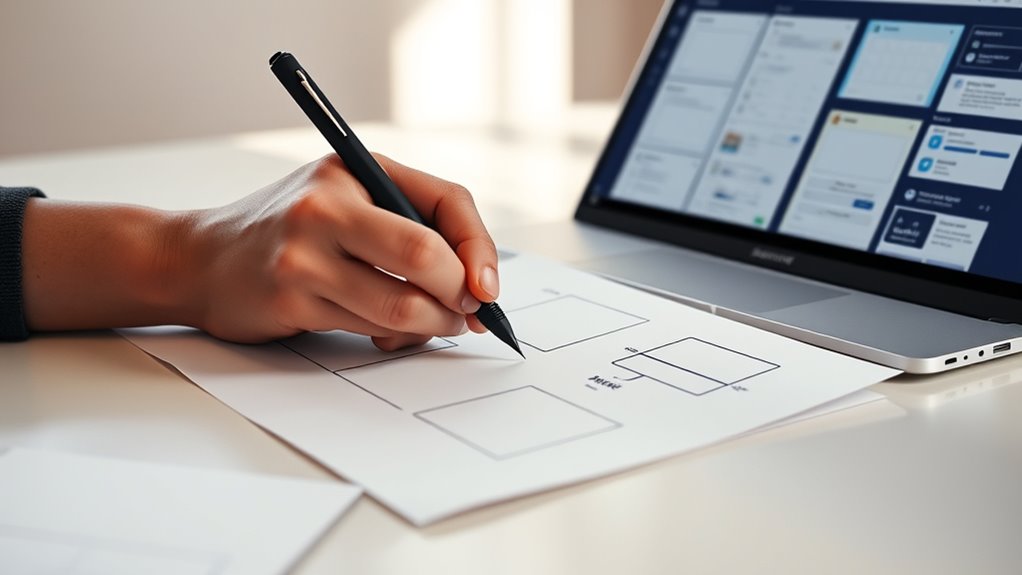

Rapid wireframing lets you quickly sketch interface ideas, map out user flows, and create a clear blueprint for user interactions. It encourages experimentation with layouts, buttons, and menus early in your process, helping you identify effective structures before investing too much time in details. Keeping sketches simple and consistent guarantees usability and clarity from the start. If you want to discover how to make your wireframes faster and more effective, keep exploring these core principles and practices.
Key Takeaways
- Rapid wireframing enables quick visualization of ideas, helping map out user flows efficiently early in the design process.
- Sketching interfaces swiftly allows for experimentation with layout options, focusing on core interactions over aesthetics.
- Maintaining consistency and simplicity during rapid wireframing ensures clear communication of functionality and usability.
- Collaboration and instant feedback during quick sketching facilitate iterative improvements and early issue identification.
- Focusing on user needs and interactions in lightning-fast sketches builds a strong foundation for high-quality, user-friendly interfaces.

Have you ever wondered how designers plan the layout of a website or app before diving into detailed design? The answer lies in rapid wireframing, a vital step that helps you visualize ideas quickly and efficiently. When you’re sketching interfaces at lightning speed, you’re not just drawing rough shapes—you’re mapping out user flows, which are essential for understanding how users will navigate your product. These flows determine the sequence of actions users take to accomplish their goals, and wireframes serve as the blueprint for these journeys. By focusing on user flows early, you guarantee your design principles align with user needs, making your interface intuitive and user-friendly from the start.
Rapid wireframing maps out user flows early, ensuring intuitive, user-friendly interfaces built on solid foundational principles.
Rapid wireframing allows you to experiment with layout options without getting bogged down in details. You can sketch multiple versions swiftly, testing different arrangements of buttons, menus, and content placement. This flexibility helps you identify the most effective structure before investing time in detailed visuals or coding. As you sketch, keep design principles like consistency, simplicity, and clarity in mind. These principles guide you to create wireframes that communicate functionality clearly and maintain a cohesive visual language. Prioritizing user needs and usability during this phase guarantees your interface feels natural and engaging to end-users.
Using quick sketches also facilitates better collaboration. When you share wireframes with team members or stakeholders, they can easily understand your intentions and provide instant feedback. This iterative process helps you refine user flows and address potential issues early. Remember, the goal isn’t to produce perfect artwork but to create a clear, functional outline that captures core interactions. Embracing this mindset speeds up your workflow and reduces costly revisions later in the project.
Furthermore, rapid wireframing encourages you to think in terms of core user experiences, rather than getting distracted by aesthetics. It’s about sketching the skeleton of your interface, emphasizing how users will move through the site or app and how content is organized. By adhering to fundamental design principles during this process, you establish a solid foundation that guides subsequent design stages. When you master quick, focused sketches, you’ll find yourself able to iterate faster, test ideas more thoroughly, and ultimately deliver interfaces that are both effective and aligned with user expectations. This approach not only accelerates your workflow but also enhances the overall quality of your design by keeping user flows and core principles front and center. Additionally, understanding the importance of contrast ratio can help ensure your wireframes and final designs have the appropriate visual clarity and depth.

Nuofany Prime Model Scriber Gundam Resin Carved Scribe Line Hobby Cutting Tool Chisel 7 Blades 0.1/0.2/0.4/0.6/0.8/1.0/2.0mm
- Complete Scriber Set: Includes 7 blades and accessories
- Variety of Blade Sizes: 0.1mm to 2.0mm options
- High-Quality Material: Made from durable Japan steel
As an affiliate, we earn on qualifying purchases.
As an affiliate, we earn on qualifying purchases.
Frequently Asked Questions
What Are the Best Tools for Rapid Wireframing?
You should use tools like Figma, Adobe XD, or Sketch for rapid wireframing because they let you quickly create user flows and establish visual hierarchy. These tools offer intuitive interfaces, real-time collaboration, and reusable components that speed up your process. With their easy-to-use features, you can efficiently sketch out interfaces, refine user flows, and guarantee a clear visual hierarchy, making your wireframes both effective and quick to produce.
How Do You Prioritize Features During Quick Sketches?
You prioritize features during quick sketches by focusing on feature ranking, identifying core functionalities that deliver the most value first. Keep your sketches simple and iterate rapidly, refining the most critical features early on. Use feedback from each sketch iteration to adjust priorities, ensuring you address essential user needs without wasting time on less important details. This approach helps you stay efficient and aligned with project goals during rapid wireframing sessions.
Can Rapid Wireframing Replace Detailed Prototyping?
Rapid wireframing can’t fully replace detailed prototyping, but it’s crucial for iterative design and a user-centered approach. You use quick sketches to gather early feedback, refine ideas, and identify issues early. While detailed prototypes are necessary for final testing and usability validation, rapid wireframes help you save time and keep the focus on user needs throughout the design process. They’re a essential part of a flexible, user-focused workflow.
How Do You Gather User Feedback on Sketches?
You gather user feedback on sketches by sharing them early in the design process, encouraging honest input to improve user experience. Use visual storytelling to explain your concepts clearly, making it easier for users to understand your ideas. Ask specific questions about usability and aesthetics, and observe their reactions. This approach helps you identify pain points quickly, refine your sketches, and make sure your final design aligns with user needs and expectations.
What Skills Are Essential for Effective Rapid Wireframing?
You need superpowers to master rapid wireframing! The essential skills include sharp brainstorming techniques that unlock creative ideas instantly and visual storytelling that communicates concepts clearly at a glance. You must be quick, adaptable, and visually expressive, turning complex ideas into simple sketches in seconds. These skills help you stay agile, capture user needs on the fly, and produce compelling interfaces at lightning speed, making your designs both effective and engaging.

The Bigger Desktop UX/UI Design Notebook: User Experience & Interface Designer Sketchbook for Designing Websites with Dotted Grid Wireframe Templates (UX/UI Design Notebooks)
As an affiliate, we earn on qualifying purchases.
As an affiliate, we earn on qualifying purchases.
Conclusion
Mastering rapid wireframing transforms your ideas into prototypes faster than you can say “sketch.” Think of it as your creative rocket fuel, propelling your projects forward at lightning speed. With practice, you’ll sketch interfaces so swiftly, they become second nature—like riding a bike downhill. Embrace the speed, and watch your design process become a well-oiled machine, turning concepts into tangible interfaces before your competition even catches their breath.
FRAME It Wireframing Sketchbook: 80 Pages of Mobile, Tablet & Desktop Templates + Freehand Sketching Space
As an affiliate, we earn on qualifying purchases.
As an affiliate, we earn on qualifying purchases.
Creating wireframes is like building a digital IKEA furniture – you need patience, and you'll always have extra pieces left over.: Daily UX UI Product … Journal Lines Diary 120 pages 6×9 Glossy
As an affiliate, we earn on qualifying purchases.
As an affiliate, we earn on qualifying purchases.