
📊 Full opportunity report: Automate Your Desktop With Single-Use Spoken Commands — Here's How on IdeaNavigator AI — validation score, market gap, and execution plan.

Get business pricing on monitors, keyboards and dev gear
- Business-only prices and quantity discounts
- Tax-exempt purchasing
- Multiple users, one account, clear invoices
TL;DR
IdeaNavigator AI introduces a method for automating desktop workflows through single-use spoken commands. This innovation aims to reduce setup friction for power users, using screen-understanding models to generalize workflows after one run. The beta targets common tasks like file renaming and data transfer, with early testing showing promise for productivity gains.
IdeaNavigator AI has unveiled a new desktop automation system that enables users to create single-use spoken commands for complex workflows, aiming to streamline repetitive tasks for power users. This development leverages advances in screen-understanding models to generalize workflows after a single recording, reducing the setup friction associated with traditional scripting or hotkey automation. The approach promises to make automation accessible without requiring extensive technical knowledge, potentially transforming productivity tools for professionals who spend hours on routine desktop chores.
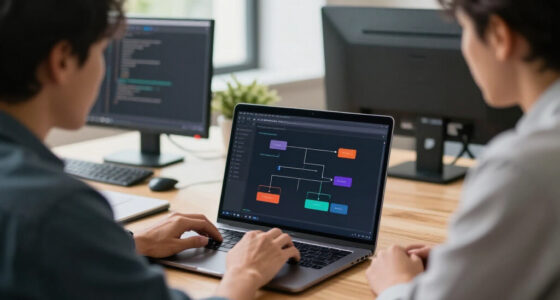
The core innovation involves recording a workflow once—capturing actions like clicks, file manipulations, and data copying—and then assigning it a spoken command. When triggered, this command replays the entire sequence, with each step visible for user approval. If a step encounters an issue, the system can pause for confirmation or roll back to the last safe checkpoint, increasing trustworthiness. The initial beta targets five common workflow archetypes, including batch renaming, report reformatting, and data transfer between applications.
According to IdeaNavigator AI, this system is designed for power users who currently spend significant hours on repetitive desktop tasks. The goal is to reduce setup time and eliminate the brittleness of existing scripting or hotkey-based automation, which often requires technical expertise and suffers from fragility. The approach relies on screen-understanding models that observe a workflow run once and then generalize it, making automation more intuitive and reliable. A subscription model, including a team tier for shared workflows, is planned to monetize the service.
Early testing will involve measuring weekly retention among 200 targeted power users, focusing on how well the system handles typical tasks and how quickly users adopt and trust the automation process. The company aims to validate the concept with a minimum viable product before expanding to broader workflows and more complex automation scenarios.
Impact of Single-Use Spoken Commands on Desktop Productivity
This development could significantly lower the barrier to automation for power users, who often face difficulties with traditional scripting due to syntax complexity and setup friction. By enabling workflows to be recorded once and triggered via simple spoken commands, it promises to save hours weekly on routine chores, boosting productivity and reducing manual effort. If successful, this approach might reshape how automation tools are integrated into daily workflows, making them more accessible and trustworthy for non-technical users.
desktop automation software with voice commands
As an affiliate, we earn on qualifying purchases.
As an affiliate, we earn on qualifying purchases.
Advances in Screen-Understanding Models Enable New Automation
Recent progress in screen-understanding models has made it possible for AI systems to observe and generalize user workflows after a single demonstration. This contrasts with traditional automation methods that require scripting or hotkey configuration, which often demand technical skills and are prone to breaking with minor changes. The new approach leverages these AI advances to create more adaptable and user-friendly automation solutions, especially targeted at power users who need quick, reliable shortcuts for repetitive tasks.
Previous efforts in desktop automation have focused on scripting languages, macro recorders, and hotkey tools, but these often suffer from setup friction and fragility. The shift toward AI-driven, observational automation aims to address these limitations by providing a more intuitive and resilient method for routine workflow automation.
workflow automation tools for Windows or Mac
As an affiliate, we earn on qualifying purchases.
As an affiliate, we earn on qualifying purchases.
Unanswered Questions About Reliability and Workflow Complexity
It is not yet clear how well the system will handle highly complex or variable workflows, or how robust it will be in different desktop environments. The beta testing phase will provide initial data, but long-term reliability, error recovery, and adaptability to workflow changes remain to be seen. Additionally, user acceptance and trust in the system’s ability to accurately reproduce tasks are still under evaluation.
As an affiliate, we earn on qualifying purchases.
Next Steps for Beta Testing and Feature Expansion
IdeaNavigator AI plans to release the beta to a select group of 200 power users, focusing on workflows like batch renaming, report formatting, and data transfer. The company will monitor retention, user feedback, and error rates over several weeks to refine the system. Future updates may include support for more complex workflows, integration with additional applications, and enhancements to the approval and rollback features. A broader rollout could follow once the system demonstrates consistent reliability and user satisfaction.
As an affiliate, we earn on qualifying purchases.
Key Questions
How does the system record a workflow?
The user performs the desired workflow once, clicking, dragging, copying, and pasting as needed. The system captures these actions visually and associates them with a spoken command.
Can I edit or customize the spoken commands?
Yes, users will be able to assign custom spoken commands and modify them within the interface, allowing for personalized automation triggers.
What happens if the workflow encounters an error?
The system pauses and prompts for user approval before proceeding or rolling back to the last safe checkpoint, increasing trust and safety during execution.
Will this work with all desktop applications?
The initial beta targets common workflows involving file management and data transfer between popular applications. Compatibility with all desktop apps will depend on future development and testing outcomes.
Is this system suitable for non-technical users?
While designed with power users in mind, the visual and spoken interface aims to make automation accessible to a broader audience, though some training may be helpful initially.
Source: IdeaNavigator AI
Fall Picks
fall essentials
As an affiliate, we earn on qualifying purchases.