
You can upgrade your video presence without turning your desk into a studio by focusing on lighting, background, and audio. Use soft, natural lighting to highlight your face and keep your backdrop clutter-free, adding a few appealing decor elements for interest. Set up your camera at eye level and maintain good posture to appear confident. Improving your sound quality with a quality microphone also makes a big difference. Keep these tips in mind, and you’ll discover more ways to look professional and authentic.
Key Takeaways
- Optimize lighting by using soft, natural, or diffused artificial sources to improve video quality without extensive setup.
- Keep your background tidy, visually appealing, and decorated with personality-enhancing items like plants or artwork.
- Use a high-resolution camera and proper framing to ensure clear, professional-looking footage.
- Enhance audio clarity with quality microphones and soundproofing techniques to reduce background noise.
- Practice confident body language and eye contact to foster genuine engagement without complex studio equipment.

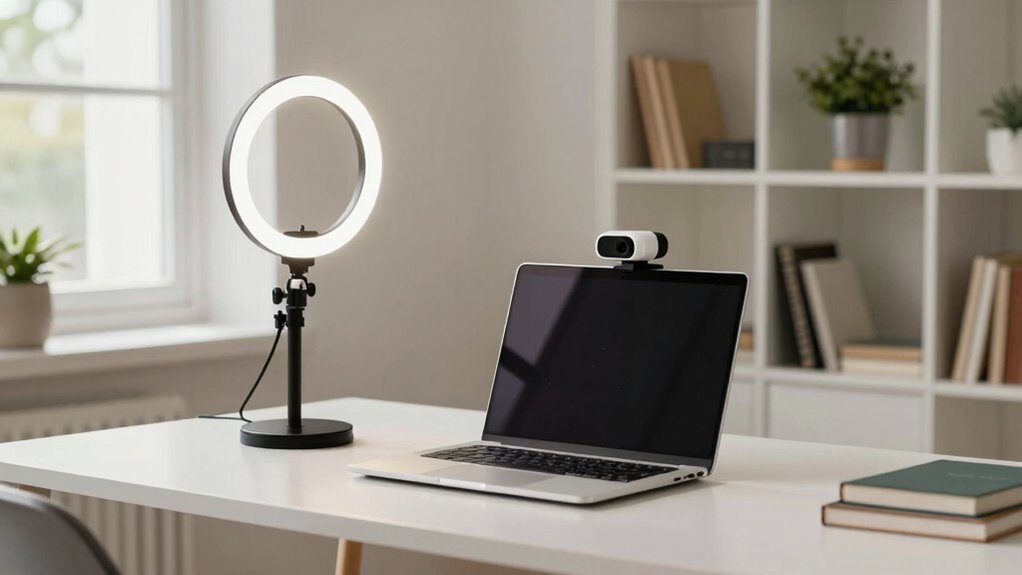
Cyezcor Video Conference Lighting Kit, Ring Light for Monitor Clip On,for Remote Working, Distance Learning,Zoom Call, Self Broadcasting and Live Streaming, Computer Laptop Video Conferencing
- Adjustable Color Temperature: 3200K-6800K with 3 modes
- Brightness Levels: 5 adjustable brightness levels
- High-Quality LED Beads: 48 LEDs with 10W brightness
As an affiliate, we earn on qualifying purchases.
As an affiliate, we earn on qualifying purchases.
Start With Better Lighting to Improve Your Video Quality

Lighting is one of the most effective ways to instantly boost your video quality. By applying simple lighting techniques, you can make your image clearer and more professional. Start with soft, even light that reduces shadows on your face. Use natural light or diffuse artificial light sources to achieve this. Pay attention to color temperature; a warmer tone (around 3,000K) creates a cozy feel, while cooler tones (around 5,000K) appear more neutral and crisp. Adjust your lighting to match your environment and desired mood. Proper lighting enhances your skin tone and sharpens your features, making your video more engaging. Experiment with placement and color temperature until your face is well-lit and balanced. Good lighting instantly elevates your video presence without expensive equipment. Considering lighting techniques can make a significant difference in how your video looks and feels. Additionally, understanding how lighting setup impacts your overall shot can help you create a more professional appearance. Exploring different lighting arrangements can also help you achieve the best effect for your specific space and style. For example, incorporating electric dirt bike lighting options can inspire creative setups, even in small or unconventional spaces.

Shcngqio 1080P HD Webcam with Microphone, Noise Cancellation, Privacy Cover, Wide-Angle Lens, Auto Light Correction, Plug & Play USB Webcam for Laptop, Desktop, PC, Mac, Zoom, Skype, Streaming (Black)
- Full HD 1080P Resolution: Sharp, vibrant images at 30fps
- Wide-Angle Lens: Captures broad field of view
- Noise-Canceling Microphone: Clear audio in noisy environments
As an affiliate, we earn on qualifying purchases.
As an affiliate, we earn on qualifying purchases.
Choose the Right Camera or Webcam for Clear Footage

Once you’ve set up good lighting, the next step is to guarantee your camera or webcam captures that clarity effectively. Focus on camera features that suit your needs, such as autofocus, low-light performance, and built-in microphones. When choosing a webcam, prioritize resolution—look for at least 1080p for sharp, professional-looking footage. Higher resolutions, like 4K, can offer even better clarity if your hardware supports it. Also, consider frame rate; 30fps is standard, but 60fps provides smoother motion for dynamic content. Ensure your camera has a wide enough field of view to frame yourself comfortably. Investing in the right camera or webcam with the suitable features and resolution makes a noticeable difference in your overall video quality. Additionally, understanding color accuracy in your device can help ensure your on-camera appearance looks natural and consistent across different lighting conditions. Incorporating privacy settings can also help protect your personal information while streaming or recording. Being aware of video compression can further improve your footage by reducing artifacts and maintaining clarity during streaming. To get the best results, consider the low-light performance of your camera, especially in less-than-ideal lighting environments. Moreover, selecting a camera with good image stabilization can help keep your footage steady when moving around.

Stand Up Desk Store ReFocus Clamp-on Acoustic Desk Divider Privacy Panel that Reduces Noise and Visual Distractions (Ash Gray, 59" x 23.6")
- Privacy and Noise Reduction: Enhances privacy and minimizes noise
- Easy Clamp-On Installation: Height-adjustable, lightweight, and sturdy
- High Sound Absorbency: 0.85 NRC for effective noise control
As an affiliate, we earn on qualifying purchases.
As an affiliate, we earn on qualifying purchases.
Set Up an Attractive, Clutter-Free Background

Creating an attractive, clutter-free background is key to a professional look. Choose visually appealing items that add interest without overwhelming, and keep the space tidy by minimizing clutter. Use strategic lighting to highlight your background and enhance your overall video presence. Incorporating thoughtful space planning can help you arrange your decor effectively for a balanced appearance. Additionally, consider integrating car accessories such as remote car covers or stylish gear upgrades to add a unique touch to your setup. Including elements that promote natural light can further brighten your background and create a welcoming atmosphere. Being aware of your Gold IRA markets can also inspire you to choose decor that reflects stability and prosperity, subtly reinforcing your message. Paying attention to performance upgrades can help you convey a sense of expertise and professionalism in your setup.
Choose Visually Appealing Items
To make your video presence more engaging, focus on selecting visually appealing items that enhance your background without causing clutter. Incorporate decorative accents like small plants, artwork, or stylish books to add personality. Choose items that complement your overall color schemes to create a cohesive look. Avoid overly busy or mismatched pieces that distract viewers; instead, aim for balance and harmony. Well-placed decorative accents draw attention subtly and make your space feel inviting. Keep the scene simple but visually interesting, ensuring each item serves a purpose or adds charm. Remember, your background should support your message, not overshadow it. By understanding visual harmony, you can better select elements that contribute to a polished and professional look. Additionally, considering battery inverter generator features such as watt-hours and capacity can inspire your choice of background items that reflect your interests or technical expertise, adding a layer of authenticity. Paying attention to aesthetic appeal can help you create an environment that is both functional and visually pleasing. With thoughtful selection of decorative accents and careful attention to color schemes, you’ll create an attractive, professional backdrop that enhances your video presence.
Minimize Clutter Effectively
While selecting visually appealing items enhances your background, keeping it free of clutter guarantees those accents stand out. Start with good desk organization by removing unnecessary items and arranging essentials neatly. Use storage solutions like trays or shelves to keep things tidy and out of sight. Cable management plays a vital role—use clips, sleeves, or ties to hide cords and prevent tangles, creating a clean look. Regularly reevaluate your space, removing anything that doesn’t contribute to a professional appearance. A clutter-free background not only looks more attractive but also minimizes distractions during your video calls. Incorporating vacuuming into your cleaning routine helps maintain a spotless environment, further enhancing your professional setup. Focus on a neat, streamlined setup that highlights key decor without overwhelming the viewer. This approach ensures your background remains compelling and professional.
Use Strategic Lighting
Strategic lighting can transform your background from plain to polished, making it more inviting and professional on camera. By using effective lighting techniques, you highlight key areas without creating harsh shadows or glare. Adjust the color temperature to set the right mood, with warmer tones for a cozy feel or cooler tones for a modern look. Proper lighting guarantees your background appears clean and uncluttered, enhancing your overall presence. Consider these tips to elevate your setup:
- Use diffused, soft light sources to avoid harsh shadows
- Position lights at eye level or slightly above
- Incorporate accent lighting to highlight background elements
- Balance lighting temperatures for a cohesive look
- Avoid direct backlighting that causes silhouettes
- Incorporate mind-body healing practices to reduce stress and enhance your confidence on camera, which can also improve your overall ergonomics and wellness.
These strategies help create a visually appealing, clutter-free backdrop that looks professional and inviting.

30 Inch Webcam Stand Camera Mount, Upgraded Thick Base Flexible Gooseneck Camera Stand Desk Webcam Mount Clamp for Logitech Webcams C930e C930 C920 C922x C922 Brio 4K C925e C615, Gopro Hero 8 7 6 5 4
- Upgraded Thick Clamping Base: Durable and easy to secure
- Adjustable Height and Flexibility: Up to 30 inches with 360-degree rotation
- Universal Compatibility: Fits all devices with 1/4'' screw hole
As an affiliate, we earn on qualifying purchases.
As an affiliate, we earn on qualifying purchases.
Use Quality Audio Equipment to Enhance Your Voice

Using quality audio equipment can make a significant difference in how your voice comes across on camera. Start with soundproofing techniques to minimize background noise and echo, creating a clear, professional sound. Proper microphone placement is essential; position your mic close enough to pick up your voice clearly without distortion. Adjust the angle and distance to capture a natural tone and reduce unwanted noise. Consider investing in a good condenser microphone or a cardioid pattern mic to focus on your voice. Using an audio interface or mixer can also improve sound quality and control. Clear audio keeps viewers engaged and makes your message more impactful. Incorporating soundproofing techniques and mobility tips can help you stay confident and relaxed during recordings. Paying attention to audio quality and setting up your space thoughtfully will make a noticeable difference. With the right equipment and setup, your voice will sound confident and polished, elevating your overall video presence.
Frame Yourself Properly for a Confident On-Camera Presence
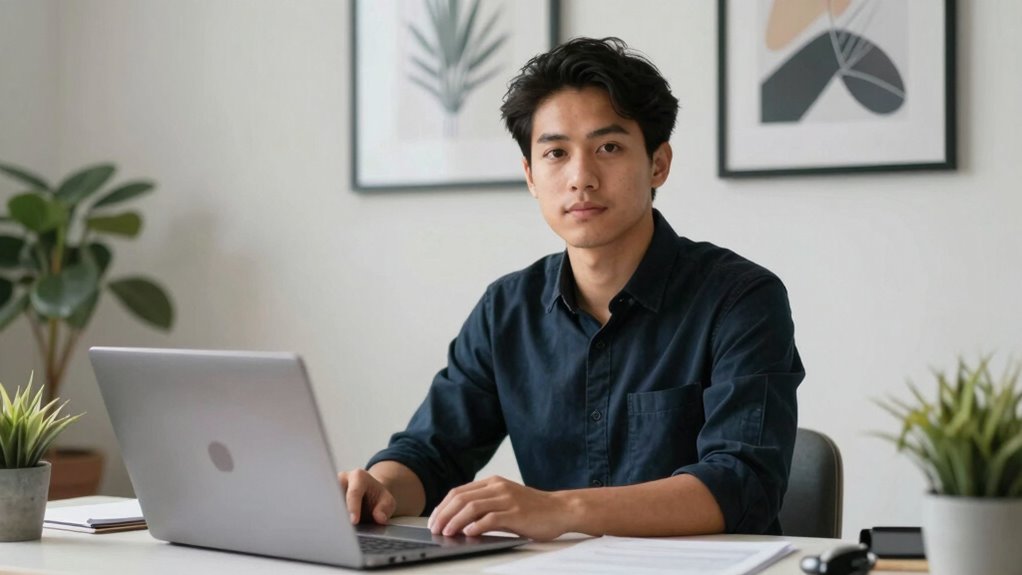
To appear confident on camera, you need to frame yourself properly within the shot. Proper framing ensures your face and upper body are clearly visible, conveying confidence and professionalism. Maintain a confident posture by sitting or standing straight, with shoulders relaxed and chin slightly elevated. This projects authority and self-assurance.
Consider these key points for effective framing:
- Position your eyes roughly one-third from the top of the frame.
- Keep your face centered or slightly off-center for a more engaging look.
- Ensure your head and shoulders are fully visible within the shot.
- Maintain good eye contact with the camera lens.
- Use a clean background to avoid distractions and focus attention on you.
These steps help you master proper framing and exude confidence on camera.
Add Simple Video Filters and Effects for a Polished Look

Adding simple filters and effects can boost your video’s visual appeal without making it look fake. You should aim to maintain a natural look while enhancing clarity or color balance. Using accessible editing tools makes it easy to achieve a polished, professional appearance effortlessly.
Enhance Visual Appeal
Enhancing your video’s visual appeal starts with simple filters and effects that can instantly give your footage a more polished look. These small adjustments elevate your creative storytelling, making your content more engaging for your audience. By adding subtle color corrections, background blurs, or vignette effects, you draw focus and create a professional feel. Incorporate overlays or light flares to add visual interest without overwhelming your message. Using filters strategically can also set the mood, reinforcing your story’s tone. Here are some ideas to contemplate:
- Color grading for mood enhancement
- Soft focus or blur for depth
- Light leaks or lens flares
- Text overlays for clarity
- Subtle vignette to focus attention
These simple effects help boost audience engagement and make your videos more visually enthralling.
Maintain Natural Look
While filters and effects can elevate your footage, it’s important to use them sparingly to maintain a natural look. Focus on enhancing your natural lighting instead of overdoing digital effects. Subtle adjustments, like slight brightness or contrast tweaks, can improve clarity without making your video feel artificial. This helps preserve authentic expressions, making your delivery more genuine and relatable. Avoid heavy filters that can distort your appearance or create an unnatural vibe. Instead, aim for a polished, professional look that still feels real. When used thoughtfully, simple effects can smooth out minor imperfections and add a cohesive feel, but always prioritize authenticity. The goal is to look approachable and genuine, not overly edited or disconnected from your true self.
Use Accessible Editing Tools
Using accessible editing tools makes it easy to give your videos a professional finish without needing advanced skills or expensive software. Simple filters and effects can enhance your video’s screen resolution, making visuals clearer and more engaging. Many editing software options have built-in features that allow you to add brightness, contrast, or color adjustments effortlessly. These tools help create a polished look without overcomplicating the process. You can also apply transitions or overlays to add sophistication. Additionally, adjusting audio levels or cropping clips ensures your message comes through crisply. With just a few clicks, you elevate your content’s quality, making your video stand out while maintaining a natural, authentic vibe.
- Fine-tune screen resolution with quick filters
- Use color correction for vibrant visuals
- Add subtle shifts for smooth flow
- Incorporate overlays for professional branding
- Adjust audio levels for clarity
Maintain Eye Contact and Use Natural Expressions

Maintaining eye contact and using natural expressions are essential for creating a genuine connection with your audience during video presentations. To do this effectively, practice eye contact techniques that make you feel engaged without seeming distant. Focus on looking directly into the camera, as if you’re talking to a person. Incorporate expressive gestures to emphasize key points and convey enthusiasm, making your delivery more engaging. Be mindful of your facial expressions—smile naturally and show interest to build trust. Avoid overacting or stiff expressions, which can seem inauthentic. Remember, your goal is to appear approachable and confident. With consistent practice, your eye contact and expressions will feel more natural, helping you connect authentically with viewers and elevate your video presence.
Troubleshoot Common Video Quality Problems and Fix Them
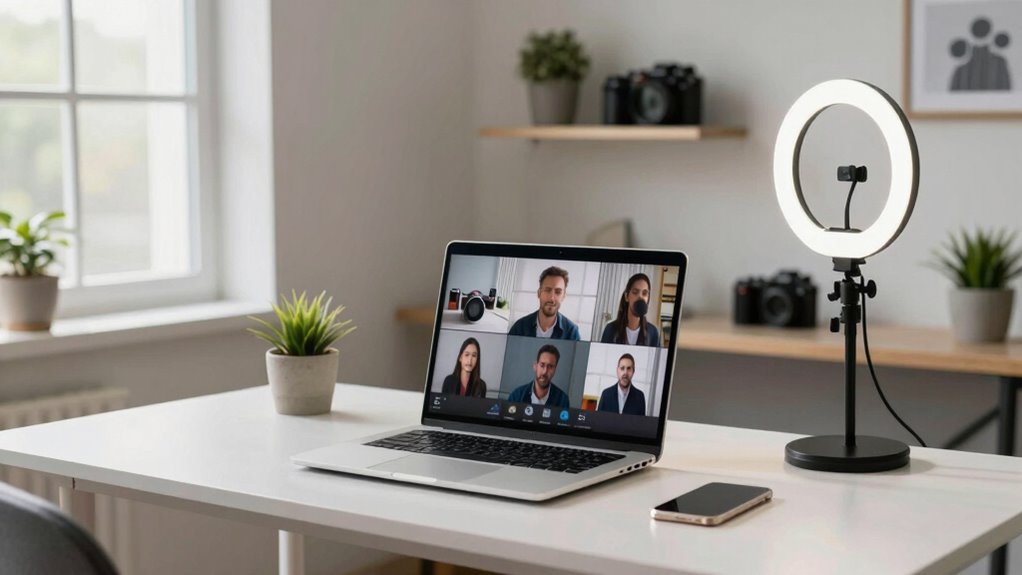
Video quality issues can undermine your message and diminish your credibility, but many common problems are easy to troubleshoot and fix. First, check your camera placement—ensure your camera is at eye level and focused clearly, avoiding shaky or distant shots. If your video looks blurry or pixelated, adjust your lighting or upgrade your camera. For audio clarity, use a good microphone and minimize background noise, positioning the mic close to your mouth. If you experience echo or muffled sound, consider adding soft furnishings or a noise-canceling mic. Here are some tips to improve your setup:
Ensure eye-level camera placement, proper lighting, and clear audio for professional video quality.
- Adjust camera placement for bestframing
- Improve lighting to enhance video sharpness
- Use a high-quality microphone for clearer audio
- Minimize background noise and echo
- Test your internet connection for stable streaming
Frequently Asked Questions
How Can I Improve My Video Presence Without Expensive Equipment?
You can improve your video presence by applying simple lighting techniques like positioning yourself near natural light or using affordable ring lights. Choose wardrobe options that contrast with your background to stand out. Maintain good posture, look directly into the camera, and speak clearly. These small adjustments make a big difference, helping you appear more confident and engaging without needing expensive equipment or a full studio setup.
What Are Quick Tips for Reducing Background Noise During Recordings?
Reducing background noise is like silencing a busy street outside your window. You can start with soundproofing techniques like sealing gaps around doors and windows, and adding soft materials like blankets or foam panels. Proper microphone placement is key—keep the mic close to your mouth and away from noise sources. Using directional microphones also helps focus on your voice, minimizing unwanted sounds and creating clearer, professional-sounding recordings.
How Do I Choose the Best Location for Filming at Home?
Choose a quiet spot with good natural lighting or set up a reliable lighting setup that illuminates your face evenly. Opt for a background decor that’s tidy, uncluttered, and reflects your personality without distractions. Position your camera at eye level, and guarantee the location has minimal background noise. This creates a professional appearance and enhances your video presence, making your content engaging and visually appealing without turning your desk into a studio.
Can Smartphone Cameras Produce Professional-Quality Videos?
Think of your smartphone as a brush, capable of creating professional art with the right techniques. Yes, smartphone cameras can produce high-quality videos when you master lighting techniques and camera angles. Good lighting, like soft sunlight or diffused lamps, illuminates your face and reduces shadows. Experiment with angles to find the most flattering shot. With these skills, your videos will resonate deeply, transforming your phone into a powerful storytelling tool.
What Are Easy Ways to Prevent Glare or Reflections on Camera?
To prevent glare or reflections, you should make simple lighting adjustments, like diffusing harsh light sources or repositioning lamps. Also, pay attention to your camera angle—angle it so reflections don’t bounce off shiny surfaces. Using soft, indirect lighting creates a more even glow, reducing glare. Keep your camera slightly above eye level, and test different angles to find the best setup that minimizes reflections while maintaining clear visibility.
Conclusion
With just a few tweaks, your desk transforms into a professional stage, your face glowing with confidence, and your surroundings echoing clarity and style. Imagine streaming or chatting with crisp visuals and warm, clear sound—like you’re in the same room. By upgrading your lighting, camera, background, and audio, you create an inviting space that draws people in. It’s simple to elevate your video presence—just a few thoughtful adjustments, and you’ll shine every time you go live.