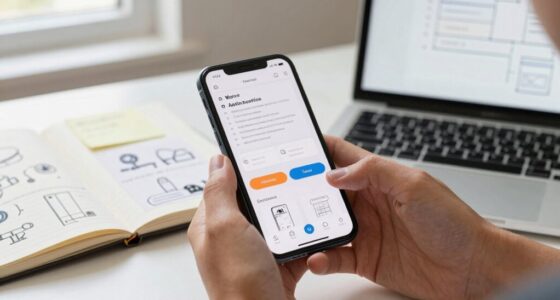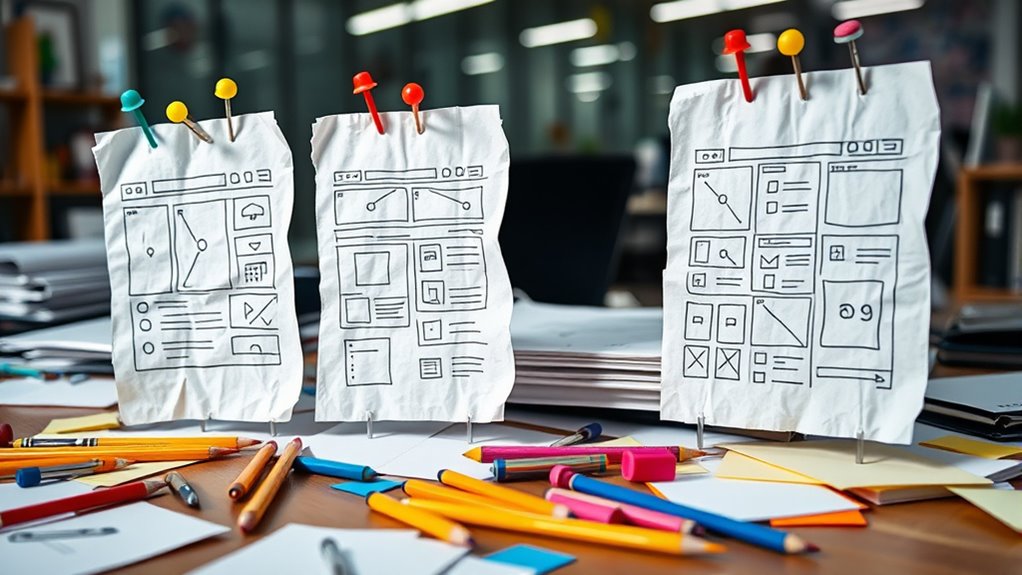

Paper prototyping lets you quickly and cheaply test your mobile app ideas without heavy digital development. By sketching core features and user flows, you can spot usability issues early and gather feedback from users and team members. This iterative process helps refine your designs efficiently, saving time and resources. With collaboration and clear visual cues, you’ll create a more user-centered app. For practical tips and strategies, keep exploring how to make the most of paper prototyping.
Key Takeaways
- Paper prototyping allows quick testing of mobile app ideas, identifying usability issues early without costly digital development.
- It promotes collaboration among team members and stakeholders, ensuring shared understanding and better design outcomes.
- Iterative refinements through user feedback help optimize user flows and enhance overall app usability efficiently.
- Using simple sketches and annotations, designers can rapidly explore multiple concepts and improvements cost-effectively.
- Early testing with paper prototypes reduces development costs and time, leading to more user-centered, intuitive mobile app designs.
paper prototyping kit for mobile apps
As an affiliate, we earn on qualifying purchases.
As an affiliate, we earn on qualifying purchases.
The Benefits of Paper Prototyping in Mobile App Design

Paper prototyping offers several advantages in mobile app design, making it an essential step in the development process. It lets you quickly test ideas, which helps enhance the user experience by identifying issues early. When you create paper prototypes, you can easily gather feedback from users and stakeholders, boosting user engagement. This hands-on approach allows you to see how users interact with your app’s layout, navigation, and features without costly investments. By making adjustments on paper, you save time and resources while improving the overall design. Plus, paper prototypes foster collaboration, giving everyone involved a clear understanding of the user journey. As a result, you build a more intuitive app that resonates with your target audience and keeps users engaged from the start. Incorporating prototyping techniques can further streamline the process and improve your design outcomes.
As an affiliate, we earn on qualifying purchases.
Steps to Create Effective Paper Prototypes

To create effective paper prototypes, start by clearly defining your app’s core features and user flows. This clarity helps you focus on essential interactions and guarantees your prototype accurately represents user needs. Use simple sketches and labeled components to illustrate each screen and transition. During user testing, observe how users navigate and interact with your prototype, noting any confusion or friction. Incorporate their feedback into iterative refinement, making quick adjustments to improve usability and flow. Repeat this cycle until your prototype effectively captures the desired user experience. Remember, the goal is to identify issues early and save time before moving to digital development. Consistent iteration and testing are key to creating a paper prototype that truly guides your app’s design process. Additionally, fostering an imaginative mindset during prototyping can uncover creative solutions that might otherwise be overlooked.
As an affiliate, we earn on qualifying purchases.
Tips for Maximizing Collaboration and Feedback

Effective collaboration and feedback are essential for refining your paper prototypes, and fostering open communication early on can lead to better design insights. To boost user engagement, involve diverse team members and potential users in the review process. Encourage honest, constructive feedback by creating a safe space where everyone’s opinions matter. Use visual cues, like annotations or color coding, to clarify points and facilitate discussion. Regularly schedule brainstorming sessions or quick feedback rounds to keep momentum high and ensure ideas evolve collaboratively. Keep an open mind and actively listen to your team’s input, which can reveal usability issues or overlooked features. Additionally, understanding the importance of legal representation can help you navigate challenges effectively, just as thorough feedback can help refine your prototype. By prioritizing team collaboration and user engagement, you’ll gather richer insights that lead to more refined, user-centered mobile app prototypes.
As an affiliate, we earn on qualifying purchases.
Frequently Asked Questions
How Do Paper Prototypes Compare to Digital Prototypes in Accuracy?
When comparing paper prototypes to digital prototypes in accuracy, you find that paper prototypes often lack precision due to digital limitations. They provide a quick, tangible way to test concepts but may not fully capture user perception or interactive details. Digital prototypes, on the other hand, offer greater accuracy in simulating user interactions, enabling more precise feedback. However, paper prototypes excel in early-stage testing despite their limitations.
What Are Common Pitfalls to Avoid During Paper Prototyping?
When paper prototyping, avoid common pitfalls like inconsistent design, which hampers clarity and user understanding. Maintain design consistency to confirm users recognize familiar elements. Watch out for user bias, where assumptions influence feedback and obscure true usability issues. Keep prototypes simple, clear, and focused on core features. Test with diverse users, and don’t rush the process—this helps uncover genuine insights and prevents misleading conclusions.
Can Paper Prototypes Effectively Test User Interactions on Mobile Devices?
You can effectively test user interactions on mobile devices with paper prototypes by focusing on gesture recognition and accessibility testing. While paper prototypes don’t simulate touch gestures perfectly, you can still observe how users plan to navigate and interact. They’re particularly useful for early accessibility testing, helping identify potential issues for users with disabilities. This approach provides valuable insights quickly and cost-effectively, guiding you toward a more refined mobile app design.
How Scalable Are Paper Prototypes for Complex App Features?
Think of paper prototypes as a blank canvas, but as your app’s feature complexity grows, scalability challenges arise. You might find it tricky to capture intricate interactions or dynamic content. For simple flows, they work well, but for complex features, they can become cluttered and less practical. You’ll need to balance detail with usability, possibly switching to digital prototypes for more advanced testing as your app evolves.
What Tools or Materials Are Best for Creating Professional-Looking Paper Prototypes?
When creating professional-looking paper prototypes, you want to focus on quality sketching materials and reliable prototyping tools. Use smooth, high-quality paper or cardstock for durability, and fine-tipped pens for clean, precise lines. Incorporate sticky notes or transparent overlays to add interactivity. These tools help you craft detailed, polished prototypes quickly, making your designs clearer and more convincing to stakeholders without breaking the bank.
Conclusion
While some might think paper prototyping lacks realism, it actually accelerates your design process and encourages quick iteration. Don’t worry about missing details—these prototypes are meant to spark ideas and gather feedback early. With collaboration, you’ll uncover user needs faster and refine your app more effectively. Embrace this low-cost method, and you’ll find it’s a surprisingly powerful tool to create better mobile experiences without breaking the bank.