Teams comparing Playwright and Selenium are usually deciding whether to adopt a modern, integrated browser automation tool or retain the wider compatibility and established infrastructure of the WebDriver standard. Both can automate end-to-end browser tests, but their strengths differ in day-to-day use. Playwright bundles browser automation, waiting behavior, tracing, and test-running features into a cohesive toolkit. Selenium supports a wider range of languages, browsers, and existing enterprise setups, though teams may need to assemble more of their own testing workflow.

Get business pricing on monitors, keyboards and dev gear
- Business-only prices and quantity discounts
- Tax-exempt purchasing
- Multiple users, one account, clear invoices

Spec-Driven Software Testing with AI
- ✔ ASIN: B0HH1B3LZG
- ✔ Type: Guide
- ✔ Primary focus: Specification-driven software testing
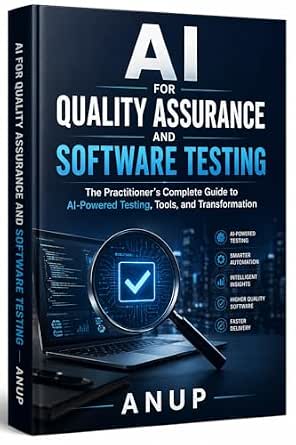
AI for Quality Assurance and Software Testing: A Practitioner’s Guide
- ✔ ASIN: B0GX35R1QX
- ✔ Type: Book
- ✔ Primary focus: AI for quality assurance and software testing

AI-Assisted QA and Software Testing with Claude Code
- ✔ ASIN: B0HFYRGDG6
- ✔ Type: Guide
- ✔ Primary focus: AI-assisted QA with Claude Code
For a new web application with a JavaScript or TypeScript team, Playwright is the stronger default: its built-in tools can reduce setup and help diagnose failures. Selenium is often the better fit when a company already has a substantial WebDriver suite, needs a particular browser or language combination, or depends on established grid infrastructure. The deciding factor is usually not which tool can click a button; it is how well each fits the team’s browser matrix, existing investment, and maintenance needs.
At a Glance
| Criteria | Playwright | Selenium | Winner |
|---|---|---|---|
| Browser coverage | Strong support for Chromium, Firefox, and WebKit through Playwright’s supported browser builds. | Very broad coverage across browsers and platforms through browser-specific WebDriver implementations and vendors. | B |
| Language choice | Best-integrated experience in JavaScript and TypeScript; APIs are also available for several other languages. | Broad language support, including Java, Python, C#, Ruby, and JavaScript. | B |
| Setup and test workflow | Integrated test runner, assertions, fixtures, browser installation, and reporting reduce assembly work. | WebDriver APIs are mature, but test runners, reporting, and other workflow pieces are typically selected separately. | A |
| Reliability and waiting | Auto-waiting and web-first assertions handle many timing conditions without fixed sleeps. | Explicit waits and framework patterns can make tests reliable; timing discipline remains the team’s responsibility. | A |
| Debugging and diagnostics | Trace viewer, screenshots, video options, and inspector support help investigate failures. | Browser logs and debugging options are available, often supplemented by framework or vendor tooling. | A |
| Parallel and remote execution | Parallel test execution is built into Playwright Test; remote execution can be configured through supported setups. | Mature options for remote control and grids, including established third-party and vendor services. | B |
| Existing ecosystem and migration | A newer ecosystem with growing adoption; existing Selenium tests generally need migration work. | Long-established standards, extensive documentation, and a large base of existing suites and integrations. | B |
Spec-Driven Software Testing with AI
When our main challenge is translating requirements into dependable coverage, Spec-Driven Software Testing with AI has the most clearly connected scope in this lineup. Its description brings together specification-based test suite design, AI, automation, API testing, and CI/CD. That combination matters because a test strategy is most useful when it connects what a system should do to checks that can run within the delivery process. Compared with the practitioner’s guide, which takes a wider view of QA and organizational change, this title sounds more centered on the mechanics of test design and execution.That makes it a strong starting point for teams that want to examine how specifications can guide test creation, including API-focused work. Its CI/CD coverage also suggests attention to where tests fit in a development workflow, rather than treating test generation as an isolated activity. The supplied description does not say which AI systems, testing frameworks, or specification formats it uses, however. We should not assume the examples will map directly to our stack, and buyers looking for a broad change-management plan may get more relevant framing from the practitioner’s guide.Against the Claude Code guide, this option is less tied to a named assistant and more oriented around a method. That gives it broader potential relevance across teams, but the product details do not confirm how tool-neutral the actual guidance is. We also lack information about the book’s format and depth. Its edge is the end-to-end subject coverage; the tradeoff is uncertainty about how concretely it teaches each part.
Pros:
- Connects specification-based test design with automated test suites
- Includes AI and test automation in its stated scope
- Addresses API testing as a distinct testing need
- Mentions CI/CD, tying testing to the software delivery workflow
Cons:
- The supplied description does not identify supported frameworks, AI systems, or specification formats
- No format or detailed contents are provided
- Organizational adoption and transformation are not highlighted in the description
Best for: Teams that want a structured, specification-led approach to test suite design, automation, API testing, and CI/CD.
Not ideal for: Readers seeking a broad account of QA organizational change or instructions specific to Claude Code.
Bottom line: We’d start here when our priority is a method that links specifications to automated testing and delivery workflows.
“We’d start here when our priority is a method that links specifications to automated testing and delivery workflows.”
AI for Quality Assurance and Software Testing: A Practitioner’s Guide
Some buyers need to decide how AI should change QA across a team, not just how to write the next test. AI for Quality Assurance and Software Testing: A Practitioner’s Guide is the broadest match for that question: its stated scope includes AI-powered testing tools and organizational transformation as well as practical applications in quality assurance and software testing. Compared with the more workflow-specific Spec-Driven Software Testing with AI, this pick appears better suited to readers surveying the larger shift in how testing work is organized.This wider lens is useful when we are evaluating where AI tools belong in existing QA practices or discussing adoption beyond an individual developer’s workflow. It may help frame testing as part of a wider operational change. But the description does not name specific testing methods, platforms, or technical areas such as API testing or CI/CD. That leaves less evidence that it will answer implementation questions as directly as the specification-driven guide, which explicitly lists those topics.Its practitioner framing signals an applied orientation, yet the supplied information does not spell out the contents or confirm the examples and level of detail. We should treat it as the broadest stated overview, not assume it provides a complete rollout playbook. It is also less focused than the Claude Code guide for readers who want a particular assistant and test-layer workflows. Choose this for the adoption conversation; look elsewhere in this trio for the most explicit testing workflow or named-tool focus.
Pros:
- Covers practical AI applications in quality assurance and testing
- Includes AI-powered testing tools in its stated remit
- Addresses organizational transformation alongside technical practice
- Offers a wider QA perspective than the other two guides’ more focused descriptions
Cons:
- The provided data does not detail chapters, examples, or specific methods
- Named frameworks and testing workflows are not specified
- Format is not confirmed in the supplied product information
Best for: QA leads, engineering managers, and practitioners exploring AI-enabled testing tools and broader changes to QA practice.
Not ideal for: Readers who need a clearly specified API, CI/CD, or Claude Code implementation path.
Bottom line: We’d choose this guide when our central question is how AI tools and QA practices may change across an organization.
“We’d choose this guide when our central question is how AI tools and QA practices may change across an organization.”
AI-Assisted QA and Software Testing with Claude Code
For readers already interested in Anthropic’s agentic coding assistant, AI-Assisted QA and Software Testing with Claude Code offers the most tool-specific angle here. Its description names workflows for automating unit, integration, and end-to-end tests. Those layers span checks on individual components through broader system behavior, giving this guide a practical scope that differs from the more method-centered specification book and the organizational focus of the practitioner’s guide.The defined assistant is both the appeal and the constraint. If Claude Code is part of our development environment, guidance organized around it may be more immediately relevant than a general discussion of AI testing tools. The listed test levels also help readers think beyond unit tests alone. In comparison, Spec-Driven Software Testing with AI explicitly includes API testing and CI/CD, so it may be a better fit if our priority is requirements traceability or delivery-pipeline coverage rather than a named coding assistant.The product information does not identify specific frameworks, examples, or the degree to which the workflows can be adapted to other coding assistants. A team using a different tool may find the guidance less transferable, and readers seeking organization-wide QA strategy should look first at the practitioner’s guide. This is the narrowest and most assistant-specific pick, which makes it a purposeful choice for some readers but not the default recommendation for every software team.
Pros:
- Focuses on using Claude Code for software QA and testing
- Covers unit, integration, and end-to-end test workflows
- Centers on automating software testing with an agentic coding assistant
- Provides a more specific tool focus than the other two guides
Cons:
- Its stated approach is tied to Claude Code
- The description does not name testing frameworks or implementation examples
- API testing, CI/CD, and organizational transformation are not identified in the supplied scope
Best for: Developers and QA practitioners who want to explore Claude Code workflows across unit, integration, and end-to-end testing.
Not ideal for: Teams that use other coding assistants or want a tool-neutral testing method or organization-wide QA overview.
Bottom line: We’d pick this when Claude Code is central to our workflow and we want guidance spanning multiple test layers.
“We’d pick this when Claude Code is central to our workflow and we want guidance spanning multiple test layers.”
As an Amazon Associate we earn from qualifying purchases.
Key Differences
The clearest practical difference is how much of the testing workflow comes in one package. Playwright combines browser control with a test runner and tools for waiting, assertions, and failure investigation. A team starting fresh can get to useful browser tests with fewer independent choices. Selenium focuses on browser automation through WebDriver; teams can select the language, runner, grid, and reporting tools that suit their environment. That flexibility is valuable, but often requires more integration and maintenance.
Selenium has the advantage when compatibility and organizational fit dominate. Its long history has produced broad language support, many browser and cloud integrations, and a large pool of existing knowledge. Playwright is a more compelling choice for new web projects that want quick feedback and built-in diagnostics, particularly when the team works in TypeScript. Its browser support is strong, but its supported browser builds and newer ecosystem may not match every legacy or vendor-specific requirement.
Neither tool guarantees stable tests. Playwright’s auto-waiting can remove common timing mistakes, while Selenium teams can achieve reliable results with explicit waits and sound test design. For a team with a large Selenium suite, migration costs may outweigh Playwright’s workflow advantages. For a greenfield project without those constraints, Playwright is usually the better value in engineering time.
Detailed Comparison
Browser coverage (Selenium wins — moderate)
Selenium wins on breadth, a moderate advantage for teams that must cover less common browser and platform combinations or rely on vendor-specific WebDriver support. Playwright has strong coverage for Chromium, Firefox, and WebKit and suits many current web products. The practical difference matters most when a release contract names a specific browser configuration: verify that exact combination before choosing.
Language choice (Selenium wins — moderate)
Selenium wins, with a moderate gap. It supports a broad range of established programming languages, which can let QA teams work in the language already used by their organization. Playwright has APIs beyond JavaScript and TypeScript, but its most integrated authoring and test-running experience centers on those languages. Choose Selenium if language compatibility is a firm constraint; choose Playwright when a JavaScript-based workflow is suitable.
Setup and test workflow (Playwright wins — moderate)
Playwright wins by a moderate margin for a new project. Its test runner, fixtures, assertions, browser management, and reporting support are designed to work together, so teams make fewer early infrastructure choices. Selenium’s modular approach can fit a customized stack, but teams must select and connect more components. In practice, Playwright tends to shorten the route from installation to a maintainable first suite.
Reliability and waiting (Playwright wins — moderate)
Playwright has a moderate edge for teams that need sensible defaults. Auto-waiting and web-first assertions wait for relevant page conditions, reducing failures caused by fixed delays or elements that have not appeared yet. Selenium can be reliable, but teams need consistent explicit-wait patterns and careful framework design. The difference affects test maintenance, though neither tool prevents flaky tests caused by unstable application behavior or poorly chosen test boundaries.
Debugging and diagnostics (Playwright wins — moderate)
Playwright wins by a moderate margin for an integrated debugging workflow. Its trace viewer and related inspection features can show what happened around a failure, which helps developers reproduce and diagnose issues. Selenium teams can add capable logging, screenshots, and vendor services, but the experience varies by stack. This matters most when a test suite runs in CI and a failure is difficult to reproduce locally.
Parallel and remote execution (Selenium wins — minor)
Selenium wins narrowly for organizations with established remote grids or broad vendor infrastructure. Its mature WebDriver ecosystem provides familiar ways to distribute runs across browsers and machines. Playwright Test includes parallel execution and can fit remote workflows, so smaller teams may not need Selenium’s wider grid choices. The advantage is minor unless an existing grid or specialized browser service is already part of the delivery pipeline.
Existing ecosystem and migration (Selenium wins — major)
Selenium wins by a major margin for teams already invested in WebDriver. Existing suites, internal utilities, training, and reporting integrations represent real engineering value; replacing them carries migration and retraining costs. Playwright’s newer ecosystem is active and useful, but adopting it does not automatically justify rewriting working tests. For a greenfield suite, this advantage shrinks because there is little legacy investment to preserve.
Playwright: Pros and Cons
Pros:
- Integrated test runner, assertions, browser management, and debugging tools.
- Auto-waiting reduces common timing-related test failures.
- Strong fit for modern JavaScript and TypeScript web projects.
- Parallel execution and trace-based diagnosis are available in the Playwright workflow.
Cons:
- Most polished workflow is centered on JavaScript and TypeScript.
- Browser and platform coverage may not satisfy every specialized or legacy requirement.
- A team with a large Selenium suite must budget for migration and retraining.
Selenium: Pros and Cons
Pros:
- Broad language support and a mature WebDriver standard.
- Extensive browser, vendor, and remote-grid ecosystem.
- Large community, documentation base, and pool of existing expertise.
- Often preserves value in established test suites and enterprise infrastructure.
Cons:
- Teams commonly assemble their own runner, reporting, and diagnostic workflow.
- Reliable waiting patterns require consistent implementation and discipline.
- More configuration choices can add setup and ongoing maintenance work.
Who Should Choose What
Choose Playwright if:
- You are starting a new end-to-end suite for a modern web application.
- Your team works comfortably in JavaScript or TypeScript and wants an integrated test workflow.
- Fast diagnosis of CI failures and reduced timing boilerplate are priorities.
Choose Selenium if:
- You already maintain a substantial Selenium or WebDriver suite.
- Your organization requires a language or browser combination that Playwright does not adequately support.
- Your team depends on established Selenium grids, vendor services, or internal WebDriver tooling.
Skip both if: Skip both if your main need is API or unit testing rather than real browser journeys; use tools designed for those test layers and reserve browser automation for user-facing flows.
Value for Money
Both tools are available without a per-seat license fee for their core open-source use, so the meaningful cost is engineering time and infrastructure. Playwright often offers better value for a new project because its integrated runner and diagnostics reduce the amount of workflow assembly. Paying that setup cost is worthwhile when the team values fast feedback and fits its language and browser support.
Selenium can be the better value when a company already owns working WebDriver infrastructure, has broad language needs, or relies on specialized browser coverage. Rewriting a stable suite to gain convenience may cost more than it saves. For greenfield web testing, choose Playwright by default; pay the migration and retraining cost for Selenium only when its compatibility or organizational fit solves a concrete requirement.
Final Verdict
For most teams starting a new browser test suite for a modern web application, choose Playwright. It brings test execution, waiting behavior, and failure diagnostics together, which makes setup and ongoing debugging more straightforward. Choose Selenium when broad compatibility, language choice, or existing WebDriver investment is the deciding factor. The biggest question is whether your required browser and language matrix, plus any current infrastructure, outweigh Playwright’s more integrated workflow. If they do not, Playwright is the stronger default.
Frequently Asked Questions
Is Playwright better than Selenium for a new project?
Usually, yes, when the project is a modern web application and the team is comfortable with JavaScript or TypeScript. Playwright offers an integrated runner and diagnostics that simplify the first suite. Selenium can be a better choice when the project requires broader language, browser, or grid compatibility.
Is Selenium still worth using?
Yes. Selenium remains a strong option for organizations with existing WebDriver suites, specialized browser needs, or established grid infrastructure. Its maturity and broad language support can outweigh the extra work of assembling a testing workflow.
Which tool is less prone to flaky tests?
Playwright’s auto-waiting helps avoid common timing failures, so it can reduce one source of flakiness. Selenium can also produce reliable suites when teams use explicit waits and stable test design. Application behavior, test scope, and environment quality still affect both tools.
Can Playwright replace Selenium?
It can replace Selenium for many modern web testing needs, but a direct switch is not always worthwhile. Check required browsers, languages, integrations, and the cost of migrating existing tests before moving a mature suite.