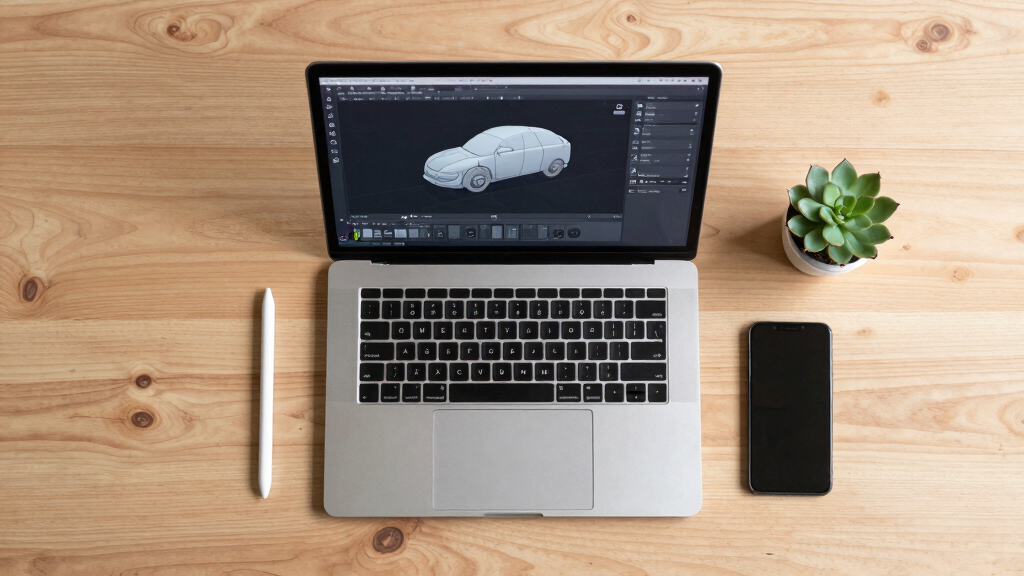

Finding the best 3D modeling software in 2026 involves weighing factors like usability, versatility, and output quality. AutoCAD 2027 stands out for its precision in engineering and architecture, while Blender 5 offers powerful free tools ideal for artists and hobbyists. Each option balances features against price, with some excelling in ease of use and others prioritizing advanced capabilities. The main challenge is choosing between professional-grade software with a steep learning curve and more accessible tools for beginners. Continue reading for a detailed breakdown of the top picks and what makes each unique.

Get business pricing on monitors, keyboards and dev gear
- Business-only prices and quantity discounts
- Tax-exempt purchasing
- Multiple users, one account, clear invoices
Key Takeaways
- The top-ranked software balances advanced features with user-friendly interfaces, catering to both professionals and hobbyists.
- Open-source options like Blender offer incredible value, but they may require more time to master compared to commercial alternatives.
- Professional CAD programs like AutoCAD and BeckerCAD excel in precision and technical detail, ideal for engineering and architecture but often come with higher costs.
- Simpler, more affordable tools such as Sweet Home 3D are perfect for interior design and quick projects, though they lack advanced modeling capabilities.
- Pricing models vary widely—from one-time purchases to multi-year subscriptions—so consider your long-term budget and needs.


More Details on Our Top Picks
Becker CAD 12 3D – Professional CAD Software for 2D & 3D Design and Modeling
Becker CAD 12 3D stands out as the most balanced option for users seeking professional-grade CAD tools that support both 2D and 3D modeling. Its compatibility with AutoCAD formats like DXF and DWG makes it ideal for those working within existing CAD ecosystems, especially compared to Blender 5, which is more geared toward detailed artistic modeling. The inclusion of a virtual handbook, sample projects, and example files offers a significant advantage for learners and amateurs, though its Windows-only availability limits flexibility. The software’s perpetual license provides stability without ongoing costs, but this could be a drawback for users favoring subscription models. Overall, this model makes the most sense for design professionals or students who need reliable, versatile CAD software without the need for advanced rendering or animation features.
Pros:- Supports both 2D and 3D modeling for versatile design needs
- Compatible with AutoCAD file formats (DXF, DWG)
- Includes comprehensive learning resources like sample projects and handbook
Cons:- Limited to Windows platform, reducing cross-platform flexibility
- No subscription option, which may be less appealing for some users
Best for: Professional designers, students, or amateurs needing reliable 2D and 3D CAD support on Windows.
Not ideal for: Mac users or those seeking advanced rendering and animation capabilities, which Becker CAD does not prioritize.
- Compatibility:AutoCAD
- Platforms:Windows
- Number of Licenses:3 PCs
- Features:2D and 3D modeling, corner rounding, dimension tolerance
- Includes:Virtual handbook, sample projects, example files
- License Duration:Perpetual
Our verdict“This is best suited for users looking for a dependable, professional CAD tool on Windows with solid learning support.”
Blender 5: Precise Modeling for Architecture, Engineering, and 3D Printing
Compared with Becker CAD 12 3D, Blender 5 emphasizes accuracy and detailed rendering, making it ideal for architecture, engineering, and 3D printing projects. Its advanced modeling tools support complex, precise designs essential for technical workflows, though the lack of detailed specifications and the learning curve can challenge new users. This software’s focus on detailed modeling and rendering makes it a powerful choice for professionals who need accurate, production-ready models, but it may overwhelm beginners who prefer more guided tutorials. Despite its strengths, the absence of ready-made templates or simplified interfaces means it’s less accessible for casual or first-time users. Blender 5 makes the most sense for experienced users or technical professionals prioritizing precision over ease of use.
Pros:- Accurate 3D modeling tools suited for technical applications
- Supports workflows for architecture, engineering, and 3D printing
- Highly customizable with advanced rendering capabilities
Cons:- No detailed specifications provided, making it harder to gauge capabilities
- Steep learning curve for users unfamiliar with professional 3D tools
Best for: Experienced architects, engineers, and 3D printing enthusiasts needing high-precision modeling tools.
Not ideal for: Beginners or users seeking straightforward, plug-and-play CAD solutions, as the learning curve can be steep.
Our verdict“This software is best for skilled professionals focused on detailed, precise models rather than quick or casual projects.”
Sculpting in ZBrush Made Simple: Explore Powerful Modeling and Character Creation Techniques for VFX, Games, and 3D Printing
This book transforms ZBrush into an accessible tool for those interested in character creation and detailed sculpting, unlike more technical CAD software like Becker CAD 12 3D or Blender 5, which focus on geometric accuracy. It’s a practical guide that distills complex sculpting workflows into understandable steps, ideal for beginners or intermediate users eager to develop artistic modeling skills. However, it doesn’t offer software access itself, so those seeking a direct modeling platform may find this less useful. Additionally, the content might be too advanced for complete beginners without prior artistic experience. This guide makes the most sense for aspiring character artists or VFX enthusiasts looking to master sculpting techniques in ZBrush.
Pros:- Comprehensive guide for beginners and intermediates
- Focuses on practical modeling techniques for industry use
- Includes workflow tips for efficient sculpting
Cons:- No software or direct modeling tools included
- Content may be too advanced for complete novices
Best for: Beginners and intermediate artists interested in character sculpting and VFX modeling.
Not ideal for: Users seeking technical CAD modeling or detailed engineering models, as the focus is on artistic sculpting.
Our verdict“Ideal for aspiring sculptors and VFX artists aiming to develop their character modeling skills in ZBrush.”
Fusion 360 for Makers: Design Your Own Digital Models for 3D Printing and CNC Fabrication
This book offers a practical introduction to Fusion 360, making it especially valuable for hobbyists and makers rather than professional CAD users like Becker CAD 12 3D. Its focus on designing models for 3D printing and CNC fabrication aligns well with those starting out or looking for hands-on projects. While lacking detailed technical specs, it provides step-by-step guidance and real-world projects, making complex design concepts approachable. However, advanced users may find its content somewhat limited, as it emphasizes beginner techniques over complex feature sets. It’s a strong choice for those new to digital fabrication who want clear instructions and practical projects, but less suitable for experienced engineers or designers seeking advanced CAD tools.
Pros:- Provides practical, step-by-step guidance
- Covers both 3D printing and CNC fabrication workflows
- Includes hands-on projects for skill development
Cons:- Limited technical specifications
- May not satisfy advanced CAD users or professionals
Best for: Hobbyists, DIY enthusiasts, and beginners interested in 3D printing and CNC projects.
Not ideal for: Professional engineers or experienced CAD users seeking advanced design features and technical depth.
Our verdict“This book is perfect for newcomers and hobbyists aiming to create functional models for 3D printing and CNC with ease.”
Blender for Beginners Part 1: A Reference Guide to 3D Modeling, Shading, and Animating Workflows with Blender 4.5 LTS
Designed specifically for newcomers, Blender for Beginners Part 1 simplifies the complex interface and workflows of Blender 4.5 LTS, unlike Blender 5, which targets more precise modeling for technical projects. Its clear explanations of modeling, shading, and animation workflows make it accessible, though the lack of detailed specifications or reviews limits its value for those seeking in-depth technical understanding. This guide is ideal for absolute beginners who want to grasp core concepts without feeling overwhelmed, but seasoned users or those needing advanced features will find it too basic. It makes the most sense for learners starting their journey in Blender, with a focus on foundational skills rather than professional-grade modeling.
Pros:- Clear, beginner-friendly explanations
- Focuses on fundamental modeling, shading, and animation workflows
- Covers Blender 4.5 LTS features comprehensively
Cons:- No detailed technical specs or user reviews
- Limited scope for advanced modeling or professional projects
Best for: Absolute beginners eager to learn Blender’s core workflows and basic modeling techniques.
Not ideal for: Intermediate or advanced users looking for in-depth tutorials or complex project workflows.
Our verdict“This guide is best for complete novices seeking a gentle introduction to Blender’s core workflows.”
BeckerCAD 15 3D PRO – CAD Software for Printing, Home Design, Architecture, Engineering, and More
This version of BeckerCAD 15 3D PRO stands out for its compatibility with AutoCAD files, making it a strong choice for professionals transitioning from or collaborating with AutoCAD users. Its support for STL export enables seamless 3D printing, while real-time 3D visualization helps visualize projects on the fly. Compared with the more beginner-focused Sweet Home 3D, BeckerCAD offers a broader range of technical tools suited for architects and engineers, but it lacks detailed insights into advanced features, which could be a drawback for users needing specialized capabilities. The absence of clear pricing details also makes it harder to evaluate its value proposition. Overall, this software is ideal for professionals seeking a reliable CAD tool that integrates well with existing workflows and supports 3D printing, but it might not satisfy those looking for a highly feature-rich or budget-friendly option.
Pros:- Compatible with AutoCAD DWG and DXF files, facilitating collaboration
- Supports STL export for 3D printing projects
- Real-time 3D visualization enhances workflow understanding
Cons:- Limited information on advanced modeling or rendering features
- No pricing or subscription details provided, complicating budget decisions
Best for: Professional architects, engineers, and model builders needing AutoCAD compatibility and 3D printing support
Not ideal for: Hobbyists or casual home designers who need straightforward tools and easy learning curves
- Compatibility:Windows 11, 10, 8
- License:Lifetime
- File Support:DWG, DXF, STL
- Features:2D/3D modeling, real-time visualization
Our verdict“Best suited for professionals needing CAD compatibility and 3D printing support within a familiar environment.”
AutoCAD 2025 3D For Beginners: A Step-by-Step Guide to Learning AutoCAD 3D Modeling
This book makes AutoCAD 2025 accessible to newcomers, offering clear, step-by-step instructions that help users grasp fundamental 3D modeling concepts. Compared with Blender All-in-One for Dummies, which covers a broader range of software features, this guide focuses specifically on AutoCAD’s 3D tools, making it more targeted for those new to AutoCAD. While it excels at teaching the basics through practical examples, it doesn’t include technical specs or advanced techniques, so experienced users might find it too simplistic. Overall, I see this as a practical starting point for individuals who want to learn AutoCAD 3D from scratch, but it’s less suitable for those seeking in-depth technical mastery or professional-level workflows.
Pros:- Clear, beginner-friendly instructions
- Comprehensive coverage of AutoCAD 3D basics
- Includes practical, step-by-step examples
Cons:- Lacks detailed technical specifications or advanced content
- Content may be too basic for experienced users
Best for: Beginners eager to learn AutoCAD 2025 3D modeling with a structured, step-by-step approach
Not ideal for: Intermediate or advanced users seeking detailed technical features or complex workflows
Our verdict“Ideal for newcomers aiming to build foundational skills in AutoCAD 3D modeling.”
Sweet Home 3D PC Download
Sweet Home 3D excels as an intuitive home design tool, allowing users to quickly draw walls, add furniture, and visualize spaces in 3D. Compared to Blender, which offers extensive modeling and animation capabilities for a range of industries, Sweet Home 3D is more focused on interior design with a straightforward interface. Its support for importing models and textures adds flexibility, but it lacks the advanced rendering or detailed architectural features needed for professional projects. This makes it perfect for homeowners and casual designers, though it might fall short for those requiring detailed construction documentation or complex customization. Overall, this software offers a gentle learning curve and real-time visualization, but it’s best for personal projects rather than professional architectural work.
Pros:- User-friendly interface for quick home design
- Real-time 3D visualization helps visualize changes instantly
- Supports importing additional models and textures
Cons:- Limited advanced architectural or structural features
- Requires a learning curve for new users unfamiliar with home design tools
Best for: Homeowners and casual interior designers wanting easy-to-use, visual planning tools
Not ideal for: Professional architects or interior designers needing detailed plans and advanced features
- Platform:PC
- Features:2D and 3D visualization, customizable textures, import/export options
Our verdict“Best for casual users and homeowners seeking simple, visual interior planning.”
Blender All-in-One For Dummies
This guide provides a thorough walkthrough of Blender, making it accessible for beginners while offering enough depth for intermediate users. Its step-by-step instructions help demystify complex features like modeling, shading, and animation, making it a valuable resource for those seeking an all-in-one overview. When compared to AutoCAD 2027, which emphasizes professional CAD workflows, Blender offers more creative freedom but requires a steeper learning curve. Since it doesn’t specify Blender versions or technical details, some users might find it less precise. I recommend this guide for artists and hobbyists looking to master Blender’s broad capabilities, but it might be overwhelming for those only interested in basic modeling without animation or rendering.
Pros:- Comprehensive coverage of Blender features
- Suitable for beginners and intermediate users
- Clear, step-by-step instructions
Cons:- No specific Blender version or technical specs provided
- Lacks focus on advanced or specialized workflows
Best for: Beginners and intermediate users interested in learning Blender’s full range of features
Not ideal for: Professionals seeking detailed CAD tools or those focusing solely on technical drafting
Our verdict“Great for aspiring 3D artists wanting a complete introduction to Blender’s capabilities.”
AutoCAD 2027 Professional CAD Software – 3-Year Subscription
AutoCAD 2027 stands out for its extensive industry-specific toolsets and cross-platform support, including Windows, macOS, Android, and iOS. Its support for Apple Silicon ensures it remains compatible with the latest hardware, making it a solid choice for large firms and professionals needing versatile, up-to-date tools. Compared with BeckerCAD 15 3D PRO, which is more affordable and straightforward, AutoCAD 2027 offers a broader set of features suited for complex projects but at a higher cost and complexity. The subscription model requires renewal after three years, which could be a concern for budget-conscious users. This software is ideal for enterprise environments and professionals who need deep industry integration but may be overkill for casual or hobbyist users.
Pros:- Supports multiple operating systems and mobile platforms
- Includes over 80 industry-specific toolsets
- Compatible with the latest Apple Silicon devices
Cons:- Requires ongoing subscription renewal
- High cost for individual or small-scale users
- Steep learning curve due to feature complexity
Best for: Large organizations and professionals requiring extensive industry-specific tools and cross-platform access
Not ideal for: Individual hobbyists or small teams seeking a budget-friendly or simpler CAD solution
- Subscription Duration:3 years
- Compatibility:Windows, macOS, Android, iOS
- Includes:80+ Industry-Specific Toolsets
- Design Capabilities:2D & 3D
Our verdict“Perfect for enterprises and professionals needing a comprehensive, multi-platform CAD environment with industry-specific tools.”
BeckerCAD 3D PRO CAD Software for AutoCAD and Windows 11/10/8
BeckerCAD 3D PRO stands out for seamlessly integrating with AutoCAD and supporting a broad range of file formats, including DWG, DXF, and STL, making it ideal for professionals in architecture, electrical engineering, and model building. Compared with 3D CAD 14 PRO, it offers greater compatibility with industry-standard formats, which can streamline workflows in multi-software environments. However, BeckerCAD’s interface and advanced features may present a learning curve for new users, and limited information about its interface or pricing makes it harder to evaluate upfront. Despite this, its compatibility and broad file support make it a strong choice for users who need flexible, professional-grade CAD tools without switching platforms.
Pros:- Compatible with AutoCAD and multiple Windows versions, ensuring integration into existing professional workflows
- Supports a wide range of file formats including STL, facilitating 3D printing and cross-platform file sharing
- Suitable for various fields like architecture, electrical, and model building, offering versatility
Cons:- Limited information on advanced features or user interface, which could hinder ease of use
- No details on pricing or trial options, making initial evaluation difficult
Best for: Experienced engineers and architects who require robust file support and compatibility with AutoCAD workflows
Not ideal for: Beginners or hobbyists seeking an intuitive interface or affordable entry point into 3D modeling
- Compatibility:AutoCAD, Windows 11, 10, 8
- Functions:2D and 3D modeling
- File Support:DWG, DXF, STL
- Intended Users:Architects, electrical engineers, model builders, house technicians
Our verdict“Best suited for professionals who need flexible CAD software compatible with AutoCAD and diverse file formats.”
3D CAD 14 PRO – Software for Professional 3D and 2D Building and House Design
3D CAD 14 PRO makes this list as a top choice for professionals focused on detailed building and house designs, including electrical planning. It surpasses Sweet Home 3D in depth of features, supporting complex roof integrations, custom line types, and comprehensive planning documents, making it ideal for detailed architectural projects. Unlike BeckerCAD, which is more general-purpose, 3D CAD 14 PRO is tailored specifically for construction and building design, though it demands Windows 10 or 11 and involves a steeper learning curve. Its advanced features come at the cost of a potentially higher complexity, but for users needing precise control over building plans, it’s a compelling option.
Pros:- Supports both 2D and 3D building design, facilitating comprehensive planning
- Includes advanced drawing features such as roof extensions and custom line types
- Provides detailed planning documents suited for professional construction projects
Cons:- Requires Windows 10 or 11, limiting compatibility with older systems
- No clear pricing details, which could impede decision-making for smaller firms or individual users
Best for: Architectural professionals and building designers requiring advanced planning and detailed 3D/2D tools
Not ideal for: Interior designers or hobbyists who need simple visualization tools rather than detailed architectural plans
- Platform:Windows 10, 11
- Includes:Product Key, download link, license
- Features:2D/3D planning, custom line types, roof extensions
Our verdict“Best for professionals needing precise, detailed building design tools with advanced architectural features.”
Sweet Home 3D – Interior Design Planner with 1100+ 3D Models and Manual for Windows & Mac
Sweet Home 3D earns its spot as the most user-friendly interior design software, offering an extensive library of over 1100 3D models, including furniture and accessories. Its support for importing custom models and textures allows for personalized, realistic room visualizations, making it especially appealing to homeowners, interior designers, and small-scale planners. While it doesn’t match the complexity of 3D CAD 14 PRO for architectural detailing, it excels in ease of use and quick setup. Compared to BeckerCAD, which targets professional CAD environments, Sweet Home 3D prioritizes simplicity and visual realism, though some users may find the learning curve for advanced features moderate. It’s ideal for those focused on interior spaces rather than full architectural planning.
Pros:- Extensive library of over 1100 3D models for furniture and accessories
- Supports importing custom models and textures for personalized design
- Realistic 3D visualization with instant updates enhances design clarity
Cons:- Requires some learning curve for new users unfamiliar with 3D interior design
- Limited to interior design, not suitable for full architectural or exterior modeling
Best for: Homeowners, interior designers, and small-scale renovation projects needing intuitive interior visualization
Not ideal for: Professional architects or engineers seeking detailed construction or exterior modeling
- Number of 3D models:1100+
- Compatibility:Windows 11, 10, 8, 7, Vista, XP; Mac OS X
- Manual:Printed manual included
- Features:Customizable size, color, texture; import models; real-time 3D view
Our verdict“Best for users seeking an easy, realistic interior design tool to visualize rooms and small spaces quickly.”
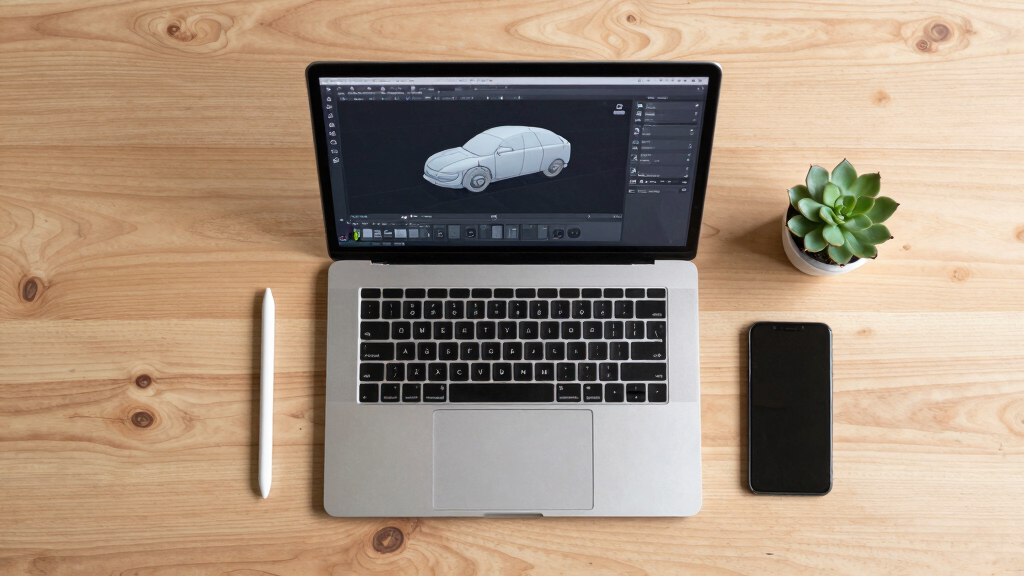
How We Picked
Our evaluation focused on core factors like performance, ease of use, feature set, and value for money. We compared each software’s ability to handle complex models, its interface intuitiveness, and the support ecosystem around it. Special attention was given to whether the software is suited for beginners, professionals, or specific industries such as architecture or game design. The ranking reflects a balance between professional-grade tools and accessible options, with additional consideration for pricing and licensing models. This approach ensures the list covers a broad spectrum of needs, from entry-level hobbyists to expert engineers.Factors to Consider When Choosing Best 3D Modeling Software
When selecting the best 3D modeling software, understanding key factors beyond features can help avoid costly mistakes. Consider your experience level, project scope, and budget, as these will heavily influence the right choice for you. Compatibility with your existing hardware, software ecosystem, and intended output quality are also vital. Keep in mind that some programs excel in specific industries, like architecture or character design, so choose software that aligns with your primary work. Lastly, evaluate the support, tutorials, and community around each option, as these can significantly impact your learning curve and ongoing productivity.Ease of Use and Learning Curve
Choosing software that matches your skill level prevents frustration and accelerates productivity. Beginners should favor intuitive interfaces and extensive tutorials, like those found in Blender for Beginners or Sweet Home 3D. More advanced users may prioritize customizable workflows and scripting capabilities, available in tools like ZBrush or Fusion 360. Avoid software that promises professional features but is overly complex without sufficient support, as this can lead to wasted time and frustration.
Industry Relevance and Output Compatibility
Different industries demand different outputs. Architects benefit from CAD-focused programs like AutoCAD or BeckerCAD, which excel at technical precision and integration with engineering tools. Artists working on character modeling prefer sculpting tools like ZBrush or Blender, which support detailed texturing and animation. Ensure the software can export files compatible with your target platforms, whether for 3D printing, game engines, or CAD workflows.
Budget and Licensing Models
Cost considerations are significant—some programs operate on one-time purchases, while others rely on subscriptions. Open-source options like Blender provide tremendous value but may require more self-guided learning. High-end CAD solutions often come with steep prices but include professional support and updates. Evaluate your project’s scope and long-term needs to determine whether investing in premium tools makes sense or if free or lower-cost options suffice.
Hardware Requirements and Performance
3D modeling can be resource-intensive. Make sure your hardware meets or exceeds the recommended specifications for your chosen software, especially if working on complex models or rendering. Opting for software optimized for your operating system, like BeckerCAD for Windows or Sweet Home 3D for cross-platform use, can prevent performance bottlenecks. Remember that investing in better hardware might be necessary for professional workflows involving detailed rendering or simulation.
Support, Community, and Learning Resources
A strong support network can dramatically reduce the learning curve. Look for software with active user communities, tutorials, and official support channels. Blender’s large community offers countless free tutorials, whereas premium options like Fusion 360 often include official training and customer service. This support can be particularly valuable when encountering technical issues or seeking workflow advice.
Frequently Asked Questions
Which 3D modeling software is best for beginners?
For newcomers, software that combines ease of use with comprehensive tutorials makes the most sense. Blender for Beginners and Sweet Home 3D stand out for their intuitive interfaces and supportive communities. These tools allow beginners to learn the basics without feeling overwhelmed, while still offering room to grow into more advanced features. Starting with these options helps build foundational skills that are transferable to more complex programs later on.
Is it worth paying for professional CAD software like AutoCAD?
If your work involves detailed technical drawings, engineering, or architecture, investing in AutoCAD or similar CAD programs can pay off through increased precision and industry-standard features. These tools support complex workflows, integration with other engineering software, and precise measurement tools that free or simpler apps cannot match. However, for hobbyist or casual use, these programs might be excessive both in cost and complexity, making more affordable or free options preferable.
Can I get good results with free software like Blender?
Absolutely, Blender is capable of producing professional-quality models, animations, and renders. Its open-source nature means it continually evolves with community contributions, and it supports a wide range of features including sculpting, texturing, and physics simulations. The key is dedicating time to learn its interface and workflows, but for many users, Blender offers all the tools needed to create stunning work without financial investment.
What should I consider if I want to do 3D printing?
When focusing on 3D printing, look for software that offers solid modeling and easy export options like STL or OBJ files. Programs like Fusion 360 or Blender are well-suited for designing printable models because they support precise measurements and manifold geometry. Additionally, consider whether the software has features for preparing models for printing, such as slicing or checking for errors, which can save time and reduce failed prints.
Is subscription-based software better than one-time purchases?
Subscriptions can provide access to the latest features and updates, which is beneficial for ongoing professional work. They also typically include support and cloud storage options. However, one-time purchases might be more cost-effective over the long term for hobbyists or infrequent users, avoiding recurring fees. Consider your usage frequency, budget, and need for updates when choosing between these models.
Conclusion
For most users, AutoCAD 2027 remains the best overall choice, especially for those in engineering or architecture requiring precise technical models. Blender 5 offers exceptional value for artists, hobbyists, and small studios, thanks to its comprehensive free toolset. If budget is a concern, open-source options like Blender for Beginners or Sweet Home 3D serve well for casual projects and interior design. Professionals needing detailed CAD capabilities should consider BeckerCAD or Fusion 360, while newcomers should start with intuitive, tutorial-rich options such as Blender for Beginners. Your ideal pick depends on your skill level, industry, and project scope, but these selections cover the full spectrum in 2026.
As an affiliate, we earn on qualifying purchases.Halloween Picks
halloween