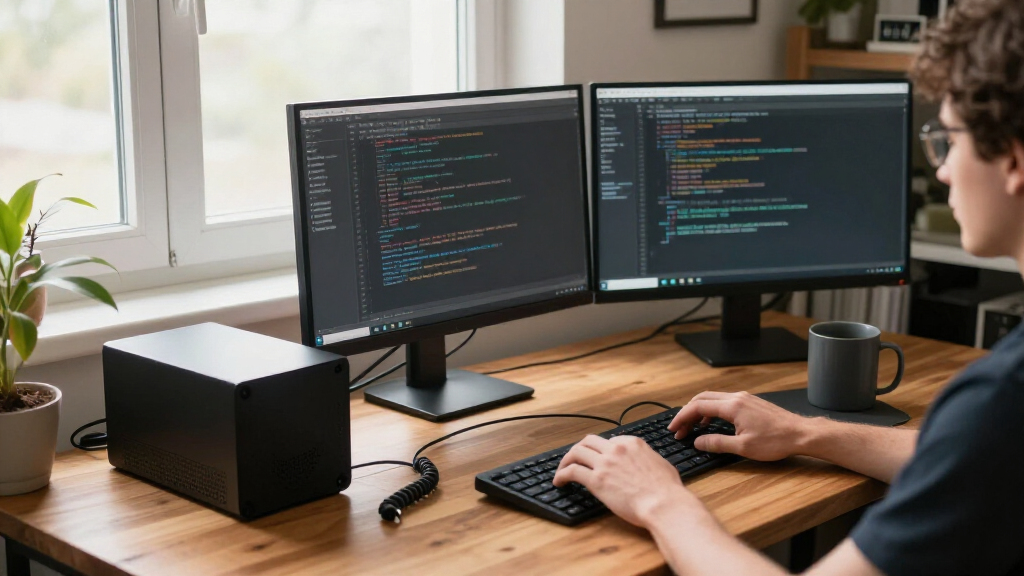

Developers shopping for compact mini PCs face a specific balancing act: enough CPU muscle and RAM for compiling, containers, and VMs, without paying for gaming features they’ll never use. After comparing 13 models, the GMKtec M6 Ultra with Ryzen 5 7640HS stands out as the best overall pick for most developers thanks to its strong multi-core performance and efficient Zen 4 architecture. The GETORLI with Ryzen 7 6800H and 32GB of RAM is the smarter choice if you run heavy container workloads, while the budget-priced GMKtec G3 S works fine as a lightweight build server or secondary dev box. The main tradeoff in this category is between raw processing power and memory flexibility — several units solder their RAM shut, which limits how long the machine stays viable. Read on for the full breakdown of where each model fits.

Get business pricing on monitors, keyboards and dev gear
- Business-only prices and quantity discounts
- Tax-exempt purchasing
- Multiple users, one account, clear invoices
Key Takeaways
- Soldered RAM is the biggest long-term risk in this lineup: the GETORLI (32GB LPDDR5) and Glorlin give you high fixed capacity, while the HP Elite Mini 800 G9 and ACEMAGICIAN S3A offer upgradeable slots that keep the machine relevant longer.
- Eight-core H-series chips (GETORLI’s 6800H, Glorlin’s 8745HS, ACEMAGICIAN’s Ryzen 7 H 255) clearly outpace U-series rivals for compile times and parallel test runs — the single biggest performance differentiator for developers.
- Entry-level models like the GMKtec G3 S (N95) and BOSGAME E2 Plus work well as dedicated CI runners or home-lab nodes, but 8GB of RAM rules out serious local container work.
- Storage capacity varies wildly at similar price points (256GB to 1TB); developers should budget for an NVMe upgrade on any 256GB unit, since toolchains, Docker images, and node_modules fill drives fast.
- The HP Elite Mini 800 G9 is the only pick with enterprise-grade firmware, vPro-class manageability, and Windows 11 Pro licensing — factors that matter more for corporate dev environments than raw specs suggest.
| GMKtec G3 S Mini PC with Intel N95, 8GB RAM, 256GB SSD |  | Best Ultra-Budget Starter | Processor: Intel N95, 4 cores, up to 3.4GHz | Memory: 8GB DDR4, 3200 MT/s | Storage: 256GB M.2 SSD | VIEW LATEST PRICE | See Our Full Breakdown |
| HP Elite Mini 800 G9 Desktop PC, Intel Core i5-14500, 16GB DDR5 RAM, 512GB SSD |  | Best Overall for Professional Developers | Processor: Intel Core i5-14500, 14 cores, 20 threads | Memory: 16GB DDR5 | Storage: 512GB PCIe NVMe SSD | VIEW LATEST PRICE | See Our Full Breakdown |
| ACEMAGICIAN S3A Mini PC with Ryzen 7 H 255, 16GB RAM, and 512GB SSD |  | Best Balanced Mid-Range Pick | Processor: AMD Ryzen 7 H 255, 8 cores/16 threads, up to 4.9GHz | Graphics: AMD Radeon 780M, 12 cores, 2600MHz | Memory: 16GB LPDDR5, 6400 MT/s | VIEW LATEST PRICE | See Our Full Breakdown |
| GETORLI Mini PC with AMD Ryzen 7 6800H, 32GB LPDDR5 RAM, and 1TB NVMe SSD |  | Best for Heavy Multitaskers and Container Work | Processor: AMD Ryzen 7 6800H, 8 cores/16 threads, up to 4.7GHz | Graphics: Radeon 680M | Memory: 32GB LPDDR5, 6400 MT/s | VIEW LATEST PRICE | See Our Full Breakdown |
| BOSGAME E2 Plus Mini PC with AMD Ryzen 5 3501U, 8GB RAM, 256GB SSD |  | Best Budget Linux Box | Processor: AMD Ryzen 5 3501U, 4 cores/8 threads | Memory: 8GB DDR4, upgradeable to 32GB | Storage: 256GB SATA SSD | VIEW LATEST PRICE | See Our Full Breakdown |
| GEEKOM A5 Mini PC with AMD Ryzen 7 7730U, 16GB RAM, and 500GB SSD |  | Best Expansion Flexibility | Processor: AMD Ryzen 7 7730U, 8 cores / 16 threads, up to 4.5GHz | Graphics: AMD Radeon Vega 8 | Memory: 16GB DDR4, upgradeable to 64GB | VIEW LATEST PRICE | See Our Full Breakdown |
| BOSGAME E5 Mini PC with AMD Ryzen 3 5300U |  | Best for Home Lab Setups | Processor: AMD Ryzen 3 5300U, 4 cores / 8 threads, up to 3.8 GHz | Memory: 16GB DDR4 | Storage: 512GB M.2 NVMe SSD | VIEW LATEST PRICE | See Our Full Breakdown |
| Glorlin Mini PC with Ryzen 7 8745HS, 16GB DDR5 RAM, 1TB SSD, and Radeon 780M Graphics |  | Best Performance Pick | Processor: AMD Ryzen 7 8745HS, 8 cores / 16 threads, up to 4.9GHz | Graphics: Integrated AMD Radeon 780M | Memory: 16GB DDR5 4800MHz | VIEW LATEST PRICE | See Our Full Breakdown |
| ACEMAGIC K1 Mini PC with AMD Ryzen 3 7330U, 16GB RAM, and 256GB SSD |  | Best Ultra-Compact Budget Option | Processor: AMD Ryzen 3 Pro 7330U, 4 cores / 8 threads, up to 4.3 GHz | Memory: 16GB LPDDR4 3200 MT/s, non-expandable | Storage: 256GB M.2 2280 SSD, expandable to 2TB | VIEW LATEST PRICE | See Our Full Breakdown |
| GMKtec M2 Pro S Mini PC, Intel Core i7-1185G7, 16GB DDR4, 512GB NVMe SSD |  | Best Balanced All-Rounder | Processor: Intel Core i7-1185G7, 4 cores / 8 threads, up to 4.8 GHz | Graphics: Intel Iris Xe G7, 96 EU | Memory: 16GB dual-channel DDR4, expandable to 64GB | VIEW LATEST PRICE | See Our Full Breakdown |
| KAMRUI Pinova P1 Mini PC, AMD Ryzen R2544, 16GB RAM, 256GB SSD |  | Best Budget Entry Point | Processor: AMD Ryzen R2544, 4 cores/8 threads, up to 3.7GHz | Memory: 16GB RAM | Storage: 256GB M.2 SSD | VIEW LATEST PRICE | See Our Full Breakdown |
| KAMRUI Pinova P2 Mini PC with AMD Ryzen 7330U, 16GB RAM and 256GB SSD |  | Best Value for Triple-Monitor Setups | Processor: AMD Ryzen 7330U, 4 cores/8 threads, up to 4.3GHz | Graphics: Integrated AMD Radeon Graphics, 6 CUs | Memory: 16GB LPDDR4X | VIEW LATEST PRICE | See Our Full Breakdown |
| GMKtec M6 Ultra Mini PC with AMD Ryzen 5 7640HS |  | Best Premium Performance | Processor: AMD Ryzen 5 7640HS, 6 cores/12 threads | Graphics: Integrated AMD Radeon 760M | Memory: 16GB DDR5 SO-DIMM, expandable to 128GB | VIEW LATEST PRICE | See Our Full Breakdown |
| compact mini PCs for developer | Processor | Memory | Storage | Display Support |
|---|---|---|---|---|
| GMKtec G3 S Mini PC with Intel | Intel N95, 4 cores, up to 3.4GHz | 8GB DDR4, 3200 MT/s | 256GB M.2 SSD | Dual 4K at 60Hz via HDMI 2.0 |
| HP Elite Mini 800 G9 Desktop P | Intel Core i5-14500, 14 cores, 20 threads | 16GB DDR5 | 512GB PCIe NVMe SSD | Up to 4 monitors |
| ACEMAGICIAN S3A Mini PC with R | AMD Ryzen 7 H 255, 8 cores/16 threads, up to 4.9GHz | 16GB LPDDR5, 6400 MT/s | 512GB PCIe 4.0 NVMe, expandable to 4TB | Up to three 4K displays |
| GETORLI Mini PC with AMD Ryzen | AMD Ryzen 7 6800H, 8 cores/16 threads, up to 4.7GHz | 32GB LPDDR5, 6400 MT/s | 1TB NVMe SSD, dual M.2 slots up to 4TB | Up to three 4K displays |
| BOSGAME E2 Plus Mini PC with A | AMD Ryzen 5 3501U, 4 cores/8 threads | 8GB DDR4, upgradeable to 32GB | 256GB SATA SSD | — |
| GEEKOM A5 Mini PC with AMD Ryz | AMD Ryzen 7 7730U, 8 cores / 16 threads, up to 4.5GHz | 16GB DDR4, upgradeable to 64GB | 500GB M.2 2280 PCIe Gen4 NVMe SSD | Up to 4 displays, 8K via USB-C |
| BOSGAME E5 Mini PC with AMD Ry | AMD Ryzen 3 5300U, 4 cores / 8 threads, up to 3.8 GHz | 16GB DDR4 | 512GB M.2 NVMe SSD | Up to 3 displays, 4K@60Hz via USB-C |
| Glorlin Mini PC with Ryzen 7 8 | AMD Ryzen 7 8745HS, 8 cores / 16 threads, up to 4.9GHz | 16GB DDR5 4800MHz | 1TB NVMe SSD; dual M.2 slots up to 4TB | Up to 4 4K displays |
| ACEMAGIC K1 Mini PC with AMD R | AMD Ryzen 3 Pro 7330U, 4 cores / 8 threads, up to 4.3 GHz | 16GB LPDDR4 3200 MT/s, non-expandable | 256GB M.2 2280 SSD, expandable to 2TB | Up to 3 4K displays |
| GMKtec M2 Pro S Mini PC | Intel Core i7-1185G7, 4 cores / 8 threads, up to 4.8 GHz | 16GB dual-channel DDR4, expandable to 64GB | 512GB M.2 NVMe SSD; expandable to 2TB plus 2TB M.2 2242 SATA | — |
| KAMRUI Pinova P1 Mini PC | AMD Ryzen R2544, 4 cores/8 threads, up to 3.7GHz | 16GB RAM | 256GB M.2 SSD | 4K at 60Hz, triple-screen setups |
| KAMRUI Pinova P2 Mini PC with | AMD Ryzen 7330U, 4 cores/8 threads, up to 4.3GHz | 16GB LPDDR4X | 256GB M.2 SSD; two M.2 2280 slots, up to 4TB total | Up to three 4K displays at 60Hz |
| GMKtec M6 Ultra Mini PC with A | AMD Ryzen 5 7640HS, 6 cores/12 threads | 16GB DDR5 SO-DIMM, expandable to 128GB | 512GB M.2 2280 PCIe SSD; dual slots up to 8TB each | Up to three displays; USB4 8K@60Hz, HDMI/DP 4K@60Hz |
More Details on Our Top Picks
GMKtec G3 S Mini PC with Intel N95, 8GB RAM, 256GB SSD
This option makes the most sense for developers who want a dirt-cheap always-on machine for SSH, light scripting, or a home lab node. The N95’s four cores handle a terminal, a browser tab or two, and a code editor without drama, and the 6-watt power draw means leaving it running all day costs almost nothing. Compared with the BOSGAME E2 Plus, which costs a bit more but includes an upgrade path to 32GB of RAM, the GMKtec G3 S is firmly fixed at 8GB — that ceiling will bite anyone running Docker containers or a local database. The 256GB SSD also fills up fast once you install toolchains. Think of this as a remote target box, not a primary workstation.
Pros:- Extremely low 6W power consumption for always-on use
- Dual 4K at 60Hz output for a tiny box
- Gigabit Ethernet plus Wi-Fi 5 and Bluetooth 5.0
- Small enough to mount behind a monitor
Cons:- 8GB of RAM cannot be upgraded, capping multitasking and containers
- N95 struggles with heavy builds or many browser tabs
Best for: Developers wanting a cheap, low-power box for SSH targets, CI runners, or home lab experiments
Not ideal for: Anyone doing containerized development — 8GB of non-upgradeable RAM is a hard ceiling for Docker or VMs
- Processor:Intel N95, 4 cores, up to 3.4GHz
- Memory:8GB DDR4, 3200 MT/s
- Storage:256GB M.2 SSD
- Display Support:Dual 4K at 60Hz via HDMI 2.0
- Connectivity:Wi-Fi 5, Bluetooth 5.0, Gigabit Ethernet
- Operating System:Windows 11 Pro
- Power Consumption:6 watts
Our verdict“A sensible pick only as a secondary, low-cost dev box — not a daily driver.”
HP Elite Mini 800 G9 Desktop PC, Intel Core i5-14500, 16GB DDR5 RAM, 512GB SSD
If I were speccing one machine for a full-time software engineer, this is where I’d land. The i5-14500 with 14 cores and 20 threads chews through compilation jobs that leave the ACEMAGICIAN S3A’s 8-core Ryzen 7 H 255 behind on multi-threaded workloads, and DDR5 plus a 512GB PCIe NVMe SSD give you a real baseline. Four-monitor support is rare at this size and genuinely useful for IDE-plus-docs-plus-terminal setups. The tradeoff is corporate sterility: UHD 770 graphics rule out casual gaming that the Radeon-based alternatives handle fine, and the platform leans Windows-first, so Linux driver hunters may prefer AMD options. You also pay an HP premium for the build quality and VESA mounting.
Pros:- 14-core/20-thread CPU excels at parallel compilation
- Up to 4 display outputs for multi-monitor workflows
- DDR5 memory and PCIe NVMe storage
- VESA mountable with keyboard and mouse included
Cons:- Weak integrated graphics compared with Radeon-based rivals
- No RAM headroom story beyond the shipped 16GB for heavy multitaskers
Best for: Professional developers who compile large codebases and need reliable, well-supported corporate hardware
Not ideal for: Anyone wanting after-hours gaming or GPU-accelerated work — integrated UHD 770 graphics are purely functional
- Processor:Intel Core i5-14500, 14 cores, 20 threads
- Memory:16GB DDR5
- Storage:512GB PCIe NVMe SSD
- Display Support:Up to 4 monitors
- Wireless:Wi-Fi 6, Bluetooth 5.2
- Dimensions:6.97 x 6.89 x 1.35 inches, 3.13 lbs
- Operating System:Windows 11 Pro
Our verdict“The safest all-around choice for a developer whose priority is raw build speed and platform stability.”
ACEMAGICIAN S3A Mini PC with Ryzen 7 H 255, 16GB RAM, and 512GB SSD
This model hits a sweet spot between price and capability that the HP Elite Mini 800 G9 overshoots and the GMKtec G3 S never reaches. The Radeon 780M is the standout: it handles light gaming and GPU-accelerated tasks that Intel-integrated rivals simply can’t, and the Ryzen 7’s single-thread speed makes IDEs feel snappy. I’d point single-monitor and dual-monitor developers here who want one box for work and evening play. The three performance modes (20–54W) let you trade fan noise for compile speed — genuinely useful when the machine sits on your desk. The catch versus the GETORLI: 16GB of soldered LPDDR5 is the ceiling, and serious container work will hit it. Storage expansion to 4TB partly compensates.
Pros:- Radeon 780M graphics handle casual gaming and GPU tasks
- Three performance modes tune noise versus speed
- Storage expandable up to 4TB
- 2-year warranty with lifetime technical support
Cons:- RAM capped at 16GB with no upgrade path
- Dual-fan cooling is audible in Performance mode
Best for: Developers who want strong all-round performance plus occasional gaming in one desk-friendly box
Not ideal for: Heavy multitaskers running multiple VMs or large container fleets — 16GB is the hard limit
- Processor:AMD Ryzen 7 H 255, 8 cores/16 threads, up to 4.9GHz
- Graphics:AMD Radeon 780M, 12 cores, 2600MHz
- Memory:16GB LPDDR5, 6400 MT/s
- Storage:512GB PCIe 4.0 NVMe, expandable to 4TB
- Display Support:Up to three 4K displays
- Video Outputs:HDMI 2.0, DP 2.0, USB4 Type-C
- Performance Modes:Silent (20–35W), Auto (30–45W), Performance (40–54W)
- Operating System:Windows 11 Pro
Our verdict“The best value-for-performance choice if 16GB of memory covers your workflow.”
GETORLI Mini PC with AMD Ryzen 7 6800H, 32GB LPDDR5 RAM, and 1TB NVMe SSD
When your dev workflow involves Docker Compose stacks, VMs, and a dozen IDE windows, 16GB machines like the ACEMAGICIAN S3A start swapping and this one doesn’t. Shipping with 32GB of fast LPDDR5 and a 1TB NVMe SSD out of the box removes the two most common mini PC regrets, and the dual M.2 slots mean storage can grow to 4TB without external drives. The dual Ethernet ports are an unusual, developer-friendly touch — ideal for a home lab gateway, firewall duty, or segregating a build network. The Ryzen 7 6800H trades a little peak clock speed for that memory headroom, and the 32GB maximum means no future upgrade path. Still, for today’s workloads, this spec sheet is the most future-proofed in this batch.
Pros:- 32GB LPDDR5 handles containers and VMs comfortably
- 1TB NVMe SSD with dual M.2 slots up to 4TB
- Dual RJ45 Ethernet for lab and network setups
- Up to three 4K displays
Cons:- RAM maximum of 32GB limits long-term headroom
- Shorter 1-year warranty versus the ACEMAGICIAN S3A’s 2 years
Best for: Developers running container fleets, VMs, or multi-service stacks who need memory headroom and dual networking
Not ideal for: Buyers wanting long-term RAM upgradeability — 32GB is the soldered ceiling
- Processor:AMD Ryzen 7 6800H, 8 cores/16 threads, up to 4.7GHz
- Graphics:Radeon 680M
- Memory:32GB LPDDR5, 6400 MT/s
- Storage:1TB NVMe SSD, dual M.2 slots up to 4TB
- Display Support:Up to three 4K displays
- Networking:Wi-Fi 6, Bluetooth 5.3, dual RJ45 LAN
- Operating System:Windows 11 Pro
Our verdict“The strongest pick for memory-hungry development environments where 16GB simply isn’t enough.”
BOSGAME E2 Plus Mini PC with AMD Ryzen 5 3501U, 8GB RAM, 256GB SSD
The official Ubuntu support is what separates this from every other cheap mini PC in the lineup — the GMKtec G3 S ships Windows-only in practice, while the E2 Plus is a legitimate out-of-the-box Linux dev target. For anyone building a home server, learning environments, or a fleet of cheap build agents, that matters more than raw speed. The Ryzen 5 3501U’s four cores are modest, but unlike the G3 S, RAM is upgradeable to 32GB, so the machine can grow with your needs. The real weak point is the 256GB SATA SSD — noticeably slower than the NVMe drives in the ACEMAGICIAN S3A or GETORLI, and worth replacing early. Buy it for the Linux flexibility and upgrade path, not for out-of-the-box performance.
Pros:- Official Ubuntu support simplifies Linux setup
- RAM upgradeable to 32GB, unlike fixed-budget rivals
- Triple display support via 2x HDMI 2.0 and USB-C
- Gigabit Ethernet, Wi-Fi 5, and Bluetooth 5.0
Cons:- 256GB SATA SSD is slow and small by current standards
- Only 8GB of RAM until you upgrade
- Older Ryzen 5 CPU lags the rest of the lineup
Best for: Linux-focused developers or homelab builders wanting an affordable, officially Ubuntu-supported machine they can upgrade
Not ideal for: Anyone needing fast storage out of the box — the SATA SSD is a real bottleneck for builds and large repos
- Processor:AMD Ryzen 5 3501U, 4 cores/8 threads
- Memory:8GB DDR4, upgradeable to 32GB
- Storage:256GB SATA SSD
- Video Outputs:2x HDMI 2.0 (4K@60Hz), 1x USB-C
- Maximum Displays:3
- Networking:Gigabit Ethernet, Wi-Fi 5, Bluetooth 5.0
- Operating System:Windows 11 Pro; Ubuntu supported
Our verdict“A smart budget Linux target that rewards a RAM and SSD upgrade after purchase.”
GEEKOM A5 Mini PC with AMD Ryzen 7 7730U, 16GB RAM, and 500GB SSD
This model stands out for growth room more than raw speed. With three storage paths — a PCIe Gen4 NVMe slot, a secondary M.2 SATA slot, and a 2.5-inch drive bay — a developer can carry a full toolchain, containers, and local databases without ever worrying about disk pressure. The Ryzen 7 7730U’s 16 threads handle compilations comfortably, and quad-display support with 8K output beats the triple-screen ceilings on the ACEMAGIC K1 and GMKtec M2 Pro S. Compared with the BOSGAME E5, this pick also adds faster wireless (Wi-Fi 6 versus Wi-Fi 5). The tradeoff is aging Vega 8 graphics and DDR4 memory, so it trails the Glorlin’s 8745HS and Radeon 780M on anything GPU-adjacent.
Pros:- Three separate storage expansion options, up to 10TB total
- Supports four displays including 8K over USB-C
- Wi-Fi 6, Bluetooth 5.4, and 2.5GbE cover modern networking needs
- Three-year limited warranty beats typical one-year coverage
Cons:- Radeon Vega 8 graphics are a generation behind newer integrated options
- DDR4 memory is slower than the DDR5 found in competitors
Best for: Developers who hoard containers, VMs, and local databases and want storage headroom for years
Not ideal for: Anyone doing GPU-light machine learning or gaming — the older Vega 8 graphics lag newer iGPUs
- Processor:AMD Ryzen 7 7730U, 8 cores / 16 threads, up to 4.5GHz
- Graphics:AMD Radeon Vega 8
- Memory:16GB DDR4, upgradeable to 64GB
- Storage:500GB M.2 2280 PCIe Gen4 NVMe SSD
- Storage expansion:M.2 2242 SATA slot plus 2.5-inch bay; up to 10TB total
- Display support:Up to 4 displays, 8K via USB-C
- Connectivity:Wi-Fi 6, Bluetooth 5.4, 2.5GbE LAN
- Warranty:3-year limited
Our verdict“Buy this if storage and display expandability matter more to you than cutting-edge CPU or graphics performance.”
BOSGAME E5 Mini PC with AMD Ryzen 3 5300U
The dual 2.5GbE ports are what set this machine apart — that is exactly what you want for a firewall box, Proxmox node, or NAS-adjacent experiment, and none of the other budget picks here offer two. The Ryzen 3 5300U is modest, but home labs rarely need burst speed; they need reliability and network throughput. Compared with the ACEMAGIC K1, which is similarly affordable, this model trades a slightly weaker CPU for far better networking. Windows 11 Pro is preinstalled, so Hyper-V is ready out of the box. The compromises are real, though: Wi-Fi 5 is dated, and conflicting memory documentation means you should verify the 64GB upgrade path before buying sticks.
Pros:- Dual 2.5GbE ports are rare at this size and ideal for lab networking
- Second M.2 slot supports up to 2TB of extra storage
- VESA mount included for clean rack or desk installs
- Lifetime technical support plus 3-year parts warranty
Cons:- Ryzen 3 5300U is the weakest CPU in this lineup
- Wi-Fi 5 and Bluetooth 5.0 are dated wireless standards
- Conflicting maximum memory specs in documentation
Best for: Home lab tinkerers building a pfSense router, small Proxmox node, or multi-NIC server
Not ideal for: Front-end or mobile developers wanting a snappy daily workstation — the 4-core CPU will feel slow under heavy multitasking
- Processor:AMD Ryzen 3 5300U, 4 cores / 8 threads, up to 3.8 GHz
- Memory:16GB DDR4
- Storage:512GB M.2 NVMe SSD
- Storage expansion:Second M.2 slot supports up to 2TB
- Networking:Dual 2.5GbE, Wi-Fi 5, Bluetooth 5.0
- Display support:Up to 3 displays, 4K@60Hz via USB-C
- Operating system:Windows 11 Pro
- Warranty:1-year warranty, 3-year parts, lifetime support
Our verdict“This is a network-first buy: pick it for the dual Ethernet, not for CPU muscle.”
Glorlin Mini PC with Ryzen 7 8745HS, 16GB DDR5 RAM, 1TB SSD, and Radeon 780M Graphics
If compile times and container startups dominate your day, the Ryzen 7 8745HS is the strongest CPU in this batch, boosting to 4.9GHz with DDR5 memory behind it — clearly ahead of the GEEKOM A5’s older 7730U. The Radeon 780M iGPU also means light gaming and hardware-accelerated workloads run where Vega 8 stutters. A 1TB NVMe SSD plus dual M.2 slots gives you room to grow, and USB4 opens the door to fast external drives or an eGPU later. The catch: memory ships as a single 16GB module, so you lose dual-channel bandwidth until you add a second stick, and the 1.1kg chassis is the heaviest here.
Pros:- Fastest CPU in this lineup with 8 cores up to 4.9GHz
- Radeon 780M handles light gaming and GPU-accelerated tasks
- 1TB NVMe with dual M.2 slots up to 4TB total
- USB4 and dual 2.5G LAN provide premium connectivity
Cons:- Single 16GB module sacrifices dual-channel memory bandwidth
- Heaviest unit in the batch at 1.1kg
Best for: Backend and full-stack developers who compile large projects and want the fastest CPU in a small box
Not ideal for: Minimalist desk setups wanting the smallest footprint — it’s heavier than most rivals and the single-channel RAM needs an upgrade to shine
- Processor:AMD Ryzen 7 8745HS, 8 cores / 16 threads, up to 4.9GHz
- Graphics:Integrated AMD Radeon 780M
- Memory:16GB DDR5 4800MHz
- Storage:1TB NVMe SSD; dual M.2 slots up to 4TB
- Display support:Up to 4 4K displays
- Ports:USB4, USB 3.2, HDMI, DisplayPort, dual USB-C, dual 2.5G LAN
- Wireless:Wi-Fi 6, Bluetooth 5.3
- Warranty:1 year
Our verdict“The pick when CPU grunt matters most — just budget for a second RAM stick.”
ACEMAGIC K1 Mini PC with AMD Ryzen 3 7330U, 16GB RAM, and 256GB SSD
At roughly five inches square and 1.6 inches tall, this is the tightest fit here — it disappears behind a monitor on the included VESA mount. The built-in power supply means no brick dangling under the desk, a detail the BOSGAME E5 and GEEKOM A5 both miss. For writing code, SSH-ing into remote servers, or running a light IDE, the Ryzen 3 7330U is perfectly adequate, and the six USB-A ports accommodate keyboards, dongles, and debuggers without a hub. The compromises are structural: 16GB of soldered LPDDR4 can never be upgraded, and the 256GB SSD fills fast with a single modern toolchain, though the slot itself accepts up to 2TB.
Pros:- Smallest footprint in this batch with VESA mounting included
- Internal power supply eliminates the external brick
- Six USB-A ports cover peripheral-heavy setups
- Storage expandable up to 2TB
Cons:- Memory is soldered and cannot be upgraded
- Wi-Fi 5 and Bluetooth 4.2 are the oldest wireless specs here
Best for: Developers who work mostly over SSH or remote desktop and want the smallest, tidiest desk setup
Not ideal for: Anyone running local VMs or container fleets — non-expandable 16GB RAM and a small stock SSD will pinch quickly
- Processor:AMD Ryzen 3 Pro 7330U, 4 cores / 8 threads, up to 4.3 GHz
- Memory:16GB LPDDR4 3200 MT/s, non-expandable
- Storage:256GB M.2 2280 SSD, expandable to 2TB
- Display support:Up to 3 4K displays
- Connectivity:Wi-Fi 5, Bluetooth 4.2, Gigabit Ethernet
- Ports:6× USB-A, USB-C, HDMI 2.0, DisplayPort 1.4, RJ45, 3.5mm audio
- Dimensions:5.04 × 5.04 × 1.61 inches, 500g
Our verdict“A tidy, tiny terminal for remote-first developers — as long as 16GB of RAM is enough forever.”
GMKtec M2 Pro S Mini PC, Intel Core i7-1185G7, 16GB DDR4, 512GB NVMe SSD
This pick makes the most sense for developers who want no obvious weak spots. The i7-1185G7’s strong single-core clock speeds favor the bursty workloads of scripting, IDE responsiveness, and web development, while 96-EU Iris Xe graphics sit between the GEEKOM A5’s Vega 8 and the Glorlin’s Radeon 780M in capability. Unlike the ACEMAGIC K1, both memory and storage are upgradeable — up to 64GB RAM across dual channels and 4TB of combined storage — and Wi-Fi 6 with 2.5GbE keeps networking current. The tradeoff is that it is a 2021-era CPU: multithreaded builds will trail the Glorlin’s 8745HS, and heavy GPU work is still off the table.
Pros:- Upgradeable to 64GB dual-channel RAM and 4TB total storage
- Strong single-core performance for IDE and scripting work
- Wi-Fi 6, Bluetooth 5.2, and 2.5GbE are current standards
- Iris Xe 96-EU graphics outperform older Vega solutions
Cons:- 11th-gen CPU trails newer AMD rivals in multithreaded work
- Integrated graphics still limit serious 3D or gaming workloads
Best for: Web and scripting developers wanting a balanced machine they can upgrade RAM and storage on later
Not ideal for: Compile-heavy backend workloads — newer 8-core AMD chips like the 8745HS finish those builds faster
- Processor:Intel Core i7-1185G7, 4 cores / 8 threads, up to 4.8 GHz
- Graphics:Intel Iris Xe G7, 96 EU
- Memory:16GB dual-channel DDR4, expandable to 64GB
- Storage:512GB M.2 NVMe SSD; expandable to 2TB plus 2TB M.2 2242 SATA
- Display output:2× HDMI, 1× USB-C; three 4K displays at 60Hz
- Networking:Wi-Fi 6, Bluetooth 5.2, 2.5Gbps Ethernet
- Power:35W
Our verdict“A safe, upgradable middle ground for developers who want competence everywhere and excellence nowhere in particular.”
KAMRUI Pinova P1 Mini PC, AMD Ryzen R2544, 16GB RAM, 256GB SSD
For developers who want a cheap first mini PC for light coding, terminals, and remote work, this option covers the basics without asking much in return. The Ryzen R2544 with 16GB of RAM handles VS Code, SSH sessions, and a browser full of documentation without breaking a sweat — a step up from the Intel N95-based GMKtec G3 S, which offers only 8GB and struggles with heavier multitasking.
The tradeoffs are real, though. Compared with the GMKtec M6 Ultra, this model’s Wi-Fi 5 and Bluetooth 4.2 feel dated, and the 256GB SSD fills up fast once containers and toolchains pile on. I’d also flag the inconsistent published dimensions — verify the footprint before buying if desk or VESA space is tight.
Pros:- 16GB RAM outpaces similarly priced entry-level mini PCs with 8GB
- Triple-display and 4K@60Hz support for multi-monitor workflows
- VESA bracket included for clean behind-monitor mounting
- TPM 2.0, Wake on LAN, and auto power on useful for always-on dev servers
Cons:- 256GB SSD fills quickly with SDKs, containers, and build artifacts
- Wi-Fi 5 and Bluetooth 4.2 lag behind newer mini PCs’ Wi-Fi 6E
Best for: Students and junior developers who need an inexpensive, Windows-based coding box for editors, terminals, and remote development
Not ideal for: Anyone working with large repos, container images, or local VMs — the 256GB SSD and older wireless stack will feel restrictive quickly
- Processor:AMD Ryzen R2544, 4 cores/8 threads, up to 3.7GHz
- Memory:16GB RAM
- Storage:256GB M.2 SSD
- Operating system:Windows 11 Pro
- Display support:4K at 60Hz, triple-screen setups
- Wireless:Dual-band Wi-Fi 5, Bluetooth 4.2
- Ports:HDMI, DisplayPort, USB 3.2, USB Type-C, RJ45, 3.5mm audio
- Features:VESA mount, Wake on LAN, auto power on, TPM 2.0
Our verdict“A sensible low-cost starter machine for light development, as long as you plan a storage upgrade early.”
KAMRUI Pinova P2 Mini PC with AMD Ryzen 7330U, 16GB RAM and 256GB SSD
This model earns its place as the value pick for multi-monitor developers. The Ryzen 7330U boosts to 4.3GHz — meaningfully faster than the R2544 in the Pinova P1 — so compiles finish sooner and language servers stay responsive. What sets it apart at this tier is the trio of 4K-capable outputs, including USB-C with DisplayPort Alt Mode, a flexibility the similarly priced ACEMAGIC K1 can’t match for monitor arrangement.
The standout upgrade path is the two M.2 slots supporting up to 4TB total, which softens the small included SSD problem rather than locking you in. Downsides: LPDDR4X is soldered so RAM can’t grow, and the aging Radeon graphics won’t handle GPU-adjacent work like the GMKtec M6 Ultra’s Radeon 760M can.
Pros:- Three 4K@60Hz outputs including USB-C DisplayPort Alt Mode
- Dual M.2 slots expandable to 4TB for growing toolchains
- Ryzen 7330U boosts to 4.3GHz for snappier builds than entry chips
- Compact VESA-mountable chassis suits clutter-free desks
Cons:- Soldered LPDDR4X means no RAM upgrades
- Included 256GB SSD is tight for modern development environments
Best for: Front-end and full-stack developers running multi-monitor setups who want fast compile times and room to expand storage later
Not ideal for: Developers needing more than 16GB of RAM or stronger graphics — memory is soldered and the iGPU is modest
- Processor:AMD Ryzen 7330U, 4 cores/8 threads, up to 4.3GHz
- Graphics:Integrated AMD Radeon Graphics, 6 CUs
- Memory:16GB LPDDR4X
- Storage:256GB M.2 SSD; two M.2 2280 slots, up to 4TB total
- Display support:Up to three 4K displays at 60Hz
- Ports:HDMI 2.0, DisplayPort 1.4, USB-C (DP Alt Mode), USB 3.2 Gen 2
- Networking:Gigabit Ethernet, Wi-Fi, Bluetooth
- Dimensions:5.05 × 5.05 × 1.73 inches
Our verdict“The smartest mid-range choice if multiple monitors and future storage expansion top your list.”
GMKtec M6 Ultra Mini PC with AMD Ryzen 5 7640HS
For developers who treat their mini PC as a serious workstation, this is the powerhouse of the trio. The Ryzen 5 7640HS brings 6 cores/12 threads and DDR5 memory, delivering clearly stronger compile and container performance than the KAMRUI Pinova P2, and its expandability is unmatched here: up to 128GB of RAM and 8TB per M.2 slot. That makes it viable for local Kubernetes clusters, VM labs, or heavy IDE workloads that would choke the Pinova P1.
The dual 2.5GbE ports are a genuine differentiator for network tooling and virtualization bridges, and USB4 pushes up to 8K for future-proof displays. Tradeoffs: upgrades cost extra, 45W draws more power than the 28W KAMRUI units, and dual fans run louder under sustained load — a consideration for quiet home offices.
Pros:- 6-core Ryzen 5 7640HS with DDR5 for demanding builds and VMs
- Expandable to 128GB RAM and up to 8TB per M.2 slot
- Dual 2.5GbE Ethernet ideal for virtualization and network labs
- USB4 with 8K support plus Wi-Fi 6E and Bluetooth 5.2
Cons:- Storage and memory upgrades add real cost on top of the base unit
- Dual cooling fans are audible under sustained load
- 45W power draw runs higher than smaller competitors
Best for: Senior developers and DevOps engineers running VMs, containers, or homelab services who need expandable RAM, storage, and fast networking
Not ideal for: Noise-sensitive desks or minimal coding workloads — the extra power, cooling noise, and cost are wasted on light tasks
- Processor:AMD Ryzen 5 7640HS, 6 cores/12 threads
- Graphics:Integrated AMD Radeon 760M
- Memory:16GB DDR5 SO-DIMM, expandable to 128GB
- Storage:512GB M.2 2280 PCIe SSD; dual slots up to 8TB each
- Display support:Up to three displays; USB4 8K@60Hz, HDMI/DP 4K@60Hz
- Networking:Dual 2.5GbE Ethernet, Wi-Fi 6E, Bluetooth 5.2
- Cooling:Dual cooling fans
- Power consumption:45 watts
Our verdict“The pick when your mini PC doubles as a virtualization host and you want headroom for years of upgrades.”
How We Picked
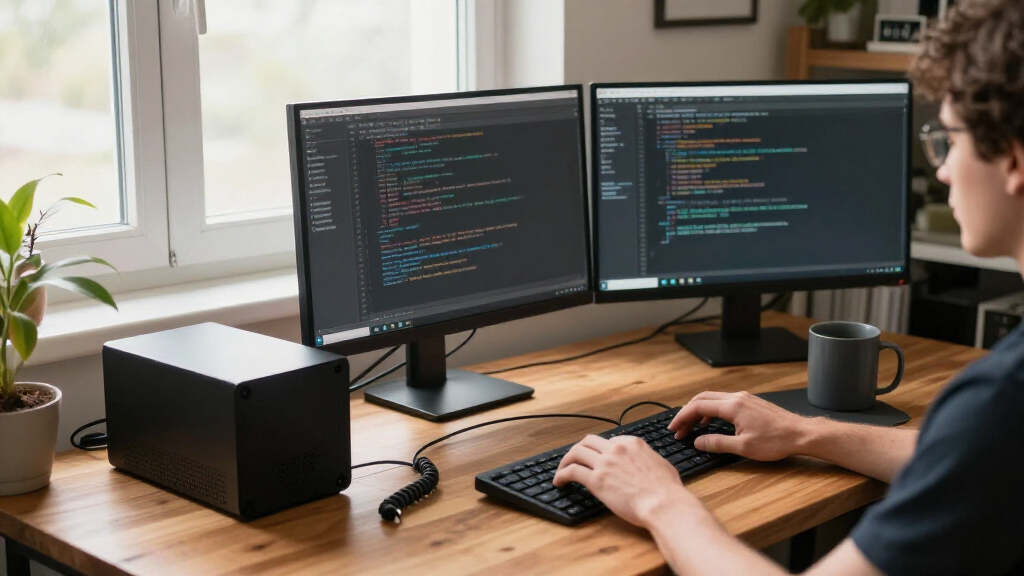
I evaluated each mini PC through a developer’s actual workload rather than generic benchmarks: multi-core compile performance, memory capacity and upgradability, storage expansion options, I/O for multi-monitor setups and peripherals, and thermals under sustained load. CPUs were ranked by architecture generation and core count because those two factors dominate build times; an eight-core H-series Ryzen 7 will noticeably outpace a four-core U-series chip when running parallel tests or Docker builds. I also weighed Linux compatibility signals (chipset maturity, community-reported driver support) since many developers will wipe Windows in favor of Ubuntu or Fedora.
The ranking favors machines that stay viable for years — upgradeable RAM and a second NVMe slot count for more than a flashy spec on day one. Budget units earned lower placements not because they’re bad computers, but because 8GB of non-upgradeable memory caps what a developer can realistically do with them. Where two models offer similar hardware, the deciding factors were build quality, cooling design, and warranty support.
| compact mini PCs for developer | Operating System |
|---|---|
| GMKtec G3 S Mini PC with Intel | Windows 11 Pro |
| HP Elite Mini 800 G9 Desktop P | Windows 11 Pro |
| ACEMAGICIAN S3A Mini PC with R | Windows 11 Pro |
| GETORLI Mini PC with AMD Ryzen | Windows 11 Pro |
| BOSGAME E2 Plus Mini PC with A | Windows 11 Pro; Ubuntu supported |
| GEEKOM A5 Mini PC with AMD Ryz | — |
| BOSGAME E5 Mini PC with AMD Ry | Windows 11 Pro |
| Glorlin Mini PC with Ryzen 7 8 | — |
| ACEMAGIC K1 Mini PC with AMD R | — |
| GMKtec M2 Pro S Mini PC | — |
| KAMRUI Pinova P1 Mini PC | Windows 11 Pro |
| KAMRUI Pinova P2 Mini PC with | — |
| GMKtec M6 Ultra Mini PC with A | — |
Factors to Consider When Choosing Compact Mini PCs For Developers
Before settling on a specific model, it helps to understand what actually limits a mini PC as a development machine. The mistakes developers make here usually aren’t about buying too little performance — they’re about buying the wrong kind of performance or ignoring components they can’t change later.Cores and Architecture Matter More Than Clock Speed
For development work, multi-core count and CPU architecture generation predict real-world happiness far better than headline clock speeds. Compiling large projects, running test suites, and building container images are embarrassingly parallel tasks, so an eight-core Ryzen 7 will finish builds meaningfully faster than a quad-core chip at the same clock. Architecture generation matters too: Zen 3 chips like the 5300U and 7330U are capable but Zen 4 parts (the 7640HS) and newer refreshes deliver better performance per watt, which translates to less fan noise at your desk. A common mistake is treating an Intel N95 or Ryzen 3 as ‘good enough’ because small scripts run fine — then hitting a wall the first time a full monorepo build takes three times longer than expected. Match the CPU to your actual build loop, not your idle-time usage.
Soldered RAM Versus Upgradeable Slots
This is the single most consequential decision in the mini PC market. LPDDR5-based machines solder memory to the board, which buys you speed and lower power draw but permanently locks in your capacity — 16GB feels roomy until you’re running an IDE, a browser with forty tabs, a database, and three Docker containers simultaneously. Machines with standard SO-DIMM or DDR5 slots cost slightly more and run marginally slower, but you can extend their useful life by three or four years with a cheap memory upgrade. My advice for professional developers: treat 32GB as the comfortable floor for serious backend or container work, and treat 16GB as acceptable only if you mostly write scripts, front-end code, or lightweight applications. If a machine maxes out at 16GB soldered, it will likely feel dated before its CPU does.
Storage: Capacity Today, Slots Tomorrow
Developer toolchains are storage-hungry in ways casual use isn’t: a single large Docker image cache, an Android SDK install, or a few checked-out monorepos can consume 100GB before you notice. A 256GB SSD fills up fast, so either buy a 1TB unit upfront or confirm the machine has a second NVMe slot or an easily accessible drive bay. Swapping the primary NVMe drive on most mini PCs takes ten minutes and a screwdriver, but reinstalling your environment afterward is the real cost — so plan your storage strategy before you’ve invested a week in toolchain setup. Also check whether the bundled drive is a reputable brand; some budget units ship with no-name SSDs that have weak endurance ratings, which matters for machines running continuous integration jobs around the clock.
Sustained Thermals and Noise
A mini PC that benchmarks well for ten seconds but throttles during a twenty-minute compile is worse than a slower chip that holds its speed. Sustained thermal performance depends on chassis size, fan quality, and heatsink mass — and reviews rarely make this visible, so look for teardown photos or community reports before buying. H-series chips in particular generate real heat; in a cramped chassis they can drop 15–20% of their performance under continuous load, erasing their advantage over cooler-running U-series parts. Fan noise deserves attention too, since a development machine often sits within arm’s reach and runs for hours. If you’re noise-sensitive, favor larger chassis designs or lower-TDP chips over the thinnest option on the shelf.
Linux Compatibility and Firmware
Many developers will install Linux, and mini PCs vary more in this regard than laptops do. Mainstream platforms — Intel 12th/13th gen and AMD Ryzen 5000/7000 series with standard Realtek or Intel networking — generally install cleanly on current distributions. Obscure or very new chips sometimes have immature kernel support for Wi-Fi, audio, or sleep states, which turns a quick install into a forum-archaeology project. Business-class machines like the HP Elite Mini line have well-documented firmware, reliable BIOS updates, and virtualization features (VT-d, TPM) that matter if you plan to run VMs or enterprise tooling. Before buying any unit, search the model name plus your preferred distro; if nobody has documented an install, assume some friction.
I/O, Networking, and Desk Setup
Once the machine is fast enough, the day-to-day experience comes down to ports. Dual-monitor output over HDMI or DisplayPort is the practical minimum for developers, and support for dual 4K displays matters if that’s your setup. Check whether the Ethernet port is 1GbE or 2.5GbE — the faster standard is increasingly common and genuinely useful if you pull large dependencies from a local cache or NAS. USB port count and placement gets overlooked constantly: a machine with only three ports forces a hub the moment you connect a keyboard, mouse, and debug probe. Finally, mounting options (VESA brackets behind a monitor) can eliminate the mini PC from your desk entirely, which is half the reason to buy one in the first place.
Frequently Asked Questions
Is 16GB of RAM enough for a development mini PC, or should I insist on 32GB?
For front-end work, scripting, and typical application development, 16GB is genuinely sufficient — an IDE, a browser, and a couple of local services fit comfortably. The picture changes when you add containerized databases, Kubernetes clusters, or multiple VMs: those workloads are memory-hungry and inflexible, and 16GB becomes the bottleneck before the CPU does. The practical middle path is buying a machine with upgradeable RAM slots at 16GB and expanding later, rather than paying for 32GB upfront. If the model you want has soldered 16GB and your roadmap includes heavy containerization, I’d steer you toward the GETORLI with 32GB or an HP Elite Mini you can upgrade yourself. Memory is the component developers most often regret cheapening out on.
Can a cheap mini PC like the GMKtec G3 S or BOSGAME E2 Plus actually work as a real dev machine?
Yes, but only if you’re honest about the role it plays. An Intel N95 or Ryzen 5 3501U with 8GB of RAM handles SSH sessions, light scripting, documentation, and a single small service without complaint — and as a dedicated CI runner, Git server, or Pi-hole-style utility box, it’s arguably the smarter buy than a powerful machine sitting idle. What it can’t do is run a modern IDE alongside Docker containers and a local database without constant swapping. The common mistake is buying one as a primary machine to save money and then fighting it daily. My rule: budget units for secondary and infrastructure roles, mid-tier H-series machines for daily driving.
Which of these mini PCs is safest to install Linux on?
The most predictable installs are on machines with long-established platforms: the HP Elite Mini 800 G9 (Intel 13th/14th gen era), GEEKOM A5 and ACEMAGIC K1/Pinova P2 (Ryzen 5000-series), and the GMKtec M6 Ultra (Ryzen 7040 series) all use hardware with mature mainline kernel support. In practice that means current Ubuntu, Fedora, and Debian releases handle networking, graphics, and sleep states without custom drivers. Newer or less common chipsets can work too, but you may wait for a kernel release or two for full Wi-Fi or GPU support, so wired Ethernet is a sensible fallback during setup. Before committing, search the exact model alongside your distro — community install notes are the best compatibility signal in this market, since vendors rarely document Linux themselves.
Are H-series laptop chips in mini PCs a gimmick, or do they genuinely outperform U-series for development?
They’re real, with one caveat. Chips like the Ryzen 7 6800H, 8745HS, and Ryzen 7 H 255 have eight full-performance cores, and parallel workloads — compiles, test suites, Docker builds — scale almost linearly with core count, so the speedup on a large project is easy to feel. The caveat is thermals: an H-series chip in a poorly cooled chassis throttles under sustained load and can converge toward U-series performance while running louder. The Glorlin and GETORLI units pair these chips with adequate cooling, which is why they rank highly; an eight-core chip in a cramped, cheap chassis would be a different story. If your builds take minutes rather than seconds, H-series is worth it; if you mostly edit and save, a good U-series chip is the calmer, quieter choice.
Should I buy a mini PC with 256GB of storage if I plan to upgrade the SSD myself?
It’s a legitimate strategy — NVMe drives are cheap and swapping one takes minutes — but the hidden cost is setup time. If you upgrade on day one, before installing your toolchain, the swap costs you nothing beyond the drive price. If you upgrade after a month, you’re either cloning the drive (which needs a USB enclosure and cloning software) or reinstalling your entire environment from scratch. So my recommendation is to plan the upgrade before first boot, not after. Also verify the machine’s slot layout: some models have a single M.2 slot, others include a second slot or a 2.5-inch bay, and the second-slot models let you add storage without touching your existing install at all. Check drive compatibility (most use 2280-size NVMe, but a few compact units require shorter 2242 drives).
Conclusion
Mapping these thirteen machines to buyer types makes the decision straightforward. For best overall, the GMKtec M6 Ultra hits the sweet spot of modern Zen 4 performance, sensible RAM, and room to grow — it’s the pick I’d point most working developers toward. The GETORLI Ryzen 7 6800H with 32GB takes best for heavy container and VM workloads on raw memory capacity, while the Glorlin 8745HS with Radeon 780M graphics earns best premium for developers who also want strong integrated graphics for GPU-adjacent work or a demanding multi-monitor setup. On value, the ACEMAGICIAN S3A delivers eight-core H-series performance with upgradeable RAM at a mid-tier price, making it the best value for a primary dev machine.
For specific needs: the HP Elite Mini 800 G9 is the right call for corporate environments that need manageability, Windows 11 Pro, and business-class support; the GEEKOM A5 and KAMRUI Pinova P2 suit developers wanting a quiet, efficient daily driver for editing and light builds; and the GMKtec G3 S or BOSGAME E2 Plus are honest picks as beginner home-lab boxes or dedicated CI runners, provided nobody expects them to be a primary workstation. Whatever you choose, prioritize core count, RAM headroom, and at least one upgrade path — those three factors decide whether your mini PC still feels fast three years from now.
Fall Picks
fall essentials
As an affiliate, we earn on qualifying purchases.