
For a developer laptop with long battery life, I’d start with the Lenovo Yoga Slim 7i Aura Edition for its efficient Intel Core Ultra 7 258V platform, then compare it with the Dell XPS 13 9350 for a compact Intel option and the HP OmniBook 5 for Snapdragon-based endurance potential. The right choice depends on more than a battery claim: workload, screen size, memory, and whether your tools run well on an Arm processor all shape unplugged time. Larger, faster laptops can suit builds and multitasking, but may need more frequent charging. This roundup weighs those tradeoffs across 15 models; read on for the full breakdown and picks by developer type.

Get business pricing on monitors, keyboards and dev gear
- Business-only prices and quantity discounts
- Tax-exempt purchasing
- Multiple users, one account, clear invoices
Key Takeaways
- Efficient chips are the clearest battery-life advantage in this lineup: the Core Ultra 7 258V models and Snapdragon-based options are the first places I’d look for light-to-moderate coding away from an outlet.
- Arm compatibility is a real buying filter: the Dell XPS 13 9345 and HP OmniBook 5 may suit portable workflows, but developers should check their IDEs, containers, drivers, and command-line tools before choosing Snapdragon.
- More RAM and storage do not guarantee a better mobile developer machine: 32GB configurations such as the ThinkPad E16 and Dell 15 touch model can help with multitasking, while their larger screens and more demanding chips may work against runtime.
- Large 17.3-inch laptops prioritize workspace over mobility: the HP 17.3-inch models make more sense for desk-centered work than for developers who need to carry a machine through a full day unplugged.
- The lowest-spec option is a poor fit for demanding development: the Lenovo V15 with a Celeron N5100 may handle basic tasks, but its processor is a bottleneck for builds, virtual machines, and heavier multitasking despite its generous listed memory and storage.
| Lenovo ThinkPad E16 Laptop, Intel Core Ultra 7 255H, 32GB DDR5 RAM, 1TB SSD |  | Best for Windows Pro Workloads | Processor: Intel Core Ultra 7 255H | Memory: 32GB DDR5 | Storage: 1TB SSD | VIEW LATEST PRICE | See Our Full Breakdown |
| Acer Aspire 14-Inch FHD Touchscreen Laptop, Intel Core Ultra 7 258V, 32GB RAM, 1TB SSD |  | Best for Commuting Developers | Processor: Intel Core Ultra 7 258V | NPU: 47 TOPS | Memory: 32GB LPDDR5X | VIEW LATEST PRICE | See Our Full Breakdown |
| Lenovo Yoga Slim 7i Aura Edition 14-Inch Laptop, Intel Core Ultra 7 258V, 32GB RAM, 1TB SSD |  | Best Overall for Balanced Battery and Development | Processor: Intel Core Ultra 7 258V | Memory: 32GB LPDDR5x | Storage: 1TB SSD | VIEW LATEST PRICE | See Our Full Breakdown |
| HP 17.3″ Business Laptop (2026 Edition) – AMD Ryzen 5, 16GB RAM, 512GB SSD, FHD Display, Windows 11 |  | Best for a Stationary Desk Setup | Processor: AMD Ryzen 5 | Memory: 16GB | Storage: 512GB SSD | VIEW LATEST PRICE | See Our Full Breakdown |
| Dell XPS 13 9345 Laptop, 13.4″ FHD+, Snapdragon X Elite, 16GB RAM, 512GB SSD |  | Best for Maximum Listed Battery Life | Processor: Snapdragon X Elite, 12 cores, up to 4GHz | Memory: 16GB LPDDR5X | Storage: 512GB PCIe NVMe M.2 SSD | VIEW LATEST PRICE | See Our Full Breakdown |
| HP 15.6-Inch FHD Touchscreen Laptop with AMD Ryzen 7 7730U |  | Best Midrange Balance | Processor: AMD Ryzen 7 7730U, 8 cores and 16 threads | Memory: 32GB RAM | Storage: 1TB NVMe SSD | VIEW LATEST PRICE | See Our Full Breakdown |
| Acer Aspire Laptop 2026, 14″ Touchscreen, Intel Core Ultra 7 258V, 32GB RAM, 2TB SSD | 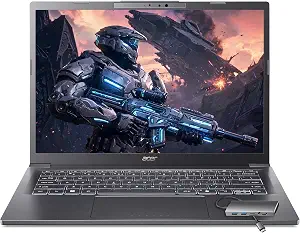 | Best Compact Developer Pick | Processor: Intel Core Ultra 7 258V | Memory: 32GB LPDDR5X | Storage: 2TB PCIe SSD | VIEW LATEST PRICE | See Our Full Breakdown |
| HP 17.3-Inch FHD Laptop with AMD Ryzen 7 7730U |  | Best Large-Screen Workstation | Processor: AMD Ryzen 7 7730U, 8 cores, up to 4.5 GHz | Memory: 64GB DDR4, 3200 MHz | Storage: 2TB SSD | VIEW LATEST PRICE | See Our Full Breakdown |
| GEEKOM GeekBook M16 16-Inch Laptop with Intel Core Ultra 9 |  | Best Battery Capacity on Paper | Processor: Intel Core Ultra 9 185H | Memory: 16GB LPDDR5, 6400 MHz | Storage: 512GB PCIe Gen4 SSD | VIEW LATEST PRICE | See Our Full Breakdown |
| Lenovo V15 Laptop, 15.6-Inch FHD, Intel Celeron N5100, 32GB RAM, 2TB SSD, Windows 11 Pro |  | Best for Light Coding on a Budget | Processor: Intel Celeron N5100, 4 cores and 4 threads, up to 2.8 GHz | Memory: 32GB DDR4 RAM | Storage: 2TB SSD | VIEW LATEST PRICE | See Our Full Breakdown |
| HP OmniBook 5 14-inch AI PC, OLED, Snapdragon X Plus, 16GB RAM, 1TB SSD, Glacier Silver |  | Best for Claimed Battery Endurance | Processor: Snapdragon X Plus X1P-42-100 | Memory: 16GB LPDDR5x | Storage: 1TB PCIe Gen4 NVMe M.2 SSD | VIEW LATEST PRICE | See Our Full Breakdown |
| Lenovo V15 G4 15.6-inch FHD Laptop, Intel Core i7-13620H, 24GB RAM, 1TB SSD |  | Best for Desk-Based Multitasking | Processor: Intel Core i7-13620H, 10 cores and 16 threads, up to 4.9GHz | Memory: 24GB DDR4-3200 | Storage: 1TB M.2 PCIe 4.0 NVMe SSD | VIEW LATEST PRICE | See Our Full Breakdown |
| Dell 15.6-Inch Touchscreen Laptop with Intel Core Ultra 7 255U, 32GB RAM, and 1TB SSD |  | Best for Memory-Heavy Windows Work | Processor: Intel Core Ultra 7 255U | Memory: 32GB DDR5 | Storage: 1TB PCIe NVMe M.2 SSD | VIEW LATEST PRICE | See Our Full Breakdown |
| Dell XPS 13 9350 Laptop, 13.4-inch WUXGA Display, Intel Core Ultra 7 256V, 16GB LPDDR5X, 1TB SSD |  | Best Compact Developer Laptop | Processor: Intel Core Ultra 7 256V Series 2, 8 cores, up to 4.8GHz | Memory: 16GB LPDDR5X | Storage: 1TB PCIe SSD | VIEW LATEST PRICE | See Our Full Breakdown |
| NIMO 15.6-Inch FHD Laptop with AMD Ryzen 7 7735HS |  | Best for Ports and Flexible Setup | Processor: AMD Ryzen 7 7735HS, 8 cores, up to 4.75GHz | Graphics: Integrated AMD Radeon 680M | Display: 15.6-inch FHD (1920 × 1080) | VIEW LATEST PRICE | See Our Full Breakdown |
| developer laptops with long battery life | Processor | Memory | Storage | Display |
|---|---|---|---|---|
| Lenovo ThinkPad E16 Laptop | Intel Core Ultra 7 255H | 32GB DDR5 | 1TB SSD | 16-inch WUXGA (1920 × 1200) |
| Acer Aspire 14-Inch FHD Touchs | Intel Core Ultra 7 258V | 32GB LPDDR5X | 1TB PCIe SSD | 14-inch FHD touchscreen |
| Lenovo Yoga Slim 7i Aura Editi | Intel Core Ultra 7 258V | 32GB LPDDR5x | 1TB SSD | 14-inch OLED touchscreen, 100% DCI-P3, up to 600 nits |
| HP 17.3" Business Laptop | AMD Ryzen 5 | 16GB | 512GB SSD | 17.3-inch; resolution listed as FHD (1920 × 1080), with conflicting 1600 × 900 detail |
| Dell XPS 13 9345 Laptop | Snapdragon X Elite, 12 cores, up to 4GHz | 16GB LPDDR5X | 512GB PCIe NVMe M.2 SSD | 13.4-inch FHD+ (1920 × 1200), 500 nits, anti-reflective |
| HP 15.6-Inch FHD Touchscreen L | AMD Ryzen 7 7730U, 8 cores and 16 threads | 32GB RAM | 1TB NVMe SSD | 15.6-inch Full HD (1920 × 1080) IPS touchscreen |
| Acer Aspire Laptop 2026 | Intel Core Ultra 7 258V | 32GB LPDDR5X | 2TB PCIe SSD | 14-inch touchscreen |
| HP 17.3-Inch FHD Laptop with A | AMD Ryzen 7 7730U, 8 cores, up to 4.5 GHz | 64GB DDR4, 3200 MHz | 2TB SSD | 17.3-inch LCD, non-touch, 60 Hz |
| GEEKOM GeekBook M16 16-Inch La | Intel Core Ultra 9 185H | 16GB LPDDR5, 6400 MHz | 512GB PCIe Gen4 SSD | 16-inch 16:10 IPS |
| Lenovo V15 Laptop | Intel Celeron N5100, 4 cores and 4 threads, up to 2.8 GHz | 32GB DDR4 RAM | 2TB SSD | 15.6-inch FHD (1920 × 1080), anti-glare, 250 nits |
| HP OmniBook 5 14-inch AI PC | Snapdragon X Plus X1P-42-100 | 16GB LPDDR5x | 1TB PCIe Gen4 NVMe M.2 SSD | 14-inch OLED, 1920 × 1200, up to 300 nits |
| Lenovo V15 G4 15.6-inch FHD La | Intel Core i7-13620H, 10 cores and 16 threads, up to 4.9GHz | 24GB DDR4-3200 | 1TB M.2 PCIe 4.0 NVMe SSD | 15.6-inch FHD (1920 × 1080), anti-glare, 250 nits |
| Dell 15.6-Inch Touchscreen Lap | Intel Core Ultra 7 255U | 32GB DDR5 | 1TB PCIe NVMe M.2 SSD | 15.6-inch Full HD touchscreen, 1920 × 1080, 60Hz, 220 nits |
| Dell XPS 13 9350 Laptop | Intel Core Ultra 7 256V Series 2, 8 cores, up to 4.8GHz | 16GB LPDDR5X | 1TB PCIe SSD | 13.4-inch WUXGA (1920 × 1200), 30–120Hz, 500 nits |
| NIMO 15.6-Inch FHD Laptop with | AMD Ryzen 7 7735HS, 8 cores, up to 4.75GHz | Dual DDR5 SO-DIMM slots; capacity not specified | 512GB SSD | 15.6-inch FHD (1920 × 1080) |
More Details on Our Top Picks
Lenovo ThinkPad E16 Laptop, Intel Core Ultra 7 255H, 32GB DDR5 RAM, 1TB SSD
The ThinkPad E16 fits developers who want 32GB of memory, a large workspace, and Windows 11 Pro in a business-focused machine. Its 16-inch WUXGA display gives code, terminals, and documentation more room than the compact Dell XPS 13 9345, while the Core Ultra 7 255H and 1TB SSD suit demanding multitasking and local AI workloads. The tradeoff is that the supplied details give no battery runtime or weight, so its place in a long-battery-life roundup is less certain than the Yoga Slim 7i Aura Edition, which lists up to 17 hours. Business security and Ethernet add practical value at a desk, but developers who spend most of their day away from outlets should favor a model with a stated runtime.
Pros:- 32GB DDR5 memory supports demanding development tools and multitasking.
- 16-inch WUXGA display provides more workspace for code and reference material.
- Windows 11 Pro and fingerprint, TPM, and privacy-shutter features suit business use.
- Ethernet, SD card reader, HDMI, and USB ports reduce reliance on adapters.
Cons:- No battery runtime is provided, making it hard to judge against the roundup’s long-life picks.
- Weight is unspecified, so portability is difficult to compare.
- The Core Ultra 7 255H may favor performance over endurance compared with efficiency-focused options.
Best for: Windows developers who need a large screen, 32GB RAM, Windows 11 Pro, and built-in Ethernet for office or hybrid work.
Not ideal for: Frequent travelers who need documented all-day battery life or a confirmed lightweight chassis.
- Processor:Intel Core Ultra 7 255H
- Memory:32GB DDR5
- Storage:1TB SSD
- Display:16-inch WUXGA (1920 × 1200)
- Operating system:Windows 11 Pro
- Security:Fingerprint reader, Firmware TPM 2.0, privacy-shutter camera
- Ports:USB-C, USB-A, HDMI, Ethernet RJ45, audio jack, SD card reader
Our verdict“Choose the ThinkPad E16 for a well-equipped Windows Pro development setup, provided you can verify its battery life before relying on it away from power.”
Acer Aspire 14-Inch FHD Touchscreen Laptop, Intel Core Ultra 7 258V, 32GB RAM, 1TB SSD
At 3.09 pounds and 0.7 inches thick, this Aspire is easier to carry between home, office, and campus than the 17.3-inch HP business laptop. Its Core Ultra 7 258V, 32GB LPDDR5X, and 1TB SSD make it a capable fit for everyday coding, multitasking, and lighter creative work; the touchscreen and Arc graphics add flexibility beyond a basic productivity machine. The stated long battery life has no runtime figure, though, so the Yoga Slim 7i Aura Edition—with up to 17 hours listed—is a more measurable choice for unplugged work. The included USB hub also helps compensate for the Aspire’s limited built-in connectivity, but carrying it adds one more item to a mobile setup.
Pros:- 32GB LPDDR5X memory and a 1TB PCIe SSD provide room for multitasking and projects.
- 3.09-pound weight and 0.7-inch thickness suit daily commuting.
- Touchscreen and Intel Arc graphics support interactive workflows and light creative work.
- Included hub adds HDMI, USB-A, USB-C, SD card, and Ethernet connections.
Cons:- Battery life is described as long without a stated runtime.
- FHD is the only display resolution detail supplied.
- The USB hub adds an accessory to carry when using wired peripherals or external displays.
Best for: Commuting developers who want 32GB RAM in a relatively light 14-inch laptop and value a touchscreen for notes or creative tasks.
Not ideal for: Developers who need a verified all-day runtime, a high-resolution display, or ample ports without carrying an accessory.
- Processor:Intel Core Ultra 7 258V
- NPU:47 TOPS
- Memory:32GB LPDDR5X
- Storage:1TB PCIe SSD
- Graphics:Intel Arc 140V, 8 Xe cores
- Display:14-inch FHD touchscreen
- Weight and thickness:3.09 lbs; 0.7 inches
- Wireless:Wi-Fi 6E
Our verdict“Pick the Aspire for portable, flexible development work, but choose the Yoga Slim 7i Aura Edition if a published battery estimate matters more.”
Lenovo Yoga Slim 7i Aura Edition 14-Inch Laptop, Intel Core Ultra 7 258V, 32GB RAM, 1TB SSD
The Yoga Slim 7i Aura Edition earns the most balanced spot here by pairing a stated up to 17-hour battery life with 32GB of memory and a 1TB SSD. At 2.82 pounds, it is lighter than the Acer Aspire 14-inch, and its OLED touchscreen offers richer color for developers who also edit images or video. Two Thunderbolt 4 ports, HDMI 2.1, and an SD reader make it more flexible for desk setups than its slim size suggests. The 17-hour figure is a maximum claim, not a guaranteed runtime, and the 14-inch screen is tighter for side-by-side code than the ThinkPad E16’s 16-inch panel. Windows 11 Home may also lack business features some teams require from Pro.
Pros:- Up to 17 hours of listed battery life gives a useful endurance reference.
- 2.82-pound chassis is convenient for frequent travel.
- OLED touchscreen with 100% DCI-P3 coverage suits coding and color-focused creative work.
- Thunderbolt 4, HDMI 2.1, and an SD card reader support versatile desk setups.
Cons:- Actual battery life may fall short of the listed maximum.
- Windows 11 Home may not meet business users’ edition requirements.
- The 14-inch display offers less coding workspace than the ThinkPad E16.
Best for: Mobile developers who want a lightweight 14-inch Windows laptop with substantial memory, fast connectivity, and a published battery estimate.
Not ideal for: Developers who need Windows 11 Pro, a large built-in workspace, or confirmed real-world runtime for long workdays.
- Processor:Intel Core Ultra 7 258V
- Memory:32GB LPDDR5x
- Storage:1TB SSD
- Display:14-inch OLED touchscreen, 100% DCI-P3, up to 600 nits
- Battery life:Up to 17 hours
- Weight:2.82 lbs
- Ports:2× Thunderbolt 4, USB-A, HDMI 2.1, SD card reader
- Operating system:Windows 11 Home
Our verdict“The Yoga Slim 7i Aura Edition is the strongest balanced pick for developers who need portability, capable specs, and a stated battery target.”
HP 17.3″ Business Laptop (2026 Edition) – AMD Ryzen 5, 16GB RAM, 512GB SSD, FHD Display, Windows 11
This HP is the roundup’s large-screen workhorse: its 17.3-inch display and full-size keyboard with numeric keypad suit developers who keep multiple windows open or enter data regularly. HP Fast Charge is a useful convenience, but the listing provides no battery runtime, so its claim of long life is harder to weigh against the Yoga Slim 7i Aura Edition’s stated maximum of 17 hours. The big chassis also makes this a poor match for daily commuting compared with the 2.6-pound Dell XPS 13 9345. With 16GB RAM and a 512GB SSD, it has less headroom for large projects and parallel tools than the ThinkPad E16’s 32GB and 1TB configuration. Check the panel resolution before buying: the supplied details conflict between FHD and 1600×900.
Pros:- 17.3-inch anti-glare display provides generous room for windows and documentation.
- Full-size keyboard includes a dedicated numeric keypad.
- HP Fast Charge can shorten charging stops.
- Spill-resistant keyboard adds practical protection for desk work.
Cons:- No battery runtime is given despite the long-life claim.
- Large dimensions make it less portable than 14-inch and 13-inch alternatives.
- The listed display resolution is inconsistent, and the configuration has less memory and storage than the ThinkPad E16.
Best for: Developers who mostly work at a desk and value a large screen, a numeric keypad, and fast charging for occasional unplugged use.
Not ideal for: Frequent travelers, developers with memory-heavy workloads, or buyers who need a confirmed display resolution and battery runtime.
- Processor:AMD Ryzen 5
- Memory:16GB
- Storage:512GB SSD
- Display:17.3-inch; resolution listed as FHD (1920 × 1080), with conflicting 1600 × 900 detail
- Operating system:Windows 11
- Special features:Numeric keypad, anti-glare coating, HP Fast Charge, spill-resistant keyboard
- Dimensions:15.78 × 10.15 × 0.81 inches
Our verdict“Choose this HP for a mostly stationary large-screen setup, not for dependable all-day work away from a charger.”
Dell XPS 13 9345 Laptop, 13.4″ FHD+, Snapdragon X Elite, 16GB RAM, 512GB SSD
The XPS 13 9345 leads this group on the headline endurance claim: its battery is listed for up to 27 hours, well above the Yoga Slim 7i Aura Edition’s up-to-17-hour figure. Its 2.6-pound weight, 13.4-inch display, and Windows 11 Pro make it a compelling choice for developers who travel light and want to work unplugged. The compromise is capacity: 16GB RAM and 512GB storage leave less room for large codebases, virtual machines, and parallel tools than the Yoga’s 32GB and 1TB. Snapdragon X Elite uses ARM, so developers should check compatibility with required tools and drivers. This specific unit is resealed after an SSD upgrade, with different warranty coverage for the drive and other components.
Pros:- Up to 27 hours of listed battery life is the highest claim among these five products.
- 2.6-pound weight supports travel and mobile work.
- Windows 11 Pro and a 45 TOPS NPU support business and on-device AI features.
- 500-nit anti-reflective display and Wi-Fi 7 suit varied mobile settings.
Cons:- ARM processor may not support every legacy x86 application or device driver.
- 16GB RAM and 512GB SSD provide less development headroom than the Yoga Slim 7i Aura Edition.
- The unit is resealed, and warranty periods differ between the SSD and other components.
Best for: Traveling developers who prioritize the longest stated battery life, a lightweight chassis, and Windows 11 Pro for compatible software.
Not ideal for: Developers dependent on legacy x86 tools or drivers, those needing more than 16GB RAM, or buyers who require factory-sealed hardware and uniform warranty coverage.
- Processor:Snapdragon X Elite, 12 cores, up to 4GHz
- Memory:16GB LPDDR5X
- Storage:512GB PCIe NVMe M.2 SSD
- Display:13.4-inch FHD+ (1920 × 1200), 500 nits, anti-reflective
- Battery life:Up to 27 hours
- Weight:2.6 lbs
- Operating system:Windows 11 Pro 64-bit
- Connectivity:2× USB4 40Gbps Type-C, Wi-Fi 7, Bluetooth 5.4
Our verdict“Pick the XPS 13 9345 for maximum listed endurance and portability if your development tools work on ARM and the resealed condition suits you.”
HP 15.6-Inch FHD Touchscreen Laptop with AMD Ryzen 7 7730U
The Ryzen 7 7730U, 32GB of memory, and 1TB SSD give this HP more room for multitasking and local project files than the Lenovo V15 with its Celeron N5100. Its listed battery life reaches up to 10.75 hours, a useful target for lighter work, though sustained builds and a bright touchscreen can shorten a day away from an outlet. The 15.6-inch Full HD IPS touchscreen and numeric keypad favor developers who want a roomy work surface and familiar desktop-style layout. Compared with the lighter Acer Aspire 14, this HP trades portability and newer listed AI hardware for a larger display and Windows 11 Pro. I’d choose it for general coding and office work, while buyers running demanding workloads unplugged should favor a model with more clearly documented endurance.
Pros:- Ryzen 7 processor and 32GB RAM support multitasking and typical development tools.
- 1TB NVMe SSD provides space for source trees, tools, and local files.
- Full HD IPS touchscreen and numeric keypad offer a practical large-screen workspace.
- Up to 10.75 hours of listed battery life and a 3.52 lb weight suit occasional mobile work.
Cons:- Battery life is a manufacturer-listed maximum and may fall during sustained development workloads.
- The 15.6-inch chassis is less portable than the 14-inch Acer Aspire.
- The listing contains conflicting memory and storage details in its title and description.
Best for: Developers who want a roomy touchscreen, Windows 11 Pro, and enough memory for everyday multitasking.
Not ideal for: Frequent travelers who need a compact machine or developers who run long, demanding builds away from power.
- Processor:AMD Ryzen 7 7730U, 8 cores and 16 threads
- Memory:32GB RAM
- Storage:1TB NVMe SSD
- Display:15.6-inch Full HD (1920 × 1080) IPS touchscreen
- Operating system:Windows 11 Pro
- Battery life:Up to 10.75 hours
- Weight:3.52 lb
- Ports:USB-C, 2 USB-A, HDMI 1.4, headphone/microphone combo jack
Our verdict“Choose this HP for a capable everyday coding setup with a large touchscreen, provided you can recharge during heavier workdays.”
Acer Aspire Laptop 2026, 14″ Touchscreen, Intel Core Ultra 7 258V, 32GB RAM, 2TB SSD
For developers who carry their laptop between desks, the 3.09 lb, 14-inch design is the clearest advantage here. The Core Ultra 7 258V and 32GB of LPDDR5X memory make it a stronger fit for varied workloads than the Lenovo V15’s Celeron chip, while the 2TB SSD leaves ample room for repositories and virtual machines. Its battery life is not specified, though, so I can’t rank it confidently for unplugged endurance alongside the HP 15.6-inch, which lists up to 10.75 hours. The touchscreen and bundled USB hub help when moving between travel and desk setups. Integrated Arc graphics and Windows 11 Home make this less suited to graphics-heavy work or buyers who specifically need a Pro edition.
Pros:- Light 3.09 lb chassis is easier to carry than the 15.6-inch HP and Lenovo options.
- 32GB LPDDR5X RAM and a 2TB PCIe SSD give room for multitasking and large local projects.
- Core Ultra 7 258V includes a dedicated NPU for supported AI-accelerated tasks.
- Included USB hub adds HDMI, USB-A, USB-C, SD, and Ethernet connections.
Cons:- No battery capacity or runtime figure is provided, making endurance hard to judge.
- Integrated graphics may constrain graphics-heavy development and creative workloads.
- Windows 11 Home may not suit buyers who require Pro features.
Best for: Mobile developers who want a light 14-inch touchscreen, substantial memory, and storage for local projects.
Not ideal for: Buyers who need verified all-day battery runtime, Windows 11 Pro, or graphics performance for demanding 3D work.
- Processor:Intel Core Ultra 7 258V
- Memory:32GB LPDDR5X
- Storage:2TB PCIe SSD
- Graphics:Intel Arc 140V, 8 Xe cores
- Display:14-inch touchscreen
- Weight:3.09 lb
- Operating system:Windows 11 Home
- NPU performance:47 TOPS
Our verdict“Pick the Acer for a light, well-equipped coding laptop if you can accept that its battery endurance is undocumented.”
HP 17.3-Inch FHD Laptop with AMD Ryzen 7 7730U
This HP prioritizes a broad workspace: its 17.3-inch display can make code, documentation, and side-by-side windows easier to read without an external monitor. The 64GB of RAM and 2TB SSD also exceed the HP 15.6-inch’s 32GB and 1TB, which can help developers juggling large local environments. Battery life is not listed, however, and the 4 lb body is less convenient to carry than the compact Acer Aspire 14. I’d treat it as a desk-centered machine that can move occasionally, rather than a dependable all-day mobile coding pick. The listing also gives conflicting display resolutions and says the factory seal was opened for upgrades, with separate coverage for those components.
Pros:- 17.3-inch display offers more room for code and reference windows than the 15.6-inch HP.
- 64GB RAM and 2TB SSD accommodate memory-heavy workflows and large local files.
- Backlit full-size keyboard includes a numeric keypad.
- Windows 11 Pro, USB-C, and HDMI support common work setups.
Cons:- No battery runtime is specified, which limits its fit for a long day away from an outlet.
- At 4 lb with a 17.3-inch footprint, it is less convenient to carry than the Acer Aspire 14.
- The listing conflicts on display resolution and notes the seal was opened for upgrades.
Best for: Developers who work mainly at a desk and value a large screen, high memory capacity, and ample local storage.
Not ideal for: Commuters seeking verified long battery life or buyers who want a factory-sealed laptop with unambiguous specifications.
- Processor:AMD Ryzen 7 7730U, 8 cores, up to 4.5 GHz
- Memory:64GB DDR4, 3200 MHz
- Storage:2TB SSD
- Display:17.3-inch LCD, non-touch, 60 Hz
- Display resolution:Listing states both 1920 × 1080 and 1920 × 1200
- Operating system:Windows 11 Pro
- Weight:4 lb
- Warranty coverage:3 years on upgraded RAM and SSD from PCOnline US; 1 year manufacturer coverage on remaining components
Our verdict“Choose this HP for a spacious, memory-rich desk setup, but look elsewhere if unplugged endurance is your main priority.”
GEEKOM GeekBook M16 16-Inch Laptop with Intel Core Ultra 9
The GeekBook M16 stands out for its 99.9Wh battery and claimed runtime of up to 24 hours, the strongest endurance figures stated among these five listings. That makes it the most promising choice here for developers who want fewer charging stops, although actual runtime will depend on workload and power mode. Its Core Ultra 9 185H and Intel Arc graphics offer more headroom than the Lenovo V15’s Celeron N5100, while the 16GB memory and 512GB SSD are more modest than the Acer Aspire 14’s 32GB and 2TB. Three listed performance modes let buyers trade speed for power use, and the included dock helps at a desk. I’d favor it for battery capacity, while treating the 24-hour figure as a claim rather than a guaranteed coding runtime.
Pros:- 99.9Wh battery is the largest stated capacity in this batch.
- Up to 24 hours of claimed battery life gives a useful endurance target, subject to workload.
- 15W, 40W, and 55W modes offer ways to balance performance and power draw.
- USB4 connectivity and the included 5-in-1 dock support a multi-display desk setup.
Cons:- The up-to-24-hour figure depends on usage and is not a guaranteed development workload runtime.
- 16GB memory and 512GB storage are lower capacities than the Acer Aspire 14 provides.
- The supplied product details are truncated, leaving some specifications unclear.
Best for: Developers who value a large battery, flexible power modes, and a 16-inch workspace for mobile work.
Not ideal for: Developers who need 32GB or more of memory and substantial built-in storage for large projects or virtual machines.
- Processor:Intel Core Ultra 9 185H
- Memory:16GB LPDDR5, 6400 MHz
- Storage:512GB PCIe Gen4 SSD
- Display:16-inch 16:10 IPS
- Battery:99.9Wh
- Claimed battery life:Up to 24 hours
- Performance modes:15W Silent, 40W Balanced, 55W Performance
- Wireless:Wi-Fi 6E, Bluetooth 5.4
- Operating system:Windows 11
Our verdict“Choose the GeekBook M16 if battery capacity and flexible power modes matter more than maximum memory and storage.”
Lenovo V15 Laptop, 15.6-Inch FHD, Intel Celeron N5100, 32GB RAM, 2TB SSD, Windows 11 Pro
The Lenovo V15 pairs a listed up to 11.5 hours of battery life with a 15.6-inch anti-glare display, making it a plausible fit for light coding and browser-based work away from a desk. Its 32GB RAM and 2TB SSD look generous beside the GeekBook M16’s 16GB and 512GB, but the Celeron N5100 is the limiting factor: those capacities cannot turn it into a strong choice for large builds or demanding local development environments. The screen’s 250-nit brightness may also be harder to see in bright settings. Compared with the HP 15.6-inch Ryzen 7, this Lenovo gives more listed battery time and storage, while the HP’s processor is better suited to heavier multitasking. I’d choose it for modest workloads where endurance and capacity outrank compute speed.
Pros:- Up to 11.5 hours of listed battery life exceeds the HP 15.6-inch’s stated 10.75 hours.
- 32GB RAM and 2TB SSD provide generous memory and storage for the processor tier.
- Anti-glare Full HD display suits office lighting.
- Ethernet, HDMI, and USB connectivity support wired desk setups.
Cons:- Celeron N5100 is a weak fit for demanding builds and CPU-heavy development.
- The 250-nit display may be difficult to view in bright environments.
- Wi-Fi 5 is an older wireless standard than the Wi-Fi 6 listed for the HP 15.6-inch.
Best for: Students and developers handling lightweight editors, web tools, and documentation who want long listed runtime and ample file storage.
Not ideal for: Developers compiling large projects, running several virtual machines, or using CPU-heavy local tools.
- Processor:Intel Celeron N5100, 4 cores and 4 threads, up to 2.8 GHz
- Memory:32GB DDR4 RAM
- Storage:2TB SSD
- Display:15.6-inch FHD (1920 × 1080), anti-glare, 250 nits
- Operating system:Windows 11 Pro
- Battery life:Up to 11.5 hours
- Wireless connectivity:Wi-Fi 5 (802.11ac), Bluetooth 5.1
- Weight:3.75 lb
Our verdict“Pick the Lenovo V15 for lightweight coding and a long listed runtime, but avoid it for compute-heavy development.”
HP OmniBook 5 14-inch AI PC, OLED, Snapdragon X Plus, 16GB RAM, 1TB SSD, Glacier Silver
The HP OmniBook 5 makes the strongest battery-life claim in this group: HP lists up to 34 hours, with a 50% charge in about 30 minutes. That makes it a candidate for developers who often work away from an outlet, though real runtime depends on workload and settings. Its Snapdragon X Plus, 16GB of memory and 1TB SSD suit everyday coding and multitasking, while the OLED screen gives code and media rich contrast. Compared with the compact Dell XPS 13 9350, HP claims longer endurance and offers a larger display, but the XPS lists a brighter 500-nit panel and Windows 11 Pro. The OmniBook’s 300-nit screen and integrated graphics are less suited to bright environments or graphics-heavy development; developers should also check that their required tools support this processor platform.
Pros:- Manufacturer claims up to 34 hours of battery life and 50% charge in about 30 minutes
- 14-inch OLED display delivers high contrast and rich color
- 16GB memory and 1TB SSD provide room for everyday multitasking and projects
- 1080p IR camera supports video calls and compatible sign-in
Cons:- Listed screen brightness tops out at 300 nits
- Integrated Adreno graphics are a constraint for graphics-intensive development
- Snapdragon-based Windows compatibility may not suit every developer toolchain
Best for: Developers who prioritize long stretches away from a charger and mainly use tools that support Snapdragon Windows laptops
Not ideal for: Developers who need broad native software compatibility, a bright outdoor screen, or stronger graphics for GPU-heavy work
- Processor:Snapdragon X Plus X1P-42-100
- Memory:16GB LPDDR5x
- Storage:1TB PCIe Gen4 NVMe M.2 SSD
- Display:14-inch OLED, 1920 × 1200, up to 300 nits
- Graphics:Qualcomm Adreno integrated GPU
- Battery claim:Up to 34 hours; manufacturer claim
- Fast charging:Approximately 50% in 30 minutes
- Operating system:Windows 11 Home
Our verdict“Choose the OmniBook 5 if its claimed endurance and OLED screen matter more to you than maximum software compatibility or graphics power.”
Lenovo V15 G4 15.6-inch FHD Laptop, Intel Core i7-13620H, 24GB RAM, 1TB SSD
The Lenovo V15 G4 is the workhorse pick for developers who value memory, connectivity and a roomy screen more than a long unplugged stretch. Its 24GB RAM gives more headroom for an IDE, browser tabs and local services than the HP OmniBook 5’s 16GB, while the 10-core Intel processor is suited to parallel office and coding tasks. Ethernet, USB-C and an included expansion hub help at a fixed desk. Battery-life evidence is the gap: the listing gives no runtime claim, and its H-series processor and 15.6-inch display make it harder to rank as a travel-first choice beside the Dell XPS 13 9350, which lists up to 26 hours. The Lenovo’s 250-nit screen is also dim, and integrated UHD graphics limit graphics workloads. Pick it for plugged-in productivity, not all-day mobile coding.
Pros:- 24GB memory offers useful headroom for IDEs, browsers and local services
- 10-core, 16-thread processor supports concurrent workloads
- 1TB PCIe 4.0 NVMe SSD provides substantial project storage
- Ethernet, USB-C and included 8-in-1 hub support a desk setup
Cons:- No battery-life figure is provided in the supplied product data
- 15.6-inch display is listed at only 250 nits
- Integrated Intel UHD graphics are limited for GPU-focused development
Best for: Developers who keep a laptop mostly at a desk and run several memory-hungry work apps at once
Not ideal for: Commuting developers who need documented long battery life, a bright display, or graphics acceleration
- Processor:Intel Core i7-13620H, 10 cores and 16 threads, up to 4.9GHz
- Memory:24GB DDR4-3200
- Storage:1TB M.2 PCIe 4.0 NVMe SSD
- Display:15.6-inch FHD (1920 × 1080), anti-glare, 250 nits
- Graphics:Intel UHD integrated graphics
- Connectivity:Wi-Fi 6, Bluetooth 5.2, Gigabit Ethernet, USB-C and HDMI 1.4b
- Weight:1.65 kg (3.64 lbs)
- Operating system:Windows 11 Home
Our verdict“Choose the V15 G4 for memory and desk connectivity, but look to the XPS 13 9350 if battery endurance is a deciding factor.”
Dell 15.6-Inch Touchscreen Laptop with Intel Core Ultra 7 255U, 32GB RAM, and 1TB SSD
With 32GB of DDR5 memory, this Dell is the clearest choice here for developers who keep large projects, containers or many browser tabs open. The Core Ultra 7 255U and 1TB SSD round out a capable everyday Windows setup, and the touchscreen may suit people who prefer direct input on a large panel. Compared with the Lenovo V15 G4, it doubles the listed memory and uses a U-series processor, but neither listing provides a battery-runtime figure, so I can’t rank it as a proven long-endurance option. Its 220-nit display is the dimmest listed among these picks, which can make bright rooms uncomfortable, and integrated graphics are not aimed at GPU-heavy work. The 4.28-pound chassis is also less appealing for daily travel than the 13.4-inch Dell XPS 13 9350.
Pros:- 32GB DDR5 memory supports heavier multitasking
- 1TB PCIe NVMe SSD accommodates projects and development tools
- 15.6-inch touchscreen offers a large workspace with touch input
- Wi-Fi 6, backlit keyboard and multiple USB ports suit everyday work
Cons:- No battery-life claim is supplied
- 220-nit display may be hard to see in bright settings
- 4.28-pound weight and integrated graphics limit portability and GPU-focused work
Best for: Windows developers who need 32GB of memory for large IDE projects, many open tools or local workloads
Not ideal for: People who code outdoors, want documented all-day battery life, or carry a laptop frequently
- Processor:Intel Core Ultra 7 255U
- Memory:32GB DDR5
- Storage:1TB PCIe NVMe M.2 SSD
- Display:15.6-inch Full HD touchscreen, 1920 × 1080, 60Hz, 220 nits
- Graphics:Integrated Intel Graphics
- Wireless:Wi-Fi 6 and Bluetooth
- Weight:4.28 lbs
- Operating system:Windows 11 Home 64-bit
Our verdict“Choose this Dell for its 32GB memory and large touchscreen, but skip it if verified battery endurance or easy portability leads your priorities.”
Dell XPS 13 9350 Laptop, 13.4-inch WUXGA Display, Intel Core Ultra 7 256V, 16GB LPDDR5X, 1TB SSD
The Dell XPS 13 9350 is the most travel-friendly choice in this batch with a stated battery figure: Dell lists up to 26 hours, and its 13.4-inch chassis takes less space than the 15.6-inch Lenovo V15 G4 and Dell touchscreen model. The 500-nit, 120Hz display is brighter and smoother on paper than those larger alternatives, while Thunderbolt 4 and Wi-Fi 7 make for a modern mobile setup. Its 16GB memory is less generous than the 32GB Dell’s, so developers running many containers or large local workloads may prefer that model. This listing also says the computer was resealed for an SSD upgrade: the upgraded SSD has three-year coverage, while other components have a one-year Dell warranty. That is a meaningful ownership caveat for a premium compact pick.
Pros:- Manufacturer lists up to 26 hours of battery life
- Compact 13.4-inch display with 500-nit brightness and 30–120Hz refresh rate
- Thunderbolt 4, Wi-Fi 7 and Windows 11 Pro
- 1TB SSD provides ample local project storage
Cons:- 16GB memory may constrain large local builds or multiple containers
- Only two Thunderbolt 4 ports are listed
- Resealed SSD upgrade has different warranty coverage from the remaining components
Best for: Traveling developers who want a compact Windows 11 Pro laptop with a listed battery-life claim and bright display
Not ideal for: Developers who need more than 16GB memory, extensive ports, or standard full-length coverage across all components
- Processor:Intel Core Ultra 7 256V Series 2, 8 cores, up to 4.8GHz
- Memory:16GB LPDDR5X
- Storage:1TB PCIe SSD
- Display:13.4-inch WUXGA (1920 × 1200), 30–120Hz, 500 nits
- Graphics:Intel Arc
- Battery claim:Up to 26 hours
- Ports:2 × Thunderbolt 4
- Warranty:Three years on upgraded SSD; one year from Dell on remaining components
Our verdict“Choose the XPS 13 9350 for compact travel and a stated 26-hour battery claim if 16GB memory and the split warranty fit your needs.”
NIMO 15.6-Inch FHD Laptop with AMD Ryzen 7 7735HS
The NIMO 15.6-inch stands out for connectivity and a portable-for-its-screen 3.8-pound weight, rather than a documented battery advantage. Its 53.58Wh battery is listed, but no runtime claim is provided, so developers should not assume it will outlast the HP OmniBook 5’s manufacturer claim of up to 34 hours. The eight-core Ryzen 7 7735HS and Radeon 680M offer a versatile integrated platform for coding and everyday graphics tasks, while dual USB-C, HDMI 2.0 and three USB-A ports reduce the need for adapters. Memory capacity is unspecified despite dual DDR5 SO-DIMM slots, which makes this less predictable than the Lenovo V15 G4 with its stated 24GB. Its 512GB SSD is also smaller than the 1TB drives in several alternatives.
Pros:- Eight-core Ryzen 7 processor supports concurrent coding and productivity tasks
- Two USB-C, three USB-A and HDMI 2.0 provide broad connectivity
- 3.8-pound weight is moderate for a 15.6-inch laptop
- Dual DDR5 SO-DIMM slots allow memory configuration
Cons:- Battery capacity is listed, but no runtime estimate is supplied
- Memory capacity is unspecified
- 512GB SSD is smaller than the 1TB drives in several alternatives
Best for: Developers who want a broad mix of ports, a numeric keypad and a laptop they can upgrade or configure around
Not ideal for: Buyers who need a known memory capacity, large built-in storage, or evidence of long runtime away from a charger
- Processor:AMD Ryzen 7 7735HS, 8 cores, up to 4.75GHz
- Graphics:Integrated AMD Radeon 680M
- Display:15.6-inch FHD (1920 × 1080)
- Memory:Dual DDR5 SO-DIMM slots; capacity not specified
- Storage:512GB SSD
- Battery:53.58Wh
- Weight:3.8 lbs
- Ports:2 USB-C, HDMI 2.0, 3 USB-A and Micro SD reader
Our verdict“Choose the NIMO for its ports and configurable memory, but favor a model with a stated runtime if long unplugged coding sessions are essential.”

How We Picked
I ranked these laptops around the needs that most affect a developer working away from a charger: processor efficiency under everyday workloads, memory for IDEs and browser tabs, storage capacity, portability, and the likely software fit of each platform. Battery capacity and measured runtime were not provided for these configurations, so I treat long battery life as a platform and workload question rather than promise a specific number of hours. Efficient processors and compact designs earn an advantage, while large displays and high-performance chips need a stronger reason to rank near the top.
The order also reflects development practicality. I give more weight to machines that combine credible performance with enough memory and storage for current tools, and I call out Arm compatibility where it can affect developer workflows. Premium compact options rank well for portability, while bigger Ryzen and Core Ultra 7 255H systems can make sense when sustained compute matters more than all-day mobility. Entry-level processors rank lower when their limits outweigh the appeal of high memory or storage figures.
| developer laptops with long battery life | Operating system |
|---|---|
| Lenovo ThinkPad E16 Laptop | Windows 11 Pro |
| Acer Aspire 14-Inch FHD Touchs | — |
| Lenovo Yoga Slim 7i Aura Editi | Windows 11 Home |
| HP 17.3" Business Laptop | Windows 11 |
| Dell XPS 13 9345 Laptop | Windows 11 Pro 64-bit |
| HP 15.6-Inch FHD Touchscreen L | Windows 11 Pro |
| Acer Aspire Laptop 2026 | Windows 11 Home |
| HP 17.3-Inch FHD Laptop with A | Windows 11 Pro |
| GEEKOM GeekBook M16 16-Inch La | Windows 11 |
| Lenovo V15 Laptop | Windows 11 Pro |
| HP OmniBook 5 14-inch AI PC | Windows 11 Home |
| Lenovo V15 G4 15.6-inch FHD La | Windows 11 Home |
| Dell 15.6-Inch Touchscreen Lap | Windows 11 Home 64-bit |
| Dell XPS 13 9350 Laptop | — |
| NIMO 15.6-Inch FHD Laptop with | — |
Factors to Consider When Choosing Developer Laptops With Long Battery Life
For coding away from a desk, I’d choose by workload and software fit before comparing battery claims. These broader checks help predict whether a laptop will stay useful through real development sessions.
Match processor efficiency to your workload
Editing code, reading documentation, and running a local web server place different demands on a laptop than compiling a large project or running several containers. Efficient chips can use less energy during lighter work, but heavy CPU activity still drains a battery quickly. Think about how often your day includes sustained builds, emulators, or virtual machines. If those tasks are frequent, a more powerful processor may save time even if it reduces unplugged runtime. If they are occasional, an efficient chip can make more sense for the hours spent in an editor and browser. Avoid treating processor branding alone as a runtime guarantee; cooling, power limits, and workload all matter.
Check Arm support before choosing a Snapdragon laptop
Arm-based laptops can be attractive for mobile use, but developers should check compatibility before buying. Confirm that your IDE, language toolchains, database clients, Docker workflow, VPN, and any hardware drivers run natively or through a supported compatibility layer. A tool that works only through emulation may perform differently or add setup friction. Look for current support notes from the maintainers of software you rely on, especially for niche libraries and device testing. If you work across several environments, ask whether your team’s scripts and containers target Arm as well as x86. The time saved by a more efficient platform matters less if a core tool is unavailable.
Choose memory for your actual multitasking load
Memory needs rise quickly when an IDE, browser, local services, and containers are open together. A developer who runs lightweight projects may be comfortable with 16GB, while heavier multitasking can benefit from 24GB or 32GB. More memory can reduce slowdowns and disk swapping, but it does not compensate for a weak processor. Check whether the memory is soldered or upgradeable before purchase, since that determines whether you can expand later. Developers who expect to keep a laptop for several years should size memory for their likely future workload. Do not trade away processor capability solely to get a larger RAM number.
Balance screen size against carrying time
A larger screen gives more room for code, logs, and side-by-side windows, which can reduce reliance on an external display. It also makes a laptop bulkier to carry and can increase the energy used by the display. Compact 13- and 14-inch designs suit commutes and shared workspaces, while 15- and 17-inch models fit better when the laptop often stays on a desk. Consider the brightness you actually use, since running a display at maximum brightness can cut runtime. If you work in several locations, check the weight and charger size alongside the screen diagonal. A portable machine that you enjoy carrying can be more useful than a larger one left at home.
Treat battery claims as workload-dependent
Manufacturer runtime figures usually describe a defined test, not a full developer day with builds, video calls, and multiple services running. When comparing claims, look for the test conditions, battery capacity, display configuration, and whether results came from independent testing. OLED, touchscreens, high brightness, and frequent CPU bursts can change consumption. Read reports from users with workloads close to yours, but distinguish light browsing from software development. If you regularly work far from outlets, leave headroom instead of choosing a laptop that barely meets a best-case estimate. A USB-C charging option and a manageable power adapter can also affect how practical a laptop is on the move.
Pay for performance only when your projects need it
A premium processor can shorten compile times, but the benefit depends on whether your projects can use the extra cores and sustained power. For web development, scripting, and remote development, network access and memory may matter more than peak CPU speed. Heavy local builds, Android emulation, and multiple containers make stronger processing and cooling more valuable. Consider whether your workload can move to a remote server or cloud environment, which may let you carry a lighter, more efficient laptop. Also check storage needs for repositories, SDKs, virtual machines, and datasets before settling on capacity. Spending on the component that removes your real bottleneck is more useful than choosing the highest specification across the board.
Frequently Asked Questions
Will a Snapdragon laptop run my development tools?
It depends on the tools and workflow you rely on. Check official compatibility for your IDE, compiler, container platform, database, VPN, and any device drivers before choosing a Snapdragon system. Some software runs natively on Arm, while other tools may require emulation or may not support the platform. Also verify that your project dependencies and team scripts work on Arm. If compatibility is uncertain and you cannot test your workflow, an x86 laptop is the safer choice.
Is 16GB of RAM enough for software development?
It can be enough for one IDE, a modest project, and ordinary browser use. The workload changes when you add virtual machines, several containers, Android emulators, large datasets, or many browser tabs. Those setups can benefit from 24GB or 32GB, especially if you plan to keep the laptop for years. Check whether memory can be upgraded, since some thin laptops use soldered RAM. Prioritize a balanced processor and memory configuration instead of choosing by RAM capacity alone.
Should I choose a 17-inch laptop for coding away from home?
A large display can make code and reference material easier to view without an external monitor. The tradeoff is extra bulk, and larger laptops are generally less convenient to carry through a commute or workday. Screen size alone does not tell you how long the battery will last; display settings and workload also shape runtime. If you move between locations often, compare the laptop’s weight and charger as well as its display. A 14-inch model may be the more practical choice if portability is part of your daily routine.
Can a laptop with a large battery still run out quickly during development?
Yes. A large battery can be depleted quickly by sustained builds, virtual machines, high display brightness, or video calls. Battery capacity is only one part of runtime; processor efficiency, cooling behavior, screen type, and power settings also matter. Look for tests that describe the workload rather than relying on a single headline estimate. If your work involves frequent heavy tasks, plan for charging access or a compatible power bank. For lighter coding and documentation work, an efficient processor may matter more than raw battery capacity.
Is it worth choosing a faster processor if I work mostly in a browser-based IDE?
Usually, a browser-based IDE shifts much of the compute work to a remote service, so a high-end local processor may bring little benefit. Local responsiveness still depends on memory, browser performance, network quality, and how many tools you keep open. If you also compile locally or use containers, stronger processing can still reduce waiting. A more efficient laptop may better suit a workflow centered on remote development. Check whether your projects remain usable offline before making portability and runtime your main priorities.
Conclusion
For the best overall balance of portability and developer-ready specifications, I’d begin with the Lenovo Yoga Slim 7i Aura Edition, while treating real runtime as workload-dependent. The Acer Aspire 14-inch Core Ultra 7 258V is my value-oriented pick for buyers who want a similar efficient platform and 32GB of RAM; compare the 1TB and 2TB Acer configurations based on local storage needs. For a premium compact Intel choice, consider the Dell XPS 13 9350, and choose the HP OmniBook 5 if its Snapdragon platform supports your tools and portability is the priority. Beginners with light coding workloads can start with a 14-inch efficient model, while developers who need desk space may prefer a larger HP or Dell. I’d skip the Celeron Lenovo V15 for serious local development, and reserve the higher-powered or large-screen options for workloads that justify their mobility tradeoffs.
Fall Picks
fall essentials
As an affiliate, we earn on qualifying purchases.