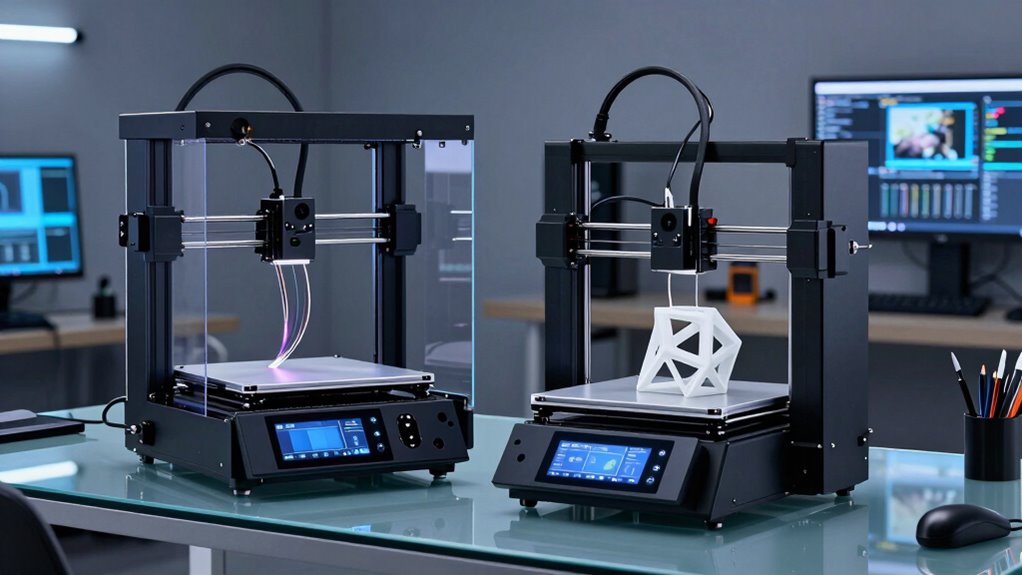
Design studios demand 3D printers that blend speed, versatility, and high-quality output. The Bambu Lab P1S Combo stands out for its rapid multi-material printing, ideal for fast prototyping. The Creality K2 Plus Combo offers an expansive build volume and multi-color options for complex projects. Meanwhile, the QIDI Max4 provides large-scale printing with smart automation, perfect for detailed industrial prototypes. Choosing the right model involves balancing speed, color capabilities, size, and ease of use.

Get business pricing on monitors, keyboards and dev gear
- Business-only prices and quantity discounts
- Tax-exempt purchasing
- Multiple users, one account, clear invoices
Complete the kit


Key Takeaways
- High-speed printing is critical for rapid prototyping, making models like the Bambu Lab P1S a top choice.
- Large build volume benefits studios working on complex or sizable prototypes, as seen with the QIDI Max4.
- Multi-color and multi-material flexibility are essential for detailed, realistic designs, favoring the Creality K2 Plus and similar models.
- Ease of setup and automation features reduce downtime and improve reliability for busy studios.
- Tradeoffs often involve size, cost, and complexity — larger printers tend to be more expensive and require dedicated space.
| Bambu Lab P1S Combo 3D Printer with AMS, Multi-Color |  | Best Overall for Speed and Versatility | Colors: Up to 16 | Speed: 500mm/s | Acceleration: 20000 mm/s² | VIEW ON AMAZON | See Our Full Breakdown |
| Snapmaker U1 3D Printer, 4-Toolhead with 5s Toolchanger |  | Best for Multi-Color Flexibility and Speed | Toolheads: 4 | Toolchanger Speed: 5 seconds | Build Volume: 270 x 270 x 270 mm | VIEW ON AMAZON | See Our Full Breakdown |
| Creality K2 Plus Combo 3D Printer with Multi-Color Printing and Large Build Volume |  | Best for Large-Scale, Multi-Color Projects | Build Volume: 13.78 x 13.78 x 13.78 inches | Print Speed: 600mm/s | Filament Compatibility: High-temp up to 350°C, ASA, PPA, wear-resistant | VIEW ON AMAZON | See Our Full Breakdown |
| QIDI Max4 Combo 3D Printer, 390×390×340mm Build Volume, 65℃ Heated Chamber |  | Best for Large-Scale, High-Precision Industrial Prototypes | Build Volume: 390×390×340mm | Heated Chamber Temperature: 65℃ | Maximum Speed: 800mm/s | VIEW ON AMAZON | See Our Full Breakdown |
| Creality K2 Combo 3D Printer, Multicolor Printing with CFS | 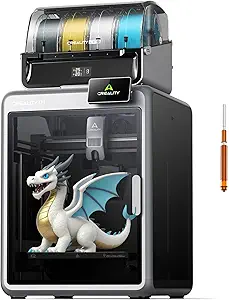 | Best for Multi-Material Artistic Projects | Maximum Print Speed: 600 mm/s | Acceleration: 20,000 mm/s² | Hotend Temperature: up to 300°C | VIEW ON AMAZON | See Our Full Breakdown |
| 3d printers for design studio | Build Volume |
|---|---|
| Bambu Lab P1S Combo 3D Printer | — |
| Snapmaker U1 3D Printer | 270 x 270 x 270 mm |
| Creality K2 Plus Combo 3D Prin | 13.78 x 13.78 x 13.78 inches |
| QIDI Max4 Combo 3D Printer | 390×390×340mm |
| Creality K2 Combo 3D Printer | — |
More Details on Our Top Picks
Bambu Lab P1S Combo 3D Printer with AMS, Multi-Color
The Bambu Lab P1S Combo is tailored for fast-paced design environments, offering high-speed printing at 500mm/s and vibrant multi-color output via its multi-material system. Its enclosed design ensures consistent quality and minimizes environmental impacts, making it ideal for intricate prototypes. However, it requires connection to the Bambu Lab AMS for multi-color printing, which adds an extra layer of setup and cost. Compared to larger, more automated options, this model emphasizes speed and simplicity but falls short for heavy-duty large-format projects.
Pros:- Rapid print speeds with high acceleration for quick turnaround
- Vibrant multi-color and multi-material capabilities
- Enclosed design enhances print stability and safety
- Automatic bed leveling simplifies setup
Cons:- Requires Bambu Lab AMS for multi-color printing, increasing complexity and cost
- Not suitable for carbon or glass fiber-reinforced filaments
- Limited to certain filament types
Best for: Design studios prioritizing rapid iteration and multi-material flexibility
Not ideal for: Producers needing large-scale or industrial-grade parts
- Colors:Up to 16
- Speed:500mm/s
- Acceleration:20000 mm/s²
- Design:Enclosed
- Auto Bed Leveling:Yes
- Supported Filaments:PLA, PETG, TPU, PVA, PET, ABS, ASA; Capable: PA, PC
Our verdict“A versatile, fast printer ideal for dynamic design environments focusing on colorful prototypes.”
Snapmaker U1 3D Printer, 4-Toolhead with 5s Toolchanger
The Snapmaker U1 stands out for its innovative four-toolhead system, enabling rapid 5-second tool changes that support multi-color and multi-material printing. Its high-speed capabilities reach 500 mm/s, making it suitable for busy studios needing quick prototyping cycles. The automatic calibration and vibration compensation help maintain accuracy, but its complex setup may be difficult for beginners to master without guidance. This model suits those who want versatility combined with speed but may be overkill for simple projects or small spaces.
Pros:- Fast 5-second tool changing for multi-color workflows
- High-speed printing at up to 500 mm/s
- Automatic calibration ensures reliable results
- Supports a wide array of filaments
Cons:- Setup can be complex, requiring technical knowledge
- Large footprint demands ample studio space
- Higher initial investment
Best for: Designers and studios seeking multi-material, multi-color versatility with quick turnaround
Not ideal for: Beginners or studios with limited space and simpler needs
- Toolheads:4
- Toolchanger Speed:5 seconds
- Build Volume:270 x 270 x 270 mm
- Max Speed:500 mm/s
- Supported Materials:PLA, PVA, TPU, PETG, PCTG, ABS, ASA, PA, PC
- Warranty:1 year
Our verdict“Best suited for creative studios that need rapid multi-color multi-material production without compromise on speed.”
Creality K2 Plus Combo 3D Printer with Multi-Color Printing and Large Build Volume
The Creality K2 Plus Combo is designed for larger, more ambitious projects, offering a massive 350x350x350mm build volume and four CFS units that enable up to 16-color models without post-processing. Its high-speed capabilities reach 600mm/s, supported by advanced step-servo motors, making it suitable for detailed, large prototypes. However, its weight and complexity mean it requires a dedicated space and some technical familiarity to maximize its automation features. This model is a strong choice for studios focused on large, colorful, multi-material work.
Pros:- Supports up to 16 colors with CFS units
- Large build volume for big projects
- Fast print speeds up to 600mm/s
- Advanced automation with AI cameras
Cons:- Heavy and bulky, requiring dedicated space
- Setup complexity might challenge beginners
- Higher price point
Best for: Design studios needing large, multi-color, multi-material prints
Not ideal for: Small studios or those new to 3D printing due to setup complexity
- Build Volume:13.78 x 13.78 x 13.78 inches
- Print Speed:600mm/s
- Filament Compatibility:High-temp up to 350°C, ASA, PPA, wear-resistant
- Frame Material:Aerospace-grade aluminum
- Number of CFS Units:4
- AI Cameras:2
- Sensors:18 smart sensors
Our verdict“Ideal for large, colorful prototypes where size and speed are priorities, but setup and space considerations are key.”
QIDI Max4 Combo 3D Printer, 390×390×340mm Build Volume, 65℃ Heated Chamber
The QIDI Max4 Combo offers an expansive 390×390×340mm build volume, ideal for printing large, detailed parts in a single piece. Its heated chamber and high precision deliver smooth surfaces and complex geometries. Smart AI-based monitoring minimizes failures, making it suitable for professional industrial applications. Its heavy weight and complex setup, including the optional cooler system, make it less practical for smaller studios or those new to large-format printing. This model excels where size and precision are paramount.
Pros:- Huge build volume for large prototypes
- High precision and smooth surface quality
- Smart AI monitoring for automatic failure detection
- Supports multiple materials
Cons:- Large, heavy, and requires significant space
- Cooler system sold separately adds to cost
- Potentially complex setup process
Best for: Industrial design studios needing large, high-precision parts
Not ideal for: Small studios or casual users with limited space or less complex needs
- Build Volume:390×390×340mm
- Heated Chamber Temperature:65℃
- Maximum Speed:800mm/s
- Frame Material:Steel with aluminum
- Sensors:18 smart sensors
- Weight:120 pounds
Our verdict“Best suited for professional environments where large, detailed parts are routine, but space and setup complexity must be considered.”
Creality K2 Combo 3D Printer, Multicolor Printing with CFS
The Creality K2 Combo offers impressive multi-color and multi-material capabilities with expandable CFS units capable of supporting up to 16 colors. Its high-speed operation at 600mm/s and quiet performance make it appealing for studios that value efficiency without noise disruption. Its user-friendly features include auto-leveling and safety measures, but the exact build volume isn’t specified, which could limit its utility for very large projects. This model suits artistic and multi-material design workflows where color variety and speed matter most.
Pros:- Supports up to 16 colors with expandable CFS units
- Fast and quiet operation
- Easy setup with auto-leveling
- Supports a variety of filaments
Cons:- Build volume details are not specified
- Complex setup might challenge newcomers
- Price details not provided
Best for: Artistic design studios needing multi-material, multi-color detailed work
Not ideal for: Large-scale industrial parts or small spaces with limited setup expertise
- Maximum Print Speed:600 mm/s
- Acceleration:20,000 mm/s²
- Hotend Temperature:up to 300°C
- Filament Compatibility:PLA, ABS, PETG, engineering-grade
Our verdict“Great for artistic projects requiring multi-color and multi-material flexibility with high speed, but confirm size limits beforehand.”

How We Picked
Our selections focus on printers that excel in multi-color and multi-material capabilities, speed, and build volume—key for design studios. We prioritized models with automation features, compatibility with professional filaments, and positive user feedback. Tradeoffs such as size, complexity, and cost were carefully considered, ensuring each pick serves a distinct studio need—from rapid prototyping to large-format production.
Factors to Consider When Choosing 3d Printers For Design Studios
Choosing the right 3D printer for a design studio depends on your specific needs: whether that’s rapid prototyping, large-format work, or multi-material color projects. It’s essential to match a printer’s speed, build volume, and multi-color capabilities with your typical project scope and workflow. Automation features and ease of setup can save time, but often come with higher costs and complexity. Here’s a breakdown of what to consider before making your decision.
Size and Build Volume
For studios working on large prototypes or multiple parts simultaneously, a bigger build volume is key. The QIDI Max4 and Creality K2 Plus excel here, offering large dimensions for complex projects. Smaller studios or those focusing on detailed miniatures may prefer compact options like the Bambu Lab P1S or Snapmaker U1, which are easier to fit into tight spaces but may limit large-scale work.
Color and Material Capabilities
If multi-color or multi-material printing is a priority, look for printers with multi-tool systems like the Snapmaker U1 or the Creality K2 Combo. These models support a wide range of filaments and vibrant color outputs. Keep in mind, expanding to 16-color support often increases costs and setup complexity, so assess whether this feature justifies the investment for your project types.
Speed and Automation
Fast printing reduces cycle times, which benefits busy studios. The Creality K2 Plus and Bambu Lab P1S deliver high speeds, but automation features like auto-leveling and AI monitoring can significantly improve reliability and reduce manual adjustments. Consider your team’s technical skill; automation can be a double-edged sword if setup becomes overly complex or expensive.
Ease of Use and Setup
Intuitive interfaces and automated calibration matter in a studio setting. The Bambu Lab P1S is praised for quick setup, while models like the Snapmaker U1 and QIDI Max4 offer comprehensive automation but require a learning curve. Balance your team’s expertise with the complexity of the machine to avoid delays and frustration.
Price and Space Requirements
Large, feature-rich models tend to be more expensive and require dedicated space. The QIDI Max4 and Creality K2 Plus are costlier but deliver unmatched size and automation. Smaller, less expensive options like the Bambu Lab P1S are suitable for studios with limited budgets or space constraints, but might sacrifice some advanced features.
Frequently Asked Questions
What should I consider when choosing a multi-color 3D printer?
Focus on whether the printer supports multiple toolheads or CFS units, which enable multi-color and multi-material printing. Consider if the printer can handle the variety of filaments you plan to use, and whether its automation features simplify color management or add complexity. Larger multi-color systems tend to be more expensive and complex to set up, so weigh your needs against your technical comfort level.
Is a large build volume always necessary for design studios?
Not necessarily. If your work involves small prototypes or detailed miniatures, a smaller build volume can be sufficient and more space-efficient. However, for studios working on large-scale models, architectural elements, or complex prototypes, a bigger build volume like the QIDI Max4 or Creality K2 Plus becomes essential to avoid splitting models or multiple print jobs.
How important is automation in a studio 3D printer?
Automation can dramatically reduce manual adjustments, improve consistency, and save time, especially in high-volume environments. Features like auto-leveling, AI monitoring, and quick tool changes streamline workflows, but often come at a higher cost and setup complexity. For fast-paced studios, automation is a worthwhile investment, though for occasional or hobbyist use, manual calibration might suffice.
What filament types should I prioritize for a design studio?
Look for printers compatible with a wide range of filaments such as PLA, PETG, TPU, ABS, and PVA. If your projects require high-temperature or wear-resistant materials, choose models like the Creality K2 Plus or QIDI Max4 that support these options. Compatibility with engineering-grade filaments expands your creative possibilities, especially for functional prototypes or industrial applications.
Is size or speed more important in a studio 3D printer?
This depends on your workflow. If you prioritize quick iteration on small parts, speed may be more critical, making options like the Bambu Lab P1S appealing. For large projects or complex prototypes, a larger build volume with high speed, like the Creality K2 Plus, offers the best balance of both. Consider your typical project size and deadlines to determine which factor weighs most heavily for your studio.
Conclusion
For studios focused on rapid prototyping, the Bambu Lab P1S provides high speed and multi-material flexibility with a compact footprint. If large, detailed, multi-color projects are your norm, the Creality K2 Plus or QIDI Max4 are excellent choices, despite their size and setup requirements. Beginners or smaller teams might favor more straightforward, budget-friendly models, while larger, professional studios should consider automation and size as primary factors. Each option offers a unique blend of features tailored to different studio workflows, so identify your core priorities before investing.
Halloween Picks
halloween
As an affiliate, we earn on qualifying purchases.