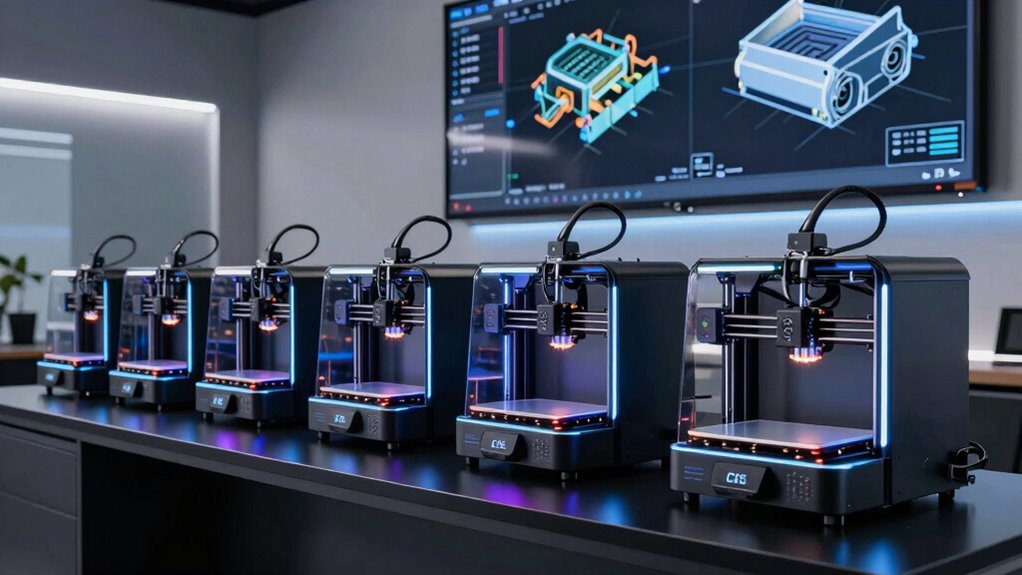
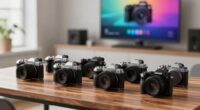
When selecting 3D printers for engineering prototypes, the key factors are precision, speed, build volume, and material versatility. The FLSUN V400 Max stands out as the best overall thanks to its massive size and fast auto-leveling, ideal for large, detailed parts. The Bambu Lab P2S Combo offers multi-color capabilities that benefit complex designs, while the FLASHFORGE Creator 5 Pro balances speed with multi-material flexibility. Buyers often face tough choices between size, speed, and multi-material support, making it important to understand each printer’s strengths and tradeoffs. Continue reading for a detailed breakdown of these options and how they compare.

Get business pricing on monitors, keyboards and dev gear
- Business-only prices and quantity discounts
- Tax-exempt purchasing
- Multiple users, one account, clear invoices
Complete the kit


Key Takeaways
- Large build volume alone isn’t enough; precision and stability are critical for accurate prototypes.
- Multi-material and multi-color capabilities significantly enhance prototype realism, but often increase complexity and cost.
- Speed is vital for iterative testing, yet faster printers may compromise on detail or require more maintenance.
- Beginners should prioritize ease of use and reliability, even if it means smaller build sizes or fewer features.
- Cost-effective options can still produce high-quality prototypes if they balance material versatility and precision.
| FLSUN V400 Max High-Speed Large 3D Printer with Massive Φ500×550mm Size and Auto Leveling |  | Best for Large-Scale Prototyping | Build Volume: Φ500×550mm | Print Speed: 600mm/s | Item Dimensions: 26.65 x 25.98 x 48.62 inches | VIEW ON AMAZON | See Our Full Breakdown |
| Bambu Lab P2S Combo, P2S 3D Printer & AMS 2 Pro, Multi-Color 3D Printing |  | Best for Multi-Color, Multi-Material Precision | Product Dimensions: 18 x 22 x 18 inches | Item Weight: 46.3 pounds | VIEW ON AMAZON | See Our Full Breakdown | |
| FLASHFORGE Creator 5 Pro 3D Printer, 4-Toolhead, Multi-Material & Color Printing, Heated Chamber, CoreXY, Fast Speeds |  | Best for Industrial Multi-Material Prototyping | Product Dimensions: 16 x 14 x 18 inches | Item Weight: 39 pounds | Active Heated Chamber: 65°C | VIEW ON AMAZON | See Our Full Breakdown |
| Snapmaker U1 3D Printer, 4-Toolhead with 5s Toolchanger, Multi-Color Printing |  | Best for Fast Multi-Color Prototyping in Compact Form | Toolhead System: 4-toolheads with 5-second tool changer | Build Volume: 270 x 270 x 270 mm | Max Speed: 500mm/s | VIEW ON AMAZON | See Our Full Breakdown |
| Bambu Lab P1S 3D Printer, Ready-to-Use FDM 3D Printer |  | Best for User-Friendly Multi-Color/Material Printing | Colors: Up to 16 | Speed: 500mm/s | Acceleration: 20000 mm/s² | VIEW ON AMAZON | See Our Full Breakdown |
| Bambu Lab A1 3D Printer, Ready-to-Use FDM 3D Printer for Beginners and Kids |  | Best for Entry-Level Precision and Ease of Use | Acceleration: 10,000 mm/s² | Color Printing: Multi-color with AMS lite | Auto Calibration: Full-auto calibration | VIEW ON AMAZON | See Our Full Breakdown |
| Anycubic Kobra S1 Max Combo 3D Printer, Large Build Size 350x350x350 mm³ |  | Best for Large-Scale, Multi-Color Prototyping | Build Volume: 350x350x350 mm³ | Product Dimensions: 21 x 23 x 19 inches | Item Weight: 77.8 pounds | VIEW ON AMAZON | See Our Full Breakdown |
| 3d printers for engineering prototype | Item Weight |
|---|---|
| FLSUN V400 Max High-Speed Larg | 88.2 pounds |
| Bambu Lab P2S Combo | 46.3 pounds |
| FLASHFORGE Creator 5 Pro 3D Pr | 39 pounds |
| Snapmaker U1 3D Printer | — |
| Bambu Lab P1S 3D Printer | — |
| Bambu Lab A1 3D Printer | — |
| Anycubic Kobra S1 Max Combo 3D | 77.8 pounds |
More Details on Our Top Picks
FLSUN V400 Max High-Speed Large 3D Printer with Massive Φ500×550mm Size and Auto Leveling
The FLSUN V400 Max stands out for its enormous build volume, making it ideal for manufacturing sizeable prototypes or models that other printers like the Bambu Lab P1S cannot accommodate. Its high-speed capability of 600mm/s combined with precise layer accuracy supports rapid iteration on big projects. The auto bed leveling and vibration compensation systems provide consistent quality, essential for engineering work. However, its very low customer rating and hefty size suggest possible reliability and setup challenges. Compared with smaller, more reliable printers, this model prioritizes size and speed over ease of use and proven durability. It’s best suited for teams with ample space and a need for large prototypes, but not for those seeking consistent, hassle-free operation.
Pros:- Enormous build volume suitable for large prototypes and models
- Speeds up to 600mm/s enable rapid production cycles
- Auto bed leveling and vibration compensation ensure consistent accuracy
- Supports multiple filament types and has power loss recovery
Cons:- Customer feedback indicates potential reliability issues and poor ratings
- Heavy and large, requiring significant space and effort to set up
Best for: Engineers or teams needing large-format prototypes that benefit from fast, high-volume printing.
Not ideal for: Small startups or individual users with limited space and preference for reliable, proven machines.
- Build Volume:Φ500×550mm
- Print Speed:600mm/s
- Item Dimensions:26.65 x 25.98 x 48.62 inches
- Item Weight:88.2 pounds
- Auto Bed Leveling:Yes
- Supported Filaments:PLA, ABS, PETG, TPU
Our verdict“This printer makes sense for large-scale prototyping where size and speed outweigh ease of use and proven reliability.”
Bambu Lab P2S Combo, P2S 3D Printer & AMS 2 Pro, Multi-Color 3D Printing
Compared to the Snapmaker U1, the Bambu Lab P2S Combo excels in automatic calibration and seamless multi-material capabilities, making multi-color prototyping straightforward. Its high accuracy and support for a wide range of filaments, including PVA and PETG, support complex engineering prototypes requiring multiple materials. The built-in AMS 2 Pro adds automatic filament drying and airflow control, streamlining multi-material workflows. The main tradeoff is its relatively heavy weight and complex setup, which might challenge absolute beginners. It offers a balance between speed, precision, and ease of multi-material production, ideal for detailed prototypes but less so for those prioritizing portability or simple operation.
Pros:- High-speed printing up to 600mm/s with excellent accuracy
- Automatic calibration and AI failure detection reduce setup time
- Supports multi-color and multi-material printing with AMS 2 Pro
- Built-in filament drying and airflow management improve print quality
Cons:- Does not support multi-color printing in the basic P2S model without upgrade
- Relatively heavy at 46.3 pounds, less portable
Best for: Designers and engineers needing precise multi-material, multi-color prototypes with automated workflow features.
Not ideal for: Beginners or users seeking a lightweight, portable machine for occasional use or simple projects.
- Product Dimensions:18 x 22 x 18 inches
- Item Weight:46.3 pounds
- First Available:July 30, 2026
- Supported Filaments:PLA, PVA, TPU, PETG, PCTG, ABS, ASA, PA, PC
- Supported Features:Multi-color, multi-material, automatic calibration
Our verdict“This printer is well suited for users requiring fast, precise, multi-material prototypes with automated features, but less so for small-scale or beginner setups.”
FLASHFORGE Creator 5 Pro 3D Printer, 4-Toolhead, Multi-Material & Color Printing, Heated Chamber, CoreXY, Fast Speeds
The FLASHFORGE Creator 5 Pro offers a level of versatility that surpasses the Snapmaker U1 with its four independent toolheads, enabling complex multi-material and multi-color prototypes. Its heated chamber up to 65°C supports advanced filaments like ABS and PC, which are common in engineering prototypes. The CoreXY system provides rapid, accurate motion at speeds up to 600mm/s, suitable for fast iteration. Its filtration system and safety features are vital for professional environments. The complexity of setup and calibration, along with a higher price point, makes it less ideal for hobbyists or those new to 3D printing. This model targets professional labs or industrial settings where multi-material, multi-color, high-speed printing is essential.
Pros:- Supports four independent toolheads for multi-material, multi-color output
- Heated chamber minimizes warping on advanced filaments
- Fast printing speeds up to 600mm/s for rapid prototyping
- Effective filtration maintains a safe workspace
Cons:- Heavy and sizable, requiring dedicated space
- Setup and calibration can be complex for less experienced users
- Higher cost limits accessibility for casual users
Best for: Industrial engineers and prototyping teams needing multi-material, multi-color, high-speed production with advanced safety features.
Not ideal for: Hobbyists or small-scale users seeking simple, budget-friendly solutions for occasional printing.
- Product Dimensions:16 x 14 x 18 inches
- Item Weight:39 pounds
- Active Heated Chamber:65°C
- Print Speed:up to 600mm/s
- Filament Compatibility:ABS, PC, PA
- Filtration System:HEPA 13 and activated carbon
Our verdict“This printer is tailored for professional environments demanding multi-material, high-speed, multi-color prototypes with safety in mind, but is less suited for casual or hobbyist use.”
Snapmaker U1 3D Printer, 4-Toolhead with 5s Toolchanger, Multi-Color Printing
The Snapmaker U1 excels in rapid multi-color, multi-material printing thanks to its innovative 5-second automatic tool changer, a feature that sets it apart from the Bambu Lab P2S for multi-material flexibility. Its high-speed CoreXY system delivers reliable, precise prints within a compact footprint, making it suitable for detailed prototypes and functional parts. The smart calibration and user-friendly software streamline operation, but the setup complexity and higher cost might challenge newcomers. Its limited build volume restricts larger projects, positioning it as a great choice for detailed, multi-color work in smaller formats. This model fits well for teams prioritizing speed and multi-material versatility in tight spaces, rather than large-volume manufacturing.
Pros:- Fast 5-second automatic tool changing reduces overall print time
- Supports multi-material and multi-color printing
- High-speed CoreXY system ensures accuracy and stability
- Smart calibration and intuitive software ease operation
Cons:- Limited build volume may restrict larger projects
- Setup can be complex for absolute beginners
- Higher price compared to single-tool or less versatile models
Best for: Designers and engineers focusing on multi-color, multi-material prototypes with limited space but high-speed needs.
Not ideal for: Large-scale manufacturing or users seeking a low-cost, simple machine for infrequent use.
- Toolhead System:4-toolheads with 5-second tool changer
- Build Volume:270 x 270 x 270 mm
- Max Speed:500mm/s
- Supported Materials:PLA, PVA, TPU, PETG, PCTG, ABS, ASA, PA, PC
- Warranty:1 year
Our verdict“This printer is ideal for fast, multi-color, multi-material prototyping within a compact setup, though it’s less suited for large or low-budget projects.”
Bambu Lab P1S 3D Printer, Ready-to-Use FDM 3D Printer
The Bambu Lab P1S provides a straightforward, ready-to-use experience that appeals to users of all skill levels, including beginners. Its automatic bed leveling and enclosed design simplify setup and improve print quality, especially for multi-color and multi-material projects. While it supports a broad range of filaments like PLA, PETG, and TPU, it doesn’t handle carbon or glass fiber-reinforced filaments, limiting some advanced applications. Compared to the more complex FLASHFORGE Creator 5 Pro, the P1S offers a more accessible entry point, though with fewer advanced features. Its blend of speed, ease of use, and multi-color capabilities makes it ideal for versatile prototyping but less suited for highly demanding industrial tasks.
Pros:- Vibrant multi-color and multi-material printing support
- Automatic bed leveling and enclosed design improve ease and quality
- High-speed printing up to 500mm/s accelerates project timelines
- Fast setup within 15 minutes
Cons:- Requires connection to Bambu Lab AMS for multi-color printing
- Limited support for reinforced, high-performance filaments
Best for: Enthusiasts and professionals seeking an easy, multi-color, multi-material machine with minimal setup.
Not ideal for: Users requiring advanced filament compatibility like carbon fiber or working in highly industrial environments.
- Colors:Up to 16
- Speed:500mm/s
- Acceleration:20000 mm/s²
- Design:Enclosed
- Setup Time:15 minutes
- Supported Filaments:PLA, PETG, TPU, PVA, PET ABS, ASA, PA, PC
Our verdict“This printer offers an accessible, reliable multi-color solution suitable for a wide range of prototyping tasks, but it’s less capable with advanced, reinforced materials.”
Bambu Lab A1 3D Printer, Ready-to-Use FDM 3D Printer for Beginners and Kids
The Bambu Lab A1 stands out for its combination of high-speed, accurate printing with user-friendly features, making it ideal for newcomers and educational settings. Compared to the Anycubic Kobra S1 Max, it offers simpler calibration through full-auto calibration, which reduces setup time but may limit control for advanced users. Its automatic flow rate compensation ensures consistent results, though some beginners might find multi-color printing setup a bit complex without the AMS lite accessory. The quiet operation and intuitive touchscreen enhance the user experience, but the need for additional components for multi-color jobs introduces extra cost and complexity. This model makes the most sense for those prioritizing straightforward, reliable prototypes in a home or classroom environment, rather than for users seeking maximum multi-color versatility or complex large-scale builds.
Pros:- High-speed and precise printing performance
- Automatic calibration simplifies setup
- Supports multi-color printing with AMS lite
- Quiet operation for a comfortable workspace
Cons:- Requires additional purchase of AMS lite for multi-color printing
- Some features may be overwhelming for complete beginners
Best for: Beginners, educators, or hobbyists seeking reliable, easy-to-use prototyping with multi-color options
Not ideal for: Advanced engineers or professionals needing complex multi-material or ultra-large prototypes without additional setup
- Acceleration:10,000 mm/s²
- Color Printing:Multi-color with AMS lite
- Auto Calibration:Full-auto calibration
- Flow Rate Compensation:Active flow rate compensation
- Nozzle:1-Clip quick swap nozzle
- Operation Noise:Active motor noise canceling
Our verdict“This printer is a strong choice for those new to prototyping who want reliable, multi-color output without extensive technical setup.”
Anycubic Kobra S1 Max Combo 3D Printer, Large Build Size 350x350x350 mm³
The Anycubic Kobra S1 Max Combo excels in producing sizable, detailed prototypes thanks to its massive 350x350x350 mm³ build volume and high-speed capabilities, making it ideal for engineering teams needing full-scale models. Unlike the Bambu Lab A1, which is more suited to smaller, quicker projects, the Kobra S1 Max’s large enclosure and heated chamber support advanced materials like ABS and PETG, crucial for durable prototypes. Its 600mm/s speed accelerates production but may compromise print quality if not carefully managed, especially on larger parts. The 16-color support offers versatility, but the printer’s weight (over 77 pounds) and complex calibration can be barriers for smaller teams or less experienced users. This makes it a powerful yet demanding tool for those prioritizing size and speed over ease of setup.
Pros:- Enormous build volume enables full-scale prototypes
- High-speed printing reduces overall production time
- Supports multiple colors and advanced materials
- Fully-enclosed structure ensures stable, safe printing
Cons:- Heavy and takes up significant space
- Potential calibration and reliability issues reported by some users
- Higher price point may be prohibitive for casual users
Best for: Engineering teams or makers producing large, detailed prototypes with multi-color needs and high material versatility
Not ideal for: Casual hobbyists or small workshops with limited space or less experience in large-format printing
- Build Volume:350x350x350 mm³
- Product Dimensions:21 x 23 x 19 inches
- Item Weight:77.8 pounds
- Hotend Temperature:350°C
- Heated Chamber Temperature:65°C
- Print Speed:600mm/s
- Auto-Leveling:LeviQ 3.0 49-point auto-leveling
- Color Support:Native 4-color, expandable to 16 colors
- Material Compatibility:ABS, ASA, PVA, TPU, PLA, PETG
Our verdict“This large-format, multi-color capable printer suits those needing expansive, detailed prototypes and willing to manage a more complex setup process.”

How We Picked
We evaluated these 3D printers based on key performance factors such as build volume, print accuracy, material compatibility, speed, and ease of setup. Reliability and maintenance costs also influenced rankings, as engineering prototypes demand consistent results over multiple iterations. We prioritized models that balance size and speed with print quality, while also considering how user-friendly each printer is for professional environments. The ranking reflects a combination of versatility, value, and specific strengths for engineering applications, ensuring that each option serves a clear niche within the category.Factors to Consider When Choosing 3d Printers For Engineering Prototypes
Choosing the right 3D printer for engineering prototypes involves understanding several critical factors. Size matters, but it must align with the project scope—oversized printers can be costly and cumbersome if your needs are smaller. Precision and layer resolution directly impact the prototype’s fidelity, especially for detailed components. Material compatibility is equally important; some projects require multi-material support or specific plastics, which can influence your choice. Speed can accelerate development cycles but might require higher investment or maintenance. Lastly, ease of use and reliability are essential to minimize downtime and maximize productivity during iterative testing.Build Volume and Size
For engineering prototypes, matching the build volume to your typical part size prevents unnecessary costs and space usage. Larger printers like the FLSUN V400 Max excel at big parts but may sacrifice detail or speed. Smaller, more precise models are suitable for detailed components but limit scalability. Consider your typical project dimensions and future needs to select a size that balances capacity with practicality.
Print Accuracy and Resolution
High precision is critical for prototypes requiring tight tolerances. Layer resolution impacts surface finish and detail, which are vital for functional testing. Cheaper models often compromise on resolution, so investing in a higher-quality printer can reduce post-processing and improve prototype fidelity. Be wary of printers that advertise high resolution but struggle with consistency over multiple prints.
Material Compatibility and Multi-Color Support
Prototypes often benefit from multi-material or multi-color printing to simulate real-world finishes or functionalities. Models like the FLASHFORGE Creator 5 Pro and Snapmaker U1 offer multi-material options, but these can increase complexity and cost. If your projects require multi-color or multi-material parts, prioritize printers with proven support and ease of switching materials, even at the expense of some build volume or speed.
Speed and Throughput
Fast printing accelerates design iterations but can lead to tradeoffs with detail and reliability. High-speed models like the FLSUN V400 Max are designed for rapid prototyping, yet may require regular calibration. Balance your need for speed with the precision required for your prototypes. For frequent testing, a dependable, moderate-speed printer might deliver better overall productivity.
Ease of Use and Reliability
Prototyping teams should choose machines that minimize setup time and require less maintenance. Features like auto-leveling, touchscreen interfaces, and reliable filament feeding can save hours and reduce errors. However, more user-friendly models tend to be less customizable, so weigh the importance of ease versus advanced features based on your team’s expertise and project demands.
Frequently Asked Questions
Can I use standard FDM filaments for engineering prototypes?
Yes, most engineering prototypes are printed with FDM filaments like ABS, PETG, or ASA, which offer strength and heat resistance. However, the choice depends on the prototype’s intended use—some materials are better suited for functional testing, while others are more for visual models. It’s important to verify that the printer you choose supports the filament types you plan to use, especially if you need high-temperature or specialty materials.
How important is multi-material support for engineering prototypes?
Multi-material support can significantly enhance the realism and functionality of prototypes, especially when demonstrating assemblies or multi-color parts. However, multi-material printing often involves more complex setup, maintenance, and higher costs. If your prototypes require multiple materials or colors, prioritize printers that simplify switching and material compatibility, but be aware that it may limit build size or speed.
Is a large build volume always better for prototypes?
Not necessarily. While a larger build volume allows for bigger prototypes, it can also lead to increased print times, higher costs, and more difficulty in maintaining print quality over large parts. Smaller, high-precision printers can produce detailed prototypes more reliably and cost-effectively. Choose a size that matches your typical project scope to avoid unnecessary expenses.
What features should I look for in a 3D printer for rapid iteration?
Speed and reliability are crucial for rapid prototyping. Look for features like auto-leveling, quick filament change, and minimal calibration requirements. A heated bed and good filament feeding mechanisms also reduce errors and downtime. While high-speed printers may sometimes compromise on detail, models that balance speed with precision will serve better for iterative testing.
Are professional-grade 3D printers worth the investment for prototypes?
Professional-grade printers often offer higher resolution, better material support, and more consistent results, which are valuable for high-fidelity prototypes. However, they come at a higher cost and may require specialized knowledge to operate. For many engineering teams, a mid-range or advanced desktop model provides a good balance of quality and value, especially if the volume of prototypes is moderate.
Conclusion
The best overall choice for most engineering teams is the FLSUN V400 Max for its combination of large build volume, speed, and reliability. For those prioritizing multi-color or multi-material capabilities, the FLASHFORGE Creator 5 Pro offers excellent versatility. Beginners or small-scale projects might find the Bambu Lab P1S or A1 more accessible due to their ease of use. Large, high-volume projects benefit from models like the Anycubic Kobra S1 Max. Ultimately, your selection should align with your project size, material needs, and desired speed to ensure efficient, high-quality prototyping in 2026.
As an affiliate, we earn on qualifying purchases.Halloween Picks
halloween