
If you’re looking for the best 4K monitors for graphic design in 2026, I recommend checking out options like ASUS’s 31.5-inch HDR display, LG’s 27-inch UHD IPS monitors, Samsung’s ViewFinity S8, and portable options from InnoView and OLED models. These screens offer excellent color accuracy, high resolution, and ergonomic features to boost your workflow. Keep exploring to discover more details on top choices that fit your creative needs perfectly.
Key Takeaways
- Look for monitors with high color accuracy (99% sRGB, Adobe RGB, DCI-P3) and factory calibration (ΔE < 2) for professional-grade visuals.
- Prioritize models with IPS or OLED panels for vibrant colors and wide viewing angles essential for graphic design.
- Ensure the monitor supports HDR (HDR-10, DisplayHDR 400) and high peak brightness for lifelike, dynamic images.
- Opt for screens with ergonomic adjustments, VESA compatibility, and portability features for comfortable, flexible workflows.
- Check for connectivity options like USB-C, HDMI, and built-in speakers to streamline setup and enhance multimedia capabilities.
| ASUS 31.5” 4K HDR Eye Care Monitor |  | Best Overall | Resolution: 3840 x 2160 (4K UHD) | Size: 31.5 inches | Connectivity: DisplayPort, dual HDMI, speakers | VIEW LATEST PRICE | See Our Full Breakdown |
| Gawfolk 27-Inch 4K IPS Monitor with HDMI & Wall Mount |  | Best Versatility | Resolution: 3840 x 2160 (4K UHD) | Size: 27 inches | Connectivity: HDMI, DisplayPort, audio out | VIEW LATEST PRICE | See Our Full Breakdown |
| 14-inch 4K OLED Portable Monitor with Speakers |  | Most Portable | Resolution: 3840 x 2400 (4K UHD OLED) | Size: 14 inches (portable) | Connectivity: USB-C, HDMI | VIEW LATEST PRICE | See Our Full Breakdown |
| LG 27-inch 4K UHD IPS Monitor with HDR |  | Best for Creatives | Resolution: 3840 x 2160 (4K UHD) | Size: 27 inches | Connectivity: HDMI, DisplayPort | VIEW LATEST PRICE | See Our Full Breakdown |
| LG 27US500-W 27-Inch 4K UHD HDR IPS Monitor |  | Best for Professionals | Resolution: 3840 x 2160 (4K UHD) | Size: 27 inches | Connectivity: HDMI, DisplayPort | VIEW LATEST PRICE | See Our Full Breakdown |
| Samsung 27″ ViewFinity S8 4K UHD Monitor |  | Best Adjustable | Resolution: 3840 x 2160 (4K UHD) | Size: 27 inches | Connectivity: HDMI, DisplayPort, USB-A/B | VIEW LATEST PRICE | See Our Full Breakdown |
| InnoView 4K Portable Monitor with HDMI & USB-C |  | Most Compact | Resolution: 3840 x 2160 (4K UHD) | Size: 18.5 inches | Connectivity: USB-C, HDMI | VIEW LATEST PRICE | See Our Full Breakdown |
| Dell 27-Inch 4K Monitor with Speakers and FreeSync |  | Best for Gaming | Resolution: 3840 x 2160 (4K UHD) | Size: 27 inches | Connectivity: HDMI, DisplayPort, USB-A/B | VIEW LATEST PRICE | See Our Full Breakdown |
More Details on Our Top Picks
-
Gawfolk 27 Inch 4K Monitor IPS 60Hz, UHD 3840 x 2160p PC Monitors, Computer Dispaly for Home & Office, Support HDMI & DP, Wall Mount Compatible
27" PC MONITOR - 4K monitor adopts a new generation of IPS screen, UHD 3840 x 2160 resolution...
As an affiliate, we earn on qualifying purchases.
ASUS 31.5” 4K HDR Eye Care Monitor
If you’re a graphic designer looking for a monitor that combines stunning visuals with eye comfort, the ASUS 31.5” 4K HDR Eye Care Monitor is an excellent choice. Its 3840 x 2160 resolution and 178° wide viewing angle deliver sharp, immersive images. Support for HDR-10 enhances contrast, making darks darker and highlights brighter. Features like Blue Light Filter and Flicker-Free technology reduce eye strain during long sessions. With extensive connectivity options, including DisplayPort, dual HDMI, and built-in stereo speakers, you get versatility. The sleek design is VESA mountable, allowing flexible positioning. Plus, the included Adobe Creative Cloud subscription supports your creative workflow.
- Resolution:3840 x 2160 (4K UHD)
- Size:31.5 inches
- Connectivity:DisplayPort, dual HDMI, speakers
- Eye Care Technology:Blue Light Filter, Flicker-Free
- Mounting Options:VESA mountable
- Display Technology:IPS with HDR-10
- Additional Feature:Adobe Creative Cloud included
- Additional Feature:VESA mountable design
- Additional Feature:Adaptive-Sync technology
-
Upperizon Portable Monitor 14 inch 4K 3840X2400 100000:1 100% DCI-P3 OLED HDMI USB-C Travel Monitor for Laptop MacBook PC Surface PS5 Xbox, External Display with Kickstand & Speakers, VESA Compatible
OLED Self-Luminous Display: Upgraded OLED technology with advanced luminous materials eliminates the need for a traditional LCD backlight....
As an affiliate, we earn on qualifying purchases.
Gawfolk 27-Inch 4K IPS Monitor with HDMI & Wall Mount
Are you searching for a monitor that combines stunning visuals with versatile connectivity? The Gawfolk 27-Inch 4K IPS monitor delivers sharp 3840 x 2160 resolution with vibrant colors and wide 178-degree viewing angles, making it perfect for professional or casual use. Its bezel-less design creates an immersive experience, while Flicker-Free and low blue light tech reduce eye strain during long sessions. With two HDMI 2.0 ports, two DisplayPort 1.4 connections, and an audio output, it’s highly flexible. Plus, the wall-mount support offers added versatility, making it a sleek, reliable choice for anyone needing high-quality visuals and easy connectivity.
- Resolution:3840 x 2160 (4K UHD)
- Size:27 inches
- Connectivity:HDMI, DisplayPort, audio out
- Eye Care Technology:Flicker-Free, Low Blue Light
- Mounting Options:Wall mount supported
- Display Technology:IPS
- Additional Feature:Bezel-less display
- Additional Feature:Wall-mount support
- Additional Feature:Customer support service
-
LG 27UP650K-W 27-inch Ultrafine 4K UHD (3840 x 2160) IPS Computer Monitor, 60Hz, 5ms, DisplayHDR 400, Reader Mode, Flicker Safe, HDMI, DisplayPort, Tilt/Height/Pivot Adjustable Stand, White
Stunning Image Quality in 4K Display - The 27-inch UHD 4K (3840 x 2160) IPS display reproduces clear...
As an affiliate, we earn on qualifying purchases.
14-inch 4K OLED Portable Monitor with Speakers
The 14-inch 4K OLED portable monitor with speakers stands out as an ideal choice for graphic designers who need stunning color accuracy and deep contrast on the go. Its upgraded OLED self-luminous display delivers vivid, true-to-life colors, with each pixel emitting light independently for ultra-delicate details. Factory-calibrated to ΔE < 2, supporting 100% DCI-P3 and 111% NTSC gamuts, it offers 10-bit color depth and a contrast ratio of 100,000:1. Lightweight at just 1.33 lbs and only 0.13 inches thick, it’s perfect for travel. Built-in speakers and versatile connectivity make it a portable, professional-grade option for creative work anytime, anywhere.
- Resolution:3840 x 2400 (4K UHD OLED)
- Size:14 inches (portable)
- Connectivity:USB-C, HDMI
- Eye Care Technology:Flicker-Free, Low Blue Light
- Mounting Options:VESA-compatible
- Display Technology:OLED self-luminous
- Additional Feature:Portable lightweight design
- Additional Feature:Built-in dual speakers
- Additional Feature:VESA-compatible mounting
LG 27-inch 4K UHD IPS Monitor with HDR
For graphic designers seeking precise color accuracy and stunning visuals, the LG 27-inch 4K UHD IPS Monitor with HDR stands out as a top choice. Its 3840 x 2160 resolution and IPS panel deliver sharp images with vibrant, true-to-life colors, covering up to 95% DCI-P3. Supporting VESA DisplayHDR 400, it offers enhanced brightness and dynamic range, perfect for detailed editing and immersive viewing. Features like Black Stabilizer improve visibility in dark scenes, while Dynamic Action Sync ensures smooth responsiveness. With versatile connectivity options and an adjustable stand, this monitor combines professional performance with user comfort, making it ideal for creative workflows.
- Resolution:3840 x 2160 (4K UHD)
- Size:27 inches
- Connectivity:HDMI, DisplayPort
- Eye Care Technology:Flicker Safe, Reader Mode
- Mounting Options:Adjustable stand, VESA-compatible
- Display Technology:IPS with HDR
- Additional Feature:WebOS streaming platform
- Additional Feature:Screen splitting feature
- Additional Feature:Adjustable stand (height, tilt, pivot)
LG 27US500-W 27-Inch 4K UHD HDR IPS Monitor
Looking for a monitor that combines stunning 4K resolution with vibrant color accuracy? The LG 27US500-W delivers just that with a 27-inch 4K UHD display supporting HDR10 and a 1000:1 contrast ratio, ensuring deep blacks and vivid colors. Its support for up to 90% DCI-P3 color gamut makes it perfect for digital imagery and HDR content. The IPS panel offers wide viewing angles, and the Onscreen Control simplifies customization. Plus, the ergonomic stand with tilt adjustments guarantees comfortable use. With HDMI and DisplayPort connectivity, this sleek, borderless monitor blends modern design with professional performance, making it a solid choice for creative work.
- Resolution:3840 x 2160 (4K UHD)
- Size:27 inches
- Connectivity:HDMI, DisplayPort
- Eye Care Technology:Adjustable Brightness, Flicker Safe
- Mounting Options:Adjustable stand, VESA mountable
- Display Technology:IPS with HDR10
- Additional Feature:Borderless IPS panel
- Additional Feature:Onscreen Control menu
- Additional Feature:White sleek finish
Samsung 27″ ViewFinity S8 4K UHD Monitor
If you’re seeking a monitor that combines stunning 4K clarity with ergonomic flexibility, the Samsung 27″ ViewFinity S8 UHD is an excellent choice for graphic designers. Its 3840×2160 resolution delivers sharp detail and vibrant colors, enhanced further by HDR10 support for true-to-life visuals. The height-adjustable stand, along with swivel, tilt, and pivot options, guarantees comfortable viewing angles. Multiple connectivity options—including HDMI, DisplayPort, and USB ports—make setup simple. Plus, automatic brightness and blue light reduction features help minimize eye strain during long sessions. Overall, it’s a versatile, user-friendly monitor built for professional creative work.
- Resolution:3840 x 2160 (4K UHD)
- Size:27 inches
- Connectivity:HDMI, DisplayPort, USB-A/B
- Eye Care Technology:TÜV Eye Saver Mode, Flicker Safe
- Mounting Options:Height adjustable, swivel, pivot
- Display Technology:IPS with HDR10
- Additional Feature:TÜV-certified Eye Saver Mode
- Additional Feature:Auto brightness adjustment
- Additional Feature:Easy setup with push-button stand
InnoView 4K Portable Monitor with HDMI & USB-C
The InnoView 4K Portable Monitor stands out as an ideal choice for graphic designers who need a high-quality, portable display that delivers stunning visuals on the go. Its 18.5-inch UHD screen offers crisp 3840×2160 resolution, supporting 100% sRGB coverage and over a billion colors for accurate, vibrant images. With HDMI and USB-C ports, connecting to laptops, phones, or gaming consoles is effortless, keeping your workspace tidy. The built-in adjustable stand allows easy tilting from 0-180°, ensuring comfortable viewing angles during long sessions. Compact and versatile, it’s perfect for multitasking, editing, or entertainment anywhere, backed by an 18-month warranty and 24/7 support.
- Resolution:3840 x 2160 (4K UHD)
- Size:18.5 inches
- Connectivity:USB-C, HDMI
- Eye Care Technology:Blue Light Reduction, Flicker-Free
- Mounting Options:Adjustable stand, VESA-compatible
- Display Technology:IPS with HDR
- Additional Feature:18-month warranty
- Additional Feature:0-180° tilt stand
- Additional Feature:Multi-mode extend/mirror
Dell 27-Inch 4K Monitor with Speakers and FreeSync
Need a monitor that combines stunning 4K visuals with smooth performance? The Dell 27-Inch 4K Monitor is perfect. Its IPS panel delivers vibrant, accurate colors with 99% sRGB coverage, HDR readiness, and a 1500:1 contrast ratio. Supporting AMD FreeSync Premium, it offers refresh rates up to 120Hz for tear-free visuals during work or play. With a lightning-fast 0.03ms response time, it keeps up with fast-paced tasks. Plus, its sleek design with ultra-thin bezels and an ash white finish looks modern and minimalist. Enhanced ComfortView Plus reduces blue light, making extended use easier on your eyes, while the improved audio system adds clear, deep sound.
- Resolution:3840 x 2160 (4K UHD)
- Size:27 inches
- Connectivity:HDMI, DisplayPort, USB-A/B
- Eye Care Technology:ComfortView Plus, Flicker Safe
- Mounting Options:Height adjustable, swivel, pivot
- Display Technology:IPS with HDR10
- Additional Feature:FreeSync Premium support
- Additional Feature:Ultra-thin bezels
- Additional Feature:Spacious audio system
Factors to Consider When Choosing 4k Monitors for Graphic Designers on Amazon
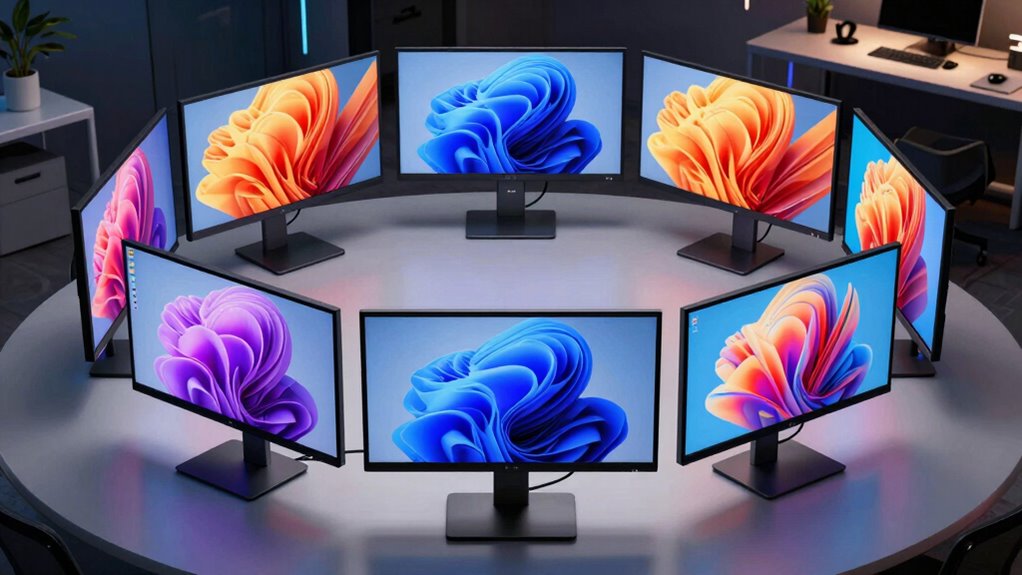
When choosing a 4K monitor for graphic design, I focus on key factors like color accuracy, screen size, and resolution to guarantee my work looks sharp and true to life. I also consider eye comfort features, connectivity options, and ergonomic adjustments to keep long hours manageable. These points help me find a monitor that balances performance, comfort, and versatility.
Color Accuracy Standards
Choosing a 4K monitor with accurate color reproduction is crucial for graphic designers, as it directly impacts the quality and fidelity of their work. Look for monitors that cover high percentages of color gamuts like sRGB, Adobe RGB, or DCI-P3—aim for 99% coverage for vibrant, precise colors. Factory calibration with a ΔE value below 2 ensures minimal color deviation, so colors stay consistent straight out of the box. Support for HDR standards like HDR10 or VESA DisplayHDR 400 enhances contrast and color depth, indispensable for high-dynamic-range content. Additionally, wide viewing angles up to 178° prevent color shifts when viewing from different positions. Prioritizing these color accuracy standards guarantees your workspace matches professional color workflows.
Screen Size & Resolution
A larger screen size, such as 27 inches or more, considerably enhances your workspace, making it easier to see fine details and work efficiently on complex graphics. When paired with 4K resolution (3840 x 2160 pixels), it delivers four times the pixel density of Full HD, resulting in crisp, precise images. This combination allows for finer detail, better color accuracy, and more accurate editing—crucial for professional graphic work. A bigger display also improves multitasking, giving you more room to manage multiple tools and windows without clutter. While smaller portable 4K monitors, like 14 inches, are handy for on-the-go editing, they tend to limit workspace. For serious design tasks, a larger screen with high resolution is essential for maximum productivity and quality.
Eye Comfort Technologies
Extended hours of graphic design work demand monitors that prioritize eye comfort to prevent fatigue and strain. Features like Blue Light Filters and Flicker-Free technology are vital, as they help reduce eye discomfort during long sessions. Monitors with low blue light modes and adjustable brightness settings let you customize your viewing environment, minimizing fatigue. High-quality 4K monitors often include TÜV-certified Eye Saver Modes, which further cut down flickering and blue light exposure. Additionally, automatic brightness and color temperature adjustments based on ambient lighting improve visual comfort. Wide viewing angles, such as 178°, ensure consistent image quality, so you don’t have to move your head or eyes excessively. These eye comfort technologies are essential for maintaining productivity and protecting your vision during extended creative work.
Connectivity Options
Have you ever noticed how seamless connectivity can make or break a graphic design setup? A monitor with multiple ports like HDMI, DisplayPort, and USB-C guarantees compatibility with various devices, making your workflow smoother. USB-C is especially handy for laptops and tablets, allowing a single cable for both video and data transfer, reducing clutter. If you do multimedia work or presentations, look for monitors with built-in audio output ports. Compatibility with VESA mounts adds flexibility, letting you customize your workspace or set up multi-monitor configurations easily. Also, confirm the monitor supports high-bandwidth connections to handle 4K resolution without lag or compression. Good connectivity options are essential for a versatile, efficient, and clutter-free design environment.
Adjustable Ergonomics
When setting up a comfortable and productive workspace, adjustable ergonomic features on your monitor play a key role. Features like height, tilt, pivot, and swivel allow you to customize the screen position, reducing neck and eye strain during long design sessions. Monitors with VESA compatibility give you flexible mounting options, enabling you to set up your workspace with ideal ergonomic configurations. The ability to easily modify viewing angles helps maintain a healthy posture and minimizes musculoskeletal discomfort, especially during extended work hours. Ergonomic adjustments also boost workflow efficiency by allowing quick, effortless changes to suit different tasks or personal preferences. Overall, monitors supporting multiple ergonomic features promote healthier work habits, making them a vital consideration for graphic designers who spend many hours in front of their screens.
HDR Support Capabilities
HDR support is a essential feature to contemplate because it markedly enhances the visual quality of your work by delivering richer contrast and more accurate colors. For graphic designers, this means images appear more lifelike and detailed, helping you spot subtle differences and make precise adjustments. Monitors with standards like HDR10 or VESA DisplayHDR specify their brightness and color range capabilities, which directly impact performance. The higher the peak brightness, measured in nits, the more vibrant and dynamic your visuals will be. However, not all HDR monitors perform equally, so understanding the specific HDR standard and performance metrics is fundamental. A good HDR-capable monitor will allow you to preview your designs as they will appear in real-world lighting and on HDR displays, ensuring your work looks its best everywhere.
Portability & Setup
Are you frequently on the move and need a monitor that can keep up? Portable 4K monitors fit that bill perfectly. Many are lightweight, like the 14-inch OLED model weighing just 1.33 lbs, making them easy to carry anywhere. They often come with built-in adjustable stands or kickstands, so you can find a comfortable viewing angle wherever you are. Connectivity is straightforward with USB-C and HDMI ports, allowing quick, cable-based setup without hassle or extra adapters. VESA compatibility adds flexibility, letting you mount the monitor in different environments for a more organized workspace. Plus, their slim profiles—often less than 0.2 inches thick—make packing and switching between locations effortless. These features guarantee your workspace remains flexible and efficient wherever your work takes you.
Frequently Asked Questions
Which 4K Monitor Offers the Best Color Accuracy for Professional Design?
The Dell UltraSharp U2723QE offers the best color accuracy for professional design. I’ve found its 99% sRGB and 98% DCI-P3 coverage really impressive, ensuring my colors stay true to life. Its factory calibration saves time, and the 4K resolution provides sharp, detailed images. If you’re serious about color precision, this monitor’s reliable performance makes it a top choice for professional designers like you.
Are There Budget-Friendly 4K Monitors Suitable for Graphic Design?
Think of a budget-friendly 4K monitor as a hidden gem, offering great value without sacrificing quality. I’ve found options like the LG 27UN850-W and Dell UltraSharp U2723QE that deliver sharp images and decent color accuracy for their price. These monitors are perfect if you’re starting out or working on detailed projects without breaking the bank. They prove that you don’t need to spend a fortune to get a reliable, high-resolution display.
How Important Is Refresh Rate for Graphic Design Work?
Refresh rate isn’t as critical for graphic design as color accuracy and resolution, but it still matters. A higher refresh rate can make your workflow smoother, especially when working with videos or animations. I recommend a monitor with at least 60Hz; anything higher is a bonus for overall comfort. For pure design work, prioritize color calibration and clarity over ultra-high refresh rates.
Do Portable 4K Monitors Support Color Calibration?
Yes, some portable 4K monitors do support color calibration, but it varies by model. I’ve found that higher-end options often include calibration tools or compatibility with calibration devices, which helps guarantee color accuracy for my work. If precise color is essential, I recommend checking the specifications carefully or considering models known for professional-grade color performance. This way, you can trust your portable monitor for accurate, consistent colors.
Which Monitors Have the Best Connectivity Options for Creative Workflows?
You’ll find that monitors with Thunderbolt 3/4, USB-C, and HDMI ports are the best for creative workflows. I’ve noticed that those with multiple connectivity options really streamline my work, letting me connect to different devices effortlessly. When I choose a monitor, I look for versatile ports, especially USB-C for quick data transfer and power delivery. This flexibility makes my creative process smoother and more efficient.
Conclusion
Choosing the right 4K monitor is essential for unlocking your creative potential, and these top picks on Amazon in 2026 have got you covered. From crisp visuals to versatile features, each one offers something unique for graphic designers. Remember, the best monitor for you is the one that fits your style and needs—don’t put all your eggs in one basket. So, take your time, weigh your options, and find the perfect match to bring your visions to life.