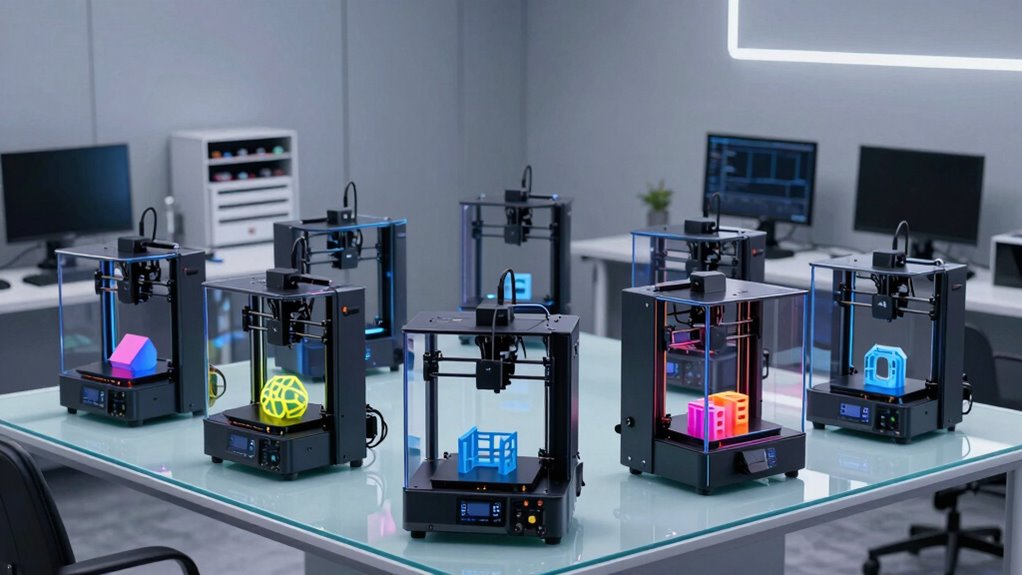
Product designers need FDM 3D printers that turn CAD files into dimensionally accurate prototypes fast, and the six models here take very different approaches to that job. The FLASHFORGE Adventurer 5M earns my best overall pick for its CoreXY motion system and 600 mm/s print speeds, which means form-study iterations that used to take an evening now finish before lunch. If multicolor communication models matter more than raw speed, the FLASHFORGE AD5X with its Intelligent Filament System stands out, while the ELEGOO Neptune 3 Pro covers designers who want reliable, accurate single-color parts on a tighter budget. The main tradeoff in this category is speed and automation versus surface quality and material flexibility — fast CoreXY machines trade some forgiveness for throughput. Read on for the full breakdown of where each printer wins and where it falls short.

Get business pricing on monitors, keyboards and dev gear
- Business-only prices and quantity discounts
- Tax-exempt purchasing
- Multiple users, one account, clear invoices
Complete the kit


Key Takeaways
- CoreXY architecture (Adventurer 5M, AD5X) delivered noticeably better dimensional consistency at speed than the bed-slinger designs, which matters most for fit-checking prototype assemblies.
- Native 4-color printing on the Kobra X and AD5X changed how prototypes communicate design intent, but multicolor capability added purge waste and slower print times on every model that offered it.
- The Neptune 3 Pro proved that a slower, simpler machine can still produce presentation-quality surfaces — speed ratings alone didn’t predict part quality in this comparison.
- The two AD5X listings differ mainly in the Intelligent Filament System, which automates filament handling; designers who print unattended overnight will get more from that variant.
- Auto leveling is now standard across this entire price tier, so it no longer differentiates printers — motion system quality and filament handling do.
| FLASHFORGE Adventurer 5M 3D Printer |  | Best Overall | Printer Structure: CoreXY all-metal | Print Size: 220 x 220 x 220 mm | Max Travel Speed: 600 mm/s | VIEW ON AMAZON | See Our Full Breakdown |
| ANYCUBIC Kobra X Fast 3D Printer |  | Best for Studio Sharing | Print Size: 260 x 260 x 260 mm | Colors: Native 4-color | Noise Level: 45dB | VIEW ON AMAZON | See Our Full Breakdown |
| ELEGOO Neptune 3 Pro 3D Printer |  | Best Value | Build Volume: 225 x 225 x 280 mm | Extruder: Dual-gear direct drive, 3:1 gear ratio | Auto Bed Leveling: 36-point | VIEW ON AMAZON | See Our Full Breakdown |
| Anycubic Kobra X Multicolor 3D Printer |  | Best for Multicolor Scale | Print Volume: 260 × 260 × 260 mm | Colors: 4 built-in, expandable to 19 with four ACE 2 Pro units | Max Print Speed: 600 mm/s | VIEW ON AMAZON | See Our Full Breakdown |
| FLASHFORGE AD5X Multi-Color 3D Printer |  | Best Multicolor Speed | Motion System: CoreXY | Max Print Speed: 600 mm/s (20,000 mm/s² acceleration) | Build Volume: 220 x 220 x 220 mm | VIEW ON AMAZON | See Our Full Breakdown |
| FLASHFORGE AD5X Multi-Color FDM 3D Printer with Intelligent Filament System |  | Best for Multicolor Prototyping Workflows | Brand: FLASHFORGE | Model: AD5X | Printer type: FDM 3D printer | VIEW ON AMAZON | See Our Full Breakdown |
| fdm 3d printers for product designer | Extruder | Build Volume | Max Print Speed |
|---|---|---|---|
| FLASHFORGE Adventurer 5M 3D Pr | Direct drive, up to 280°C | — | — |
| ANYCUBIC Kobra X Fast 3D Print | — | — | — |
| ELEGOO Neptune 3 Pro 3D Printe | Dual-gear direct drive, 3:1 gear ratio | 225 x 225 x 280 mm | — |
| Anycubic Kobra X Multicolor 3D | — | — | 600 mm/s |
| FLASHFORGE AD5X Multi-Color 3D | Direct drive, up to 300°C | 220 x 220 x 220 mm | 600 mm/s (20,000 mm/s² acceleration) |
| FLASHFORGE AD5X Multi-Color FD | — | 220 × 220 × 220 mm | 600 mm/s |
More Details on Our Top Picks
FLASHFORGE Adventurer 5M 3D Printer
The Adventurer 5M earns the top spot because it solves the problem designers care about most: iteration speed without sacrificing first-layer reliability. The fully automatic bed leveling means you spend your mornings printing, not dialing in offsets, and the 3-second nozzle swap plus 35-second warm-up keeps momentum through a full prototyping day. Compared with the ELEGOO Neptune 3 Pro, the CoreXY motion system here is the real differentiator — it produces cleaner geometry at speed on brackets, enclosures, and living hinges. The tradeoff is build volume: 220 mm per side is tighter than the 260 mm cube on the Anycubic Kobra X, so oversized concept models will need to be sectioned. Budget for optional nozzles too, since only the 0.4 mm ships in the box.
Pros:- Fully automatic bed leveling delivers consistent first layers with almost no setup effort
- CoreXY motion with 600 mm/s travel keeps prototyping cycles short
- 3-second nozzle changes and fast warm-up reduce idle time between prints
- App monitoring allows remote print checks from a shared studio or office
Cons:- 220 x 220 x 220 mm build volume limits larger concept models
- Optional nozzle sizes (0.25–0.8 mm) are not included with the standard 0.4 mm
- High-speed printing can need tuning to preserve surface quality on visible faces
Best for: Product designers who need fast, dependable single-material prototyping on a daily basis
Not ideal for: Designers producing large full-scale mockups — the 220 mm cube forces part splitting and extra assembly work
- Printer Structure:CoreXY all-metal
- Print Size:220 x 220 x 220 mm
- Max Travel Speed:600 mm/s
- Acceleration:20,000 mm/s²
- Extruder:Direct drive, up to 280°C
- Nozzle Options:0.25 mm to 0.8 mm (3-second swaps)
- Bed Leveling:Fully automatic
- Build Platform:Dual-sided PEI
Our verdict“The most balanced pick for designers who prioritize iteration speed and reliability over maximum build size.”
ANYCUBIC Kobra X Fast 3D Printer
This version of the Kobra X Fast makes sense for a specific scenario: a shared design studio or home workspace where noise and safety monitoring matter as much as output. At 45dB, it runs quieter than a conversation, and the 720P AI camera catches failures and pauses prints before a jam ruins a whole spool. Setup takes about 15 minutes out of the box, which is friendlier than the semi-assembled ELEGOO Neptune 3 Pro for teams where not everyone is a printer person. The native 4-color capability is genuinely useful for color-coded functional prototypes. The catch is depth of capability: it’s built as an approachable, family-friendly machine rather than a professional workhorse, and at nearly 18 inches per side it eats desk real estate for a 260 mm build volume.
Pros:- 15-minute setup from box to first print thanks to pre-assembled modular design
- Native 4-color printing with automatic color swaps
- Ultra-quiet 45dB operation fits open office environments
- AI monitoring detects errors and sends phone notifications
Cons:- Entry-level feature set may frustrate experienced or professional users
- Large footprint at roughly 18 inches per side
Best for: Small design studios and shared workspaces that need quiet operation and remote AI monitoring
Not ideal for: Advanced users pushing engineering filaments and tight tolerances — the entry-level tuning latitude is limited
- Print Size:260 x 260 x 260 mm
- Colors:Native 4-color
- Noise Level:45dB
- Auto-Leveling:LeviQ 3.0, 49-point, 0.02mm accuracy
- Camera:720P AI-powered monitoring
- Setup:Pre-assembled, ~15 minutes to first print
Our verdict“A low-friction, low-noise workgroup printer with smart safety features — buy it for the studio, not the engineering lab.”
ELEGOO Neptune 3 Pro 3D Printer
The Neptune 3 Pro is the budget-conscious choice for a designer setting up a first serious workstation. Its dual-gear direct drive extruder handles flexible TPU well — rare at this price tier — so gaskets, grips, and living hinges are all on the table, and the dual lead screw Z-axis keeps tall prints like bottle prototypes from wobbling. Where the Adventurer 5M wins on speed and motion quality, the Neptune counters with a taller 280 mm Z-build and lower cost of entry, making it a smarter pick if your models are tall rather than wide. Reliability features like the filament runout sensor and power-loss resume mean long overnight prints survive studio mishaps. Two honest limits: the build footprint is modest, and the open frame makes ABS parts prone to warping without an enclosure hack.
Pros:- Dual-gear direct drive extruder grips flexible filaments like TPU reliably
- Filament runout sensor and power-loss resume protect long prints
- Quiet operation as low as 47dB suits shared workspaces
- 36-point auto leveling produces good first layers with minimal fuss
Cons:- Build volume is modest next to 260 mm-class machines
- No enclosed print chamber limits ABS performance
Best for: Freelance or junior designers building a first prototyping setup on a tight budget
Not ideal for: ABS-heavy workflows — the open-frame design lacks the enclosed chamber needed for stable ABS prints
- Build Volume:225 x 225 x 280 mm
- Extruder:Dual-gear direct drive, 3:1 gear ratio
- Auto Bed Leveling:36-point
- Z-Axis:Dual lead screws with dual motors
- Noise Level:As low as 47dB
- Filament Compatibility:PLA, TPU, PETG, ABS
- Assembly:Pre-assembled main parts with toolkit
Our verdict“The cheapest credible path to functional multi-material prototyping — accept the slower pace and open frame in exchange for the price.”
Anycubic Kobra X Multicolor 3D Printer
Where the FLASHFORGE AD5X caps out at four simultaneous colors, the Kobra X Multicolor is built to grow: four built-in colors expand to 19 colors with four ACE 2 Pro units, which changes the calculus for designers presenting colorway studies or color-coded assemblies without painting parts by hand. The 260 mm cube build volume beats both Flashforge machines here, and the hardened steel nozzle running to 300°C opens up ASA for durable, weather-resistant housings. Spaghetti and foreign object detection adds a layer of unattended-print confidence that the Neptune 3 Pro simply lacks. The tradeoffs are real, though: no filament ships in the box, so the true cost of getting started is higher than the sticker suggests, and color expansion means buying those ACE 2 Pro units separately — multicolor at scale is an investment, not a default.
Pros:- Four built-in colors expandable to 19 with additional ACE 2 Pro units
- Large 260 × 260 × 260 mm build volume tops smaller rivals
- Hardened steel nozzle up to 300°C supports ASA and abrasive-adjacent work
- AI monitoring catches spaghetti failures and foreign objects
Cons:- Filament must be purchased separately
- Expanding beyond four colors requires buying additional ACE 2 Pro hardware
Best for: Designers presenting multicolor concept models and colorway variations at presentation quality
Not ideal for: Buyers on a strict budget — filament is sold separately and 19-color capability requires purchasing four extra ACE 2 Pro units
- Print Volume:260 × 260 × 260 mm
- Colors:4 built-in, expandable to 19 with four ACE 2 Pro units
- Max Print Speed:600 mm/s
- Nozzle:Hardened steel, up to 300°C
- Bed Leveling:LeviQ 3.0, 49-point automatic
- Supported Filaments:PLA, PETG, TPU, PVA, ASA
- Connectivity:Dual-band 2.4/5 GHz Wi-Fi, LAN
Our verdict“The pick when color range is the deliverable — just budget for spools and expansion units beyond the base machine.”
FLASHFORGE AD5X Multi-Color 3D Printer
The AD5X pairs the same fast CoreXY architecture that makes the Adventurer 5M strong with native four-color printing — a combination none of the other picks here match. For a designer who wants color-coded functional parts (think exploded assembly studies with labeled components) delivered in the same afternoon, the 600 mm/s motion system and automatic filament feeding and retraction keep the purge-and-swap cycle from becoming a bottleneck. The 300°C direct-drive extruder runs hotter than the Adventurer 5M’s 280°C, giving more headroom for PETG and tougher materials. Compared with the Anycubic Kobra X Multicolor, you give up the path to 19 colors and the larger 260 mm bed, but gain tighter motion quality and a more compact footprint. Note that everything smart runs through the Flash Maker app, and specialty nozzles are extra.
Pros:- CoreXY motion at up to 600 mm/s keeps multicolor prints from crawling
- Four-color printing built in with automatic feeding and retraction
- 300°C direct-drive extruder handles PETG and higher-temp materials
- Versatile nozzle options from 0.25 mm to 0.8 mm for detail or draft work
Cons:- Multi-color printing is capped at four simultaneous colors
- Specialty nozzle sizes require optional purchases
- Remote monitoring and control depend entirely on the Flash Maker app
Best for: Designers who want fast, color-coded functional prototypes without managing a large multi-unit color system
Not ideal for: Those needing more than four simultaneous colors or a build volume beyond 220 mm — the Kobra X Multicolor covers both better
- Motion System:CoreXY
- Max Print Speed:600 mm/s (20,000 mm/s² acceleration)
- Build Volume:220 x 220 x 220 mm
- Color Support:Up to 4 colors simultaneously
- Extruder:Direct drive, up to 300°C
- Auto Leveling:1-click
- Nozzle Options:0.25 / 0.4 / 0.6 / 0.8 mm
- Smart Features:Power loss resume, app remote control
Our verdict“The fastest way to get same-day, four-color functional prototypes — choose it over the Kobra X if speed matters more than color count.”
FLASHFORGE AD5X Multi-Color FDM 3D Printer with Intelligent Filament System
For product designers who want color-coded functional prototypes without outsourcing to a service bureau, the AD5X fills a gap the ELEGOO Neptune 3 Pro simply cannot touch — the Neptune is a capable single-color workhorse, but communicating design intent through four-color part differentiation is a different class of deliverable entirely. What separates this model from the Anycubic Kobra X is the Intelligent Filament System, which detects and refills filament mid-print, turning overnight multicolor runs from a gamble into a routine task.
The all-metal Core XY frame and 600 mm/s ceiling put it in the same speed conversation as the FLASHFORGE Adventurer 5M, though the AD5X trades the 5M’s enclosed simplicity for a multicolor ecosystem. The 220 mm cubed build volume is workable but tight for larger housings, and listed speeds and accelerations should be treated as peaks, not defaults — real-world quality drops if pushed hard. TPU support is a genuine plus for flexible living-hinge studies.
Pros:- Up to four colors in a single print for color-coded assemblies and branding studies
- Intelligent Filament System detects and refills filament, reducing failed long runs
- All-metal Core XY frame supports dimensional accuracy at high speeds
- TPU compatibility enables flexible parts, gaskets, and soft-touch studies in-house
Cons:- Advertised 600 mm/s speed and 20,000 mm/s² acceleration are peak figures; print quality suffers at full tilt
- Supported filament list beyond TPU is vague, so material planning for engineering-grade plastics requires verification before buying
Best for: Product designers and small design studios producing color-differentiated concept models and functional prototypes on tight deadlines
Not ideal for: Designers printing large enclosures or full-size mockups — the 220 mm cube build volume will force splitting parts that competitors with larger beds handle in one piece
- Brand:FLASHFORGE
- Model:AD5X
- Printer type:FDM 3D printer
- Color printing:Up to 4 colors
- Filament system:Intelligent Filament System (IFS)
- Max print speed:600 mm/s
- Max nozzle temperature:300°C
- Build volume:220 × 220 × 220 mm
- Frame structure:All-metal Core XY with auto leveling
Our verdict“This pick makes the most sense for designers who need reliable multicolor and flexible-material prototyping in-house and can live with a mid-sized build plate.”

How We Picked
I judged these printers against what product designers actually do with them: iterating form studies overnight, printing assembly-fit checks that hold tolerance, and producing client-facing presentation models. That means I weighted dimensional accuracy first, print speed second, and usability third. A printer that hits 600 mm/s but produces parts that don’t fit together is useless for design work, so CoreXY motion systems and rigid frames earned priority over headline speed numbers. Multicolor capability was treated as a bonus that earns its complexity only when the color system doesn’t compromise single-color part quality.
Reliability and maintenance also shaped the ranking. Designers print frequently but often can’t babysit machines, so auto leveling, filament runout handling, and enclosed or semi-enclosed builds all count toward real-world uptime. Finally, I considered total cost of operation — filament waste from multicolor purging, spare parts availability, and how much tuning each machine demands out of the box. The ranking reflects the machine I’d recommend first to a working designer, not the machine with the longest spec sheet.
| fdm 3d printers for product designer | Extruder |
|---|---|
| FLASHFORGE Adventurer 5M 3D Pr | Direct drive, up to 280°C |
| ANYCUBIC Kobra X Fast 3D Print | — |
| ELEGOO Neptune 3 Pro 3D Printe | Dual-gear direct drive, 3:1 gear ratio |
| Anycubic Kobra X Multicolor 3D | — |
| FLASHFORGE AD5X Multi-Color 3D | Direct drive, up to 300°C |
| FLASHFORGE AD5X Multi-Color FD | — |
Factors to Consider When Choosing Fdm 3d Printers For Product Designers
Choosing an FDM printer for design work involves more than picking the fastest spec sheet. These are the factors that separate a machine that supports your design process from one that fights it.Motion System and Dimensional Accuracy
The single biggest differentiator in this category is the motion architecture. CoreXY printers like the Adventurer 5M and AD5X move the toolhead on a fixed gantry while the bed only drops vertically, which produces tighter tolerances and cleaner corners at high speed. Bed-slinger designs like the Neptune 3 Pro move the entire build plate on the Y axis, and at speed that momentum introduces slight ringing that can throw off fit-critical features. For visual models, the difference barely matters; for parts that must snap or slide together, it can mean the difference between one print and three. A common mistake is buying on speed ratings alone — a 600 mm/s printer that corners poorly wastes more time in reprints than a 250 mm/s printer that nails every part. Ask yourself how often your prototypes need to assemble mechanically, and weight accuracy accordingly.
Multicolor: Genuine Asset or Expensive Distraction
Multicolor systems like those on the Kobra X and AD5X let you print communication models with color-coded features, which clients respond to far better than gray monochrome parts. But native color mixing carries hidden costs: every color change purges filament, so a five-color model can waste a significant fraction of a spool and stretch print times considerably. Designers who print mostly functional prototypes in one color will pay that penalty without enjoying the benefit. A smarter approach for many studios is a fast single-color machine for iteration and a multicolor unit reserved for final presentation models — or outsourcing color parts entirely. If you do go multicolor, look at how the system handles filament changes and whether it supports runout recovery, because failed 20-hour multicolor prints are the most expensive failures in this category.
Print Volume Versus Studio Footprint
A 220 mm cube — the format shared by the Adventurer 5M and AD5X — covers most product design work: enclosures, handheld devices, small appliances in sections. Designers who work on larger consumer products will hit that ceiling quickly, but bigger build volumes bring bigger footprints, heavier moving mass, and slower heat-up cycles. The honest calculation is how often you print large parts whole versus assembling multi-part models. Sectional printing with alignment features is often stronger, prints faster, and lets you iterate one section without reprinting everything. Measure your bench space before buying, and remember enclosed machines need clearance for the lid and filament spools above and behind the unit.
Filament Compatibility and Material Range
A 280°C direct extruder, like the Adventurer 5M’s, opens the door to engineering filaments — PETG, ASA, TPU, and some nylon blends — that better simulate production materials. Designers who only print PLA form studies can ignore this, but anyone prototyping functional mechanisms, snap fits, or heat-exposed parts needs that temperature headroom. Enclosed or semi-enclosed chambers matter here too, because ABS and ASA warp badly in open air with drafts. The trap to avoid is assuming any printer that lists a material can print it well; check for hardened nozzles, all-metal heatbreaks, and chamber design. For designers, PETG capability alone is worth paying for — it behaves far closer to injection-molded parts than PLA ever will.
Speed Ratings in Context
Advertised speeds of 500–600 mm/s describe straight-line travel, not the sustained print speeds your parts will actually see. Real-world throughput depends on acceleration values, cornering behavior, and how well the slicer’s profiles are tuned — a well-tuned 300 mm/s profile often beats a stock 600 mm/s one on total print time for complex geometry. What high-speed architecture genuinely buys you is iteration cadence: three form studies in a day instead of one. The mistake buyers make is treating speed as a binary; treat it as a range and look at how the machine handles small, detailed features, where most printers throttle down anyway. If your workflow is overnight batch printing, acceleration and queue reliability matter more than the peak number on the box.
Automation and Unattended Printing
Auto leveling is now table stakes, but the surrounding automation still varies widely. Filament runout sensors, resume-after-power features, and intelligent filament management — like the AD5X’s ability to track and swap spools automatically — determine whether you can start a print at 6 p.m. and trust it at 9 a.m. For a solo designer, this is arguably worth more than any speed spec, because a failed overnight print costs a full day of iteration. Camera monitoring and remote control are similarly undervalued until the first time you catch a spaghetti failure from your phone. Weigh how often you’ll print unattended, and buy automation accordingly.
Frequently Asked Questions
Is a fast CoreXY printer actually better for design work, or just better on paper?
For product design specifically, CoreXY brings two benefits beyond speed: dimensional consistency and corner quality. Because the bed doesn’t shuttle back and forth, parts hold tighter tolerances, which matters enormously when you’re printing two halves of an enclosure that need to align. The Adventurer 5M demonstrates this well — its 600 mm/s rating gets the attention, but the rigidity of the frame is what makes functional prototypes repeatable. That said, a designer printing mostly cosmetic form studies would get similar visual results from a slower machine like the Neptune 3 Pro with careful tuning. CoreXY earns its premium when your parts need to fit, snap, or assemble.
Do I need multicolor printing for design prototyping?
Only if your prototypes communicate through color — think CMF studies, color-coded user interface buttons, or client presentation models. For everything functional, single-color printing is faster, cheaper, and less failure-prone. The Kobra X and AD5X make multicolor genuinely usable, but every color change costs purge filament and time, so a multicolor functional prototype can take twice as long as the same part in one color. A practical middle path many studios use: iterate in single color on a fast machine, then print the final presentation model in color. If most of your work is internal iteration, skip multicolor and spend the difference on a better motion system.
What’s the difference between the two AD5X listings, and which should I choose?
The core printer is the same — same CoreXY architecture, same multicolor system, same build volume. The differentiator is the Intelligent Filament System, which automates spool loading, tracks remaining filament, and manages material swaps without manual intervention. For a designer who runs long overnight prints or juggles multiple materials, that automation prevents the most common failure mode: running out of filament mid-print. If you print shorter jobs and don’t mind swapping spools yourself, the standard configuration delivers the same print quality for less outlay. Choose the IFS version if unattended reliability is your priority, not if you’re chasing better parts.
Can these printers handle engineering materials like PETG and ASA for functional prototypes?
It depends on the hotend and enclosure. The Adventurer 5M’s 280°C direct extruder handles PETG and TPU comfortably and can run ASA with care thanks to its semi-enclosed chamber. The Neptune 3 Pro manages PETG well but is limited for ABS and ASA because its open frame invites warping and its hotend ceiling is lower. For snap fits, living hinges, and parts that simulate molded geometry, PETG alone justifies choosing a printer with temperature headroom. If you regularly prototype functional mechanisms, treat filament compatibility as a filter before anything else — a fast printer that can’t run your material is the wrong printer.
How important is auto leveling for a designer who’s already comfortable with 3D printers?
Less for the leveling itself and more for what it signals about the machine’s overall automation. Even experienced users get real value from auto leveling because different filaments and plate temperatures shift first-layer behavior, and manual adjustment eats time on a machine you print on daily. But the bigger picture is reliability: printers with auto leveling tend to also include runout sensors, better firmware, and remote monitoring — the features that let a design studio treat the printer as an appliance rather than a hobby. The Neptune 3 Pro shows that even budget machines now handle this well. If you’re choosing between two otherwise similar printers, let the surrounding automation ecosystem break the tie.
Conclusion
For most product designers, the FLASHFORGE Adventurer 5M is the best overall choice — its CoreXY frame, 600 mm/s speeds, and 280°C extruder cover the full design workflow from quick form studies to functional PETG prototypes. The ELEGOO Neptune 3 Pro is my value pick for designers or students who need accurate single-color parts without paying for speed they may not use, though it’s weaker with engineering materials. For multicolor presentation work, the AD5X with the Intelligent Filament System is the premium recommendation: it pairs CoreXY part quality with automated filament handling that makes overnight multicolor prints realistic, while the Kobra X Fast suits budget-conscious designers who want native 4-color capability and can accept slower, less refined single-color output. Beginners should start with the Adventurer 5M or Neptune 3 Pro, both of which work well out of the box with minimal tuning. Match the printer to where your iteration pain actually lives — speed, materials, or color — and you’ll get a machine that pulls its weight in your design process.
Fall Picks
fall essentials
As an affiliate, we earn on qualifying purchases.