Choosing the right 4k monitor is essential for UX designers who need precise color, sharp details, and reliable performance. The LG 27UN850-W stands out as the best overall for its versatility and color accuracy, while the BenQ PD2706U offers excellent value with professional-grade features. The Samsung ViewFinity S7 provides a larger screen for multitasking but may compromise on some color precision. As you evaluate options, consider tradeoffs like price versus professional features or size and ergonomics. Continue reading for a detailed breakdown to help you make an informed choice.
Listen free for 30 days with Audible
Thousands of audiobooks and originals — cancel anytime.
Start your free trialAs an affiliate, we earn on qualifying purchases.
Key Takeaways
- Color accuracy and calibration are critical for UX work; monitors like the BenQ PD2706U excel here.
- Size matters—larger screens (32 inches and above) support multitasking but can be more expensive and less space-efficient.
- USB-C connectivity simplifies cable management and supports device charging, a key feature in modern workflows.
- HDR support varies; higher HDR standards like DisplayHDR 400 or HDR10 improve visual fidelity but may increase costs.
- Price ranges significantly; balancing features with budget is essential, especially for professional versus casual use.
| LG 27UN850-W 27-Inch UHD 4K IPS Monitor with VESA DisplayHDR 400, AMD FreeSync, USB-C, White/Silver |  | Best Overall for Color Accuracy and Versatility | Size: 27 inches | Resolution: UHD 4K (2160p) | Display Technology: IPS | VIEW ON AMAZON | See Our Full Breakdown |
| Samsung 27″ ViewFinity S7 (S70H) High-Resolution Monitor |  | Best for Extended Viewing and Detailed Visuals | Size: 27 inches | Resolution: 3840×2160 (4K UHD) | HDR: HDR10 | VIEW ON AMAZON | See Our Full Breakdown |
| LG 27US550-W 27″ 4K UHD IPS Computer Monitor with HDR10, DCI-P3 90%, USB-C, Adjustable Stand, Borderless Design |  | Best for Vibrant Visuals and Ergonomic Flexibility | Size: 27 inches | Resolution: 3840 x 2160 | Color Gamut: DCI-P3 90% | VIEW ON AMAZON | See Our Full Breakdown |
| LG 27UP850K-W 27-inch 4K UHD IPS Monitor with HDR 400, USB-C, and Built-in Speakers |  | Best for Integrated Audio and Multitasking | Size: 27 inches | Resolution: 3840 x 2160 (4K UHD) | Color Gamut: 95% DCI-P3 | VIEW ON AMAZON | See Our Full Breakdown |
| ASUS ProArt PA279CRV 27-Inch 4K UHD HDR Professional Monitor for Mac |  | Best for Color Accuracy and Professional Calibration | Size: 27 inches | Resolution: 3840 x 2160 (4K UHD) | Display Technology: LED LCD | VIEW ON AMAZON | See Our Full Breakdown |
| BenQ PD2706U 27″ 4K UHD Mac-Ready Monitor with USB-C, IPS, HDR, and Ergonomic Design |  | Best Overall for Professional Color Accuracy | Size: 27 inches | Resolution: 4K UHD | Color Coverage: 95% P3, 99% sRGB | VIEW ON AMAZON | See Our Full Breakdown |
| LG 27US500-W 27-Inch 4K UHD IPS Monitor with HDR10 and Adjustable Stand |  | Best Value for Versatile Use | Display Size: 27 inches | Resolution: 3840 x 2160 (4K UHD) | Contrast Ratio: 1000:1 | VIEW ON AMAZON | See Our Full Breakdown |
| Samsung 32″ ViewFinity S7 (S71H) 4K UHD IPS HDR10 High Resolution Monitor |  | Best for Detailed Visuals and Extended Use | Size: 32 inches | Resolution: 3840 x 2160 (4K UHD) | Panel Type: IPS | VIEW ON AMAZON | See Our Full Breakdown |
| BenQ PD3226G 32” 4K UHD Monitor for Designers |  | Best for Color-Sensitive, Fast Motion Work | Display Size: 32 inches | Resolution: 3840 x 2160 (4K UHD) | Refresh Rate: 144Hz | VIEW ON AMAZON | See Our Full Breakdown |
| Dell 27 Monitor S2725QC 4K UHD IPS with 120Hz Refresh Rate |  | Best for Balanced Work and Entertainment | Display Size: 27 inches | Resolution: 3840 x 2160 (4K UHD) | Refresh Rate: 120Hz | VIEW ON AMAZON | See Our Full Breakdown |
| 4k monitors for ux designer | Resolution | HDR | Size | Connectivity |
|---|---|---|---|---|
| LG 27UN850-W 27-Inch UHD 4K IP | UHD 4K (2160p) | VESA DisplayHDR 400 | 27 inches | USB-C |
| Samsung 27" ViewFinity S7 | 3840×2160 (4K UHD) | HDR10 | 27 inches | HDMI, DisplayPort |
| LG 27US550-W 27" 4K UHD IPS Co | 3840 x 2160 | — | 27 inches | — |
| LG 27UP850K-W 27-inch 4K UHD I | 3840 x 2160 (4K UHD) | VESA DisplayHDR 400 | 27 inches | USB-C, HDMI, DisplayPort |
| ASUS ProArt PA279CRV 27-Inch 4 | 3840 x 2160 (4K UHD) | Yes | 27 inches | — |
| BenQ PD2706U 27" 4K UHD Mac-Re | 4K UHD | DisplayHDR 400 | 27 inches | USB-C with 90W power, DisplayPort |
| LG 27US500-W 27-Inch 4K UHD IP | 3840 x 2160 (4K UHD) | HDR10 | — | HDMI, DisplayPort |
| Samsung 32" ViewFinity S7 | 3840 x 2160 (4K UHD) | HDR10 | 32 inches | — |
| BenQ PD3226G 32” 4K UHD Monito | 3840 x 2160 (4K UHD) | — | — | Thunderbolt 4 (90W), KVM |
| Dell 27 Monitor S2725QC 4K UHD | 3840 x 2160 (4K UHD) | HDR ready | — | — |
More Details on Our Top Picks
LG 27UN850-W 27-Inch UHD 4K IPS Monitor with VESA DisplayHDR 400, AMD FreeSync, USB-C, White/Silver
This LG 27UN850-W stands out for its impressive 99% sRGB coverage and VESA DisplayHDR 400 support, making it an excellent choice for UX designers who prioritize accurate color reproduction and vibrant visuals. Compared with the ASUS ProArt PA279CRV, it offers similar color fidelity but with more versatile gaming features like FreeSync and customizable modes, though it lacks a built-in speaker. Its USB-C port supports quick device connection, streamlining workflows, but the absence of integrated audio or a camera might be limiting for some users. This monitor is especially well-suited for designers who need reliable color performance combined with general multimedia use.
Pros:- High color accuracy with 99% sRGB coverage
- VESA DisplayHDR 400 for vivid, bright visuals
- USB-C with power delivery simplifies device connection
- Customizable game modes enhance multimedia flexibility
Cons:- No built-in camera limits video conferencing options
- Limited speaker or additional port features
Best for: UX designers who need accurate, vivid colors and flexible connectivity for multitasking and casual gaming
Not ideal for: Professionals requiring integrated speakers or camera functionality, such as remote presenters or video conference users
- Size:27 inches
- Resolution:UHD 4K (2160p)
- Display Technology:IPS
- HDR:VESA DisplayHDR 400
- Brightness:400 nits
- Connectivity:USB-C
Our verdict“This monitor is a versatile choice for UX designers who want accurate colors and multi-use capability in a single display.”
Samsung 27″ ViewFinity S7 (S70H) High-Resolution Monitor
The Samsung ViewFinity S7 offers a crisp 4K UHD resolution with HDR10 and a wide 178° viewing angle, making it ideal for detailed visual work and consistent image quality across different positions. When compared to the LG 27UN850-W, it lacks USB-C but compensates with multiple connectivity options like HDMI and DisplayPort, along with eye comfort technology that reduces strain during long sessions. Its high pixel density is beneficial for UX work that demands sharp visuals, but the absence of built-in speakers or a webcam could be drawbacks for those integrating communication tasks into their workflow. This monitor works best for users prioritizing screen clarity and comfortable viewing over multimedia features.
Pros:- High-resolution 4K UHD display with detailed visuals
- Wide 178° viewing angle for consistent image quality
- Multiple connectivity options including HDMI and DisplayPort
- Eye comfort technology reduces eye strain
Cons:- No built-in speakers or webcam
- Potentially high price point for some users
Best for: UX professionals focused on detailed, high-resolution visuals with long hours of comfortable viewing
Not ideal for: Users seeking integrated audio or camera features for video conferencing or casual media playback
- Size:27 inches
- Resolution:3840×2160 (4K UHD)
- HDR:HDR10
- Viewing Angle:178°
- Connectivity:HDMI, DisplayPort
- Eye Comfort Technology:Yes
Our verdict“This monitor is best suited for UX designers who need detailed images and extended comfort during long sessions.”
LG 27US550-W 27″ 4K UHD IPS Computer Monitor with HDR10, DCI-P3 90%, USB-C, Adjustable Stand, Borderless Design
This LG 27US550-W makes a strong case for UX designers who need vibrant, accurate colors with flexible ergonomics. Its 90% DCI-P3 coverage ensures rich, cinematic visuals, closely rivaling the color gamut of the ASUS ProArt but with a more stylish borderless design to maximize workspace. Unlike the LG 27UN850-W, it emphasizes a borderless aesthetic, which can boost immersion, though it’s limited to a 60Hz refresh rate, making it less suitable for fast-paced gaming or highly dynamic tasks. The adjustable stand supports ergonomic customization, but its lower brightness and response time might hinder some high-precision or fast-action workflows. It’s an excellent choice for those prioritizing colorful, immersive displays in a sleek package.
Pros:- Vivid 4K resolution with 90% DCI-P3 coverage
- Borderless design maximizes workspace
- Multiple connectivity ports including USB-C
- Adjustable stand for ergonomic comfort
Cons:- 60Hz refresh rate limits fast-motion responsiveness
- Response time of 5ms may be insufficient for competitive gaming
Best for: UX designers who value vibrant, color-accurate images and ergonomic setup options
Not ideal for: Gamers or users requiring high refresh rates and quick response times for fast-paced tasks
- Size:27 inches
- Resolution:3840 x 2160
- Color Gamut:DCI-P3 90%
- Response Time:5ms
- Stand Adjustments:Tilt, Height, Swivel, Pivot
- Design:Borderless
Our verdict“This monitor excels for UX professionals seeking vibrant visuals combined with sleek design and ergonomic flexibility.”
LG 27UP850K-W 27-inch 4K UHD IPS Monitor with HDR 400, USB-C, and Built-in Speakers
The LG 27UP850K-W enhances user productivity with its built-in stereo speakers and versatile connectivity options. Its 95% DCI-P3 and HDR 400 support deliver vibrant images suitable for detailed UX work, similar to the ASUS ProArt but with added multimedia features. Its USB-C port supports power delivery, reducing cable clutter, and the ergonomic stand offers essential adjustments for comfort during long hours. Compared to the LG 27UN850-W, which lacks speakers, this model adds audio capability, though it comes at a higher price point. The interface may feel complex initially, but it offers extensive control for advanced users. It’s ideal for UX designers who blend visual work with multimedia tasks in a single setup.
Pros:- Vivid 4K display with HDR 400 support
- Built-in stereo speakers with Waves MaxxAudio
- USB-C with power delivery simplifies workstation setup
- Ergonomic stand with height, tilt, and pivot adjustments
Cons:- Premium price may be prohibitive for some buyers
- Interface complexity could require a learning curve
Best for: UX designers who need vibrant visuals with integrated audio and flexible device connectivity
Not ideal for: Users who prefer straightforward setups without additional multimedia features or are on a tight budget
- Size:27 inches
- Resolution:3840 x 2160 (4K UHD)
- Color Gamut:95% DCI-P3
- HDR:VESA DisplayHDR 400
- Connectivity:USB-C, HDMI, DisplayPort
- Speakers:Stereo with Waves MaxxAudio
Our verdict“This monitor is a strong choice for UX professionals who want vibrant visuals combined with built-in audio and flexible connectivity.”
ASUS ProArt PA279CRV 27-Inch 4K UHD HDR Professional Monitor for Mac
The ASUS ProArt PA279CRV is tailored for creative professionals who demand precise color accuracy. Its 99% DCI-P3 and Adobe RGB coverage, combined with factory calibration, surpass many consumer-grade options like the LG 27UN850-W by delivering reliable, professional-grade color fidelity. It includes versatile connectivity, such as USB-C with 96W power delivery and daisy-chain support, making it highly adaptable for complex workflows. However, its 60Hz refresh rate and the absence of built-in speakers might limit its appeal for users who also need multimedia or gaming capabilities. Compared to the Samsung ViewFinity S7, it offers more extensive calibration options, making it ideal for color-sensitive work, though at a higher price point.
Pros:- Exceptional color accuracy with 99% DCI-P3 and Adobe RGB
- Factory calibrated for professional-grade precision
- Versatile connectivity including USB-C with 96W power
- Daisy-chain support for multi-monitor setups
Cons:- No built-in speakers limits multimedia use
- 60Hz refresh rate not suitable for fast-paced gaming
Best for: Creative professionals and UX designers requiring true color accuracy and calibration for detailed work
Not ideal for: Gamers or users seeking high refresh rates or integrated multimedia features
- Size:27 inches
- Resolution:3840 x 2160 (4K UHD)
- Display Technology:LED LCD
- Color Gamut:99% DCI-P3, 99% Adobe RGB
- HDR:Yes
- Stand Adjustments:Tilt, swivel, pivot, height
Our verdict“This monitor is best suited for UX designers and creative professionals who need highly accurate, calibrated colors for detailed work.”
BenQ PD2706U 27″ 4K UHD Mac-Ready Monitor with USB-C, IPS, HDR, and Ergonomic Design
The BenQ PD2706U stands out for its exceptional color fidelity, with 95% P3 and 99% sRGB coverage, making it ideal for UX designers who prioritize precise color work. Compared to the LG 27US500-W, it offers more rigorous factory calibration and a wider color gamut, which translates into more reliable and vibrant visuals for detailed design tasks. Its seamless 90W USB-C power delivery and integrated KVM switch streamline workflows, but this premium feature set does come with a higher price tag. Its ergonomic adjustments and eye-care tech provide comfort during long sessions, though it’s less suitable for casual users or those with tighter budgets. For professionals needing consistent color accuracy and flexible connectivity, this monitor delivers.
Pros:- Exceptional color accuracy with 95% P3 and 99% sRGB coverage
- Factory calibration ensures consistent quality
- Seamless 90W USB-C charging and KVM switch for productivity
- Ergonomic design with eye-care technology
Cons:- Premium price may be prohibitive for some users
- Limited to professional workflows, less suited for everyday casual use
Best for: UX designers working on color-sensitive projects who need precise calibration and robust connectivity.
Not ideal for: Casual users or those on a tight budget, as the high price may not justify their needs and the professional features could be overkill.
- Size:27 inches
- Resolution:4K UHD
- Color Coverage:95% P3, 99% sRGB
- Connectivity:USB-C with 90W power, DisplayPort
- Panel Type:IPS
- HDR:DisplayHDR 400
Our verdict“This monitor is ideal for UX designers who require precise color work and versatile connectivity but are willing to invest in professional-grade features.”
LG 27US500-W 27-Inch 4K UHD IPS Monitor with HDR10 and Adjustable Stand
The LG 27US500-W offers a compelling balance of features for general UX work and creative tasks, with a vivid 4K IPS display supporting HDR10 for richer colors and contrast. Compared with the Samsung ViewFinity S7, it provides a slightly lower price point while still delivering wide viewing angles and an adjustable stand for ergonomic comfort. Its 60Hz refresh rate is adequate for most design work but falls short for high-end gaming or fast-motion editing. Power consumption is reasonable at 25 watts, making it suitable for everyday extended use. However, its response time and HDR implementation are more basic, so users needing ultra-smooth motion or top-tier HDR will find it lacking. For those seeking a reliable, all-around 4K monitor without breaking the bank, this is a solid choice.
Pros:- Vivid 4K UHD display with HDR10 support
- Wide viewing angles thanks to IPS technology
- Adjustable ergonomic stand for comfort
- Multiple connectivity options
Cons:- 60Hz refresh rate limits performance for fast-paced tasks
- Response time of 5ms may be inadequate for competitive gaming
Best for: UX designers seeking a versatile, budget-friendly 4K monitor with good color and ergonomic features.
Not ideal for: High-speed gamers or users requiring ultra-fast response times, as it’s not optimized for fast-paced motion or competitive gaming.
- Display Size:27 inches
- Resolution:3840 x 2160 (4K UHD)
- Contrast Ratio:1000:1
- Brightness:300 cd/m²
- Connectivity:HDMI, DisplayPort
- HDR:HDR10
Our verdict“This monitor offers a balanced mix of image quality and flexibility, making it suitable for UX designers on a budget who still need good color and ergonomic features.”
Samsung 32″ ViewFinity S7 (S71H) 4K UHD IPS HDR10 High Resolution Monitor
The Samsung ViewFinity S7 (S71H) excels with its larger 32-inch display, providing a higher pixel density and excellent color accuracy with HDR10 support. It outperforms smaller screens like the BenQ PD2706U in screen real estate, making it a better choice for detailed visual workflows and multi-window setups. Its multiple ports and Eye Saver Mode offer flexibility and reduced eye strain during long hours. The lack of built-in speakers and potentially high price might be drawbacks for some, but its crisp visuals and large size are ideal for detailed design work or extended creative sessions. The addition of Game Mode also makes it versatile for occasional entertainment use, unlike some professional-focused options.
Pros:- Large 32-inch 4K UHD display with high pixel density
- HDR10 support for improved contrast and color depth
- Multiple connectivity options including HDMI and DisplayPort
- Eye Saver Mode reduces eye strain
Cons:- No built-in speakers, requiring external audio solutions
- Potentially high cost for some users
Best for: UX designers who need a larger, detailed display with accurate colors and extended comfort features.
Not ideal for: Users seeking a budget-friendly or smaller workspace solution, as its size and price could be excessive for tighter setups.
- Size:32 inches
- Resolution:3840 x 2160 (4K UHD)
- Panel Type:IPS
- HDR:HDR10
- Features:Eye Saver Mode, Game Mode
Our verdict“This monitor suits UX professionals needing a large, color-accurate display for detailed design work and extended viewing comfort.”
BenQ PD3226G 32” 4K UHD Monitor for Designers
The BenQ PD3226G is tailored for professional designers who need both color precision and smooth motion, thanks to its 144Hz refresh rate. Its 95% P3 and 100% sRGB coverage, along with factory calibration, ensure highly accurate colors, comparable to the BenQ PD2706U but with a focus on motion clarity. The Nano Matte reflection-free panel minimizes glare, and Thunderbolt 4 connectivity with 90W power boosts productivity, especially for Mac users. While its complex calibration process might challenge beginners and the high price point could be a barrier, the high refresh rate makes it ideal for design work involving motion or animation. It’s a specialized pick for those combining detailed color work with the need for fast, smooth visuals.
Pros:- High-resolution 4K display with 95% P3 and 100% sRGB
- Fast 144Hz refresh rate for smooth motion
- Thunderbolt 4 with 90W power delivery
- Nano Matte reflection-free panel
Cons:- Premium price may be prohibitive
- Calibration process may be complex for beginners
Best for: UX designers involved in motion-heavy or animation projects needing color accuracy and high refresh rates.
Not ideal for: Budget-conscious users or those with simple static design needs, due to its premium price and calibration complexity.
- Display Size:32 inches
- Resolution:3840 x 2160 (4K UHD)
- Refresh Rate:144Hz
- Color Coverage:95% P3, 100% sRGB
- Connectivity:Thunderbolt 4 (90W), KVM
- Panel Type:Nano Matte
Our verdict“This monitor is perfect for UX designers who need both precise color and fluid motion, especially in animation or interactive design workflows.”
Dell 27 Monitor S2725QC 4K UHD IPS with 120Hz Refresh Rate
The Dell S2725QC offers a reliable 4K UHD experience with vibrant colors, thanks to 99% sRGB coverage, making it suitable for UX designers who need accurate visuals and occasional entertainment. Its 120Hz refresh rate and 4ms response time provide smoother motion than many standard 60Hz monitors, and the HDR readiness adds visual depth. Its simple USB-C connection with up to 65W power simplifies desk setup, but limited adjustable ergonomic features may affect long-term comfort for some users. While it lacks detailed specs on built-in speakers, its overall balance of performance and affordability makes it a practical choice for those who want a versatile monitor without the highest price tag.
Pros:- Vivid 4K visuals with 99% sRGB coverage
- 120Hz refresh rate with FreeSync Premium
- Low blue light mode for extended use
- Single USB-C cable simplifies setup
Cons:- Limited ergonomic adjustments, which could impact comfort
- No detailed info on built-in speakers or calibration tools
Best for: UX designers seeking a versatile 4K monitor with good color and refresh rate for both work and leisure.
Not ideal for: Designers requiring extensive ergonomic adjustments or professional calibration features, as these are limited on this model.
- Display Size:27 inches
- Resolution:3840 x 2160 (4K UHD)
- Refresh Rate:120Hz
- Response Time:4ms
- Color Coverage:99% sRGB
- HDR:HDR ready
Our verdict“This monitor provides a good mix of visual quality and performance for UX designers needing a balanced, all-around display.”
How We Picked
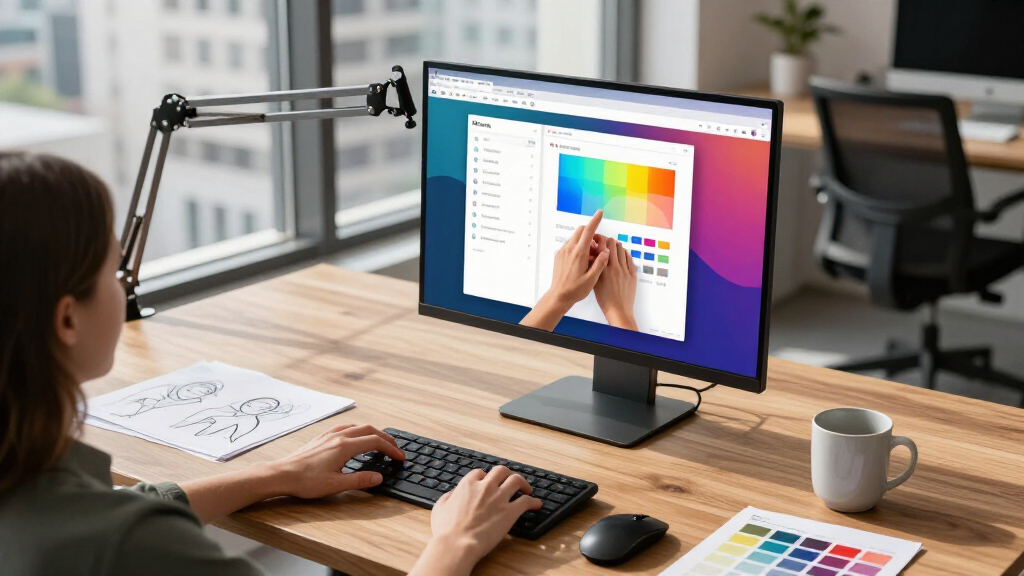
The monitors were selected based on a combination of performance, usability, build quality, and value specifically for UX designers. Priority was given to screens offering high resolution, accurate color reproduction, and flexible ergonomics, as these directly impact design work. We also considered connectivity options like USB-C, refresh rates, and HDR support, ensuring the picks cater to different professional needs and budgets. The ranking reflects an overall balance of these factors, with an emphasis on monitors that support detailed visual work while remaining user-friendly and reliable for daily use.| 4k monitors for ux designer | HDR | Connectivity |
|---|---|---|
| LG 27UN850-W 27-Inch UHD 4K IP | VESA DisplayHDR 400 | USB-C |
| Samsung 27" ViewFinity S7 | HDR10 | HDMI, DisplayPort |
| LG 27US550-W 27" 4K UHD IPS Co | — | — |
| LG 27UP850K-W 27-inch 4K UHD I | VESA DisplayHDR 400 | USB-C, HDMI, DisplayPort |
| ASUS ProArt PA279CRV 27-Inch 4 | Yes | — |
| BenQ PD2706U 27" 4K UHD Mac-Re | DisplayHDR 400 | USB-C with 90W power, DisplayPort |
| LG 27US500-W 27-Inch 4K UHD IP | HDR10 | HDMI, DisplayPort |
| Samsung 32" ViewFinity S7 | HDR10 | — |
| BenQ PD3226G 32” 4K UHD Monito | — | Thunderbolt 4 (90W), KVM |
| Dell 27 Monitor S2725QC 4K UHD | HDR ready | — |
Factors to Consider When Choosing 4k Monitors For Ux Designers
When selecting a 4k monitor for UX design, it’s important to consider several key factors that influence your workflow and visual accuracy. Beyond just resolution, aspects like color fidelity, screen size, and connectivity impact how effectively you can work on detailed design projects. Understanding these factors can help you avoid common pitfalls, such as sacrificing color accuracy for size or overspending on features you won’t use. Let’s explore the main considerations to keep in mind.Color Accuracy And Calibration
For UX design, color precision is paramount. Monitors with wide color gamuts like DCI-P3 or AdobeRGB ensure your designs appear consistent across devices. Look for factory calibration or the ability to calibrate easily, as this minimizes color shifts that can distort your work. Skipping this can lead to subtle but impactful discrepancies, especially when presenting to clients or preparing assets for print or digital media.
Screen Size And Resolution
While 4k resolution is standard now, screen size plays a big role in usability. Larger monitors (27 inches and above) offer more workspace, reducing the need to toggle between windows. However, bigger screens cost more and require more desk space. Consider your typical workspace and whether you prefer a high-density display for detailed work or a larger screen for multitasking, balancing visual clarity with practicality.
Connectivity Options
USB-C is increasingly common and offers a clean, single-cable solution for video, data, and power. Monitors with USB-C support can streamline your setup, especially if you work with laptops that have limited ports. Conversely, some budget models may lack this feature, requiring additional adapters or cables. Think about your current devices and future needs when evaluating connectivity options.
HDR And Brightness
HDR support, such as HDR10 or DisplayHDR 400, enhances contrast and color depth, which can be useful for visualizing designs with complex color palettes or high contrast. However, HDR implementation varies, and more affordable monitors might only support basic HDR. For precise color work, prioritize monitors with higher HDR standards and higher brightness levels to avoid washed-out images.
Ergonomics And Build Quality
Adjustable stands, VESA compatibility, and screen tilt are vital for comfortable, long hours of work. A poorly designed stand can cause neck strain or fatigue, impacting productivity. Investing in a monitor with good ergonomics can improve your overall workflow, especially during extended sessions. Consider your desk setup and whether the monitor’s adjustments meet your ergonomic preferences.
Frequently Asked Questions
Is a 4k monitor necessary for UX design, or can 1440p suffice?
While 1440p monitors can handle many design tasks, 4k provides significantly sharper images, which is especially beneficial for detailed UI elements and pixel-perfect work. The increased resolution allows for more workspace and finer detail, reducing the need to zoom or scroll excessively. For professional UX designers aiming for precision and clarity, a 4k monitor is generally worth the investment.
How important is color calibration in a 4k monitor for UX work?
Color calibration is vital in UX design because accurate colors ensure your designs look consistent across different devices and mediums. Monitors with factory calibration or the ability to calibrate easily reduce color discrepancies that could affect user experience testing and client presentations. Investing in a calibrated monitor pays off by saving time and avoiding costly revisions due to color mismatches.
Should I prioritize a larger monitor or multiple smaller monitors?
Both options have merits, but for most UX designers, a single large monitor—around 27 to 32 inches—provides a seamless workspace without the distractions of managing multiple screens. Larger screens can display more content at once, simplifying workflow. However, if multitasking across different applications is critical, dual monitors might be preferable. Consider your desk space, workflow style, and budget when making this choice.
Is HDR support necessary for UX design work?
HDR support is beneficial for visualizing designs with high contrast and dynamic color ranges, especially for projects involving multimedia or high-fidelity visual content. However, for most UX design tasks focused on layout, typography, and interface elements, HDR is not a necessity. Prioritize color accuracy and resolution first, and consider HDR as an additional feature if your work involves detailed visual content.
What should I consider if I mainly work on Mac or Windows devices?
Compatibility is key—look for monitors with macOS and Windows support, including Thunderbolt or USB-C with power delivery if using a Mac. Some professional-grade monitors, like the BenQ PD2706U, are optimized for Mac workflows. Ensure the monitor’s color profiles and calibration tools are compatible with your OS, and check for features like high-quality speakers or specific connectivity ports that match your device ecosystem.
Conclusion
For general UX work with a focus on overall performance and usability, the LG 27UN850-W remains the best choice, offering a balance of color accuracy, adjustable ergonomics, and connectivity. Budget-conscious designers will appreciate the BenQ PD2706U for its professional features at a lower price point. If you work with larger screens or need maximum workspace, the Samsung 32″ ViewFinity S7 is a solid option. Beginners should prioritize models with good ergonomics and straightforward calibration, while experienced professionals might invest in premium options with higher HDR standards and color fidelity. Your ideal monitor depends on your specific workflow, space, and budget—use these recommendations to guide your decision.
NFL season / tailgating Picks
team gear
As an affiliate, we earn on qualifying purchases.