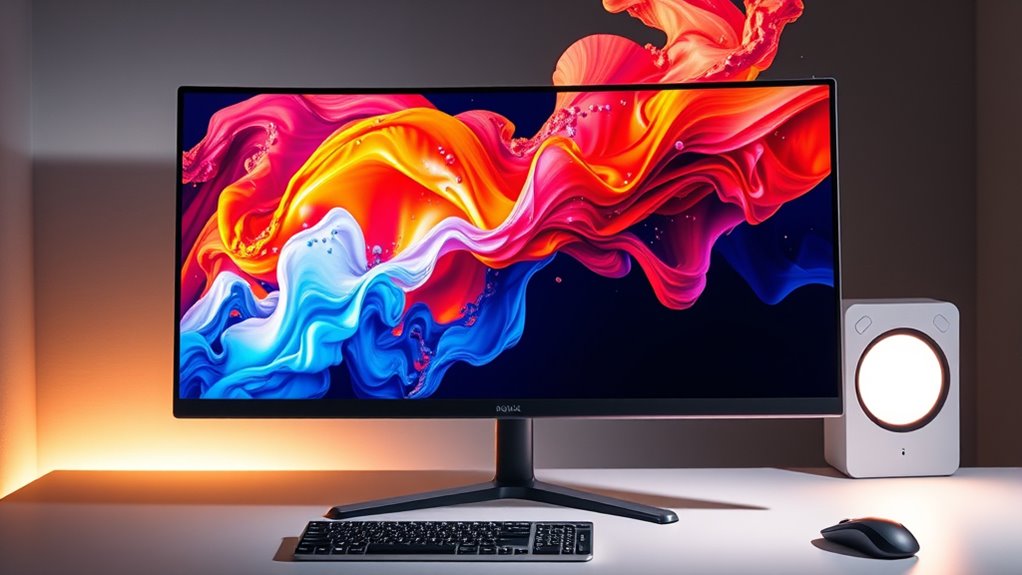

If you’re searching for 4k monitors, you’re likely balancing resolution, performance, and price. The Acer Nitro VG270K stands out as the best overall choice for its strong balance of color accuracy and gaming features. The Dell S2725QC offers an excellent mix of sharp visuals and smooth performance, making it ideal for content creators. Meanwhile, the Samsung M80F appeals to those who want a smart monitor with integrated features. However, buyers often face tradeoffs between high refresh rates, color accuracy, and connectivity options. Continue reading for a detailed breakdown to help you find the best fit for your needs.

Get business pricing on monitors, keyboards and dev gear
- Business-only prices and quantity discounts
- Tax-exempt purchasing
- Multiple users, one account, clear invoices
Key Takeaways
- The best 4k monitors balance resolution, refresh rate, and color accuracy for different use cases.
- Gaming-focused models often sacrifice color accuracy for higher refresh rates and low latency.
- Smart monitors add features like built-in streaming apps but may compromise on display calibration.
- Larger screens improve productivity but can introduce scaling and desk space challenges.
- Price ranges vary widely, with premium models offering advanced features and budget options prioritizing affordability.
| Acer Nitro 27-inch 4K UHD IPS Gaming Monitor VG270K |  | Best for Versatile Gaming and High-Quality Visuals | Screen Size: 27 inches | Resolution: 3840 x 2160 (UHD) | Panel Type: IPS | VIEW ON AMAZON | See Our Full Breakdown |
| Dell 27 Monitor S2725QC 4K UHD IPS with 120Hz Refresh Rate |  | Best for Vivid, Smooth 4K Work and Entertainment | Display Size: 27 inches | Resolution: 4K UHD | Panel Type: IPS | VIEW ON AMAZON | See Our Full Breakdown |
| Samsung M8 M80F 32″ 4K UHD AI Smart Monitor |  | Best for All-in-One Smart Entertainment and Work | Display Size: 32 inches | Resolution: 3840 x 2160 (4K UHD) | Panel Type: IPS | VIEW ON AMAZON | See Our Full Breakdown |
| Samsung 27″ Odyssey G5 (G51F) Series QHD Gaming Monitor |  | Best for High-Performance QHD Gaming | Screen Size: 27 inches | Resolution: 2560 x 1440 (QHD) | Refresh Rate: 180Hz | VIEW ON AMAZON | See Our Full Breakdown |
| Sceptre 32-inch 4K UHD Monitor with 70Hz Refresh Rate, Built-in Speakers, and Multiple Connectivity Ports |  | Best Budget 4K with Versatile Connectivity | Screen Size: 32 inches | Resolution: 3840 x 2160 (4K UHD) | Refresh Rate: 70Hz | VIEW ON AMAZON | See Our Full Breakdown |
| LG 27US500-W 27-Inch 4K UHD IPS Monitor with HDR10, Reader Mode, Flicker Safe, and App Control – White |  | Best Overall | Screen Size: 27 inches | Resolution: 3840 x 2160 (4K UHD) | Display Technology: IPS | VIEW ON AMAZON | See Our Full Breakdown |
| 32 Inch 4K UHD Monitor, Computer Monitor, 4000:1 Contrast Display |  | Best Value | Display Size: 32 inches | Resolution: 3840 x 2160 (4K UHD) | Contrast Ratio: 4000:1 | VIEW ON AMAZON | See Our Full Breakdown |
| LG 27UP650K-W 27-inch 4K UHD IPS Computer Monitor with HDR and Adjustable Stand |  | Best for Versatile Use | Display Size: 27 inches | Resolution: 3840 x 2160 (4K UHD) | HDR: DisplayHDR 400 | VIEW ON AMAZON | See Our Full Breakdown |
| LG 32-inch Ultrafine 4K UHD Computer Monitor |  | Best for Deep Contrast and Multimedia | Screen Size: 32 inches | Resolution: 3840 x 2160 (4K UHD) | Panel Type: VA | VIEW ON AMAZON | See Our Full Breakdown |
| Samsung 32″ ViewFinity S7 (S71H) 4K UHD IPS HDR10 High-Resolution Monitor |  | Best for Professional Precision | Screen Size: 32 inches | Resolution: 3840 x 2160 (4K UHD) | Panel Type: IPS | VIEW ON AMAZON | See Our Full Breakdown |
| Dell 27 Monitor S2725QS 4K UHD IPS, 120Hz, FreeSync Premium |  | Best Overall for Versatile 4K Performance | Screen Size: 27 inches | Resolution: 4K UHD | Panel Type: IPS | VIEW ON AMAZON | See Our Full Breakdown |
| LG 27UP850K-W 27-inch 4K UHD IPS Monitor |  | Best for Ergonomic and Smart Features | Display Size: 27 inches | Resolution: 3840 x 2160 (4K UHD) | Color Gamut: 95% DCI-P3 | VIEW ON AMAZON | See Our Full Breakdown |
| Samsung 27″ ViewFinity S7 (S70H) High-Resolution Monitor |  | Best for Wide Viewing Angles and Eye Comfort | Size: 27 inches | Resolution: 3840×2160 (4K UHD) | HDR: HDR10 | VIEW ON AMAZON | See Our Full Breakdown |
| Dell 32 Monitor S3225QS 4K UHD VA, 120Hz, FreeSync Premium, Eye Comfort |  | Best for Large-Scale 4K Visuals with Smooth Performance | Size: 32 inches | Resolution: 4K UHD | Panel Type: VA | VIEW ON AMAZON | See Our Full Breakdown |
| 4k monitor | Resolution | HDR | Refresh Rate | Screen Size |
|---|---|---|---|---|
| Acer Nitro 27-inch 4K UHD IPS | 3840 x 2160 (UHD) | — | Up to 72Hz at 4K, 144Hz at 1080p (DFR) | 27 inches |
| Dell 27 Monitor S2725QC 4K UHD | 4K UHD | — | 120Hz | — |
| Samsung M8 M80F 32" 4K UHD AI | 3840 x 2160 (4K UHD) | HDR10+ | 60Hz | — |
| Samsung 27" Odyssey G5 | 2560 x 1440 (QHD) | HDR10 | 180Hz | 27 inches |
| Sceptre 32-inch 4K UHD Monitor | 3840 x 2160 (4K UHD) | — | 70Hz | 32 inches |
| LG 27US500-W 27-Inch 4K UHD IP | 3840 x 2160 (4K UHD) | — | 60 Hz | 27 inches |
| 32 Inch 4K UHD Monitor | 3840 x 2160 (4K UHD) | — | — | — |
| LG 27UP650K-W 27-inch 4K UHD I | 3840 x 2160 (4K UHD) | DisplayHDR 400 | — | — |
| LG 32-inch Ultrafine 4K UHD Co | 3840 x 2160 (4K UHD) | HDR10 | — | 32 inches |
| Samsung 32" ViewFinity S7 | 3840 x 2160 (4K UHD) | HDR10 | — | 32 inches |
| Dell 27 Monitor S2725QS 4K UHD | 4K UHD | HDR ready | 120Hz | 27 inches |
| LG 27UP850K-W 27-inch 4K UHD I | 3840 x 2160 (4K UHD) | VESA DisplayHDR 400 | — | — |
| Samsung 27" ViewFinity S7 | 3840×2160 (4K UHD) | HDR10 | — | — |
| Dell 32 Monitor S3225QS 4K UHD | 4K UHD | Yes | 120Hz | — |
More Details on Our Top Picks
Acer Nitro 27-inch 4K UHD IPS Gaming Monitor VG270K
The Acer Nitro VG270K stands out for its combination of 4K UHD resolution and fast response times, making it a strong choice for gamers who want crisp visuals without sacrificing speed. While it’s limited to 72Hz at 4K, its 0.5ms response time and HDR10 support help deliver smooth, detailed images. Compared with the Samsung Odyssey G5, which offers a higher refresh rate at QHD, the Acer’s 4K resolution provides finer detail but may not match the ultra-smooth motion in fast-paced games. This monitor’s zero-frame design pairs well with multi-monitor setups, but its lack of USB ports and built-in speakers means you’ll need external accessories, which could be a downside for a clutter-free desk. It’s best suited for gamers who prioritize high-res visuals and decent response times over ultra-high refresh rates.
Pros:- High-resolution 4K UHD display with excellent detail
- Fast 0.5ms response time for smooth gaming
- Zero-frame design for seamless multi-monitor setups
- HDR10 support with wide DCI-P3 color gamut
Cons:- Limited to 72Hz at 4K, lower than some gamers prefer
- No built-in speakers or USB ports
- Requires a capable graphics card for optimal 4K performance
Best for: Gamers and creative professionals who want a 4K display with quick response times for both gaming and detailed work.
Not ideal for: High-end competitive gamers who need 144Hz or higher at 4K, or users wanting integrated speakers and USB hubs.
- Screen Size:27 inches
- Resolution:3840 x 2160 (UHD)
- Panel Type:IPS
- Refresh Rate:Up to 72Hz at 4K, 144Hz at 1080p (DFR)
- Response Time:Up to 0.5ms (G to G)
- Color Gamut:DCI-P3 95%
Our verdict“This monitor is ideal for gamers and creators seeking detailed 4K visuals with fast response times, accepting some refresh rate compromises.”
Dell 27 Monitor S2725QC 4K UHD IPS with 120Hz Refresh Rate
The Dell S2725QC makes a compelling case for users seeking a high-quality 4K experience with smooth motion thanks to its 120Hz refresh rate. Compared to the Acer VG270K, which offers a lower maximum refresh rate at 4K, the Dell provides noticeably more fluid visuals, especially for multimedia and casual gaming. Its 99% sRGB coverage ensures accurate colors for photo editing and content viewing, and its low blue light feature enhances comfort during extended use. The presence of USB-C with 65W power delivery simplifies desk setup, but the stand’s adjustability features are less detailed, which might limit ergonomic fine-tuning. Best suited for professionals who want vibrant visuals and smooth performance over ultra-high refresh rates or gaming-specific features.
Pros:- Vivid 4K visuals with 99% sRGB coverage
- Smooth 120Hz refresh rate for fluid multimedia
- Low blue light for extended use comfort
- USB-C with 65W charging simplifies cable management
Cons:- No mention of built-in speakers or advanced stand adjustments
- Limited gaming features for competitive gamers
- No integrated speakers, which may be a drawback for multimedia use
Best for: Content creators, professionals, and casual users wanting detailed 4K visuals with smooth performance and easy connectivity.
Not ideal for: High-end gamers needing 144Hz or more for competitive play, or users requiring extensive ergonomic adjustments.
- Display Size:27 inches
- Resolution:4K UHD
- Panel Type:IPS
- Refresh Rate:120Hz
- Response Time:4ms
- Color Coverage:99% sRGB
Our verdict“This monitor is well-suited for professionals and casual users who value color accuracy and smooth visuals in a 4K display with minimal fuss.”
Samsung M8 M80F 32″ 4K UHD AI Smart Monitor
The Samsung M8 M80F scores highly for users seeking a large, versatile 4K display that doubles as a smart TV, with HDR10+ and AI upscaling delivering vibrant, detailed images. Its 32-inch size offers a more immersive experience compared to smaller 27-inch models like the Dell S2725QC. The inclusion of a detachable SlimFit camera, built-in speakers, and smart TV apps means it can replace multiple devices, though its 60Hz refresh rate limits it for fast-paced gaming. The USB-C port with 65W power delivery makes setups cleaner, but the absence of high refresh rates restricts high-end gaming performance. Best for users who want a large screen for entertainment, light productivity, and casual gaming, accepting some limitations in gaming responsiveness.
Pros:- Large 32-inch 4K UHD display for immersive viewing
- HDR10+ and AI upscaling enhance image quality
- Smart features including streaming apps and detachable camera
- USB-C with 65W charging for streamlined connectivity
Cons:- Limited to 60Hz, not suited for high-end gaming
- No high refresh rate for fast action or competitive play
- Built-in speakers’ quality can vary, not a dedicated audio device
Best for: Home users and content consumers wanting a large, smart 4K display with multimedia and light gaming features.
Not ideal for: Competitive gamers or users who need high refresh rates for fast-paced gaming or professional video editing.
- Display Size:32 inches
- Resolution:3840 x 2160 (4K UHD)
- Panel Type:IPS
- Refresh Rate:60Hz
- Response Time:4ms
- HDR:HDR10+
Our verdict“This monitor is ideal for multimedia enthusiasts and casual users seeking a large, versatile 4K display with smart features, accepting some gaming limitations.”
Samsung 27″ Odyssey G5 (G51F) Series QHD Gaming Monitor
The Samsung Odyssey G5 excels for gamers who prioritize a high refresh rate and fast response times, with a QHD resolution that balances detail and high frame rates. Its 180Hz refresh rate and 1ms response time outperform the 4K monitors in this list when it comes to competitive gaming, but it sacrifices some detail clarity compared to 4K screens like the Acer VG270K. The HDR10 support and features like Black Equalizer improve visibility in dark scenes, enhancing gameplay. Its 27-inch size keeps it more manageable on desks but limits the immersive experience of larger displays. This pick makes the most sense for gamers seeking smooth, fast-paced action rather than ultra-high resolution visuals.
Pros:- High 180Hz refresh rate and 1ms response time for competitive play
- Vivid HDR10 support enhances gaming visuals
- Ergonomic stand for comfortable long sessions
- Dark scene enhancement with Black Equalizer
Cons:- Limited to 27-inch size, less immersive than larger screens
- Lower resolution than 4K monitors, less detail for creative work
- Higher price point for a QHD gaming monitor
Best for: Competitive gamers who need ultra-smooth motion and quick response over maximum resolution.
Not ideal for: Creative professionals or media consumers wanting the sharp detail of 4K UHD.
- Screen Size:27 inches
- Resolution:2560 x 1440 (QHD)
- Refresh Rate:180Hz
- Response Time:1ms
- HDR:HDR10
- Features:Black Equalizer, Ergonomic adjustments
Our verdict“This monitor is best for gamers who want ultra-smooth action and quick responses, accepting lower resolution and detail.”
Sceptre 32-inch 4K UHD Monitor with 70Hz Refresh Rate, Built-in Speakers, and Multiple Connectivity Ports
The Sceptre 32-inch 4K UHD offers a large, vibrant display at a competitive price, making it a practical choice for general use, light gaming, and multimedia. Its 70Hz refresh rate is modest but sufficient for everyday tasks and casual video playback, though it falls short for fast-paced gaming. Unlike the LG 27UP650K, which offers more adjustable ergonomics, the Sceptre’s size and fixed stand may limit workspace flexibility. Its multiple HDMI and DisplayPort inputs support various devices, and built-in speakers reduce clutter. This monitor makes sense for users seeking a sizable 4K screen without high-end gaming demands or professional color accuracy, prioritizing value over maximum performance.
Pros:- Large 32-inch 4K UHD display for detailed visuals
- Affordable price point for size and resolution
- Multiple connectivity options including HDMI and DisplayPort
- Built-in speakers for basic audio needs
Cons:- Limited to 70Hz, not suitable for fast gaming
- Lack of adjustable stand ergonomics
- No USB-C or high-spec features for professional use
Best for: Home office users and casual content consumers who want a large 4K display with multiple inputs and built-in speakers.
Not ideal for: High-performance gamers or creative professionals requiring color precision and high refresh rates.
- Screen Size:32 inches
- Resolution:3840 x 2160 (4K UHD)
- Refresh Rate:70Hz
- Display Technology:IPS
- Brightness:350 nits
- Connectivity:2 x HDMI, 2 x DisplayPort
Our verdict“This monitor is a strong budget-friendly choice for users who want a large, clear display for everyday tasks and light multimedia use.”
LG 27US500-W 27-Inch 4K UHD IPS Monitor with HDR10, Reader Mode, Flicker Safe, and App Control – White
The LG 27US500-W stands out for its excellent balance of image quality, ergonomic features, and overall versatility. Its 27-inch IPS panel delivers crisp 4K resolution, vibrant colors, and wide viewing angles, making it ideal for creative professionals and general users alike. While it supports HDR10, it doesn’t quite match the high contrast ratios of VA-based options like the LG 32-inch Ultrafine, but its color accuracy is more consistent. The adjustable stand enhances comfort during long sessions, yet its 60Hz refresh rate limits its appeal for fast-paced gaming, similar to the LG 27UP650K-W. Compared to larger monitors, it offers a more compact footprint, but lacks USB-C or built-in speakers, which could be drawbacks for some users. Overall, this model makes sense for those prioritizing color fidelity and ergonomic flexibility within a professional or home office setup.
Pros:- Vivid 4K UHD display with excellent color reproduction
- Wide viewing angles suitable for collaborative work
- Adjustable ergonomic stand for comfortable positioning
- Supports HDR10 for enhanced contrast
Cons:- Limited to 60Hz refresh rate, not ideal for fast-paced gaming
- No USB-C or built-in speakers
- Basic connectivity options
Best for: Creative professionals and general users seeking reliable color accuracy and ergonomic comfort.
Not ideal for: High-end gamers or users needing ultra-fast response times or USB-C connectivity.
- Screen Size:27 inches
- Resolution:3840 x 2160 (4K UHD)
- Display Technology:IPS
- Contrast Ratio:1000:1
- Brightness:300 cd/m²
- Refresh Rate:60 Hz
Our verdict“This monitor is a solid choice for those who need color accuracy and ergonomic flexibility without high refresh rate demands.”
32 Inch 4K UHD Monitor, Computer Monitor, 4000:1 Contrast Display
The 32 Inch 4K UHD Monitor with 4000:1 contrast offers a larger display at a competitive price point, making it appealing for users who want more screen real estate without a hefty cost. Its VA panel delivers a high contrast ratio, surpassing the IPS-based options like the LG 27UP650K-W in offering deeper blacks and richer shadows, which can be especially noticeable in multimedia consumption. However, the VA panel’s narrower viewing angles mean image quality can suffer when viewed from the side, unlike the LG 27US500-W. The fast 3ms response time and AMD FreeSync support improve motion clarity and reduce tearing during gaming or video editing, but the 60Hz refresh rate remains a limitation for competitive gamers. Its VESA compatibility and tilt adjustment add ergonomic flexibility, yet it lacks built-in speakers and USB-C, which could be inconvenient for some users. Overall, this monitor balances size, contrast, and affordability for those who want a versatile, high-contrast display without premium pricing.
Pros:- Large 32-inch display with high contrast for immersive visuals
- Fast response time and FreeSync support for smooth motion
- VESA mount compatibility and tilt stand for ergonomic flexibility
- Affordable price for the size and features
Cons:- Limited viewing angles due to VA panel
- No built-in speakers or USB-C port
- Maximum brightness of 230 cd/m² may be insufficient in bright rooms
Best for: Multimedia enthusiasts and budget-conscious users seeking large, high-contrast screens.
Not ideal for: Competitive gamers or those wanting USB-C connectivity for streamlined setups.
- Display Size:32 inches
- Resolution:3840 x 2160 (4K UHD)
- Contrast Ratio:4000:1
- Brightness:230 cd/m²
- Display Technology:VA
- Response Time:3 ms
Our verdict“This monitor provides a large, high-contrast display ideal for multimedia use at a budget-friendly price.”
LG 27UP650K-W 27-inch 4K UHD IPS Computer Monitor with HDR and Adjustable Stand
The LG 27UP650K-W emphasizes adaptability with its fully adjustable stand and vibrant 4K IPS display, making it a versatile choice for work, gaming, and streaming. Its HDR 400 support enhances visual depth, though it doesn’t match the contrast levels of VA panels like the LG 32-inch Ultrafine. Compared to the LG 27US500-W, it offers more ergonomic options, including height, tilt, and pivot adjustments, which can improve comfort during long work sessions. The 95% DCI-P3 color gamut ensures rich colors suitable for creative tasks. However, the 60Hz refresh rate and 5ms response time may limit high-end gaming performance, similar to other models in this roundup. It lacks USB-C, but the matte finish reduces glare in bright environments. Overall, this monitor balances color, ergonomics, and versatility for a broad range of uses.
Pros:- Vibrant 4K IPS display with wide color gamut
- Supports HDR 400 for richer visuals
- Fully adjustable stand for ergonomic comfort
- Multiple connectivity options including HDMI and DisplayPort
Cons:- Limited to 60Hz refresh rate
- Response time of 5ms may be noticeable in fast action
- No USB-C or HDMI 2.1 ports
Best for: Professionals and casual users who want an adaptable, color-rich display for varied tasks.
Not ideal for: High-end gamers or users seeking ultra-fast response times for competitive gaming.
- Display Size:27 inches
- Resolution:3840 x 2160 (4K UHD)
- HDR:DisplayHDR 400
- Color Gamut:95% DCI-P3
- Stand Adjustments:Tilt, Height, Pivot
- Response Time:5 ms
Our verdict“This monitor offers excellent versatility for users needing good color, ergonomic flexibility, and multiple input options.”
LG 32-inch Ultrafine 4K UHD Computer Monitor
The LG 32-inch Ultrafine delivers a large, deep-contrast display thanks to its VA panel, making it perfect for multimedia consumption and detailed editing. Its 3000:1 contrast ratio surpasses the IPS models like the LG 27UP650K-W, offering richer blacks and more immersive visuals. Its HDR10 support further enhances contrast and color depth, though its 60Hz refresh rate and 5ms response time limit its suitability for fast-paced gaming or high-frame-rate tasks. The adjustable stand and built-in speakers add to its convenience, but the absence of USB-C might bother users who prefer streamlined connectivity. Compared with smaller or more color-accurate IPS screens, this model leans toward multimedia and casual use, where contrast and size are prioritized over response times.
Pros:- Large 32-inch display with high contrast ratio
- Supports HDR10 for enhanced visuals
- Adjustable stand and built-in speakers
- Deep blacks suited for multimedia
Cons:- Limited to 60Hz refresh rate
- Response time of 5ms could impact fast gaming
- No USB-C port
Best for: Multimedia consumers and casual users who want a large display with high contrast.
Not ideal for: Competitive gamers or professionals needing ultra-fast response times or USB-C connectivity.
- Screen Size:32 inches
- Resolution:3840 x 2160 (4K UHD)
- Panel Type:VA
- Contrast Ratio:3000:1
- Brightness:250 cd/m²
- HDR:HDR10
Our verdict“This monitor excels for multimedia and casual use, emphasizing contrast and size over gaming performance.”
Samsung 32″ ViewFinity S7 (S71H) 4K UHD IPS HDR10 High-Resolution Monitor
The Samsung ViewFinity S7 (S71H) is designed for professionals who prioritize color accuracy and detailed visuals. Its 32-inch IPS panel provides sharp 4K resolution with 100% sRGB and HDR10 support, making it suitable for photo editing, design, and content creation. The inclusion of multiple input options like HDMI and DisplayPort adds flexibility, and features like Eye Saver Mode help reduce fatigue during extended work. Compared with the LG 27US500-W, it offers a larger workspace and more precise color calibration, but at a higher price point and with a potentially overkill feature set for casual users. The lack of built-in speakers might be a downside, but for those seeking professional-grade accuracy, this monitor offers a compelling package.
Pros:- High-precision 4K IPS display with 100% sRGB coverage
- Supports HDR10 for color accuracy and contrast
- Multiple connectivity options including HDMI and DisplayPort
- Ergonomic stand with height, tilt, and pivot adjustments
Cons:- Designed mainly for professional use, not gaming
- No built-in speakers
- Higher price compared to general-use monitors
Best for: Creative professionals and detail-oriented users requiring accurate color and high-resolution clarity.
Not ideal for: Casual users or gamers who need high refresh rates or built-in audio features.
- Screen Size:32 inches
- Resolution:3840 x 2160 (4K UHD)
- Panel Type:IPS
- HDR:HDR10
- Color Gamut:100% sRGB
- Stand Adjustment:Height, Tilt, Pivot
Our verdict“This monitor is best suited for professionals who need precise color and sharp detail for creative work.”
Dell 27 Monitor S2725QS 4K UHD IPS, 120Hz, FreeSync Premium
The Dell S2725QS stands out as the most balanced choice, blending vibrant 4K visuals with smooth performance thanks to its 120Hz refresh rate and FreeSync Premium support. Compared to the LG 27UP850K-W, it lacks built-in speakers and adjustable ergonomics, but its vivid color accuracy and HDR readiness make it ideal for both work and entertainment. Its minimalist design and ultra-thin bezel add to its appeal, though the stand’s ergonomic features are not detailed, which might be a drawback for users needing extensive adjustability. This monitor makes the most sense for those seeking a reliable, high-quality display without the premium price tag of more feature-rich models.
Pros:- Vivid 4K visuals with accurate color reproduction
- Smooth performance with 120Hz refresh rate and FreeSync Premium
- Reduced blue light emissions for comfortable viewing
Cons:- Limited information about built-in speaker quality
- No mention of adjustable stand or ergonomic features
Best for: Creative professionals and gamers who want a versatile, high-quality 4K display with smooth performance
Not ideal for: Users who prioritize extensive ergonomic adjustments or built-in audio features
- Screen Size:27 inches
- Resolution:4K UHD
- Panel Type:IPS
- Refresh Rate:120Hz
- Response Time:5ms
- HDR:HDR ready
Our verdict“This monitor offers a great all-around 4K experience for those who value color accuracy and smooth visuals without the need for extensive adjustability.”
LG 27UP850K-W 27-inch 4K UHD IPS Monitor
The LG 27UP850K-W is tailored for users who need a highly adjustable workspace, with a wide color gamut supporting 95% DCI-P3 and HDR 400 for vibrant visuals. Its multiple connectivity options, including USB-C with 90W power delivery, set it apart from the Samsung S70H, which focuses more on detailed visuals but lacks smart features. The built-in speakers and ergonomic stand make it suitable for long hours of work, although its higher price point might deter casual users. The learning curve for its complex features could also be a barrier for some. Overall, this model makes the most sense for professionals demanding flexibility and high-color fidelity in their daily tasks.
Pros:- Vivid 4K UHD display with 95% DCI-P3 coverage
- Versatile connectivity including USB-C with 90W power
- Ergonomic stand with height, tilt, and pivot adjustments
- Built-in stereo speakers and smart multitasking features
Cons:- May be expensive for casual or infrequent users
- Features could have a learning curve for new users
- Limited to 27 inches, which might be small for some workloads
Best for: Designers, content creators, and professionals who need an adjustable, feature-rich 4K monitor
Not ideal for: Casual users or gamers seeking simple, plug-and-play solutions
- Display Size:27 inches
- Resolution:3840 x 2160 (4K UHD)
- Color Gamut:95% DCI-P3
- HDR:VESA DisplayHDR 400
- Connectivity:USB Type-C, DisplayPort, HDMI (x2)
- Adjustments:Height, tilt, pivot
Our verdict“Ideal for professionals who need high-color accuracy and ergonomic flexibility in a 4K monitor, despite a higher price and complexity.”
Samsung 27″ ViewFinity S7 (S70H) High-Resolution Monitor
The Samsung ViewFinity S7 (S70H) emphasizes image consistency with a 178° wide viewing angle and HDR10 support, making it suitable for collaborative or dual-monitor setups. Its detailed visuals surpass those of the Dell S2725QS in color depth, but it lacks mention of built-in speakers, which could be a drawback for multimedia use. Its eye comfort technology is a plus for extended sessions, though the high price might be a deterrent for budget-conscious buyers. The monitor’s focus on wide viewing angles and contrast makes it a solid choice for multitasking professionals who need clarity from any angle. However, users seeking integrated audio or adjustable stands might prefer other models.
Pros:- High-resolution 4K UHD with detailed visuals
- Wide 178° viewing angle for consistent image quality
- Supports HDR10 for enhanced contrast
- Eye comfort technology reduces eye strain
Cons:- No mention of built-in speakers
- Potentially higher cost relative to basic models
Best for: Multitaskers and professionals requiring wide viewing angles and eye comfort
Not ideal for: Casual users or those who want built-in speakers or extensive ergonomic adjustments
- Size:27 inches
- Resolution:3840×2160 (4K UHD)
- HDR:HDR10
- Viewing Angle:178°
- Connectivity:HDMI, DisplayPort
- Eye Comfort Technology:Yes
Our verdict“A great choice for those needing wide-angle viewing and detailed 4K images, especially in collaborative environments.”
Dell 32 Monitor S3225QS 4K UHD VA, 120Hz, FreeSync Premium, Eye Comfort
The Dell S3225QS offers a larger 32-inch display with a VA panel that delivers deep contrast and vivid colors, ideal for entertainment and productivity. Its 120Hz refresh rate and FreeSync Premium support provide smooth visuals that rival gaming-focused monitors, despite being primarily aimed at general use. Compared to the S2725QS, the bigger size enhances immersion and multitasking space, but the VA panel’s response times and color accuracy may not match the IPS panels for precise color work. Its eye comfort features and sleek design make it suitable for extended use, though the absence of built-in speakers and the lack of detailed port options may be limitations for some users. This model is best for those seeking a large, vibrant display for media and multitasking.
Pros:- Large 32-inch display with high contrast
- Vivid colors and HDR support
- Smooth visuals with 120Hz refresh rate and FreeSync Premium
- Eye comfort features reduce blue light emissions
Cons:- Limited sound quality despite re-engineered audio
- No mention of built-in speakers or multiple ports
- Color accuracy may not match IPS panels
Best for: Media enthusiasts and multitaskers who want a larger, visually striking 4K display
Not ideal for: Color-critical professionals or users needing extensive adjustable ergonomics
- Size:32 inches
- Resolution:4K UHD
- Panel Type:VA
- Refresh Rate:120Hz
- Adaptive Sync:FreeSync Premium
- HDR:Yes
Our verdict“A compelling choice for those who want a sizable, vibrant screen for entertainment and multitasking, with some compromises in color precision.”

How We Picked
These monitors were selected based on a combination of performance, build quality, usability, and value. We evaluated display resolution, color accuracy, refresh rates, and connectivity options to meet varied user needs. Durability and user interface also played roles, along with price considerations, to ensure a balanced perspective. The ranking reflects how well each model performs in real-world scenarios for tasks like gaming, content creation, or general use, making sure each option serves a distinct buyer profile.| 4k monitor | Panel Type | HDR |
|---|---|---|
| Acer Nitro 27-inch 4K UHD IPS | IPS | — |
| Dell 27 Monitor S2725QC 4K UHD | IPS | — |
| Samsung M8 M80F 32" 4K UHD AI | IPS | HDR10+ |
| Samsung 27" Odyssey G5 | — | HDR10 |
| Sceptre 32-inch 4K UHD Monitor | — | — |
| LG 27US500-W 27-Inch 4K UHD IP | — | — |
| 32 Inch 4K UHD Monitor | — | — |
| LG 27UP650K-W 27-inch 4K UHD I | — | DisplayHDR 400 |
| LG 32-inch Ultrafine 4K UHD Co | VA | HDR10 |
| Samsung 32" ViewFinity S7 | IPS | HDR10 |
| Dell 27 Monitor S2725QS 4K UHD | IPS | HDR ready |
| LG 27UP850K-W 27-inch 4K UHD I | — | VESA DisplayHDR 400 |
| Samsung 27" ViewFinity S7 | — | HDR10 |
| Dell 32 Monitor S3225QS 4K UHD | VA | Yes |
Factors to Consider When Choosing 4k Monitors
Choosing the right 4k monitor involves understanding key features that impact your experience. Beyond resolution, factors like refresh rate influence gaming smoothness, while color accuracy affects creative work. Size and ergonomics determine comfort and workspace fit, and connectivity options ensure compatibility with your devices. Considering these elements helps avoid common pitfalls, such as overpaying for unnecessary features or selecting a model that doesn’t meet your primary needs. Here are some critical factors to keep in mind when selecting a 4k monitor.Performance and Refresh Rate
If you plan to use your monitor for gaming or fast-paced content, a higher refresh rate (such as 120Hz or more) makes motion smoother and reduces blur. For creative work or general use, 60Hz is usually sufficient and often more affordable. Keep in mind that higher refresh rates can come with increased price and power consumption. Balance your expectations with your budget and intended use to avoid overspending on features you won’t utilize daily.
Color Accuracy and HDR
Color accuracy is vital for photo editing, video production, and professional creative tasks. Look for monitors with high color gamut coverage like sRGB, AdobeRGB, or DCI-P3. HDR support enhances contrast and color depth, making visuals more lifelike. However, not all HDR implementations are equal—some models only support basic HDR, which might not significantly improve your experience. Prioritize calibration and panel quality over marketing labels when color fidelity matters most.
Size and Ergonomics
The size of your monitor affects both your workspace and how comfortably you can view content. Larger screens (27 inches and above) are better for multitasking and immersive experiences but require more desk space and optimal viewing distances. Adjustable stands and ergonomic features like tilt, swivel, and height adjustment can reduce strain during long sessions. Avoid models with fixed positions if you plan to use the monitor extensively for work or gaming.
Connectivity and Compatibility
Ensuring your monitor has the right ports—such as HDMI 2.0, DisplayPort 1.4, or USB-C—can prevent compatibility issues. If you use multiple devices, look for models with versatile connectivity options. Some monitors include built-in hubs or multiple inputs, simplifying cable management. Remember that older graphics cards may not support the latest standards, so verify your system’s capabilities before investing in high-end features.
Price and Value
Pricing for 4k monitors varies widely, often reflecting feature sets and build quality. While premium models offer advanced features like wider color gamuts, higher refresh rates, and better materials, budget options may suffice for basic tasks. Consider what features you truly need—overspending on unnecessary tech can inflate costs without added benefits. Conversely, skimping on essential features can hinder your experience; aim for a model that matches your primary use case within your budget.
Frequently Asked Questions
Is a 4k monitor worth it for gaming?
Whether a 4k monitor is worth it for gaming depends on your hardware and expectations. Higher resolutions offer sharper visuals, but they require a powerful graphics card to maintain smooth frame rates, especially at high refresh rates. If your system can handle it, a 4k monitor can deliver an immersive gaming experience, but you might need to compromise on frame rate or choose a model with a higher refresh rate to avoid motion blur. For competitive gaming, 144Hz or higher remains preferable, but for casual or immersive titles, 4k can significantly enhance visual quality.
Should I prioritize refresh rate or color accuracy in a 4k monitor?
This choice hinges on your primary use. For gaming, a higher refresh rate (120Hz or more) ensures smooth motion and reduces eye strain during fast action. For creative work like photo editing or video production, color accuracy and wide color gamuts are more important, even if the refresh rate is lower. Some monitors offer a good balance, so consider your main tasks to decide which feature matters more and select accordingly.
Are curved 4k monitors better than flat ones?
Curved monitors can improve immersion and reduce glare, especially on larger screens, making them appealing for gaming and multimedia consumption. They can also help with uniform viewing distances across the display, which benefits productivity. However, curved monitors may be less suitable for precise tasks like CAD work or detailed editing, where flat screens provide more accurate image reproduction. The choice depends on your use case and personal preference—curved screens tend to enhance entertainment, while flat panels favor accuracy.
How important is HDR support in a 4k monitor?
HDR support enhances contrast, brightness, and color depth, making images more vibrant and realistic. If you frequently watch HDR content or work in creative fields, a monitor with good HDR performance can significantly improve your experience. However, not all HDR implementations are equal; some monitors only support basic HDR, which may not be noticeably better than SDR for casual viewing. Prioritize models with true HDR standards (HDR10 or Dolby Vision) and high peak brightness if HDR is a key feature for you.
Can I use a 4k monitor for productivity and entertainment at the same time?
Absolutely, a 4k monitor is versatile enough to handle both productivity tasks and entertainment. The high resolution provides ample workspace for multiple windows and detailed editing, while also delivering sharp, vibrant images for movies and streaming. However, balancing these uses depends on the monitor’s size, color accuracy, and refresh rate. Larger screens with good calibration can seamlessly switch between work and play, but if you prioritize gaming or HDR content, ensure the monitor supports those features without compromising productivity ergonomics.
Conclusion
For most users, the Acer Nitro VG270K offers an excellent blend of performance and affordability, making it the best overall choice. Creative professionals should lean toward models like the Samsung ViewFinity S7 for superior color accuracy, while gamers who want smooth visuals will find the Dell S2725QS or Samsung Odyssey G5 ideal. Budget-conscious buyers can opt for more affordable options without sacrificing essential features, whereas those seeking premium build quality and advanced features should consider higher-end models like the LG 32-inch Ultrafine. Your ideal monitor depends on your main use, budget, and workspace needs—use this guide to match those priorities with the best 4k monitor for you.
Halloween Picks
halloween
As an affiliate, we earn on qualifying purchases.