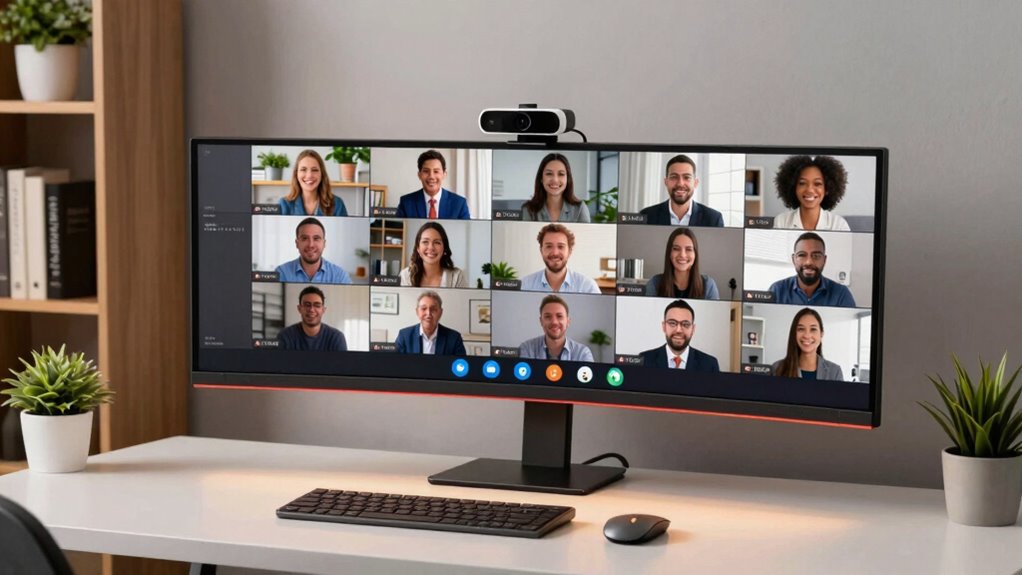

Shopping for a 4K webcam for Zoom and Teams comes down to one big tradeoff: sensor and lens quality versus smart features like AI framing and noise-canceling mics. My top overall pick is the Insta360 Link 2, which pairs a sharp 4K sensor with gimbal-style PTZ tracking that keeps you centered during calls — a genuine advantage when you present or move around. For pure image quality per dollar, the Logitech MX Brio stands out, while the EMEET C960 is the sensible budget entry that still delivers credible 4K for everyday meetings. Cheaper models in this lineup often cut corners on autofocus speed and microphone clarity, which matters more than resolution once you’re live on a call. Keep reading for the full breakdown of which model fits your setup, budget, and meeting habits.

Get business pricing on monitors, keyboards and dev gear
- Business-only prices and quantity discounts
- Tax-exempt purchasing
- Multiple users, one account, clear invoices
Complete the kit


Key Takeaways
- True 4K output matters less than sensor size and autofocus — models like the Logitech MX Brio and Insta360 Link 2 delivered cleaner 1080p streams than cheaper rivals pumping out native 4K, because Zoom and Teams compress video anyway.
- PDAF autofocus separated the top tier from the rest: phase-detection models (EMEET C960, NexiGo N680E Pro, Insta360 Link 2) refocused instantly on movement, while contrast-based systems on cheaper units visibly hunted during calls.
- The EMEET C60E’s dual wide-angle and telephoto cameras are a niche asset — genuinely useful for showing a whiteboard or demo, but overkill for typical face-to-face Zoom meetings where a single fixed lens performs just as well.
- Built-in microphones varied more than image quality: Acer‘s A640 AI noise-canceling mics rivaled standalone mics, while several budget 4K models required a separate headset to sound professional.
- Privacy shutters and ring lights proved to be meaningful differentiators, not gimmicks — the NexiGo N680E Pro’s integrated ring light solved dim home-office lighting better than any software exposure correction in the lineup.
| EMEET C960 4K Webcam with PDAF Autofocus and Dual Microphones |  | Best Budget Pick | Maximum video resolution: 4K | Default video resolution: 1080p | Focus: PDAF autofocus | VIEW ON AMAZON | See Our Full Breakdown |
| EMEET C60E Dual-Camera 4K Streaming Webcam, Wide-Angle & Telephoto |  | Best for Demos and Teaching | Camera type: Dual-camera with wide-angle and telephoto lenses | Video resolution: 4K | Zoom: Up to 11X hybrid zoom | VIEW ON AMAZON | See Our Full Breakdown |
| 4K Webcam with PDAF Autofocus, Dual Microphones, and Privacy Shutter |  | Best Framing Flexibility Under $100 | Maximum resolution: 3840 × 2160 (4K) | Frame rates: 4K at 30 fps; 1080p at 60 fps | Sensor size: 1/2.5 inch | VIEW ON AMAZON | See Our Full Breakdown |
| Acer A640 4K Webcam with AI Noise-Canceling Microphone |  | Best for Noisy Home Offices | Video resolution: 4K at 30 fps; 2K or 1080p at 60 fps | Image sensor: Sony 1/2.8-inch | Autofocus: PDAF | VIEW ON AMAZON | See Our Full Breakdown |
| Logitech MX Brio Ultra HD 4K Webcam |  | Best Overall | Resolution: 4K at 30 fps or 1080p at 60 fps | Microphones: Dual noise-reducing | Connectivity: USB-C | VIEW ON AMAZON | See Our Full Breakdown |
| Insta360 Link 2 PTZ 4K Webcam |  | Best for Presenters and Movers | Sensor: 1/2-inch | Video Resolution: 4K with HDR | Autofocus: Phase Detection Auto Focus (PDAF) | VIEW ON AMAZON | See Our Full Breakdown |
| NexiGo N680E Pro 4K Webcam with Ring Light, PDAF Autofocus, 1080p 60FPS |  | Best Value for Streamers | Sensor: Sony CMOS 4K | Video Resolution: 4K / 1080p 60fps | Autofocus: PDAF autofocus | VIEW ON AMAZON | See Our Full Breakdown |
| Logitech Brio Ultra 4K HD Webcam |  | Best for Secure Work Laptops | Video Resolution: Up to 4K at 30 fps | Zoom: 5x digital zoom | Field of View: 65°, 78°, or 90° diagonal presets | VIEW ON AMAZON | See Our Full Breakdown |
| 4k webcam for zoom and team | Compatibility | Microphones | Video resolution | Autofocus |
|---|---|---|---|---|
| EMEET C960 4K Webcam with PDAF | Windows 7/10/11, macOS 10.14+, Android TV 7.0+, Linux | Dual omnidirectional | — | — |
| EMEET C60E Dual-Camera 4K Stre | Windows 10/11 64-bit, macOS 10.14+, OBS, Twitch, YouTube, Facebook | 2 omnidirectional, 9.8 ft pickup range | 4K | PDAF |
| 4K Webcam with PDAF Autofocus | Windows 7–11, macOS 10.6+, Chrome OS 29+ | Dual noise-cancelling | — | PDAF |
| Acer A640 4K Webcam with AI No | Zoom, Microsoft Teams, Twitch, Nintendo Switch 2, mainstream platforms | — | 4K at 30 fps; 2K or 1080p at 60 fps | PDAF |
| Logitech MX Brio Ultra HD 4K W | Windows, macOS, Chrome OS, Linux | Dual noise-reducing | — | — |
| Insta360 Link 2 PTZ 4K Webcam | PC, Mac, Zoom, Microsoft Teams, Twitch | — | 4K with HDR | Phase Detection Auto Focus (PDAF) |
| NexiGo N680E Pro 4K Webcam wit | Windows 7–11, Mac OS 10.6+, Chrome OS 29+, Switch 2 (with adapter) | Dual noise-reducing | 4K / 1080p 60fps | PDAF autofocus |
| Logitech Brio Ultra 4K HD Webc | Windows, Mac, ChromeOS | Dual omnidirectional noise-canceling, up to 1.2 m pickup | Up to 4K at 30 fps | — |
More Details on Our Top Picks
EMEET C960 4K Webcam with PDAF Autofocus and Dual Microphones
This model makes the list because it delivers the 4K sensor and PDAF autofocus basics without the premium pricing of the Logitech MX Brio. The catch is that it boots at 1080p — you’ll need to switch to 4K in your Zoom or Teams settings, which matters if your IT department locks down app settings. Compared with the Acer A640, you trade AI noise cancellation for dual omnidirectional microphones, so busy offices may notice more background chatter. The 73° field of view is narrower than the 4K Webcam with PDAF’s 78°, which is actually a plus for calls: it keeps the frame on your face rather than your office. The plug-and-play USB-A connection and privacy cover round out a lean, sensible package.
Pros:- 4K sensor with PDAF autofocus and automatic light correction
- Dual built-in microphones
- Privacy cover and plug-and-play USB-A connection
- Adjustable mount with 1/4-inch tripod thread
Cons:- Defaults to 1080p and requires software or a compatible app to enable 4K
- Microphone needs to be set as the default input for best audio
Best for: Students and remote workers who want autofocus and 4K capability in Zoom and Teams without paying premium-webcam prices
Not ideal for: Buyers in noisy shared spaces — the omnidirectional microphones pick up more room sound than noise-cancelling alternatives like the Acer A640
- Maximum video resolution:4K
- Default video resolution:1080p
- Focus:PDAF autofocus
- Field of view:73°
- Microphones:Dual omnidirectional
- Connection:USB-A
- Mount adjustments:360° horizontal, 15° vertical
- Tripod thread:1/4 inch
- Compatibility:Windows 7/10/11, macOS 10.14+, Android TV 7.0+, Linux
Our verdict“A sensible entry point for everyday Zoom and Teams calls where autofocus matters more than studio-grade audio.”
EMEET C60E Dual-Camera 4K Streaming Webcam, Wide-Angle & Telephoto
The dual wide-angle and telephoto lens setup is what separates this model from every other webcam here. Where the EMEET C960 gives you one fixed framing, the C60E lets you cut between a full-room view and a close-up for whiteboards, products, or hands-on demos — genuinely useful for trainers running Teams sessions. The 11X hybrid zoom with PDAF keeps detail stable, though note that zoom disables when you’re in 4K or 60 FPS modes, so you’ll often be presenting at 1080p. The telephoto wants a 13.8-inch working distance, meaning it’s built for desk-scale demos, not across-the-room shots. RGB lighting and remote control make it more of a content-creation tool than a pure meeting cam compared with the Logitech MX Brio.
Pros:- Dual wide-angle and telephoto cameras for full-scene or close-up framing
- Up to 11X hybrid zoom with PDAF autofocus
- Remote control and EMEET STUDIO software for live adjustments
- RGB lighting and dual omnidirectional microphones
Cons:- Zoom is unavailable in 4K, 60 FPS, or YUY2 modes
- Telephoto is optimized for a short 13.8-inch distance
- USB 2.0 Type-A connection is awkward for newer USB-C laptops
Best for: Teachers, product demonstrators, and streamers who need to switch between full-scene and close-up framing during live sessions
Not ideal for: Standard office meeting attendees — the dual-lens hardware and demo-oriented design are overkill if you just need your face in frame
- Camera type:Dual-camera with wide-angle and telephoto lenses
- Video resolution:4K
- Zoom:Up to 11X hybrid zoom
- Autofocus:PDAF
- Microphones:2 omnidirectional, 9.8 ft pickup range
- Lighting:RGB lighting
- Control options:Remote control and EMEET STUDIO
- Connection:USB 2.0 Type-A
- Compatibility:Windows 10/11 64-bit, macOS 10.14+, OBS, Twitch, YouTube, Facebook
Our verdict“The right pick only if your meetings involve showing things, not just your face.”
4K Webcam with PDAF Autofocus, Dual Microphones, and Privacy Shutter
This unnamed-brand option competes directly with the EMEET C960 but pushes further on control: touch controls for zoom, brightness, and contrast let you adjust mid-call without digging through menus, and the wider 78° field of view suits small group huddles around one laptop. The 1080p at 60 fps mode is arguably its most useful trick for Zoom and Teams — smoother motion for head movements than 4K at 30 fps, at a bitrate your connection can actually sustain. Like the EMEET C60E, zoom stops working in 4K and 60 fps modes, so plan your settings before the call. Just know that the magnetic privacy shutter is nice, but you’ll need to budget for a tripod or stand since neither is included — unlike the C960’s adjustable clip.
Pros:- 4K at 30 fps or 1080p at 60 fps recording
- PDAF autofocus tracks moving subjects reliably
- Dual noise-cancelling microphones
- Touch controls for zoom, brightness, and contrast
Cons:- Defaults to 1080p and needs settings changes for 4K
- Zoom unavailable in 4K, 60 fps, and YUY2 modes
- Tripod and desktop stands sold separately
Best for: Small teams sharing one webcam who need a wider frame and on-the-fly image adjustments
Not ideal for: Buyers who want a complete out-of-box setup — tripod and desktop stands are sold separately
- Maximum resolution:3840 × 2160 (4K)
- Frame rates:4K at 30 fps; 1080p at 60 fps
- Sensor size:1/2.5 inch
- Field of view:78°
- Autofocus:PDAF
- Digital zoom:1×–8× (unavailable in 4K, 60 fps, or YUY2 modes)
- Microphones:Dual noise-cancelling
- Mounting:1/4-inch tripod thread
- Compatibility:Windows 7–11, macOS 10.6+, Chrome OS 29+
Our verdict“A strong middle-ground choice for group calls where a wider view and live adjustments beat brand prestige.”
Acer A640 4K Webcam with AI Noise-Canceling Microphone
The A640’s differentiator is AI noise cancellation built into the microphone — something the EMEET C960 and the 4K Webcam with PDAF don’t match. If your calls happen next to a dishwasher, kids, or a window facing a street, that processing does more for how you sound than any resolution bump. The Sony 1/2.8-inch sensor with automatic low-light correction also gives it an edge over smaller sensors in dim evening calls, closing some of the gap with the pricier Logitech MX Brio. There’s no second microphone, though — a single mic means less stereo separation than dual-mic rivals — and no built-in speakers, so you’ll still rely on headphones or laptop audio. The included USB-A to USB-C adapter makes it friendlier to modern laptops than the C60E’s USB 2.0 fixed cable.
Pros:- 4K at 30 fps or 1080p at 60 fps with PDAF autofocus
- AI noise-canceling microphone
- Sony 1/2.8-inch sensor with automatic low-light correction
- Physical privacy shutter and plug-and-play setup with USB-C adapter
Cons:- No built-in speakers
- Microphone needs to be set as default input with app permissions enabled
Best for: Remote workers in busy or echo-prone households who prioritize clean audio on Zoom and Teams calls
Not ideal for: Anyone wanting stereo or dual-mic audio capture — the single microphone lacks the separation of dual-mic competitors
- Video resolution:4K at 30 fps; 2K or 1080p at 60 fps
- Image sensor:Sony 1/2.8-inch
- Autofocus:PDAF
- Microphone:Built-in with AI noise cancellation
- Low-light correction:Automatic
- Connectivity:USB with USB-A to USB-C adapter
- Privacy:Physical privacy shutter
- Compatibility:Zoom, Microsoft Teams, Twitch, Nintendo Switch 2, mainstream platforms
Our verdict“The pick when your environment is the problem — its audio processing outclasses its price bracket.”
Logitech MX Brio Ultra HD 4K Webcam
This earns the top spot for the same reasons Logitech usually does: AI-enhanced image processing that holds up in bad lighting, polished software, and the polish that cheaper rivals approximate but don’t replicate. Compared with the Acer A640, the MX Brio’s dual noise-reducing microphones give it fuller voice capture, and its USB-C connection feels more future-proof than the USB-A cables on the EMEET models. Show Mode tilts the camera to your desk — a clever, lower-effort alternative to the C60E’s dual-lens setup for quick document sharing. The honest tradeoff: 4K caps at 30 fps, and the best image controls live behind Logitech’s software, so buyers who avoid vendor apps won’t get full value. You’re paying a premium for refinement, and for daily Zoom and Teams use, that refinement shows up on every call.
Pros:- 4K at 30 fps or 1080p at 60 fps
- AI-enhanced image processing for difficult lighting
- Dual noise-reducing microphones
- Show Mode desk view and privacy cover
Cons:- 4K recording limited to 30 fps
- Some image controls and workflow features require Logitech software
Best for: Professionals on daily video calls who want consistently strong image quality and are willing to pay for software-backed polish
Not ideal for: Budget-focused buyers or anyone who refuses vendor software — cheaper picks like the EMEET C960 cover the basics without an app dependency
- Resolution:4K at 30 fps or 1080p at 60 fps
- Microphones:Dual noise-reducing
- Connectivity:USB-C
- Features:Autofocus, auto exposure, auto white balance, Show Mode, privacy cover
- Image processing:AI-enhanced adjustments
- Compatibility:Windows, macOS, Chrome OS, Linux
Our verdict“If you’re on camera all day and want the fewest compromises, this is the one to buy.”
Insta360 Link 2 PTZ 4K Webcam
Insta360 Link 2 is the only camera in this lineup that physically moves for you, using pan and tilt AI tracking to keep you framed while you walk, gesture, or turn to a whiteboard. Compared with the fixed-lens Logitech Brio Ultra, the difference is night and day for anyone who presents rather than sits still — DeskView and Whiteboard modes make hybrid teaching demos genuinely watchable. The 1/2-inch sensor and phase detection autofocus also give it an edge over the NexiGo N680E Pro in dim rooms, and its auto-tilt privacy mode is a thoughtful touch.
The tradeoffs are real, though. Deeper settings live in the Link Controller software, and ARM-based Windows machines are locked out entirely — a serious problem for buyers on newer Snapdragon laptops.
Pros:- 4K video with HDR and a large 1/2-inch sensor for strong low-light performance
- AI tracking with pan and tilt keeps moving subjects framed automatically
- AI noise-canceling microphone cleans up calls without a separate mic
- DeskView and Whiteboard modes plus gesture and smartphone control
- Automatic privacy tilt after 10 seconds of inactivity
Cons:- Incompatible with ARM-based Windows systems and Windows Hello face recognition
- Advanced settings and features require installing the Link Controller software
Best for: Presenters, educators, and streamers who move around during calls and want the camera to follow them
Not ideal for: Owners of ARM-based Windows laptops or anyone who needs Windows Hello face login — neither works on this camera
- Sensor:1/2-inch
- Video Resolution:4K with HDR
- Autofocus:Phase Detection Auto Focus (PDAF)
- Tracking:AI tracking with pan and tilt
- Audio:AI noise-canceling microphone
- Modes:DeskView, Whiteboard, Natural Bokeh
- Privacy Mode:Auto-tilts down after 10 seconds of inactivity
- Compatibility:PC, Mac, Zoom, Microsoft Teams, Twitch
Our verdict“Buy this if you present, teach, or move during calls and want tracking no fixed webcam can match; skip it if you run an ARM-based Windows laptop.”
NexiGo N680E Pro 4K Webcam with Ring Light, PDAF Autofocus, 1080p 60FPS
The NexiGo N680E Pro earns its spot by solving the lighting problem most webcams ignore. Its tri-tone adjustable ring light with stepless brightness control means you can stop buying a separate light for evening calls — something neither the Logitech Brio Ultra nor the Insta360 Link 2 offers. Where the Brio tops out at 30 fps, this camera delivers 1080p at 60 fps, which makes motion look smoother on Twitch streams and fast-moving calls.
Be aware that real-world output can depend on the camera software you use, so Zoom and Teams may not expose full 4K. The 80-degree fixed field of view is narrower than the Brio’s 90-degree preset, which is fine for one person but tight for group huddles.
Pros:- Built-in tri-tone ring light with stepless brightness control eliminates the need for a separate light
- Smooth 1080p 60fps output for streaming and fast motion
- Fast PDAF autofocus with dual noise-reducing microphones
- Physical privacy shutter and broad plug-and-play compatibility
Cons:- Actual output resolution may be limited by the camera settings of your software
- 80-degree fixed field of view is tight for group calls
- Console use requires a separate USB-C to USB-A adapter
Best for: Streamers and home-office users in poorly lit rooms who want lighting, 60fps motion, and autofocus in one plug-and-play device
Not ideal for: Buyers expecting guaranteed 4K output in every app, since actual resolution depends on the software’s camera settings
- Sensor:Sony CMOS 4K
- Video Resolution:4K / 1080p 60fps
- Autofocus:PDAF autofocus
- Field of View:80°
- Ring Light:Tri-tone adjustable, stepless brightness
- Microphones:Dual noise-reducing
- Privacy Shutter:Built-in
- Compatibility:Windows 7–11, Mac OS 10.6+, Chrome OS 29+, Switch 2 (with adapter)
Our verdict“This pick makes the most sense for solo streamers and callers who need built-in lighting and smooth 60fps motion without extra accessories.”
Logitech Brio Ultra 4K HD Webcam
The Logitech Brio Ultra stands out in this roundup for one thing nobody else here does well: Windows Hello facial recognition. Where the Insta360 Link 2 explicitly lacks it, the Brio turns your webcam into a password-free login — a real advantage for IT-managed work laptops. Its 65/78/90-degree field-of-view presets also give it framing flexibility the fixed-lens NexiGo N680E Pro can’t match, letting you crop out a messy background with one click.
RightLight 3 handles exposure automatically, though it relies on software correction rather than the NexiGo’s physical ring light when your room is genuinely dark. The limitations are honest ones: 4K caps at 30 fps, and the 5x zoom is digital, so heavy zooming softens the image noticeably.
Pros:- Windows Hello facial recognition for secure, password-free login
- Adjustable 65°/78°/90° field-of-view presets for different framing needs
- RightLight 3 automatic exposure and contrast adjustment
- Dual noise-canceling omnidirectional microphones with attachable privacy shutter
Cons:- 4K recording is limited to 30 fps
- 5x zoom is digital only and degrades image quality when used
- Advanced controls require the Logi Options+ app
Best for: Professionals on Windows work laptops who want Windows Hello login, adjustable framing, and plug-and-play reliability across Teams and Zoom
Not ideal for: Dark-room callers — without a built-in light, it leans on software exposure correction that can’t match the NexiGo’s ring light
- Video Resolution:Up to 4K at 30 fps
- Zoom:5x digital zoom
- Field of View:65°, 78°, or 90° diagonal presets
- Lighting:RightLight 3 automatic exposure and contrast
- Microphones:Dual omnidirectional noise-canceling, up to 1.2 m pickup
- Security:Windows Hello facial recognition support
- Compatibility:Windows, Mac, ChromeOS
- Warranty:1-year limited hardware warranty
Our verdict“Compared with everything else here, this is the safest pick for corporate Windows users who value Windows Hello and flexible framing over lighting tricks or tracking.”
How We Picked
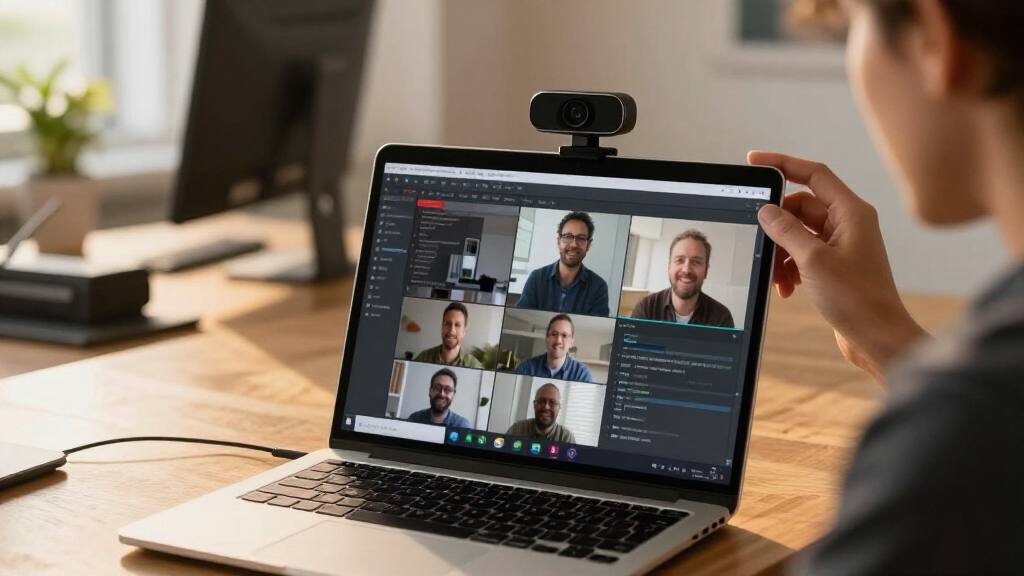
I judged every webcam against the realities of Zoom and Teams calls rather than spec sheets. The criteria that actually moved the rankings were autofocus speed and accuracy (PDAF beats contrast-detect when you lean in or hold up an object), microphone quality in noisy rooms, low-light performance for typical home offices, and platform plug-and-play reliability with Zoom and Teams on both Windows and macOS. Extras like privacy shutters, ring lights, and AI framing broke ties rather than driving decisions.
The ranking logic favors models that solve real meeting problems over headline resolution. A 4K sensor with weak autofocus scores lower than a smarter 1080p-optimized pipeline, because Zoom and Teams re-encode your video anyway. Price tiers also shaped placement: budget picks had to earn their spot through dependability, while premium models had to justify their cost with capabilities — PTZ tracking, dual lenses, or studio-grade mics — that cheaper options simply cannot replicate.
| 4k webcam for zoom and team | Autofocus |
|---|---|
| EMEET C960 4K Webcam with PDAF | — |
| EMEET C60E Dual-Camera 4K Stre | PDAF |
| 4K Webcam with PDAF Autofocus | PDAF |
| Acer A640 4K Webcam with AI No | PDAF |
| Logitech MX Brio Ultra HD 4K W | — |
| Insta360 Link 2 PTZ 4K Webcam | Phase Detection Auto Focus (PDAF) |
| NexiGo N680E Pro 4K Webcam wit | PDAF autofocus |
| Logitech Brio Ultra 4K HD Webc | — |
Factors to Consider When Choosing 4k Webcam For Zoom And Teams
Before picking a specific model, it helps to understand what actually changes your on-call appearance. These are the factors that separated the winners from the also-rans in this comparison — and the common mistakes buyers make at each step.Resolution Reality Check: Why 4K Isn’t Always Better on Zoom
Here’s the mistake I see most often: buyers assume native 4K output means 4K meetings. Zoom and Teams typically cap or compress outgoing video, so your 4K webcam is usually downsampled before anyone sees it. What actually improves your image is the sensor size and pixel binning behind that 4K label — a larger sensor capturing 4K produces sharper, cleaner 1080p than a small sensor straining at native 4K. Premium models like the MX Brio exploit this; some budget models use 4K as marketing while delivering soft, noisy output. If your calls are one-on-one, a strong 1080p image may serve you better than mediocre 4K. Reserve native 4K priority for recording, streaming, or large-group calls where cropping and digital zoom come into play.
Autofocus Type: PDAF Versus Contrast Detection
Autofocus is the single most noticeable difference between webcams once you’re actually on a call. Phase-detection autofocus (PDAF) snaps to your face almost instantly and holds focus when you move, gesture, or hold something up to the camera. Contrast-detection systems, common on cheaper 4K models, hunt back and forth visibly — a distraction that reads as unprofessional in client meetings. If you present, demo products, or move in your chair, PDAF should be a hard requirement. If you sit perfectly still at a fixed distance, contrast autofocus is tolerable and saves money. Several models in this lineup offer a manual-focus lock, which is a useful workaround if you go the budget route.
Microphone Quality and Your Room
Audio quality shapes how competent you appear on a call more than video does, and it’s where budget 4K webcams cut the most corners. Dual omni mics are the baseline; noise cancellation — hardware or AI-based, as on the Acer A640 — is what makes the difference in a home with kids, pets, or keyboard clatter. Be honest about your environment: a quiet, carpeted room makes almost any dual-mic setup sound fine, while a hard-surfaced echoey office exposes cheap mics immediately. If your room is problematic and you skip good mics, you’ll end up wearing a headset anyway, which negates the money you saved. Match mic spend to room acoustics, not to the camera’s resolution.
Low-Light Performance and Lighting Fixes
Most home offices have worse lighting than buyers think, and small webcam sensors struggle the moment a window sits behind you. Rather than chasing the best low-light sensor, many buyers are better served by fixing the light itself — the NexiGo N680E Pro’s built-in ring light exists precisely for this problem. Software exposure correction helps but often introduces grain or smearing. When comparing sensors, bigger is better: models with larger sensors maintain color accuracy and detail in dim rooms where entry-level 4K cameras wash out or produce noisy shadows. If you can’t control your lighting, prioritize sensor size or an integrated light before you pay extra for resolution you won’t see.
Smart Features: Framing, Tracking, and Dual Lenses
AI framing and PTZ tracking — the Insta360 Link 2’s specialty — sound gimmicky until you present regularly or share a desk with a second person. Gimmick or not, they carry real tradeoffs: motorized cameras cost more, can audibly whir on quiet calls, and occasionally mis-track when you point at a screen. Dual-lens setups like the EMEET C60E’s wide-angle-plus-telephoto pairing are excellent for showing physical spaces, whiteboards, or product demos, but that flexibility is wasted on standard face-to-face meetings. My advice: buy smart features only for a recurring need, not a hypothetical one. A fixed, well-placed camera outperforms a tracking camera you never use to its potential.
Compatibility, Privacy, and Everyday Details
Zoom and Teams both work with UVC-standard webcams, so plug-and-play compatibility is nearly universal — but firmware quirks, macOS permission handling, and Teams certification still vary by brand, and Logitech’s track record here is the safest. A privacy shutter feels minor at purchase and becomes a daily habit in practice; models lacking one push you toward unplugging or taping the lens. Mounting matters too: monitor clips differ widely in stability, and heavier PTZ models like the Link 2 need a secure perch or tripod thread. Check the cable length as well — short tethered cables force awkward desk placement on larger setups. These small details rarely make a pick, but they frequently break one.
Frequently Asked Questions
Does Zoom or Teams actually use 4K video from my webcam?
Not in typical meetings. Both platforms compress and often downscale outgoing video to conserve bandwidth, usually to 1080p or lower depending on your plan and connection. The value of a 4K webcam is in the quality of the source image, not the transmitted resolution: a 4K sensor capturing your face produces sharper, better-exposed video after compression than a native 1080p sensor does. 4K genuinely pays off if you record meetings locally, stream, or need digital zoom without losing detail. If you only do standard video calls on modest internet, image processing and sensor quality matter far more than the 4K badge.
It depends entirely on how you behave on calls. If you present standing up, walk to a whiteboard, or shift positions while talking, gimbal tracking keeps you framed and is hard to replicate with any fixed camera. If you sit at a desk facing the screen for every meeting, the motorized head adds cost, a slight mechanical noise risk, and one more thing that can misbehave — with little daily benefit. The Link 2’s sensor and image quality are excellent on their own, so you’re not paying only for tracking. But buyers with a static setup get comparable image quality from the MX Brio for less. Match the feature to your actual habits, not the demo videos.
Can a 4K webcam’s built-in microphones replace a headset or standalone mic?
In a quiet room, the best webcam mics in this lineup — particularly the Acer A640’s AI noise-canceling array — come close to a decent standalone microphone and comfortably beat most laptop mics. The catch is distance: webcam mics sit at screen distance, so they pick up more room reflections and background noise than a mic near your mouth. In a shared or echoey space, AI cancellation helps with steady noise like fans but struggles with sudden sounds like typing or nearby conversation. If client-facing audio quality is part of your job, a modest USB mic or headset still outperforms any webcam mic. For internal meetings in a controlled room, good built-in mics are genuinely sufficient.
Are dual-lens webcams like the EMEET C60E better for hybrid meetings?
Dual-lens cameras shine in one specific scenario: showing both yourself and a physical thing — a whiteboard, a prototype, a classroom, or a product demo — without repositioning a camera mid-call. Switching between a wide-angle view of the room and a telephoto shot of a detail is something no single fixed lens can do smoothly. For ordinary Zoom and Teams calls where only your face appears, the second lens goes unused, and you’re carrying extra cost and complexity for nothing. Hybrid presenters, teachers, and anyone who demonstrates physical objects will get real value from the format. Everyone else should put that budget toward a better sensor or mics.
What’s the smartest budget choice if I just want dependable 4K video calls?
Focus on three things and ignore the rest: PDAF autofocus, a reasonably sized sensor, and acceptable dual mics — which is exactly why the EMEET C960 earns its budget spot in this lineup. Skip models that advertise 4K but use contrast-only autofocus and tiny sensors, because they’ll hunt focus and look grainy in normal indoor light, negating the resolution you paid for. A privacy shutter and a stable monitor clip are worth insisting on even at the low end, since manufacturers cut corners there first. Also confirm the cable is long enough for your desk before buying, as budget models often ship with short tethers. Spending slightly more for PDAF is the single best upgrade a budget buyer can make.
Conclusion
For most people spending their day in Zoom and Teams, the Insta360 Link 2 is my best overall pick — its PTZ tracking, strong sensor, and dependable autofocus cover every meeting scenario without compromise. The Logitech MX Brio takes best premium-alternative honors for buyers who want elite image quality without a motorized head, and it’s the safer choice for static desk setups. Best value goes to the EMEET C960, which delivers PDAF autofocus and credible 4K at a price that leaves room for a proper desk lamp. Beginners should start with the NexiGo N680E Pro, whose ring light and privacy shutter remove the two most common first-webcam frustrations: bad lighting and lens anxiety. For specific needs: the Acer A640 for noisy environments thanks to its AI mics, the EMEET C60E for presenters and demo-heavy hybrid meetings, and the Logitech Brio Ultra as the certified, fuss-free choice for locked-down corporate IT environments. Pick based on how you actually behave on calls — everything else follows from that.
Halloween Picks
halloween
As an affiliate, we earn on qualifying purchases.