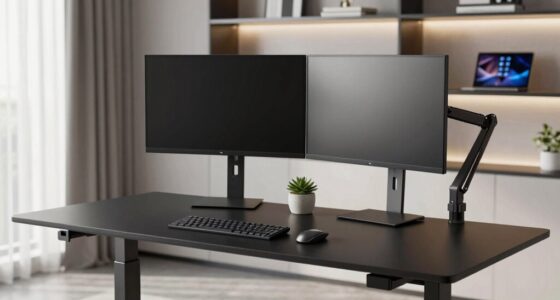
Choosing a monitor for product design requires balancing color accuracy, resolution, and workflow needs. The ASUS ProArt PA278QV stands out for its calibrated color precision and ergonomic design, ideal for detailed work. The ASUS ProArt PA279CRV excels with its 4K resolution and factory calibration, perfect for high-resolution workflows. Meanwhile, the LG 27US500-W offers a vivid 4K display with HDR10 support at a more accessible price, suited for creative tasks and general use. Each has tradeoffs: the PA278QV’s lower resolution might be limiting for some, while the PA279CRV’s premium price could be a barrier for casual users. The LG provides excellent visuals but lacks professional calibration out of the box. This guide helps clarify which monitor aligns with your specific needs.

Get business pricing on monitors, keyboards and dev gear
- Business-only prices and quantity discounts
- Tax-exempt purchasing
- Multiple users, one account, clear invoices
Key Takeaways
- The ASUS ProArt PA278QV provides excellent color accuracy and ergonomic flexibility at a slightly lower resolution, suited for detailed editing tasks.
- The ASUS ProArt PA279CRV offers true 4K resolution with factory calibration, making it ideal for high-resolution workflows but at a higher price point.
- The LG 27US500-W delivers vibrant 4K visuals with HDR support and an attractive design, suitable for versatile creative work but lacks professional calibration.
- Tradeoffs often involve resolution versus price and calibration features; higher-end models tend to cost more but offer better color fidelity and resolution.
- Connectivity and ergonomic adjustments are essential for extended work sessions, with most models offering USB-C and adjustable stands.
| ASUS ProArt PA278QV 27 Inch 1440p QHD Professional Monitor |  | Best Overall for Professional Color Accuracy and Ergonomics | Display Size: 27 inches | Resolution: 2560 x 1440 (QHD) | Color Gamut: 100% sRGB & Rec. 709 | VIEW ON AMAZON | See Our Full Breakdown |
| ASUS ProArt PA279CRV 27-Inch 4K UHD HDR Professional Monitor for Mac |  | Best for High-Resolution, Factory-Calibrated Workflows | Display Size: 27 inches | Resolution: 3840 x 2160 (4K UHD) | Color Coverage: 99% DCI-P3, 99% Adobe RGB | VIEW ON AMAZON | See Our Full Breakdown |
| LG 27US500-W 27-Inch 4K UHD IPS Monitor with HDR10 |  | Best for Vivid Visuals and Versatile Use | Display Size: 27 inches | Resolution: 3840 x 2160 (4K UHD) | HDR: HDR10 | VIEW ON AMAZON | See Our Full Breakdown |
| Dell 27 Monitor S2725QC 4K UHD IPS with 120Hz Refresh Rate |  | Best for Smooth Performance and Accurate Colors | Display Size: 27 inches | Resolution: 3840 x 2160 (4K UHD) | Refresh Rate: 120Hz | VIEW ON AMAZON | See Our Full Breakdown |
| ASUS ProArt PA247CV 24-Inch 1080p USB-C Professional Monitor |  | Best for Budget-Conscious Creatives and Multi-Display Setups | Display Size: 24 inches | Resolution: 1920 x 1080 | Color Gamut: 100% sRGB, Rec. 709 | VIEW ON AMAZON | See Our Full Breakdown |
| color accurate monitors for product design | Display Size | Resolution | Connectivity | Panel Type |
|---|---|---|---|---|
| ASUS ProArt PA278QV 27 Inch 14 | 27 inches | 2560 x 1440 (QHD) | DisplayPort, HDMI, DVI-D, Mini DP, USB hub | IPS |
| ASUS ProArt PA279CRV 27-Inch 4 | 27 inches | 3840 x 2160 (4K UHD) | DisplayPort, USB-C, HDMI | IPS |
| LG 27US500-W 27-Inch 4K UHD IP | 27 inches | 3840 x 2160 (4K UHD) | HDMI, DisplayPort | IPS |
| Dell 27 Monitor S2725QC 4K UHD | 27 inches | 3840 x 2160 (4K UHD) | USB-C, HDMI | — |
| ASUS ProArt PA247CV 24-Inch 10 | 24 inches | 1920 x 1080 | DisplayPort, HDMI, USB-C | IPS |
More Details on Our Top Picks
ASUS ProArt PA278QV 27 Inch 1440p QHD Professional Monitor
The ASUS ProArt PA278QV stands out for offering highly calibrated color accuracy with Calman verification and a wide 100% sRGB & Rec. 709 coverage. Its IPS panel ensures consistent viewing angles, crucial for color-critical work. Compared with the 4K options, this 27-inch monitor provides a sharp, detailed image at 1440p, which is sufficient for most design workflows without the higher cost of 4K models. Its ergonomic stand, extensive connectivity, and eye care features make it a versatile choice for long editing sessions. However, its resolution might be limiting for those needing ultra-high-def detail, and it requires calibration out of the box for optimal accuracy. This pick is ideal for professionals prioritizing color fidelity and ergonomic comfort.
Pros:- High color accuracy with professional calibration and Delta E < 2
- Wide color gamut coverage including 100% sRGB & Rec. 709
- Ergonomic stand with full tilt, swivel, and height adjustments
- Multiple connectivity options including USB hub
Cons:- Limited to 1440p resolution, not 4K
- Requires calibration for best color accuracy
- Premium price may be high for casual users
Best for: Professional designers who prioritize color accuracy, ergonomic setup, and budget-conscious 1440p resolution.
Not ideal for: Users needing the highest resolution available, such as detailed 3D modeling or ultra-fine printing workflows.
- Display Size:27 inches
- Resolution:2560 x 1440 (QHD)
- Color Gamut:100% sRGB & Rec. 709
- Panel Type:IPS
- Connectivity:DisplayPort, HDMI, DVI-D, Mini DP, USB hub
- Warranty:5 years
- Features:Calman Verified, Delta E < 2, ergonomic stand, eye care
Our verdict“A well-rounded monitor ideal for professional product designers seeking reliable color accuracy without the need for 4K resolution.”
ASUS ProArt PA279CRV 27-Inch 4K UHD HDR Professional Monitor for Mac
The ASUS ProArt PA279CRV provides a stunning 27-inch 4K UHD display with factory calibration, ensuring accurate colors right out of the box. Its wide 99% DCI-P3 and Adobe RGB coverage make it especially suitable for color-critical tasks such as high-res photo editing and digital content creation. Compared with the PA278QV, this model offers a higher resolution, giving more detail and workspace, which benefits professionals working on intricate designs or large images. Its connectivity includes USB-C with 96W Power Delivery, supporting a clutter-free workflow. The main tradeoff is its premium price, which might deter casual users, and it’s primarily tailored to those with high-resolution requirements. This monitor makes the most sense for users needing pixel-perfect precision and superior color fidelity.
Pros:- High-resolution 4K UHD display with factory calibration
- Wide color gamut coverage, including DCI-P3 and Adobe RGB
- USB-C with 96W Power Delivery for versatile connectivity
- Extended 5-year warranty
Cons:- High cost compared to lower-resolution monitors
- Designed primarily for advanced creative workflows
- Requires calibration for maximum accuracy if settings are adjusted
Best for: Professionals requiring 4K resolution with factory-calibrated color accuracy for high-detail workflows.
Not ideal for: Budget-conscious users or those who do not need 4K resolution for their work.
- Display Size:27 inches
- Resolution:3840 x 2160 (4K UHD)
- Color Coverage:99% DCI-P3, 99% Adobe RGB
- Panel Type:IPS
- Connectivity:DisplayPort, USB-C, HDMI
- Warranty:5 years
- Features:Factory calibrated, wide color gamut
Our verdict“An excellent choice for professionals demanding true 4K resolution and top-tier color fidelity straight out of the box.”
LG 27US500-W 27-Inch 4K UHD IPS Monitor with HDR10
The LG 27US500-W offers a 27-inch 4K UHD IPS panel with HDR10 support, providing vibrant colors and wide viewing angles. Its sleek, borderless design enhances any workspace, and the adjustable stand promotes ergonomic comfort. While it supports HDR10 for richer contrast and color, it lacks professional calibration features, which could be a drawback for color-precise workflows. The 60Hz refresh rate limits its suitability for fast-paced gaming or video editing requiring high frame rates. It’s an attractive option for creative professionals who want a high-quality display for general design work and multimedia consumption without the higher price of calibrated professional monitors. For those needing pixel-perfect accuracy, this might fall short, but for everyday creative tasks, it’s a compelling choice.
Pros:- Vivid 4K UHD display with HDR10 support
- Borderless, sleek design enhances workspace
- Adjustable ergonomic stand for comfortable use
- Wide viewing angles and good color reproduction
Cons:- Lacks professional calibration features
- Limited to 60Hz refresh rate, not ideal for fast editing
- No built-in speakers included
Best for: Designers seeking vivid, versatile 4K visuals with HDR support in a stylish, affordable package.
Not ideal for: Color-critical workflows requiring precise calibration or high refresh rates for fast editing.
- Display Size:27 inches
- Resolution:3840 x 2160 (4K UHD)
- HDR:HDR10
- Panel Type:IPS
- Connectivity:HDMI, DisplayPort
- Brightness:300 cd/m²
- Viewing Angle:170 degrees
Our verdict“A visually striking monitor suited for creative professionals who prioritize vibrant imagery over strict color calibration.”
Dell 27 Monitor S2725QC 4K UHD IPS with 120Hz Refresh Rate
The Dell S2725QC delivers 4K UHD visuals with IPS panel technology and 99% sRGB coverage, ensuring accurate colors for product design. Its standout feature is the 120Hz refresh rate combined with AMD FreeSync Premium, making it suitable for both detailed editing and smoother motion in multimedia tasks. The inclusion of low blue light features makes it easier on the eyes during extended sessions. Its single USB-C connection simplifies setup, reducing cable clutter. Compared with other professional monitors, this model balances high resolution, color fidelity, and performance, but it might lack some advanced calibration controls found in higher-end options. It’s a compelling choice for those who want high-quality visuals with a focus on smooth workflow and eye comfort.
Pros:- Vivid 4K visuals with 99% sRGB coverage
- 120Hz refresh rate for smooth editing and multimedia
- Low blue light technology for eye comfort
- Single USB-C cable connectivity
Cons:- Price details not specified
- Lacks advanced calibration features
- Limited to 27 inches size
Best for: Designers seeking a high-resolution, accurate display with smooth performance and eye-friendly features.
Not ideal for: Users requiring ultra-wide color gamuts or professional-grade calibration for print workflows.
- Display Size:27 inches
- Resolution:3840 x 2160 (4K UHD)
- Refresh Rate:120Hz
- Response Time:4ms
- Color Coverage:99% sRGB
- Connectivity:USB-C, HDMI
- Blue Light Reduction:Yes
Our verdict“A well-rounded monitor blending high resolution, color accuracy, and performance, suitable for demanding product design work.”
ASUS ProArt PA247CV 24-Inch 1080p USB-C Professional Monitor
The ASUS ProArt PA247CV offers professional-grade color accuracy on a 24-inch Full HD IPS panel. Its factory calibration and 100% sRGB & Rec. 709 coverage make it suitable for precise color work, especially for those working within these color spaces. The inclusion of USB-C with 65W Power Delivery allows for a clean, single-cable setup, and its support for multi-display daisy chaining enhances productivity. Compared to larger or higher-resolution monitors, this model’s 1080p resolution may feel limiting for detail-intensive tasks or large-scale editing. It’s best suited for those who need accurate colors but are working within standard resolution constraints, such as mobile app design or certain digital workflows. It’s a solid choice for professionals on a tighter budget or those with space constraints.
Pros:- Excellent color accuracy with factory calibration
- Wide color gamut including sRGB & Rec. 709
- Multiple connectivity options including USB-C with Power Delivery
- Supports multi-monitor daisy chain
Cons:- Limited to 1080p resolution
- Higher price point for a smaller screen
- No built-in speakers
Best for: Budget-conscious professionals needing reliable color accuracy on a smaller, 1080p display.
Not ideal for: Those requiring high resolution for detailed work or large-format editing.
- Display Size:24 inches
- Resolution:1920 x 1080
- Color Gamut:100% sRGB, Rec. 709
- Panel Type:IPS
- Connectivity:DisplayPort, HDMI, USB-C
- Calibration:Calman Verified, Delta E < 2
- Warranty:5 years
Our verdict“A dependable monitor for professionals needing accurate colors in a compact, budget-friendly package, with resolution as the main limitation.”

How We Picked
Our selection process prioritized monitors with professional-grade color accuracy, verified calibration, and wide color gamuts (100% sRGB, Adobe RGB, or DCI-P3). We considered resolution, connectivity options, ergonomic features, and warranty coverage. Each monitor was evaluated for its role in creative workflows, balancing features against price and user needs. We included a mix of high-resolution 4K models and more affordable options to cater to different budgets, ensuring each pick offers a clear advantage for product design tasks requiring precise color reproduction.
| color accurate monitors for product design | Connectivity |
|---|---|
| ASUS ProArt PA278QV 27 Inch 14 | DisplayPort, HDMI, DVI-D, Mini DP, USB hub |
| ASUS ProArt PA279CRV 27-Inch 4 | DisplayPort, USB-C, HDMI |
| LG 27US500-W 27-Inch 4K UHD IP | HDMI, DisplayPort |
| Dell 27 Monitor S2725QC 4K UHD | USB-C, HDMI |
| ASUS ProArt PA247CV 24-Inch 10 | DisplayPort, HDMI, USB-C |
Factors to Consider When Choosing Color Accurate Monitors For Product Design
When selecting a monitor for product design, the key factors include color accuracy, resolution, connectivity options, and ergonomic features. High color fidelity often involves factory calibration and wide gamuts like Adobe RGB and DCI-P3, essential for achieving precise hues in professional workflows. Resolution impacts workspace and detail, with 4K being preferable for high-resolution editing, but 1440p can suffice for many tasks. Connectivity, including USB-C, simplifies setups, while ergonomic adjustments help prevent fatigue during long work sessions. Understanding these elements helps tailor your choice to your specific design needs and budget, ensuring you get a monitor that enhances productivity and color precision.
Color Accuracy and Gamut Coverage
Look for monitors with factory calibration and high coverage of color spaces such as sRGB, Adobe RGB, or DCI-P3. These ensure your colors are consistent and reliable across different devices and media. Calman verification or similar certifications indicate a monitor has been tested for color fidelity, which is crucial for product design that demands precise hues. Balancing color accuracy with affordability often means choosing between higher-end 4K models and more budget-friendly 1440p options, depending on your workflow.
Resolution and Screen Size
Higher resolutions like 4K provide more workspace and finer detail, which is advantageous for complex design tasks. However, they come at a premium price and may require more powerful hardware. 1440p monitors, like the ASUS ProArt PA278QV, still offer sharp images and are easier on system resources, making them suitable for many professional applications. Screen size also matters—27 inches strikes a good balance for most workflows, but smaller or larger sizes can be chosen based on space and preference.
Connectivity and Ergonomics
Versatile connectivity options like USB-C with Power Delivery simplify cable management and enable a single cable connection for video, data, and charging. Ergonomic adjustments—tilt, swivel, height, pivot—are vital for long hours of work, reducing strain and increasing comfort. When selecting a monitor, consider how these features align with your workspace and workflow to maximize efficiency and reduce fatigue.
Frequently Asked Questions
Why is color accuracy important for product design?
Color accuracy ensures that the colors you see on your monitor closely match the final output, whether digital or print. This consistency is vital for product design, where precise hues can influence branding, user experience, and visual communication. An accurate display reduces the risk of color mismatches and rework, saving time and resources during the development process.
What is Delta E, and why should I care?
Delta E measures the difference between the intended color and what the monitor displays. A lower Delta E, typically below 2, indicates high color fidelity. For product design, maintaining a Delta E under this threshold means your monitor can reliably reproduce colors, which is essential for maintaining consistency across projects and media types.
Is 4K resolution necessary for product design?
While 4K resolution offers more workspace and finer detail, it may not be strictly necessary for all design tasks, especially if your workflow doesn’t require pixel-perfect precision. A high-quality 1440p monitor with good color accuracy can suffice for many professionals. However, if your work involves detailed textures, high-resolution visuals, or large-scale editing, investing in 4K can improve efficiency and output quality.
How does connectivity impact my workflow?
Connectivity options like USB-C with Power Delivery allow for a cleaner workspace by reducing cable clutter and enabling charging and data transfer through a single cable. This is especially beneficial for MacBook users or multi-device setups. Good connectivity ensures your workflow remains seamless, minimizes interruptions, and supports multiple peripherals and displays.
Should I prioritize a larger screen or higher resolution?
Both size and resolution influence your user experience. A larger screen provides more real estate, making it easier to work on complex projects, while higher resolution enhances detail and clarity. For product design, 27 inches at 4K offers a good balance, but if space allows, larger displays or dual-monitor setups can further boost productivity. Your choice depends on your workspace, hardware capabilities, and specific workflow needs.
Conclusion
If you are a professional who requires top-tier color accuracy and high resolution, investing in a monitor like the ASUS ProArt PA279CRV makes the most sense. Those with tighter budgets or less demanding workflows might find the ASUS ProArt PA278QV sufficient, especially if ergonomic features are a priority. Creative users who value vibrant visuals for multimedia projects but do not need professional calibration can consider the LG 27US500-W. For users seeking a balance of performance and smooth visuals, the Dell S2725QC offers a compelling option. Ultimately, understanding your specific workflow and budget helps determine which monitor will best support your product design needs in 2026.
As an affiliate, we earn on qualifying purchases.Halloween Picks
halloween