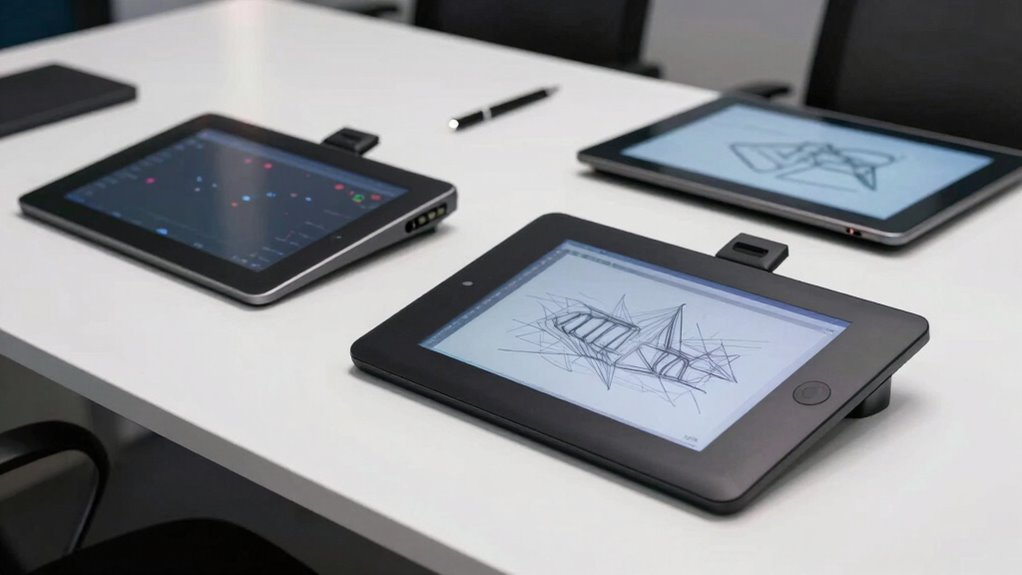

When it comes to digital sketching, low latency is essential for a natural, responsive drawing experience. For 2026, several models stand out, each catering to different needs. The HUION Inspiroy H1060P offers a large working area and customizable keys, making it ideal for detailed work. The XPPen Magic Drawing Pad shines as a standalone device with high pressure sensitivity, perfect for artists on the go. Meanwhile, the HUION Kamvas 13 (Gen 3) provides a high-quality display for those who prefer a pen display connected to their computers. Each of these options balances latency, control, and portability differently, with tradeoffs to consider depending on your workflow and budget.

Get business pricing on monitors, keyboards and dev gear
- Business-only prices and quantity discounts
- Tax-exempt purchasing
- Multiple users, one account, clear invoices
Key Takeaways
- Large working areas enhance control for detailed sketching but may increase device size and cost.
- Standalone tablets provide mobility but often at a higher price point and increased weight.
- Pen display tablets excel in color accuracy and screen quality but require connection to a computer.
- Wired tablets offer precise control with minimal latency but limit movement compared to wireless options.
- Advanced stylus technology and customizable shortcuts can reduce latency and improve workflow efficiency.
| HUION Inspiroy H1060P Graphics Drawing Tablet, 10 x 6.25 inches, 12+16 Hot Keys |  | Best Overall Large Drawing Surface | Working Area: 10 x 6.25 inches | Stylus: Battery-free, tilt support ±60° | Shortcut Keys: 12 programmable, 16 soft keys | VIEW ON AMAZON | See Our Full Breakdown |
| XPPen Magic Drawing Pad 12.2 Inch Standalone Drawing Tablet with 16K Pressure Levels and Stylus |  | Best Standalone High-Sensitivity Device | Screen Size: 12.2 inches | Resolution: 2160×1440 | Stylus Pressure Levels: 16K | VIEW ON AMAZON | See Our Full Breakdown |
| XPPen 10.95″ Standalone Drawing Tablet with Color Notetaking and Sketching |  | Best for Portability and Versatility | Display Size: 10.95 inches | Color Support: 16.7 million colors | Pressure Sensitivity: 16,384 levels | VIEW ON AMAZON | See Our Full Breakdown |
| HUION Kamvas 13 (Gen 3) Drawing Tablet with Screen, Dual Dial, 13.3″ |  | Best Pen Display for Color and Precision | Screen Size: 13.3 inches | Color Accuracy: ΔE<1.5 | Colors: 16.7 million | VIEW ON AMAZON | See Our Full Breakdown |
| Wacom Intuos Small Wired Graphics Drawing Tablet with Pen and Software |  | Best for Beginners and Control | Model: Intuos Small | Connectivity: Wired USB-A | Included Accessories: Pen, software, extra nibs | VIEW ON AMAZON | See Our Full Breakdown |
More Details on Our Top Picks
HUION Inspiroy H1060P Graphics Drawing Tablet, 10 x 6.25 inches, 12+16 Hot Keys
The HUION Inspiroy H1060P stands out for its expansive 10 x 6.25-inch working area, which provides ample space for detailed sketches, especially when low latency is a priority. Its battery-free stylus with tilt support offers natural control, reducing input lag during rapid strokes. The customizable shortcut keys improve workflow, making it suitable for both studio artists and hobbyists. Compared with smaller or more portable options, this tablet prioritizes control and workspace, though its size and need for a USB adapter on Mac can be drawbacks for mobility and convenience.
Pros:- Large working area for detailed work
- Battery-free stylus with tilt support
- Customizable shortcut keys
- Compatible across multiple OS and software
Cons:- Requires USB adapter for Mac
- OTG connector limitations
- Cursor may not display on some Samsung Galaxy S series devices
Best for: Professional artists and serious hobbyists who need a large drawing surface and precise control.
Not ideal for: On-the-go sketchers or users seeking a compact, wireless device.
- Working Area:10 x 6.25 inches
- Stylus:Battery-free, tilt support ±60°
- Shortcut Keys:12 programmable, 16 soft keys
- Compatibility:Windows, macOS, Android, Linux
- Dimensions:10 x 6.25 inches
- Thickness:10mm
Our verdict“This tablet offers unmatched workspace for those who prioritize size and control over portability.”
XPPen Magic Drawing Pad 12.2 Inch Standalone Drawing Tablet with 16K Pressure Levels and Stylus
The XPPen Magic Drawing Pad excels as a standalone device, removing the need for a computer during sketching sessions. Its 12.2-inch high-resolution display coupled with a 16K pressure-sensitive stylus delivers exceptional responsiveness, minimizing latency for smooth, natural strokes. The large screen and eye comfort features make it appealing for artists who prefer working away from their desk, though its weight and cost might be limiting factors. Compared to tablet and pen combos, it offers convenience but at a premium price and less flexibility in software integration.
Pros:- High-pressure sensitivity with 16K levels
- Standalone operation for portability
- Large, high-res display with eye comfort tech
- Long battery life of 13 hours
Cons:- Relatively heavy for portable use
- Limited to Android ecosystem
- Price may be high for hobbyists
Best for: Artists seeking portability and high sensitivity in a standalone setup.
Not ideal for: Users who need extensive software customization or prefer larger screens.
- Screen Size:12.2 inches
- Resolution:2160×1440
- Stylus Pressure Levels:16K
- Operating System:Android 14
- Battery:8000 mAh
- Weight:599 g
Our verdict“This device is a top choice for artists wanting high sensitivity and freedom from cables, with some tradeoffs in weight and price.”
XPPen 10.95″ Standalone Drawing Tablet with Color Notetaking and Sketching
The XPPen 10.95-inch offers a compact, portable option with a realistic textured display that mimics paper. Its 16,384 pressure levels and 90Hz refresh rate ensure low latency and smooth strokes, making it suitable for sketching and note-taking on the go. While it lacks expandable storage and is limited to Android 14, it provides a vibrant, control-rich experience in a lightweight package. This makes it ideal for artists who need a quick, natural sketching device without the bulk of larger tablets.
Pros:- Paper-like textured display
- Lightweight and portable
- High-pressure sensitivity
- Vibrant color support
Cons:- Limited to Android 14
- No internal storage or expansion
- Requires device familiarity
Best for: Travelers and students who want a lightweight, responsive drawing device.
Not ideal for: Professionals needing a larger workspace or extensive software support.
- Display Size:10.95 inches
- Color Support:16.7 million colors
- Pressure Sensitivity:16,384 levels
- Refresh Rate:90Hz
- Weight:495g
- Thickness:7mm
Our verdict“A highly portable tablet that balances low latency with natural feel, perfect for quick sketches and notes.”
HUION Kamvas 13 (Gen 3) Drawing Tablet with Screen, Dual Dial, 13.3″
The HUION Kamvas 13 (Gen 3) offers a vibrant, high-quality display with excellent color accuracy, making it ideal for detailed sketching and coloring. Its 16384-level pen provides low latency, and the device’s fully laminated screen reduces parallax, giving a natural feel. However, it requires connection to a computer or compatible device, which limits mobility but enhances display quality. It’s best suited for artists who value screen clarity and are comfortable with a wired setup.
Pros:- High color accuracy and vibrant display
- Advanced pen sensitivity with customizable buttons
- Flexible connectivity options
- Adjustable stand for ergonomic use
Cons:- Requires connection to a computer
- Learning curve for new users
- Not wireless or standalone
Best for: Artists and designers who need a portable pen display with excellent color fidelity.
Not ideal for: Those seeking a standalone device or wireless operation.
- Screen Size:13.3 inches
- Color Accuracy:ΔE<1.5
- Colors:16.7 million
- Color Gamut:Rec.709
- Pressure Sensitivity:16384 levels
- Connectivity:USB-C single cable
Our verdict“This pen display balances low latency and color precision, ideal for professional workflows involving accurate color work.”
Wacom Intuos Small Wired Graphics Drawing Tablet with Pen and Software
The Wacom Intuos Small provides precise control with a wired connection, making it suitable for newcomers and experienced artists alike. Its battery-free pen with high accuracy offers low latency, and the bundled software and tutorials support skill development. While its small surface can limit detailed work, it remains a dependable choice for those starting or needing a compact device for quick sketches. The wired setup might feel restrictive compared to wireless options, but it ensures minimal input lag.
Pros:- High precision with battery-free pen
- Compatible with major software and devices
- Includes tutorials and software
- Reliable wired connection for minimal latency
Cons:- Wired connection limits mobility
- Small size may restrict complex sketches
- Requires compatible device and software updates
Best for: Beginners or artists seeking an affordable, reliable low-latency device.
Not ideal for: Advanced professionals requiring large working areas or wireless freedom.
- Model:Intuos Small
- Connectivity:Wired USB-A
- Included Accessories:Pen, software, extra nibs
- Compatibility:Mac, PC, Chromebook, Android
- Technology:EMR, battery-free pen
Our verdict“A straightforward, dependable choice for those new to digital art or needing low latency in a compact form.”

How We Picked
To select these drawing tablets for low latency sketching, I evaluated key aspects such as stylus responsiveness, screen or drawing surface quality, connectivity options, and overall workflow suitability. I compared their specs like pressure sensitivity, refresh rates, and tracking accuracy, prioritizing models that promise minimal input lag. Devices were also assessed based on their target users—whether professionals, hobbyists, or beginners—and their portability and compatibility with popular software. The goal was to curate a diverse lineup that balances high performance with practical tradeoffs, ensuring that each product serves a clear user need without overstating capabilities.
Factors to Consider When Choosing Drawing Tablet For Low Latency Sketching
Choosing the right drawing tablet for low latency sketching involves balancing responsiveness, portability, and screen quality. For detailed, professional work, larger tablets with customizable shortcut keys and high-precision styluses tend to offer the best control. On the other hand, standalone devices with high pressure sensitivity suit artists who prefer mobility without sacrificing responsiveness. For those on a budget or just starting out, wired tablets provide reliable low latency control, but may feel restrictive compared to wireless or standalone options. Ultimately, your workflow, preferred device ecosystem, and portability needs will guide your decision.Size and Workspace
The size of your drawing surface directly impacts your ability to work comfortably and efficiently. Larger tablets like the HUION Inspiroy H1060P provide ample space for detailed sketches but can be cumbersome to carry around. Smaller or portable options like the XPPen 10.95-inch or Wacom Intuos are easier to transport but may limit your workspace, making complex projects more challenging without zooming or panning frequently.
Connectivity and Portability
Wired devices such as the Wacom Intuos or HUION Kamvas 13 offer reliable, low-latency control with minimal input lag, but restrict your movement. Wireless or standalone models like the XPPen Magic or XPPen Tablet provide greater freedom, though sometimes at the expense of slightly increased latency or higher cost. Consider whether you need mobility for sketching on the go or a stable setup for studio work.
Stylus Technology and Sensitivity
Stylus responsiveness, pressure sensitivity, and tilt support significantly influence sketching latency and control. Devices like the HUION H1060P and Wacom Intuos feature ultra-responsive styluses with high pressure levels, reducing lag during fast strokes. Standalone tablets like the Magic Drawing Pad or XPPen tablet boast high pressure sensitivity (16K levels), ensuring natural strokes with minimal delay, particularly useful for shading and detailed work.
Display Quality and Color Accuracy
If visual feedback matters, pen displays like the HUION Kamvas 13 (Gen 3) provide vibrant, color-accurate screens that help with precise coloring and detailed sketches. However, these require connection to a computer. For portable, standalone options, high-resolution screens with eye protection like the Magic Drawing Pad make a significant difference in visual comfort and detail clarity, though at a higher price.
Price and User Level
Entry-level tablets like the Wacom Intuos are affordable and great for beginners, offering low latency with reliable control. More advanced artists, especially those working professionally, should consider higher-end models with larger work areas, color accuracy, and stylus precision. Budget options may have compromises in workspace or features but still deliver acceptable low-latency performance for casual sketching and learning.
Frequently Asked Questions
What makes a drawing tablet suitable for low latency sketching?
A drawing tablet suitable for low latency sketching features a highly responsive stylus with minimal input lag, a high refresh rate, and accurate tracking. These elements work together to make strokes feel natural and immediate, mimicking the experience of traditional drawing tools. Elements like stylus tilt support and high pressure sensitivity further enhance the natural feel, especially during rapid or detailed strokes.
Are standalone tablets better for low latency sketching than pen displays connected to computers?
Standalone tablets can offer very low latency and high responsiveness, especially models with high pressure sensitivity and fast processors. They also eliminate cable clutter, making them more flexible for on-the-go sketching. However, high-end pen displays connected to computers often provide superior color accuracy and larger screens, benefiting detailed work. The choice depends on whether mobility or display quality matters more to the user.
Does screen size significantly affect sketching latency?
While larger screens provide more workspace, they do not necessarily increase latency if the device is well-designed. The key factors influencing latency are stylus tracking technology, refresh rate, and processing speed. A larger screen can improve control and precision but might require more powerful hardware or lead to increased device weight, which can impact portability.
How important is pressure sensitivity for low latency sketching?
High pressure sensitivity, such as 16K levels found on premium tablets, allows for subtle variations in stroke thickness and shading, making sketches feel more natural and responsive. While low latency is primarily about responsiveness to input, pressure sensitivity enhances control and detail, especially in detailed illustration or shading tasks. Both features complement each other to create a seamless drawing experience.
Should I prioritize a wired or wireless drawing tablet for low latency sketching?
Wired tablets generally offer the most reliable low latency performance because they have direct, stable connections that minimize input lag. Wireless tablets or standalone devices tend to have slightly higher latency due to wireless transmission and processing delays, but recent advancements have narrowed this gap. Your choice should depend on whether you value maximum responsiveness or prefer freedom of movement for your workflow.
Conclusion
For artists prioritizing the largest workspace and detailed control, the HUION Inspiroy H1060P makes an excellent choice. Those who need maximum mobility and pressure sensitivity should consider the XPPen Magic Drawing Pad. Meanwhile, professionals seeking high color accuracy and a crisp display might prefer the HUION Kamvas 13 (Gen 3). Beginners or those on a budget will find the Wacom Intuos Small offers reliable low latency control in a compact, wired package. The best pick ultimately depends on your workflow, portability needs, and artistic goals.
Fall Picks
fall essentials
As an affiliate, we earn on qualifying purchases.