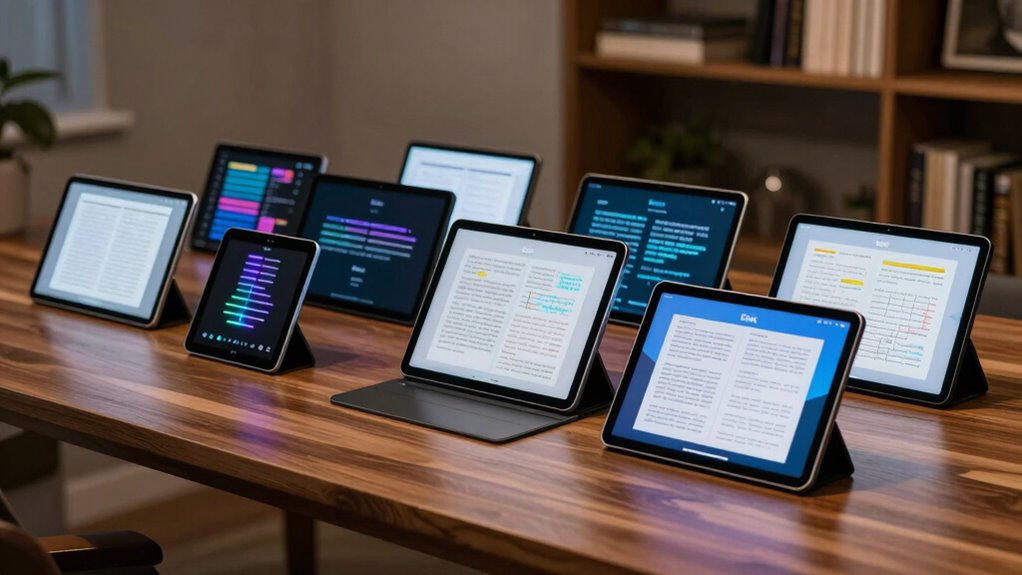

For those seeking an alternative to traditional tablets, e ink devices offer an exceptional reading and annotation experience with paper-like displays and long battery life. The reMarkable Paper Pure stands out as the overall best for its natural writing feel and seamless note-taking. The BOOX Note Air 5 impresses with its vibrant color e-paper, making it ideal for reading comics or magazines, while the Penstar eNote 2 offers a budget-friendly option with solid performance. Buyers often face tradeoffs between display quality, functionality, and price, so understanding your specific needs is key. Continue reading for a detailed breakdown of each device and what makes them unique.

Get business pricing on monitors, keyboards and dev gear
- Business-only prices and quantity discounts
- Tax-exempt purchasing
- Multiple users, one account, clear invoices
Key Takeaways
- The most capable all-around device is the reMarkable Paper Pure for its writing experience and simplicity.
- Color e-paper options like the BOOX Note Air 5 excel for reading multimedia content but may have limited app ecosystems.
- Budget-friendly models like the Penstar eNote 2 still deliver solid annotation features without the premium price.
- Build quality and accessory support vary widely; premium picks tend to offer more durable materials and stylus options.
- Battery life is generally excellent across all models, but user interface and software updates can affect long-term usability.
| reMarkable Paper Pure with Marker Plus and Ocean Blue Sleeve Folio |  | Best Overall for Digital Note-Taking and Seamless Cloud Integration | Display: 10.3-inch black-and-white | Response Time: 21 ms | Includes: Marker Plus, Ocean Blue Sleeve Folio | VIEW ON AMAZON | See Our Full Breakdown |
| BOOX Note Air 5 C 10.3″ E Ink Tablet with Color ePaper, 6GB RAM, 64GB Storage, Android 15 |  | Best for Color Reading and Versatile Document Support | Display: 10.3-inch Kaleido 3 color e-ink | Resolution: B/W: 2480 x 1860, Color: 1240 x 930 | RAM: 6GB | VIEW ON AMAZON | See Our Full Breakdown |
| reMarkable Paper Pro with Marker Plus and Black Leather Book Folio |  | Best for Color-Enhanced Reading and Note-Taking | Display: 11.8-inch Canvas Color | Included Accessories: Marker Plus, spare tips, leather folio | Features: Color display, adjustable light | VIEW ON AMAZON | See Our Full Breakdown |
| BOOX Tablet Go 10.3 Gen II Lumi ePaper E Ink Tablet Notebook |  | Best for Versatile Media and Document Handling | Screen: 10.3″ HD ePaper | Resolution: 2480 x 1860 (300 ppi) | Processor: Octa-core | VIEW ON AMAZON | See Our Full Breakdown |
| Geniatech Kloudnote Slim 10.3″ Digital Notebook and E Ink Tablet |  | Best for Long Battery Life and Stylish Portability | Screen Size: 10.3 inches | Resolution: 1404 x 1872 (227ppi) | Processor: 1.8GHz A55 quad-core | VIEW ON AMAZON | See Our Full Breakdown |
| Penstar eNote 2 E-Ink Digital Notebook with Pen, 10.3” AI eNote Tablet |  | Best Overall for Advanced Digital Note-Taking and Organization | Screen Size: 10.3 inches | Resolution: 2480×1860 (300 ppi) | Stylus Sensitivity: 8,192 levels | VIEW ON AMAZON | See Our Full Breakdown |
| BOOX Tablet Go 7 B/W E Ink Tablet 4G 64GB Support Active Stylus InkSense |  | Best Compact B/W E-Ink Tablet for Reading and On-the-Go Access | Screen: 7″ HD ePaper glass screen | Resolution: 1680 x 1264 (300 ppi) | Connectivity: 4G, Wi-Fi, Bluetooth 5.1 | VIEW ON AMAZON | See Our Full Breakdown |
| reMarkable Paper Pro with Marker Plus |  | Best for Natural Color and Writing Experience | Display: 11.8-inch Canvas Color | Resolution: Full-color | Size: Ultra-slim | VIEW ON AMAZON | See Our Full Breakdown |
| BOOX Tablet Go Color 7 Gen II E Ink Tablet Support Active Stylus InkSense (Black) |  | Best Color E Ink for Reading and Browsing with Color Support | Screen: 7″ Kaleido 3, 4096 colors | Resolution: 1680 x 1264 (B/W 300 ppi, Color 150 ppi) | Features: Front light, microSD support | VIEW ON AMAZON | See Our Full Breakdown |
| VIWOODS AiPaper 10.65″ AI E Ink Tablet, Digital Notebook Bundle with Pen |  | Best for High-Resolution Reading and Precise Note-Taking | Display: 10.65″ Carta 1300, 2560×1920 | Stylus: 4096 pressure levels | Storage: 128GB | VIEW ON AMAZON | See Our Full Breakdown |
| e ink tablets for reading and annotation | Resolution | Storage | Display |
|---|---|---|---|
| reMarkable Paper Pure with Mar | — | — | 10.3-inch black-and-white |
| BOOX Note Air 5 C 10.3" E Ink | B/W: 2480 x 1860, Color: 1240 x 930 | 64GB | 10.3-inch Kaleido 3 color e-ink |
| reMarkable Paper Pro with Mark | — | — | 11.8-inch Canvas Color |
| BOOX Tablet Go 10.3 Gen II Lum | 2480 x 1860 (300 ppi) | 64GB | — |
| Geniatech Kloudnote Slim 10.3" | 1404 x 1872 (227ppi) | 64GB | — |
| Penstar eNote 2 E-Ink Digital | 2480×1860 (300 ppi) | 128GB | — |
| BOOX Tablet Go 7 B/W E Ink Tab | 1680 x 1264 (300 ppi) | 64GB | — |
| reMarkable Paper Pro with Mark | Full-color | — | 11.8-inch Canvas Color |
| BOOX Tablet Go Color 7 Gen II | 1680 x 1264 (B/W 300 ppi, Color 150 ppi) | — | — |
| VIWOODS AiPaper 10.65" AI E In | — | 128GB | 10.65" Carta 1300, 2560×1920 |
More Details on Our Top Picks
reMarkable Paper Pure with Marker Plus and Ocean Blue Sleeve Folio
The reMarkable Paper Pure shines as the most balanced option for those prioritizing a distraction-free reading and writing experience. Its fast 21 ms response time ensures smooth digital ink, making it ideal for handwriting and sketching. Compared with the reMarkable Paper Pro, it offers a more compact form factor, but lacks the color display, limiting visual vibrancy. Its straightforward black-and-white screen is perfect for focused note-taking but less suited for tasks requiring color visuals. The device excels in cloud integrations, streamlining workflows, yet it requires compatible apps to unlock full functionality, which might frustrate some users. This pick makes the most sense for professionals and students who want a dedicated digital paper tool without the complexity of high-end tablets.
Pros:- Fast digital ink response ensures smooth writing experience
- Organized note management with tags and folders
- Seamless cloud service integration for easy document access
Cons:- Limited to monochrome display, restricting visual content
- Requires compatible apps for full feature set, adding complexity
Best for: Students and professionals seeking a dedicated, fast, and organized digital notebook for note-taking and document review.
Not ideal for: Users who need vibrant color visuals or multimedia support, as the device only displays in black-and-white and has limited multimedia features.
- Display:10.3-inch black-and-white
- Response Time:21 ms
- Includes:Marker Plus, Ocean Blue Sleeve Folio
- Connectivity:Wi-Fi
- Battery Life:Not specified
- OS:Proprietary
Our verdict“This is ideal for users who want a straightforward, fast, and organized digital paper notebook for focused work.”
BOOX Note Air 5 C 10.3″ E Ink Tablet with Color ePaper, 6GB RAM, 64GB Storage, Android 15
The BOOX Note Air 5 C stands out for its high-resolution color e-ink display, making it a strong choice for reading and annotating color-rich documents. Its 2480 x 1860 resolution ensures sharp visuals, and the device’s Android 15 OS with 6GB RAM allows for running various apps smoothly. Compared with the reMarkable Paper Pro, it offers color capabilities, but the inherent limitations of color e-ink mean darker, grayer tones that may not satisfy users expecting vivid images. Refresh rates are slower, which impacts responsiveness during app navigation, making it less suited for intensive multimedia. This tablet makes sense for users who need a portable, versatile device capable of handling complex documents and images, but not for those requiring rapid animations or vibrant media presentation.
Pros:- High-resolution color e-ink display suitable for detailed visuals
- Supports a wide range of document formats and apps
- Powerful octa-core processor with smooth performance
Cons:- Color e-ink screens are darker and grayer compared to LCDs
- Slower refresh rates may affect app responsiveness
Best for: Designers, students, or professionals who want a lightweight device for reading and annotating color documents or images.
Not ideal for: Users needing high-fidelity color displays or fast app responsiveness for multimedia-heavy tasks, as color e-ink technology has inherent limits.
- Display:10.3-inch Kaleido 3 color e-ink
- Resolution:B/W: 2480 x 1860, Color: 1240 x 930
- RAM:6GB
- Storage:64GB
- Connectivity:Wi-Fi, Bluetooth 5.1
- OS:Android 15
Our verdict“Best suited for users who need a portable color e-ink device for reading and annotation, accepting some display limitations.”
reMarkable Paper Pro with Marker Plus and Black Leather Book Folio
The reMarkable Paper Pro offers a larger 11.8-inch color display that provides more vibrant visuals for reading and annotation. Its paper-like writing experience, combined with an adjustable reading light, makes it a standout for users who spend long hours reading or sketching. Compared with the Paper Pure, it adds color support, but at a premium price that could be prohibitive for casual users. Its battery life details are not specified, which could be a concern for heavy daily use. The device is perfect for creatives and professionals who want a portable yet vibrant digital notebook, but those on a tight budget or needing traditional paper options should consider other devices.
Pros:- Vibrant color display enhances visual content
- Responsive stylus with eraser and extra tips
- Adjustable reading light for low-light environments
Cons:- Premium price point limits accessibility
- Battery life is not specified, raising concerns for heavy use
Best for: Creative professionals or students seeking a colorful, portable device with a natural writing feel for detailed note-taking and visual work.
Not ideal for: Budget-conscious users or those who prefer traditional paper, as the device is expensive and solely digital.
- Display:11.8-inch Canvas Color
- Included Accessories:Marker Plus, spare tips, leather folio
- Features:Color display, adjustable light
- Connectivity:Wi-Fi
- Battery:Not specified
- OS:Proprietary
Our verdict“Ideal for users who value a larger, colorful digital notebook with a natural writing experience, despite the higher cost.”
BOOX Tablet Go 10.3 Gen II Lumi ePaper E Ink Tablet Notebook
The BOOX Tablet Go 10.3 Gen II Lumi delivers a high-resolution 10.3-inch ePaper display with multiple refresh modes, making it versatile for reading, browsing, and light media. Its Android 15 OS combined with 4GB RAM and 64GB storage supports a variety of formats, including audio, images, and documents, making it a flexible choice for multimedia consumption alongside reading and note-taking. Compared to the Geniatech Kloudnote Slim, it offers a slightly larger screen and more refresh options, but it is heavier and less portable. The device’s battery life details are not specified, which could influence long-term usability. This tablet suits users who want a multi-purpose device that handles different content types but may not be ideal for those prioritizing ultra-light portability or color visuals.
Pros:- High-resolution 10.3-inch ePaper display suitable for extended reading
- Supports diverse formats including audio and images
- Runs on Android 15 with ample storage and multitasking potential
Cons:- Relatively heavy for a portable e-reader
- Limited to ePaper display, not suitable for color-rich media
Best for: Students or professionals needing a multi-format device for reading, note-taking, and light media consumption.
Not ideal for: Those who demand long battery life or ultra-lightweight design, as weight and battery details are not specified.
- Screen:10.3″ HD ePaper
- Resolution:2480 x 1860 (300 ppi)
- Processor:Octa-core
- RAM:4GB
- Storage:64GB
- Front Light:Yes with CTM
Our verdict“Best for users seeking a versatile ePaper device for reading, note-taking, and media, accepting some weight and format limitations.”
Geniatech Kloudnote Slim 10.3″ Digital Notebook and E Ink Tablet
The Geniatech Kloudnote Slim distinguishes itself with an ultra-thin, stylish design and impressive 40-hour battery life, making it a reliable companion for extended reading and writing sessions. Its 10.3-inch high-resolution display offers sharp visuals, though it supports only PDF and ePub formats, limiting compatibility with some content types. Compared with the reMarkable Paper Pure, it offers a longer-lasting battery but lacks some advanced note organization features. Customer reviews are mixed, reflecting some software limitations and feature gaps, but its support for cloud storage via OneDrive and Dropbox adds flexibility. This device is a good fit for users prioritizing portability and long battery life over extensive format support or advanced features.
Pros:- Ultra-thin and stylish design
- Exceptional 40-hour battery life
- Supports multiple note templates and cloud storage
Cons:- Limited to PDF and ePub formats, restricting content variety
- Some features require software updates, indicating potential stability issues
Best for: Readers and note-takers who need a lightweight, stylish device with long battery life and support for essential formats.
Not ideal for: Power users needing support for a broad range of document formats or more advanced note-taking features.
- Screen Size:10.3 inches
- Resolution:1404 x 1872 (227ppi)
- Processor:1.8GHz A55 quad-core
- RAM:2GB
- Storage:64GB
- Battery:3000mAh (up to 40 hours)
Our verdict“Ideal for users who value portability and long-lasting battery life for simple reading and note-taking, despite format limitations.”
Penstar eNote 2 E-Ink Digital Notebook with Pen, 10.3” AI eNote Tablet
The Penstar eNote 2 stands out for its large, high-quality 10.3-inch display that mimics paper, making it ideal for both reading and handwriting. Its key strength lies in the AI-powered note organization and voice-to-text features, which significantly enhance productivity for serious note-takers or students. Compared with the reMarkable Paper Pro, the Penstar offers broader file format support and longer battery life, though its Android-based system introduces a steeper learning curve and higher cost. The inclusion of a stylus and multiple accessories makes it a comprehensive package, but the device’s premium price may deter casual users. It’s best suited for professionals and academics who need a versatile, feature-rich digital notebook.Pros:- Large, high-contrast, paper-like display with sunlight readability
- AI-powered note management enhances productivity
- Long battery life lasting up to 4 weeks
- Supports over 35 file formats for versatile use
Cons:- Premium price may be prohibitive for casual users
- Requires familiarity with Android OS and digital tools
- No waterproof or rugged features
Best for: Professionals, students, and power users needing advanced organization and file support.
Not ideal for: Casual readers or those seeking a simple, inexpensive e-ink device for occasional use.
- Screen Size:10.3 inches
- Resolution:2480×1860 (300 ppi)
- Stylus Sensitivity:8,192 levels
- Battery Life:Up to 4 weeks
- Storage:128GB
- Operating System:Android 14
Our verdict“This device is perfect for tech-savvy users who want an all-in-one reading, writing, and organizing tool despite its higher cost.”
BOOX Tablet Go 7 B/W E Ink Tablet 4G 64GB Support Active Stylus InkSense
The BOOX Tablet Go 7 offers a compact yet capable 7-inch high-resolution e-paper display that excels for reading in portable form. Its support for a wide array of document and image formats makes it versatile for browsing or light note-taking. Compared with the larger Penstar eNote 2, it sacrifices screen size for portability, but this means less comfortable annotation for extensive writing. Its 4G connectivity and lightweight design make it perfect for those who need quick access to content while mobile, though stylus support is optional and may require purchase separately. This pick makes the most sense for users who prioritize mobility and format variety over extensive annotation features.Pros:- High-resolution 7-inch ePaper display with sunlight readability
- Supports many document and image formats
- Lightweight at approximately 195g for easy portability
- 4G connectivity for on-the-go access
Cons:- Stylus support requires buying InkSense stylus separately
- Page refreshes can be slower compared to LCD devices
- No EMR stylus compatibility
Best for: Travelers, commuters, and readers who need a lightweight device for browsing and occasional notes.
Not ideal for: Users who want a large screen for detailed annotation or digital art, due to its small size and limited stylus support.
- Screen:7″ HD ePaper glass screen
- Resolution:1680 x 1264 (300 ppi)
- Connectivity:4G, Wi-Fi, Bluetooth 5.1
- Storage:64GB
- Stylus Support:Active Stylus InkSense (stylus not included)
- Dimensions:156 x 137 x 6.4 mm
Our verdict“Ideal for users needing a compact, lightweight device for reading and light browsing during travel or commutes.”
reMarkable Paper Pro with Marker Plus
The reMarkable Paper Pro introduces color to the e-ink realm with its 11.8-inch Canvas Color display, providing a more vivid experience for reading and annotating. Its ultra-slim profile and low-glare screen make it comfortable for extended use, especially in well-lit environments. Compared with the Penstar eNote 2, it emphasizes a more natural, paper-like feel with color support, but it’s limited by e-ink’s inherent slower refresh rates and color depth, which aren’t suited for fast-paced sketching or multimedia. The device’s price and dependence on proprietary stylus for optimal use might be barriers for some. This device suits creative users and those who value color annotation over extensive format support or multi-functionality.Pros:- Color display with realistic, paper-like feel
- Ultra-slim, portable design
- Low-glare screen reduces eye strain
- Supports handwriting to text conversion
Cons:- Limited to e-ink technology—no vibrant full-color display
- Requires compatible stylus for best results
- Price not specified, potentially high
Best for: Artists, students, or professionals who need color annotations with a natural feel.
Not ideal for: Power users seeking extensive file compatibility or advanced AI features, as it focuses on natural drawing and reading.
- Display:11.8-inch Canvas Color
- Resolution:Full-color
- Size:Ultra-slim
- Features:Handwriting-to-text, adjustable lighting
Our verdict“Best for users who prioritize natural color annotations and a paper-like experience over multimedia capabilities.”
BOOX Tablet Go Color 7 Gen II E Ink Tablet Support Active Stylus InkSense (Black)
The BOOX Go Color 7 Gen II offers a 7-inch Kaleido 3 color E Ink screen with 4096 colors, providing a surprising amount of color depth for an e-ink device. It’s designed for reading and browsing, with support for numerous document types and a front light for comfortable use in various lighting conditions. Compared with the monochrome BOOX Tablet Go 7, it introduces color, but this comes with inherent limitations—such as darker, grayer images and reduced contrast—limiting its usefulness for detailed color work or multimedia. Its support for a broad range of formats and expandable storage makes it versatile, yet the display’s color quality and refresh rates may disappoint users expecting vibrant visuals. It fits best for casual color reading and annotations where true color vibrancy isn’t critical.Pros:- Supports a wide array of document and image formats
- Color display with 4096 shades for basic color annotations
- Front light with warm and cold options
- Expandable via microSD card
Cons:- Color E Ink technology yields darker, grayer screens
- No EMR stylus support—stylus not included
- Display quality may not meet expectations for vibrant images
Best for: Readers and casual note-takers wanting basic color support in a portable device.
Not ideal for: Digital artists or users needing high-quality color images, due to limited color vibrancy and slower refresh rates.
- Screen:7″ Kaleido 3, 4096 colors
- Resolution:1680 x 1264 (B/W 300 ppi, Color 150 ppi)
- Features:Front light, microSD support
- Size:156 x 137 x 6.4 mm
Our verdict“Suitable for casual users who want occasional color annotations without the need for vibrant display quality.”
VIWOODS AiPaper 10.65″ AI E Ink Tablet, Digital Notebook Bundle with Pen
The VIWOODS AiPaper delivers a large 10.65-inch high-resolution Carta display that closely resembles paper, making it ideal for detailed writing and reviewing. Its stylus offers 4096 pressure levels, enabling precise annotation and sketching, while AI-powered tools assist with organization and translation—features that elevate productivity for students and professionals. Compared with the Penstar eNote 2, it emphasizes a more natural writing experience and bundled accessories, but this comes with somewhat slower refresh latency typical of E Ink screens. The device’s rich bundle and ample storage make it a strong choice for those prioritizing writing accuracy and high-res display in a more traditional notebook form, though it’s less suitable for multimedia or color work.Pros:- High-resolution, paper-like display reduces eye strain
- Responsive stylus with 4096 pressure levels
- AI tools for translating and organizing notes
- Large 10.65-inch screen enhances writing comfort
Cons:- Refresh latency can cause slight delays during writing
- Limited color support, typical for E Ink devices
- Requires regular charging and maintenance
Best for: Students, researchers, or professionals who need detailed, high-res annotations and AI tools.
Not ideal for: Casual readers or users wanting vibrant color options or multimedia functions, as it’s focused on writing and reviewing.
- Display:10.65″ Carta 1300, 2560×1920
- Stylus:4096 pressure levels
- Storage:128GB
- Features:AI translation, organization tools
- Size:10.65 inches
Our verdict“Best suited for users who want a large, precise digital notebook with AI features for studying and professional note-taking.”

How We Picked
To determine the best e ink tablets for reading and annotation, I evaluated each device based on performance, display quality, usability, and value. Performance considerations included responsiveness and stylus support, which are crucial for writing and note-taking. Display quality focused on contrast, resolution, and color options, especially for users who want to read magazines or comics. Ease of use and software stability influenced the overall experience, while build quality and accessory support contributed to durability and convenience. Devices were ranked by how well they balance these factors relative to their price, ensuring that each one serves a specific type of user effectively.
Factors to Consider When Choosing E Ink Tablets For Reading And Annotation
Choosing the right e ink tablet for reading and annotation requires balancing display features, usability, and price. Consider what kind of content you’ll most frequently engage with, your budget, and whether you need advanced features like color or Android compatibility. The following factors will help you make an informed decision and avoid common pitfalls:Display Quality and Size
Since reading experience is central, focus on resolution, contrast, and whether the screen supports color. Larger screens, like 10.3 inches or more, provide more comfortable reading and note-taking, but they can be bulkier and more expensive. Consider the type of content you read most—text-only books or color-rich magazines—and choose accordingly to get the best visual clarity without sacrificing portability.
Stylus Support and Note-Taking
Look for devices offering responsive stylus support, ideally with pressure sensitivity and palm rejection. This enhances the writing experience, especially for annotations or sketches. Some models include active styluses with tilt and shortcuts, which boost productivity. Beware of cheaper models with low responsiveness or limited stylus features, as they can frustrate your workflow.
Operating System and Ecosystem
Devices running on Android or supporting third-party apps provide more flexibility for reading apps and annotation tools. Simpler, dedicated e ink devices may limit app choices but often excel at distraction-free reading. Consider whether you need apps like Kindle, Adobe Acrobat, or note-taking suites, and choose a device that supports those platforms seamlessly.
Price and Value
High-end models with color screens and advanced features tend to be more expensive but offer greater versatility. Conversely, budget options focus on core reading and annotation functions with fewer frills. Decide what features are essential for your use case, and avoid paying for extras you won’t utilize. Keep in mind that investing a bit more often results in better build quality and longer-lasting support.
Battery Life and Portability
Most e ink devices boast days or even weeks of battery life, but actual longevity depends on usage and display type. Consider how portable you need your device to be—larger screens mean more bulk but better reading comfort. If you travel frequently, prioritize lightweight designs with long-lasting batteries and quick charging options.
Frequently Asked Questions
Can I install my own apps on e ink tablets?
It depends on the device. Models running on Android, like the BOOX series, support installing third-party apps, giving you access to a wide ecosystem of reading, note-taking, and productivity tools. Dedicated e ink devices without Android generally restrict app installation to their pre-approved suite, focusing on core reading and annotation features. Always check the app compatibility before purchase if this flexibility is important to you.
Is color e-paper worth it for reading and annotation?
Color e-paper adds vibrancy to magazines, comics, and illustrations, enhancing visual appeal. However, color screens often have lower contrast and slower refresh rates compared to monochrome displays, which can impact reading comfort and responsiveness. If your main focus is text-heavy books or notes, a black-and-white device might provide a sharper, more natural reading experience. Consider your content preferences carefully before choosing color options.
How durable are e ink tablets for daily use?
Most e ink tablets are built with sturdy plastic or aluminum bodies, making them resistant to everyday bumps and drops. The screens are generally durable, but excessive force can cause damage. Using a protective case or sleeve is recommended, especially if you carry your device frequently. Additionally, the stylus often attaches magnetically or in a slot, reducing the chances of misplacing it during daily use.
Can I use e ink tablets for PDF annotation?
Yes, most modern e ink devices support PDF reading and annotation, often with dedicated apps or built-in features. Look for models with good stylus support and high-resolution screens to ensure clarity when highlighting or writing on PDFs. Some devices also offer features like multi-page view or zoom, which improve readability and editing convenience. Compatibility with popular PDF apps is a key factor to consider.
Are e ink tablets suitable for long-form reading?
Absolutely. E ink screens mimic paper, reducing eye strain during extended reading sessions. Their low power consumption also means you can read for days without recharging. However, for very long sessions, a larger screen size can make a difference in comfort. Keep in mind that e ink devices are primarily designed for static content; interactive or multimedia content may be limited or less responsive than on traditional tablets.
Conclusion
For most readers seeking a balance of performance and ease of use, the reMarkable Paper Pure makes a compelling choice as the best overall device. If color or multimedia support is priority, the BOOX Note Air 5 suits those who want vibrant displays and app flexibility. Budget-conscious users will find the Penstar eNote 2 a practical entry-level option. For those who prefer premium build quality and advanced features, the reMarkable Paper Pro or BOOX Tablet Go Color are worth considering. Select based on your primary use—be it simple reading, intense annotation, or multimedia content—to find the perfect fit.
Halloween Picks
halloween
As an affiliate, we earn on qualifying purchases.