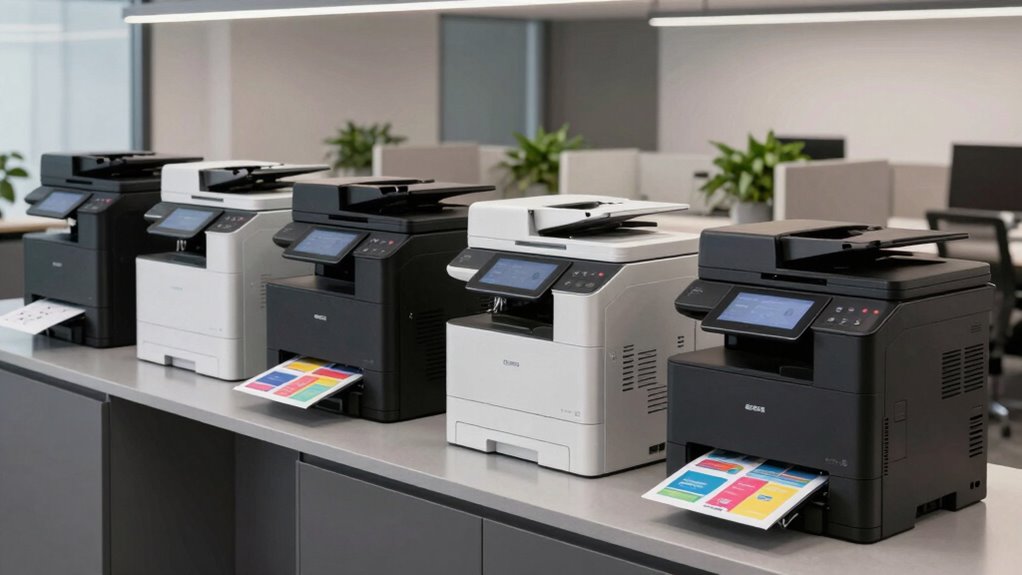
Finding an office friendly large format printer in 2026 involves balancing print quality, ease of use, and cost-efficiency. The HP OfficeJet Pro 9730e stands out as the best overall choice for its versatile all-in-one capabilities and reliable performance. The Epson Workforce Pro WF-7840 is a strong contender for those prioritizing speed and high-volume printing, while the Canon imagePROGRAF TM-240 excels in producing detailed, professional-quality large prints. Readers face tradeoffs between upfront cost, ongoing maintenance, and feature set—these options are designed to meet different priorities. Continue reading for a detailed analysis of each model to find the best fit for your office.

Get business pricing on monitors, keyboards and dev gear
- Business-only prices and quantity discounts
- Tax-exempt purchasing
- Multiple users, one account, clear invoices
Key Takeaways
- The best overall printer balances print quality, speed, and ease of maintenance, with the HP OfficeJet Pro 9730e leading in versatility.
- High-volume workflows benefit from faster printers like the Epson Workforce Pro WF-7840, though they often come with a higher price tag.
- Professional large-format needs, such as detailed CAD or art prints, are best served by specialized models like the Canon imagePROGRAF TM-240.
- Price and ongoing ink costs are significant considerations—more expensive units may save money in the long run through higher efficiency.
- Ease of use and footprint size matter for small offices; compact designs and simple interfaces help maximize productivity without clutter.
| HP OfficeJet Pro 9730e Wide Format Wireless All-in-One Color Inkjet Printer |  | Best Overall for Versatile Office Use | Print Speed: up to 18 ppm color, 22 ppm black | Print Technology: Color Inkjet | Functions: Print, Scan, Copy, Fax | VIEW ON AMAZON | See Our Full Breakdown |
| HP OfficeJet Pro 9720 Wide-Format Wireless All-in-One Color Inkjet Printer |  | Best for Professional Wide-Format Printing up to 11×17 inches | Print Speed (Black): up to 22 ppm | Print Speed (Color): up to 18 ppm | Maximum Print Size: 11 x 17 inches | VIEW ON AMAZON | See Our Full Breakdown |
| Epson Workforce Pro WF-7840 Wireless All-in-One Wide-Format Inkjet Printer |  | Best for Fast, High-Volume Wide-Format Printing | Print Speed: up to 25 ppm | Print Technology: PrecisionCore Heat-Free Inkjet | Maximum Print Size: 13 x 19 inches | VIEW ON AMAZON | See Our Full Breakdown |
| Canon imagePROGRAF TM-240 24-inch Large Format Printer |  | Best for Professional-Grade Outdoor Signage and Graphics | Maximum Resolution: 2400 x 1200 dpi | Print Speed: up to 3.2 ppm | Media Size: 24 inches | VIEW ON AMAZON | See Our Full Breakdown |
| Epson WorkForce Pro WF-7310 Wireless Wide-Format Printer |  | Best for High-Volume Wide-Format Office Printing | Print Size: up to 13″ x 19″ | Auto 2-Sided Printing: Yes | Paper Capacity: 500 sheets | VIEW ON AMAZON | See Our Full Breakdown |
| office friendly large format printer | Print Speed | Paper Capacity | Connectivity |
|---|---|---|---|
| HP OfficeJet Pro 9730e Wide Fo | up to 18 ppm color, 22 ppm black | — | — |
| HP OfficeJet Pro 9720 Wide-For | — | 250 sheets | Wireless, dual-band Wi-Fi |
| Epson Workforce Pro WF-7840 Wi | up to 25 ppm | 500 sheets | Wireless, Ethernet, USB |
| Canon imagePROGRAF TM-240 24-i | up to 3.2 ppm | — | — |
| Epson WorkForce Pro WF-7310 Wi | — | 500 sheets | Wi-Fi 5 |
More Details on Our Top Picks
HP OfficeJet Pro 9730e Wide Format Wireless All-in-One Color Inkjet Printer
The HP OfficeJet Pro 9730e stands out for its ability to handle a wide range of office tasks with impressive color quality and large-format capacity, making it ideal for teams that need flexible, high-quality printing. Compared with the Epson Workforce Pro WF-7840, the 9730e offers more comprehensive all-in-one features, including fax and duplex printing, but it requires cartridges with HP chips and a subscription for additional ink, which can add to ongoing costs. Its wireless support and security tools make it suitable for busy office environments, though some users may find the need for firmware updates an inconvenience. Tradeoffs include higher initial costs and reliance on HP cartridges. This pick makes the most sense for offices seeking a reliable, multifunction device that balances print quality, security, and connectivity.
Pros:- High-quality color printing with wide-format capability
- Wireless printing and mobile app support for convenience
- Secure printing with HP Wolf Pro Security
- Automatic document feeder and duplex printing
Cons:- Requires cartridges with HP chips or circuitry, limiting cartridge choices
- Subscription needed for Instant Ink after initial 3 months
- Firmware updates may be necessary to maintain security features
Best for: Medium to large offices that need a versatile, all-in-one printer with wide-format capability and security features
Not ideal for: Small workspaces or budget-conscious users who prefer open-source or cartridge-free options
- Print Speed:up to 18 ppm color, 22 ppm black
- Print Technology:Color Inkjet
- Functions:Print, Scan, Copy, Fax
- Automatic Document Feeder:Yes
- Duplex Printing:Yes
- Input Trays:Two 250-sheet trays
Our verdict“Ideal for offices needing a versatile, secure, and reliable wide-format all-in-one printer with excellent connectivity.”
HP OfficeJet Pro 9720 Wide-Format Wireless All-in-One Color Inkjet Printer
The HP OfficeJet Pro 9720 makes this list for its ability to produce professional-quality prints up to 11×17 inches with fast speeds and a user-friendly 2.7-inch touchscreen, ideal for small to medium offices needing high-quality document output. Unlike the Epson Workforce Pro WF-7840, which offers larger media sizes up to 13×19 inches, the 9720 focuses on standard wide-format tasks with an emphasis on security and ease of use. Its large paper capacity and wireless features suit busy environments, though it requires a subscription for ongoing ink supplies and can occupy significant space in tight offices. Tradeoffs involve higher ongoing costs and limited media size compared to the Epson WF-7840.
Pros:- High-quality color printing up to 11×17 inches
- Fast print speeds and large paper capacity
- Intuitive touchscreen interface
- Secure printing with HP Wolf Pro Security
Cons:- Requires subscription for ongoing ink delivery
- Relatively large footprint for small offices
- Limited media size compared to larger wide-format printers
Best for: Design studios or small offices requiring high-quality 11×17 inch printing with simple operation
Not ideal for: Offices needing larger media sizes or those seeking open-source or cartridge-free solutions
- Print Speed (Black):up to 22 ppm
- Print Speed (Color):up to 18 ppm
- Maximum Print Size:11 x 17 inches
- Paper Capacity:250 sheets
- Touchscreen:2.7-inch color
- Connectivity:Wireless, dual-band Wi-Fi
Our verdict“Best suited for offices prioritizing ease of use and high-quality prints up to 11×17 inches with security features.”
Epson Workforce Pro WF-7840 Wireless All-in-One Wide-Format Inkjet Printer
The Epson Workforce Pro WF-7840 is engineered for demanding office environments that require rapid, high-volume printing up to 13×19 inches. Its PrecisionCore Heat-Free technology ensures quick, sharp output and the 500-sheet capacity minimizes paper reloads, making it a strong choice over the HP OfficeJet Pro models for continuous workflows. Unlike the Canon TM-240, which excels in detailed outdoor signage, the WF-7840 offers faster speeds and flexible mobile printing options, though it relies solely on Epson-brand cartridges, which can be costly. Its large media capacity and easy wireless setup make it well-suited for busy workspaces, but its size and dependency on proprietary supplies are notable tradeoffs.
Pros:- Fast print speeds up to 25 ppm
- Large 500-sheet paper capacity
- Wireless and mobile printing support
- Automatic duplex and wide-format up to 13×19 inches
Cons:- Requires Epson-specific cartridges, which can be expensive
- Large footprint, may not fit small offices
- Some features depend on internet connectivity
Best for: High-volume offices or print shops needing quick turnaround on large-format documents
Not ideal for: Small offices or users seeking open-source or inexpensive cartridge alternatives
- Print Speed:up to 25 ppm
- Print Technology:PrecisionCore Heat-Free Inkjet
- Maximum Print Size:13 x 19 inches
- Paper Capacity:500 sheets
- Functions:Print, Copy, Scan, Fax
- Connectivity:Wireless, Ethernet, USB
Our verdict“Best for high-volume, fast-paced offices that need reliable wide-format output and minimal interruptions.”
Canon imagePROGRAF TM-240 24-inch Large Format Printer
The Canon imagePROGRAF TM-240 is designed for professionals needing detailed, water-resistant outdoor signage. With a maximum resolution of 2400 x 1200 dpi and fast speeds of 3.2 ppm, it produces sharp, vibrant images suitable for signage, posters, and outdoor graphics. Its 6-channel water-resistant inks and automatic calibration ensure consistent color accuracy over long print runs. Compared to the Epson WF-7840, which is more suited for office workflows, the TM-240 excels in outdoor durability but requires a larger space and higher consumable investment. It’s less practical for standard office tasks but ideal for specialized, high-quality outdoor applications.
Pros:- High-resolution output with sharp detail
- Water-resistant, outdoor-ready inks
- Fast printing speeds for large jobs
- Automatic media and color calibration
Cons:- Primarily designed for professional or commercial use
- Large size and high initial cost
- High cost of consumables and maintenance
Best for: Signage companies or outdoor signage projects requiring water-resistant, high-resolution output
Not ideal for: Small offices or those seeking general document printing or low-cost solutions
- Maximum Resolution:2400 x 1200 dpi
- Print Speed:up to 3.2 ppm
- Media Size:24 inches
- Number of Nozzles:15,360
- Ink Type:6-color water-resistant
- Suitable For:Outdoor signage, posters, signs
Our verdict“Perfect for professionals focused on outdoor signage and high-quality graphics, less suitable for everyday office printing.”
Epson WorkForce Pro WF-7310 Wireless Wide-Format Printer
The Epson WorkForce Pro WF-7310 stands out for its ability to handle large-format prints up to 13″ x 19″ with impressive speed, making it a strong choice compared to the HP OfficeJet Pro 9730e, which offers similar wide-format capabilities but with a slightly slower maximum speed. The WF-7310’s PrecisionCore Heat-Free Technology ensures fast, reliable printing while reducing energy use, and its 500-sheet capacity supports high-volume office demands. However, the setup can be complex due to its multiple features, and using genuine Epson inks is recommended for consistent results, which could increase ongoing costs. Compared with the HP OfficeJet Pro 9720, it offers superior speed and output quality, but at a potentially higher initial investment. This printer makes the most sense for offices requiring frequent, high-quality wide-format prints with high capacity.
Pros:- Handles large-format prints up to 13″ x 19″ with crisp, vibrant color
- Fast print speeds of 25 black and 12 color ISO ppm support high-volume workloads
- High paper capacity of 500 sheets reduces refilling frequency
- Reliable with genuine Epson inks and advanced PrecisionCore technology
Cons:- Setup can be complicated due to multiple features and configurations
- Genuine Epson inks are necessary for optimal performance, increasing ongoing expenses
Best for: Offices that need reliable, high-volume printing of large-format documents up to 13″ x 19″ with vibrant, sharp results.
Not ideal for: Small teams or solo users who only print occasional wide-format documents, as the cost and complexity may outweigh the benefits.
- Print Size:up to 13″ x 19″
- Auto 2-Sided Printing:Yes
- Paper Capacity:500 sheets
- Connectivity:Wi-Fi 5
- Maximum Print Speed:25 black/12 color ISO ppm
- Inks:DURABrite Ultra pigment inks
- Trays:Two 250-sheet trays, rear feed
Our verdict“This printer is best suited for medium to large offices prioritizing high-volume, large-format printing with excellent color fidelity.”

How We Picked
These products were evaluated based on performance, print quality, ease of operation, maintenance costs, and overall value. We prioritized models that seamlessly integrate into office environments, balancing cost with capability. The ranking reflects a combination of user-friendly features, reliability, and how well each printer handles large-format tasks. We also considered brand reputation and customer feedback to ensure these options meet professional standards. The goal was to highlight models that serve a variety of office needs, from casual printing to high-volume professional applications.| office friendly large format printer | Print Speed | Connectivity |
|---|---|---|
| HP OfficeJet Pro 9730e Wide Fo | up to 18 ppm color, 22 ppm black | — |
| HP OfficeJet Pro 9720 Wide-For | — | Wireless, dual-band Wi-Fi |
| Epson Workforce Pro WF-7840 Wi | up to 25 ppm | Wireless, Ethernet, USB |
| Canon imagePROGRAF TM-240 24-i | up to 3.2 ppm | — |
| Epson WorkForce Pro WF-7310 Wi | — | Wi-Fi 5 |
Factors to Consider When Choosing Office Friendly Large Format Printer
Choosing the right office friendly large format printer requires understanding several key factors. Beyond initial cost, consider how much the ongoing ink or toner expenses will be, as large format printing can be ink-intensive. Ease of use and maintenance are critical, especially in busy office settings where downtime impacts productivity. Size and footprint matter if space is limited, and compatibility with existing network systems can streamline workflows. Finally, think about the specific types of prints you need—whether detailed CAD drawings, color posters, or high-volume copies—since this influences the best feature set for your office.Print Quality and Resolution
High-quality output is essential if your office produces professional presentations, detailed drawings, or marketing materials. Look for printers with high dpi (dots per inch) ratings and color accuracy. Some models excel at detailed graphics, while others are better for basic large-format documents. Understanding your typical print needs can help narrow down options that provide the right balance of quality and speed.
Operating Costs and Ink Efficiency
Large format printers can be costly to run, especially when printing color-rich images or large volumes. Pay attention to ink cartridge yields and the cost per page—more efficient models may have higher upfront prices but lower ongoing expenses. Some printers use refillable ink tanks, which can be more economical over time, while others rely on expensive cartridges that need frequent replacements.
Ease of Use and Maintenance
In a busy office, complex setups or frequent maintenance can cause delays. Look for user-friendly interfaces, automatic document feeders, and straightforward connectivity options like Wi-Fi or Ethernet. Maintenance features such as self-cleaning heads or easily accessible ink reservoirs also reduce downtime and extend the printer’s lifespan.
Size and Office Fit
Not all large format printers are equally space-friendly. Consider dimensions carefully—some models are compact enough for small offices, whereas others require dedicated room. Also, check weight and setup requirements, especially if you plan to move or reposition the printer regularly.
Specific Application Needs
Assess whether your primary focus is producing detailed CAD drawings, vibrant posters, or high-volume copies. Some printers are specialized—like the Canon imagePROGRAF for professional art and photo printing—while others excel at fast, cost-effective document printing. Matching the printer’s strengths with your core tasks ensures long-term satisfaction and productivity.
Frequently Asked Questions
How much should I expect to spend on an office-friendly large format printer?
Prices for office-friendly large format printers vary widely, typically ranging from around $1,000 to over $5,000 depending on features, size, and brand. While lower-cost models may seem appealing, they often lack the durability, speed, or quality needed for serious office use. Investing a bit more upfront can lead to better reliability, lower maintenance costs, and higher-quality output, making the higher-end models more cost-effective over time.
Are ink or toner costs a major concern with large format printers?
Absolutely. Ink or toner expenses significantly impact ongoing costs, especially with color printing. Some models use high-yield cartridges or refillable ink tanks that reduce per-page costs, whereas others rely on small, expensive cartridges that require frequent replacements. Evaluating the total cost of ownership helps avoid surprises and ensures your printer remains economical over its lifespan.
Can these printers handle both color and black-and-white printing efficiently?
Most large format printers are designed to handle both color and black-and-white printing, but their efficiency varies. Color printing typically consumes more ink, raising costs and maintenance needs. If your office primarily prints in black and white, look for models optimized for high-volume monochrome printing, which can save money and extend device lifespan. Conversely, if color output is frequent, prioritize models with high-capacity ink systems and fast color processing.
What connectivity options should I look for?
Wireless connectivity, including Wi-Fi and Ethernet, is essential for flexible office workflows. It allows multiple users to print from different devices without hassle and simplifies setup. Some models also support mobile printing via apps or cloud services, which streamlines printing from smartphones or tablets—an important feature for dynamic office environments seeking convenience and efficiency.
Is a higher upfront cost justified for professional-grade large format printers?
In many cases, yes. Professional-grade printers like the Canon imagePROGRAF TM-240 deliver exceptional detail, color accuracy, and durability, which are vital for high-quality presentations or art prints. If your office relies on producing professional-level output regularly, investing in a premium model can save time, reduce reprints, and enhance your work’s visual impact. However, for occasional or basic large-format printing, more affordable options may suffice.
Conclusion
For offices prioritizing versatility and all-in-one functionality, the HP OfficeJet Pro 9730e offers an excellent balance of print quality, ease of use, and cost-efficiency—making it the best overall pick. Those needing high-volume output or faster speeds might find the Epson Workforce Pro WF-7840 better suited to their needs, despite higher initial costs. Professionals requiring top-tier detail, such as architects or artists, should consider the Canon imagePROGRAF TM-240 for its precision. Budget-conscious buyers and small offices will appreciate the more affordable, space-saving options, while larger teams should evaluate models with bulk ink systems to keep ongoing costs down. This lineup aims to match different office needs, ensuring every buyer finds a compatible fit.
Fall Picks
fall essentials
As an affiliate, we earn on qualifying purchases.