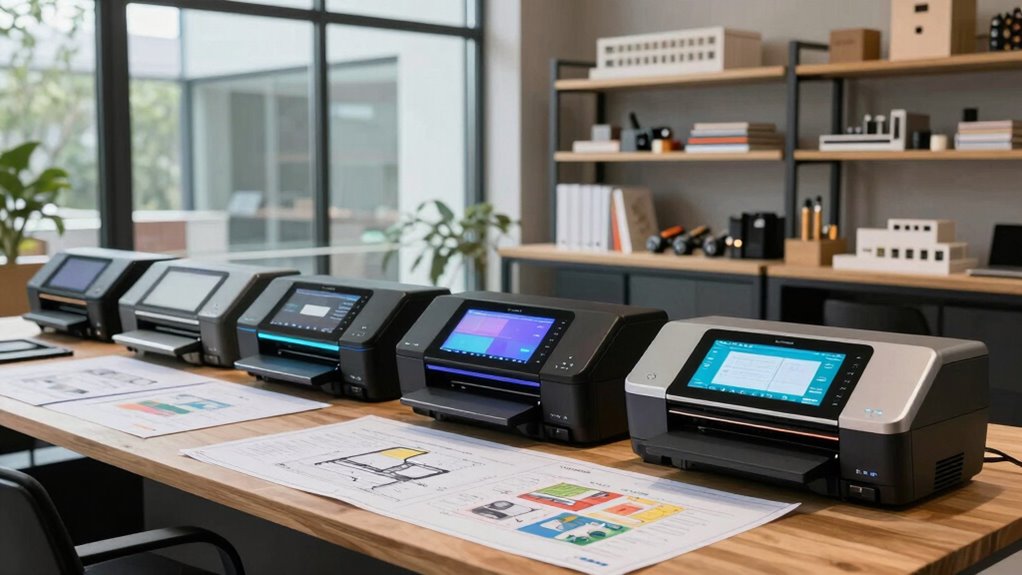

Choosing the right plotter printer in 2026 means balancing space, speed, and media capabilities. For small offices or on-the-go professionals, compact models like the HP DesignJet T210 shine, offering quick prints and easy management at a lower cost. Meanwhile, those needing larger formats, faster throughput, or vibrant output should consider the HP DesignJet T630 or Canon imagePROGRAF TM-340. Each option involves tradeoffs: smaller models save space but limit media width, while larger models excel in quality and size but often come with a steeper investment. This guide helps clarify who each printer suits best.

Get business pricing on monitors, keyboards and dev gear
- Business-only prices and quantity discounts
- Tax-exempt purchasing
- Multiple users, one account, clear invoices
Key Takeaways
- Compact printers like the HP DesignJet T210 are ideal for small offices with space constraints.
- The HP DesignJet T630 and Canon TM-340 support larger media up to 36 inches, suitable for detailed technical and poster work.
- Speed varies significantly; the HP T210 offers rapid job completion, while others focus on high-quality output.
- Connectivity options are diverse, with Wi-Fi, Ethernet, and USB support, but setup complexity can differ.
- Cost considerations include initial purchase price, ongoing ink expenses, and maintenance needs.
| HP DesignJet T210 Large Format 24-Inch Plotter Printer with 2-Year HP Care Pack |  | Best for Small Offices and Space-Constrained Environments | Media Sizes: Up to 24-inch wide media rolls, up to 13×19-inch sheets with optional accessory | Media Handling: Sheet feed, roll feed, automatic horizontal cutter | Print Speed: Up to 45 seconds per page on A1/D size | VIEW ON AMAZON | See Our Full Breakdown |
| HP DesignJet T630 Large Format 36-inch Plotter Printer with Auto Sheet Feeder, Media Bin & Stand |  | Best for Large-Format Technical and Poster Printing | Media Size: Up to 36-inch wide media rolls, 13×19-inch sheets | Media Handling: Sheet feed, roll feed, auto switch, media bin, horizontal cutter | Connectivity: Gigabit Ethernet, Hi-Speed USB 2.0, Wi-Fi 802.11 b/g/n | VIEW ON AMAZON | See Our Full Breakdown |
| HP DesignJet T650 Large Format 36-inch Plotter Printer |  | Best for High-Speed, Cost-Efficient Large Format Printing | Media Sizes: Up to 36-inch wide media rolls, 13×19-inch sheets | Media Handling: Sheet, roll, automatic switch, media bin, cutter | Connectivity: Gigabit Ethernet, USB 2.0, Wi-Fi 802.11 | VIEW ON AMAZON | See Our Full Breakdown |
| Canon imagePROGRAF TM-340 36-Inch Large Format 5-Color Poster & Plotter Printer |  | Best for Vivid Posters and Signage with Automatic Features | Print Width: 36 inches | Ink: 300 ml of 5-color pigment ink (BK/C/M/Y 55ml, MBK 80ml) | Media Detection: Automatic | VIEW ON AMAZON | See Our Full Breakdown |
| HP DesignJet T210 Large Format 24-inch Plotter Printer | | Best for Technical Drawings and Educational Use | Media Sizes: Up to 24-inch wide media rolls, 13×19-inch sheets | Media Handling: Sheet feed, roll feed, automatic cutter | Connectivity: Gigabit Ethernet, USB 2.0, Wi-Fi 802.11 b/g/n, Wi-Fi Direct | VIEW ON AMAZON | See Our Full Breakdown |
| plotter printers for architects and service designer | Connectivity | Media Handling | Print Speed | Media Sizes |
|---|---|---|---|---|
| HP DesignJet T210 Large Format | Gigabit Ethernet, Wi-Fi Direct, Wi-Fi 802.11 b/g/n, Hi-Speed USB 2.0 | Sheet feed, roll feed, automatic horizontal cutter | Up to 45 seconds per page on A1/D size | Up to 24-inch wide media rolls, up to 13×19-inch sheets with optional accessory |
| HP DesignJet T630 Large Format | Gigabit Ethernet, Hi-Speed USB 2.0, Wi-Fi 802.11 b/g/n | Sheet feed, roll feed, auto switch, media bin, horizontal cutter | Variable, optimized for large jobs | — |
| HP DesignJet T650 Large Format | Gigabit Ethernet, USB 2.0, Wi-Fi 802.11 | Sheet, roll, automatic switch, media bin, cutter | Up to 26 seconds per A1/D page | Up to 36-inch wide media rolls, 13×19-inch sheets |
| Canon imagePROGRAF TM-340 36-I | Wired and Wireless (USB, Ethernet) | — | — | — |
| HP DesignJet T210 Large Format | Gigabit Ethernet, USB 2.0, Wi-Fi 802.11 b/g/n, Wi-Fi Direct | Sheet feed, roll feed, automatic cutter | 45 seconds per page on A1/D | Up to 24-inch wide media rolls, 13×19-inch sheets |
More Details on Our Top Picks
HP DesignJet T210 Large Format 24-Inch Plotter Printer with 2-Year HP Care Pack
This model stands out for its compact size, making it perfect for small offices or individual architects with limited space. Its support for media up to 24 inches and fast printing speeds (up to 45 seconds per page) make it efficient for routine large-format tasks. While its media width is limited, the T210 excels in cost-efficiency, using less ink for maintenance, and offers comprehensive software for job management. Compared with larger models, its smaller footprint and lower price point make it an attractive choice, though it isn’t suited for larger formats or high-volume production.
Pros:- Compact size fits well in small offices
- Supports fast printing speeds for large-format jobs
- Includes comprehensive software for easy job management
- Cost-efficient with low ink usage
Cons:- Limited to 24-inch media width
- Requires optional accessory for sheet printing
- Setup can be complex for some users
Best for: Small office environments or individual professionals needing space-efficient printing.
Not ideal for: Users requiring larger media widths or high-volume, high-speed printing.
- Media Sizes:Up to 24-inch wide media rolls, up to 13×19-inch sheets with optional accessory
- Media Handling:Sheet feed, roll feed, automatic horizontal cutter
- Print Speed:Up to 45 seconds per page on A1/D size
- Memory:500MB
- Connectivity:Gigabit Ethernet, Wi-Fi Direct, Wi-Fi 802.11 b/g/n, Hi-Speed USB 2.0
- Eco Features:Uses up to 95% less ink for routine maintenance
Our verdict“A strong choice for small offices prioritizing space and cost efficiency over large-format size.”
HP DesignJet T630 Large Format 36-inch Plotter Printer with Auto Sheet Feeder, Media Bin & Stand
The HP DesignJet T630 offers a notable upgrade in media capacity and versatility, supporting media up to 36 inches wide. It’s designed for professionals needing larger formats for technical drawings, posters, or maps. Its multiple media handling options—including sheet and roll feed with an automatic switch—add convenience. The included HP Click software streamlines workflows, saving time, especially for those managing frequent large-format jobs. However, its complexity and higher price tag may deter casual users or those with smaller project scopes. Compared to the T210, it sacrifices compactness for larger media support and more robust features.
Pros:- Supports media up to 36 inches wide
- Multiple media handling options including roll and sheet feed
- Wireless and wired connectivity for flexible setup
- Auto media detection and calibration
Cons:- Designed primarily for professional technical and large-format printing
- Can be expensive for occasional users
- Requires setup and calibration for optimal results
Best for: Architects and engineers needing large-format, high-volume printing capabilities.
Not ideal for: Small offices or users with limited space and smaller projects.
- Media Size:Up to 36-inch wide media rolls, 13×19-inch sheets
- Media Handling:Sheet feed, roll feed, auto switch, media bin, horizontal cutter
- Connectivity:Gigabit Ethernet, Hi-Speed USB 2.0, Wi-Fi 802.11 b/g/n
- Print Speed:Variable, optimized for large jobs
- Additional Features:Auto media detection, calibration
Our verdict“Ideal for professionals demanding large media support and versatile media handling, with a higher investment upfront.”
HP DesignJet T650 Large Format 36-inch Plotter Printer
The HP DesignJet T650 aligns well with professionals seeking a balance of speed, quality, and cost savings. It supports media up to 36 inches wide and offers high-speed printing, up to 26 seconds per A1/D page. Its compact design makes it suitable for small offices, and it’s praised for its low ink consumption—up to 95% less—reducing ongoing costs. Its intuitive HP Click software simplifies large-format poster creation, though its network dependency and setup complexity may challenge less experienced users. Compared to the T630, it emphasizes faster output and lower maintenance costs at the expense of some advanced media handling features.
Pros:- High-speed printing up to 26 seconds per A1/D plot
- Compact design fits small spaces
- Up to 95% less ink for routine maintenance
- Easy-to-use software for large-format posters
Cons:- Limited to media sizes up to 36 inches wide
- Requires network for full remote management
- Setup may be complex for new users
Best for: Designers needing fast, cost-effective large-format printing with space constraints.
Not ideal for: Those requiring extensive media handling options or very large media sizes beyond 36 inches.
- Media Sizes:Up to 36-inch wide media rolls, 13×19-inch sheets
- Media Handling:Sheet, roll, automatic switch, media bin, cutter
- Connectivity:Gigabit Ethernet, USB 2.0, Wi-Fi 802.11
- Print Speed:Up to 26 seconds per A1/D page
- Included Ink:HP 712 Original Ink cartridges (Black, Cyan, Magenta, Yellow), HP 713 Printhead
Our verdict“A smart pick for fast, economical large-format printing tailored for small offices, balancing speed and savings.”
Canon imagePROGRAF TM-340 36-Inch Large Format 5-Color Poster & Plotter Printer
The Canon TM-340 offers vibrant, detailed prints thanks to its 5-color pigment ink system, making it ideal for posters, signage, and detailed CAD drawings. Automatic media detection and color calibration reduce setup time, and its 4.3-inch touchscreen simplifies operation. While its output quality is excellent, it targets small businesses or entry-level professionals, and its media size support is limited to 36 inches. The additional cost of high-capacity ink cartridges might add up for high-volume users. Compared with HP options, it emphasizes color vibrancy and ease of operation but may lack some advanced media handling features needed for complex workflows.
Pros:- Produces vibrant, sharp, and detailed prints
- Automatic media detection and calibration
- User-friendly touchscreen interface
- Supports flexible connectivity
Cons:- Designed mainly for small business or entry-level use
- Limited to 36-inch media width
- Additional ink cartridges needed for high-volume printing
Best for: Professionals prioritizing vibrant, attention-grabbing posters and signage.
Not ideal for: High-volume production or users needing larger media widths beyond 36 inches.
- Print Width:36 inches
- Ink:300 ml of 5-color pigment ink (BK/C/M/Y 55ml, MBK 80ml)
- Media Detection:Automatic
- Color Calibration:Automatic
- Connectivity:Wired and Wireless (USB, Ethernet)
- Energy Star:Yes
- Display:4.3-inch touchscreen
Our verdict“Excellent for vibrant, detailed poster work, especially for those emphasizing color quality and ease of use.”
HP DesignJet T210 Large Format 24-inch Plotter Printer
This version of the T210 is identical to the first entry but emphasizes its role for technical drawings, maps, and professional patterns. Its high line accuracy and fast printing speeds—up to 45 seconds per page—make it suitable for architects, engineers, and educators who need reliable, precise output in smaller formats. Its compact nature is ideal for tight spaces, and its management software offers simplicity. However, its media width limit restricts larger poster or signage projects, and users needing extensive media handling or larger formats should look elsewhere. It’s a dependable choice for those prioritizing precision and speed in small to medium projects.
Pros:- Compact size fits small spaces
- High-speed printing with up to 59 pages per hour
- Easy management via HP Smart app
- Cost-efficient with low maintenance ink usage
Cons:- Limited to 24-inch media width
- Requires optional sheet feeder for some media sizes
- Setup can be complex for beginners
Best for: Architects, engineers, and educators needing fast, accurate prints in small formats.
Not ideal for: High-volume or large-format projects requiring media wider than 24 inches.
- Media Sizes:Up to 24-inch wide media rolls, 13×19-inch sheets
- Media Handling:Sheet feed, roll feed, automatic cutter
- Connectivity:Gigabit Ethernet, USB 2.0, Wi-Fi 802.11 b/g/n, Wi-Fi Direct
- Print Speed:45 seconds per page on A1/D
- Warranty:One-year limited hardware
Our verdict“A reliable, space-saving printer for precise, fast output in small formats, best suited for technical professionals.”

How We Picked
Our selection process focused on printers specifically designed for architects and service designers, balancing size, media capacity, print speed, and software integration. We prioritized models that support media widths between 24 and 36 inches, as these are common in professional workflows. Cost-efficiency, ease of use, and connectivity options also guided our choices, ensuring each pick offers a clear advantage for different professional needs. We included a mix of compact, mid-sized, and high-performance printers to reflect varied office environments and project demands.
| plotter printers for architects and service designer | Media Sizes | Media Handling | Connectivity |
|---|---|---|---|
| HP DesignJet T210 Large Format | Up to 24-inch wide media rolls, up to 13×19-inch sheets with optional accessory | Sheet feed, roll feed, automatic horizontal cutter | Gigabit Ethernet, Wi-Fi Direct, Wi-Fi 802.11 b/g/n, Hi-Speed USB 2.0 |
| HP DesignJet T630 Large Format | — | Sheet feed, roll feed, auto switch, media bin, horizontal cutter | Gigabit Ethernet, Hi-Speed USB 2.0, Wi-Fi 802.11 b/g/n |
| HP DesignJet T650 Large Format | Up to 36-inch wide media rolls, 13×19-inch sheets | Sheet, roll, automatic switch, media bin, cutter | Gigabit Ethernet, USB 2.0, Wi-Fi 802.11 |
| Canon imagePROGRAF TM-340 36-I | — | — | Wired and Wireless (USB, Ethernet) |
| HP DesignJet T210 Large Format | Up to 24-inch wide media rolls, 13×19-inch sheets | Sheet feed, roll feed, automatic cutter | Gigabit Ethernet, USB 2.0, Wi-Fi 802.11 b/g/n, Wi-Fi Direct |
Factors to Consider When Choosing Plotter Printers For Architects And Service Designers
Choosing the right plotter for your architectural or service design work involves understanding your project size, workflow needs, and budget. Key factors include media width support, print speed, connectivity options, and software integration. Smaller offices benefit from compact, efficient models, while larger firms may prioritize media capacity and speed. This guide breaks down the essential considerations to help match your specific professional demands with the right printer.
Size and Media Capacity
Assess your typical project requirements—if you mainly print detailed technical drawings or posters, a 24-inch model like the HP DesignJet T210 can suffice. For larger posters, signage, or maps, a 36-inch printer supports broader media needs. Remember, larger formats often mean higher costs and space requirements, so balance your project scope with your physical workspace.
Print Speed and Workflow
Speed matters when managing tight deadlines. The HP T210 offers rapid output for small projects, while models like the T650 and Canon TM-340 excel in high-quality, detailed prints with moderate speeds. Consider your workflow—if quick turnaround is a priority, focus on speed and software support that minimizes manual steps.
Connectivity and Software
Wireless, Ethernet, and USB options provide flexibility in how you set up and manage your printer. Software compatibility with your existing tools, such as AutoCAD or project management apps, influences productivity. Look for models with intuitive interfaces and reliable connectivity to streamline your workflow.
Cost and Maintenance
Initial investment varies widely, from compact models to high-end large-format printers. Ongoing costs, especially for ink and maintenance, can add up. Some printers like the HP T650 are designed to minimize ink usage, reducing long-term expenses, while others might require frequent cartridge replacements, impacting your total cost of ownership.
Frequently Asked Questions
What size plotter should I choose for my architectural drawings?
If your primary focus is on technical drawings, maps, or small posters, a 24-inch model like the HP DesignJet T210 is sufficient and space-efficient. However, for larger posters or signage, a 36-inch printer such as the HP T630 or Canon TM-340 will better accommodate your needs, despite higher costs and larger footprint.
How important is print speed for my workflow?
Print speed is vital if you handle tight deadlines or high-volume projects. The HP T210 offers rapid output, making it ideal for quick-turnaround tasks. Conversely, printers like the T650 focus on balancing speed with high-quality output, which suits projects where detail and color vibrancy matter more than speed.
Are wireless features necessary for professional plotters?
Wireless connectivity adds flexibility, especially in dynamic office setups or shared environments, allowing printing from multiple devices without physical connections. For teams that frequently move between locations or work remotely, Wi-Fi support becomes a valuable feature, but it can introduce setup complexity or stability issues compared to wired options.
What should I consider regarding ink and maintenance costs?
Many modern plotters aim to reduce maintenance ink usage, lowering ongoing expenses. For example, the HP T650 uses significantly less ink, saving money over time. However, high-quality, vibrant printers like the Canon TM-340 may require more frequent cartridge replacements, increasing overall costs, especially with high-volume printing.
Is a larger media width always better for architects?
Not necessarily. Larger media widths, such as 36 inches, provide more flexibility for posters and signage, but they also come with higher costs and require more space. If your work mainly involves detailed CAD drawings or smaller posters, a 24-inch printer might be more practical and budget-friendly.
Conclusion
For small office owners or solo practitioners, the HP DesignJet T210 offers a space-saving, cost-effective solution focusing on speed and ease of use. Larger architecture firms or service designers needing bigger formats and higher media versatility should consider the HP DesignJet T630 or Canon imagePROGRAF TM-340. These models deliver larger media capacity and richer output quality, though they come with higher price tags and setup demands. Ultimately, your choice hinges on your project scope, space, and budget—match your workflow with the right size, speed, and feature set.
Fall Picks
fall essentials
As an affiliate, we earn on qualifying purchases.