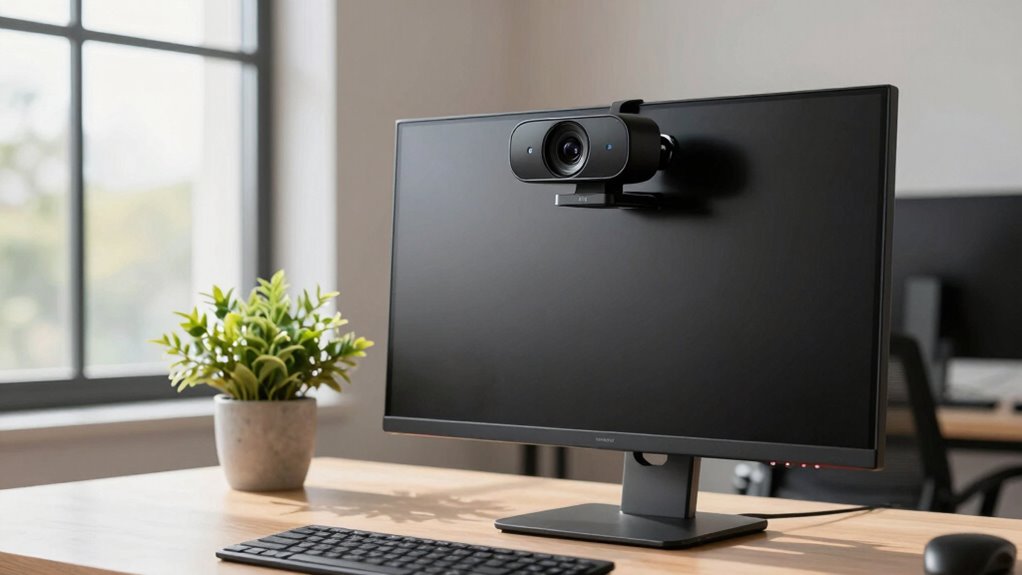
Choosing the right webcam for remote workshops can make or break your virtual presence. The best models offer clear video, reliable audio, and ease of setup, but tradeoffs include price, features, and complexity. The Logitech C920x HD Pro stands out for its balance of affordability and quality, while the EMEET NOVA 4K offers superior resolution for more detailed presentations. Other options excel with features like dual cameras or PTZ control, but often come with higher costs or complexity. Continue reading for a detailed breakdown of the best webcams to enhance your remote workshop experience in 2026.

Get business pricing on monitors, keyboards and dev gear
- Business-only prices and quantity discounts
- Tax-exempt purchasing
- Multiple users, one account, clear invoices
Key Takeaways
- The highest value webcams combine solid video quality with user-friendly features at an accessible price point.
- Premium options like PTZ and dual-camera setups are best suited for larger or more professional workshop settings.
- Resolution alone isn’t enough—consider microphone quality, ease of use, and compatibility for seamless virtual sessions.
- Compact and straightforward webcams often perform well for small teams or individual presenters, while elaborate systems suit larger groups.
- Price correlates with features; investing more usually yields better audio, zoom, and camera control, but some budget models are surprisingly capable.
| Logitech C920x HD Pro PC Webcam Full 1080p/30fps Video – Black |  | Best Overall for Versatile Remote Workshop Settings | Resolution: 1080p/30fps | Autofocus: Yes | Lighting Adjustment: HD lighting adjustment | VIEW ON AMAZON | See Our Full Breakdown |
| EMEET NOVA 4K Dual-Camera Webcam for PC |  | Best for High-Resolution, Multi-Angle Workshops | Sensor: 1/2.8″ CMOS 4K | Zoom: 11X Hybrid | Autofocus: PDAF | VIEW ON AMAZON | See Our Full Breakdown |
| Logitech Brio 101 Full HD 1080p Webcam for Streaming and Meetings – Black |  | Best for Budget-Conscious Users Needing Reliability | Resolution: Full HD 1080p | Connection: USB A | Built-in Microphone: Yes | VIEW ON AMAZON | See Our Full Breakdown |
| Logitech Conference Cam BCC950 1080p Webcam |  | Best for Dedicated Conference Room Use | Resolution: 1080p | Compatibility: PC and Mac | Features: Built-in speakerphone, noise-canceling mic, remote control | VIEW ON AMAZON | See Our Full Breakdown |
| Angetube Streaming Webcam with Microphone and Ring Light |  | Best for Creative and Interactive Workshops | Resolution: 1080P | Frame Rate: 60 FPS | Lighting: Multi-color LED with adjustable brightness | VIEW ON AMAZON | See Our Full Breakdown |
| DEPSTECH 4K Webcam with Sony Sensor, 3X Digital Zoom, Autofocus, and Dual Noise Canceling Microphones |  | Best Overall for High-Quality Remote Workshops | Sensor Type: CMOS | Resolution: 4K UHD at 30fps | Zoom: 3X digital zoom | VIEW ON AMAZON | See Our Full Breakdown |
| Logitech PTZ Pro 2 Video Conference Camera, HD 1080p, Auto-focus, USB |  | Best for Large Conference Rooms and Training Environments | Resolution: 1080P | Connectivity: USB | Features: Pan/tilt/zoom, wide field of view | VIEW ON AMAZON | See Our Full Breakdown |
| EMEET C60E Dual-Camera 4K Webcam for Streaming, Wide-Angle & Telephoto |  | Best for Versatile Streaming with Dual Lenses | Resolution: 4K | Zoom: up to 11X hybrid | Autofocus: PDAF | VIEW ON AMAZON | See Our Full Breakdown |
| Logitech PTZ Pro 2 Camera – USB HD 1080P Video Camera for Conference Rooms |  | Best for Large-Scale Conference and Training Environments | Resolution: 1080P | Connectivity: USB | Features: Pan/tilt/zoom, wide field of view | VIEW ON AMAZON | See Our Full Breakdown |
| Insta360 Link 2 Pro 4K PTZ Webcam for PC/Mac |  | Best for Content Creators and Dynamic Presenters | Sensor: 1/1.3” | Resolution: 4K | Audio: Directional noise-canceling microphones | VIEW ON AMAZON | See Our Full Breakdown |
| Logitech MeetUp Video Conferencing System 4K 3 Microphones – Black |  | Best for Small Rooms and Huddle Spaces | Video Resolution: 4K Ultra HD | Field of View: 120° wide-angle, extendable to 170° with pan/tilt | Microphones: 3 beamforming microphones | VIEW ON AMAZON | See Our Full Breakdown |
| webcams for remote workshop | Resolution | Compatibility | Connectivity |
|---|---|---|---|
| Logitech C920x HD Pro PC Webca | 1080p/30fps | Windows 11 | — |
| EMEET NOVA 4K Dual-Camera Webc | — | Windows 10/11, macOS 10.14+ | USB 2.0 Type-C to C with adapters |
| Logitech Brio 101 Full HD 1080 | Full HD 1080p | Microsoft Teams, Zoom, Google Meet | — |
| Logitech Conference Cam BCC950 | 1080p | PC and Mac | — |
| Angetube Streaming Webcam with | 1080P | — | USB A & C with adapter |
| DEPSTECH 4K Webcam with Sony S | 4K UHD at 30fps | — | USB A and Type-C |
| Logitech PTZ Pro 2 Video Confe | 1080P | — | USB |
| EMEET C60E Dual-Camera 4K Webc | 4K | — | — |
| Logitech PTZ Pro 2 Camera | 1080P | — | USB |
| Insta360 Link 2 Pro 4K PTZ Web | 4K | Windows, macOS, Chrome OS, Linux | — |
| Logitech MeetUp Video Conferen | — | Windows 7/8.1/10, macOS 10.10+, Chrome OS | USB 2.0 (USB 3.0 for 4K) |
More Details on Our Top Picks
Logitech C920x HD Pro PC Webcam Full 1080p/30fps Video – Black
The Logitech C920x HD Pro stands out for delivering reliable 1080p video at 30fps with automatic lighting adjustment, making it a solid choice for most remote workshop environments. Compared to the Angetube webcam, it offers superior image quality, especially in varied lighting conditions, but lacks a physical privacy shutter, which some users might prefer for security. Its stereo microphones produce clear, natural audio, aligning well with content creators and educators who need quality sound alongside video. The included background software adds flexibility, yet it requires additional setup, and the absence of 4K support limits resolution for those needing ultra-HD clarity. Overall, this webcam balances ease of use and dependable performance, making it ideal for professional and semi-professional workshop settings.
Pros:- High-quality 1080p video at 30fps with reliable auto-lighting
- Stereo dual microphones for natural audio
- Includes background editing software for professional presentations
Cons:- No built-in privacy shutter, which may concern security-minded users
- Limited to 1080p resolution, no 4K support
- Requires compatible software for background removal
Best for: Educators and facilitators who want a straightforward, high-quality webcam with reliable audio and automatic light adjustment.
Not ideal for: Users seeking 4K resolution or built-in privacy shutters for enhanced security.
- Resolution:1080p/30fps
- Autofocus:Yes
- Lighting Adjustment:HD lighting adjustment
- Microphones:Stereo dual mics
- Compatibility:Windows 11
- Includes:3-month XSplit VCam license
- Privacy Shutter:No
Our verdict“This webcam is a great all-around choice for those who prioritize dependable 1080p video and audio in a versatile workshop setup.”
EMEET NOVA 4K Dual-Camera Webcam for PC
The EMEET NOVA 4K Dual-Camera webcam offers dual 4K sensors, providing exceptional clarity and versatility for professional workshops where multiple perspectives are valuable. Its wide-angle and telephoto views, combined with 11X hybrid zoom and autofocus, outshine single-camera options like the Logitech Brio in delivering dynamic, multi-view content. The remote control and software adjustments facilitate seamless framing and scene changes, but the reliance on USB Type-C connections may pose compatibility hurdles for some users. Additionally, the zoom feature is limited to certain modes, and the 9.8 ft microphone range may restrict physical movement in larger rooms. This model suits workshop hosts needing high-resolution, multi-view capabilities but demands compatible hardware and some technical setup.
Pros:- Dual 4K sensors for exceptional image clarity and multiple views
- 11X hybrid zoom and autofocus for flexible framing
- Remote and software controls for dynamic scene adjustment
- Modern RGB lighting adds aesthetic appeal
Cons:- Zoom not supported in all modes, like 4K 60FPS or YUY2
- Requires USB Type-C connection, possibly needing adapters
- Microphone range limited to 9.8 ft, restricting room coverage
Best for: Professional presenters and educators who require high-res, multi-angle video feeds with zoom and remote control capabilities.
Not ideal for: Users with limited USB-C ports or those seeking simple, single-camera solutions without complex setup.
- Sensor:1/2.8″ CMOS 4K
- Zoom:11X Hybrid
- Autofocus:PDAF
- Connectivity:USB 2.0 Type-C to C with adapters
- Microphones:2 built-in, 9.8 ft range
- Compatibility:Windows 10/11, macOS 10.14+
Our verdict“Ideal for high-end workshops needing multi-view, high-resolution content with flexible control options.”
Logitech Brio 101 Full HD 1080p Webcam for Streaming and Meetings – Black
The Logitech Brio 101 offers dependable 1080p video quality with automatic light balancing and a privacy slide, making it suitable for everyday remote workshops on a budget. Compared to the Angetube webcam, it lacks advanced features like ring lights or zoom but benefits from simple plug-and-play setup and Logitech’s reputation for durability. Its built-in microphone provides decent audio, suitable for casual or small-group sessions. The use of a USB A connection limits future-proofing, as many newer devices favor USB-C, and it doesn’t support 4K resolution, which might be a downside for those needing ultra-high-definition content. This model makes sense for those seeking a straightforward, secure option without extra frills.
Pros:- Reliable 1080p video with auto-light adjustment
- Built-in privacy slide for security
- Easy setup with multiple color options and eco-friendly design
Cons:- Limited to USB A, reducing compatibility with newer devices
- No 4K support, limiting future resolution options
- Requires software for some advanced features
Best for: Small-team facilitators or educators who need a reliable, easy-to-use webcam without complex features or high costs.
Not ideal for: Power users requiring 4K resolution or extensive customization options.
- Resolution:Full HD 1080p
- Connection:USB A
- Built-in Microphone:Yes
- Privacy Cover:Yes
- Made with recycled plastic:77%
- Compatibility:Microsoft Teams, Zoom, Google Meet
Our verdict“A practical, budget-friendly webcam suited for small workshops or meetings where ease and security matter most.”
Logitech Conference Cam BCC950 1080p Webcam
The Logitech Conference Cam BCC950 is tailored for dedicated conference rooms, offering 1080p video quality combined with a built-in speakerphone and noise-canceling microphone. Its plug-and-play setup simplifies deployment and makes it ideal for small to medium-sized meetings, but it falls short for dynamic workshops that require pan, tilt, or zoom features—those are absent here. Compared with the more flexible EMEET NOVA or Angetube models, this is less suited for content creation or multi-angle presentations. Its design focuses on straightforward, reliable video conferencing rather than multi-purpose workshop versatility, making it perfect for fixed, professional meeting environments.
Pros:- High-quality 1080p video with easy setup
- Built-in speakerphone with noise cancellation
- Compatible with both PC and Mac
Cons:- Limited to fixed camera position, no pan or zoom
- Designed primarily for conference rooms, not portable or multi-angle use
- Lacks advanced features like remote control or scene switching
Best for: Small to medium-sized teams needing a straightforward, reliable conference camera with integrated audio for scheduled meetings.
Not ideal for: Workshop facilitators requiring adjustable angles, zoom, or multi-camera setups for interactive sessions.
- Resolution:1080p
- Compatibility:PC and Mac
- Features:Built-in speakerphone, noise-canceling mic, remote control
Our verdict“Best suited for stable, scheduled meetings rather than dynamic, multi-view workshop environments requiring flexibility.”
Angetube Streaming Webcam with Microphone and Ring Light
The Angetube Streaming Webcam combines 1080P resolution with a multi-color ring light, making it a strong choice for engaging online workshops where lighting and presentation matter. Its auto-focus, low-light correction, and noise-canceling microphones support high-quality video and audio, while the remote control for zoom and settings offers convenience. Compared with the Logitech Brio 101, it adds features like adjustable lighting and digital zoom, but it’s more complex to set up, and some users may find the remote control setup less intuitive. Its 60 FPS frame rate enhances smooth motion, ideal for more dynamic interactions or creative content. This model targets facilitators who want a visually appealing, feature-rich webcam for lively, interactive sessions.
Pros:- High-quality 1080P video at 60 FPS for smooth motion
- Multi-color ring light with adjustable brightness and color
- Remote control for zoom and settings, plus noise-canceling microphones
Cons:- Requires USB connection, no wireless options
- No 4K support, limited to 1080p resolution
- Remote control setup can be complex for some users
Best for: Creative professionals and educators hosting engaging, visually dynamic workshops needing adjustable lighting and motion smoothness.
Not ideal for: Users seeking a simple, plug-and-play webcam without additional lighting or zoom features, or those on a tight budget.
- Resolution:1080P
- Frame Rate:60 FPS
- Lighting:Multi-color LED with adjustable brightness
- Microphone:Dual omnidirectional, noise-canceling
- Connectivity:USB A & C with adapter
- Zoom:5X digital
Our verdict“Perfect for creative workshops that benefit from adjustable lighting, smooth motion, and interactive features, despite a slightly complex setup.”
DEPSTECH 4K Webcam with Sony Sensor, 3X Digital Zoom, Autofocus, and Dual Noise Canceling Microphones
This DEPSTECH model stands out for its stunning 4K resolution and the Sony CMOS sensor, delivering sharp, realistic images that elevate remote workshop quality. Compared to the Insta360 Link 2 Pro, it offers comparable video clarity but with more straightforward plug-and-play setup. The inclusion of a remote control with 3X digital zoom and auto focus means you can easily focus on specific workshop segments or speakers without fuss. Its dual noise-canceling microphones ensure audio clarity, especially in noisy environments. However, it lacks wireless connectivity or weatherproofing, making it less suited for outdoor or mobile use. The plug-and-play nature and broad OS support make it accessible for most users. This pick makes the most sense for educators or facilitators who prioritize top-tier image quality and flexible control in a stationary setup.
Pros:- Exceptional 4K resolution with realistic detail
- Remote control with 3X digital zoom for versatile framing
- Dual noise-canceling microphones improve audio clarity
- Plug-and-play compatibility with multiple OS and devices
Cons:- No weatherproofing or outdoor suitability
- Limited to USB wired connection, no wireless option
- Remote control may be unnecessary for simple setups
Best for: Professional educators or workshop hosts needing sharp visuals and reliable audio in a stationary environment
Not ideal for: Mobile facilitators or outdoor trainers who require weather resistance or wireless features
- Sensor Type:CMOS
- Resolution:4K UHD at 30fps
- Zoom:3X digital zoom
- Microphones:Dual noise canceling
- Connectivity:USB A and Type-C
- Special Features:Auto focus, auto light correction, remote control
Our verdict“Ideal for remote workshop presenters who want top image quality and flexible focus control in a fixed setting.”
Logitech PTZ Pro 2 Video Conference Camera, HD 1080p, Auto-focus, USB
The Logitech PTZ Pro 2 is crafted for professional settings, offering 1080p HD video with smooth pan, tilt, and zoom capabilities that cover large areas effectively. It surpasses the Insta360 Link 2 Pro in terms of pan/tilt functionality, making it suitable for classrooms or training sessions where multiple participants are involved. While it doesn’t offer 4K resolution, its wide field of view combined with precise PTZ controls allows for comprehensive coverage of a workshop space. Its USB plug-and-play design simplifies setup, but it requires compatible conferencing software to fully leverage the PTZ features. This model is best for facilitators who need to monitor and capture large groups clearly, rather than detail-focused close-ups or streaming content creation.
Pros:- 1080p HD video with smooth pan/tilt/zoom
- Wide field of view for capturing large groups
- Plug-and-play USB connectivity simplifies deployment
- Designed for professional conference environments
Cons:- Requires compatible conferencing software to maximize features
- Higher cost may be a barrier for smaller organizations
- No built-in microphone; external audio needed
Best for: Facilitators of large workshops, training sessions, or conference presentations needing broad coverage
Not ideal for: Individuals seeking high-resolution detail or portable setups, as the camera is designed for fixed, room-based use
- Resolution:1080P
- Connectivity:USB
- Features:Pan/tilt/zoom, wide field of view
- Application:Conference rooms, training
- Weight:580 g
- Dimensions:5.12″D x 5.16″W x 5.75″H
Our verdict“Best suited for larger meeting spaces that need comprehensive, high-quality video coverage without requiring detailed close-ups.”
EMEET C60E Dual-Camera 4K Webcam for Streaming, Wide-Angle & Telephoto
The EMEET C60E offers a unique dual-camera setup combining wide-angle and telephoto lenses, which makes it stand out for interactive workshops that benefit from multiple perspectives. Its 4K resolution ensures crisp visuals, but unlike the Insta360 Link 2 Pro, zooming in in 4K mode is limited — zoom is only supported in 1080p modes. The 11X hybrid zoom, paired with PDAF autofocus, enables close-up shots without sacrificing image quality. Its smart controls via remote and EMEET Studio software make adjustments straightforward, while RGB lighting adds visual flair. The main drawback is the reliance on USB 2.0, which might restrict compatibility or performance on newer devices. This camera is ideal for content creators or educators needing versatile views and engaging visuals for remote audiences.
Pros:- Dual-camera setup with wide-angle and telephoto lenses
- Up to 11X hybrid zoom with PDAF autofocus
- Smart control via remote and EMEET STUDIO software
- Vibrant RGB lighting enhances aesthetic appeal
Cons:- Zoom is unsupported in 4K 60FPS modes
- Requires USB 2.0 port, limiting compatibility on some devices
- Limited user review data available
Best for: Content creators or educators who want multiple perspectives and engaging visuals in their workshops
Not ideal for: Those needing ultra-smooth zoom in 4K or working with devices limited to USB 2.0 ports
- Resolution:4K
- Zoom:up to 11X hybrid
- Autofocus:PDAF
- Lighting:RGB
- Connection:USB 2.0 Type-A
- Microphones:2 omnidirectional
Our verdict“Perfect for streamers or educators seeking flexible multi-view options with high-resolution visuals and creative lighting effects.”
Logitech PTZ Pro 2 Camera – USB HD 1080P Video Camera for Conference Rooms
The Logitech PTZ Pro 2 excels in large, professional environments where broad coverage and reliable performance are vital. Its 1080p resolution, combined with smooth pan, tilt, and zoom, makes it well-suited for capturing active workshops or training sessions over expansive areas. Compared with the DEPSTECH 4K Webcam, it offers a wider field of view and more advanced PTZ controls, but lacks the ultra-high resolution of 4K. While it doesn’t include built-in microphones, its bandwidth-efficient technology ensures stable streaming even with multiple participants. However, its higher price and need for compatible software may be limiting factors for smaller teams. This camera is best for facilitators managing large groups or sessions where broad visibility outweighs detail resolution.
Pros:- 1080p HD video with smooth pan/tilt/zoom
- Wide field of view suitable for large rooms
- Bandwidth-efficient technology for stable streaming
- Designed for professional conference use
Cons:- Requires compatible video conferencing software
- No built-in microphone—external audio needed
- Higher cost for smaller organizations
Best for: Facilitators of large workshops or training sessions in conference rooms who need broad, clear coverage
Not ideal for: Small teams or content creators needing detailed close-up shots or portable solutions
- Resolution:1080P
- Connectivity:USB
- Features:Pan/tilt/zoom, wide field of view
- Application:Conference rooms, large training
- Weight:580 g
- Dimensions:5.12″D x 5.16″W x 5.75″H
Our verdict“Best for large-scale workshops where broad coverage and smooth operation are more critical than ultra-high resolution detail.”
Insta360 Link 2 Pro 4K PTZ Webcam for PC/Mac
The Insta360 Link 2 Pro offers a compelling mix of 4K quality, AI-driven features, and versatile modes that appeal to content creators and presenters. Its large sensor delivers excellent low-light performance, while AI tracking and gesture controls allow for dynamic presentations or creative workshop recordings. It surpasses the DEPSTECH 4K Webcam in AI capabilities and live tracking, but may be less suitable for fixed, stationary workshop setups due to its advanced features and higher complexity. Compatibility issues may arise with ARM-based Windows systems, and its USB-C connection might require adapters. For facilitators who want to engage audiences with interactive video or produce high-quality content, this webcam offers significant versatility and professional features.
Pros:- Excellent 4K video with low-light performance
- AI tracking and gesture controls enhance engagement
- Professional-grade noise-canceling microphones
- Multiple modes including HDR and different framing options
Cons:- Not compatible with some ARM-based Windows systems
- Requires USB-C connection and may need adapters
- Features may require complex setup or software configuration
Best for: Content creators or facilitators who need AI tracking, gesture control, and high-quality visuals for engaging workshops
Not ideal for: Those in need of simple, plug-and-play webcams or working on ARM Windows devices without software workarounds
- Sensor:1/1.3”
- Resolution:4K
- Audio:Directional noise-canceling microphones
- Compatibility:Windows, macOS, Chrome OS, Linux
- Features:AI tracking, HDR, gesture control
- Connection:USB-C
Our verdict“Designed for high-end content creation and interactive workshops demanding AI-driven features and superior video quality.”
Logitech MeetUp Video Conferencing System 4K 3 Microphones – Black
The Logitech MeetUp stands out for its high-resolution 4K video combined with a broad 120° field of view, making it ideal for capturing entire small rooms. Unlike the Logitech Brio, which excels in personal desktop setups, MeetUp’s motorized pan/tilt offers dynamic framing that adapts as participants move around. The integrated beamforming microphones provide clear audio, but the system’s reliance on USB 3.0 for 4K output can be limiting for older setups. Compared to the Logitech BCC950, which is simpler and more affordable, MeetUp offers more expansive coverage but at a higher cost and with limited scalability—since it doesn’t support expansion microphones. This camera makes the most sense for small conference rooms where video quality and flexible framing are priorities, and where budget allows for dedicated hardware.
Pros:- Ultra HD 4K resolution delivers sharp, detailed video
- 120° wide-angle lens captures the whole room without distortion
- Motorized pan/tilt allows dynamic framing and adaptability
- Integrated beamforming microphones ensure clear audio pickup
Cons:- Requires USB 3.0 for 4K streaming, limiting compatibility on older computers
- No option for additional microphones, restricting audio scalability
- Designed primarily for small or huddle rooms, not larger spaces
Best for: Small teams or huddle rooms needing wide-angle, high-quality video with flexible pan/tilt.
Not ideal for: Large conference halls or multi-room setups where scalability and multiple mic arrays are required.
- Video Resolution:4K Ultra HD
- Field of View:120° wide-angle, extendable to 170° with pan/tilt
- Microphones:3 beamforming microphones
- Connectivity:USB 2.0 (USB 3.0 for 4K)
- Mounting Options:Wall, credenza, TV mount
- Compatibility:Windows 7/8.1/10, macOS 10.10+, Chrome OS
Our verdict“This pick is best suited for small spaces where high-quality video and flexible camera control are needed, with the tradeoff of limited scalability for larger setups.”

How We Picked
Webcams for remote workshops were evaluated based on a combination of image quality, microphone clarity, ease of setup, build quality, and price. We prioritized models with 1080p or higher resolution, reliable autofocus, and good low-light performance. Usability was key—features like plug-and-play operation, flexible mounting options, and user-friendly controls influenced the rankings. We also considered the versatility of features, such as dual or PTZ cameras, which are valuable for more professional setups. This approach helps ensure each product offers a strong balance of performance and value suited to different workshop needs.
| webcams for remote workshop | Compatibility | Connectivity |
|---|---|---|
| Logitech C920x HD Pro PC Webca | Windows 11 | — |
| EMEET NOVA 4K Dual-Camera Webc | Windows 10/11, macOS 10.14+ | USB 2.0 Type-C to C with adapters |
| Logitech Brio 101 Full HD 1080 | Microsoft Teams, Zoom, Google Meet | — |
| Logitech Conference Cam BCC950 | PC and Mac | — |
| Angetube Streaming Webcam with | — | USB A & C with adapter |
| DEPSTECH 4K Webcam with Sony S | — | USB A and Type-C |
| Logitech PTZ Pro 2 Video Confe | — | USB |
| EMEET C60E Dual-Camera 4K Webc | — | — |
| Logitech PTZ Pro 2 Camera | — | USB |
| Insta360 Link 2 Pro 4K PTZ Web | Windows, macOS, Chrome OS, Linux | — |
| Logitech MeetUp Video Conferen | Windows 7/8.1/10, macOS 10.10+, Chrome OS | USB 2.0 (USB 3.0 for 4K) |
Factors to Consider When Choosing Webcams For Remote Workshops
When selecting a webcam for remote workshops, it’s important to look beyond basic specs. Consider the size and layout of your space, the number of participants, and your technical comfort level. The right webcam should complement your environment while offering clear visuals and sound. Additional factors like compatibility with your computer, software features, and future-proofing should also influence your choice to avoid disappointing surprises or costly upgrades later.
Video Quality and Resolution
Higher resolution webcams (1080p or 4K) deliver sharper images, which are essential for detailed presentations and engaging visuals. However, 4K models often require more bandwidth and processing power, which can impact performance on less powerful computers. For most remote workshops, 1080p provides a good balance of quality and smoothness, especially if you prioritize stable, lag-free streams. Consider your audience’s viewing devices—if they’re mostly on smartphones, ultra-high resolutions may be less noticeable.
Audio Quality and Microphone Features
Clear audio is just as vital as sharp video. Many webcams include built-in microphones; however, their quality varies widely. Look for models with noise-canceling microphones and multi-directional audio capture if you want participants to hear you clearly from different angles. For larger workshops, external mics or dedicated audio systems might be necessary, but for small groups, a webcam with good integrated audio can suffice. Remember, poor audio quality can be a major barrier to effective communication.
Ease of Use and Compatibility
A straightforward setup reduces frustration and saves time. USB webcams with plug-and-play drivers tend to be most user-friendly, especially for those less comfortable with tech. Check compatibility with your operating system and video conferencing platforms—most modern webcams support Windows, macOS, and popular apps like Zoom or Teams. Adjustable mounts and flexible angles also matter, allowing you to position the camera optimally without hassle.
Features for Professional-Grade Presentations
Advanced features like autofocus, digital zoom, and wide-angle lenses enhance the presenter’s control over framing and focus. For larger workshops or training sessions, PTZ (pan-tilt-zoom) cameras or dual-camera setups can provide dynamic views and better engagement. However, these features come with increased complexity and cost. Evaluate whether your workshop format warrants such investment—simpler models often suffice for casual or small-group settings.
Price and Future-Proofing
While budget options can be tempting, investing a bit more often results in better durability, image quality, and ongoing compatibility with new software updates. Consider your typical workshop scale and frequency—if remote workshops are a regular part of your work, a higher-quality webcam can serve you long-term. Conversely, occasional users might prefer more affordable, easy-to-use models that meet their immediate needs without overpaying.
Frequently Asked Questions
Should I prioritize resolution or microphone quality for my remote workshops?
Both are critical, but microphone quality often has a more immediate impact on communication clarity. Even with a sharp image, poor audio can cause frustration and misunderstandings. Look for a webcam with a noise-canceling microphone or consider pairing a good external mic if your workshops involve detailed discussions or larger groups. Ultimately, a balanced combination of decent video and audio features will deliver the most professional experience.
Are 4K webcams worth the extra cost for remote workshops?
4K webcams provide sharper images, which can be beneficial for detailed demonstrations or high-quality branding. However, they require more bandwidth and processing power, and many participants may not notice the difference unless viewing on large screens. For most workshops, 1080p models deliver excellent clarity without the technical requirements of 4K. Consider your content needs and technical setup before investing heavily in 4K options.
Is a PTZ camera necessary for small remote workshops?
Probably not. PTZ (pan-tilt-zoom) cameras are designed for larger, more complex setups where dynamic framing is needed. For small workshops or individual presenters, a stable, high-quality fixed-angle webcam often suffices. PTZ models excel in conference rooms with multiple presenters or when you want to switch views remotely, but they add complexity and cost that may not be justified for smaller sessions.
Can I use a consumer webcam for professional workshops?
Yes, many consumer webcams provide excellent video and audio quality suitable for professional use. Brands like Logitech offer models with features tailored for business and educational settings. Just ensure the webcam supports your desired resolution and has good microphone quality. For most remote workshops, a well-chosen consumer model will perform reliably, especially if paired with decent lighting and a stable internet connection.
What is more important: camera resolution or low-light performance?
Both matter, but low-light performance can be more critical depending on your environment. A high-resolution camera in a poorly lit room will still produce grainy images, reducing clarity. Conversely, a camera with good low-light capabilities can produce clear images even in less-than-ideal lighting conditions, which is common in home setups. Consider your typical workshop environment and choose a model that balances resolution with effective low-light handling for consistent results.
Conclusion
For those who prioritize overall reliability and ease of use, the Logitech C920x HD Pro offers a great balance of quality and affordability, making it ideal for most small to medium workshops. If you need the highest detail and are comfortable with more technical setups, the EMEET NOVA 4K shines as a premium choice. Beginners or casual presenters should look at straightforward, plug-and-play models with decent audio, while larger organizations or professional trainers might invest in PTZ or dual-camera systems for more dynamic presentations. Your choice should reflect your workshop size, technical comfort, and budget.