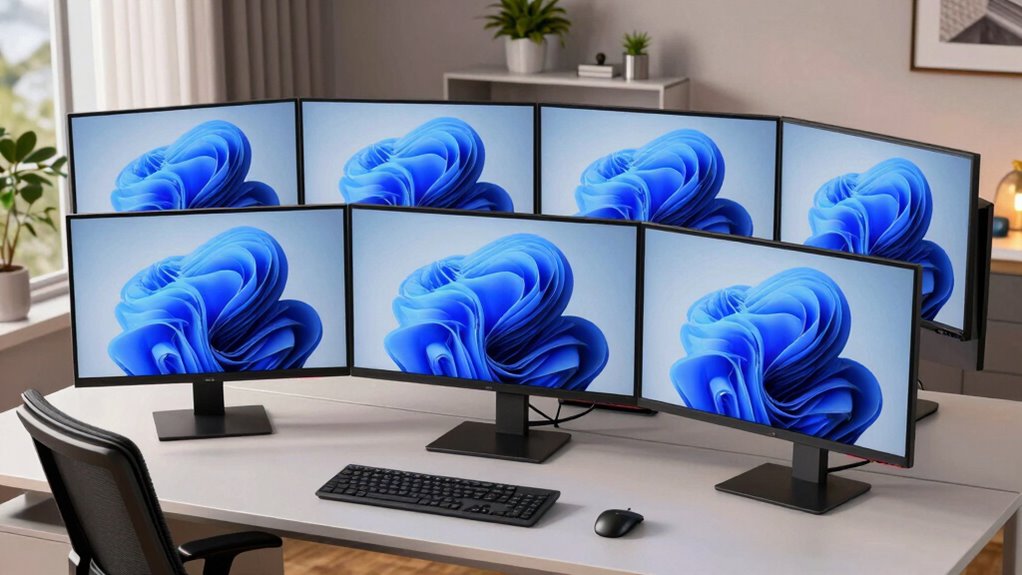

Curved ultrawide monitors for home offices provide a seamless, immersive workspace that enhances productivity and multitasking. The Dell S3425DW stands out as the best overall due to its solid performance, eye comfort features, and affordability. For those prioritizing high refresh rates, the Hikers 34 Inch Curved Gaming Monitor offers an excellent option, while the SANSUI 34-Inch Curved Gaming Monitor provides a high refresh rate at a competitive price. However, choosing the right monitor involves balancing image quality, refresh rate, connectivity, and price. Continue reading for a detailed breakdown to find the perfect fit for your home setup.

Get business pricing on monitors, keyboards and dev gear
- Business-only prices and quantity discounts
- Tax-exempt purchasing
- Multiple users, one account, clear invoices
Key Takeaways
- The top-ranked monitors offer a balance of high resolution, refresh rate, and color accuracy suitable for both work and entertainment.
- Pricing varies widely; investing in higher-end models often yields better build quality and additional features like USB-C or smart functionality.
- Curved screens improve immersion but can sometimes distort images or be less suitable for precise editing tasks.
- Connectivity options such as USB-C, HDMI, and DisplayPort are crucial for seamless integration with multiple devices.
- Size and curvature radius significantly impact usability; larger screens with a gentler curve are better for multitasking at a home office.


| curved ultrawide monitors for home office | Resolution | Refresh Rate | Connectivity | HDR |
|---|---|---|---|---|
| Dell 34 Monitor S3425DW | WQHD | 120Hz | USB-C (up to 65W) | Yes |
| Hikers 34 Inch Curved Gaming M | 3440×1440 (UWQHD) | 240Hz | 2 HDMI 2.1, 2 DisplayPort 1.4 | — |
| SANSUI 34-Inch Curved Gaming M | 3440×1440 | 200Hz | — | — |
| LG 34SR60QC-W 34-inch QHD Curv | 3440×1440 | 100Hz | Bluetooth, AirPlay2, HDMI, USB | HDR10 |
| LG 34WR55QK-B 34-inch UltraWid | 3440 x 1440 | 100Hz | 2 HDMI, 1 DisplayPort, 1 USB Type-C, 2 USB | HDR10 |
| INNOCN 49-Inch Curved Ultrawid | 5120 x 1440 (5K2K) | 120Hz | USB Type C, DisplayPort 1.4, HDMI 2.1, USB A/B, RJ45, 3.5mm Audio | HDR400 |
More Details on Our Top Picks
Dell 34 Monitor S3425DW, WQHD VA, 120Hz, FreeSync Premium, Eye Comfort
This Dell monitor stands out for its vibrant, true-to-life colors with 99% sRGB and 95% DCI-P3 coverage, making it ideal for users who need color accuracy for creative tasks or detailed data visualization. Its 120Hz refresh rate and AMD FreeSync Premium ensure smooth motion, which benefits both productivity and casual multimedia use. Compared to the LG 34WR55QK-B, it offers a higher refresh rate, which can be a plus for dynamic tasks or light gaming, but it lacks detailed ergonomic adjustments or integrated speakers. The single USB-C port simplifies connectivity, reducing cable clutter, though the absence of adjustable stands limits ergonomic flexibility. This monitor is best suited for professionals who value accurate colors and smooth performance without requiring extensive stand adjustments or built-in audio, but it might fall short for those needing a highly adjustable ergonomic setup or premium sound quality.
Pros:- Vivid, true-to-life colors with wide coverage
- Smooth 120Hz refresh rate for fluid visuals
- Blue light reduction for all-day comfort
- Single USB-C cable offers simplified connectivity
Cons:- Limited details on built-in speakers quality
- No adjustable stand or ergonomic features
Best for: Creative professionals and multitaskers who prioritize color fidelity and smooth visuals in a home office setup
Not ideal for: Users needing extensive ergonomic adjustments or integrated high-quality speakers for audio-focused work or entertainment
- Screen Size:34 inches
- Resolution:WQHD
- Panel Type:VA
- Refresh Rate:120Hz
- Response Time:0.03ms
- Color Coverage:99% sRGB, 95% DCI-P3
- HDR:Yes
- Connectivity:USB-C (up to 65W)
Our verdict“This monitor makes the most sense for users who prioritize accurate colors and smooth performance over adjustable ergonomics or audio features.”
Hikers 34 Inch Curved Gaming Monitor UWQHD 240Hz Ultrawide
This Hikers monitor excels with a 240Hz refresh rate and 1ms response time, making it a top choice for fast-paced gaming and seamless multitasking. Its ultra-wide 34-inch curved display provides an immersive experience, especially compared with the LG 34SR60QC-W, which offers a more streaming-oriented experience at 100Hz. The vibrant colors with 131% sRGB and 97% DCI-P3 coverage deliver lively visuals suitable for gaming and creative work alike. Multiple connectivity options, including HDMI 2.1 and DisplayPort 1.4, support high-resolution devices, but it lacks built-in speakers, and the limited ergonomic adjustments could be a drawback if used for prolonged work. The curved design enhances immersion but may be less suitable for precise tasks like CAD or detailed editing, where flat screens often excel.
Pros:- Ultra-wide 34-inch curved display enhances immersion
- High 240Hz refresh rate and 1ms response time for gaming
- Vibrant color coverage for lively visuals
- Multiple high-bandwidth connectivity options
Cons:- No built-in speakers
- Limited ergonomic adjustments (tilt only)
Best for: Gamers and multitaskers who need ultra-smooth visuals and immersive curved displays for home office tasks
Not ideal for: Professionals requiring extensive ergonomic adjustments or integrated audio for long work sessions
- Size:34 inches
- Resolution:3440×1440 (UWQHD)
- Refresh Rate:240Hz
- Panel Type:VA
- Contrast Ratio:3000:1
- Color Gamut:131% sRGB, 97% DCI-P3
- Connectivity:2 HDMI 2.1, 2 DisplayPort 1.4
Our verdict“This monitor is best suited for gamers and multitaskers who prioritize high refresh rates and immersive curved screens over ergonomic flexibility.”
SANSUI 34-Inch Curved Gaming Monitor UWQHD 3440 x 1440P 200Hz Ultrawide
The SANSUI monitor offers a 200Hz refresh rate and 1ms response time, making it a compelling choice for fast-paced gaming. Its 1500R curvature adds to the immersive experience, especially compared to the flatter LG 34SR60QC-W. It includes AI-powered features like blue light reduction and crosshair overlays, which help reduce eye strain during long gaming or work sessions. The ergonomic tilt (-5° to 15°) and VESA compatibility provide flexibility that the Hikers model lacks, making it a better fit for prolonged use. However, it lacks built-in speakers, and limited information on color accuracy suggests it may not satisfy professional creatives. Its input options include DisplayPort 1.4 and HDMI 2.1, supporting high-resolution devices, but some users may find the overall feature set less refined than premium models.
Pros:- High 200Hz refresh rate and 1ms response for smooth gaming
- Ergonomic tilt with VESA support for flexible positioning
- AI features for eye comfort and gameplay accuracy
- Vivid visuals with high refresh rate support
Cons:- No built-in speakers
- Limited info on color accuracy for professional tasks
Best for: Enthusiast gamers who want high refresh rates with ergonomic tilt adjustments for extended sessions
Not ideal for: Professionals needing precise color accuracy or integrated audio for detailed work
- Size:34 inches
- Resolution:3440×1440
- Refresh Rate:200Hz
- Response Time:1ms
- Curvature:1500R
- Input Ports:DP 1.4, HDMI2.1 x 2
Our verdict“This monitor makes a solid choice for gamers who want fast performance paired with ergonomic tilt options for long gaming or work sessions.”
LG 34SR60QC-W 34-inch QHD Curved Smart Monitor with Streaming, webOS, HDR10, 100Hz, Built-in Speaker, AirPlay2, Screen Share, Bluetooth, ThinQ App
This LG smart monitor combines a 34-inch curved display with integrated streaming via webOS, making it a versatile choice for entertainment and multitasking alike. Its 100Hz refresh rate is suitable for casual use but lags behind gaming-focused models like the Hikers or SANSUI in terms of responsiveness. Compared with the LG 34WR55QK-B, it adds built-in speakers and smart features, including AirPlay2 and Bluetooth, but its stand lacks extensive ergonomic adjustments, which could be limiting for long work sessions. The HDR10 support and 99% sRGB coverage ensure vibrant visuals, ideal for streaming and light creative tasks. However, users seeking a monitor primarily for productivity or professional color work should consider more specialized options, as this model leans toward multimedia and entertainment.
Pros:- Built-in webOS for streaming and app access
- Integrated speakers with multimedia support
- Multiple connectivity options including USB and Bluetooth
- Vivid color display with HDR10 support
Cons:- Limited to 100Hz refresh rate, not ideal for gaming
- No extensive ergonomic adjustments
Best for: Home users who want entertainment, streaming, and casual multitasking in a single device
Not ideal for: Professionals requiring high refresh rates or extensive ergonomic customization for prolonged productivity
- Size:34 inches
- Resolution:3440×1440
- Refresh Rate:100Hz
- HDR:HDR10
- Built-in OS:webOS
- Connectivity:Bluetooth, AirPlay2, HDMI, USB
Our verdict“This monitor suits home entertainment enthusiasts who want a curved display with smart features rather than high-performance gaming or professional work.”
LG 34WR55QK-B 34-inch UltraWide WQHD Curved Computer Monitor
The LG 34WR55QK-B offers a spacious 34-inch UltraWide curved display at a competitive price point. Its 100Hz refresh rate makes it suitable for everyday multitasking and media consumption, though it falls short for high-end gaming where faster refresh rates are preferred. Compared to the SANSUI model, it provides similar resolution and size but lacks ergonomic stand adjustments, which could be a downside for users who need to customize their workspace. The 99% sRGB coverage and HDR10 support ensure decent color vibrancy for professional and casual use, but it doesn’t include built-in speakers, requiring external audio solutions. For those seeking a large, affordable ultrawide monitor with solid image quality, this model offers a sensible balance, but it isn’t the best choice for gamers or users needing detailed ergonomic features.
Pros:- Wide 34-inch UltraWide display for multitasking
- High-resolution WQHD with vibrant colors
- HDR10 support for better image quality
- Versatile connectivity options
Cons:- Limited to 100Hz, less suitable for gaming
- No ergonomic stand adjustments
Best for: Budget-conscious professionals and casual multitaskers who want a large curved display for everyday tasks
Not ideal for: Gamers or users needing extensive stand adjustments or integrated audio for more demanding tasks
- Screen Size:34 inches
- Resolution:3440 x 1440
- Refresh Rate:100Hz
- HDR:HDR10
- Design:Curved
- Connectivity:2 HDMI, 1 DisplayPort, 1 USB Type-C, 2 USB
Our verdict“This monitor provides a large, colorful display ideal for multitasking on a budget, but it isn’t optimized for high-performance gaming or ergonomic flexibility.”
INNOCN 49-Inch Curved Ultrawide Gaming Monitor 5K2K 120Hz 32:9 QHD with HDR400, USB-C, DisplayPort, HDMI, Built-in Speakers, Adjustable Height/Tilt
The INNOCN 49-inch curved ultrawide monitor stands out for its massive 32:9 aspect ratio and 5K2K resolution, making it ideal for those who want an all-in-one display for multitasking or creative work. Compared with the Dell S3425DW, which offers a slightly smaller WQHD panel, this model provides sharply detailed visuals that help in managing multiple windows seamlessly. Its 120Hz refresh rate not only benefits gaming but also ensures smoother scrolling during work sessions, especially with fast-moving content. The broad connectivity options, including USB-C with power delivery, allow for simple setup with modern laptops. Ergonomic adjustments like height, tilt, and swivel make long hours more comfortable. However, the monitor’s size demands a substantial desk footprint, and premium features come with a higher price tag. The built-in speakers’ quality remains uncertain, which could be a downside for those relying on audio without external speakers.
Pros:- Extremely wide 32:9 aspect ratio enhances multitasking and immersive viewing.
- High resolution and 120Hz refresh rate deliver sharp, fluid visuals for both work and play.
- Multiple connectivity options, including USB-C with power delivery, simplify setup.
- Ergonomic adjustments improve comfort during long use.
Cons:- Large physical size requires a significant desk footprint and may be impractical in smaller setups.
- Premium features come at a higher price point, limiting accessibility for budget-conscious buyers.
- Uncertain quality of built-in speakers may necessitate external audio solutions.
Best for: Professionals who need an expansive, high-resolution display for multitasking, video editing, or immersive gaming at home.
Not ideal for: Users with limited desk space or those seeking a more budget-friendly, space-efficient ultrawide monitor.
- Screen Size:49 inches
- Resolution:5120 x 1440 (5K2K)
- Refresh Rate:120Hz
- Aspect Ratio:32:9
- Panel Type:VA
- HDR:HDR400
- Connectivity:USB Type C, DisplayPort 1.4, HDMI 2.1, USB A/B, RJ45, 3.5mm Audio
Our verdict“This monitor is best suited for those who prioritize expansive, high-resolution screens for multitasking or creative workflows and have ample space.”

How We Picked
These monitors were selected based on their performance, build quality, versatility, and value for home office use. Priority was given to displays that offer wide screens, good color reproduction, and adjustable ergonomics, which are essential for a comfortable, productive workspace. We also considered features like connectivity options, refresh rates, and smart functionalities to ensure a well-rounded selection. The ranking reflects how well each monitor balances these factors, with an eye toward affordability and long-term usability for home office environments.| curved ultrawide monitors for home office | HDR |
|---|---|
| Dell 34 Monitor S3425DW | Yes |
| Hikers 34 Inch Curved Gaming M | — |
| SANSUI 34-Inch Curved Gaming M | — |
| LG 34SR60QC-W 34-inch QHD Curv | HDR10 |
| LG 34WR55QK-B 34-inch UltraWid | HDR10 |
| INNOCN 49-Inch Curved Ultrawid | HDR400 |
Factors to Consider When Choosing Curved Ultrawide Monitors For Home Office
Choosing the right curved ultrawide monitor for your home office involves more than just size and price. Understanding key factors such as resolution, refresh rate, connectivity, and ergonomics helps ensure you get a display that enhances your workflow without unnecessary compromises. Being aware of common pitfalls, like choosing too small a size or inadequate ports, can save you from costly mistakes. This guide highlights the essential considerations that will help you select a monitor suited to your specific needs and budget.Screen Size and Curvature
Size and curvature dramatically influence how you experience a monitor. Larger screens, typically 34 inches or more, provide ample space for multitasking, but they also require more desk space and can be overwhelming if your workspace is small. A gentle curvature (around 1800R) tends to offer a more natural viewing experience, reducing eye strain and distortion at the edges. Avoid excessively steep curves unless your desk setup can fully accommodate the immersive effect, especially for long work sessions.
Resolution and Image Quality
Higher resolution, such as QHD (3440×1440) or 5K2K, delivers sharper images and more workspace, which is vital for detailed tasks like photo editing or multiple document workflows. Cheaper models may cut corners on color accuracy or contrast, so look for monitors with good factory calibration or wide color gamuts. Remember, a higher resolution paired with a lower refresh rate can be less optimal for gaming but perfect for productivity. Balance your needs accordingly.
Refresh Rate and Response Time
While refresh rate is often associated with gaming, it also impacts smoothness during fast scrolling or window switching in a home office. A standard 75Hz or 100Hz refresh rate provides noticeable improvements over 60Hz, reducing flicker and eye fatigue. For gamers or those who handle video editing, 120Hz or higher offers even smoother motion. Response time matters less for typical office tasks but is worth considering if you plan to use the monitor for multimedia editing or gaming.
Connectivity and Ergonomics
Look for monitors with versatile ports—USB-C, HDMI, DisplayPort—so you can connect multiple devices easily. USB-C with power delivery can simplify your setup by charging laptops directly from the monitor. Ergonomic features like height adjustment, tilt, and swivel are vital for comfort during long work hours. Failing to prioritize these can lead to discomfort or poor posture, undermining productivity and well-being.
Additional Features and Smart Functionality
Some models incorporate smart features like built-in speakers, HDR support, or streaming capabilities. These can add convenience but often come at a premium. Consider whether these extras align with your needs—if you mostly use the monitor for work, prioritize image quality and connectivity over smart features. For entertainment or casual browsing, these extras may justify the price, but they are generally not essential for a dedicated home office.
Frequently Asked Questions
Can I use a curved ultrawide monitor for detailed photo editing?
Yes, but with some caveats. Look for a model with high color accuracy, good contrast, and wide color gamut support, such as Adobe RGB coverage. Curved screens can sometimes distort the perception of straight lines, so for precision editing, a monitor with a gentle curve and high resolution is preferable. Calibration tools can also help improve accuracy. Keep in mind that larger screens with higher resolutions generally provide a better editing experience.
Is a higher refresh rate necessary for home office use?
While a higher refresh rate isn’t strictly necessary for typical office tasks, it can make your experience more comfortable by reducing flicker and providing smoother scrolling and window switching. If you also plan to game or do multimedia editing on the same monitor, a refresh rate of 120Hz or above is worth considering. For basic productivity, 75Hz or 100Hz strikes a good balance between performance and affordability.
How important is curvature radius for a home office monitor?
The curvature radius affects how immersive the display feels. A 1800R curve is generally a safe choice, offering a natural viewing experience without distortion. Steeper curves (like 1500R) can enhance immersion, but may cause distortion at the edges, especially if your desk space is limited. For most home offices, a gentle curve improves comfort and reduces eye strain during extended use.
Should I prioritize connectivity options or image quality?
Both are important, but connectivity options often have a more immediate impact on usability. USB-C with power delivery can simplify your setup by reducing cable clutter, while multiple ports ensure compatibility with various devices. Image quality remains crucial for clarity and color accuracy. Ideally, choose a monitor that balances both, but if forced to prioritize, focus on connectivity if your workflow depends on multiple devices and ports.
Are smart features like built-in speakers worth paying extra for?
Smart features can add convenience, especially if you want to use the monitor for casual media or video calls without additional peripherals. However, built-in speakers typically offer lower audio quality compared to dedicated speakers or headphones. If sound quality matters, consider investing in external audio devices. For most home office users, these extras are nice to have but not essential.
Conclusion
For most home office users, the Dell S3425DW offers the best overall combination of size, performance, and affordability, making it ideal for general productivity. The Hikers 34 Inch Curved Gaming Monitor appeals to those who want higher refresh rates for smoother multitasking and occasional gaming. If budget is a concern, the LG 34WR55QK-B provides a reliable, feature-rich experience at a lower price point. For professionals needing precise image quality, the Innocn 49-Inch Curved Ultrawide caters to extensive multitasking with a large, immersive display. Beginners should focus on models with good ergonomic features and straightforward connectivity, while power users might prioritize higher resolutions and refresh rates for enhanced productivity.Fall Picks
fall essentials
As an affiliate, we earn on qualifying purchases.