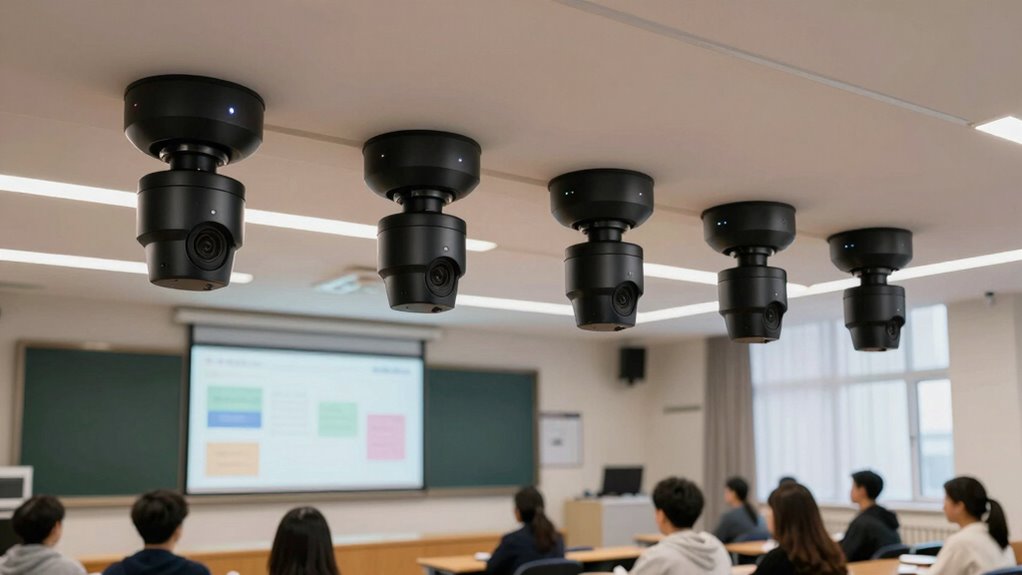

Choosing a PTZ camera for lecture capture involves balancing image quality, ease of use, and flexibility. The Prisual PTZ Camera Gen 5 stands out as the best overall choice thanks to its advanced AI tracking and versatile streaming options. For those prioritizing ultra-high-definition video, the TONGVEO 4K NDI PTZ Camera offers stunning image clarity and robust connectivity. Meanwhile, users seeking simplicity and affordability might find the EMEET PIXY Dual-Camera ideal. The main tradeoffs here include balancing cost against features like auto-tracking sophistication, integration options, and setup complexity. Keep reading for a detailed breakdown of these options to find the perfect fit for your lecture needs.

Get business pricing on monitors, keyboards and dev gear
- Business-only prices and quantity discounts
- Tax-exempt purchasing
- Multiple users, one account, clear invoices
Key Takeaways
- Auto-tracking capabilities are a key differentiator, with higher-end models offering more reliable and smoother tracking.
- 4K resolution is common among premium options, providing clearer video for larger screens and detailed recordings.
- Connectivity options like HDMI, SDI, USB, and PoE significantly impact ease of integration into existing lecture systems.
- AI features, such as auto-framing and tracking, tend to add to cost but can greatly reduce the need for manual camera operation.
- Build quality and ease of setup vary widely; more advanced models often require professional installation or configuration.




More Details on Our Top Picks
Prisual PTZ Camera Gen 5 Auto AI Tracking, 30X Optical Zoom, HDMI 3G-SDI USB IP Streaming, 0.5 Lux for Live Streaming and Events
This model stands out for its combination of powerful 30x optical zoom and auto AI tracking, making it suitable for dynamic live events where hands-free operation is key. Unlike the TONGVEO wireless system, the Prisual offers more control options and a broader array of streaming protocols, which appeals to professional broadcasters. However, it demands some network configuration and firmware updates, which might challenge those less technically inclined. The plug-and-play setup with PoE simplifies installation, and its extensive preset memory is ideal for frequent events. This camera is best for venues that need reliable, high-quality tracking without constant manual control, but it may be overkill for smaller classrooms or casual streamers.
Pros:- Powerful 30x optical zoom with crisp HD clarity
- Advanced auto AI tracking with zone control
- Multiple control options including remote, web, and streaming protocols
- Plug-and-play setup with PoE support
Cons:- Requires network setup knowledge for optimal use
- Some features may need firmware updates or licensing
Best for: Professional live streamers and AV teams seeking advanced auto-tracking and flexible control options.
Not ideal for: Small educational settings or hobbyists who prefer simple plug-and-play solutions without network setup.
- Zoom:30x optical
- Digital Zoom:8x
- Sensor Lux:0.5 Lux
- Video Outputs:HDMI, 3G-SDI, USB 3.0, IP/LAN
- Control Protocols:RS232/RS485, TCP/IP, RTSP, RTMP, VISCA over IP, SRT
- Mounting Options:Desktop, tripod, wall, ceiling
- Power:PoE supported
- Preset Memory:Up to 255 presets
- Warranty:3 years in the U.S.
Our verdict“This is the ideal choice for high-end live streaming environments where auto-tracking and multiple control options matter most.”
TONGVEO 4K NDI PTZ Camera with AI Auto-Tracking, 20X Optical Zoom, HDMI, SDI, USB3.0, PoE for Live Streaming and Video Conferencing
Compared with the Prisual, the TONGVEO 4K NDI camera provides stunning 4K resolution with smooth auto-focus, making it ideal for high-quality broadcast environments. Its multiple outputs including HDMI, SDI, and USB3.0 facilitate seamless integration with existing streaming setups, and its NDI support allows for flexible network-based workflows. However, it only tracks one person at a time, limiting its use for multi-participant scenarios. The camera’s robust build and professional features make it suitable for studios, churches, or large conference rooms where image clarity and connectivity options are priorities. For smaller or multi-speaker environments, the single-person auto-tracking might be limiting.
Pros:- Stunning 4K resolution with smooth autofocus
- Supports multiple output formats including NDI, HDMI, SDI, USB3.0
- Seamless integration with streaming platforms
- Professional-grade build suitable for studio use
Cons:- Tracks only one person at a time
- Setup complexity may challenge beginners
- Limited to high-end professional environments
Best for: Content creators and broadcasters needing high-resolution 4K with advanced connectivity options.
Not ideal for: Educational settings or smaller meeting rooms with multiple speakers, due to single-tracking limitations.
- Sensor Type:CMOS
- Connectivity Technology:HDMI, SDI, USB
- Color:Midnight
- Feature:4K 30fps PTZ, AI Auto-Tracking, Multi-Output, NDI Integration
- Water Resistance Level:Not Water Resistant
- Display Screen Size:2.8 inches
- Maximum Focal Length:105mm
- Maximum Aperture:3.7
- Focus Type:Auto Focus
Our verdict“This camera suits high-end broadcast applications where 4K quality and extensive connectivity are essential, but not for multi-speaker classrooms.”
TONGVEO AI Wireless PTZ Camera System with Auto Tracking, 1080P 60fps, 3X Optical Zoom, Built-in Receiver & Bluetooth Speakerphone
This wireless solution excels for its ease of setup and integrated audio, making it ideal for smaller conference rooms and mobile applications. Unlike the Prisual or TONGVEO NDI, this system offers wireless operation with a built-in receiver, simplifying deployment in flexible environments. The 1080P 60fps video quality balances clarity and smoothness for dynamic meetings, and the 360° voice pickup enhances communication. On the downside, its auto-tracking is limited to smaller groups, and it requires compatible conferencing software for full functionality—making it less suitable for large or complex setups. The wireless design provides mobility but sacrifices some of the robustness found in cable-connected models.
Pros:- Wireless operation with built-in receiver
- High-quality 1080P video at 60fps with zoom
- 360° omnidirectional voice pickup with noise reduction
- Easy wireless setup
Cons:- Limited auto-tracking to small groups
- Requires compatible software for full features
- Less suitable for large, multi-participant environments
Best for: Small to medium-sized meeting spaces or mobile educational setups needing quick deployment and integrated audio.
Not ideal for: Large venues or complex broadcast environments where high-resolution 4K and multi-person auto-tracking are required.
- Resolution:1080P
- Frame Rate:60fps
- Optical Zoom:3X
- Wireless Frequency:5.8GHz
- Wireless Range:up to 33 ft (10 m)
- Speakerphone:360° omnidirectional
- Compatibility:Windows, macOS, Zoom, OBS, WebEx, Teams
Our verdict“This is a practical, flexible choice for smaller rooms or mobile setups prioritizing ease of use and integrated audio, but not for large-scale productions.”
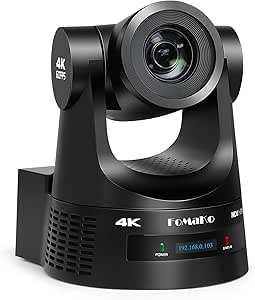
FoMaKo 4K HDMI PTZ Camera NDI AI Auto-Tracking (Gen 3), 20X Optical Zoom, NDI HX3 Certified, USB 3.0 LAN HDMI for Church, Worship, Education, Conferences
This model earns its place by delivering 4K resolution with AI auto-tracking and a versatile array of outputs, including NDI HX3, making it suitable for large venues like churches and educational institutions. Its 20x optical zoom allows for flexible framing from a distance, and the NDI support ensures smooth integration into professional streaming workflows, surpassing the TONGVEO models in connectivity options. However, its weight and setup complexity could be barriers for smaller venues or less experienced operators. The inclusion of optical image stabilization and high-end features makes it a good choice for demanding live streaming scenarios, but it may be more than needed in casual or small environments.
Pros:- High 4K resolution with AI auto-tracking
- Supports multiple outputs including HDMI, USB, LAN, and PTZ controllers
- Supports NDI HX3 for professional network streaming
- Robust build with advanced features
Cons:- Heavy at 1.46 kg, requiring sturdy mounting
- Complex setup for beginners
- Limited water resistance, not outdoor suitable
Best for: Religious institutions and large educational facilities requiring high-quality, flexible streaming solutions.
Not ideal for: Small classrooms or casual streamers who need simple plug-and-play options without complex setup.
- Sensor Type:CMOS
- Sensor Size:1/2.8 inch
- Resolution:3840×2160 (4K)
- Frame Rate:30fps (4K), 60fps (1080P)
- Connectivity Technology:NDI, LAN, HDMI, USB 3.0
- Color:Black
- Water Resistance Level:Not Water Resistant
- Image Stabilization:Optical
Our verdict“This camera is suited for large-scale live streaming and church services where image quality and connectivity flexibility are paramount, but it’s overkill for small rooms.”
FoMaKo 4K 60fps NDI PTZ Camera with 20x Optical Zoom and AI Auto-Tracking
This model offers a significant boost with 4K 60fps output and 20x optical zoom, making it ideal for live streaming scenarios demanding high motion clarity, such as studio broadcasts or worship services. Its AI auto-tracking is comparable to the other FoMaKo models but excels in high-frame-rate performance, ensuring smooth, detailed motion. Compared to the B0DK1BXJWY, it emphasizes faster frame rates at the expense of some additional complexity and a slightly higher price. The support for multiple output formats, including NDI HX3, HDMI, USB, and 3G-SDI, makes it a flexible choice for professional setups. However, its setup may present a challenge for less experienced users and its weight could necessitate sturdy mounting hardware.
Pros:- 4K 60fps high-resolution video for smooth motion
- 20x optical zoom for versatile framing
- Supports multiple professional output formats
- Advanced AI auto-tracking
Cons:- Complex setup requiring technical expertise
- Higher price point for professional use
- Limited remote control features documented
Best for: Studio broadcasters, worship leaders, and live event producers seeking high-frame-rate 4K video with advanced tracking.
Not ideal for: Small educational settings or users seeking a lightweight, simple plug-and-play camera.
- Video Resolution:4K 60fps
- Optical Zoom:20x
- Output Formats:NDI HX3, HDMI 2.0, USB3.0, 3G-SDI
- Supported Resolutions:4K, 1080P, 720P
- Auto-Tracking:Gen 3 AI Auto-Tracking
- Auto-Focus:Fast, accurate
Our verdict“This camera is best suited for high-motion, professional streaming environments where high frame rates and detailed tracking are essential, but it may be overkill for casual use.”
EMEET PIXY Dual-Camera AI-Powered 4K PTZ Webcam with Tripod
This dual-camera setup stands out for delivering crisp 4K resolution with AI tracking, making it ideal for live streaming and content creation that demand high-quality visuals. Compared with the other models, such as the 4K UHD AI Auto-Tracking PTZ Camera, which offers more output flexibility, the PIXY Kit emphasizes ease of use with its adjustable tripod and comprehensive sound modes. However, it requires connection to a PC or Mac for operation and lacks standalone recording—an important tradeoff for those seeking a portable, all-in-one device. Its advanced AI autofocus and multi-mic array make it perfect for professional streams where audio-visual synchronization is key, but casual users might find the setup overly complex and costly.
Pros:- High-quality 4K dual-camera system with AI tracking for precise framing
- Adjustable tripod provides flexible angles and stable framing
- Multiple sound modes and noise cancellation enhance audio clarity
- Easy control software with preset positions and privacy options
Cons:- Requires connection to a PC or Mac; no standalone recording
- Setup can be complex due to advanced features
- Higher price point may deter casual users
Best for: Content creators and professional streamers who need high-quality, flexible video with AI tracking and good audio options.
Not ideal for: Casual users or small meeting settings where simplicity and standalone operation are more important than advanced features.
- Sensor Type:SONY 1/2.55″
- Connectivity:USB 2.0 C-C, Type-C to A adapter
- Display Resolution:Maximum UHD
- Special Features:AI tracking, dual 4K cameras, 3 mic array
- Form Factor:Ultra Compact
- Focus Type:PDAF & AI Autofocus
Our verdict“Best suited for professional streamers and content creators who prioritize high-quality visuals and flexible control, accepting some complexity and cost.”
4K PTZ Camera with AI Auto Tracking, 20X Optical Zoom, HDMI USB 3.0 LAN PoE, Supports TF Card Recording, Conference Camera for Church, Education, Meetings and Live Streaming
This camera combines 4K resolution with a powerful 20X optical zoom, making it well-suited to larger rooms where close-up details matter. Unlike the Tenveo 4K NDI PTZ Camera, which emphasizes professional IP workflows, this model offers a straightforward setup with multiple input options, including HDMI, USB 3.0, LAN, and PoE. The AI auto-tracking simplifies operation, though it may require some technical knowledge to optimize. Its ability to support local recording via TF card adds flexibility, yet the need to purchase the card separately and the potentially complex configuration make it less ideal for users seeking plug-and-play simplicity. This model is ideal for those who want high-quality zoom and tracking without a heavy reliance on IP-based infrastructure.
Pros:- High-resolution 4K video with 20X optical zoom for detailed close-ups
- AI auto-tracking for hands-free operation
- Multiple connectivity options including HDMI, USB 3.0, LAN, and PoE
- Supports local TF card recording for added flexibility
Cons:- TF card for recording needs to be purchased separately
- Setup complexity can be high for non-technical users
- Remote control interface may be confusing for some
Best for: Educators and conference organizers who need flexible setup options and high zoom quality for larger spaces.
Not ideal for: Small office setups or casual users who prefer simple plug-and-play devices without technical configuration.
- Video Resolution:4K
- Optical Zoom:20X
- Connectivity:HDMI, USB 3.0, LAN, PoE
- Auto Tracking:Yes
- Recording Support:TF Card (sold separately)
- Focus Type:Auto Focus
Our verdict“Ideal for larger rooms requiring versatile connectivity and powerful zoom, with some setup complexity accepted for professional-grade features.”
4K UHD AI Auto-Tracking PTZ Camera with 20X Optical Zoom, USB3.0/HDMI/LAN, PoE, Live Streaming for Conference and Events
This 4K UHD camera offers a comprehensive set of features tailored to live streaming, conferences, and large events. Its AI auto-tracking smoothly maintains focus on speakers, similar to the Tenveo 4K NDI PTZ Camera, but with a more streamlined setup that supports multiple output interfaces like USB3.0, HDMI, and LAN. The inclusion of PoE simplifies wiring in complex setups, although it requires a compatible network switch, which adds to the initial cost. With support for up to 255 presets, it excels in dynamic environments where quick scene changes are needed. However, it omits an internal microphone, necessitating external audio, and its advanced features may require technical expertise to maximize performance. This camera makes a compelling choice for large venues seeking professional-grade control and flexibility.
Pros:- 4K video quality with AI auto-tracking for smooth subject framing
- Multiple output options including USB3.0, HDMI, LAN, PoE
- Supports up to 255 presets for quick scene switching
- Wide pan and tilt range with silent, smooth movement
Cons:- No built-in microphone, external audio needed
- PoE setup requires compatible network infrastructure
- Advanced features may require technical expertise for optimal use
Best for: Churches, large conference halls, and broadcasters needing high-quality video with extensive preset control and flexible output options.
Not ideal for: Small offices or casual streams where fewer features and simpler setups are preferable.
- Resolution:4K at 30fps
- Optical Zoom:20X
- Outputs:USB3.0, HDMI, LAN
- Auto Tracking:Yes
- PoE:Yes
- Preset Capacity:255
Our verdict“Best suited for large-scale productions and venues that need extensive preset control and flexible connectivity, accepting setup complexity.”
Tenveo 4K NDI PTZ Camera with AI Auto-Tracking, HDMI/LAN/USB3.0 PoE, 20X Optical Zoom, Live Streaming for Church and Video Conference
The Tenveo NDI PTZ camera excels in environments where low latency and high-quality IP workflows are essential. Its AI auto-tracking combined with Sony’s 1/2.8-inch CMOS sensor ensures sharp 4K footage with precise subject focus, comparable to the 4K UHD AI Auto-Tracking PTZ Camera. What sets it apart is deep integration with IP protocols like RTMP, RTSP, SRT, and support for NDI, making it ideal for live broadcasts and remote production setups. The wide pan and tilt range and up to 255 presets offer extensive control, though the absence of a built-in microphone means external audio is necessary. This model is perfect for professional broadcasters and churches that rely on real-time IP streaming, but it may be overkill for small or casual settings that don’t require advanced IP features.
Pros:- High-quality 4K video with AI auto-tracking for precise focus
- Supports NDI and RTMP for low-latency remote streaming
- Multiple control options including remote, RS232, RS485, and IP
- Wide pan/tilt with 255 preset positions
Cons:- No internal microphone, external audio needed
- Requires PoE switch for network power, adding setup complexity
- Advanced IP features may require technical knowledge
Best for: Live broadcasters, professional churches, and video production teams needing low-latency, high-quality IP streaming with advanced tracking.
Not ideal for: Small-scale meetings or users who prefer simple USB plug-and-play solutions without IP infrastructure.
- Resolution:4K at 30fps
- Optical Zoom:20X
- Outputs:HDMI, LAN, USB3.0
- Auto Tracking:Yes
- Control Protocols:RS232, RS485, IP
- Preset Capacity:255
Our verdict“Ideal for professional streaming environments that demand low latency, extensive control, and IP integration, with some setup complexity accepted.”

How We Picked
The selection process focused on performance, usability, build quality, and value. I prioritized cameras with reliable auto-tracking and high-resolution output suitable for lecture environments. Ease of setup and compatibility with streaming platforms were also key factors, as these influence the overall user experience. I ranked products based on how well they balance advanced features with affordability and versatility, making sure to include options for different budgets and technical expertise. This approach ensures that each recommended camera offers meaningful advantages tailored to specific lecture capture needs.Factors to Consider When Choosing Ptz Cameras For Lecture Capture
When selecting a PTZ camera for lecture capture, consider several factors that impact the quality, ease of use, and integration with your existing setup. Understanding these elements helps avoid common pitfalls like overpaying for unnecessary features or choosing a camera incompatible with your streaming hardware. A clear grasp of your environment and needs ensures you select a model that delivers professional results without complicated setup or excessive costs.Resolution and Image Quality
Higher resolution cameras, such as 4K models, provide sharper images suitable for large screens and detailed recordings. However, they tend to be more expensive and require higher bandwidth and storage. For smaller lecture halls or less critical recordings, 1080p or 720p may suffice, offering a good balance between quality and cost. Understanding your display size and recording goals can help determine the right resolution for your setup.
Auto-Tracking and AI Features
Auto-tracking simplifies operation by keeping the presenter in frame automatically, which is especially useful in dynamic lecture settings. More sophisticated AI features, like auto-framing and gesture recognition, add convenience but often come with higher price tags. Be mindful that cheaper models may have less reliable tracking, leading to jittery footage or missed shots, so consider your need for automation versus budget constraints.
Connectivity and Integration
Multiple connectivity options such as HDMI, SDI, USB, and PoE influence how easily your camera integrates into existing AV setups. HDMI is common and straightforward, but SDI offers longer cable runs for larger venues. PoE simplifies wiring by powering and transmitting video over a single Ethernet cable. Choosing a camera with compatible outputs ensures smooth operation and minimizes setup headaches.
Ease of Use and Setup
Some cameras require professional installation or extensive configuration, while others are plug-and-play. For educational institutions or individuals without technical support, user-friendly models with intuitive controls and remote management are preferable. Consider the learning curve involved and whether the camera’s interface aligns with your team’s technical skills.
Budget and Value
Investment in a PTZ camera should align with your specific needs and budget. Premium models with advanced features like AI auto-tracking and 4K output come at a higher cost but deliver superior quality and automation. Conversely, more affordable options may lack some features but still meet basic lecture capture requirements. Evaluating long-term value helps avoid overspending on unnecessary capabilities or underinvesting in critical performance features.
Frequently Asked Questions
Do I need AI auto-tracking for lecture capture?
AI auto-tracking can significantly reduce the need for manual camera adjustments during lectures, especially if the presenter moves around frequently. This feature helps maintain a consistent framing, creating a more professional appearance in recordings. However, for fixed presentations or smaller classrooms, manual control or simpler cameras may suffice, making auto-tracking less critical. Consider your lecture style and budget when deciding if this feature is worth the extra cost.
Is 4K resolution necessary for lecture capture?
While 4K provides the highest detail and clarity, it also demands more bandwidth, storage, and processing power. For large lecture halls or recordings intended for high-resolution displays, 4K can be advantageous. However, many educational uses are well-served by 1080p cameras, which are more affordable and easier to manage. The decision depends on your display size, recording needs, and available infrastructure.
Can I use a PTZ camera without professional installation?
Many PTZ cameras are designed for straightforward setup and can be operated remotely once connected, making them suitable for non-professional installations. However, more complex models with SDI outputs or advanced AI features might require technical expertise for proper configuration. Evaluate your comfort level with AV equipment and whether you have access to support or technical resources before choosing a more sophisticated model.
How important is connectivity for lecture capture?
Connectivity options determine how seamlessly the camera integrates with your existing streaming and recording systems. HDMI is standard for most setups, but SDI offers longer cable runs suitable for larger venues. USB models are convenient for direct connection to computers, while PoE simplifies wiring by combining power and data transmission. Ensuring compatibility prevents technical issues during live recordings or broadcasts, making connectivity a crucial consideration.
What is the typical lifespan of a PTZ camera in an educational setting?
With proper maintenance, a high-quality PTZ camera can last between 5 to 10 years, depending on usage and environmental conditions. Regular firmware updates, cleanings, and careful handling help prolong its life. Investing in a durable build and reputable brand can also reduce the risk of early failure, ensuring consistent performance throughout its lifespan. For frequent use, consider models with robust construction and reliable support options.
Conclusion
For institutions seeking the best overall performance with advanced automation, the Prisual PTZ Camera Gen 5 is a strong choice. Budget-conscious buyers or those new to lecture capture will appreciate the EMEET PIXY Dual-Camera for its simplicity and affordability. For high-end setups demanding top-tier image quality and extensive connectivity, the TONGVEO 4K NDI PTZ Camera offers premium features worth the investment. Ultimately, your decision should align with your technical needs, budget, and the scale of your lecture environment.
Columbus Day / Indigenous Peoples' Day Picks
long weekend sales
As an affiliate, we earn on qualifying purchases.