
🔍 Read the full analysis: The Mechanics Of “TURBINE — WERK 9”: SVG, Scroll, And AI on ThorstenMeyerAI.com

Get monitors, keyboards and dev gear delivered free — and shop member deals
- Fast, free delivery on millions of items
- Access to Prime Big Deal Days deals on October 6–7
- Prime Video, Amazon Music and more included
TL;DR
TURBINE — WERK 9 presents a web page as an interactive field guide, using scrolling to drive an SVG rotor animation. ThorstenMeyerAI.com’s published description outlines the concept but does not specify implementation details, performance results or how AI features are involved.
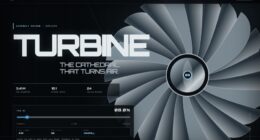
TURBINE — WERK 9 is an interactive web experience built around a scroll-driven SVG rotor, turning a visitor’s movement through the page into part of its visual interaction. ThorstenMeyerAI.com describes the project as a field guide to an industrial setting, as detailed in the original project overview, though its published overview does not provide technical specifications, performance measurements or details of any AI functionality.
According to ThorstenMeyerAI.com’s project overview, the central idea is to make a web page feel less like a conventional brochure and more like a space to explore. The overview says a visitor’s scroll input controls movement in a rotor graphic made from SVG vector paths. That links the act of moving down the page to a machine-like visual element rather than treating scrolling only as a way to reach more text, as described in the design teardown.
ThorstenMeyerAI.com frames the experience as an interactive field guide, combining an industrial visual atmosphere with a structured path through the page. Its description says the interface is intended to invite exploration while retaining the clarity of a designed object. The public overview does not state how the rotor is constructed, how its motion maps to scroll position, or which browser technologies beyond SVG are used.
ThorstenMeyerAI.com points readers to a fuller design teardown and a live version of the experience. The overview says the case study discusses shaping the rotor’s motion, organizing the visual system and translating a physical-feeling space into a browser experience. Those details are not included in the overview itself, so the implementation cannot be independently assessed from the information provided.
Interactive field guide · Design case study
The Mechanics Of
“TURBINE — WERK 9”
SVG, Scroll, And AI
A page where scrolling moves the machine. The published concept links visitor movement to an SVG rotor, while leaving its technical construction and any AI role undocumented.
“Scroll input becomes visible motion in a machine-like graphic.”
Project overview · ThorstenMeyerAI.com01 / The design premise
Scroll becomes part of the machine
A familiar page gesture is given a visible relationship to the subject.
ThorstenMeyerAI.com presents TURBINE — WERK 9 as an interactive web experience: a designed route through an industrial-feeling space, with a rotor graphic that responds as visitors move down the page. The idea shifts scrolling from a way to reach more text into part of the visual interaction. The published description establishes the concept; it does not show whether the approach improves usability, accessibility, engagement, or performance.
Visitor movement
Scrolling supplies the action that advances a visitor through the page and is described as controlling the rotor’s movement.
Vector rotor
The overview identifies SVG paths as the visual material, but gives no path count, complexity, or construction method.
Explorable space
The field-guide framing aims to make the page feel like a place to explore while keeping a clear designed structure.
02 / Interaction flow
From gesture to graphic
The sequence reflects the published design premise, not a verified technical pipeline.
Explore
The visitor enters an industrial field guide presented as a live web experience.
Scroll
Page movement becomes the interaction input, as described in the project overview.
Respond
An SVG rotor changes its movement in relation to that input; the mapping is not specified.
Continue
Visual motion connects the page’s structure with its machine-inspired setting.
03 / What is known
Concept is clear; implementation is open
The public overview is a design description, not a technical benchmark.
Confirmed in the overview
- ✓Presented as an interactive web experience and field guide to an industrial setting.
- ✓A rotor graphic made from SVG vector paths responds to visitor scrolling.
- ✓A live version and a fuller design teardown are referenced by the site.
- ✓The teardown is said to discuss rotor motion, visual organization, and translating a physical-feeling space to the browser.
Not specified publicly
- ?How the SVG is built, animated, or mapped precisely to scroll position.
- ?Performance results, loading time, browser support, or mobile behavior.
- ?Accessibility guidance, reduced-motion handling, or user-testing outcomes.
- ?Any AI model, generated asset, automated workflow, or AI-powered feature.
The overview explains the interaction idea; technical detail and measured outcomes remain unavailable there.
04 / The AI question
Audience mention is not proof of an AI system
The title raises a question the available description does not answer.
The project description mentions appeal to people interested in AI tools and automation. It does not identify AI as part of the live experience or confirm that AI helped create it. The documented premise is an interactive web design centered on SVG, scroll, and page structure. Any stronger claim about AI involvement would go beyond the information published in the overview.
05 / Reader guide
Key questions, answered carefully
A concise reading of what the source says—and where it stops.
What is TURBINE — WERK 9?
An interactive web experience and industrial field guide, with a rotor graphic that responds to page scrolling.
How does the rotor work?
The description ties SVG rotor movement to visitor scroll input. It does not explain the animation code or exact mapping.
Does the project use AI?
No AI feature or development workflow is confirmed in the available overview. AI tools are mentioned as audience appeal.
Where can readers learn more?
ThorstenMeyerAI.com points to a live experience and fuller design teardown. No date for additional technical details is stated.
Scroll Becomes Part of the Machine
As described by ThorstenMeyerAI.com, the project illustrates a design choice with practical implications for how visitors experience a web page: scrolling becomes an interaction that changes a visual element, rather than remaining a purely navigational action. For designers, developers and readers interested in web interfaces, the concept offers an example of connecting a familiar input to a graphic that supports the setting and narrative.
That approach can make a digital field guide feel more spatial and responsive, but the available description does not establish whether it improves usability, accessibility, engagement or loading performance. Those outcomes depend on implementation and testing. The stated design premise is that SVG, motion and page structure are parts of one experience, not separate decorative layers.
The title’s reference to AI also warrants care. ThorstenMeyerAI.com’s project description mentions appeal to people interested in AI tools and automation, but it does not identify an AI model, generated asset, automated workflow or AI-powered feature. The confirmed development in the overview is an interactive web design, not a disclosed AI system.
As an affiliate, we earn on qualifying purchases.
A Field Guide Built for Browsing
ThorstenMeyerAI.com presents the project as a design case study and a live room that visitors can explore. Its framing contrasts a conventional brochure—read as a sequence of static sections—with an interface that gives the user’s movement a visible relationship to the subject matter. The project overview identifies the rotor as that visual element: as the visitor scrolls, the central graphic responds.
SVG, or Scalable Vector Graphics, is a web format for describing graphics with paths and other vector elements. ThorstenMeyerAI.com’s description specifically mentions carefully constructed vector paths, but it does not disclose the number or complexity of those paths, the animation method, or any supporting code. The published overview gives no release date, browser compatibility list or accessibility guidance.
ThorstenMeyerAI.com says a full design teardown will cover the rotor’s motion, visual organization and translation of a physical-feeling space into a browser. Until those details are available, the project is best understood through its stated design concept and live presentation rather than as a documented technical benchmark.
As an affiliate, we earn on qualifying purchases.
Technical Details Still Unpublished
ThorstenMeyerAI.com’s public overview leaves several questions open. It does not identify who designed or developed the experience, give a publication or launch date, or explain how the SVG rotor is animated. It also provides no information about accessibility options, reduced-motion handling, mobile behavior, browser support, loading time or user testing.
Nor does the description substantiate a specific role for AI or automation. It refers to those audiences as part of the project’s appeal, but gives no evidence that AI was used to create the work or is integrated into the live interface. Claims about technical novelty, measurable user benefits or system performance would go beyond the information published in the overview.
As an affiliate, we earn on qualifying purchases.
The Teardown Could Fill Gaps
ThorstenMeyerAI.com directs readers to the full design teardown and the live experience. The site says the teardown will provide additional explanation of the rotor’s motion and the project’s visual system, while visiting the live room may show how the interaction behaves in practice.
ThorstenMeyerAI.com does not specify a publication date for further technical information. Until more details are provided, the next confirmed step is exploration of the live page and any accompanying case study; questions about implementation, accessibility, AI involvement and measured results remain open.
Source: ThorstenMeyerAI.com
As an affiliate, we earn on qualifying purchases.
Key Questions
What is TURBINE — WERK 9?
ThorstenMeyerAI.com presents it as an interactive web experience and field guide to an industrial setting, with a rotor graphic that responds to page scrolling.
How does the rotor interaction work?
ThorstenMeyerAI.com’s project description says the rotor is an SVG graphic whose movement is tied to the visitor’s scroll. It does not explain the animation code or the precise relationship between scroll position and motion.
Does the project use artificial intelligence?
The available overview from ThorstenMeyerAI.com does not identify an AI feature or confirm that AI was used to build the experience. Its mention of AI tools and automation describes the intended audience appeal, not a documented technical component.
Where can readers find more information?
ThorstenMeyerAI.com points to a live version and a fuller design teardown. The overview says the teardown covers the rotor’s motion and visual system, but does not specify when additional technical details will be published.
Source: ThorstenMeyerAI.com
Halloween Picks
halloween
As an affiliate, we earn on qualifying purchases.