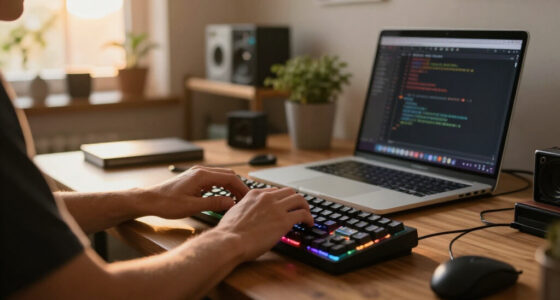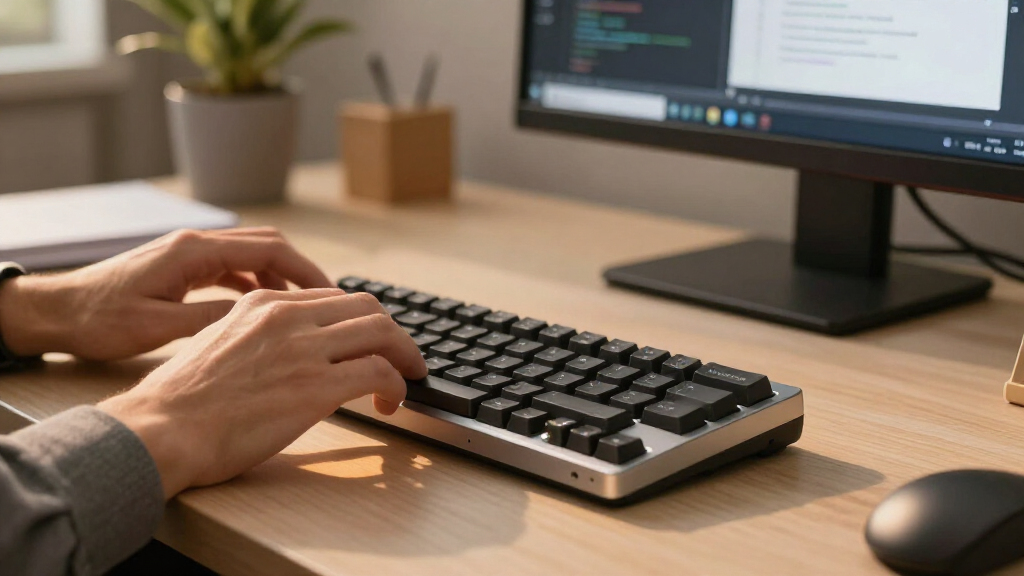

For developers drowning in spreadsheets, database queries, or financial modeling, a dedicated wireless mechanical numpad is a productivity multiplier that frees up desk space and reduces wrist strain. My top recommendation for most developers is the Redragon K733 PRO because it balances robust tri-mode connectivity with a satisfying gasket-mounted typing feel at a competitive price point. If you require deeper software customization, the EPOMAKER EK21 offers VIA support that allows for complex macro mapping beyond simple number entry. The primary tradeoff you will face is between feature density—such as screens and knobs—and portability; larger pads offer more utility but weigh more, while compact models sacrifice programmable keys for travel convenience. Continue reading to see how these fifteen models stack up against specific developer workflows.

Get business pricing on monitors, keyboards and dev gear
- Business-only prices and quantity discounts
- Tax-exempt purchasing
- Multiple users, one account, clear invoices
Key Takeaways
- Gasket-mounted constructions like the Redragon K733 PRO and EPOMAKER EK21 provide a softer, more consistent keystroke feel that reduces fatigue during long coding sessions compared to plate-mounted alternatives.
- VIA/QMK programmability is the single most valuable feature for developers, as seen in the EPOMAKER EK21 and Kisnt MF17, allowing users to map complex IDE shortcuts to numpad keys.
- Tri-mode wireless connectivity (Bluetooth, 2.4GHz, and Wired) has become the standard for premium picks like the YUNZII AL21, ensuring compatibility across laptops, desktops, and tablets without dongle clutter.
- Integrated screens and rotary knobs, found on models like the BOYI TD31Pro and RK Royal Kludge M20, shift the device from a pure numpad to a macro-control center, ideal for audio/video developers or streamers.
- Wired-only options like the Kisnt MF17 and KN17 remain relevant for users who prioritize zero-latency input and absolute reliability over the convenience of wireless freedom.
| Redragon K733 PRO Wireless Gasket Mechanical Number Pad |  | Best Overall | Keys: 22 | Switches: Custom Dragon Chant linear | Hot-swappable: Yes; compatible with 99.8%+ switches | VIEW LATEST PRICE | See Our Full Breakdown |
| EPOMAKER EK21 VIA Gasket Wireless Mechanical Number Pad |  | Best for Programmable Workflows | Keys: 20 | Connectivity: Bluetooth 5.0, 2.4 GHz wireless, USB-C wired | Battery capacity: 1000 mAh | VIEW LATEST PRICE | See Our Full Breakdown |
| YUNZII AL21 Aluminum Wireless Number Pad, Black with Cocoa Cream V2 Switches |  | Best Premium Build | Keys: 19 | Switches: Linear Cocoa Cream V2 | Hot-swappable: Supports 3-pin and 5-pin switches | VIEW LATEST PRICE | See Our Full Breakdown |
| JPHTEK 21-Key Wireless Mechanical Numeric Keypad with RGB Backlighting |  | Best for Clicky Typing | Keys: 21 | Switches: Clicky Cherry MX Blue | Keycaps: PBT | VIEW LATEST PRICE | See Our Full Breakdown |
| BOYI TD31Pro Wireless Mechanical Number Pad with Screen and Knob |  | Best for Expanded Controls | Keys: 30 | Connectivity: Bluetooth 5.0, 2.4 GHz wireless, USB-C wired | Simultaneous device connections: Up to 3 | VIEW LATEST PRICE | See Our Full Breakdown |
| LOFREE Lipstick-Style Tri-Mode Wireless Mechanical Numpad with Calculator and Adjustable Backlight |  | Best Design & Aesthetics | Key Count: 20 keys | Connectivity: Bluetooth, 2.4 GHz, USB-C | Switch Type: Linear (Hot-swappable) | VIEW LATEST PRICE | See Our Full Breakdown |
| Kisnt MF17 Wired QMK/VIA Programmable Mechanical Numpad, 17 Keys, Retro Beige |  | Best for Customization Enthusiasts | Keys: 17 | Connectivity: Wired USB-A to USB-C | Customization: QMK/VIA programmable | VIEW LATEST PRICE | See Our Full Breakdown |
| TISHLED Gasket-Mount Programmable Mechanical Numpad with RGB Backlighting |  | Best Overall Wireless Numpad | Keys: 19 | Connectivity: Bluetooth 5.0, 2.4 GHz, USB-C | Battery: 1500 mAh rechargeable | VIEW LATEST PRICE | See Our Full Breakdown |
| Kisnt KN17 17-Key Wired Mechanical Numpad |  | Best Budget Wired Option | Keys: 17 | Connectivity: Wired USB-A to USB-C | Switches: Tactile Outemu Brown (Hot-swappable) | VIEW LATEST PRICE | See Our Full Breakdown |
| Kisnt FD17 Wireless Mechanical Numpad |  | Best for Minimalist Wireless Use | Keys: 17 | Connectivity: Bluetooth 5.0, 2.4 GHz | Power Source: 1 AAA battery (not included) | VIEW LATEST PRICE | See Our Full Breakdown |
| 8BitDo Retro 18 Mechanical Numpad – N Edition |  | Best for Retro Aesthetic Lovers | Brand: 8BitDo | Number of Keys: 18 | Switches: Kailh Box White V2 | VIEW LATEST PRICE | See Our Full Breakdown |
| 8BitDo Retro 18 Mechanical Numpad, M Edition |  | Best Single-Color Backlit Option | Brand: 8BitDo | Number of Keys: 18 | Switch Type: Kailh Box White | VIEW LATEST PRICE | See Our Full Breakdown |
| RK Royal Kludge M20 Wireless Mechanical Number Pad with LCD Display |  | Best for Productivity Features | Brand: RK Royal Kludge | Model: M20 | Display: 10-digit LCD | VIEW LATEST PRICE | See Our Full Breakdown |
| RK Royal Kludge M20 Wireless Mechanical Number Pad with LCD Display |  | Best Color Option for Productivity | Brand: RK Royal Kludge | Model: M20 | Color: Pink | VIEW LATEST PRICE | See Our Full Breakdown |
| YUNZII AL21 Aluminum Wireless Number Pad, Silver, Cocoa Cream V2 Switch |  | Best Premium Cross-Platform Build | Brand: YUNZII | Model: AL21 | Case Material: CNC-machined Aluminum | VIEW LATEST PRICE | See Our Full Breakdown |
| wireless mechanical numpads for developer | Connectivity | Switches | Keys | Backlighting |
|---|---|---|---|---|
| Redragon K733 PRO Wireless Gas | USB-C wired, Bluetooth 3.0/5.0, 2.4 GHz wireless | Custom Dragon Chant linear | 22 | RGB |
| EPOMAKER EK21 VIA Gasket Wirel | Bluetooth 5.0, 2.4 GHz wireless, USB-C wired | — | 20 | — |
| YUNZII AL21 Aluminum Wireless | Bluetooth, 2.4 GHz wireless, USB-C wired | Linear Cocoa Cream V2 | 19 | — |
| JPHTEK 21-Key Wireless Mechani | Bluetooth 5.0, 2.4 GHz wireless, USB-C wired | Clicky Cherry MX Blue | 21 | RGB |
| BOYI TD31Pro Wireless Mechanic | Bluetooth 5.0, 2.4 GHz wireless, USB-C wired | BOYI Jadeite Green HIFI linear | 30 | — |
| LOFREE Lipstick-Style Tri-Mode | Bluetooth, 2.4 GHz, USB-C | — | — | Single-color, 4-level |
| Kisnt MF17 Wired QMK/VIA Progr | Wired USB-A to USB-C | Pre-lubed Bsun linear (Hot-swappable) | 17 | Customizable RGB |
| TISHLED Gasket-Mount Programma | Bluetooth 5.0, 2.4 GHz, USB-C | Linear Ice (Hot-swappable) | 19 | RGB (18 modes) |
| Kisnt KN17 17-Key Wired Mechan | Wired USB-A to USB-C | Tactile Outemu Brown (Hot-swappable) | 17 | Single-color white |
| Kisnt FD17 Wireless Mechanical | Bluetooth 5.0, 2.4 GHz | Pre-lubed linear (Hot-swappable) | 17 | None |
| 8BitDo Retro 18 Mechanical Num | Bluetooth, 2.4 GHz, USB | Kailh Box White V2 | — | — |
| 8BitDo Retro 18 Mechanical Num | Bluetooth, 2.4 GHz, USB | — | — | Single Color |
| RK Royal Kludge M20 Wireless M | Bluetooth 5.0, 2.4GHz, USB-C | — | — | — |
| RK Royal Kludge M20 Wireless M | Bluetooth 5.0, 2.4GHz, USB-C | — | — | — |
| YUNZII AL21 Aluminum Wireless | — | Cocoa Cream V2 (Hot-Swap) | — | — |
More Details on Our Top Picks
Redragon K733 PRO Wireless Gasket Mechanical Number Pad
The Redragon K733 PRO is the most balanced pick here for a developer who wants a dedicated numpad that can also handle quick calculations. Its 22-key layout includes PC and calculator modes, and the 10-digit display gives it a practical role beyond entering figures into code or spreadsheets. Compared with the EPOMAKER EK21, it trades VIA-based remapping for a built-in calculator display; the EPOMAKER is the stronger choice if custom macros matter more than standalone calculation.
Tri-mode connectivity, hot-swappable switches, and five layers of sound dampening make the K733 adaptable across desk setups without making its compact footprint feel like a bare numeric block. The tradeoff is that its display is limited to 10 digits, and 22 keys still leave it far short of a full keyboard. I’d skip it if extensive programmable layers are central to your workflow.
Pros:- PC and calculator modes make the built-in 10-digit display useful beyond computer input.
- Bluetooth, 2.4 GHz, and USB-C connections suit multi-device desks.
- Hot-swappable switches allow a change from the included linear feel without soldering.
- Gasket construction and five layers of dampening are designed to soften feel and sound.
Cons:- The 22-key layout offers limited room for dedicated macros and navigation controls.
- The calculator display is capped at 10 digits.
- The provided details do not specify battery capacity or runtime.
Best for: Developers who want one compact wireless pad for numeric entry and occasional standalone calculations across multiple devices.
Not ideal for: Developers who need extensive VIA-style remapping, a large macro layer, or a full set of navigation and function keys.
- Keys:22
- Switches:Custom Dragon Chant linear
- Hot-swappable:Yes; compatible with 99.8%+ switches
- Connectivity:USB-C wired, Bluetooth 3.0/5.0, 2.4 GHz wireless
- Display:10-digit calculator display
- Backlighting:RGB
- Noise dampening:Five layers
- Weight:0.37 kg
Our verdict“Choose the K733 PRO if you want a versatile wireless numpad with a built-in calculator, but pick the EPOMAKER EK21 if remapping is your priority.”
EPOMAKER EK21 VIA Gasket Wireless Mechanical Number Pad
For developers who want a numpad to trigger more than numeric input, the EPOMAKER EK21 earns its place through VIA support. Key remapping, macros, and a customizable knob can put repeated commands or app controls within reach, making this a more workflow-focused option than the Redragon K733 PRO, whose distinguishing extra is a calculator display rather than specified VIA programming.
The EK21 keeps the desk setup flexible with Bluetooth, 2.4 GHz, and USB-C, while foam layers and tuned stabilizers are intended to give its compact 20-key layout a cushioned, quieter feel. Its aluminum alloy knob adds a tactile control point, but the keypad has fewer keys than a larger programmable pad such as the BOYI TD31Pro. Battery capacity is listed at 1000 mAh, though runtime and dimensions are not provided, so I wouldn’t choose it when those details are deciding factors.
Pros:- VIA supports key remapping, macros, and knob customization.
- Bluetooth, 2.4 GHz, and USB-C provide flexible connection options.
- Foam layers and tuned stabilizers are designed for a cushioned, quieter typing feel.
- Aluminum alloy knob adds a dedicated tactile control.
Cons:- The 20-key layout limits the number of immediately available controls.
- Battery runtime and product dimensions are not specified in the supplied details.
- Its customization focus may be unnecessary for developers who only need standard numeric entry.
Best for: Developers who want to map macros, application shortcuts, or knob actions to a compact secondary keypad.
Not ideal for: Buyers who need a larger key array or want confirmed battery runtime and physical dimensions before choosing.
- Keys:20
- Connectivity:Bluetooth 5.0, 2.4 GHz wireless, USB-C wired
- Battery capacity:1000 mAh
- Customization:VIA key remapping, macros, and customizable knob
- Hot-swappable:Yes
- Lighting:RGB backlighting
- Plate:CNC-cut PC
- Compatible operating systems:Windows, Mac, Android
Our verdict“Choose the EK21 if programmable shortcuts matter more than a calculator display or the BOYI TD31Pro’s larger key count.”
YUNZII AL21 Aluminum Wireless Number Pad, Black with Cocoa Cream V2 Switches
The YUNZII AL21 is the build-focused choice in this group: its CNC-machined aluminum case and PBT keycaps set it apart from plastic-bodied options such as the EPOMAKER EK21. A gasket mount and included linear Cocoa Cream V2 switches give the compact 19-key pad a cushioned typing design, while hot-swap support for both 3-pin and 5-pin switches leaves room to tune the feel later.
Its battery data is unusually useful for a wireless numpad: the listed runtime is up to 90 hours with RGB off, falling to up to 10 hours with backlighting on. That makes lighting a real use-time tradeoff, not just a cosmetic choice. The tri-mode connection, programmable macros, remapping, and multifunction knob suit developers who like to personalize a desk tool, but the 19-key layout has fewer controls than the BOYI TD31Pro. Choose this for materials and flexibility, not maximum key count.
Pros:- CNC-machined aluminum case and PBT keycaps provide a more substantial build than plastic-panel alternatives.
- Tri-mode connectivity supports wired and two wireless connection types.
- Hot-swap sockets support both 3-pin and 5-pin switches.
- Listed runtime distinguishes RGB-off use from backlit use.
Cons:- The 19-key layout has fewer controls than the 30-key BOYI TD31Pro.
- Listed battery life falls to up to 10 hours with backlighting on.
- The compact key count limits dedicated shortcuts without remapping.
Best for: Developers seeking an aluminum-bodied wireless numpad with switch flexibility, remapping, and stated battery-runtime figures.
Not ideal for: Buyers who need many dedicated macro keys or expect long runtime while keeping RGB lighting on.
- Keys:19
- Switches:Linear Cocoa Cream V2
- Hot-swappable:Supports 3-pin and 5-pin switches
- Case and keycaps:CNC-machined aluminum case; PBT keycaps
- Connectivity:Bluetooth, 2.4 GHz wireless, USB-C wired
- Battery capacity:1500 mAh
- Battery life:Up to 90 hours with RGB off; up to 10 hours with backlight on
- Programmability:Macros and key remapping
- Compatible operating systems:Windows, macOS, Linux, Android, iOS
Our verdict“Pick the AL21 if premium materials and switch flexibility matter more than the BOYI TD31Pro’s larger layout.”
JPHTEK 21-Key Wireless Mechanical Numeric Keypad with RGB Backlighting
The JPHTEK 21-Key is the pick for developers who prefer clear, audible switch feedback rather than the linear feel offered by the Redragon K733 PRO or YUNZII AL21. Its clicky Cherry MX Blue switches and ergonomic stepped keycaps give numeric entry a more distinct physical rhythm, while Bluetooth 5.0, 2.4 GHz, and USB-C cover common desk and mobile-device setups.
That feedback comes with a meaningful compromise: clicky switches can be disruptive in shared offices, calls, or quiet workspaces. The 21-key layout stays compact, but the listed feature set focuses on numeric input rather than the VIA macros of the EPOMAKER EK21 or the BOYI TD31Pro’s programmable controls and display. Its PBT keycaps and RGB lighting add practical durability and visibility, though the supplied data does not give battery capacity or runtime. I’d favor it for simple, tactile entry, not customization.
Pros:- Clicky Cherry MX Blue switches provide distinct audible and tactile feedback.
- Bluetooth 5.0, 2.4 GHz, and USB-C support multiple connection setups.
- Stepped keycaps are designed with ergonomic typing in mind.
- PBT keycaps offer a durable surface for frequent numeric entry.
Cons:- Clicky switches may be too loud for shared or quiet workspaces.
- The 21-key layout is focused on numeric input rather than a broad shortcut set.
- Battery capacity and runtime are not stated in the supplied product details.
Best for: Developers who want an affordable-feeling, tactile numeric pad for a private workspace and value audible click feedback.
Not ideal for: People working in shared offices, on frequent calls, or seeking programmable macro controls and a stated battery runtime.
- Keys:21
- Switches:Clicky Cherry MX Blue
- Keycaps:PBT
- Connectivity:Bluetooth 5.0, 2.4 GHz wireless, USB-C wired
- Backlighting:RGB
- Layout:QWERTY
- Compatible operating systems:Windows, macOS, iOS, Android, Linux
- Power:USB powered
Our verdict“Choose the JPHTEK if you want audible click feedback for numeric entry, but pick the EPOMAKER EK21 for programmable controls or quieter-oriented construction.”
BOYI TD31Pro Wireless Mechanical Number Pad with Screen and Knob
With 30 keys, a customizable display, and a knob, the BOYI TD31Pro gives developers more room for dedicated shortcuts than the 19-key YUNZII AL21 or 20-key EPOMAKER EK21. Its display and programmable keys can make frequently used controls easier to access, while support for up to three devices helps if a developer switches between a work computer, personal machine, and mobile device.
The TD31Pro pairs that broader control surface with tri-mode connectivity, hot-swappable linear switches, PBT keycaps, and a gasket-mounted design. Those features make it more adaptable than a basic numeric pad, but its extra controls take more desk space than the smaller options. The listed screen-mode knob also does not support one-click muting, which may disappoint anyone expecting an all-purpose media dial. Its 1000 mAh battery capacity is provided, but runtime is not, so wireless endurance remains unclear.
Pros:- 30 keys provide more room for dedicated controls than the smaller pads in this group.
- Customizable display and programmable keys add workflow controls beyond numeric entry.
- Supports Bluetooth, 2.4 GHz, and USB-C, with up to three device connections.
- Hot-swap support, PBT keycaps, and gasket mounting allow flexibility in feel and use.
Cons:- The larger key count takes more desk space than 19- to 22-key options.
- The screen-mode knob does not support one-click muting.
- Battery runtime is not specified despite the listed 1000 mAh capacity.
Best for: Developers who want a compact macro-and-media control pad with a display, knob, and connections for up to three devices.
Not ideal for: Buyers who prefer the smallest possible numpad, need a stated battery runtime, or require one-click muting from the knob.
- Keys:30
- Connectivity:Bluetooth 5.0, 2.4 GHz wireless, USB-C wired
- Simultaneous device connections:Up to 3
- Battery capacity:1000 mAh
- Switches:BOYI Jadeite Green HIFI linear
- Hot-swappable:Supports 3-pin and 5-pin mechanical switches
- Display:Multimedia TFT screen
- Keycaps and mounting:Dye-sublimated PBT keycaps; gasket-mounted
- Compatible operating systems:Windows, Mac, Android
Our verdict“Choose the TD31Pro if extra programmable controls and a display matter more than a smaller footprint or a confirmed battery runtime.”
LOFREE Lipstick-Style Tri-Mode Wireless Mechanical Numpad with Calculator and Adjustable Backlight
This numpad stands out for its distinctive lipstick-inspired aesthetic and semi-matte keycaps, making it a visual centerpiece rather than just a utility tool. Compared to the utilitarian Kisnt MF17, the LOFREE prioritizes style and comfort, utilizing a gasket structure that softens the typing feel. The integrated calculator mode is a clever workflow hack for developers who frequently switch between numeric input and quick math, though the single-color backlight limits visual customization. While it offers tri-mode connectivity, the plastic enclosure feels less premium than aluminum alternatives, and the compact 20-key layout may feel cramped for those accustomed to full-sized numpads.Pros:- Unique lipstick-style design with semi-matte keycaps
- One-touch switching between numeric keypad and calculator modes
- Gasket mount provides a softer, more comfortable typing feel
- Tri-mode connectivity (Bluetooth, 2.4 GHz, USB-C) offers flexibility
Cons:- Single-color backlighting lacks the customization of RGB options
- Plastic enclosure feels less durable than metal-bodied competitors
- Compact size may be difficult for users with larger hands
Best for: Developers who value desk aesthetics and want a dedicated calculator mode alongside numeric input.
Not ideal for: Users who need RGB lighting for visual coding cues or prefer a heavier, metal build.
- Key Count:20 keys
- Connectivity:Bluetooth, 2.4 GHz, USB-C
- Switch Type:Linear (Hot-swappable)
- Backlighting:Single-color, 4-level
- Power Source:Rechargeable battery
- Special Feature:Integrated calculator mode
Our verdict“Choose this if you want a stylish, comfortable numpad with a built-in calculator, but skip it if you need RGB lighting or a premium metal build.”
Kisnt MF17 Wired QMK/VIA Programmable Mechanical Numpad, 17 Keys, Retro Beige
The Kisnt MF17 is the go-to choice for developers who demand total control over their inputs, thanks to its QMK/VIA programmability. Unlike the fixed-layout Kisnt KN17, this model lets you remap every key for complex macros or IDE shortcuts. The PBT dye-sublimated keycaps ensure legends won’t fade, and the sound-dampening layers provide a satisfying, quiet typing experience. However, it is strictly wired, which limits desk flexibility compared to wireless options like the TISHLED Gasket-Mount. Additionally, macOS compatibility is limited, and several navigation functions are unavailable, making it less ideal for Mac-centric workflows.Pros:- Full QMK/VIA programmability for custom macros and remapping
- High-quality PBT dye-sub keycaps resist wear and shine
- Hot-swappable sockets support both 3-pin and 5-pin switches
- Sound-dampening layers create a satisfying, quiet typing feel
Cons:- Wired-only connection restricts placement flexibility
- Limited compatibility with macOS and no Chrome OS support
- Missing standard navigation and arrow key functions
Best for: Programmers and power users who need deep key remapping and macro support via QMK/VIA.
Not ideal for: Mac users who need full OS compatibility or anyone requiring a wireless connection.
- Keys:17
- Connectivity:Wired USB-A to USB-C
- Customization:QMK/VIA programmable
- Switches:Pre-lubed Bsun linear (Hot-swappable)
- Keycaps:PBT dye-sublimated
- Backlighting:Customizable RGB
- Dimensions:4.41 × 3.39 × 1.38 in
Our verdict“Buy this for its unmatched programmability and tactile feedback, but only if you don’t mind a wired connection and use a PC or Linux setup.”
TISHLED Gasket-Mount Programmable Mechanical Numpad with RGB Backlighting
The TISHLED Gasket-Mount balances connectivity, comfort, and customization better than most competitors in this roundup. It offers three connection modes, including Bluetooth 5.0, which provides more reliability than the Kisnt FD17‘s battery-dependent wireless. The multifunction metal knob is a standout feature, allowing quick volume or brightness adjustments without leaving the keyboard. While the 1500 mAh battery supports long usage, the lighting modes can drain it faster than expected. Compared to the LOFREE Lipstick-Style, the TISHLED feels more robust and offers full RGB customization, though the FN key cannot be programmed, a minor annoyance for macro-heavy workflows.Pros:- Tri-mode connectivity (Bluetooth, 2.4 GHz, USB-C) for multi-device use
- Multifunction metal knob controls volume, Esc, and brightness
- Gasket mount and linear Ice switches offer a premium typing feel
- 1500 mAh battery provides substantial wireless runtime
Cons:- The FN key cannot be remapped or programmed
- RGB lighting significantly impacts battery life
- Plastic chassis lacks the premium weight of aluminum builds
Best for: Developers who want a versatile wireless numpad with a useful volume knob and RGB lighting.
Not ideal for: Users who require every single key to be programmable, as the FN key is locked.
- Keys:19
- Connectivity:Bluetooth 5.0, 2.4 GHz, USB-C
- Battery:1500 mAh rechargeable
- Switches:Linear Ice (Hot-swappable)
- Special Control:Multifunction metal knob
- Backlighting:RGB (18 modes)
- Programming:18 keys programmable
Our verdict“This is the strongest all-rounder for most developers, offering excellent connectivity and a handy knob, provided you accept the non-programmable FN key.”
Kisnt KN17 17-Key Wired Mechanical Numpad
For developers who need a reliable, no-nonsense numeric input device, the Kisnt KN17 delivers solid performance at a lower entry point than programmable models. It features tactile Outemu brown switches, which provide clear feedback without the loud click of blues, making it suitable for shared offices. Unlike the Kisnt MF17, this model lacks QMK/VIA support, meaning you cannot remap keys for custom workflows. The PBT keycaps and sound-dampening layers are a nice touch for the price, but the lack of wireless connectivity and programming capabilities makes it a basic utility tool. It’s a great starter pad if you just want standard number entry without the complexity of configuration.Pros:- Affordable entry point into mechanical numpads
- Tactile brown switches offer satisfying feedback for typing
- Hot-swappable sockets allow for future switch changes
- Compact size fits easily next to tenkeyless keyboards
Cons:- No programming or macro support (fixed layout)
- Wired-only connection limits desk flexibility
- Limited functionality on macOS and Chrome OS
Best for: Developers on a budget who need a simple, tactile wired numpad without customization needs.
Not ideal for: Users who need wireless freedom, macro support, or full macOS compatibility.
- Keys:17
- Connectivity:Wired USB-A to USB-C
- Switches:Tactile Outemu Brown (Hot-swappable)
- Keycaps:PBT dye-sublimated
- Backlighting:Single-color white
- Programming:No
- Dimensions:4.41 × 3.39 × 1.38 in
Our verdict“Pick this if you want a cheap, tactile wired numpad for basic number entry, but skip it if you need macros or wireless convenience.”
Kisnt FD17 Wireless Mechanical Numpad
The Kisnt FD17 is designed for developers who prioritize portability and battery simplicity over features like RGB or programming. It uses a single AAA battery, which means you never have to worry about charging cycles, though you do need to keep spares on hand. Compared to the TISHLED Gasket-Mount, it lacks a knob and backlighting, making it less versatile for dark environments or quick volume adjustments. However, its compact 17-key layout with dedicated shortcuts for Backspace and Tab is practical for coding. The pre-lubed linear switches and gasket mount provide a refined feel, but the lack of customization means it’s strictly a plug-and-play numeric pad.Pros:- Uses a single AAA battery for easy, long-lasting power
- Lightweight and compact, ideal for travel or small desks
- Pre-lubed linear switches offer a smooth, quiet keystroke
- Includes useful shortcuts like Backspace and Tab
Cons:- No backlighting, making it hard to use in low light
- AAA battery is not included and must be replaced manually
- Limited compatibility with macOS and Chrome OS
Best for: Developers who want a lightweight, wireless numpad with long battery life and no charging hassle.
Not ideal for: Users who need RGB lighting, programmable keys, or full macOS compatibility.
- Keys:17
- Connectivity:Bluetooth 5.0, 2.4 GHz
- Power Source:1 AAA battery (not included)
- Switches:Pre-lubed linear (Hot-swappable)
- Backlighting:None
- Programming:No
- Dimensions:3.6 x 4.8 x 1.6 inches
Our verdict“Choose this for its ultra-portable, battery-efficient wireless design, but avoid it if you need lighting or key customization.”
8BitDo Retro 18 Mechanical Numpad – N Edition
This numpad stands out for its distinctive retro console styling, making it a visual centerpiece for setups that favor nostalgia over minimalism. Unlike the RK Royal Kludge M20, which prioritizes a modern, tech-heavy look with an LCD, this 8BitDo model leans into a playful design language that appeals to gamers and collectors. It uses Kailh Box White switches, offering a tactile bump that developers who prefer feedback over silence might appreciate, though it lacks the hot-swappability found in the YUNZII AL21. The tri-mode connectivity (Bluetooth, 2.4 GHz, USB) ensures it pairs easily with Windows and Android devices, fitting seamlessly into mixed-device environments. However, the 18-key limit means it lacks dedicated function keys or macro buttons, requiring software remapping for complex workflows. It is a stylish choice, but those needing deep customization may find the fixed switch type limiting.
Pros:- Unique retro console-inspired design
- Tri-mode connectivity (BT, 2.4GHz, Wired)
- Tactile Kailh Box White switches
- Compatible with Windows and Android
Cons:- Fixed switches are not hot-swappable
- Limited to 18 keys with no dedicated macros
- Requires Windows 10 or later
Best for: Developers and designers who prioritize a unique, retro-inspired desk aesthetic and prefer tactile feedback over linear silence.
Not ideal for: Users who need hot-swappable switches for easy customization or those requiring a full set of macro keys for coding shortcuts.
- Brand:8BitDo
- Number of Keys:18
- Switches:Kailh Box White V2
- Connectivity:Bluetooth, 2.4 GHz, USB
- Compatibility:Windows, Android
- Weight:1.3 pounds
Our verdict“This is the go-to choice for developers who want their peripheral to match a retro-themed workspace rather than a standard office look.”
8BitDo Retro 18 Mechanical Numpad, M Edition
The M Edition offers a slightly more subdued take on the 8BitDo retro line, featuring single-color backlighting that reduces visual clutter compared to the RGB-heavy RK Royal Kludge M20. This makes it a better fit for developers who work in low-light environments and find flashing lights distracting. While it shares the same Kailh Box White switches and tri-mode connectivity as its sibling (the N Edition), the M Edition’s aesthetic is cleaner and less toy-like. It retains the calculator mode, which is handy for quick arithmetic, but like the N Edition, it lacks the hot-swap capability found in the YUNZII AL21. The single-color light is a tradeoff: it’s less customizable but often more consistent. If you prefer a subtle glow over rainbow effects, this variant delivers exactly that without the visual noise.
Pros:- Subtle single-color backlighting
- Tri-mode connectivity for flexible pairing
- Tactile Kailh Box White switches
- Cleaner aesthetic than the N Edition
Cons:- No RGB customization options
- Switches are not hot-swappable
- Windows 10+ requirement
Best for: Developers who want a retro look with subtle, non-distracting single-color backlighting for late-night coding sessions.
Not ideal for: Users who want per-key RGB customization or hot-swappable switches to change the typing feel later.
- Brand:8BitDo
- Number of Keys:18
- Switch Type:Kailh Box White
- Connectivity:Bluetooth, 2.4 GHz, USB
- Backlighting:Single Color
- Compatibility:Windows, Android
Our verdict“Choose this if you like the 8BitDo design but prefer a calmer, single-color glow over flashy RGB lighting.”
RK Royal Kludge M20 Wireless Mechanical Number Pad with LCD Display
This model earns its spot by integrating a 10-digit LCD display and a multifunction knob, features largely absent in simpler competitors like the 8BitDo Retro 18. For developers who frequently deal with data entry or need quick calculator access without alt-tabbing, the LCD provides immediate visual feedback. The gasket-mounted design and pre-lubed linear switches offer a softer, more refined typing experience compared to the stiffer feel of standard plate-mounted pads. It supports hot-swappable switches, allowing you to tweak the feel without soldering, a significant advantage over fixed-switch models. However, it is strictly limited to Windows compatibility, whereas the YUNZII AL21 supports macOS and Linux. The RGB lighting is vibrant, but the lack of cross-platform support makes it a risky choice for mixed-environment developers.
Pros:- Integrated 10-digit LCD display
- Hot-swappable linear switches
- Gasket-mounted for softer typing
- Multifunction knob for easy control
Cons:- Windows-only compatibility
- RGB lighting may be distracting for some
- Battery life is not explicitly detailed
Best for: Windows-only developers who value an integrated LCD screen and a multifunction knob for data entry and quick calculations.
Not ideal for: Users on macOS or Linux systems, as the specifications explicitly list Windows as the only supported OS.
- Brand:RK Royal Kludge
- Model:M20
- Display:10-digit LCD
- Switch Type:Pre-lubed Linear
- Connectivity:Bluetooth 5.0, 2.4GHz, USB-C
- Mounting:Gasket-Mounted
Our verdict“This is the best pick if you want a feature-rich productivity tool with a screen, provided you stay within the Windows ecosystem.”
RK Royal Kludge M20 Wireless Mechanical Number Pad with LCD Display
Functionally identical to the black M20, this Pink Edition targets a specific demographic of developers who want their peripherals to match a curated, pastel, or playful desk setup. It retains the 10-digit LCD and hot-swappable linear switches that make the M20 series stand out against basic numpads like the 8BitDo Retro 18. The PBT keycaps and gasket mount ensure the typing feel remains premium, with a softer bottom-out than the 8BitDo’s tactile switches. However, it shares the same Windows-only limitation as its black sibling, which is a major hurdle for Mac users who might otherwise prefer the cross-platform YUNZII AL21. The aesthetic is the primary differentiator here; if the color scheme doesn’t match your workspace, the black version is the safer, more neutral choice. The LCD remains a useful tool for quick math, but the OS restriction defines its utility.
Pros:- Distinctive Pink colorway
- Integrated LCD and multifunction knob
- Hot-swappable gasket-mounted design
- PBT keycaps for durability
Cons:- Windows-only operating system support
- Pink color may not fit professional or neutral setups
- Battery specifications are vague
Best for: Windows developers who want the productivity features of the M20 but prefer a pink aesthetic to match their desk theme.
Not ideal for: Mac or Linux users due to the explicit Windows-only compatibility, or those who prefer neutral colors.
- Brand:RK Royal Kludge
- Model:M20
- Color:Pink
- Display:10-digit LCD
- Switch Type:Pre-lubed Linear
- Connectivity:Bluetooth 5.0, 2.4GHz, USB-C
Our verdict“Pick this only if the black M20’s features appeal to you but you specifically want a pink device to coordinate with your workspace.”
YUNZII AL21 Aluminum Wireless Number Pad, Silver, Cocoa Cream V2 Switch
The YUNZII AL21 sets itself apart with a CNC-machined aluminum case, offering a weight and durability that plastic competitors like the RK Royal Kludge M20 cannot match. This premium build feels substantial on the desk, reducing wobble during rapid typing. Crucially, it supports Windows, macOS, Linux, Android, and iOS, making it the most versatile option in this lineup for developers working across multiple operating systems. The Cocoa Cream V2 linear switches are pre-lubed and hot-swappable, providing a smooth, silent-ish typing experience that contrasts with the tactile bump of the 8BitDo Retro 18. While the 19-key layout is compact, it includes a multifunction knob and programmable keys. The main tradeoff is battery life; it drops to about 10 hours with RGB on, requiring frequent charging if you rely on the lighting. Yet, for cross-platform professionals, the OS support and build quality justify the compromise.
Pros:- CNC-machined aluminum construction
- Supports Windows, macOS, Linux, iOS, Android
- Hot-swappable Cocoa Cream V2 switches
- Multifunction knob and programmable keys
Cons:- Battery life is short with RGB enabled
- 19-key layout lacks dedicated macro keys
- Aluminum body can feel cold in winter
Best for: Developers who work across Windows, macOS, and Linux and prioritize premium aluminum build quality and hot-swappability.
Not ideal for: Users who leave their RGB lighting on all day, as the battery life drops significantly to around 10 hours.
- Brand:YUNZII
- Model:AL21
- Case Material:CNC-machined Aluminum
- Switches:Cocoa Cream V2 (Hot-Swap)
- OS Support:Windows, macOS, Linux, iOS, Android
- Battery Life:~90 hrs (RGB off), ~10 hrs (RGB on)
Our verdict“This is the definitive choice for cross-platform developers who want a premium, durable, and highly customizable wireless numpad.”
How We Picked
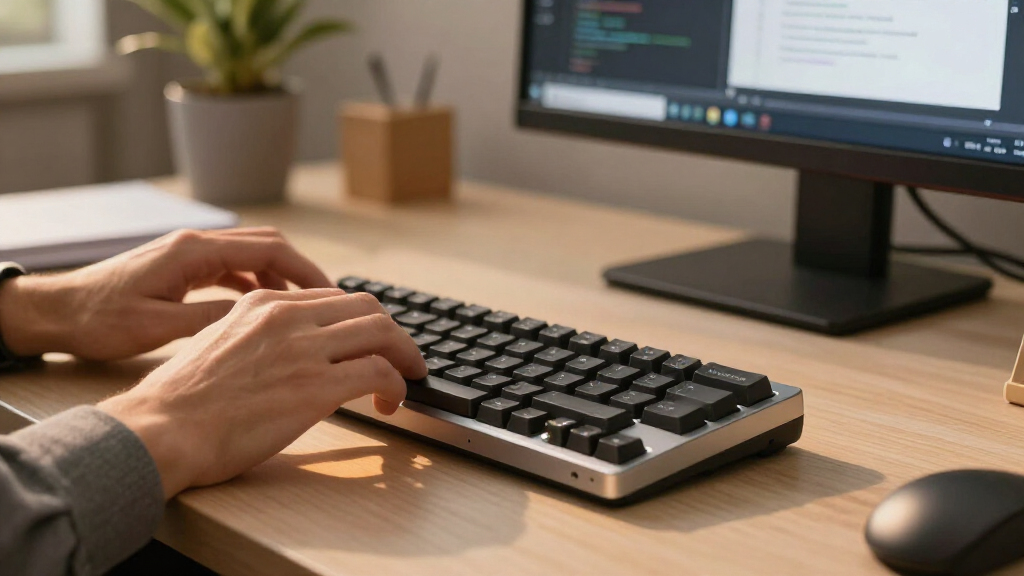
I evaluated these fifteen numpads by prioritizing the specific needs of software developers: reliability, programmability, and ergonomic comfort. I first filtered for connectivity stability, ensuring each wireless model maintained a consistent connection without significant input lag, which is vital when typing code or entering data rapidly. I then assessed the quality of the switch implementation, favoring models with hot-swappable sockets and gasket mounts that offer a premium typing experience over basic plastic housings.
Programmability was the next major differentiator. I ranked models higher if they supported open-source firmware like QMK or VIA, as these allow developers to remap keys for IDE shortcuts, terminal commands, or media controls without relying on proprietary, often buggy, software. Finally, I considered build materials and size, weighing the portability of aluminum cases against the tactile satisfaction of heavier, well-damped plastic bodies to determine which tools fit best on a crowded developer desk.
Factors to Consider When Choosing Wireless Mechanical Numpads For Developers
Selecting the right peripheral involves more than just picking a brand; it requires matching the hardware to your specific coding environment and daily workflow. Here are the critical factors that should drive your decision.Connectivity Standards and Latency
Developers cannot afford input lag, even if it is imperceptible to casual gamers. I recommend prioritizing devices with 2.4GHz wireless dongles over pure Bluetooth for main workstations, as the former typically offers lower latency and a more stable connection in environments with many wireless devices. While Bluetooth is convenient for switching between a work laptop and a home desktop, it can occasionally suffer from interference or wake-up delays that disrupt rapid data entry. A tri-mode setup (2.4G, BT, and Wired) provides the most flexibility, allowing you to use the wired mode for charging or critical tasks requiring absolute zero latency. Check if the device supports multipoint Bluetooth if you frequently switch between multiple machines, as this feature streamlines workflow management significantly.
Firmware and Programmability Depth
For developers, a numpad is not just for numbers; it is a macro pad. You should look for models supporting QMK or VIA firmware, which allow you to remap every key to complex keystrokes, such as opening specific IDE tools, running build commands, or navigating tabs. Proprietary software often lacks the flexibility needed for advanced workflows, so verify that the manufacturer supports open-source alternatives before purchasing. The ability to create multiple layers is also valuable, letting you toggle between a numeric mode and a macro mode with a single key press. This level of customization transforms a 17-key pad into a powerful command center for your specific development stack.
Ergonomics and Mounting Structure
Typing hundreds of lines of code or data entries can strain your fingers, making the internal mounting structure a key consideration. Gasket-mounted numpads suspend the plate between the top and bottom cases using foam or silicone, absorbing impact and providing a softer, more uniform keystroke. This contrasts with plate-mounted designs, which are stiffer and can feel harsher during extended use. Additionally, consider the height and angle of the device; some numpads include adjustable feet or low-profile designs that align better with your main keyboard’s wrist position. Poor ergonomics can lead to repetitive strain injuries, so prioritize comfort over aesthetics if you code for eight or more hours a day.
Switch Compatibility and Hot-Swappability
The tactile feel of your keys depends entirely on the switches, and having hot-swappable sockets allows you to customize this feel without soldering. I advise checking if the numpad supports both 3-pin and 5-pin switches, as this ensures compatibility with a wide range of aftermarket options. Linear switches are often preferred for rapid number entry due to their smooth travel, while tactile switches provide feedback that can help prevent typos. If a model does not support hot-swapping, you are locked into the manufacturer’s choice of switches, which limits your ability to fine-tune the typing experience as your preferences evolve. This feature is particularly important for developers who value a consistent and personalized touch across their entire keyboard setup.
Form Factor and Desk Real Estate
Developer desks are often crowded with monitors, documents, and other peripherals, so the physical footprint of your numpad matters. Compact 17-key or 18-key layouts save valuable space but may lack dedicated macro keys, whereas 20+ key models offer more utility but take up more room. Consider whether you need a standalone numpad or a model that integrates with a larger keyboard ecosystem. Some devices, like those with screens or knobs, add height and complexity that might interfere with mouse movement if your desk is narrow. Evaluate your current setup to determine if you can accommodate a larger, feature-rich device or if you need a minimalist solution that tucks away easily.
Frequently Asked Questions
Do wireless numpads cause input lag when typing code rapidly?
Modern wireless technology has largely mitigated the issue of input lag, but it depends on the connection method. 2.4GHz wireless connections generally offer latency comparable to wired devices, making them suitable for rapid typing and coding. Bluetooth connections, while convenient, can introduce slight delays or wake-up times that might be noticeable to sensitive users, particularly when switching between devices. For most developers, the difference is negligible, but if you are a competitive gamer or require millisecond precision, a wired connection or a high-quality 2.4GHz dongle is the safer choice. Always test the specific model’s latency if you have strict performance requirements.
Is VIA/QMK support really necessary for a numpad?
For a pure number pad, standard drivers are sufficient, but for a developer’s workflow, VIA/QMK support is highly beneficial. It allows you to map keys to complex macros, such as opening a terminal, launching a specific application, or executing a series of keystrokes for version control commands. Without this programmability, the numpad is limited to its default numeric function, wasting the potential of a mechanical peripheral. If you plan to use the device for more than just data entry, investing in a model with open-source firmware support will save you time and frustration in the long run.
Can I use a mechanical numpad with a Mac and Windows simultaneously?
Most modern wireless mechanical numpads support both macOS and Windows, but the experience varies by model. Look for devices with dedicated Mac/Win switches or automatic OS detection to ensure that modifier keys like Command and Control map correctly. Some cheaper models may require manual reconfiguration or lack specific Mac-friendly firmware, leading to mismatched key behaviors. Tri-mode devices that allow you to pair with multiple devices via Bluetooth or 2.4GHz dongles offer the best flexibility for users who switch between operating systems frequently.
What is the benefit of a gasket mount over a standard plate mount?
A gasket mount isolates the typing plate from the case using foam or silicone, which absorbs vibration and creates a softer, more cushioned keystroke. This results in a more consistent typing feel across all keys and reduces the hollow sound often associated with cheaper mechanical keyboards. For developers who type for extended periods, this reduced impact can lead to less finger fatigue. However, gasket mounts are typically found in more expensive, bulkier devices, so you are paying a premium for a specific acoustic and tactile experience rather than just basic functionality.
Do I need hot-swappable switches on a numpad?
Hot-swappable switches allow you to change the tactile feel of your keys without soldering, which is useful if you want to experiment with different switch types. For developers, this means you can try linear switches for smooth, rapid entry or tactile switches for better feedback and typo prevention. If you are confident in your switch preference or plan to keep the device for a long time without modifications, non-hot-swappable models can be more affordable and often have a more solid build. However, the ability to easily replace a broken switch adds significant longevity to the device, making hot-swappable options a worthwhile investment for many.
Conclusion
Choosing the right wireless mechanical numpad depends on how you intend to use it. For the best overall balance of performance, build quality, and price, the Redragon K733 PRO stands out as the most versatile choice for most developers. If you prioritize deep customization and macro mapping, the EPOMAKER EK21 with its VIA support is the superior tool for power users who want to automate their workflow. For those seeking a premium build with a solid aluminum chassis and excellent aesthetics, the YUNZII AL21 offers a durable and stylish option that looks great on any desk. Developers on a tight budget should consider the JPHTEK 21-Key model, which provides solid wireless connectivity and RGB lighting at a more accessible price point. Finally, if you are just starting out and want to avoid wireless complexity, the wired Kisnt MF17 provides reliable QMK programmability without the need to charge or pair devices.