
Software development is more than writing code. It is the ongoing work of understanding a problem, designing a useful solution, implementing it reliably, verifying its behavior, and improving it after release. Whether you are learning your first programming language, managing an established engineering team, or introducing quality assurance into a growing product, the same principle applies: strong outcomes come from a well-designed process.
Open a free Amazon Business account
Business pricing, bulk buying and tax-exempt orders.
As an affiliate, we earn on qualifying purchases.
This hub offers a practical orientation to software development, quality assurance, developer productivity, collaboration, and the tools that support them. Use it to identify the area that matters most to you, then follow the linked guides for more focused recommendations.
Start With the Software Development Lifecycle
A software development lifecycle gives structure to the journey from an initial idea to a maintained product. The terminology varies between organizations, but most development work moves through several recognizable stages:
- Discovery and requirements definition
- System and user-experience design
- Implementation
- Testing and quality assurance
- Deployment and release
- Monitoring, maintenance, and iteration
These stages do not need to happen in a rigid sequence. In an iterative workflow, teams revisit requirements, design, implementation, and testing as they learn. The purpose of a lifecycle is not to create bureaucracy. It is to make important work visible, reduce ambiguity, and prevent critical decisions from being postponed until release day.
Before development begins, define the user problem, the desired outcome, and the constraints around the solution. A concise problem statement is often more valuable than a long list of loosely connected features. It gives developers, designers, testers, and stakeholders a shared basis for evaluating decisions.
best laptops for software development
As an affiliate, we earn on qualifying purchases.
As an affiliate, we earn on qualifying purchases.
Learning Software Development
New developers often feel pressure to learn every language, framework, database, and cloud platform at once. A more durable path begins with transferable fundamentals: variables, control flow, data structures, functions, debugging, version control, testing, and basic system design. Once those foundations are familiar, individual technologies become easier to understand.
Choose Projects That Produce Feedback
Tutorials can introduce concepts, but projects reveal whether you can apply them. Start with a small program that accepts input, transforms data, and produces a visible result. Then add persistence, validation, tests, or an interface. Each addition should create a concrete problem to solve rather than merely expanding the project’s feature list.
A healthy beginner project is small enough to finish and complicated enough to expose mistakes. Completion teaches skills that isolated exercises rarely cover, including organizing files, handling edge cases, revising poor decisions, documenting setup, and deciding when a feature is genuinely done.
Build a Workstation Around Your Actual Needs
Development does not automatically require the most powerful computer available. Your ideal setup depends on the course material, operating systems, local development tools, virtual machines, containers, and applications you expect to run. Portability, battery life, display comfort, keyboard quality, memory, and compatibility can matter as much as raw processing power. If you are preparing for an intensive course, the guide to the best coding bootcamp laptops provides a focused starting point.
As an affiliate, we earn on qualifying purchases.
Design the Solution Before Expanding It
Software design is the process of turning requirements into a coherent structure. At a small scale, this may mean choosing how functions communicate. At a larger scale, it includes service boundaries, data ownership, APIs, permissions, failure handling, and deployment architecture.
Good design is not synonymous with maximum abstraction. Every additional layer, service, dependency, and pattern adds something that future contributors must understand. Prefer the simplest structure that meets current requirements while leaving sensible paths for change.
Use Visual Thinking to Clarify Complexity
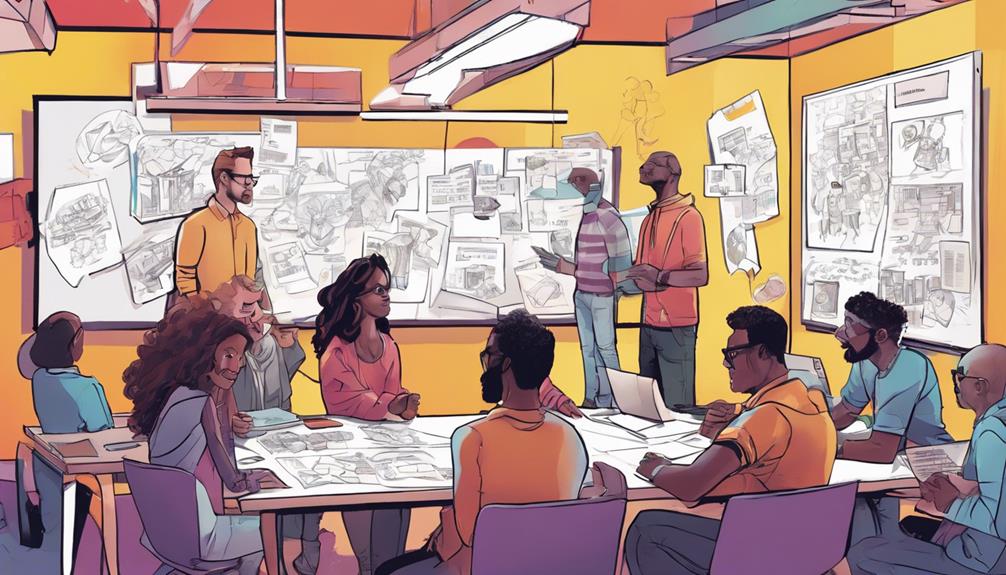
Flowcharts, architecture diagrams, state models, and journey maps help teams find assumptions that prose can hide. A diagram can reveal missing states, unclear ownership, circular dependencies, and conflicting interpretations before they become expensive code changes.
Digital whiteboards are especially useful during remote discovery sessions, architecture discussions, retrospectives, and incident reviews. Teams that want a portable surface for sketching flows and annotating concepts can explore these tablets for digital whiteboarding.
Visual artifacts should remain lightweight and purposeful. A diagram that nobody updates can quickly become misleading. Keep important models close to the code or documentation they describe, assign ownership where necessary, and revise them when the system changes.
As an affiliate, we earn on qualifying purchases.
Create a Sustainable Development Workflow
A productive workflow reduces the distance between having an idea, implementing it, and receiving reliable feedback. It does not simply maximize the number of tasks completed. Sustainable productivity includes enough focus time to solve difficult problems, enough automation to remove repetitive work, and enough communication to keep contributors aligned.
Version Control and Review
Version control creates a shared history of the codebase and supports collaboration without requiring everyone to edit the same files simultaneously. Keep changes focused, write commit messages that explain intent, and avoid mixing unrelated refactoring with behavioral changes when possible.
Code review should improve both the change and the team’s shared understanding. Review for correctness, maintainability, security, test coverage, accessibility, and consistency with existing architecture. Comments are most helpful when they identify the risk, explain why it matters, and distinguish required changes from optional suggestions.
Automation and Developer Tools
Repetitive manual steps are sources of delay and inconsistency. Formatters, linters, static analysis, test runners, build scripts, local development environments, and continuous integration can create faster feedback loops. Automation is most valuable when it catches a meaningful class of mistakes or removes a recurring burden.
Tools should fit the workflow rather than dictate it. Before adding one, identify the specific friction it addresses, the cost of adoption, and who will maintain the configuration. The roundup of developer productivity tool guides for faster workflows can help you survey relevant categories without treating every new application as essential.
As an affiliate, we earn on qualifying purchases.
Make Quality a Team Responsibility
Quality assurance is not a final inspection performed after developers finish coding. It is a set of practices that helps the entire team understand risk, prevent defects, and determine whether the product behaves as intended.
A useful quality strategy begins with explicit acceptance criteria. What must the feature do? What must it refuse to do? How should it respond to invalid data, interrupted connections, missing permissions, duplicate requests, or concurrent actions? Clear expectations make both implementation and testing more precise.
Use Several Layers of Testing
No single type of test can answer every question. A balanced approach usually combines multiple layers:
- Unit tests examine small pieces of logic in isolation.
- Integration tests verify that components, services, or data stores work together.
- End-to-end tests exercise important user journeys through the assembled system.
- Exploratory testing investigates behavior that scripted checks may overlook.
- Performance, accessibility, compatibility, and security testing address specialized risks.
More tests do not automatically mean greater confidence. Tests should target meaningful behavior and likely failure modes. An enormous suite of fragile checks can slow delivery without protecting users. Prioritize critical workflows, high-risk boundaries, complex business rules, and defects with a history of recurring.
Select Testing Tools Deliberately
Testing tools differ in their supported languages, environments, automation models, reporting, integrations, and learning curves. Begin with the problem: browser automation, API verification, unit testing, mobile testing, load testing, or another defined need. Then evaluate candidates against the team’s technology stack and maintenance capacity.
The guide to software testing tools for developers offers a useful entry point for comparing options. Whichever tool you choose, keep tests readable, control test data carefully, investigate intermittent failures, and make failed checks easy to diagnose.
Plan Releases and Operations
A feature is not complete merely because it works on a developer’s computer. It must be packaged, configured, deployed, observed, and supported in its real environment. Release planning should account for database changes, environment variables, permissions, external dependencies, backward compatibility, and rollback procedures.
Continuous integration can validate changes before they are merged. Continuous delivery can keep the application in a releasable state. Neither practice eliminates judgment. Teams still need to decide which checks block a release, how production access is controlled, and what happens when a deployment produces unexpected behavior.
Design for Observability
Logs, metrics, traces, and alerts help teams understand a running system. Useful observability begins during development, when engineers know which operations, failures, and state transitions matter. Avoid collecting data without a purpose; define the questions operators need to answer during incidents.
An alert should identify a condition that merits attention and provide enough context for an effective response. Too many low-value alerts train people to ignore them. After an incident, focus the review on contributing conditions, detection gaps, and system improvements rather than individual blame.
Protect Security and User Trust
Security belongs throughout the lifecycle. Validate input, encode output appropriately, protect secrets, apply least-privilege access, review dependencies, and keep authentication and authorization decisions explicit. Sensitive data should be collected only when necessary and handled according to applicable requirements.
Threat modeling can be simple: identify valuable assets, possible attackers, entry points, trust boundaries, and the consequences of misuse. This exercise helps teams focus security work on realistic risks instead of relying on a generic checklist alone.
Dependency management is part of the same responsibility. Know which external packages and services the product relies on, monitor relevant updates, and remove dependencies that no longer provide sufficient value. A convenient library can still introduce maintenance, licensing, availability, or security considerations.
Build an Ergonomic, Focused Work Environment
Software work involves long periods of concentration and repeated physical movements. A supportive environment cannot solve flawed planning, but it can reduce avoidable friction. Arrange the display, chair, desk, keyboard, pointing device, and lighting around a neutral, comfortable posture. Change positions regularly and take breaks before discomfort becomes persistent.
Keyboard preference is highly individual, particularly when layout, switch type, programmability, size, and tenting are involved. Developers reviewing workspace options can consult this guide to ergonomic mechanical keyboards and compare the features that matter to their routines.
The broader workspace also affects focus. Some people prefer a minimal setting; others benefit from visual objects that create separation between work and rest. For a creative off-screen activity, the guide to LEGO wall art sets offers ideas that can double as personal workspace decor. The goal is not to construct a perfect office but to create an environment you can use comfortably and consistently.
Choose Your Next Step
If you are entering the field, choose one language, establish a dependable computer setup, and complete a small project from planning through testing. If you already write software, examine where feedback is slow: local setup, code review, automated testing, deployment, or production diagnosis. Improve that constraint before adding more process.
If you lead a team, make responsibilities and quality expectations visible. Document how work moves from idea to release, identify the riskiest handoffs, and ensure developers, testers, designers, and operators can contribute early. The strongest software organizations do not depend on a single methodology or tool. They create clear feedback loops, learn from failures, and continually refine how they build.
Software, QA, and development ultimately share one objective: delivering useful systems that behave reliably and can evolve without unnecessary confusion. Start with the user problem, keep changes understandable, test according to risk, automate recurring work, and treat every release as another opportunity to learn.
Fall yard work Picks
leaf blowers
As an affiliate, we earn on qualifying purchases.