TL;DR

Get business pricing on monitors, keyboards and dev gear
- Business-only prices and quantity discounts
- Tax-exempt purchasing
- Multiple users, one account, clear invoices
Mac.apk is an early-stage, open-source project that runs Android apps directly on Apple Silicon Macs, without a conventional emulator or virtual machine. It requires macOS 26.4 or later, has uneven app compatibility, and runs apps with the permissions of the logged-in Mac user.
Mac.apk, an open-source project for Apple Silicon Macs, says it can run Android apps as native macOS processes rather than inside a conventional emulator or virtual machine. The software is still in alpha, requires macOS 26.4 or newer, and has a mixed compatibility record; its developer also warns that Android apps run with the logged-in user’s Mac permissions.
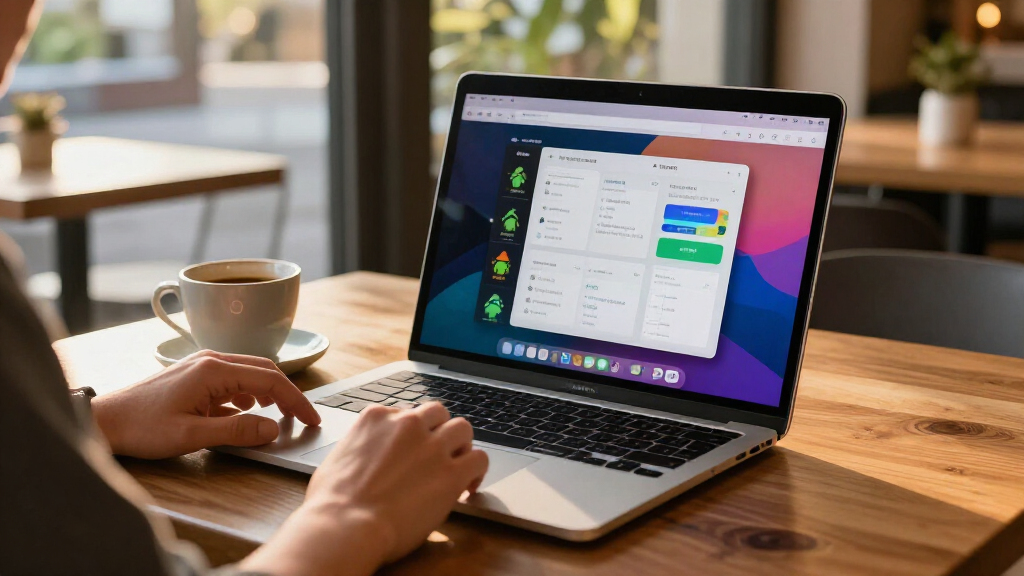
The project says its software implements an Android application environment directly on macOS. According to the project documentation, apps execute on the Mac’s CPU and draw through its GPU, then appear as individual windows and in the Dock. Windows can be resized and rotated, and the interface follows macOS light and dark appearance settings. The report describes Android TV apps as usable with a keyboard and says some game launchers can start other installed apps.
Mac.apk lists Apple Silicon as a requirement and says Intel Macs are unsupported. The current documentation requires macOS 26.4 or newer, with macOS 27 support beginning in version 1.0.1702. The project lists roughly 280 MB for the software itself; each installed app uses around 1.5 to 3 times the size of its APK file. The developer says an app’s first launch can take up to a minute while it is prepared, while subsequent launches are faster.
Installation involves downloading the disk image from the project’s Releases page, moving the app to Applications, installing its runtime, and setting it as the default handler for Android package files. The documentation lists support for several package formats, including .apk, .apkm, .xapk and .apks. Mac.apk says it is signed and notarized by Apple, but that does not establish that third-party Android apps have been reviewed or are safe.
Android Apps Gain a Mac Route
If it works for an app a user needs, Mac.apk offers a way to run Android software on a Mac without switching to an Android device or using the usual virtualized setup. The project says apps behave more like desktop programs, with separate windows, Dock presence, and keyboard input. That could be useful for developers testing apps, people who rely on Android-only services, or users who want to try mobile software on a larger screen.
The trade-off is that this is not a polished, universal compatibility layer. The project describes itself as alpha software under active development: some apps work well, others only partly, and some do not run. Compatibility depends on the individual app and may change between builds. The project links to a hand-tested compatibility list, but the supplied material does not state how many apps have been tested or provide an overall success rate.
Security is a more immediate consideration. Mac.apk says apps run as ordinary native code under the user’s macOS account and do not receive a phone-style app sandbox. In practice, that means an app may have access to files and resources available to that account. The developer advises users to install only APKs they trust and says it cannot audit or vouch for third-party packages. This makes the source of each app and the permissions it can use important parts of the decision to install it.
Android emulator for Mac Apple Silicon
As an affiliate, we earn on qualifying purchases.
As an affiliate, we earn on qualifying purchases.
How Mac.apk Describes Its Runtime
The project’s central claim is that it does not boot Android inside a guest operating system. Its repository says it includes an Android framework reimplementation, a native runtime, an arm64 loader and Bionic compatibility layer, an ARM32 recompiler, and the macOS application. Those components are presented by the project as the means of supporting Android apps on the Mac. The supplied report does not include independent technical testing of that architecture or its performance.
Mac.apk is published under the GNU AGPL v3.0, according to its documentation, with a separate commercial license offered to companies that want to distribute or provide the software under different terms. The project says its source code is in the public repository and provides build and contribution instructions. It also lists third-party open-source components and directs users to the release notices for their licenses.
The project expressly describes the software as early-stage and points users to release-specific known issues, troubleshooting instructions, and an app compatibility list. It asks people reporting problems to include the Mac.apk and macOS versions, the app and its source, what happened, and the relevant log. Those details matter because a successful demonstration with one app does not establish that other apps, services, or account features will work.
“Some apps run beautifully, some run partially, and some do not run yet.”
— Mac.apk project documentation
As an affiliate, we earn on qualifying purchases.
Compatibility and Safety Limits
The documentation does not provide independent verification of the claim that apps run natively, nor does the supplied report include benchmarks comparing performance with other ways of running Android software. The project’s description of CPU execution, graphics handling, and framework support should therefore be understood as the developer’s account, not as a separately tested finding.
It is also unclear from the supplied material which specific apps work reliably beyond the existence of a hand-tested compatibility list. The number of tested apps, how often the list is updated, and compatibility with particular services or app features are not stated here. Alpha software may change, and the project directs users to known issues for the current release.
The documentation warns that third-party apps may access files available to the user’s Mac account. It does not describe a separate sandbox that limits those permissions. Users should treat an APK as software they are choosing to run on their computer; the project says it does not audit or guarantee the safety of those packages.
Android app development tools for Mac
As an affiliate, we earn on qualifying purchases.
As an affiliate, we earn on qualifying purchases.
Release Notes and App Testing
The project’s next practical milestones are ongoing releases, fixes, and additions to its compatibility information. Users can check the release page for the latest build and its known issues, and consult the compatibility list before installing an app. Mac.apk asks people who encounter problems to report the app, its download source, their macOS and Mac.apk versions, what went wrong, and the relevant log, after reviewing it before posting publicly.
The project has not announced a specific date for leaving alpha or a target for broader compatibility. Until it does, users should expect app support and behavior to vary by release. The repository also invites code contributions and app reports, but the supplied information does not give a schedule for future features or a commitment that any particular Android app will become supported.
As an affiliate, we earn on qualifying purchases.
Key Questions
Does Mac.apk run Android apps inside an emulator?
The project says no: it describes Mac.apk as implementing the Android application environment directly on macOS, with apps launching as macOS processes rather than inside a conventional emulator or virtual machine. That technical description comes from the project; the supplied report contains no independent validation.
Which Macs and macOS versions are supported?
Mac.apk lists Apple Silicon Macs and macOS 26.4 or newer as requirements. Intel Macs are not supported. The documentation says macOS 27 works from Mac.apk version 1.0.1702.
Will every Android app work?
No. The project says some apps work well, some work partly, and some do not run yet. Check its hand-tested compatibility list and current release notes; support for one app does not guarantee that another app or feature will work.
Are Android apps isolated from my Mac files?
The project says apps run with the permissions of the logged-in macOS user and do not have a phone-style app sandbox. It advises installing only APKs from sources you trust. Treat an Android app loaded through Mac.apk like other software you run on your Mac.
How do I install an Android app with Mac.apk?
The project instructs users to install Mac.apk and its runtime, then open or drag a supported package file into the app. Its documentation lists .apk, .apkm, .xapk, .apks and .apkx formats and says the first launch may take up to a minute for a large app.
Source: hn
Halloween Picks
halloween
As an affiliate, we earn on qualifying purchases.