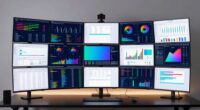
choosing monitor size wisely
AIThis post was created with the assistance of artificial intelligence (AI).

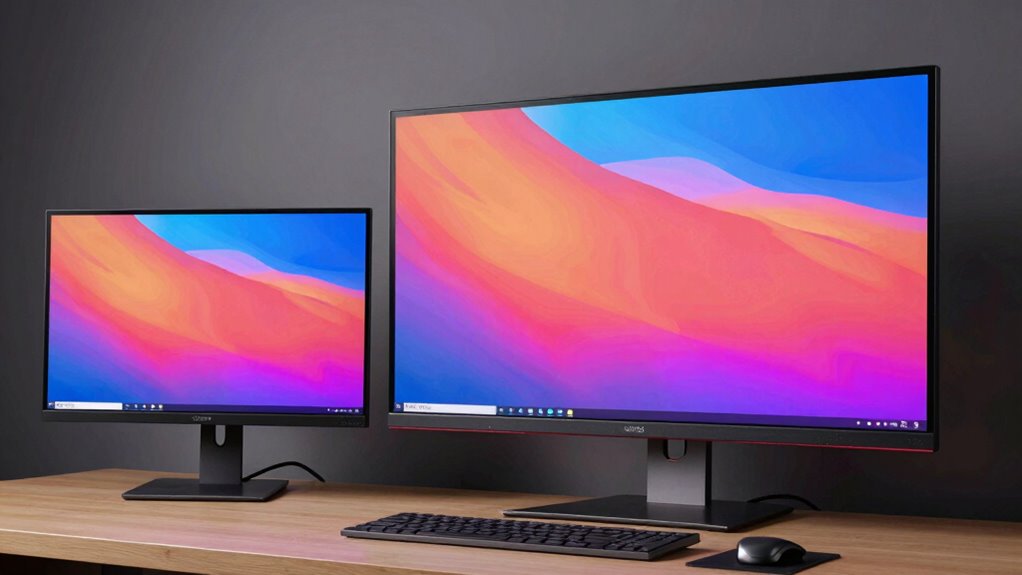
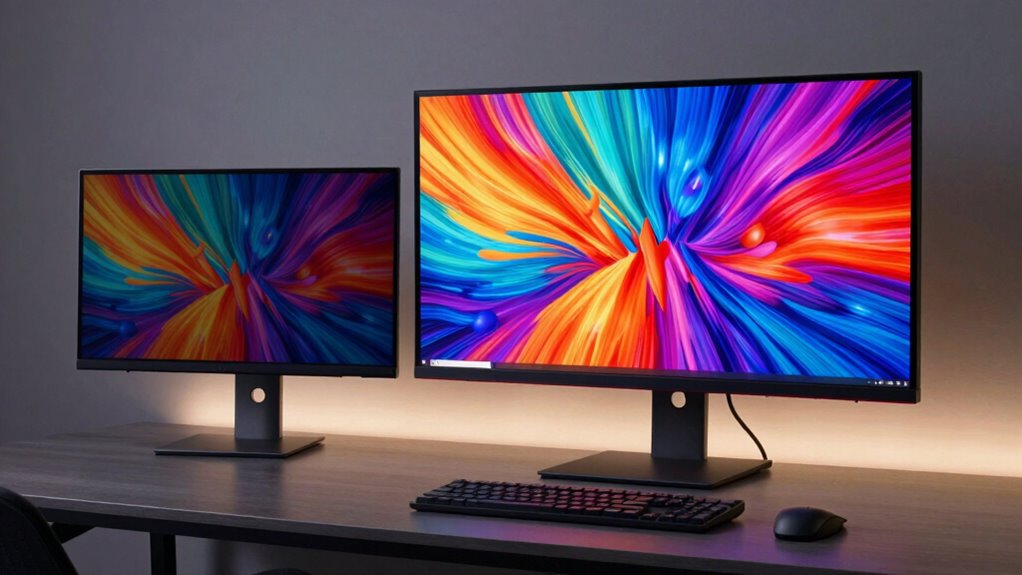
Choosing the right monitor size is a critical decision for designers aiming for clarity, workspace, and precision. A 27-inch monitor often strikes a balance between detail and desk space, making it a popular choice. For those needing expansive views, 32-inch or ultrawide options like 34-inch screens provide more room for multitasking and detailed work. Smaller monitors, around 24 inches, can be suitable for tight spaces or budget-friendly setups but may limit workspace. The main tradeoffs involve balancing screen real estate against desk space, resolution, and budget. Continue reading for a detailed breakdown of the best monitor sizes tailored for design professionals.

Buying for a business?Offer from Amazon

Get business pricing on monitors, keyboards and dev gear

  • Business-only prices and quantity discounts
  • Tax-exempt purchasing
  • Multiple users, one account, clear invoices
As an affiliate, we earn on qualifying purchases.
15
compared
7
brands
5120 x 2880 (5K Retina)
max resolution
Which monitor size for designer should you buy?
★ Top Pick
ASUS ProArt PA278QV 27 Inch 14
Best Overall for Color Accuracy and Versatility
Exceptional color calibration with 100% sRGB and Delta E < 2
See on Amazon →
Designers who need high color fidelity and smooth visuals for motion work
ViewSonic VP2756A-2K 27 Inch 1
Color accuracy validated by Pantone and Delta E<2
View on Amazon →
Creative professionals using Mac systems seeking peak resolution and color fidelity
Apple Studio Display XDR with
High-resolution 5K Retina display with stunning detail
View on Amazon →
Users seeking a large, affordable display for multitasking or secondary use
Samsung 32-Inch Flat Computer
Large 32-inch size for increased workspace
View on Amazon →
Creative users who value fast response times and a large display for multimedia
Dell 27 Plus QHD Monitor
High-resolution QHD display with sharp detail
View on Amazon →
Resolution — compared
ASUS ProArt PA278QV 27 Inch 142560 x 1440 (QHD)
ViewSonic VP2756A-2K 27 Inch 12560 x 1440 (QHD)
Apple Studio Display XDR with 5120 x 2880 (5K Retina)
Samsung 32-Inch Flat Computer 1920 x 1080 pixels
Dell 27 Plus QHD Monitor2560 x 1440 (QHD)
ASUS ProArt 27" QHD Monitor wi2560 x 1440 (QHD)
LG 27UP850K-W 27-inch 4K UHD I3840 x 2160 (4K UHD)
LG 27US500-W 27-Inch 4K UHD IP3840 x 2160 (4K UHD)
Dell 24 Plus Monitor1920 x 1080 pixels
ASUS 27" ProArt Display Monito2560 x 1440 (QHD)
Dell UltraSharp U4025QW 40-Inc5120 x 2160 pixels
BenQ PD2706QN 27” 2K QHD IPS M2560 x 1440 (2K QHD)
Pros & cons at a glance
ASUS ProArt PA278QV 27 Inch 14
✓ Exceptional color calibration with 100% sRGB and Delta E < 2
✗ Out-of-the-box calibration may require adjustment for perfect accuracy
ViewSonic VP2756A-2K 27 Inch 1
✓ Color accuracy validated by Pantone and Delta E<2
✗ Limited to professional or creative workflows
Apple Studio Display XDR with
✓ High-resolution 5K Retina display with stunning detail
✗ Requires powerful GPU for optimal performance
Samsung 32-Inch Flat Computer
✓ Large 32-inch size for increased workspace
✗ Limited to Full HD resolution, not 4K or QHD
Dell 27 Plus QHD Monitor
✓ High-resolution QHD display with sharp detail
✗ Limited to 27 inches, which may be small for some workflows
Samsung 27" Essential S3
✓ Curved 1800R display enhances immersion
✗ Default refresh rate is 60Hz, may require manual adjustment for optimal performance
ASUS ProArt 27" QHD Monitor wi
✓ Factory-calibrated with Calman verification ensures precise color
✗ Limited refresh rate of 75Hz may hinder gaming or high-speed workflows
Samsung 34" ViewFinity S50GC S
✓ Ultra-wide 21:9 aspect ratio enhances multitasking
✗ No built-in speakers, requiring external audio solutions
LG 27UP850K-W 27-inch 4K UHD I
✓ Sharp 4K UHD resolution with vibrant color support
✗ Limited to 60Hz refresh rate, not ideal for gaming
LG 27US500-W 27-Inch 4K UHD IP
✓ Vivid 4K UHD display with HDR10 support
✗ Limited to 60Hz refresh rate, not suitable for fast-paced gaming
Dell 24 Plus Monitor
✓ High 144Hz refresh rate for smooth gameplay and video playback
✗ Limited to 1080p resolution, not suitable for high-detail design work
ASUS 27" ProArt Display Monito
✓ Factory-calibrated color accuracy with ΔE<2
✗ Limited to 75Hz refresh rate, not suitable for gaming
Dell UltraSharp U4025QW 40-Inc
✓ Massive 40-inch curved screen provides immersive workspace
✗ Heavy at 41.9 pounds, requiring a robust mount or stand
Dell 34 Monitor S3425DW
✓ Large 34-inch curved screen for immersive viewing
✗ Limited info on adjustable stand or ergonomic features
BenQ PD2706QN 27” 2K QHD IPS M
✓ Factory-calibrated with high color accuracy (ΔE ≤ 2)
✗ Limited to 100Hz, not suitable for high-end gaming

Key Takeaways

  • 27-inch monitors dominate the market as a versatile choice balancing workspace and desk fit.
  • Ultrawide screens like 34-inch models offer expansive views ideal for complex projects but may require higher-end hardware.
  • Higher resolutions, such as 4K, enhance detail but demand more from graphics cards and processing power.
  • Size alone isn’t enough; color accuracy and calibration are vital for professional design work.
  • Budget options can be surprisingly capable but often sacrifice features like color precision and ergonomic adjustments.
2
ViewSonic VP2756A-2K 27 Inch 1
Best for Creatives Needing Vivid Visuals and Ergonomics
1
ASUS ProArt PA278QV 27 Inch 14
Best Overall for Color Accuracy and Versatility
3
Apple Studio Display XDR with
Best for High-Resolution Color and Integrated Features

Our Top Monitor Size For Designers Picks

ASUS ProArt PA278QV 27 Inch 1440p QHD Professional MonitorASUS ProArt PA278QV 27 Inch 1440p QHD Professional MonitorBest Overall for Color Accuracy and VersatilityDisplay Size: 27 inchesResolution: 2560 x 1440 (QHD)Color Gamut: 100% sRGB & 100% Rec. 709VIEW ON AMAZONSee Our Full Breakdown
ViewSonic VP2756A-2K 27 Inch 1440p Monitor with 120Hz, USB-C, DesignerViewSonic VP2756A-2K 27 Inch 1440p Monitor with 120Hz, USB-C, DesignerBest for Creatives Needing Vivid Visuals and ErgonomicsDisplay Size: 27 inchesResolution: 2560 x 1440 (QHD)Refresh Rate: 120HzVIEW ON AMAZONSee Our Full Breakdown
Apple Studio Display XDR with Standard Glass and Adjustable StandApple Studio Display XDR with Standard Glass and Adjustable StandBest for High-Resolution Color and Integrated FeaturesDisplay Size: 27 inchesResolution: 5120 x 2880 (5K Retina)Brightness: Up to 1000 nits SDR, 2000 nits HDRVIEW ON AMAZONSee Our Full Breakdown
Samsung 32-Inch Flat Computer MonitorSamsung 32-Inch Flat Computer MonitorBest Budget Large Screen for Multi-Purpose UseDisplay Size: 32 inchesResolution: 1920 x 1080 pixelsDisplay Type: LED LCDVIEW ON AMAZONSee Our Full Breakdown
Dell 27 Plus QHD Monitor – S2725DSMDell 27 Plus QHD Monitor - S2725DSMBest for Gaming and Moderate Creative WorkSize: 27-inchResolution: 2560 x 1440 (QHD)Refresh Rate: 144HzVIEW ON AMAZONSee Our Full Breakdown
Samsung 27″ Essential S3 (S36GD) Series FHD Curved Computer MonitorSamsung 27" Essential S3 (S36GD) Series FHD Curved Computer MonitorBest for Immersive, Versatile UseScreen Size: 27 inchesDisplay Type: FHDCurvature: 1800RVIEW ON AMAZONSee Our Full Breakdown
ASUS ProArt 27″ QHD Monitor with IPS Display and Factory-Calibrated Color AccuracyASUS ProArt 27" QHD Monitor with IPS Display and Factory-Calibrated Color AccuracyBest for Professional Color Accuracy and ErgonomicsSize: 27 inchesResolution: 2560 x 1440 (QHD)Panel Type: IPSVIEW ON AMAZONSee Our Full Breakdown
Samsung 34″ ViewFinity S50GC Series Ultra-WQHD Monitor, 100Hz, HDR10, AMD FreeSync, BlackSamsung 34" ViewFinity S50GC Series Ultra-WQHD Monitor, 100Hz, HDR10, AMD FreeSync, BlackBest for Ultra-Wide Multitasking and Creative WorkScreen Size: 34 inchesResolution: Ultra-WQHDRefresh Rate: 100HzVIEW ON AMAZONSee Our Full Breakdown
LG 27UP850K-W 27-inch 4K UHD IPS MonitorLG 27UP850K-W 27-inch 4K UHD IPS MonitorBest for Detailed 4K Work and FlexibilityDisplay Size: 27 inchesResolution: 3840 x 2160 (4K UHD)Color Gamut: 95% DCI-P3VIEW ON AMAZONSee Our Full Breakdown
LG 27US500-W 27-Inch 4K UHD IPS Monitor with HDR10, Borderless DesignLG 27US500-W 27-Inch 4K UHD IPS Monitor with HDR10, Borderless DesignBest for Vivid 4K and Modern AestheticsDisplay Size: 27 inchesResolution: 3840 x 2160 (4K UHD)Contrast Ratio: 1000:1VIEW ON AMAZONSee Our Full Breakdown
Dell 24 Plus Monitor – S2425HSM – 23.8-inch FHD (1920×1080) 144Hz 1ms Display, HDMI, Speakers, Adjustable, AMD FreeSyncDell 24 Plus Monitor - S2425HSM - 23.8-inch FHD (1920x1080) 144Hz 1ms Display, HDMI, Speakers, Adjustable, AMD FreeSyncBest for Budget-Friendly Gaming and MultimediaDisplay Size: 23.8 inchesResolution: 1920 x 1080 pixelsRefresh Rate: 144HzVIEW ON AMAZONSee Our Full Breakdown
ASUS 27″ ProArt Display Monitor, WQHD (2560 x 1440), 100% sRGB/Rec. 709, Calman Verified, ΔE<2, DisplayPort/HDMI/USB Hub/DVI-D Mini DP, Eye Care, Professional for Photo and Video EditingASUS 27" ProArt Display Monitor, WQHD (2560 x 1440), 100% sRGB/Rec. 709, Calman Verified, ΔE<2, DisplayPort/HDMI/USB Hub/DVI-D Mini DP, Eye Care, Professional for Photo and Video EditingBest for Color-Critical Creative WorkScreen Size: 27 InchesResolution: 2560 x 1440 (QHD)Color Gamut: 100% sRGB/Rec. 709VIEW ON AMAZONSee Our Full Breakdown
Dell UltraSharp U4025QW 40-Inch Curved 5K2K WUHD LED Monitor – 21:9Dell UltraSharp U4025QW 40-Inch Curved 5K2K WUHD LED Monitor - 21:9Best for Immersive Multitasking and Wide WorkspacesDisplay Size: 39.7 inchesResolution: 5120 x 2160 pixelsNative Resolution: 5120×2880VIEW ON AMAZONSee Our Full Breakdown
Dell 34 Monitor S3425DW, WQHD VA, 120Hz, FreeSync Premium, Eye ComfortDell 34 Monitor S3425DW, WQHD VA, 120Hz, FreeSync Premium, Eye ComfortBest for Versatile Work and Entertainment BalanceSize: 34 inchesResolution: WQHD (2560 x 1440)Panel Type: VAVIEW ON AMAZONSee Our Full Breakdown
BenQ PD2706QN 27” 2K QHD IPS Monitor with USB-C, Factory-Calibrated, Nano Matte, Height AdjustableBenQ PD2706QN 27” 2K QHD IPS Monitor with USB-C, Factory-Calibrated, Nano Matte, Height AdjustableBest for Precision and Long Hours of Creative WorkDisplay Size: 27 inchesResolution: 2560 x 1440 (2K QHD)Color Coverage: 95% P3, 100% sRGB/Rec. 709VIEW ON AMAZONSee Our Full Breakdown
Specs at a glance
monitor size for designerResolutionConnectivityRefresh RateDisplay Size
ASUS ProArt PA278QV 27 Inch 142560 x 1440 (QHD)DisplayPort, HDMI, DVI-D, Mini DP, USB hub—27 inches
ViewSonic VP2756A-2K 27 Inch 12560 x 1440 (QHD)USB-C, HDMI, DisplayPort120Hz27 inches
Apple Studio Display XDR with 5120 x 2880 (5K Retina)——27 inches
Samsung 32-Inch Flat Computer 1920 x 1080 pixelsHDMI, DisplayPort75Hz32 inches
Dell 27 Plus QHD Monitor2560 x 1440 (QHD)HDMI, DisplayPort144Hz—
Samsung 27" Essential S3—HDMI, D-sub100Hz (adjustable from 60Hz)—
ASUS ProArt 27" QHD Monitor wi2560 x 1440 (QHD)DisplayPort 1.2, HDMI 1.4, USB Hub——
Samsung 34" ViewFinity S50GC SUltra-WQHD—100Hz—
LG 27UP850K-W 27-inch 4K UHD I3840 x 2160 (4K UHD)USB-C, DisplayPort, HDMI—27 inches
LG 27US500-W 27-Inch 4K UHD IP3840 x 2160 (4K UHD)HDMI, DisplayPort—27 inches
Dell 24 Plus Monitor1920 x 1080 pixels—144Hz23.8 inches
ASUS 27" ProArt Display Monito2560 x 1440 (QHD)DisplayPort, HDMI, DVI-D, USB hub75Hz—
Dell UltraSharp U4025QW 40-Inc5120 x 2160 pixels—120 Hz39.7 inches
Dell 34 Monitor S3425DWWQHD (2560 x 1440)USB-C, HDMI120Hz—
BenQ PD2706QN 27” 2K QHD IPS M2560 x 1440 (2K QHD)—100Hz27 inches

More Details on Our Top Picks

  1. ASUS ProArt PA278QV 27 Inch 1440p QHD Professional Monitor

    ASUS ProArt PA278QV 27 Inch 1440p QHD Professional Monitor

    Best Overall for Color Accuracy and Versatility

    View on Amazon

    The ASUS ProArt PA278QV stands out as the top choice for designers needing precise color reproduction and flexible workspace ergonomics. Its factory-calibrated 2560×1440 resolution offers sharp detail, comparable to the Apple Studio Display but at a more accessible price point, though it requires calibration out of the box for optimal color accuracy. The extensive connectivity—including DisplayPort, HDMI, and USB hub—supports a variety of workflow setups, while the ergonomic stand allows tilt, pivot, swivel, and height adjustments, which is vital for comfort during long editing sessions. Eye care technology minimizes strain, a feature often overlooked in less professional models. The main tradeoff is its premium price, which might be prohibitive for casual users or those on a tight budget. Overall, this monitor is best suited for professionals who prioritize color fidelity and adjustability over initial cost.

    Pros:
    • Exceptional color calibration with 100% sRGB and Delta E < 2
    • Extensive ergonomic adjustments for personalized comfort
    • Wide connectivity options including USB hub and multiple ports
    • Calman verified for consistent color accuracy
    Cons:
    • Higher price point may be restrictive for casual users
    • Out-of-the-box calibration may require adjustment for perfect accuracy

    Best for: Creative professionals who need accurate colors and versatile ergonomics

    Not ideal for: Casual users or those seeking a budget-friendly, plug-and-play display

    • Display Size:27 inches
    • Resolution:2560 x 1440 (QHD)
    • Color Gamut:100% sRGB & 100% Rec. 709
    • Calibration:Calman Verified, Delta E < 2
    • Connectivity:DisplayPort, HDMI, DVI-D, Mini DP, USB hub
    • Stand Adjustments:Tilt, pivot, swivel, height
    Our verdict
    “This monitor offers professional-grade color accuracy and flexibility, making it ideal for serious creative work.”
  2. ViewSonic VP2756A-2K 27 Inch 1440p Monitor with 120Hz, USB-C, Designer

    ViewSonic VP2756A-2K 27 Inch 1440p Monitor with 120Hz, USB-C, Designer

    Best for Creatives Needing Vivid Visuals and Ergonomics

    View on Amazon

    The ViewSonic VP2756A-2K is tailored for designers who value color accuracy and smooth performance. Its 27-inch IPS panel with 2560×1440 resolution matches the ASUS ProArt in clarity but adds a 120Hz refresh rate, beneficial for motion clarity in video editing and animation workflows. Its Pantone validation and factory calibration ensure consistent, vibrant colors, comparable to the Apple Studio Display, yet it offers more flexible connectivity options, including USB-C with 90W power delivery—great for single-cable setups. The adjustable stand enhances comfort, a feature often missing in standard displays. The main compromise is its higher price, which may be less appealing for infrequent users. This monitor makes the most sense for professionals who need color precision combined with high performance and ergonomic flexibility.

    Pros:
    • Color accuracy validated by Pantone and Delta E<2
    • 120Hz refresh rate improves motion clarity
    • USB-C with 90W power delivery simplifies workspace setup
    • Flexible ergonomic stand
    Cons:
    • Premium price may be a barrier for some
    • Limited to professional or creative workflows

    Best for: Designers who need high color fidelity and smooth visuals for motion work

    Not ideal for: Budget-conscious beginners or casual users with basic needs

    • Display Size:27 inches
    • Resolution:2560 x 1440 (QHD)
    • Refresh Rate:120Hz
    • Color Coverage:100% sRGB, Pantone Validated
    • Connectivity:USB-C, HDMI, DisplayPort
    • Stand Adjustments:Tilt, swivel, rotate, height
    Our verdict
    “This monitor excels in delivering vibrant, accurate colors with smooth performance, ideal for demanding creative professionals.”
  3. Apple Studio Display XDR with Standard Glass and Adjustable Stand

    Apple Studio Display XDR with Standard Glass and Adjustable Stand

    Best for High-Resolution Color and Integrated Features

    View on Amazon

    The Apple Studio Display XDR offers a 5K Retina resolution with mini-LED technology, providing exceptionally sharp visuals and high brightness suitable for color-critical work. Its P3 wide color gamut and Adobe RGB support make it comparable to the ASUS and ViewSonic options but with a focus on seamless integration within the Apple ecosystem. The 27-inch size is ideal for detailed editing, though its 5K resolution requires substantial GPU power for smooth performance. The adjustable stand allows tilt and height adjustments, but VESA mounting requires an additional adapter, which adds to the cost. Its premium price reflects its high-end features, making it less suitable for casual or Windows-only setups. This pick is best for users invested in Apple hardware who need top-tier visual fidelity and features.

    Pros:
    • High-resolution 5K Retina display with stunning detail
    • Excellent brightness and color gamut, including P3 and Adobe RGB
    • Built-in high-quality camera, speakers, and mic for multimedia
    • Adjustable tilt and height for ergonomic setup
    Cons:
    • VESA mount sold separately, increasing total cost
    • High price may be prohibitive for some users
    • Requires powerful GPU for optimal performance

    Best for: Creative professionals using Mac systems seeking peak resolution and color fidelity

    Not ideal for: Windows users or those on a limited budget due to its high cost

    • Display Size:27 inches
    • Resolution:5120 x 2880 (5K Retina)
    • Brightness:Up to 1000 nits SDR, 2000 nits HDR
    • Color Gamut:P3 and Adobe RGB
    • Ports:2 Thunderbolt 5, 2 USB-C
    • Stand Adjustability:Tilt 30°, Height 105 mm
    Our verdict
    “This monitor delivers exceptional resolution and integrated features, perfect for Mac users who prioritize visual fidelity.”
  4. Samsung 32-Inch Flat Computer Monitor

    Samsung 32-Inch Flat Computer Monitor

    Best Budget Large Screen for Multi-Purpose Use

    View on Amazon

    The Samsung 32-inch Flat Monitor provides a larger display for multitasking and casual creative work, though its 1080p resolution limits detail compared to higher-end 27-inch 1440p monitors. Its modern, borderless design makes it a good fit for multi-monitor setups, enhancing the overall workspace aesthetic. Eye care features like Flicker-Free and Eye Saver Mode help reduce strain during extended sessions, but the limited resolution may not satisfy those doing detailed design work. The 75Hz refresh rate and AMD FreeSync support offer smoother visuals for casual gaming and multimedia. This monitor’s main strength is its affordability and size, yet it sacrifices image sharpness and resolution—important factors for detailed design work—making it more suitable for general use or secondary displays.

    Pros:
    • Large 32-inch size for increased workspace
    • Borderless design suits multi-monitor configurations
    • Eye care technology reduces strain
    • Affordable for its size
    Cons:
    • Limited to Full HD resolution, not 4K or QHD
    • No built-in speakers or advanced color calibration
    • Not suitable for high-precision design tasks

    Best for: Users seeking a large, affordable display for multitasking or secondary use

    Not ideal for: Professional designers requiring high resolution for detailed work

    • Display Size:32 inches
    • Resolution:1920 x 1080 pixels
    • Display Type:LED LCD
    • Refresh Rate:75Hz
    • Contrast Ratio:4000:1
    • Connectivity:HDMI, DisplayPort
    Our verdict
    “This monitor offers a spacious display at a budget-friendly price, ideal for general multitasking but not detailed design work.”
  5. Dell 27 Plus QHD Monitor – S2725DSM

    Dell 27 Plus QHD Monitor - S2725DSM

    Best for Gaming and Moderate Creative Work

    View on Amazon

    The Dell S2725DSM combines a 27-inch 2560×1440 resolution with a 144Hz refresh rate and 1ms response time, making it an appealing choice for both gaming and creative tasks. Its high-resolution display provides crisp visuals, comparable to the ASUS ProArt but with a focus on smooth motion rather than color accuracy. Built-in dual 3W speakers add multimedia convenience. The adjustable stand supports height, tilt, pivot, and swivel adjustments, essential for comfortable long sessions. While it lacks the professional calibration of the ASUS or ViewSonic models, it compensates with a fast refresh rate that benefits motion-heavy work like video editing or animation. This monitor is best suited for users who want a versatile, large screen for both entertainment and creative use but don’t need top-tier color accuracy.

    Pros:
    • High-resolution QHD display with sharp detail
    • Fast 144Hz refresh rate and 1ms response time
    • Fully adjustable stand for ergonomic comfort
    • Built-in dual speakers for multimedia
    Cons:
    • Limited to 27 inches, which may be small for some workflows
    • Lacks professional-grade color calibration
    • Price not specified, which could impact value perception

    Best for: Creative users who value fast response times and a large display for multimedia

    Not ideal for: Color-critical professionals or those needing precise color fidelity

    • Size:27-inch
    • Resolution:2560 x 1440 (QHD)
    • Refresh Rate:144Hz
    • Response Time:1ms
    • Speakers:2 x 3W
    • Connectivity:HDMI, DisplayPort
    Our verdict
    “This monitor provides a versatile combo of size, speed, and affordability for users balancing gaming and creative work.”
  6. Samsung 27″ Essential S3 (S36GD) Series FHD Curved Computer Monitor

    Samsung 27" Essential S3 (S36GD) Series FHD Curved Computer Monitor

    Best for Immersive, Versatile Use

    View on Amazon

    This monitor stands out for its immersive 1800R curved screen, which enhances viewing depth for both creative tasks and entertainment. Compared with flat monitors like the LG 27US500-W, the curvature offers a more engaging experience, especially for extended use. The 100Hz refresh rate, adjustable from 60Hz, delivers smoother motion, but defaults to a standard setting that may need manual tuning. Eye comfort technology and multiple connectivity options make it suitable for long hours, though some features are demo or simulated, and stand adjustments are limited. This pick makes the most sense for users who value immersive visuals and flexible connectivity at an affordable price.

    Pros:
    • Curved 1800R display enhances immersion
    • High refresh rate reduces motion blur during rapid movement
    • Eye comfort technology minimizes eye strain during long sessions
    • Multiple connectivity options increase versatility
    Cons:
    • Default refresh rate is 60Hz, may require manual adjustment for optimal performance
    • Limited stand adjustability could impact ergonomic comfort
    • Some features are demo or simulated, reducing reliability for advanced settings

    Best for: Designers who want an immersive, multi-purpose display for work and entertainment

    Not ideal for: High-end gamers or professionals needing precise color accuracy and advanced ergonomic adjustments

    • Screen Size:27 inches
    • Display Type:FHD
    • Curvature:1800R
    • Refresh Rate:100Hz (adjustable from 60Hz)
    • Eye Comfort Technology:Yes, TÜV certified
    • Connectivity:HDMI, D-sub
    Our verdict
    “This monitor is ideal for users seeking immersive visuals and general versatility without professional-level color accuracy.”
  7. ASUS ProArt 27″ QHD Monitor with IPS Display and Factory-Calibrated Color Accuracy

    ASUS ProArt 27" QHD Monitor with IPS Display and Factory-Calibrated Color Accuracy

    Best for Professional Color Accuracy and Ergonomics

    View on Amazon

    This 27-inch QHD IPS monitor is tailored for creative professionals requiring precise color reproduction. Unlike the Samsung S3, which emphasizes immersion and versatility, the ASUS ProArt focuses on accuracy with factory calibration and Calman verification, making it better suited for photo and video editing. Its extensive ergonomic stand with tilt, swivel, pivot, and height adjustments ensures comfort during long editing sessions. Multiple connectivity options, including USB hub and VESA mount, support a professional workflow. However, the maximum refresh rate of 75Hz may limit gaming performance, and its professional focus might make it less appealing to casual users seeking a more lively display. Overall, this monitor excels where color fidelity and ergonomic flexibility matter most.

    Pros:
    • Factory-calibrated with Calman verification ensures precise color
    • Extensive ergonomic adjustments for comfort
    • Multiple connectivity options including USB hub and VESA support
    • Excellent for long, detailed editing sessions
    Cons:
    • Limited refresh rate of 75Hz may hinder gaming or high-speed workflows
    • Design is professional-focused, less aesthetic for casual setups
    • Price may be higher due to professional features

    Best for: Creative professionals and designers prioritizing color accuracy and ergonomic comfort

    Not ideal for: Casual users or gamers who need higher refresh rates and more aesthetic features

    • Size:27 inches
    • Resolution:2560 x 1440 (QHD)
    • Panel Type:IPS
    • Color Gamut:100% sRGB, 100% Rec. 709
    • Brightness:350 cd/㎡
    • Connectivity:DisplayPort 1.2, HDMI 1.4, USB Hub
    Our verdict
    “This monitor is perfect for designers needing reliable color accuracy and ergonomic flexibility over gaming or aesthetic flair.”
  8. Samsung 34″ ViewFinity S50GC Series Ultra-WQHD Monitor, 100Hz, HDR10, AMD FreeSync, Black

    Samsung 34" ViewFinity S50GC Series Ultra-WQHD Monitor, 100Hz, HDR10, AMD FreeSync, Black

    Best for Ultra-Wide Multitasking and Creative Work

    View on Amazon

    This 34-inch ultra-wide monitor makes multitasking seamless thanks to its 21:9 aspect ratio and Ultra WQHD resolution. Compared with the ASUS ProArt 27″, which emphasizes professional color accuracy, the Samsung ViewFinity excels in screen real estate and immersive viewing, ideal for managing multiple windows or creative workflows that benefit from extra horizontal space. The HDR10 support and 100Hz refresh rate deliver vibrant visuals and smooth motion, although it isn’t tailored for high-end gaming. Its wide aspect ratio and additional features suit users who need a spacious, vibrant display for both productivity and entertainment, but it lacks built-in speakers and has a higher price point. This pick is a great choice for multitasking pros and creative users who value expansive screens.

    Pros:
    • Ultra-wide 21:9 aspect ratio enhances multitasking
    • Vibrant HDR10 support for rich visuals
    • Eye care features reduce strain during extended use
    • Multiple input options including PIP and PBP
    Cons:
    • No built-in speakers, requiring external audio solutions
    • Limited to 100Hz refresh rate, not optimized for gaming
    • Higher price may be a barrier for some users

    Best for: Designers managing complex workflows, multitasking, and content creation

    Not ideal for: Gamers seeking high refresh rates or users with limited desk space

    • Screen Size:34 inches
    • Resolution:Ultra-WQHD
    • Refresh Rate:100Hz
    • HDR:HDR10
    • Color Support:Over 1 billion colors
    • Inputs:2x HDMI 2.2, 1x DisplayPort 1.2
    Our verdict
    “This monitor is ideal for professionals needing expansive horizontal workspace and vibrant visuals for creative projects.”
  9. LG 27UP850K-W 27-inch 4K UHD IPS Monitor

    LG 27UP850K-W 27-inch 4K UHD IPS Monitor

    Best for Detailed 4K Work and Flexibility

    View on Amazon

    The LG 27UP850K-W offers a crisp 4K UHD resolution with a 95% DCI-P3 color gamut, making it a strong contender for detailed editing or high-resolution design work. Compared with the Samsung S3’s FHD display, this model provides sharper detail and wider color accuracy, especially with HDR 400 support. Its USB-C port with 90W power delivery simplifies cable management for modern setups. The adjustable stand and built-in stereo speakers add to its versatility, though the 60Hz refresh rate limits its appeal for fast-paced gaming. For users who need detailed visuals and flexible connectivity, this monitor delivers impressive clarity and ergonomic features, though at a higher cost.

    Pros:
    • Sharp 4K UHD resolution with vibrant color support
    • USB-C with 90W power delivery reduces cable clutter
    • Adjustable ergonomic stand for comfort
    • Built-in stereo speakers for convenience
    Cons:
    • Limited to 60Hz refresh rate, not ideal for gaming
    • Higher price point may be a concern for some buyers
    • Complex features might require setup time

    Best for: Designers and professionals seeking high-resolution, color-rich displays for detailed work

    Not ideal for: Casual users or gamers requiring higher refresh rates and more dynamic motion

    • Display Size:27 inches
    • Resolution:3840 x 2160 (4K UHD)
    • Color Gamut:95% DCI-P3
    • HDR:VESA DisplayHDR 400
    • Connectivity:USB-C, DisplayPort, HDMI
    • Speakers:Stereo with Waves MaxxAudio
    Our verdict
    “This monitor suits professionals who need detailed, vibrant visuals combined with flexible connectivity and ergonomic comfort.”
  10. LG 27US500-W 27-Inch 4K UHD IPS Monitor with HDR10, Borderless Design

    LG 27US500-W 27-Inch 4K UHD IPS Monitor with HDR10, Borderless Design

    Best for Vivid 4K and Modern Aesthetics

    View on Amazon

    This 27-inch 4K UHD IPS monitor offers vibrant visuals with HDR10 support and a sleek, borderless design that enhances modern workspaces. Compared with the Samsung S3, it provides a more detailed picture and wider viewing angles, although it shares the same limitation of a 60Hz refresh rate, making it less suited for high-speed gaming. The adjustable stand and wide color support create a comfortable and colorful workspace, but it lacks built-in speakers and requires software for some advanced features. This model is a solid choice for creators and general users who prioritize vivid visuals and a stylish appearance but don’t need high refresh rates for gaming.

    Pros:
    • Vivid 4K UHD display with HDR10 support
    • Borderless, modern aesthetic enhances workspace
    • Adjustable ergonomic stand for comfort
    • Wide viewing angles for consistent visuals
    Cons:
    • Limited to 60Hz refresh rate, not suitable for fast-paced gaming
    • No built-in speakers, external audio needed
    • Requires software for some features

    Best for: Creative professionals and casual users wanting vibrant 4K visuals with a sleek look

    Not ideal for: Gamers or users needing fast refresh rates and integrated audio

    • Display Size:27 inches
    • Resolution:3840 x 2160 (4K UHD)
    • Contrast Ratio:1000:1
    • HDR:HDR10
    • Connectivity:HDMI, DisplayPort
    • Features:Borderless, Reader Mode
    Our verdict
    “This monitor is well-suited for users who want vibrant 4K visuals and a stylish, borderless design without gaming demands.”
  11. Dell 24 Plus Monitor – S2425HSM – 23.8-inch FHD (1920×1080) 144Hz 1ms Display, HDMI, Speakers, Adjustable, AMD FreeSync

    Dell 24 Plus Monitor - S2425HSM - 23.8-inch FHD (1920x1080) 144Hz 1ms Display, HDMI, Speakers, Adjustable, AMD FreeSync

    Best for Budget-Friendly Gaming and Multimedia

    View on Amazon

    The Dell S2425HSM stands out for its high 144Hz refresh rate and 1ms response time, making it ideal for fast-paced gaming and smooth multimedia experiences. Compared with larger, higher-resolution monitors like the BenQ PD2706QN, it sacrifices resolution for speed, which benefits gamers but limits detailed design work. Its adjustable stand and built-in speakers add ergonomic comfort and convenience, but its resolution remains at 1080p, which may fall short for detailed creative tasks. The absence of USB-C ports limits connectivity options for modern devices. This monitor makes the most sense for those prioritizing smooth visuals and affordability over high-resolution precision or professional-grade color fidelity.

    Pros:
    • High 144Hz refresh rate for smooth gameplay and video playback
    • Fast 1ms response time reduces motion blur during fast action
    • Adjustable stand for ergonomic comfort
    • Built-in dual speakers enhance multimedia use
    Cons:
    • Limited to 1080p resolution, not suitable for high-detail design work
    • No USB-C port, reducing modern device compatibility
    • Response time of 8ms listed elsewhere may cause confusion

    Best for: Designers who need a fast, budget-friendly monitor primarily for casual editing, multimedia, or gaming.

    Not ideal for: Professional designers requiring precise color accuracy and high resolution for detailed creative work.

    • Display Size:23.8 inches
    • Resolution:1920 x 1080 pixels
    • Refresh Rate:144Hz
    • Response Time:1ms
    • Contrast Ratio:1500:1
    • Ports:2 x HDMI
    • Speakers:2 x 3W
    • Adjustability:Height, Tilt, Pivot, Swivel
    Our verdict
    “This monitor is best suited for casual designers who prioritize speed and affordability over resolution and color fidelity.”
  12. ASUS 27″ ProArt Display Monitor, WQHD (2560 x 1440), 100% sRGB/Rec. 709, Calman Verified, ΔE<2, DisplayPort/HDMI/USB Hub/DVI-D Mini DP, Eye Care, Professional for Photo and Video Editing

    ASUS 27" ProArt Display Monitor, WQHD (2560 x 1440), 100% sRGB/Rec. 709, Calman Verified, ΔE<2, DisplayPort/HDMI/USB Hub/DVI-D Mini DP, Eye Care, Professional for Photo and Video Editing

    Best for Color-Critical Creative Work

    View on Amazon

    The ASUS ProArt 27″ excels in color accuracy, with factory calibration and Calman verification, making it a top choice for professional photo and video editors. Its WQHD resolution offers a significant step up from smaller 1080p displays like the Dell S2425HSM, providing more screen real estate and detail for precise editing tasks. While its 75Hz refresh rate is insufficient for gaming, it’s perfectly suited to creative workflows that demand color fidelity and stability. The extensive connectivity options, including a USB hub, enhance workflow flexibility, and the ergonomic stand ensures comfort during long sessions. However, its weight and limited refresh rate make it less ideal for gaming or fast-moving visual content, and it’s primarily aimed at professionals demanding accuracy over speed.

    Pros:
    • Factory-calibrated color accuracy with ΔE<2
    • High 100% sRGB and Rec. 709 coverage for vibrant, true-to-life colors
    • Extensive connectivity including USB hub and multiple video inputs
    • Ergonomic stand with tilt, swivel, pivot, height adjustments
    Cons:
    • Limited to 75Hz refresh rate, not suitable for gaming
    • Heavy at over 17 lbs, less portable
    • Less suitable for fast-paced visual content due to lower response times

    Best for: Creative professionals and photographers needing precise color reproduction and detailed editing space.

    Not ideal for: Gamers or casual users who prioritize high refresh rates and fast response times over color accuracy.

    • Screen Size:27 Inches
    • Resolution:2560 x 1440 (QHD)
    • Color Gamut:100% sRGB/Rec. 709
    • Color Accuracy:ΔE<2
    • Refresh Rate:75Hz
    • Connectivity:DisplayPort, HDMI, DVI-D, USB hub
    • Weight:17.02 lbs
    Our verdict
    “This monitor is ideal for designers who need reliable, accurate color work in a professional environment.”
  13. Dell UltraSharp U4025QW 40-Inch Curved 5K2K WUHD LED Monitor – 21:9

    Dell UltraSharp U4025QW 40-Inch Curved 5K2K WUHD LED Monitor - 21:9

    Best for Immersive Multitasking and Wide Workspaces

    View on Amazon

    The Dell UltraSharp U4025QW offers an expansive 40-inch curved display with a 5K2K resolution and a wide 21:9 aspect ratio, ideal for multitasking and immersive visual experiences. Its large size and high resolution surpass the typical 27-inch monitors like the ASUS ProArt in workspace coverage, making it excellent for detailed editing and content creation that benefits from extra screen real estate. The high brightness and contrast produce vibrant images, though the weight at nearly 42 pounds demands a sturdy setup. The limited adjustable stand details may restrict ergonomic fine-tuning, but the expansive display compensates by reducing the need to switch between multiple screens. It’s best suited for professionals who need an all-in-one large display for creative workflows or media consumption.

    Pros:
    • Massive 40-inch curved screen provides immersive workspace
    • High 5K2K resolution with vibrant color reproduction
    • Multiple ports including USB-C and HDMI for versatile connectivity
    • Wide 21:9 aspect ratio enhances multitasking and content viewing
    Cons:
    • Heavy at 41.9 pounds, requiring a robust mount or stand
    • High brightness may be uncomfortable in dark rooms
    • Limited ergonomic adjustments may affect long-term comfort

    Best for: Content creators and professionals requiring a large, high-resolution, immersive workspace.

    Not ideal for: Users needing a portable or highly adjustable monitor for frequent repositioning—its weight and size limit mobility.

    • Display Size:39.7 inches
    • Resolution:5120 x 2160 pixels
    • Native Resolution:5120×2880
    • Aspect Ratio:21:9
    • Brightness:2056 Nits
    • Contrast Ratio:2000:1
    • Refresh Rate:120 Hz
    • Ports:HDMI, USB, component output
    Our verdict
    “This large, high-resolution monitor is best for professionals who need expansive visual real estate for creative or multitasking purposes.”
  14. Dell 34 Monitor S3425DW, WQHD VA, 120Hz, FreeSync Premium, Eye Comfort

    Dell 34 Monitor S3425DW, WQHD VA, 120Hz, FreeSync Premium, Eye Comfort

    Best for Versatile Work and Entertainment Balance

    View on Amazon

    The Dell S3425DW strikes a balance between productivity and entertainment, with a 34-inch WQHD VA panel offering rich colors and deep contrast. Its 120Hz refresh rate and AMD FreeSync Premium support smooth visuals, making it suitable for casual gaming and media consumption. Compared to the ASUS ProArt, it provides more vibrant images and a wider aspect ratio for multitasking, though at the expense of color accuracy and calibration. Its single USB-C port simplifies connectivity and charging, streamlining desk setup. The lack of detailed ergonomic features, however, could be limiting for long work sessions. This pick is ideal for those who want a large, immersive display that doubles effectively for work and leisure, rather than high-end color precision.

    Pros:
    • Large 34-inch curved screen for immersive viewing
    • Vivid colors with 99% sRGB and 95% DCI-P3 coverage
    • 120Hz refresh rate with FreeSync Premium for smooth visuals
    • Single USB-C port for simple connectivity and power delivery
    Cons:
    • Limited info on adjustable stand or ergonomic features
    • No mention of built-in speakers quality
    • Not specialized for color-critical editing

    Best for: Creative professionals who need a versatile, large display that balances work and entertainment.

    Not ideal for: Highly color-sensitive tasks like professional photo editing, where calibration and color fidelity are paramount.

    • Size:34 inches
    • Resolution:WQHD (2560 x 1440)
    • Panel Type:VA
    • Refresh Rate:120Hz
    • Color Coverage:99% sRGB, 95% DCI-P3
    • Connectivity:USB-C, HDMI
    • HDR:Yes
    Our verdict
    “This monitor caters well to creatives seeking a large, vibrant display for multitasking and media, but not for precision color workflows.”
  15. BenQ PD2706QN 27” 2K QHD IPS Monitor with USB-C, Factory-Calibrated, Nano Matte, Height Adjustable

    BenQ PD2706QN 27” 2K QHD IPS Monitor with USB-C, Factory-Calibrated, Nano Matte, Height Adjustable

    Best for Precision and Long Hours of Creative Work

    View on Amazon

    The BenQ PD2706QN is tailored for creatives who need accurate colors and comfortable viewing over extended periods. Its 27-inch IPS panel with factory calibration and Delta E<2> ensures reliable color fidelity, surpassing the 1080p options like the Dell S2425HSM for detailed editing. The Nano Matte coating reduces glare, making it easier to work in various lighting conditions. Its USB-C port offers 90W charging, simplifying desk clutter and device management. While the 100Hz refresh rate limits fast-paced gaming, it’s more than adequate for design tasks. The stand’s height adjustment and ergonomic features support long work sessions. This monitor is best for creative professionals who value color accuracy and comfort over high refresh rates or gaming features.

    Pros:
    • Factory-calibrated with high color accuracy (ΔE ≤ 2)
    • Wide color coverage including 95% P3 and 100% sRGB
    • Nano Matte anti-glare coating reduces reflections
    • USB-C with 90W power delivery streamlines connections
    Cons:
    • Limited to 100Hz, not suitable for high-end gaming
    • No built-in speakers or USB hub
    • Requires compatible devices for optimal ICC profile syncing

    Best for: Designers and photographers needing precise color calibration and extended ergonomic comfort.

    Not ideal for: Gamers or users looking for high refresh rates for fast action or competitive play.

    • Display Size:27 inches
    • Resolution:2560 x 1440 (2K QHD)
    • Color Coverage:95% P3, 100% sRGB/Rec. 709
    • Color Accuracy:Delta E ≤ 2
    • USB-C Power Delivery:90W
    • Refresh Rate:100Hz
    • Features:Factory-Calibrated, Nano Matte, Height Adjustable
    Our verdict
    “This monitor is ideal for creative professionals focused on color precision and ergonomic comfort during long editing sessions.”
monitor size for designers
What makes a great monitor size for designer
1
Screen Size and Workspace Balance
While larger monitors provide more space for multitasking and detailed editing, they also demand more desk space and may require h
2
Resolution and Clarity
Resolution directly affects how sharp and detailed your images appear.
3
Color Accuracy and Calibration
Accurate color reproduction is critical for creative work.
4
Ergonomics and Adjustability
Extended hours at your desk require ergonomic features like height adjustability, tilt, and swivel.
How to choose your monitor size for designer
1
How we picked
Our selection process focused on monitors that provide the ideal balance of size, resolution, color accuracy, build qual
2
Screen Size and Workspace Balance
While larger monitors provide more space for multitasking and detailed editing, they also demand more desk space and may
3
Resolution and Clarity
Resolution directly affects how sharp and detailed your images appear.
4
Color Accuracy and Calibration
Accurate color reproduction is critical for creative work.
5
Ergonomics and Adjustability
Extended hours at your desk require ergonomic features like height adjustability, tilt, and swivel.
Vetted monitor size for designers ·
The best monitor size for designers, compared
★ Winner ASUS ProArt PA278QV 27 Inch 14
Best Overall for Color Accuracy and Versatility
15compared
5120 x 2880 (5K Retina)top resolution

How We Picked

Our selection process focused on monitors that provide the ideal balance of size, resolution, color accuracy, build quality, and usability for designers. We prioritized models with professional-grade color calibration, high resolution options, and ergonomic features to support long work sessions. Additionally, we considered value for money, ensuring that each monitor offers features that justify its price point. The ranking reflects how well each option meets the typical needs of design professionals, from detailed photo editing to large-scale layout work, while also considering user reviews and expert opinions.

Everyday → specialist
Everyday & valuePremium & specialist
Which monitor size for designer fits you?
The everyday user
All-round, reliable
The enthusiast
Premium & high-performance
The gift-giver
Looks & craftsmanship

Factors to Consider When Choosing Monitor Size For Designers

Choosing the right monitor size for design work involves more than just picking the biggest screen. Consider how screen real estate impacts your workflow, the resolution needed for detailed work, and how the monitor fits into your workspace. Balancing these factors ensures you get a display that enhances productivity without unnecessary expense or clutter.

Screen Size and Workspace Balance

While larger monitors provide more space for multitasking and detailed editing, they also demand more desk space and may require higher-end hardware. A 27-inch model is often ideal for most professional workflows, offering enough room without overwhelming a typical desk setup. Ultrawide options like 34 inches or larger excel at multitasking and immersive editing but can be costly and may need more powerful graphics cards. Carefully evaluate your workspace and typical tasks to find the size that offers enough room without sacrificing comfort or budget.

Resolution and Clarity

Resolution directly affects how sharp and detailed your images appear. For most designers, 1440p (QHD) may suffice, but 4K displays offer four times the pixel density, making fine details clearer and more precise. Higher resolutions are especially beneficial for high-resolution photo editing, retouching, or detailed vector work. However, they also increase demands on your hardware and can make scaling applications more complex. Weigh your need for clarity against your system’s capabilities and workflow requirements.

Color Accuracy and Calibration

Accurate color reproduction is critical for creative work. Monitors with factory calibration, high sRGB coverage, or AdobeRGB support ensure your colors remain consistent. Investing in a display with good color accuracy pays off in professional environments, reducing the need for external calibration tools. Even a large, high-resolution screen won’t help if the colors are off, so prioritize calibration features alongside size and resolution, especially for print or branding projects.

Ergonomics and Adjustability

Extended hours at your desk require ergonomic features like height adjustability, tilt, and swivel. Monitors with adjustable stands improve comfort and reduce strain, especially on the neck and eyes. Larger screens may also benefit from curved designs to minimize distortion and provide a more natural viewing angle. Avoid models with fixed positions if you plan to work long hours, as poor ergonomics can lead to discomfort and decreased productivity.

Budget and Future Proofing

While premium displays offer superior features like higher resolutions, better color accuracy, and larger sizes, they come at a higher price. Mid-range monitors can deliver excellent value, especially if you do not need the top-tier specs. Consider future-proofing by investing in a slightly larger or higher-resolution model if your budget allows, as this can extend the useful life of your setup. Keep in mind that upgrading components like your graphics card may be necessary to fully leverage larger or higher-res screens.

Frequently Asked Questions

Is a larger monitor always better for design work?

Not necessarily. While larger monitors provide more workspace, they can also be overwhelming if your desk or hardware isn’t suited for them. A 27-inch monitor often offers a good balance of space and usability for most designers. Larger screens like 32 inches or ultrawides are ideal for multitasking and complex projects but require more desk space and potentially stronger hardware. The best size depends on your workspace, hardware, and specific workflow needs.

Should I prioritize 4K resolution over screen size?

Choosing between resolution and size depends on your work focus. 4K offers sharper images and more workspace within the same physical size, which benefits detailed editing and high-resolution projects. However, it demands more from your graphics card and can lead to scaling issues in some applications. If your hardware supports it, a 27-inch 4K monitor can be an excellent choice. If hardware is limited, a 1440p display at a larger size might be more practical.

Are ultrawide monitors worth it for designers?

Ultrawide monitors excel at providing expansive views, making them ideal for multitasking, layout design, and immersive editing. They can replace dual monitor setups, saving space and creating a seamless workspace. However, they tend to be more expensive, and some software may not fully support ultrawide ratios, leading to letterboxing or scaling issues. If your workflow benefits from a wide workspace and your hardware can handle it, ultrawides are a compelling choice.

How important is color calibration in choosing a monitor?

Color calibration is vital for professionals working in photography, videography, and branding. A monitor with factory calibration, wide color gamuts, and calibration tools ensures your colors are accurate and consistent. This reduces the need for external calibration and minimizes errors in color-sensitive projects. For casual or non-professional work, calibration may be less critical, but for any serious design work, it should be a priority.

What ergonomic features should I look for in a designer monitor?

Ergonomic features like height adjustability, tilt, swivel, and pivot are essential for comfort during long work sessions. Monitors with adjustable stands help reduce neck and eye strain, promoting better posture. Curved screens can also improve viewing angles and reduce distortion, especially on larger displays. Prioritizing these features can make a significant difference in your productivity and health over time.

Conclusion

For most designers seeking a balanced setup, a 27-inch 1440p or 4K monitor with good color accuracy offers the best overall experience. If budget is a concern, mid-range options with factory calibration and ergonomic stands provide excellent value. For those working on detailed photo editing or branding, investing in a premium 27-inch 4K display with wide color gamut is wise. Beginners or those with limited desk space should consider smaller or more affordable models, while professionals needing maximum workspace might opt for ultrawide or larger screens. Ultimately, matching monitor size to your workflow, workspace, and budget ensures you get a display that elevates your creative process.

COLUMBUS DAY / I

Columbus Day / Indigenous Peoples' Day Picks

As an affiliate, we earn on qualifying purchases.

You May Also Like

Dual Monitor Ergonomics: The Setup Rules Most People Ignore

AIThis post was created with the assistance of artificial intelligence (AI).To set…

Ultrawide vs Dual Monitors: The Trade-Off Nobody Explains Clearly

Here’s a clear comparison of ultrawide versus dual monitors, but understanding the trade-offs can be more complex than it seems.

Texture Capture, Point Clouds, Mesh Cleanup: What Buyers Need to Know

When evaluating 3D assets, what buyers need to know about texture capture, point clouds, and mesh cleanup can make or break project quality and realism.

Brainwriting Over Brainstorming: Quiet Techniques to Generate Big Ideas

Brainwriting offers a quiet alternative to brainstorming that boosts creativity and collaboration—discover how this innovative technique can transform your idea generation process.