
TL;DR

Get business pricing on monitors, keyboards and dev gear
- Business-only prices and quantity discounts
- Tax-exempt purchasing
- Multiple users, one account, clear invoices
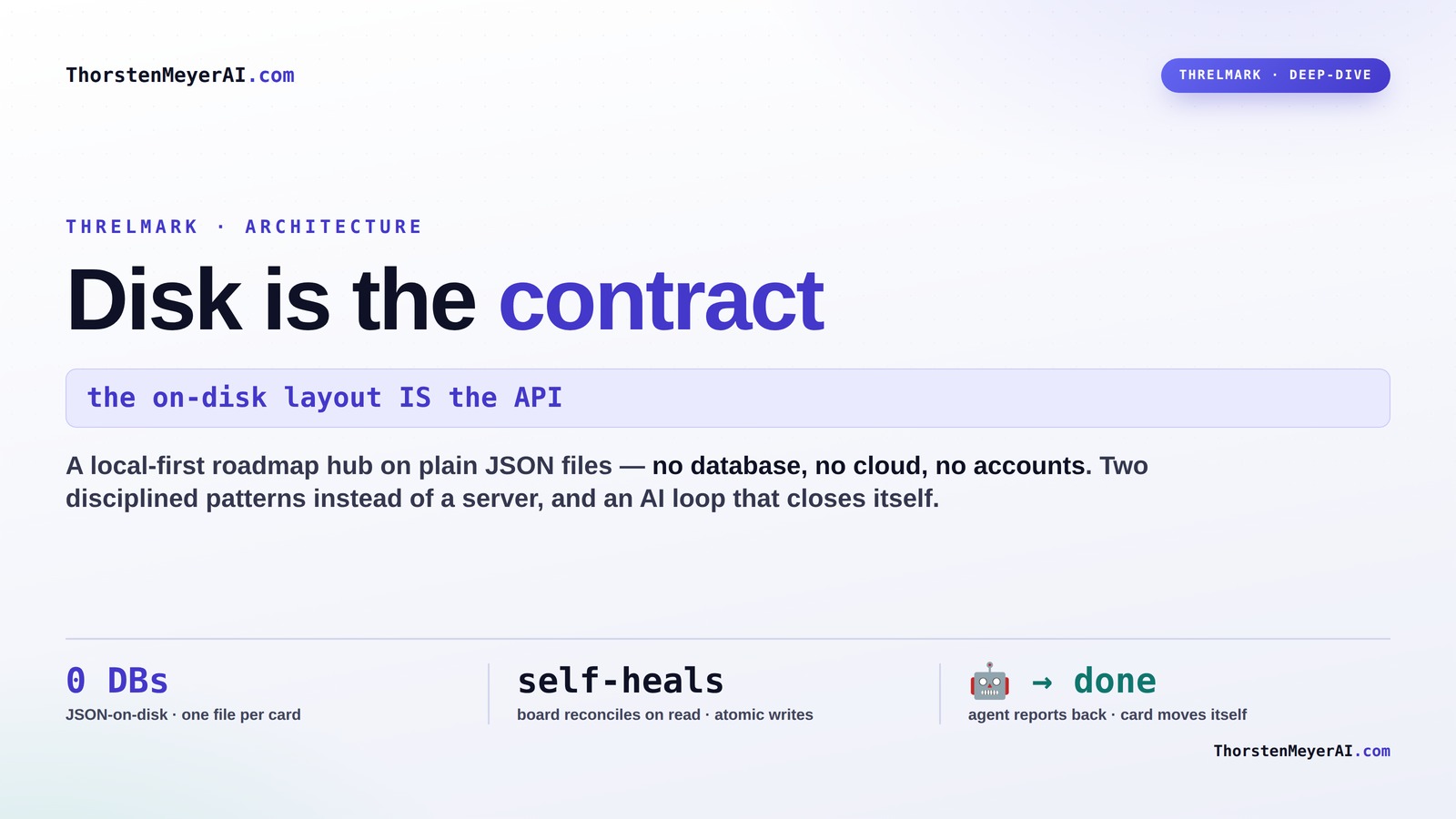
Threlmark’s design centers on storing all data as JSON files on disk, making data portable, offline-capable, and easy to sync. This approach simplifies system complexity and enhances control over your data, giving you a true local-first experience.
Imagine working on your project roadmap, even without internet. No cloud, no server, just your files. That’s the core idea behind Threlmark’s architecture: the disk isn’t just storage — it’s the contract that defines everything.
By making your files the foundation, Threlmark keeps your data portable, transparent, and resilient. In this article, you’ll see how this simple yet powerful approach transforms how tools handle concurrency, sync, and offline work — all without a traditional database.
Disk is the contract: inside a local-first roadmap hub
A Next.js app on top of plain JSON files — no database, no cloud, no accounts. The key decision: the on-disk layout IS the API. Everything else cascades from taking that seriously.
There is no server-of-record — the files are the record
The UI and any external tool reach the same files through the same discipline. The data root defaults to ~/.threlmark — home-based, because it’s a shared hub every one of your apps points at.
Inspectable
Every artifact is a file you can cat, diff, grep, commit.
Portable · no lock-in
Back up with cp, sync with Dropbox / git, migrate trivially.
Interoperable
Any tool in any language joins by reading / writing files.
Restartable
No in-memory state to lose — stateless over the files.
Two disciplined patterns instead of a database
“Just use files” is easy to get wrong. These two patterns — ported from a battle-tested sibling app — are what make file-based state sound rather than reckless.
Atomic writes
Write to a temp file in the same dir, then rename() over the target. Rename is atomic on one filesystem — a crash mid-write leaves the complete old file or the complete new one, never a half.
The board heals itself
A single roadmap.json array races when two tools write at once. One file per card makes writes collision-free. Lane order lives in board.json and reconciles on read.
board.json. It writes an item file — the board fixes itself on Threlmark’s next read. Unknown keys are preserved, so the contract is forward-compatible.The numbers can’t drift from the files
Anything computable from item state is computed — so the displayed numbers can never disagree with the underlying JSON. Priority is the clearest example: it’s calculated on read, never persisted.
priority — computed on read
Impact weighted heaviest; effort the only axis that subtracts. Reused verbatim from the original tool, so imported cards rank identically.
A handoff is a first-class flow event
The genuinely 2026-shaped part: most building is done by AI agents, so Threlmark closes the loop. Watch a card go from ranked to Done without anyone dragging it.
Handoff → report → self-move
The brief carries a reporting protocol. The agent reports through REST or the filesystem — and a done report moves the card itself.
POST /api/projects/:id/
items/:itemId/report
Direct call. Applied immediately.
drop reports/<file>.json
→ ingested on read
Robust even if the server’s down at finish time.
A small formula, and an honest hosting caveat
Because items are globally addressable (<projectId>/<itemId>), the Portfolio ranks everything together by a status-weighted score — finishing beats starting, blockers get a boost.
Portfolio ranking — status-weighted
In-flight work floats to the top; bottlenecks cost the most, so blockers get nudged up.
Static read-only demo
Seeded data, writes to localStorage. Try-before-you-clone.
Personal Node instance
Password-gated, persistent backed-up THRELMARK_DATA_DIR.
Multi-tenant SaaS
Add accounts + per-tenant isolation. A separate build.
src/lib/*/store.ts is the natural seam — the same boundary that keeps the local tool simple is the one you’d extend for multi-tenancy. The architecture doesn’t fight that future; it just doesn’t pay for it until you need it.
Key Takeaways
- Treat your disk files as the single source of truth, simplifying data management and debugging.
- Use JSON files for transparent, portable, and schema-flexible data storage.
- Implement atomic writes to prevent corruption even during crashes.
- Store each item in its own file to improve concurrency and avoid race conditions.
- Design self-healing mechanisms to keep your visual and data states synchronized.
As an affiliate, we earn on qualifying purchases.
How Threlmark’s Disk-First Approach Changes Everything
Threlmark treats disk files as the single source of truth, not a remote server. This means your project data lives in plain JSON files, organized in a clear folder structure. Everything from project metadata to individual cards is stored as a separate file.
This design allows you to open, edit, and even debug your data directly with any text editor. When you make a change, it’s a simple file write. No locks, no complex database transactions.
It’s like keeping a detailed journal of your project, but one that your tools can read and update effortlessly. This makes the system incredibly transparent and easy to migrate or backup.

As an affiliate, we earn on qualifying purchases.
Why JSON-on-Disk Makes Your Data Human-Readable and Portable
JSON is a lightweight, human-readable format that anyone can understand. Threlmark uses JSON files for all data storage, making it easy to inspect, modify, or migrate your project data.
Imagine opening a file named item123.json and seeing a clear list of the task’s status, description, and history. No opaque binary blobs or proprietary formats.
This openness means you can back up your data with simple copy commands, sync it via Dropbox, or even edit it manually if needed. Plus, schema evolution becomes straightforward because you can just add new fields without breaking older tools.
file synchronization software for JSON files
As an affiliate, we earn on qualifying purchases.
As an affiliate, we earn on qualifying purchases.
How Files Keep Your System Safe and Reliable
Using files might seem risky — what if a crash corrupts your data? Threlmark tackles this with atomic writes. Files are first written to a temporary file, then renamed. This guarantees that at any moment, your data is either fully updated or untouched. Learn more about atomic writes.
For example, when you save a task, the system writes task456.json.tmp and then renames it to task456.json. If the power cuts mid-save, your file remains intact, preventing corruption.
This pattern makes your data resilient and easy to recover, even if your system crashes unexpectedly. See how disk-based architectures support reliability.
local-first project management app
As an affiliate, we earn on qualifying purchases.
As an affiliate, we earn on qualifying purchases.
One File Per Item: Why It Beats Big JSON Files
Instead of storing all your roadmap cards in one giant JSON array, Threlmark stores each card in its own file. This means each change is isolated, reducing conflicts and making concurrent edits safer.
Imagine editing a single task like “Update documentation” — only that file changes. Multiple tools or collaborators can work on different cards at the same time without stepping on each other.
Plus, when a card is completed or archived, you just move or delete that specific file. No need to rewrite a huge file or worry about race conditions.
How Threlmark’s Self-Healing Board Keeps Your Data Consistent
The lane order in Threlmark isn’t a static list; it’s dynamically reconstructed each time you view the board. The system cross-checks the actual item files against the lane list and automatically fixes discrepancies.
For example, if a card gets deleted but still appears in the lane list, the system hides or removes it on the next read. Conversely, if a new card appears in the items folder but isn’t on the board, it can be added automatically.
This self-healing ensures your visual workspace always matches the real data, reducing errors and manual cleanup.

Sync, Offline, and Conflict Resolution — How Threlmark Handles It
Threlmark’s disk-as-contract architecture naturally supports offline work. Changes are made locally in files, then later synchronized. When devices reconnect, the system compares files and applies changes.
It uses a simple, conflict-aware merge: if two edits happen on the same file, the more recent one wins. For example, if two people update the same task while offline, the latest change is preserved, and conflicts are logged for review.
This approach keeps your data consistent without complex conflict resolution logic, making it ideal for multi-device workflows.
Tradeoffs: What You Sacrifice for Simplicity
While this architecture simplifies many things, it’s not without tradeoffs. Files can grow large if your project scales, and handling schema changes requires care. Backup and recovery depend on managing files properly.
For example, moving to a new data format means migrating files carefully, and conflict resolution might need manual review in complex scenarios.
But for small to medium projects, this tradeoff keeps things simple, transparent, and reliable.

How to Get Started with Threlmark’s Architecture
- Download and install Threlmark from [the official site](https://threlmark.com).
- Set up your data directory, e.g.,
~/.threlmark. - Create new project folders, each with their own
project.jsonanditems/folder. - Add or modify task files directly — no complex setup needed.
- Use any text editor or script to automate updates, knowing changes are atomic and safe.
Once you’re set, your data is portable, editable, and ready for sync or backup at any moment.
Frequently Asked Questions
What does ‘disk is the contract’ actually mean?
It means your data lives in files that define the system’s state. The app reads and writes these files directly, making the filesystem the single source of truth. This approach simplifies offline work, migration, and interoperability.
Why choose JSON on disk instead of a traditional database?
JSON files are human-readable and easy to modify. They enable transparency, portability, and schema evolution without complex migration scripts. Plus, they work well with file-based atomic operations for safety.
How does syncing work when devices reconnect?
Changes made locally are stored in JSON files. When reconnecting, Threlmark compares these files across devices and applies a simple, conflict-aware merge, ensuring everyone sees the latest updates without losing data.
What happens if two users edit the same task differently?
The system uses timestamps to determine which change is more recent. Conflicts are resolved by preserving the latest update, with options for manual review if needed.
How are schema changes handled over time?
You can add new fields or adjust formats directly in JSON files. Older files remain compatible, and tools can be updated to recognize new schemas gradually, avoiding breaking the data flow.
Conclusion
Threlmark’s approach proves that simplicity often wins. By making your disk the contract, you gain control, transparency, and resilience.
Next time you build or evaluate a tool, ask yourself: could your data live happily on disk, in plain files, free from complex servers? That’s where real power lies — in the files you hold in your hand, not just in the cloud.
Halloween Picks
halloween
As an affiliate, we earn on qualifying purchases.