
Multimodal interfaces are changing how you test usability by requiring more natural and all-encompassing methods. Instead of relying on single-channel tests, you’ll evaluate how users switch smoothly between speech, gestures, touch, and visual cues. Testing must focus on real user behaviors, responsiveness, and seamless shifts. This approach helps uncover challenges and improve system interactions. Keep exploring to discover how these new testing strategies can enhance your understanding of multimodal usability.
Key Takeaways
- Multimodal interfaces require comprehensive testing of seamless mode switching and natural user behaviors across speech, gesture, touch, and visual cues.
- Traditional usability methods are insufficient; new metrics and scenarios are needed to evaluate multimodal interaction effectiveness.
- Testing focuses on system robustness in diverse environments and user conditions, including noise, lighting, and accents.
- Evaluations must consider transitions between modalities, identifying user confusion and optimizing fluid, intuitive interactions.
- Overall, usability testing now emphasizes capturing real user experiences and adaptive system responses across multiple input/output channels.

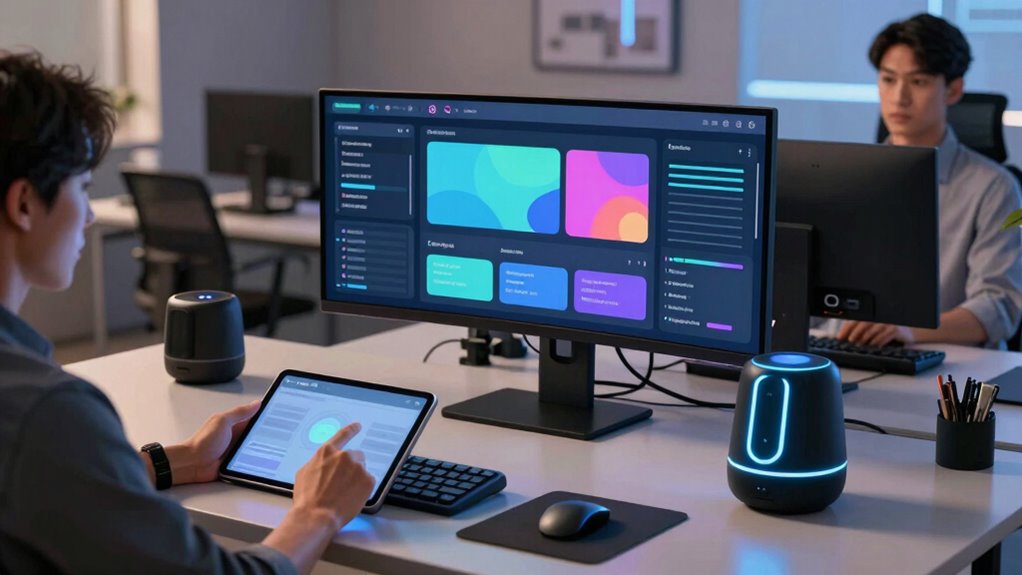
Multimodal interfaces are transforming how users interact with technology by combining multiple input and output modalities, such as speech, gesture, touch, and visual cues. This evolution markedly impacts usability testing, making it more dynamic and reflective of real-world interactions. When you test these interfaces, you can no longer rely solely on traditional methods that focus on single input channels. Instead, you must evaluate how users naturally switch between voice recognition, gesture control, touch, and visual feedback. This shift demands a more exhaustive approach to usability testing, where the goal is to understand how seamlessly users can operate across different modes and how well the system adapts to their natural behaviors.
Multimodal interfaces require comprehensive testing of seamless, natural user interactions across multiple input and output channels.
Voice recognition plays an essential role in this new landscape. It allows you to interact with devices using spoken commands, which can be especially useful in situations where touch is impractical or impossible. When testing voice recognition, you need to assess not only the system’s accuracy in understanding commands but also how intuitive and responsive it feels to the user. Does the system listen promptly? Are the commands clear, or do users have to repeat themselves? These questions help determine whether voice interfaces truly enhance the user experience. Furthermore, voice recognition should be evaluated under different conditions, such as noisy environments or with diverse accents, to gauge robustness and inclusivity. Incorporating diverse user conditions into testing helps ensure the system performs well for all users. Additionally, understanding user adaptability is crucial for developing interfaces that can accommodate varying levels of user experience and technological familiarity.
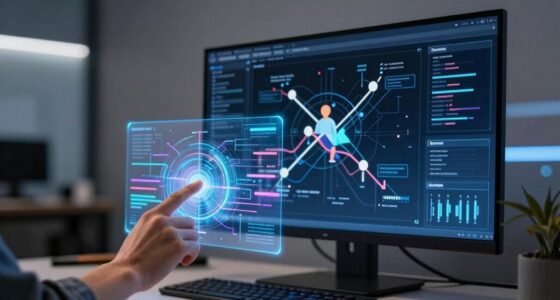
Gesture control further enriches multimodal interactions by enabling users to manipulate digital objects through physical movements. When testing gesture control, you should observe how natural and effortless it feels for users to perform gestures to accomplish tasks. Are gestures intuitive? Do users need to learn specific motions, or can they rely on familiar movements? You’ll also want to measure the system’s responsiveness—does it accurately interpret gestures in real-time? Evaluating gesture control involves considering environmental factors like lighting or background clutter that could interfere with recognition accuracy.
Integrating these modalities into usability testing means observing how users transition between voice, gesture, touch, and visual cues. You need to identify points where users might struggle or become confused, like when switching from speaking to gesturing. This awareness helps refine the system to support more fluid, natural interactions. Overall, multimodal interfaces challenge traditional testing methods, pushing you to develop new metrics and scenarios that capture the richness of real user experiences. By doing so, you guarantee that these innovative systems truly meet users’ needs and expectations in everyday life.
Considering the importance of multimodal interaction in creating seamless user experiences, it is crucial to incorporate comprehensive testing strategies that address all the involved modalities and their interplay.
As an affiliate, we earn on qualifying purchases.
Frequently Asked Questions
How Do Multimodal Interfaces Impact User Accessibility?
You benefit from multimodal interfaces because they improve user accessibility by combining voice recognition and gesture control, making technology easier to navigate. These features accommodate diverse needs, such as allowing users with mobility challenges to interact more easily. By providing alternative input methods, multimodal interfaces guarantee that a wider range of users can access and control devices effectively, enhancing overall usability and inclusivity.
What Are the Cost Implications of Implementing Multimodal Usability Tests?
You’ll find that implementing multimodal usability tests involves higher initial costs due to the need for specialized equipment and software. A thorough cost analysis reveals potential savings over time through more accurate insights and improved user satisfaction. However, you may face implementation challenges, such as integrating new tools with existing systems and training staff. Overall, while costly upfront, these tests can enhance usability, leading to better product success and long-term value.
How Do Multimodal Approaches Affect the Accuracy of Usability Data?
You might find that multimodal approaches enhance the accuracy of usability data by capturing richer, more nuanced user interactions. This improves data reliability, as you get a thorough view of user engagement across different communication modes. However, the complexity of collecting and analyzing such data can introduce inconsistencies. Overall, these approaches can lead to more precise insights, provided you carefully manage data collection and interpretation processes.
Can Multimodal Testing Be Integrated With Existing Usability Evaluation Methods?
Yes, you can integrate multimodal testing with existing usability evaluation methods by leveraging contextual adaptation and sensory integration. This approach allows you to gather richer, more nuanced data by combining traditional techniques like interviews and surveys with real-time sensory input from multimodal interfaces. By doing so, you enhance the accuracy of usability insights, better understanding user interactions, and creating more user-centered designs tailored to diverse contexts and preferences.
What Training Is Required for Usability Testers in Multimodal Interface Evaluation?
You need to master training protocols that cover the nuances of multimodal interactions, including voice, gesture, and touch. Skill development involves understanding sensor integration, real-time data analysis, and user behavior across modalities. Expect to explore interdisciplinary topics, from psychology to engineering. So, sharpen your skills, embrace the chaos of multimodal feedback, and prepare to test interfaces that speak, gesture, and maybe even read your mind someday.
As an affiliate, we earn on qualifying purchases.
Conclusion
As you embrace multimodal interfaces, think of usability testing as exploring a busy city with multiple routes. Just like choosing the quickest path, these interfaces let you interact through voice, touch, or gestures, making the experience smoother. When I tested a voice-activated system, I realized it’s like having a personal guide—adapting to your needs effortlessly. Embracing these innovations transforms testing from a chore into an exciting journey of discovery.
multimodal interface testing device
As an affiliate, we earn on qualifying purchases.
As an affiliate, we earn on qualifying purchases.
touch and visual feedback monitor
As an affiliate, we earn on qualifying purchases.
As an affiliate, we earn on qualifying purchases.