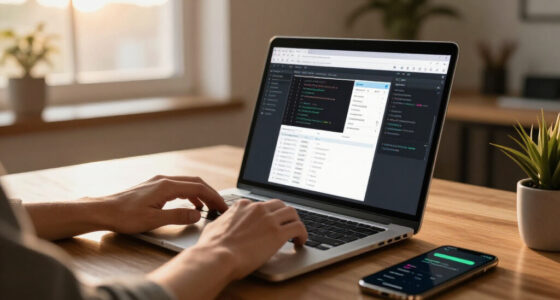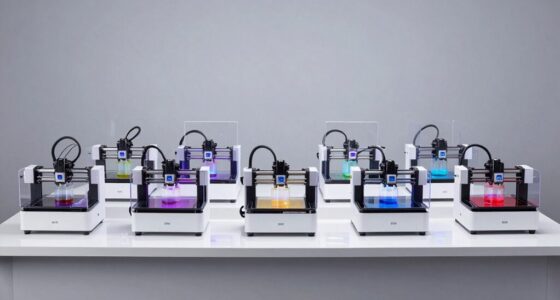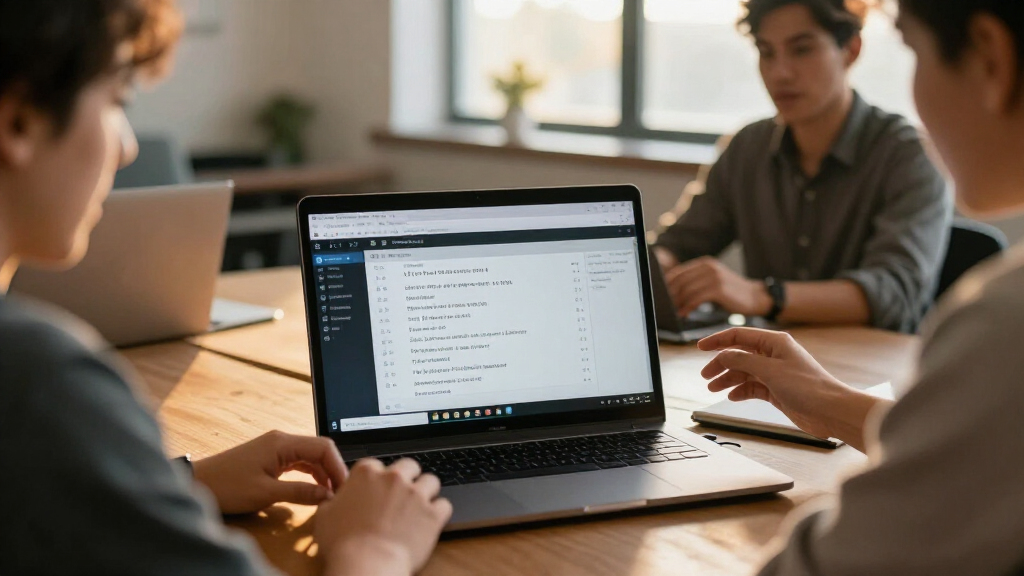
AI meeting transcription software can turn conversations into searchable text, summaries, and action items, but the right choice depends on how you capture meetings and what you do with the transcript afterward. My best overall pick is the viaim NoteKit for a meeting-focused recording workflow, while the HiDock H1E stands out for people who want a desk hub alongside meeting notes. For discreet, mobile capture, the Fieldy 3 is a different kind of option: a wearable device rather than a software-first tool. The main tradeoffs are capture convenience, transcription and export workflow, privacy controls, and whether you need a dedicated recorder at all. Read on for the full breakdown of all 13 options and guidance on choosing the setup that fits your meetings.

Get business pricing on monitors, keyboards and dev gear
- Business-only prices and quantity discounts
- Tax-exempt purchasing
- Multiple users, one account, clear invoices
Key Takeaways
- The lineup spans software and hardware. Philips SpeechExec is a transcription-focused software subscription, while most other picks pair recording hardware with transcription features; compare the workflow, not just the feature labels.
- Meeting-specific tools lead for desk-based work. viaim NoteKit and HiDock H1E are aimed at meeting capture, with HiDock adding a docking-station role that may suit a fixed workspace.
- Wearables trade visibility for convenience. Fieldy 3, the wristband recorder, and the Gem Apple Watch-band recorder prioritize quick, hands-free capture, but buyers should check how recordings move into transcripts and notes.
- Storage and transcription are separate questions. The DOWAY, Tupuniu, and NOTEVOX list 64GB or 128GB storage, but capacity alone does not establish transcription quality, app access, or export flexibility.
- Translation features narrow the field but add workflow questions. The translation-enabled pen and recorder options may suit multilingual conversations; buyers should verify supported languages, transcript editing, and how translated output is handled.
| Fieldy 3 Wearable AI Note-Taking Device, Black |  | Best for Discreet, Searchable Meeting Notes | Transcription languages: 100+ | Free transcription allowance: 150 minutes per month | Digital recording time: 6 hours at 16 kHz | VIEW LATEST PRICE | See Our Full Breakdown |
| DOWAY AI Voice Recorder and Note Taker, 64GB, Silver Gray |  | Best for Long Recording Sessions | Storage: 64 GB | Recording time: Up to 35 hours | Microphones: Two ENC microphones | VIEW LATEST PRICE | See Our Full Breakdown |
| Wearable AI Voice Recorder Wristband with Transcription, Summaries, and Mind Maps |  | Best for Subscription-Free Transcription | Recording duration: 10 hours | Storage: 1 GB | Battery life: About 10 days | VIEW LATEST PRICE | See Our Full Breakdown |
| Tupuniu AI Voice Recorder with 64GB Storage and Transcription |  | Best for Multilingual Live Transcription | Supported languages: 255 | First-year transcription allowance: 600 minutes per month | Storage: 64 GB | VIEW LATEST PRICE | See Our Full Breakdown |
| AI Voice Recorder with Automatic Transcription and Real-Time Translation |  | Best for Offline Capture and Translation | Storage: 32 GB | Battery life: Up to 50 hours | Microphones: One bone-conduction microphone and four omnidirectional microphones | VIEW LATEST PRICE | See Our Full Breakdown |
| viaim NoteKit AI Meeting Voice Recorder |  | Best for Multilingual Meetings | Transcription languages: 145 | Compatible operating systems: Windows 10+ and macOS | Microphones: Dual built-in microphones | VIEW LATEST PRICE | See Our Full Breakdown |
| Neyes AI Voice Recorder Pen with Transcription and Real-Time Translation |  | Best for a Discreet Pen-Style Recorder | Model: NS-AI-DVR-S101 | Storage capacity: 32 GB | Recording time: About 10 hours | VIEW LATEST PRICE | See Our Full Breakdown |
| HiDock H1E AI Meeting Note-Taker and 8-in-1 Docking Station |  | Best for a Desk-Based Hybrid Workspace | Transcription languages: 75 | Docking station ports: 4K@60Hz HDMI, 1 DC-In (20V/5A), 1Gbps Ethernet, 3 USB-C 3.2, 2 USB-A 3.2 | USB data transfer rate: Up to 5Gbps | VIEW LATEST PRICE | See Our Full Breakdown |
| RECPOINT AI Voice Recorder with Transcription and Summarization |  | Best for Long Recording Sessions | Storage capacity: 64 GB | Battery life: Up to 30 hours | Transcription and translation languages: 150 | VIEW LATEST PRICE | See Our Full Breakdown |
| NOTEVOX AI Voice Recorder with 128GB Storage and Transcription App |  | Best for High-Capacity Local Recording | Storage capacity: 128 GB | Digital recording time: 14 hours | Battery life: 14 hours in specifications; 24 hours in item highlight | VIEW LATEST PRICE | See Our Full Breakdown |
| Philips SpeechExec Transcribe Software, 2-Year Subscription, Version 11.5 |  | Best for Dictation Team Workflows | Model: LFH4622/00 | Subscription term: 2 years | Software version: 11.5 | VIEW LATEST PRICE | See Our Full Breakdown |
| Gem AI Voice Recorder for Apple Watch Bands |  | Best Wearable for Multilingual Meetings | Compatible Apple Watch models: Series 1–11, SE, and Ultra | Apple Watch case size: 38–49 mm | Wrist fit: 5.5–8.7 in (140–220 mm) | VIEW LATEST PRICE | See Our Full Breakdown |
| AI Voice Recorder with Magnetic Back, Transcription, Summaries, and Translation |  | Best Compact Phone-Mounted Recorder | Storage capacity: 32 GB | Recording format: WAV | Continuous recording time: Up to 8 hours | VIEW LATEST PRICE | See Our Full Breakdown |
More Details on Our Top Picks
Fieldy 3 Wearable AI Note-Taking Device, Black
Fieldy 3 is a wearable option for people who want conversations turned into searchable notes without keeping audio recordings. It produces speaker-labeled transcripts and AI summaries in more than 100 languages, with noise filtering aimed at improving voice pickup in busy rooms. Calendar and task integrations can make the result more useful than a transcript you have to organize by hand. Compared with the DOWAY AI Voice Recorder, Fieldy is lighter and more discreet, but it offers far less monthly transcription on its free plan and has just 1 GB of storage. Its 150-minute monthly allowance may suit occasional meetings, while frequent transcription can call for an optional subscription. I’d choose it for privacy-minded note capture, not for maintaining a large audio archive.
Pros:- Creates searchable transcripts with speaker labels and AI summaries in more than 100 languages.
- Noise filtering is designed to support clearer voice capture in busy spaces.
- Integrates with supported calendar and task services for follow-up organization.
- Stores encrypted text rather than audio and offers discreet haptic alerts.
Cons:- The free Basic plan allows only 150 transcription minutes per month.
- Additional features require an optional subscription.
- Audio is not stored, so users cannot replay recordings to check transcript details.
Best for: Professionals who attend occasional multilingual meetings and want discreet, searchable notes with encrypted text storage rather than saved audio.
Not ideal for: People who transcribe hours of meetings each month or need recordings retained for later playback; the free plan is limited to 150 minutes monthly and audio is not stored.
- Transcription languages:100+
- Free transcription allowance:150 minutes per month
- Digital recording time:6 hours at 16 kHz
- Battery life:168 hours
- Storage:1 GB
- Weight:8 g
- Security:HIPAA-compliant; encrypted in transit and at rest; stores text, not audio
Our verdict“Choose Fieldy 3 for discreet, privacy-focused meeting notes, but pick DOWAY if you need extensive recording storage or more recording time.”
DOWAY AI Voice Recorder and Note Taker, 64GB, Silver Gray
DOWAY is the practical choice when recording capacity matters as much as the AI-generated meeting notes. Its 64 GB storage and up to 35 hours of recording give it a stronger archival role than the Fieldy 3, which focuses on discreet capture and does not retain audio. The app can turn recordings into transcripts, summaries, mind maps, and action items, so users get more than a block of text. Dual ENC microphones are designed to reduce noise, while a vibration sensor supports calls on compatible smartphones. The tradeoff is dependence on the app and an internet connection for AI processing; call capture also depends on phone compatibility. Language access and transcription limits vary by plan, so I’d check those details before relying on it for regular multilingual meetings.
Pros:- 64 GB storage holds more than 500 hours of audio.
- Records for up to 35 hours with the screen off.
- App generates transcripts, summaries, mind maps, and action items.
- Dual ENC microphones and included magnetic accessories support portable use.
Cons:- AI processing requires an internet connection and a compatible smartphone.
- Call recording depends on smartphone compatibility and recording conditions.
- Language coverage and transcription allowances vary by app plan.
Best for: Consultants, students, and meeting-heavy teams who want long recording sessions, a sizable local audio archive, and app-generated summaries and action items.
Not ideal for: Users who need standalone transcription without a smartphone or internet access, or who require dependable phone-call recording across different handset models.
- Storage:64 GB
- Recording time:Up to 35 hours
- Microphones:Two ENC microphones
- Battery capacity:400 mAh
- Bluetooth:5.3
- Weight:Approximately 32 g
- Language access:152 languages during included first-year AI access; transcription allowances vary by language
Our verdict“Pick DOWAY for long sessions and retained audio; Fieldy 3 is a better fit when compact, discreet capture matters more than an archive.”
Wearable AI Voice Recorder Wristband with Transcription, Summaries, and Mind Maps
This AI recorder wristband puts transcription into a screenless wearable and offers it without subscription fees, a useful distinction from options such as the Fieldy 3, whose free plan is capped at 150 minutes per month. Through the GloryFitPro app, it creates speaker-differentiated transcripts, summaries, and mind maps, making it suitable for lectures or meetings where a quick recap matters more than a large feature set. Its IP67-rated design and interchangeable straps also suit people who want to wear it throughout the day. The compromises are manual language selection and reliance on a compatible smartphone for AI features. With 1 GB of storage and 10 hours of recording, it is less suited to extended archiving than the DOWAY recorder. I’d favor it for straightforward wearable capture, not complex multilingual workflows.
Pros:- Creates transcripts with speaker differentiation, summaries, and mind maps.
- Transcription is available without subscription fees.
- Lightweight 22 g wristband has interchangeable straps.
- IP67-rated dust and water resistance.
Cons:- Users must select the recording language manually; automatic detection is not supported.
- Transcription and AI features require the GloryFitPro app and a compatible smartphone.
- The 1 GB storage and 10-hour recording duration limit long-term recording use.
Best for: Students and professionals who want a screenless wearable for shorter meetings or lectures, with app-based transcripts and summaries without a subscription fee.
Not ideal for: Users who need automatic language detection, long recording capacity, or AI transcription without a compatible smartphone and the GloryFitPro app.
- Recording duration:10 hours
- Storage:1 GB
- Battery life:About 10 days
- Weight:22 g
- Microphone:Built-in omnidirectional
- Water and dust resistance:IP67
- Companion app:GloryFitPro for iOS and Android
Our verdict“Choose this wristband for wearable, subscription-free transcription of shorter sessions, but consider DOWAY for a larger audio archive.”
Tupuniu AI Voice Recorder with 64GB Storage and Transcription
Tupuniu makes a strong case for buyers who need language breadth and a visible interface: it supports transcription and translation in 255 languages, with live subtitles, speaker identification, summaries, and mind maps. Its 1.3-inch OLED display and onboard controls distinguish it from the screenless AI recorder wristband, while USB-C and Bluetooth file transfer make it easier to move transcripts into other workflows. The first-year allowance of 600 transcription minutes per month gives regular users a defined starting point, but additional plans and features may be needed afterward. Battery and recording time are both listed at 10 hours, shorter than DOWAY’s up-to-35-hour recording claim. Specialized professional dictionaries also require the Unlimited plan. I’d choose Tupuniu for multilingual, on-device visibility rather than all-day recording endurance.
Pros:- Supports transcription and translation in 255 languages.
- Combines live subtitles, speaker identification, summaries, and mind maps.
- Transfers files through Bluetooth 5.0 or USB-C and exports PDF, TXT, DOCX, and SRT.
- A 1.3-inch OLED display provides a more visible interface than screenless wearables.
Cons:- Battery life and digital recording time are listed at 10 hours.
- Specialized professional dictionaries require the Unlimited plan.
- The 2.5 mm headphone jack may need an adapter for other connector types.
Best for: Multilingual professionals, interpreters, and international teams who want live subtitles, translation, speaker identification, and common document exports.
Not ideal for: People who record all-day events or need specialized professional dictionaries without a higher-tier plan; its listed recording time is 10 hours.
- Supported languages:255
- First-year transcription allowance:600 minutes per month
- Storage:64 GB
- Display:1.3-inch OLED
- Battery life:10 hours
- Connectivity:Bluetooth 5.0 and USB-C
- Weight:30 g
Our verdict“Choose Tupuniu for broad language support and live transcription tools, but opt for DOWAY if longer recording sessions are your priority.”
AI Voice Recorder with Automatic Transcription and Real-Time Translation
This card-sized AI recorder stands out for separating capture from processing: it can record without Wi-Fi or a smartphone, then connect to the InnAIO Pro app for transcription, meeting summaries, and translation in more than 140 languages. That makes it more flexible at events or in rooms where a phone connection is inconvenient than the app-dependent DOWAY recorder. Four omnidirectional microphones plus a bone-conduction microphone are designed to capture speech, and the stated recording range is up to five meters. Its 50-hour battery life and 32 GB storage also favor extended use, though the claimed recording capacity of approximately 2,270 hours should be read alongside the available storage. The main tradeoff is that AI features still depend on the app, and some translation tools may need internet access. This is a good fit for mobile, multilingual capture—not a fully offline transcription system.
Pros:- Records without Wi-Fi or a smartphone connection.
- Up to 50 hours of battery life and 32 GB of storage support extended use.
- Four omnidirectional microphones and a bone-conduction microphone support voice capture.
- InnAIO Pro offers transcription, meeting summaries, and translation in more than 140 languages.
Cons:- Transcription and AI summaries require the InnAIO Pro app.
- Some translation and cross-app features may depend on an internet connection.
- The stated recording capacity is approximately 2,270 hours, but storage is 32 GB.
Best for: Traveling professionals and event attendees who need independent audio capture, long battery life, and app-based transcription or translation across languages.
Not ideal for: Users who require transcription and translation to work entirely offline, or who want AI summaries without connecting to the InnAIO Pro app.
- Storage:32 GB
- Battery life:Up to 50 hours
- Microphones:One bone-conduction microphone and four omnidirectional microphones
- Translation languages:140+
- Recording range:Up to 5 meters
- Connectivity:Bluetooth, USB Type-C, and Wi-Fi
- Dimensions:54 × 86 × 5.3 mm
Our verdict“Pick this recorder for long, independent capture with multilingual app tools, but choose another option if you need fully offline transcription.”
viaim NoteKit AI Meeting Voice Recorder
145-language transcription makes the viaim NoteKit a strong fit for teams that meet across languages, while its AI can turn recordings into summaries, to-do lists, and mind maps. Dual microphones are rated to pick up voices from as far as 16.4 feet, which gives it more room coverage than the pen-shaped Neyes AI Voice Recorder. At just 0.3 ounces, it is also easy to carry and uses one-press recording controls. The tradeoff is that transcription and cloud features depend on authorization and the viaim app or service, so this is not a fully self-contained transcription workflow. Its listed dimensions conflict across the product details, which makes fit harder to judge. I’d choose it for language breadth, not for app independence.
Pros:- Supports transcription across 145 languages
- Creates summaries, to-do lists, mind maps, and smart Q&A
- Dual microphones have a stated pickup range of up to 16.4 feet
- Lightweight design with one-press recording control
Cons:- AI transcription and cloud features require authorization and the viaim app or service
- Product details list conflicting device dimensions
Best for: Multilingual teams and frequent travelers who want a lightweight recorder with summaries and task extraction.
Not ideal for: Buyers who need transcription without an app or cloud service, or who need confirmed physical dimensions before purchasing.
- Transcription languages:145
- Compatible operating systems:Windows 10+ and macOS
- Microphones:Dual built-in microphones
- Microphone pickup range:Up to 16.4 ft (10 m)
- Recording modes:3
- Digital recording time:8 hours
- Encryption:AES-256/TLS
- Device weight:0.3 oz (8.53 g)
Our verdict“Choose the NoteKit for broad language support and meeting follow-up tools, provided its app-based workflow suits your team.”
Neyes AI Voice Recorder Pen with Transcription and Real-Time Translation
The Neyes pairs a pen-shaped recorder with app-based transcripts, summaries, and mind maps, making it less conspicuous than the RECPOINT AI Voice Recorder’s flat handheld design. Its standout advantage is real-time translation and bilingual subtitles across up to 150 languages, a useful combination for interviews or meetings where participants need to follow along across languages. The 32 GB of storage and roughly 10 hours of recording time suit regular sessions, though the claimed duration is modest beside the RECPOINT’s stated battery life of up to 30 hours. Transcription and other app features also rely on a compatible phone or computer, so the pen alone is not the full note-taking system. I’d pick it for portability and language assistance, not long recording stretches.
Pros:- Supports real-time translation and bilingual subtitles in up to 150 languages
- App can create transcripts, summaries, and mind maps
- Pen form is compact and easy to carry
- Includes 32 GB storage and about 10 hours of voice recording
Cons:- Transcription and app features may require a compatible smartphone or computer
- About 10 hours of recording time may not suit extended sessions
Best for: Interviewers, students, and mobile professionals who want a discreet recorder with translation and app-generated meeting notes.
Not ideal for: People who record long sessions without access to a phone or computer, or who need more than about 10 hours of recording time.
- Model:NS-AI-DVR-S101
- Storage capacity:32 GB
- Recording time:About 10 hours
- Languages supported:Up to 150
- Interface:USB 3.0 Type-C
- Microphone:Built-in
- Dimensions:0.55 x 0.55 x 5.7 in
- Weight:1.2 oz
Our verdict“Pick the Neyes when a pen-style form and live multilingual support matter more than extended recording time.”
HiDock H1E AI Meeting Note-Taker and 8-in-1 Docking Station
The HiDock H1E is the desk-centered choice in this group: it combines meeting capture and AI summaries with a dock offering HDMI, Ethernet, USB-C, and USB-A connections. That makes it more useful as a fixed hybrid-work station than the portable viaim NoteKit, which is better suited to carrying between rooms. HiNotes supports transcription in 75 languages, and VoiceMarks help users return to key moments without replaying a full call. Noise cancellation on both sides of a call is another practical aid for remote meetings. The software has limits: recording must be activated in the app, and speaker identification and multi-format export require Pro membership. The included open-ear earphone is voice-focused rather than a music accessory, and its comfort will vary by wearer.
Pros:- Combines AI transcription and summaries with a multiport docking station
- Transcribes in 75 languages and includes VoiceMarks for important moments
- Bidirectional noise cancellation is designed to reduce call noise at both ends
- Includes an open-ear earphone for hands-free calls
Cons:- Automatic recording and transcription must be activated in the HiNotes app
- Speaker identification and multi-format export require Pro membership
- Included earphone is designed for voice rather than music, and comfort may vary
Best for: Remote and hybrid workers who want a meeting recorder and a multiport dock at the same desk.
Not ideal for: People who need a pocketable recorder, app-free automatic capture, or speaker identification and exports without a Pro membership.
- Transcription languages:75
- Docking station ports:4K@60Hz HDMI, 1 DC-In (20V/5A), 1Gbps Ethernet, 3 USB-C 3.2, 2 USB-A 3.2
- USB data transfer rate:Up to 5Gbps
- Memory storage capacity:32 GB
- Digital recording time:1000 hours
- Battery average life:4 hours
- Audio format:MP3
- Item weight:520 g
Our verdict“Choose the HiDock H1E if you want meeting notes built into a desk setup and can accept app and membership limits.”
RECPOINT AI Voice Recorder with Transcription and Summarization
For people who record back-to-back sessions, the RECPOINT offers a clear practical advantage: up to 30 hours of battery life and 64 GB of storage. It also combines one-touch recording with an OLED status screen, so recording state is easier to check than on the Neyes pen, which is designed around a more discreet form. The AI feature set includes transcription and translation in 150 languages, plus summaries, mind maps, and action items that can turn a recording into follow-up work. Its dual microphones have AI noise cancellation, though the provided details do not specify continuous recording time per charge. The workflow is also smartphone-compatible rather than broadly listed for desktop systems, and a 2.5 mm headphone jack may call for an adapter. This is the capacity-led pick, not the most connected one.
Pros:- Up to 30 hours of battery life and 64 GB of storage
- One-touch recording and OLED screen provide clear, direct controls
- Supports transcription and translation in 150 languages
- AI can generate summaries, mind maps, and action items
Cons:- Continuous recording time per charge is not specified
- 2.5 mm headphone jack may require an adapter for common headphones
- Compatible devices are listed as smartphones
Best for: People who record multiple meetings, interviews, or lectures and want substantial storage and battery life in a dedicated recorder.
Not ideal for: Buyers who need clearly specified desktop compatibility, a standard-size headphone jack, or confirmed continuous recording time per charge.
- Storage capacity:64 GB
- Battery life:Up to 30 hours
- Transcription and translation languages:150
- Display:OLED
- Microphones:Dual microphones with AI noise cancellation
- Body material:High-strength aluminum alloy
- AI minutes:360 monthly minutes for transcription and summarization; 720 monthly minutes for translation
- Headphone jack:2.5 mm
Our verdict“Choose the RECPOINT for extended recording capacity and quick controls, but check its smartphone-focused workflow against your setup.”
NOTEVOX AI Voice Recorder with 128GB Storage and Transcription App
The NOTEVOX stands out for 128 GB of internal storage, the largest stated capacity among these five products. That gives buyers room to keep many recordings on the device, while its app adds transcription, summaries, mind maps, and phone-call recording. Compared with the RECPOINT, NOTEVOX lists more storage but does not give the same clear battery-life figure: the specifications say 14 hours, while an item highlight claims 24 hours. Real-time transcription in 32+ languages is a narrower language range than the viaim NoteKit’s 145, so this is a better match for buyers who prioritize storage and call capture over broad multilingual coverage. It can record offline, but call recording requires the dedicated app. I’d treat the battery figure as uncertain when planning long sessions.
Pros:- 128 GB of internal storage for a large recording archive
- App provides transcription, summaries, and mind maps
- Phone-call recording is available through the dedicated app
- Color display and dedicated controls support quick recording
Cons:- Battery duration is inconsistent: specifications list 14 hours, while an item highlight says 24 hours
- Phone-call recording requires the dedicated app
- Supports 32+ transcription languages, fewer than the viaim NoteKit
Best for: Professionals who keep extensive audio archives and want app-based transcription plus phone-call recording.
Not ideal for: Multilingual teams needing broad language coverage, or users who need a dependable battery estimate for long recording days.
- Storage capacity:128 GB
- Digital recording time:14 hours
- Battery life:14 hours in specifications; 24 hours in item highlight
- Transcription languages:32+
- Recording features:Transcription, summaries, mind maps, offline recording
- Phone-call recording:Through the dedicated app
- Connectivity:USB 3.1 Type-C
- Display:Color display
Our verdict“Choose NOTEVOX if storage and app-based call capture matter most, but verify battery expectations before relying on it for long sessions.”
Philips SpeechExec Transcribe Software, 2-Year Subscription, Version 11.5
Philips SpeechExec Transcribe is the most workflow-focused option in this group: it organizes dictation files and completed documents between authors and transcriptionists, then lets users track each job’s status. That makes it a better fit for teams managing a steady queue of dictated work than for people who want an all-in-one meeting recorder with automatic summaries. Compared with the Gem AI Voice Recorder, which captures meetings and offers multilingual AI outputs, SpeechExec concentrates on coordinating human transcription work rather than recording audio or generating meeting notes. That narrower focus can suit established office processes, but it also limits its appeal for casual meeting use. The main constraint is platform support: it requires 64-bit Windows 10 Pro or Enterprise, so teams using other operating systems should choose a more flexible option.
Pros:- Organizes dictation files and completed documents in one workflow.
- Supports coordination between authors and transcriptionists.
- Lets users monitor transcription work status.
- Two-year subscription term.
Cons:- Requires 64-bit Windows 10 Pro or Enterprise.
- The provided product details do not describe automatic meeting recording or AI-generated summaries.
- Its dictation-workflow focus may not suit teams looking for a general-purpose meeting transcription tool.
Best for: Office teams that already exchange dictation files between authors and transcriptionists and need visibility into transcription status.
Not ideal for: Individuals seeking automatic meeting transcription, summaries, or support for macOS, mobile devices, or Windows editions outside the listed requirements.
- Model:LFH4622/00
- Subscription term:2 years
- Software version:11.5
- Operating system:Windows 10 Pro or Enterprise (64-bit)
- Country of origin:Austria
- Package dimensions:18.75 × 13.75 × 0.01 cm
Our verdict“Choose SpeechExec if your team needs to coordinate human transcription work on supported Windows systems, not if you want an AI meeting recorder like Gem.”
Gem AI Voice Recorder for Apple Watch Bands
Gem is the wearable pick for people who want to record conversations without holding a separate recorder. It fits into an included co-wear strap for compatible Apple Watch models, and its stated 20-hour battery life and 300-hour audio storage support frequent capture between transfers. Its transcription supports 153 languages and regional variants, with AI summaries and action items—more meeting-oriented output than Philips SpeechExec’s file coordination for human transcriptionists. The tradeoff is dependence on the Apple Watch: the watch is not included, and buyers need a compatible model and suitable wrist fit. Gem also differs from the magnetic-back ZKEagle recorder, which works with phones but is not described as a watch-worn device. The free transcription allowance is limited to 300 minutes monthly; ongoing AI use beyond that requires a paid plan.
Pros:- Transcribes in 153 languages and regional variants.
- Creates AI summaries, decisions, and action items.
- Records up to 20 hours per charge and stores up to 300 hours of audio.
- Can record without a nearby phone after pairing and supports iOS and Android apps.
Cons:- Requires a compatible Apple Watch, which is sold separately.
- Transcription and AI features beyond 300 free minutes per month require a paid plan.
- IPX5 water resistance is not suitable for showers or swimming.
Best for: Multilingual professionals who already own a compatible Apple Watch and want wearable meeting capture with summaries and action items.
Not ideal for: Buyers without a compatible Apple Watch, people who need unrestricted transcription without a paid plan, or anyone who records around water.
- Compatible Apple Watch models:Series 1–11, SE, and Ultra
- Apple Watch case size:38–49 mm
- Wrist fit:5.5–8.7 in (140–220 mm)
- Recording battery life:Up to 20 hours
- On-device storage:300 hours; 4 GB memory
- Transcription languages:153 languages and regional variants
- Free transcription allowance:300 minutes per month
- Connectivity:Bluetooth 5
- Water resistance:IPX5; not suitable for swimming or showers
Our verdict“Pick Gem if you already wear a compatible Apple Watch and need multilingual, wearable meeting capture; skip it if you want a standalone recorder.”
AI Voice Recorder with Magnetic Back, Transcription, Summaries, and Translation
This ZKEagle AI Voice Recorder is the compact hardware choice for buyers who want to capture audio on a separate device, then use an app for transcription, summaries, and translation. Its magnetic back can attach to compatible phones, while the 52 g body and WAV recording make it more like a pocket recorder than Gem’s watch-worn device. Compared with Philips SpeechExec, it offers app-based AI outputs rather than a workflow for tracking files between authors and transcriptionists. The 32 GB storage and noise-reduction microphone modes give it flexibility for recording, but transcription depends on connecting to the ZKEagle app; it is not described as an independent transcription system. Battery life is also a limit: up to eight hours of continuous recording is less suited to long, uninterrupted days than Gem’s stated 20 hours per charge.
Pros:- Magnetic back and slim form make it easy to mount on compatible phones or carry separately.
- App features include transcription, summaries, translation, transcript editing, and sharing.
- 32 GB storage and WAV recording support local audio capture.
- Transfers files wirelessly or through USB Type-C to Windows and Mac computers.
Cons:- Continuous recording is limited to up to eight hours per charge.
- Transcription and related AI features require the ZKEagle app.
- The provided details do not specify a transcription language count or free-use allowance.
Best for: People who want a small, phone-mountable recorder with app-based transcription, summaries, translation, and computer file transfer.
Not ideal for: Users who need more than eight hours of continuous recording, or buyers who want transcription without relying on a companion app.
- Storage capacity:32 GB
- Recording format:WAV
- Continuous recording time:Up to 8 hours
- Digital recording time:Up to 1000 hours
- Dimensions:55 × 82 × 4 mm
- Weight:52 g (3.2 oz)
- Connectivity:Bluetooth, BLE, USB Type-C
- App compatibility:iOS and Android
- Microphone modes:Noise cancellation, omnidirectional, and unidirectional
Our verdict“Choose this recorder for a compact, app-connected setup with magnetic phone mounting; choose Gem instead if longer stated battery life and wearable capture matter more.”
How We Picked
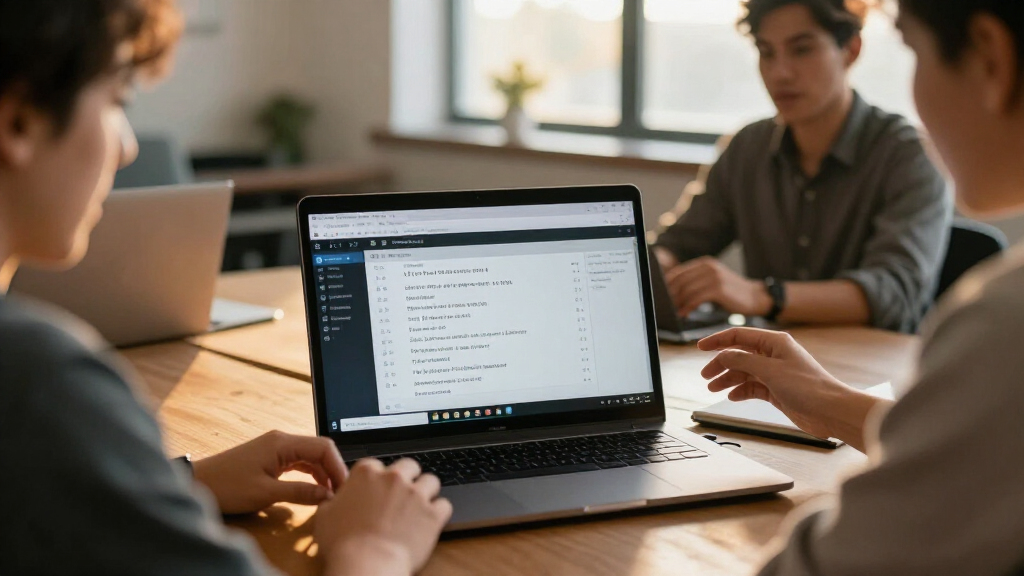
I compared these 13 options by how well they address the full meeting-transcription workflow: capturing clear audio, producing usable text, organizing or summarizing the result, and getting notes into a buyer’s existing process. I also weighed practical fit: desk use versus mobile or wearable capture, listed storage, portability, the role of companion software, and whether a product’s extra functions solve a real need. A recorder with ample storage is not automatically a strong transcription choice, and a device that adds summaries or translation still needs a workable path for reviewing and exporting the text.
The ranking gives priority to products with a clear meeting-centered use case and a coherent capture-to-notes workflow. The viaim NoteKit leads as the most directly meeting-oriented option; HiDock H1E follows for buyers who can use its combined note-taker and docking role. Wearables, pens, and compact recorders rank lower because their form factors can make capture easier but may require closer checking of app workflow and meeting suitability. Philips SpeechExec serves a distinct software-first audience, while storage-heavy recorders and translation-focused devices are better matches for specific needs than universal picks. Product capabilities can vary by app, plan, and region, so buyers should confirm current details before choosing.
Factors to Consider When Choosing AI Meeting Transcription Software
Choosing an AI transcription setup is less about collecting the most features and more about avoiding friction before and after a conversation. I would start with the meetings you actually need to capture, then check how recordings become notes your team can use.
Choose the capture method before comparing AI features
Decide whether most conversations happen at a desk, on the move, or in rooms where a visible recorder would feel awkward. A dedicated desk device can be easier to position consistently, while a wearable or pen may reduce the chance of forgetting to start a recording. Those conveniences do not guarantee better audio: distance from speakers, room echo, and overlapping voices still affect the source recording. A common mistake is buying for portability when nearly every meeting happens at a laptop, or choosing a desk accessory that will not travel to client visits. Match the device to your usual environment first, then compare transcription features among options that fit that setting.
Check the entire transcript workflow, not just transcription claims
Ask what happens after the recording ends: does the tool create a transcript automatically, can you correct speaker names, and can you export text to the places where your team works? A transcript that stays locked in a companion app may create more cleanup than it saves. Summaries and action items can help with follow-up, but they should be treated as drafts that need review, especially when a decision or commitment must be recorded accurately. Before choosing, check whether the app works on your devices and whether its features depend on an account or subscription. The best workflow is the one that makes review and sharing routine, not the one with the longest feature list.
Treat storage capacity and cloud access as different needs
Large onboard storage is useful when you record often or cannot upload immediately, but it does not tell you how transcripts are stored or accessed. Check whether audio remains on the recorder, syncs to an app, or is sent to a cloud service for processing. Those paths affect connectivity, retention, and how easily you can retrieve older meetings. Buyers sometimes focus on gigabytes and overlook whether the software supports useful search, export, or deletion. If you record a small number of short meetings, an easy filing system may matter more than maximum capacity; frequent recorders should examine both local storage and the transcript archive.
Set privacy rules before recording people
Meeting transcription involves other people’s voices and potentially sensitive business information, so check applicable consent requirements and your organization’s recording policy before use. Find out where audio and transcripts are processed, who can access them, and how you can delete stored material. A physical recorder can make capture feel simple, but it does not answer questions about cloud handling or account access. If you work with confidential discussions, prioritize clear retention controls and an approved workflow over convenience features. Plan how to notify participants and where notes may be shared before your first recorded meeting.
Pay for extras only when they remove a real bottleneck
Translation, mind maps, summaries, and multi-purpose docking features can be useful, but each adds another reason to check compatibility and output quality. Translation may help with multilingual conversations, yet buyers should confirm the languages they need and whether the original-language transcript remains available. A dock with meeting capture makes most sense when it replaces or complements equipment already used at a desk; otherwise, its extra functions may go unused. Beginners may do better with a straightforward recorder-and-app workflow than a feature-rich device that takes time to configure. Spend more attention on the task that currently slows you down—capturing, reviewing, translating, or sharing—rather than paying for every possible capability.
Plan for editing and human review
AI transcription can reduce note-taking, but names, technical terms, and overlapping speech may still need correction. Consider who will review the transcript and how long that review should take before making it part of a formal record. A clean audio source and a repeatable naming system for meetings can improve usefulness more than extra storage or decorative summaries. Do not assume that generated action items are complete or that a polished summary preserves every qualification from the conversation. For recurring meetings, test the workflow on a representative session and judge the time spent correcting and distributing notes, not only the time saved during the call.
Frequently Asked Questions
Should I buy a recorder with transcription or use transcription software with recordings I already make?
Choose a recorder-and-app bundle if starting and organizing recordings is the part you tend to forget or find cumbersome. Software may be a better fit if you already capture meetings reliably and need transcripts to fit an established desktop workflow. Check which audio formats the software accepts and whether it supports the devices you use before assuming an existing recording can be imported. Also compare how each option handles speaker labels, corrections, and export. The simplest choice is usually the one that removes the most steps from your current process.
Can a wearable recorder replace a meeting recorder on my desk?
It can suit informal conversations or mobile work where carrying a separate device would be inconvenient. For planned meetings, placement and distance from each speaker may matter more than the fact that the recorder is wearable. Check how the wearable starts and stops recording, whether its companion app can organize longer sessions, and how easily you can export the transcript. A desk recorder or meeting-focused device may be easier to position consistently in a room. Consider where you meet most often before making portability the deciding factor.
Is more onboard storage a good reason to choose one recorder?
Storage matters when you make many recordings or need to keep audio available without an immediate connection, but it is only one part of the workflow. It does not tell you whether transcription is included, how long files remain accessible in an app, or whether you can export and back up your notes. Check the recording format and transfer process as well as the listed capacity. If you rarely record and have reliable syncing, search and organization may matter more. For heavy use, confirm the device’s storage and the transcript service’s retention rules separately.
What should I verify before using AI transcription for confidential meetings?
Review your organization’s recording policy and any consent requirements that apply to the people in the meeting. Check whether audio or transcripts are processed locally or through a cloud service, who can access the account, and what deletion controls are available. Find out whether recordings can be kept separate from summaries or shared notes. A device’s physical design does not establish how its app handles sensitive information. If the policy or data path is unclear, ask the provider or your organization’s administrator before recording.
Are automatic summaries reliable enough to send without reviewing the transcript?
Summaries are useful for scanning a meeting and drafting follow-up, but they can omit qualifications, misstate names, or miss a decision made during overlapping speech. Review the relevant transcript passages before sending notes that assign work or record commitments. For routine internal check-ins, a brief human edit may be enough; sensitive or formal records call for closer verification. Check whether the tool lets you edit summaries and link them to the underlying recording or transcript. Treat generated notes as an aid to review rather than a substitute for it.
Conclusion
Best overall: I would start with the viaim NoteKit if meeting capture and turning conversations into notes are the main priorities. Best value: the Tupuniu AI Voice Recorder is a practical candidate for buyers who want a straightforward recorder with listed storage and transcription features, though app workflow should guide the final choice. Best premium: the HiDock H1E makes the most sense for a desk-based buyer who can use its combined meeting note-taker and docking-station role. Best for beginners: the DOWAY is a simple recorder-shaped starting point for someone who prefers a dedicated device, provided its companion workflow meets their needs. For mobile capture, compare Fieldy 3 with the wristband and Apple Watch-band options; for multilingual needs, investigate the translation-focused pen and recorder; and for a software-first transcription workflow, consider Philips SpeechExec. My final choice would depend on how recordings are stored, reviewed, and shared—not on a single headline feature.