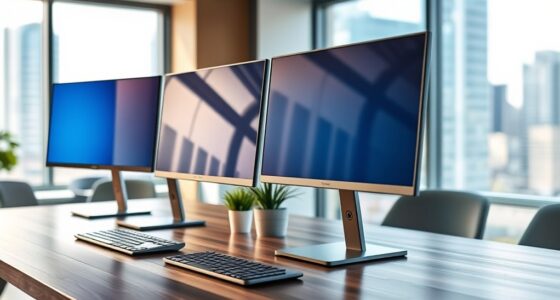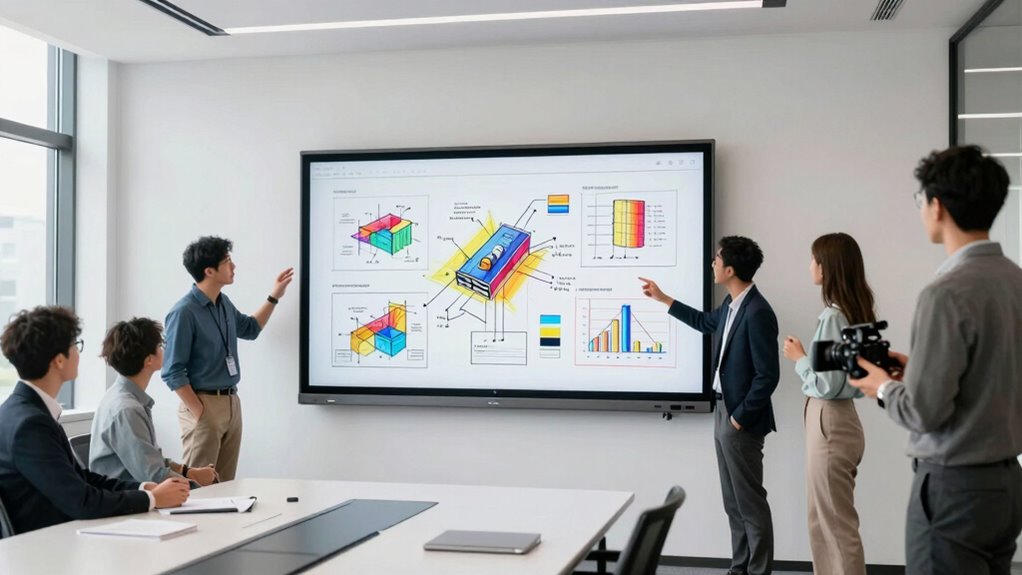

Choosing the right interactive whiteboard for design thinking workshops can significantly enhance collaboration and creativity. The TIBURN HQ 75″ 4K UHD stands out as the best overall for its large display and versatile features. The 86-Inch 4K Interactive Whiteboard offers an impressive size for bigger groups, while the Smart Board 65 Inch All-in-One provides a seamless Android experience. Balancing performance, ease of use, and price is key, as some models may sacrifice portability or advanced features to keep costs down. Keep reading for a detailed comparison to help you find the perfect fit for your workshop needs.
Listen free for 30 days with Audible
Thousands of audiobooks and originals — cancel anytime.
Start your free trialAs an affiliate, we earn on qualifying purchases.
Key Takeaways
- Larger screens generally support more participants, but may sacrifice portability and ease of setup.
- Built-in software ecosystems like Android or Windows can streamline workflows but may limit compatibility with other tools.
- High-resolution displays (4K+) improve clarity for detailed sketches and presentations, especially in group settings.
- Portability varies; models with removable stands or compact designs are better for flexible workshop environments.
- Additional features like integrated cameras, microphones, and speakers enhance collaboration but often increase cost.
| TIBURN HQ 75″ 4K UHD Interactive Whiteboard with Removable Stand and Conference Speaker |  | Best Overall for Large-Scale Collaborative Environments | Size: 75 inches | Resolution: 4K UHD | Touch Points: 20 | VIEW ON AMAZON | See Our Full Breakdown |
| Portable Interactive Whiteboard – Smart Teaching Whiteboard with Auto Calibration and High-Precision Pen |  | Best for Portability and Flexibility in Dynamic Settings | Compatibility: Windows XP to Win 11 | Connection: USB, HDMI, VGA | Screen Size Support: Up to 90 inches | VIEW ON AMAZON | See Our Full Breakdown |
| Interactive Whiteboard System with Electronic Pen for Windows |  | Best for Surface Flexibility and Large Display Compatibility | Compatibility: Windows XP to Win10 | Screen Size Support: Up to 90 inches | Maximum Distance: 2.2 meters | VIEW ON AMAZON | See Our Full Breakdown |
| HORION 65-Inch 4K Digital Whiteboard, Smart Board for Classroom & Office |  | Best for Education and Small to Medium Conference Rooms | Size: 65 inches | Resolution: 4K | Touchscreen: 40-point capacitive | VIEW ON AMAZON | See Our Full Breakdown |
| Smart Board 65 Inch All-in-One Interactive Whiteboard with 4K Display and Android 14 |  | Best for Integrated Conference and Classroom Use | Display Size: 65 inches | Resolution: 4K UHD | Camera: 48MP CMOS, 4K imaging | VIEW ON AMAZON | See Our Full Breakdown |
| Shiarffe R9 65″ Smart Board, 16GB+256GB, Google EDLACertified |  | Best Overall for Versatile Collaboration | Screen Size: 65 inches | Storage: 16GB RAM + 256GB Storage | Display Resolution: 4K UHD | VIEW ON AMAZON | See Our Full Breakdown |
| 86-Inch 4K Interactive Whiteboard with Android 14, 20-Point Touch, Screen Sharing, Bluetooth, WiFi, HDMI, Wall Mount Included |  | Best for Large-Scale Presentations and Interactive Lessons | Size: 86 inches | Display: 4K UHD | Touch Technology: 20-point infrared | VIEW ON AMAZON | See Our Full Breakdown |
| Interactive 65-Inch 4K UHD Touchscreen Smartboard with Camera, Microphone, and Speakers |  | Best for Dynamic Classrooms and Small Meeting Rooms | Screen Size: 65 inches | Resolution: 4K UHD | Camera: 48MP | VIEW ON AMAZON | See Our Full Breakdown |
| JAV 65″ Smart Board Pro Google EDLA Certified 4K UHD Interactive Whiteboard with AI Camera and Soundbar |  | Best for High-End Interactive Presentations and Remote Collaboration | Screen Size: 65 inches | Resolution: 4K UHD | Operating System: Android 14 | VIEW ON AMAZON | See Our Full Breakdown |
| interactive whiteboards for design thinking workshop | Resolution |
|---|---|
| TIBURN HQ 75" 4K UHD Interacti | 4K UHD |
| Portable Interactive Whiteboar | — |
| Interactive Whiteboard System | — |
| HORION 65-Inch 4K Digital Whit | 4K |
| Smart Board 65 Inch All-in-One | 4K UHD |
| Shiarffe R9 65" Smart Board | — |
| 86-Inch 4K Interactive Whitebo | — |
| Interactive 65-Inch 4K UHD Tou | 4K UHD |
| JAV 65" Smart Board Pro Google | 4K UHD |
More Details on Our Top Picks
TIBURN HQ 75″ 4K UHD Interactive Whiteboard with Removable Stand and Conference Speaker
This model stands out for its impressive 75-inch 4K UHD display, providing crystal-clear visuals that elevate design thinking sessions. Its infrared touch technology supports up to 20 points, enabling multiple users to interact simultaneously—a key advantage over smaller or less responsive boards like the HORION 65-inch. The built-in conference speaker ensures audio clarity during remote or hybrid workshops, making it suitable for large conference rooms. However, its size demands significant space, and the price may be a barrier for smaller organizations. Compared with the Smart Board 65-inch, the TIBURN offers a larger display but at the cost of portability and setup complexity.
Pros:- Large 75-inch 4K UHD display for detailed visuals
- Supports 20 simultaneous touch points for collaborative work
- Built-in conference speaker with clear audio quality
- Supports multiple conferencing platforms like Zoom and Teams
Cons:- Requires considerable space for setup and operation
- Higher price point may be prohibitive for budget-conscious buyers
- Limited info on compatibility with older devices
Best for: Teams in spacious office environments needing high-resolution visuals and multi-user interaction.
Not ideal for: Small classrooms or offices with limited space, where a more compact solution is preferable.
- Size:75 inches
- Resolution:4K UHD
- Touch Points:20
- Response Time:8ms
- Infrared Technology:Yes
- Included Components:Removable stand, conference speaker
- Connectivity:Bluetooth, Wi-Fi
Our verdict“This whiteboard is best suited for large organizations seeking a high-resolution, multi-user display for intensive collaboration.”
Portable Interactive Whiteboard – Smart Teaching Whiteboard with Auto Calibration and High-Precision Pen
This portable whiteboard excels for its ease of setup and compatibility with various Windows systems, making it ideal for mobile classrooms or conference rooms that need quick deployment. Unlike the larger TIBURN, its compact form allows for versatile use across different locations, and the automatic calibration feature simplifies initial setup compared to manually tuning larger boards. The high-precision smart pen enhances accuracy for creative brainstorming, yet it depends on a computer or projector to function fully, adding a layer of complexity. Compared with the HORION 65-inch, it offers greater portability but less inherent display size, which could impact visual engagement in larger groups.
Pros:- High-precision smart pen for accurate writing and drawing
- Automatic calibration for quick setup
- Compatible with multiple Windows versions and surfaces
- Portable design with easy installation
Cons:- Requires connection to a computer or projector for full use
- Limited details on software features or updates
- Potential light interference in bright environments
Best for: Educators, trainers, or presenters who frequently switch locations and need a portable, setup-friendly solution.
Not ideal for: Organizations seeking a large, all-in-one display for fixed installations, where portability is less critical.
- Compatibility:Windows XP to Win 11
- Connection:USB, HDMI, VGA
- Screen Size Support:Up to 90 inches
- Auto Calibration:Yes
- Adjustable Angle:360-degree
- Included Accessories:Receiver, 5m USB cable, electronic pen
Our verdict“This pick makes the most sense for mobile teams needing flexible, accurate interaction on the go.”
Interactive Whiteboard System with Electronic Pen for Windows
This system is designed to turn almost any surface into an interactive display, supporting screens up to 90 inches and distances up to 2.2 meters—ideal for adaptable spaces. Unlike the TIBURN or HORION, it’s not a dedicated large display but an overlay that enhances existing surfaces, making it suitable for those who need customization. The high-precision electronic pen allows smooth annotation, and automatic calibration offers quick setup. However, it requires a separate computer and projector, which means additional equipment and setup time compared to integrated solutions like the Smart Board 65-inch. It’s best suited for environments where existing surfaces are repurposed for collaboration.
Pros:- Compatible with various surfaces and large screens
- High-precision electronic pen for accurate annotation
- Automatic calibration for quick setup
- Supports multiple surface types like walls and projector screens
Cons:- Requires a separate computer and projector, adding complexity
- Limited to Windows OS only
- No built-in display or integrated hardware
Best for: Users who want to retrofit existing spaces or surfaces into interactive zones without replacing current equipment.
Not ideal for: Teams seeking a standalone, all-in-one display with integrated hardware, such as the Smart Board 65 or 4K digital boards.
- Compatibility:Windows XP to Win10
- Screen Size Support:Up to 90 inches
- Maximum Distance:2.2 meters
- Surface Compatibility:Walls, projector screens
- Calibration:Automatic
Our verdict“This system is perfect for those needing flexible, surface-agnostic interactivity with existing displays or surfaces.”
HORION 65-Inch 4K Digital Whiteboard, Smart Board for Classroom & Office
This 65-inch 4K touchscreen offers a balanced mix of resolution and multi-user capability, making it ideal for classrooms and small meeting rooms. Its 40-point capacitive touch supports multiple users simultaneously, but its size is less imposing than the TIBURN or Smart Board P Series, making it easier to fit into smaller spaces. The Android 13 system offers access to a variety of apps via Google Play, enhancing versatility. However, external cameras and microphones are sold separately, and the setup might involve a learning curve for users unfamiliar with Android-based interactive displays. Compared to the Smart Board P Series, it’s more affordable but may lack some of the enterprise-grade features and integrated audio system.
Pros:- High-resolution 4K display with anti-glare coating
- Supports wireless sharing and multi-user collaboration
- Runs on Android 13 with access to Google Play
- Includes accessories and extended warranty
Cons:- External peripherals like cameras/mics are separate
- Requires wall mounting and space for installation
- Potentially steep learning curve for new users
Best for: Educational settings or small offices seeking a high-resolution, multi-user touchscreen with app flexibility.
Not ideal for: Large conference rooms or organizations needing an all-in-one, enterprise-ready system with built-in high-quality audio and camera.
- Size:65 inches
- Resolution:4K
- Touchscreen:40-point capacitive
- System:Android 13
- Wi-Fi:Wi-Fi 5
- Bluetooth:5.2
- Warranty:18 months
Our verdict“This whiteboard offers a practical balance of resolution and multi-user interaction for educational environments and small teams.”
Smart Board 65 Inch All-in-One Interactive Whiteboard with 4K Display and Android 14
The Smart Board P Series combines a 65-inch 4K display with built-in camera, microphone, speakers, and Android 14, creating a comprehensive collaboration hub. Compared with the HORION 65-inch, it integrates hardware for seamless meetings, reducing setup time and external peripherals. Its advanced imaging with a 48MP camera and AI noise-canceling mics ensures professional-quality video conferencing, making it ideal for hybrid classrooms or meetings. The all-in-one design offers convenience but comes with a higher price and demands more space. For organizations that prioritize a tidy, integrated setup, this model provides a compelling solution over separate systems like the Surface overlay or the TIBURN, though at a premium cost.
Pros:- All-in-one design with built-in camera, mic, and speakers
- High-quality 4K display with anti-glare glass
- Supports wireless casting and enterprise apps
- Responsive touch interface with <5ms latency
Cons:- Higher cost compared to other solutions
- Requires substantial space for 65-inch display
- Limited information on software updates and long-term support
Best for: Large teams or institutions requiring an enterprise-grade, self-contained interactive system for meetings and teaching.
Not ideal for: Small offices or budget-conscious buyers, due to its potentially high price and space requirements.
- Display Size:65 inches
- Resolution:4K UHD
- Camera:48MP CMOS, 4K imaging
- Microphone:8 AI noise-canceling mics
- System:Android 14
- Connectivity:USB-C, HDMI Out, LAN Out
- Touch Latency:<5ms
Our verdict“This device is ideal for organizations needing an integrated, enterprise-level interactive system for professional collaboration.”
Shiarffe R9 65″ Smart Board, 16GB+256GB, Google EDLACertified
The Shiarffe R9 65-inch Smart Board stands out for its high-resolution 4K touchscreen combined with multi-user support, making it a strong choice for collaborative design thinking workshops. Unlike the 86-inch QIXZOCV model, it offers a more manageable size that fits well in many conference rooms without requiring excessive space. Its native video conferencing integration and flexible wired/wireless connectivity enhance remote collaboration, though the lack of detailed camera specs might limit its use in fully remote settings. The intuitive Android interface simplifies setup for most users, but wall mounting is required, reducing mobility. This pick is ideal for organizations seeking a reliable, secure, and versatile whiteboard that balances size and functionality.
Pros:- High-resolution 4K touchscreen supports multi-user interaction
- No subscription fees, enterprise-grade security included
- Flexible wired and wireless connectivity options
- Native video conferencing integration
Cons:- Requires wall mounting or separate mobile carts for mobility
- Limited details on camera specifications for conference models
- Potential complexity for first-time users despite an intuitive interface
Best for: Design teams and educators needing a reliable, high-resolution collaboration tool with secure enterprise features.
Not ideal for: Teams requiring portable solutions or frequent relocation, as wall mounting is necessary and mobility is limited.
- Screen Size:65 inches
- Storage:16GB RAM + 256GB Storage
- Display Resolution:4K UHD
- Touch Technology:20-point multi-touch
- Connectivity:Wired (HDMI), Wireless (screen mirroring)
- Warranty:2 years
Our verdict“Best suited for organizations needing a secure, high-quality, collaborative whiteboard with flexible connectivity options.”
86-Inch 4K Interactive Whiteboard with Android 14, 20-Point Touch, Screen Sharing, Bluetooth, WiFi, HDMI, Wall Mount Included
The QIXZOCV 86-inch 4K Whiteboard offers an expansive display ideal for large classrooms or conference halls, providing immersive visuals that surpass the 65-inch options like the JAV Smart Board Pro. Its 20-point infrared touch ensures precise, responsive interaction across a vast surface, but its size demands significant installation space and technical setup, possibly requiring professional assistance. The built-in computer with Android 14 supports remote collaboration and app integration, yet the high cost and large footprint may be prohibitive for smaller offices. This model makes the most sense for institutions prioritizing space for impactful visual presentations and multi-user engagement over maneuverability.
Pros:- Massive 86-inch 4K UHD display for impactful visuals
- Built-in Android 14 with app access and remote collaboration tools
- Supports multiple simultaneous touch points with high responsiveness
- Includes wall mounting for stable installation
Cons:- Requires significant space and professional setup
- High purchase and installation cost
- Limited portability due to size
Best for: Large educational institutions or corporate training centers needing a massive, interactive display with integrated computing.
Not ideal for: Small teams or offices with limited space where installation complexity and cost outweigh the benefits of size.
- Size:86 inches
- Display:4K UHD
- Touch Technology:20-point infrared
- Operating System:Android 14
- RAM:8GB
- Storage:128GB
- Camera:13MP auto-focus
- Included Components:Wall mount
Our verdict“Ideal for large venues seeking an all-in-one, high-resolution display with integrated Android OS and collaborative features.”
Interactive 65-Inch 4K UHD Touchscreen Smartboard with Camera, Microphone, and Speakers
The Interactive 65-Inch 4K UHD Smartboard offers a balanced mix of audiovisual features and responsive touch, making it suitable for interactive lessons and meetings, especially where space is constrained. Compared with the larger QIXZOCV model, it provides a more manageable footprint, though its advanced features come at a higher price point, and installation requires wall mounting. Its 48MP camera and built-in microphone facilitate real-time collaboration, but software compatibility details are limited—potentially a concern for complex workflows. This device makes sense for users who want high-quality visuals combined with integrated audio-visual conferencing in a smaller, more adaptable package.
Pros:- High-resolution 4K display with anti-glare coating
- Supports wireless and wired device connectivity
- Responsive 20-point touch with low latency
- Built-in camera, microphone, and speakers for conferencing
Cons:- Requires wall mounting, limiting mobility
- Potentially high cost for premium features
- Limited details on software ecosystem compatibility
Best for: Educators and small teams looking for an engaging, high-resolution display with built-in conferencing tools.
Not ideal for: Large organizations needing expansive displays or highly customizable setups, due to size and feature limitations.
- Screen Size:65 inches
- Resolution:4K UHD
- Camera:48MP
- Microphone:8-array
- Speakers:Dual 15W
- Connectivity:USB, HDMI, Type-C, AirPlay, Eshare
Our verdict“Best suited for smaller spaces where high-quality visuals and integrated AV collaboration are priorities.”
JAV 65″ Smart Board Pro Google EDLA Certified 4K UHD Interactive Whiteboard with AI Camera and Soundbar
The JAV 65-inch Smart Board Pro combines a crisp 4K UHD display with an AI-powered 48MP camera and a robust 100W soundbar, making it an excellent choice for professional environments that require high-quality audio-visual interaction. Compared to the Shiarffe R9, it offers more advanced AI camera features and a built-in sound system, but its larger size and complex setup can be limiting for smaller spaces or less technical users. Its Android 14 platform and Google EDLA certification enable seamless remote collaboration and access to a wide range of apps, though the premium price tag might be a barrier for some. This model is best for users who prioritize top-tier audiovisual performance and interactive capabilities in professional settings.
Pros:- 4K UHD touchscreen with multi-user support
- Integrated AI camera and powerful soundbar for clear audio and video
- Runs on Android 14 with full access to Google Play and Workspace
- Supports wireless sharing and interactive annotations
Cons:- Requires dedicated space and wall mounting
- Complex installation process may need technical assistance
- Higher price point reflecting premium features
Best for: Executive teams, high-end educational institutions, and professional collaboration spaces needing premium AV features.
Not ideal for: Small offices or teams with limited technical support, due to setup complexity and size constraints.
- Screen Size:65 inches
- Resolution:4K UHD
- Operating System:Android 14
- Storage:8GB RAM + 128GB
- Camera:48MP AI Camera
- Soundbar Power:100W
- Wall Mount Included:Yes
Our verdict“Best suited for organizations seeking a high-performance, interactive display with top-tier AV capabilities for professional collaboration.”

How We Picked
These products were evaluated based on their display size, resolution, ease of use, connectivity options, build quality, and suitability for collaborative design thinking sessions. We prioritized models that offer intuitive interfaces, reliable performance, and flexibility for different workshop setups. Cost was considered but balanced against feature set and durability. Our rankings reflect a combination of these factors, aiming to identify options that deliver both value and functionality for creative teams.Factors to Consider When Choosing Interactive Whiteboards For Design Thinking Workshops
Selecting an interactive whiteboard for design thinking workshops involves weighing several important factors. Beyond mere size, consider how the device’s software ecosystem supports collaboration and whether it integrates smoothly with other tools you use. Portability can be a game-changer if your workshops happen in multiple locations or require quick setup. Connectivity options like HDMI, WiFi, and Bluetooth ensure seamless content sharing. Also, think about the display resolution—higher clarity can make sketches and detailed visuals easier to interpret. Lastly, assess the durability and ease of maintenance to ensure long-term usability.Display Size and Resolution
The size of the whiteboard directly impacts how many participants can view and interact simultaneously. Larger screens, like 75 inches or more, are ideal for bigger groups, but they can be more cumbersome to transport or install. Resolution matters too; 4K displays offer crisp visuals that make detailed sketches and text easier to read. In contrast, lower resolutions might cause strain or misinterpretation during collaborative sessions. Balancing size and resolution ensures your workshops are both inclusive and visually clear.
Software Ecosystem and Compatibility
The underlying operating system—whether Android, Windows, or proprietary—can significantly influence your workshop experience. Android-based boards often come with pre-installed apps and easy content sharing, which can streamline sessions. Windows-based models might offer broader compatibility with enterprise tools, but can be more complex. Proprietary systems tend to be less flexible but might offer enhanced stability. Consider what software integrations are vital for your team and choose a device that supports those without additional hassle.
Portability and Setup
If your workshops take place in multiple locations or require frequent reconfiguration, portability becomes a key consideration. Models with removable stands, lightweight frames, or compact sizes facilitate quick setup and breakdown. Conversely, larger, fixed installations might suit permanent conference rooms better. Think about how often you’ll move the device, and choose a model that aligns with your workflow to avoid frustration and unnecessary expense.
Connectivity and Accessories
Robust connectivity options like HDMI, USB, WiFi, and Bluetooth enable flexible content sharing and device pairing. Models with built-in cameras, microphones, and speakers support more interactive sessions, especially in hybrid or remote settings. Additional accessories such as styluses, remote controls, or wireless dongles can further enhance usability. Be cautious of models with limited ports or outdated wireless standards, which could hinder seamless collaboration.
Durability and Maintenance
Designing for frequent use in workshops means selecting a whiteboard that can withstand regular handling and cleaning. Look for sturdy frames, scratch-resistant screens, and easy-to-clean surfaces. Maintenance costs and repairability should also factor into your decision, especially for higher-end models. A durable device reduces downtime and replacement expenses, making it a smarter long-term investment for ongoing workshops.
Frequently Asked Questions
How important is screen size for interactive whiteboards in design workshops?
Screen size directly influences the number of participants who can see and interact with the content simultaneously. Larger displays—75 inches or more—are beneficial for bigger groups, fostering more inclusive collaboration. However, very large screens can be less portable and harder to install, especially in smaller spaces. The ideal size balances visibility with ease of setup, ensuring everyone stays engaged without overwhelming the workspace.
Should I prioritize a model with built-in software or external compatibility?
Choosing between a device with a built-in operating system like Android or Windows versus one that relies on external devices depends on your existing workflows. Built-in ecosystems often simplify setup and content sharing, making them user-friendly for quick sessions. External compatibility, however, offers flexibility to integrate with various tools and platforms you may already use, which is crucial if your team requires specific software or workflows. Consider your team’s tech ecosystem to decide which approach minimizes friction.
Is a 4K display necessary for effective design thinking sessions?
A 4K display enhances clarity, especially for detailed sketches, diagrams, and fine text, making it a valuable feature for design-focused workshops. Higher resolution reduces eye strain and improves the overall visual experience. However, it may come at a higher cost and require more powerful hardware. If your sessions involve intricate visuals or detailed annotations, prioritizing a 4K screen makes sense; otherwise, a high-quality full HD display can suffice.
What features should I consider for hybrid or remote collaboration?
For hybrid workshops, integrated cameras, microphones, and speakers are essential to facilitate seamless remote participation. Wireless content sharing via WiFi or Bluetooth allows multiple users to contribute without cumbersome cables. Compatibility with collaboration platforms like Zoom or Teams also matters. Devices that support screen sharing, real-time annotations, and remote control features help bridge the gap between in-room and remote attendees, making sessions more interactive and inclusive.
How do I assess the long-term durability of an interactive whiteboard?
Durability depends on build quality, screen surface material, and ease of maintenance. Devices with sturdy frames, scratch-resistant screens, and waterproof or easy-to-clean surfaces tend to last longer under frequent use. Additionally, consider the availability of replacement parts and warranty support. Investing in a well-built model reduces downtime and replacement costs, ensuring your workshops can run smoothly over time without frequent replacements or repairs.
Conclusion
For teams seeking an all-around reliable choice, the TIBURN HQ 75″ 4K UHD offers a large, crisp display with versatile features, making it ideal for most design thinking workshops. Budget-conscious groups will find the Smart Board 65 Inch All-in-One a compelling option that balances performance with affordability. For those prioritizing size and immersive collaboration, the 86-Inch 4K Interactive Whiteboard provides impressive real estate at a premium. Beginners or smaller teams will benefit from more straightforward models with intuitive interfaces, while larger organizations or those with hybrid needs should consider options with advanced connectivity and integrated audio/video features. Tailor your choice to your workshop size, technical environment, and collaboration needs to maximize productivity and creativity.
As an affiliate, we earn on qualifying purchases.Fall Picks
fall essentials