
TL;DR

Get business pricing on monitors, keyboards and dev gear
- Business-only prices and quantity discounts
- Tax-exempt purchasing
- Multiple users, one account, clear invoices
Building your AI workstation no longer always saves money. Prebuilt systems often match or beat DIY on price, with faster deployment, validated thermals, and support. Your decision hinges on control versus convenience, time, and workload needs.
Think building your own AI workstation always saves money? Think again. Today’s market shifts mean prebuilt systems can match or beat DIY costs, especially with the shortages and price spikes of 2026. The real question has shifted from ‘which is cheaper?’ to ‘which suits my needs better: control or convenience?’
Whether you’re a researcher, hobbyist, or enterprise team, understanding the tradeoffs between building and buying helps you save time, reduce headaches, and get the right power for your workload. This isn’t just about costs — it’s about speed to productivity, long-term support, and how much you want to own and tweak your system.
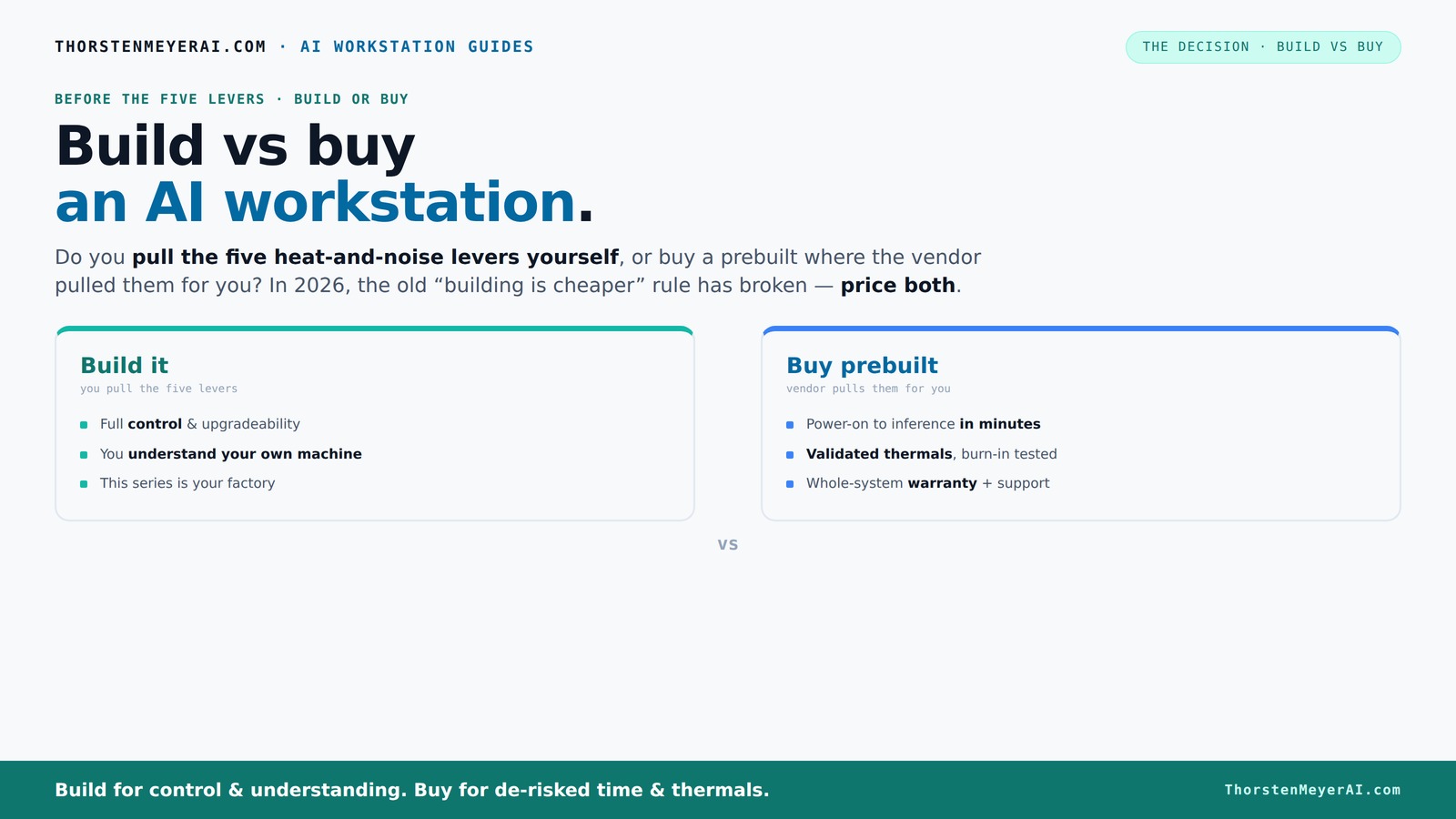
Build vs buy
an AI workstation.
The real question behind this whole series: do you pull the five heat-and-noise levers yourself, or buy a prebuilt where the vendor pulled them for you? And in 2026, the old “building is cheaper” rule has broken. Match your situation in Part 3.
Key Takeaways
- Component shortages in 2026 have made prebuilt AI workstations often cheaper or on par with DIY builds, especially for high-end configs.
- Prebuilt systems offer faster deployment, validated thermals, and warranty support, reducing risk and downtime.
- Building your own machine grants more control over hardware choices, upgrade paths, and customization, but at the cost of time and potential troubleshooting.
- Total ownership costs include support, maintenance, and downtime, often favoring prebuilt systems for critical AI workloads.
- Hybrid approaches—buy the base and upgrade selectively—strike a balance between control and convenience.
As an affiliate, we earn on qualifying purchases.
Why Building Your Own AI Workstation Might Cost More Than You Think
Building your own system used to be the clear winner for saving money. But in 2026, component shortages have flipped the script. High-demand GPUs, DDR5 RAM, and SSDs now cost a premium, often pushing a DIY build over $1,250, where it used to be under $1,000.
For example, a mid-range GPU like the NVIDIA RTX 4080 can now cost $1,200 on its own — a 20% jump from just two years ago. Add in the cost of matching cooling solutions, power supplies, and high-quality cases, and the DIY price skyrockets. Meanwhile, prebuilt systems from vendors like Lambda or Puget often include these at a similar or even lower overall cost, thanks to bulk discounts and validated manufacturing.
According to [1], this trend means you should always price both options for your exact setup before deciding. Building isn’t automatically cheaper anymore — it’s just different. You can explore building vs buying guides for more insights.
Understanding why this shift matters is crucial. When component costs rise or supply chains falter, the traditional DIY advantage diminishes. You might spend more time sourcing parts, troubleshooting compatibility issues, and waiting for shipments, which can negate the initial cost savings. Additionally, the risk of assembling incompatible or underperforming systems increases, potentially leading to costly repairs or upgrades soon after purchase. The tradeoff here is between the control of custom components and the certainty of pre-validated systems that come with support and testing. Recognizing these factors helps you make an informed decision aligned with your workload priorities and risk tolerance.
As an affiliate, we earn on qualifying purchases.
Speed to Get Your AI System Running — Why Prebuilts Win
If you need a working AI workstation yesterday, prebuilt is king. It’s plug-and-play. From unboxing to inference-ready in hours, not days or weeks.
Imagine you’re a researcher who needs to run a large language model fine-tuning project. Building from scratch could take you a week of sourcing parts, assembling, BIOS tuning, driver troubleshooting, and burn-in testing. Meanwhile, a prebuilt system from a trusted vendor is ready to power up — with software preinstalled, validated thermals, and support lined up.
For professionals, that time saved can be worth thousands in lost productivity. Plus, prebuilt vendors often include the latest AI stacks, saving you setup time and compatibility issues. They also perform rigorous testing, so your system won’t throttle under heavy load — which is critical for sustained AI workloads.
This speed advantage is not just about convenience; it directly impacts your ability to meet tight project deadlines, iterate faster, and reduce downtime during critical phases. When delays mean losing competitive advantage or missing funding deadlines, the value of a prebuilt system becomes even clearer. Learn more about the benefits of prebuilt AI workstations for productivity.
Pricing for a Mac Studio shows even premium prebuilt options are competitive, especially when you factor in setup time.
As an affiliate, we earn on qualifying purchases.
The Real Cost of Ownership: Beyond the Sticker Price
Buying or building isn’t just about the initial cost. Over three years, support, maintenance, downtime, and upgrades matter more. A DIY build might seem cheaper up front but can cost more in troubleshooting, replacing parts, or dealing with thermal issues.
Prebuilts often include warranties, on-site support, and validated thermals. Vendors like BIZON or Lambda run extensive burn-in tests—sometimes 48 hours of continuous load—to ensure your system won’t throttle or overheat. That’s a huge time-saver and risk reducer.
For example, a small startup that relies on a stable AI workstation might prefer a prebuilt with a 3-year support plan. It’s a way to avoid costly downtime during critical training or inference cycles, especially if your team lacks in-house hardware expertise. Check out art and hardware support resources for more guidance.
According to [2], the total cost of ownership (TCO) often favors prebuilt systems when factoring in support and downtime costs, especially for high-stakes projects. This comprehensive view underscores that initial purchase price is only part of the story; long-term reliability and support are equally vital to making a financially sound decision.
As an affiliate, we earn on qualifying purchases.
Performance That Actually Matters for AI Workloads
When it comes to AI, not all hardware is created equal. GPU VRAM, memory bandwidth, and cooling are critical. A build allows you to fine-tune these for your workload. But prebuilt systems often come with validated configurations that are 'good enough' for most tasks. For more on hardware optimization, visit geometr.info.
For instance, if you're doing large-scale inference, 24GB of VRAM might suffice. But for multi-GPU training, 48GB or more could be necessary. A custom build lets you choose specific models, like the NVIDIA A6000, or even two GPUs with specialized cooling.
However, prebuilt systems from vendors like Lambda are engineered for these high demands, with proven cooling solutions and power delivery. Sometimes, the performance difference is negligible, and the validated system offers peace of mind.
Understanding these nuances is essential because bottlenecks in VRAM or thermal throttling can significantly reduce effective throughput, leading to longer training times or inference delays. To explore more about hardware choices, see build vs buy considerations. precisely to your workload, potentially squeezing out extra performance, but this requires expertise and time. Prebuilt systems, by contrast, are optimized for most common workloads, providing a reliable baseline that minimizes risks of underperformance due to thermal or power issues.
Check out quiet GPU options for tips on noise and thermal management, which are often overlooked but crucial for maintaining performance during intensive AI tasks.
Upgradeability and Repairs: Can You Keep Your System Future-Proof?
Building your own machine usually means more flexibility. You pick a case, motherboard, and PSU that support upgrades down the line. Need more RAM or a faster GPU a year later? It’s easier to swap out parts.
Prebuilt systems often lock you into specific configurations. The chassis might limit future upgrades, or the power supply may not have enough headroom for new GPUs. Plus, proprietary connectors or custom water-cooling can complicate repairs.
For example, a hobbyist who plans to upgrade over five years might prefer a DIY build with a standard ATX case and open BIOS. Conversely, a busy professional may prefer the peace of mind that comes with a vendor’s warranty and simplified upgrade paths.
However, the tradeoff is that prebuilt systems can sometimes be less adaptable to future hardware innovations, and repairs might require vendor support or proprietary parts, increasing downtime. A DIY build, with standard parts, typically offers more straightforward upgrades and repairs, which can extend the useful lifespan of your system and adapt to evolving workloads. But it also demands more technical skill and time to perform these upgrades or repairs effectively. The key is balancing the need for flexibility with the resources and expertise available to you.
Check quiet case and airflow tips for building a future-proof system that can adapt as your AI needs grow.
When Does a Hybrid Approach Make Sense?
The middle ground? Buy a validated base system and customize from there. You could choose a preconfigured system with good thermals and upgrade the RAM, storage, or even add a second GPU later.
This hybrid approach lets you skip the hassle of sourcing everything from scratch but still tailor key components to your workload. It reduces risk, speeds up deployment, and keeps some control in your hands.
For example, a small AI startup might buy a prebuilt with a solid GPU and upgrade the RAM or add NVMe drives in-house. That way, they get quick deployment plus some flexibility without the complexity of full custom assembly. This approach is particularly advantageous when you need a reliable baseline but anticipate future upgrades or modifications based on workload growth or project scope changes. It provides a balance where you can leverage vendor validation and support for core components while still customizing aspects that matter most to your specific AI tasks.
See hybrid upgrade tips for practical strategies.
The Final Decision: Control or Convenience?
Deciding whether to build or buy hinges on your priorities. Want full control, custom tuning, and upgrade flexibility? Building is still a valid, rewarding choice. But if you need speed, support, and reliability, a prebuilt might be smarter.
Recent market shifts mean the traditional rule — 'DIY is always cheaper' — no longer holds. Instead, weigh total cost, deployment speed, support, and future needs.
Imagine a researcher racing against a deadline. The prebuilt’s validated thermals and fast setup could save the project. Meanwhile, a hobbyist with a passion for tinkering might prefer building for the joy and control it offers.
Either way, understanding these tradeoffs helps you make smarter choices in 2026, aligning your hardware decisions with your project timelines, risk tolerance, and long-term goals.
Remember, the best choice isn’t necessarily the cheapest upfront — it’s the one that best supports your workflow and future growth.
Frequently Asked Questions
Is a prebuilt AI workstation good enough for local LLMs, fine-tuning, and inference?
Yes. Many prebuilt systems from reputable vendors are designed for these workloads, with validated thermals and enough VRAM to handle large models. They are a reliable choice if you need quick setup and support.
Is it cheaper to build or buy once warranty, labor, and downtime are included?
It varies. While DIY can be cheaper upfront, support costs, troubleshooting, and downtime often make prebuilt systems more cost-effective over three years, especially for critical AI workloads.
How much VRAM do I actually need for AI work?
It depends on your workload. For inference, 8-16GB might suffice. For training large models or multi-GPU setups, 24-48GB VRAM is recommended. Check your specific model’s requirements before buying.
Are prebuilt systems upgradeable later?
Partially. Some vendors offer upgrade options, but many prebuilt systems lock you into specific configurations. Building your own machine provides more flexibility for future upgrades.
When does a hybrid approach make the most sense?
When you want quick deployment but still want to customize key components like RAM, storage, or adding an extra GPU later. It’s a smart middle ground that balances control and convenience.
Conclusion
In 2026, the best choice depends less on price and more on your workflow needs. Do you value control and customization? Or speed and support? Both paths can get you into the AI game — just pick the one that matches your priorities.
Remember, the smartest move isn’t always the cheapest. It’s the one that gets your AI projects running fast, reliably, and ready for the future.
Halloween Picks
halloween
As an affiliate, we earn on qualifying purchases.