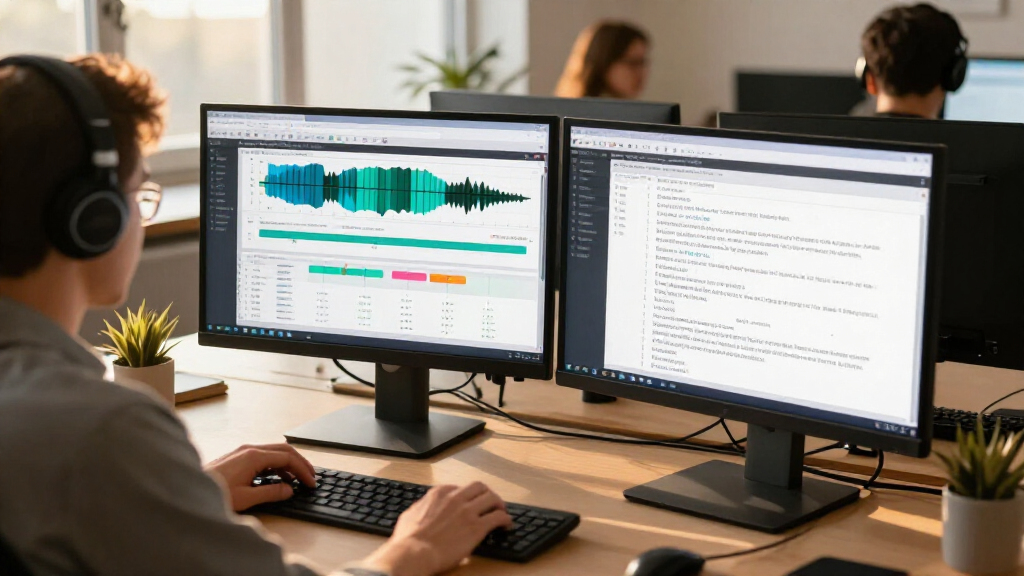

🔍 Read the full analysis: How To Choose Among 11 AI Transcription Software Options For 2027 on ThorstenMeyerAI.com

Get business pricing on monitors, keyboards and dev gear
- Business-only prices and quantity discounts
- Tax-exempt purchasing
- Multiple users, one account, clear invoices
TL;DR
A guide published by ThorstenMeyerAI.com compares 11 transcription options, ranging from desktop software to AI-enabled recording devices. It frames the main choice as flexibility and manual correction versus the convenience of an integrated recorder, while noting that accuracy, language quality, costs and privacy depend on the product and use case.
ThorstenMeyerAI.com has published a guide to 11 AI transcription options, comparing desktop tools and recorder-device bundles for professionals choosing software for 2027. The guide’s central recommendation is to match a product to the task: manual correction and editing control for accuracy-sensitive work, or integrated recording and transcription for convenience in the field.
The guide identifies Express Scribe Pro as its preferred option for workflows in which a person reviews and corrects a transcript, pointing to playback controls, hotkeys and support for foot-pedal use. It describes Philips SpeechExec as a stronger fit for medical and legal settings because of its ecosystem and security features. These are the guide’s assessments, not independently verified rankings or performance results. For more context on how AI transcription supports different workflows, see the related overview.
Other products named include Vobot, OLZO and OM SYSTEM AS-2700. The guide says recorder-based systems can combine audio capture, AI processing and storage, potentially reducing steps after a recording. It also cautions that dedicated devices can limit editing flexibility or tie users to a particular product ecosystem.
The guide says its comparison considered transcription accuracy, workflow efficiency and integration, along with playback and export features for software and recording quality for hardware. It warns that noisy or low-quality audio can undermine results and that human review remains important, particularly for overlapping speech, accents and specialized terminology. See also which AI meeting transcription software can help you take clearer notes.
The 11 picks
- 1
 Philips SpeechExec Transcription Kit with USB Foot Switch and HeadphonesView on Amazon →
- 2
 OM SYSTEM AS-2700 Audio Transcription Kit with USB Foot Pedal, Stereo Headpho…View on Amazon →
- 3
 Express Scribe Professional Transcription Software with Infinity IN-USB-3 Foo…View on Amazon →
- 4
 Philips SpeechExec Transcribe Software, 2-Year Subscription, Version 11.5View on Amazon →
- 5
 AI Voice Recorder with Automatic Transcription and 140+ Language TranslationView on Amazon →
- 6
 AI Podcast Summaries from Transcripted.aiView on Amazon →
- 7
 Vobot AI Voice Recorder with Transcription, Summaries, and NFC Business CardView on Amazon →
- 8
 Express Scribe Software Pro Transcription Software (CD-ROM)View on Amazon →
- 9
 OLZO AI Voice Recorder with Transcription and SummaryView on Amazon →
- 10
 Express Scribe Transcription SoftwareView on Amazon →
- 11
 AI VoiceWriter Dictation and AI Writing Assistant with USB Dongle and Mobile AppView on Amazon →
Choosing Between Editing and Convenience
The choice can affect more than transcript quality: it shapes how recordings are captured, reviewed and stored, and how much staff time is spent correcting errors. A recorder bundle may suit interviews or field work where immediate capture matters. A desktop workflow may be preferable when users need to revise transcripts closely or work with existing audio files.
For medical, legal or otherwise sensitive material, the guide’s privacy warning is particularly relevant. Cloud processing can involve uploading audio to remote services, so buyers should check data handling, retention and compliance terms before use. Product descriptions alone do not establish that a tool meets a particular organization’s legal obligations.
Popular right now

Bose QuietComfort Headphones (2nd Gen) – Wireless Over-Ear Noise Cancelling Headphones, Eucalyptus Green

Samsung 65-Inch M70H Series 4K Mini LED Smart TV (2026)

Dyson Cyclone V10 Origin Cordless Vacuum
As an affiliate, we earn on qualifying purchases.
How the Guide Compares Tools
The source presents its list as a buyer’s guide, not a controlled benchmark. It does not supply standardized accuracy scores, test transcripts, independent evaluations or a complete cost comparison in the material provided. Its recommendations should be read as editorial judgments rather than proof that one product performs best for every user.
The guide also distinguishes subscription plans from one-time licenses. It says subscriptions may include updates, cloud storage and support, while a one-time purchase can avoid recurring fees. Actual value depends on current prices, included features, usage limits and how often the buyer transcribes; those details can change and should be checked directly with vendors.
“The main tradeoff lies between pure software flexibility and the convenience of hardware-software bundles.”
— ThorstenMeyerAI.com guide
Performance and Pricing Need Checking
The supplied material does not give the full set of 11 product entries, standardized test results, current prices or a publication date. It also does not document the basis for calling particular products the “gold standard” or the strongest option in a category. Those descriptions remain the source’s opinions, not independently established findings.
The guide mentions claims of support for more than 140 languages for some recorders, while warning that quality may be strongest in a smaller group of languages. It provides no product-by-product language tests to confirm that distinction. Buyers should verify supported languages and dialects, as well as whether processing is local or cloud-based and what happens to uploaded recordings.
Verify Fit Before Buying
Before choosing, users should test shortlisted products with their own audio, accents and terminology, then measure correction time as well as the initial transcript. They should confirm current software versions, subscription terms, export formats, hardware compatibility and data-retention policies with the vendor.
For regulated or confidential work, organizations should review security and compliance documentation with their legal or IT teams rather than relying on a general product description. The guide offers a framework for comparing workflows, but independent accuracy testing and current product details would be needed to establish which option performs best for a particular buyer.
Key Questions
Which tool does the guide recommend for manual transcript correction?
The guide favors Express Scribe Pro for human-reviewed workflows, citing playback controls, hotkeys and foot-pedal support. That is the guide’s assessment, not an independently tested ranking.
Are recorder devices better than desktop transcription software?
Not universally. The guide says devices such as Vobot, OLZO and OM SYSTEM AS-2700 can simplify capture and processing, while desktop software may provide more editing flexibility.
Can AI transcripts be used without human review?
The guide warns that errors can occur with overlapping speakers, accents and technical terms. It recommends human correction when accuracy matters, especially for professional records.
What should buyers check before uploading sensitive recordings?
Check whether audio is processed in the cloud, how it is retained or deleted, who can access it, and whether the vendor’s terms meet your organization’s privacy and compliance requirements.
Source: ThorstenMeyerAI.com