To run an effective sprint, your prototype toolkit should include basic sketching supplies like pens, markers, sticky notes, and blank paper for quick ideas. Add materials for rapid iteration, such as whiteboards and conductive pens, to explore and refine concepts. Don’t forget digital tools like Figma or Adobe XD for high-fidelity mockups, and testing hardware like smartphones or tablets to validate designs in real-world settings. Keep organized with notebooks or digital notes—there’s more to optimize your sprint seamlessly.
Key Takeaways
- Basic sketching supplies like pens, markers, and paper facilitate quick ideation and exploration of design concepts.
- Sticky notes and conductive pens support rapid iteration and interactive paper prototypes.
- Digital tools like Figma and Adobe XD enable fast, high-fidelity mockups and instant design adjustments.
- Hardware such as tablets and smartphones allow testing prototypes in real-world contexts for usability insights.
- Documentation materials like notebooks and digital apps help track feedback, design changes, and ensure team alignment.
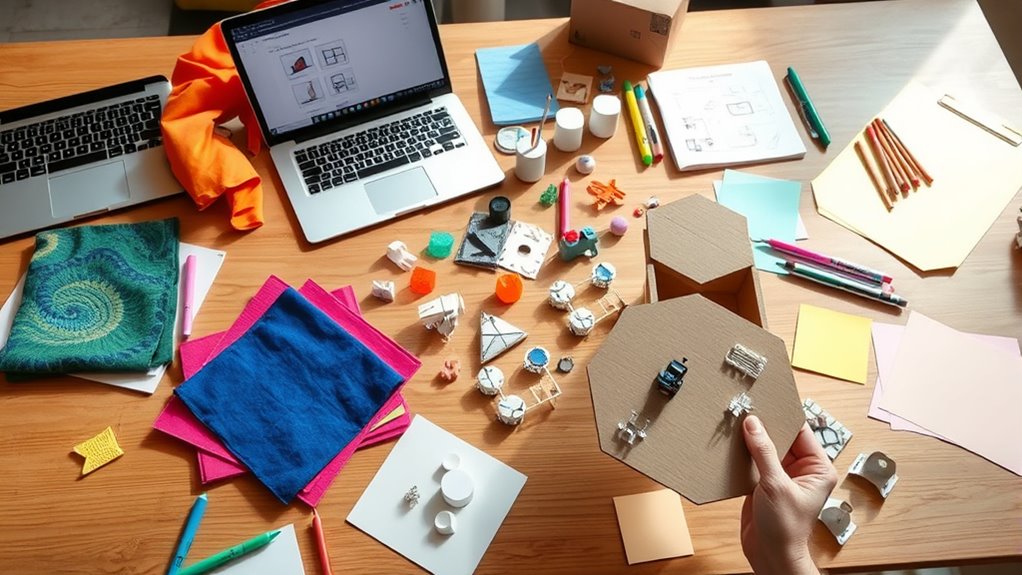
Ever wondered how to streamline your design process and bring ideas to life faster? Using a well-equipped prototype toolkit is the key. When you’re working on a sprint, your goal is to quickly test concepts, gather feedback, and refine your solutions. That’s where having the right materials for rapid iteration becomes crucial. It allows you to focus on improving user experience without getting bogged down by delays or overly complex processes. By assembling a set of versatile, easy-to-use tools, you can accelerate your workflow and make informed decisions faster.
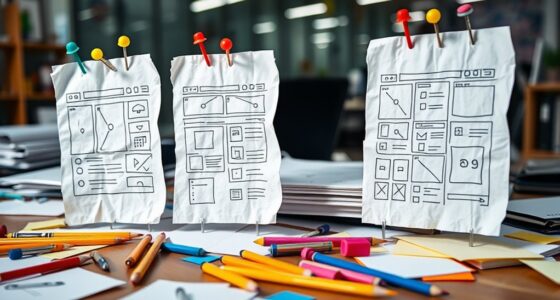
Start with some basic sketching supplies — pens, markers, sticky notes, and blank paper. These are your go-to for rapid ideation, letting you visualize concepts on the fly. Sketching helps you quickly explore different design directions, identify potential issues early, and communicate ideas clearly to stakeholders. Sticky notes are invaluable for organizing thoughts, creating user flows, or rearranging ideas during collaborative sessions. They enable you to adapt your prototypes swiftly, fostering a mindset of continuous iteration that enhances user experience at every step.
Next, incorporate simple, portable prototyping tools. Think of conductive pens for creating interactive paper prototypes or mini whiteboards for collaborative brainstorming. These materials make it easy to simulate user interactions without investing heavily in digital tools upfront. For digital prototypes, tools like Figma, Adobe XD, or Sketch are essential for quick, high-fidelity mockups. They support rapid iteration, allowing you to tweak designs instantly based on feedback, which directly improves user experience by making your prototypes more realistic and user-centric.
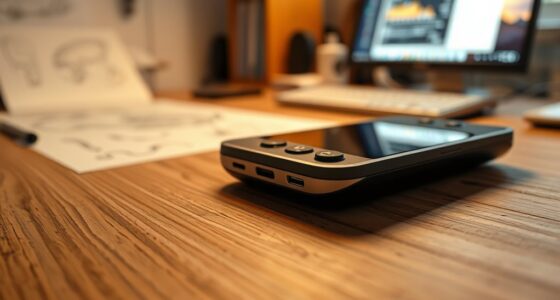
Additionally, keep a set of basic hardware components such as tablets or smartphones, so you can test your prototypes on actual devices. This helps you identify usability issues and refine interactions in real-world contexts. Using tangible materials alongside digital ones bridges the gap between concept and reality, speeding up your ability to iterate and optimize designs efficiently.
Finally, don’t forget about documentation supplies—notebooks, printouts, or digital note-taking apps. Record insights, user feedback, and design changes during each phase. This keeps your team aligned and ensures continuous improvement through documented rapid iteration cycles. The more organized your materials, the more smoothly you can iterate, and the better the overall user experience becomes.
In the end, a well-stocked prototype toolkit isn’t just about having materials; it’s about creating a flexible environment that encourages quick experimentation, fosters collaboration, and accelerates learning. When you’re equipped with these essential items, you can move faster through your design sprints, validate ideas sooner, and deliver a user experience that truly resonates.
Frequently Asked Questions
How Do I Choose the Right Materials for My Prototype?
You should start by considering your prototyping goals and the level of fidelity needed. Use your material selection to match the prototype’s purpose—whether it’s quick iteration or detailed testing. Rely on versatile prototyping tools like foam, paper, or digital platforms to bring your ideas to life. Choose materials that are easy to work with, affordable, and align with your project timeline, ensuring an efficient and effective prototyping process.
Can the Toolkit Be Used for Digital Prototypes?
Absolutely, the toolkit can be used for digital prototypes! With digital tools, you can create virtual models that are as detailed and dynamic as physical prototypes. You can simulate user interactions, test functionality, and gather feedback—all within a digital environment. This flexibility means you don’t need physical materials; instead, your toolkit becomes a powerful arsenal of software and virtual resources to bring your ideas to life effortlessly.
What Safety Precautions Should I Follow With These Materials?
When handling materials from the toolkit, always prioritize safety by using appropriate safety gear like gloves and goggles. Practice proper material handling techniques to prevent injuries or accidents, especially with sharp or heavy items. Keep your workspace organized to avoid tripping hazards. Follow any specific safety instructions provided with the materials, and never rush—taking these precautions guarantees a safer, smoother prototyping process.
Are There Environmentally Friendly Options Available?
They say, “Waste not, want not,” and that’s especially true for prototyping. Yes, eco-friendly alternatives and sustainable materials are available, allowing you to create your prototypes responsibly. Look for biodegradable plastics, recycled paper, and plant-based adhesives to reduce your environmental impact. Using these options not only makes your process greener but also promotes sustainability, showing your commitment to protecting the planet while innovating effectively.
How Do I Store and Preserve Prototype Materials?
You should store prototype materials in a cool, dry place to prevent damage and preserve their quality. Use sustainable sourcing for storage containers, like reusable or biodegradable options, to minimize environmental impact. Follow storage best practices by labeling everything clearly and organizing materials to avoid clutter. Regularly check and maintain your supplies, ensuring they stay in good condition for future use while supporting eco-friendly practices.
Conclusion
With this toolkit in your hands, you’re armed with the magic wand to turn ideas into reality. Think of it as your secret garden—each material a seed ready to blossom into a compelling prototype. As you navigate the sprint, remember that these tools are your compass, guiding you through uncharted creative waters. Embrace the process, stay curious, and watch your vision grow into something truly extraordinary. Your masterpiece is just a toolkit away.